Page 103 of 476
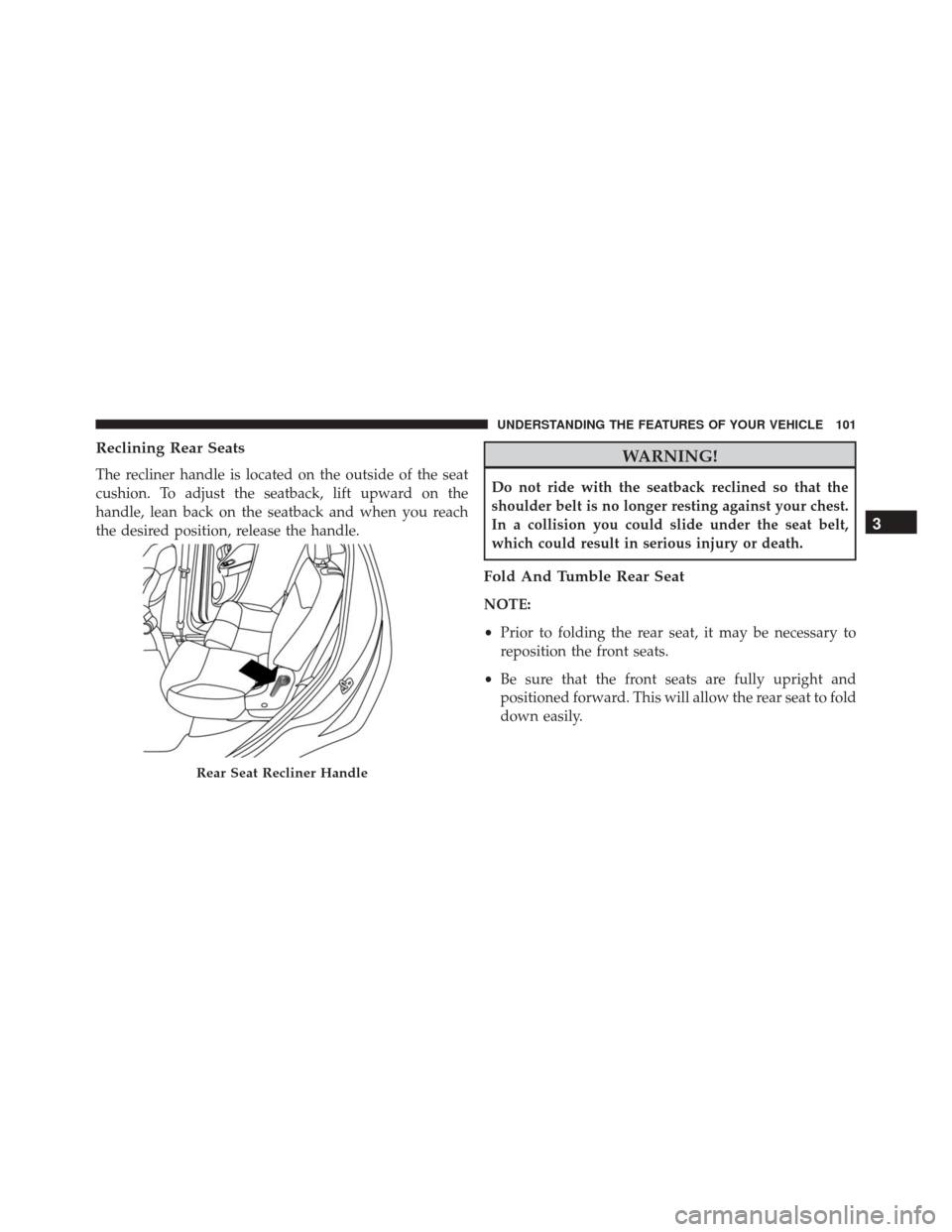
Reclining Rear Seats
The recliner handle is located on the outside of the seat
cushion. To adjust the seatback, lift upward on the
handle, lean back on the seatback and when you reach
the desired position, release the handle.
WARNING!
Do not ride with the seatback reclined so that the
shoulder belt is no longer resting against your chest.
In a collision you could slide under the seat belt,
which could result in serious injury or death.
Fold And Tumble Rear Seat
NOTE:
•Prior to folding the rear seat, it may be necessary to
reposition the front seats.
• Be sure that the front seats are fully upright and
positioned forward. This will allow the rear seat to fold
down easily.
Rear Seat Recliner Handle
3
UNDERSTANDING THE FEATURES OF YOUR VEHICLE 101
Page 107 of 476
Head Restraints
Head restraints are designed to reduce the risk of injury
by restricting head movement in the event of a rear-
impact. Head restraints should be adjusted so that the top
of the head restraint is located above the top of your ear.
WARNING!
The head restraints for all occupants must be prop-
erly adjusted prior to operating the vehicle or occu-
pying a seat. Head restraints should never be ad-
justed while the vehicle is in motion. Driving a
vehicle with the head restraints improperly adjusted
or removed could cause serious injury or death in the
event of a collision.
NOTE: Do not reposition the head restraint 180 degrees
to the incorrect position in an attempt to gain additional
clearance to the back of the head.
Reactive Head Restraints — Front Seats
The front driver and passenger seats are equipped with
Reactive Head Restraints. In the event of a rear impact
the Reactive Head Restraints will automatically extend
forward minimizing the gap between the back of the
occupant’s head and the Reactive Head Restraint.
To raise the head restraint, pull upward on the head
restraint. To lower the head restraint, push the adjust-
ment button located at the base of the head restraint, and
push downward on the head restraint.
To remove the head restraint, raise it as far as it can go
then push the adjustment button, and the release button
at the base of each post while pulling the head restraint
up. To reinstall the head restraint, put the head restraint
posts into the holes and push downward. Then adjust it
to the appropriate height.
3
UNDERSTANDING THE FEATURES OF YOUR VEHICLE 105
Page 108 of 476
The Reactive Head Restraints will automatically return to
their normal position following a rear impact. If the
Reactive Head Restraints do not return to their normal
position, see your authorized dealership immediately.
WARNING!
•A loose head restraint thrown forward in a colli-
sion or hard stop could cause serious injury or
death to occupants of the vehicle. Always securely
stow removed head restraints in a location outside
the occupant compartment.
• ALL the head restraints MUST be reinstalled in the
vehicle to properly protect the occupants. Follow
the re-installation instructions above prior to oper-
ating the vehicle or occupying a seat.
• Do not place items over the top of the Active Head
Restraint, such as coats, seat covers or portable
DVD players. These items may interfere with the
operation of the Reactive Head Restraint in the
event of a collision and could result in serious
injury or death.
1 — Release Button
2 — Adjustment Button 106 UNDERSTANDING THE FEATURES OF YOUR VEHICLE
Page 109 of 476
Rear Head Restraints
The rear seats are equipped with adjustable head re-
straints, the outboard head restraints have two comfort
positions, while the central head restraint have to use in
the raised position. When there are no occupants in the
center seat, the head restraint can be lowered for maxi-
mum visibility for the driver. When the center seat is
being occupied, the head restraint has to be in the raised
position.
NOTE:If the center rear head restraints requires removal,
see your authorized dealer.
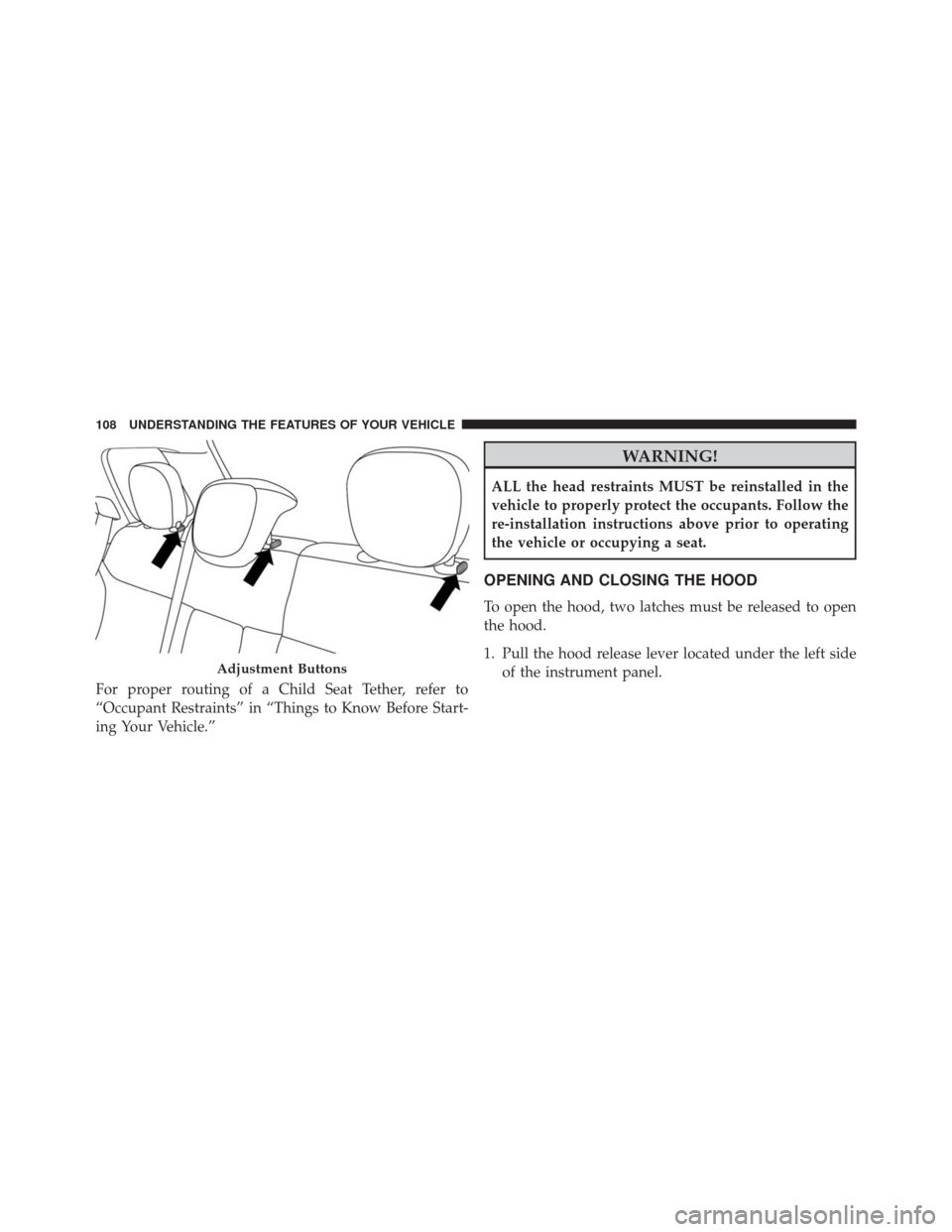
To raise the outboard head restraints, pull upward on the
head restraint. To lower the head restraints, push the
adjustment button located at the base of the head re-
straint, and push downward on the head restraint.
To remove the outboard head restraints, raise it as far as
it can go then push the adjustment button, and the release button at the base of each post while pulling the head
restraint up. To reinstall the head restraint, put the head
restraint posts into the holes and push downward. Then
adjust it to the appropriate height.
WARNING!
A loose head restraint thrown forward in a collision
or hard stop could cause serious injury or death to
occupants of the vehicle. Always securely stow re-
moved head restraints in a location outside the occu-
pant compartment.
3
UNDERSTANDING THE FEATURES OF YOUR VEHICLE 107
Page 110 of 476
For proper routing of a Child Seat Tether, refer to
“Occupant Restraints” in “Things to Know Before Start-
ing Your Vehicle.”
WARNING!
ALL the head restraints MUST be reinstalled in the
vehicle to properly protect the occupants. Follow the
re-installation instructions above prior to operating
the vehicle or occupying a seat.
OPENING AND CLOSING THE HOOD
To open the hood, two latches must be released to open
the hood.
1. Pull the hood release lever located under the left sideof the instrument panel.
Adjustment Buttons
108 UNDERSTANDING THE FEATURES OF YOUR VEHICLE
Page 112 of 476
CAUTION!(Continued)
secure both latches. Never drive your vehicle unless
the hood is fully closed, with both latches engaged.
WARNING!
Be sure the hood is fully latched before driving your
vehicle. If the hood is not fully latched, it could open
when the vehicle is in motion and block your vision.
Failure to follow this warning could result in serious
injury or death.
LIGHTS
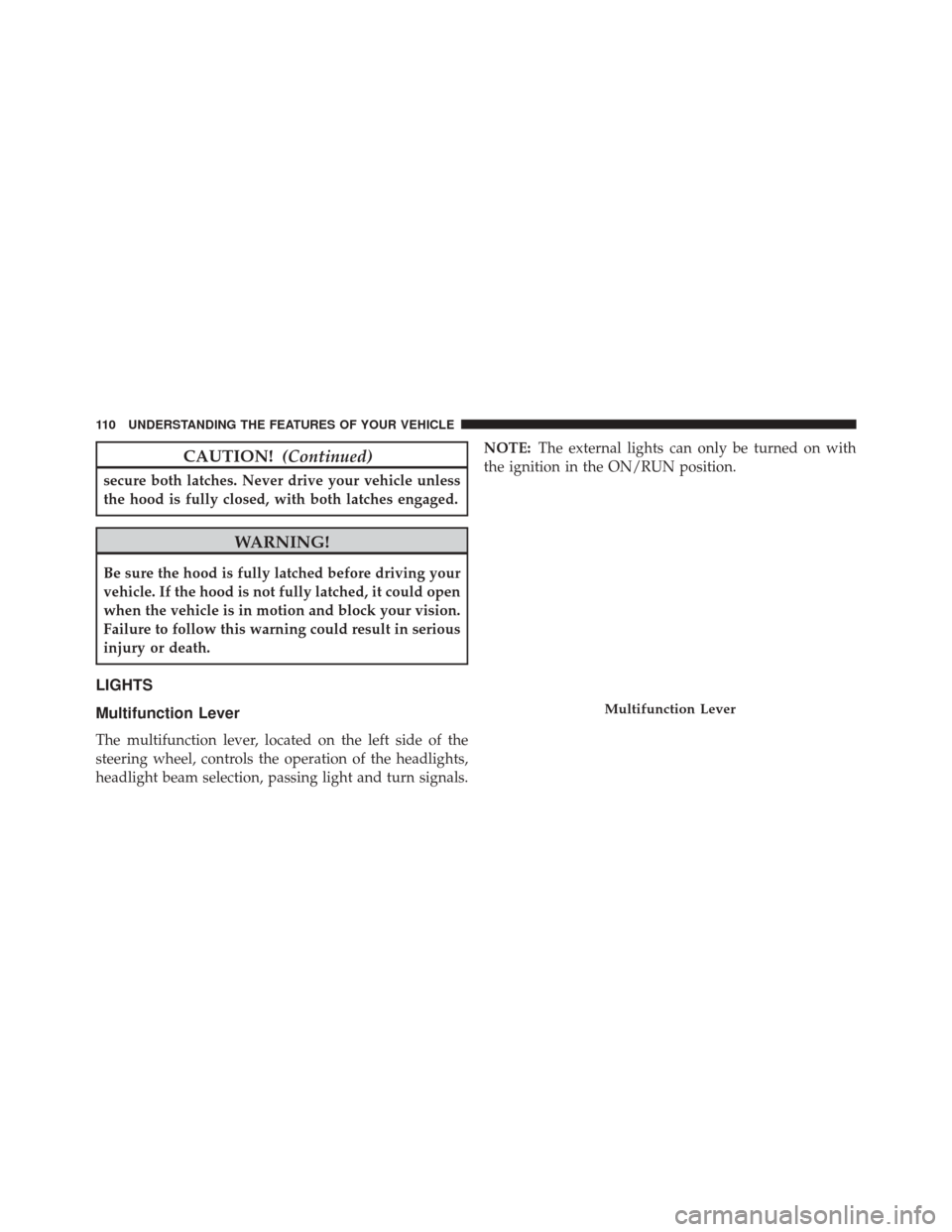
Multifunction Lever
The multifunction lever, located on the left side of the
steering wheel, controls the operation of the headlights,
headlight beam selection, passing light and turn signals. NOTE:
The external lights can only be turned on with
the ignition in the ON/RUN position.
Multifunction Lever
110 UNDERSTANDING THE FEATURES OF YOUR VEHICLE
Page 123 of 476
To unlock the steering column, pull the control handle
down. To tilt the steering column, move the steering
wheel upward or downward as desired. To lengthen or
shorten the steering column, pull the steering wheel
outward or push it inward as desired. To lock the steering
column in position, push the control handle up until fully
engaged.
WARNING!
Do not adjust the steering column while driving.
Adjusting the steering column while driving or driv-
ing with the steering column unlocked, could cause
the driver to lose control of the vehicle. Failure to
follow this warning may result in serious injury or
death.
ELECTRONIC SPEED CONTROL
When engaged, the Electronic Speed Control takes over
accelerator operations at speeds greater than 25 mph
(40 km/h).
The Electronic Speed Control buttons are located on the
right side of the steering wheel.
3
UNDERSTANDING THE FEATURES OF YOUR VEHICLE 121
Page 125 of 476
WARNING!
Leaving the Electronic Speed Control system on
when not in use is dangerous. You could accidentally
set the system or cause it to go faster than you want.
You could lose control and have an accident. Always
leave the system OFF when you are not using it.
To Set A Desired Speed
Turn the Electronic Speed Control ON. When the vehicle
has reached the desired speed, push the SET (-) button
and release. Release the accelerator and the vehicle will
operate at the selected speed.
NOTE:The vehicle should be traveling at a steady speed
and on level ground before pushing the SET (-) button.
To Deactivate
A soft tap on the brake pedal, pushing the CANC button,
or normal brake pressure while slowing the vehicle will deactivate Electronic Speed Control without erasing the
set speed memory. Pushing the ON/OFF button or
turning the ignition switch OFF erases the set speed in
memory.
To Resume Speed
To resume a previously set speed, push the RES (+)
button and release. Resume can be used at any speed
above 25 mph (40 km/h).
To Vary The Speed Setting
To Increase Speed
When the Electronic Speed Control is set, you can in-
crease speed by pushing the RES (+) button.
The drivers preferred units can be selected through the
instrument panel settings if equipped. Refer to “Under-
standing Your Instrument Panel” for more information.
The speed increment shown is dependent on the selected
speed unit of U.S. (mph) or Metric (km/h):
3
UNDERSTANDING THE FEATURES OF YOUR VEHICLE 123