Page 85 of 476
Safety Checks You Should Make Inside The
Vehicle
Seat Belts
Inspect the seat belt system periodically, checking for
cuts, frays, and loose parts. Damaged parts must be
replaced immediately. Do not disassemble or modify the
system.
Front seat belt assemblies must be replaced after a
collision. Rear seat belt assemblies must be replaced after
a collision if they have been damaged (i.e., bent retractor,
torn webbing, etc.). If there is any question regarding seat
belt or retractor condition, replace the seat belt.
Air Bag Warning Light
The light should come on and remain on for
four to eight seconds as a bulb check when the
ignition switch is first turned ON. If the light isnot lit during starting, see your authorized dealer. If the
light stays on, flickers, or comes on while driving, have
the system checked by an authorized dealer.
Defroster
Check operation by selecting the defrost mode and place
the blower control on high speed. You should be able to
feel the air directed against the windshield. See your
authorized dealer for service if your defroster is inoper-
able.
Floor Mat Safety Information
Always use floor mats designed to fit the footwell of your
vehicle. Use only floor mats that leave the pedal area
unobstructed and that are firmly secured so that they
cannot slip out of position and interfere with the pedals
or impair safe operation of your vehicle in other ways.
2
THINGS TO KNOW BEFORE STARTING YOUR VEHICLE 83
Page 99 of 476
Recliner Adjustment
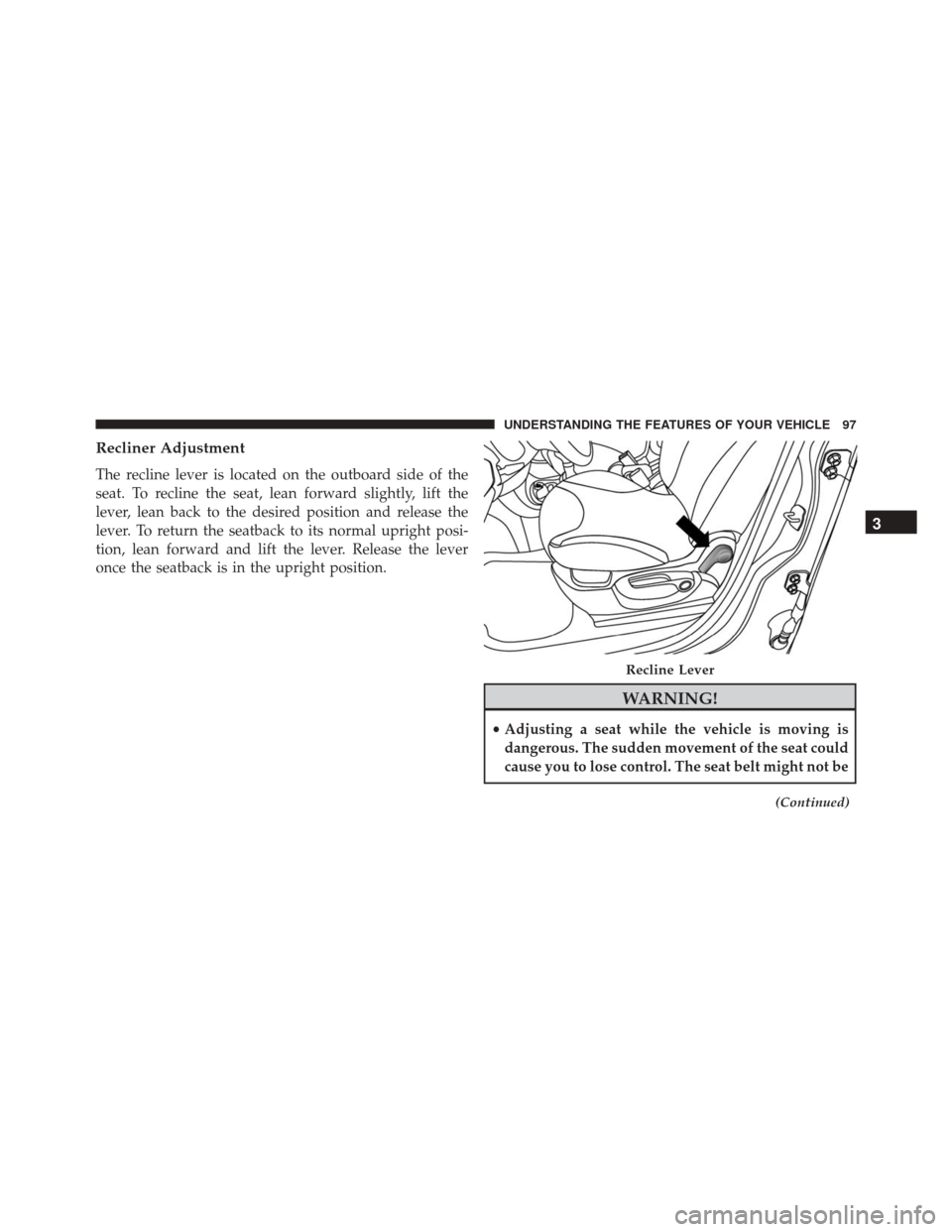
The recline lever is located on the outboard side of the
seat. To recline the seat, lean forward slightly, lift the
lever, lean back to the desired position and release the
lever. To return the seatback to its normal upright posi-
tion, lean forward and lift the lever. Release the lever
once the seatback is in the upright position.
WARNING!
•Adjusting a seat while the vehicle is moving is
dangerous. The sudden movement of the seat could
cause you to lose control. The seat belt might not be
(Continued)
Recline Lever
3
UNDERSTANDING THE FEATURES OF YOUR VEHICLE 97
Page 112 of 476
CAUTION!(Continued)
secure both latches. Never drive your vehicle unless
the hood is fully closed, with both latches engaged.
WARNING!
Be sure the hood is fully latched before driving your
vehicle. If the hood is not fully latched, it could open
when the vehicle is in motion and block your vision.
Failure to follow this warning could result in serious
injury or death.
LIGHTS
Multifunction Lever
The multifunction lever, located on the left side of the
steering wheel, controls the operation of the headlights,
headlight beam selection, passing light and turn signals. NOTE:
The external lights can only be turned on with
the ignition in the ON/RUN position.
Multifunction Lever
110 UNDERSTANDING THE FEATURES OF YOUR VEHICLE
Page 127 of 476
Metric Speed (km/h)
•Pushing the SET (-) button once will result in a 1 km/h
decrease in set speed. Each subsequent tap of the
button results in a decrease of 1 km/h.
• If the button is continually pushed, the set speed will
continue to decrease until the button is released, then
the new set speed will be established.
To Accelerate For Passing
Press the accelerator as you would normally. When the
pedal is released, the vehicle will return to the set speed.
Using Electronic Speed Control On Hills
The transmission may downshift on hills to maintain the
vehicle set speed.
NOTE: The Electronic Speed Control system maintains
speed up and down hills. A slight speed change on
moderate hills is normal.
On steep hills, a greater speed loss or gain may occur so it
may be preferable to drive without Electronic Speed Control.
WARNING!
Electronic Speed Control can be dangerous where the
system cannot maintain a constant speed. Your ve-
hicle could go too fast for the conditions, and you
could lose control and have an accident. Do not use
Electronic Speed Control in heavy traffic or on roads
that are winding, icy, snow-covered or slippery.
REAR PARK ASSIST — IF EQUIPPED
The Rear Park Assist system provides an audible indication
of the distance between the rear fascia/bumper and a
detected obstacle when backing up, e.g. during a parking
maneuver. Refer to the “Park Assist System Usage Precau-
tions” for the limitations of this system and recommenda-
tions.
3
UNDERSTANDING THE FEATURES OF YOUR VEHICLE 125
Page 148 of 476
WARNING!
When the cigar lighter is in use it becomes very hot.
To avoid serious injury, handle the cigar lighter with
care. Always check that the cigar lighter has turned
off.
NOTE:
• Always check that the cigar lighter is switched off.
• Do not connect devices with power higher than 180 W
to the socket. Do not damage the socket by using
unsuitable adaptors.
CUPHOLDERS
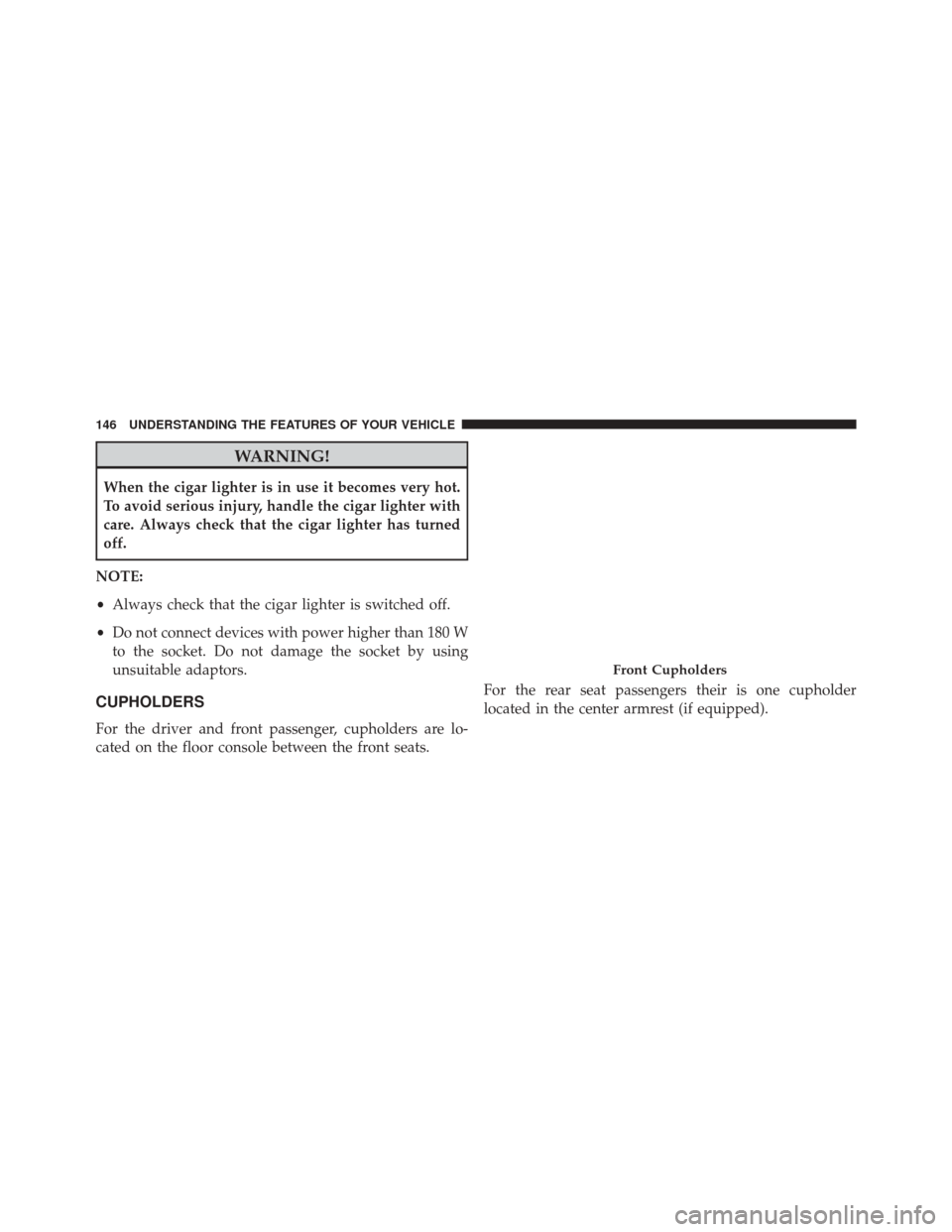
For the driver and front passenger, cupholders are lo-
cated on the floor console between the front seats. For the rear seat passengers their is one cupholder
located in the center armrest (if equipped).
Front Cupholders
146 UNDERSTANDING THE FEATURES OF YOUR VEHICLE
Page 161 of 476
UNDERSTANDING YOUR INSTRUMENT PANEL
CONTENTS
�INSTRUMENT PANEL FEATURES ..........162
� INSTRUMENT CLUSTER .................163
� WARNING AND INDICATOR LIGHTS .......165
▫ Red Telltale Indicator Lights ..............166
▫ Yellow Telltale Indicator Lights ............174
▫ Green Telltale Indicator Lights ............184
▫ White Telltale Indicator Light .............185
▫ Blue Telltale Indicator Light ..............186�
ELECTRONIC VEHICLE INFORMATION CENTER
(EVIC) ............................. .186
▫ EVIC Screen ........................ .187
▫ EVIC Control Buttons ..................187
▫ Electronic Vehicle Information Center (EVIC)
Setup Menu ........................ .188
▫ Change Engine Oil Indicator System ........190
▫ Trip Computer ...................... .190
▫ Trip Button ......................... .190
▫ Trip Functions ....................... .1924
Page 164 of 476
INSTRUMENT PANEL FEATURES
1 — Side Vent7 — Fixed Upper Air Vent13 — Climate Controls
2 — Steering Wheel Audio Control — Lo-
cated On Back Side Of Steering Wheel 8 — Passenger Advanced Front Air Bag 14 — USB Port/SD Card/AUX Socket
3 — Multifunction Lever – Light Control 9 — Upper Glove Compartment 15 — Uconnect Audio System
4—
Instrument Cluster And Warning Lights10 — Storage Compartment 16 — Ignition Switch
5—Windshield Wiper, Washer, Trip Computer11 — Lower Glove Compartment 17 —Driver Advanced Front Air Bag / Horn6 — Central Air Vents 12 — Upper Switch Bank18 — Electronic Speed Control Located On
Steering Wheel
162 UNDERSTANDING YOUR INSTRUMENT PANEL
Page 167 of 476

4. Tachometer•Indicates the engine speed in revolutions per minute
(RPM x 1000).
5. Electronic Vehicle Information Center (EVIC) •When the appropriate conditions exist, this display
shows the Electronic Vehicle Information Center
(EVIC) messages. Refer to “Electronic Vehicle Infor-
mation Center” in “Understanding Your Instrument
Panel” for further informationWARNING AND INDICATOR LIGHTS
IMPORTANT: The warning / indicator light switches on
in the instrument panel together with a dedicated mes-
sage and/or acoustic signal when applicable. These
indications are indicative and precautionary and as such
must not be considered as exhaustive and/or alternative
to the information contained in the Owner Manual,
which you are advised to read carefully in all cases.
Always refer to the information in this chapter in the
event of a failure indication.
All active telltales will display first if applicable. The
system check menu may appear different based upon
equipment options and current vehicle status. Some
telltales are optional and may not appear.
4
UNDERSTANDING YOUR INSTRUMENT PANEL 165