Page 164 of 476
INSTRUMENT PANEL FEATURES
1 — Side Vent7 — Fixed Upper Air Vent13 — Climate Controls
2 — Steering Wheel Audio Control — Lo-
cated On Back Side Of Steering Wheel 8 — Passenger Advanced Front Air Bag 14 — USB Port/SD Card/AUX Socket
3 — Multifunction Lever – Light Control 9 — Upper Glove Compartment 15 — Uconnect Audio System
4—
Instrument Cluster And Warning Lights10 — Storage Compartment 16 — Ignition Switch
5—Windshield Wiper, Washer, Trip Computer11 — Lower Glove Compartment 17 —Driver Advanced Front Air Bag / Horn6 — Central Air Vents 12 — Upper Switch Bank18 — Electronic Speed Control Located On
Steering Wheel
162 UNDERSTANDING YOUR INSTRUMENT PANEL
Page 228 of 476
Clear Personal Data
After pressing the “Clear Personal Data Settings” button
on the touchscreen the following settings will be avail-
able:
•Clear Personal Data
When this feature is selected it will remove personal data
including Bluetooth devices and presets. To Clear Per-
sonal Data press the “Yes” or “No” button on the
touchscreen.
UCONNECT RADIOS
For detailed information about your Uconnect radio,
refer to your Uconnect Supplement Manual.
iPod/USB/MEDIA PLAYER CONTROL
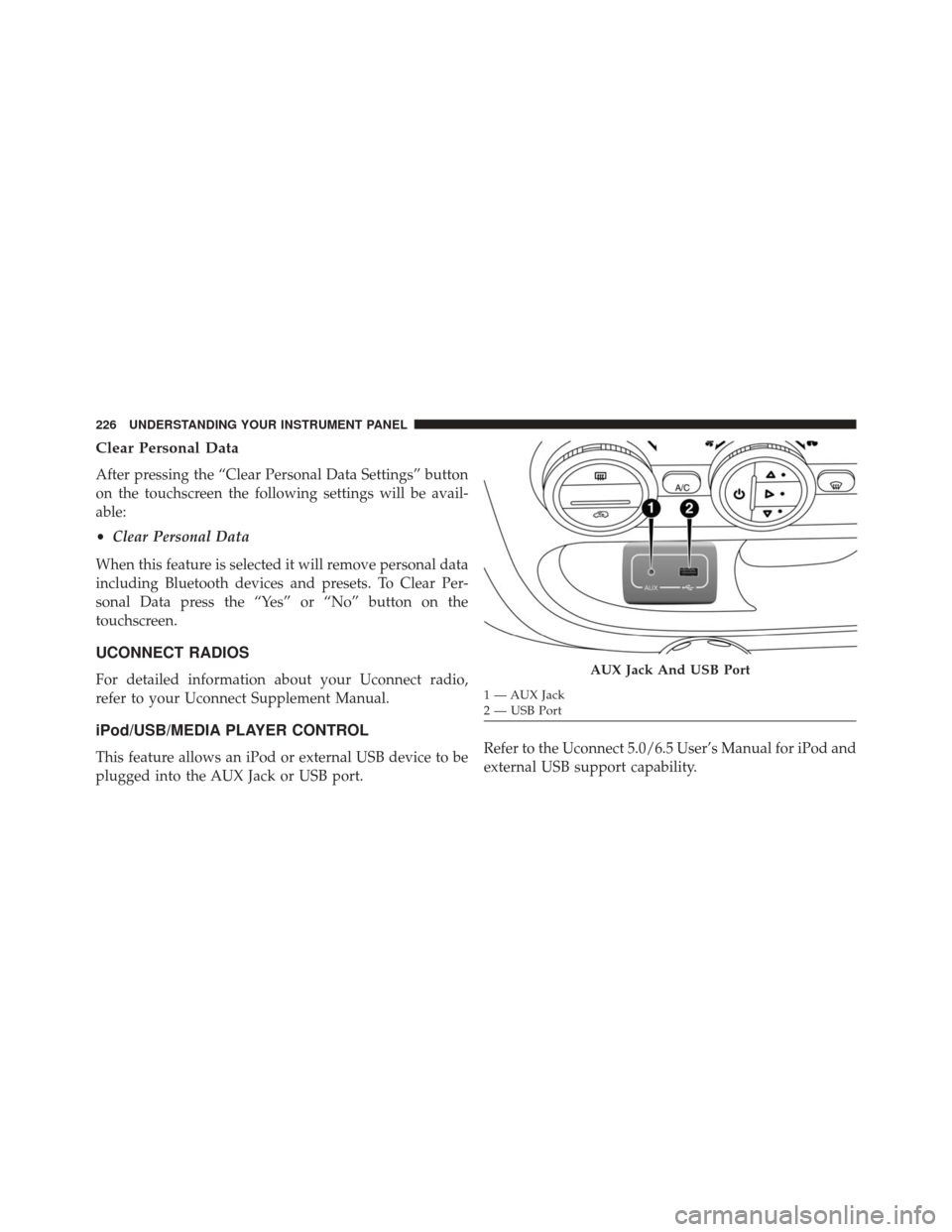
This feature allows an iPod or external USB device to be
plugged into the AUX Jack or USB port. Refer to the Uconnect 5.0/6.5 User’s Manual for iPod and
external USB support capability.
AUX Jack And USB Port
1 — AUX Jack
2 — USB Port
226 UNDERSTANDING YOUR INSTRUMENT PANEL
Page 256 of 476
Media
Uconnect offers connections via USB Port, Bluetooth and
Auxiliary Ports (If Equipped). Voice operation is only
available for connected USB and iPod devices. (Remote
CD player optional and not available on all vehicles.)
Push the VR button
. After the beep, say one of the
following commands and follow the prompts to
switch your media source or choose an artist.
• Change source to Bluetooth.
• Change source to iPod.
• Change source to USB.
• Play artist Beethoven; Play album Greatest Hits; Play
song Moonlight Sonata; Play genreClassical.
Uconnect 6.5A/6.5AN Radio
254 UNDERSTANDING YOUR INSTRUMENT PANEL