Page 223 of 616
UNDERSTANDING YOUR INSTRUMENT PANEL
CONTENTS
�INSTRUMENT PANEL FEATURES ..........224
� INSTRUMENT CLUSTER — SRT ...........225
� INSTRUMENT CLUSTER — SRT ...........228
� WARNING AND INDICATOR LIGHTS .......230
▫ Red Telltale Indicator Lights ..............231
▫ Yellow Telltale Indicator Lights ............243
▫ Green Telltale Indicator Lights ............253
▫ Blue Telltale Indicator Lights ..............255
▫ White Telltale Indicator Lights ............256
� DRIVER INFORMATION DISPLAY (DID) .....257▫
Engine Oil Life Reset ..................259
▫ Performance Shift Indicator (PSI) –
If Equipped ........................ .261
▫ Cruise Control ....................... .262
▫ DID Selectable Menu Items ..............262
▫
Battery Saver On/Battery Saver Mode Message —
Electrical Load Reduction Actions —
If Equipped ......................... .273
�CYBERSECURITY ...................... .276
� UCONNECT SETTINGS ..................278
▫ Buttons On The Faceplate ................279
4
Page 226 of 616
INSTRUMENT PANEL FEATURES
1 — Air Outlets5 — Keyless Start/Stop Button
2 — Instrument Cluster 6 — Trunk Release Button
3 — Glove Box 7 — Headlight Switch
4 — Media Center 224 UNDERSTANDING YOUR INSTRUMENT PANEL
Page 227 of 616
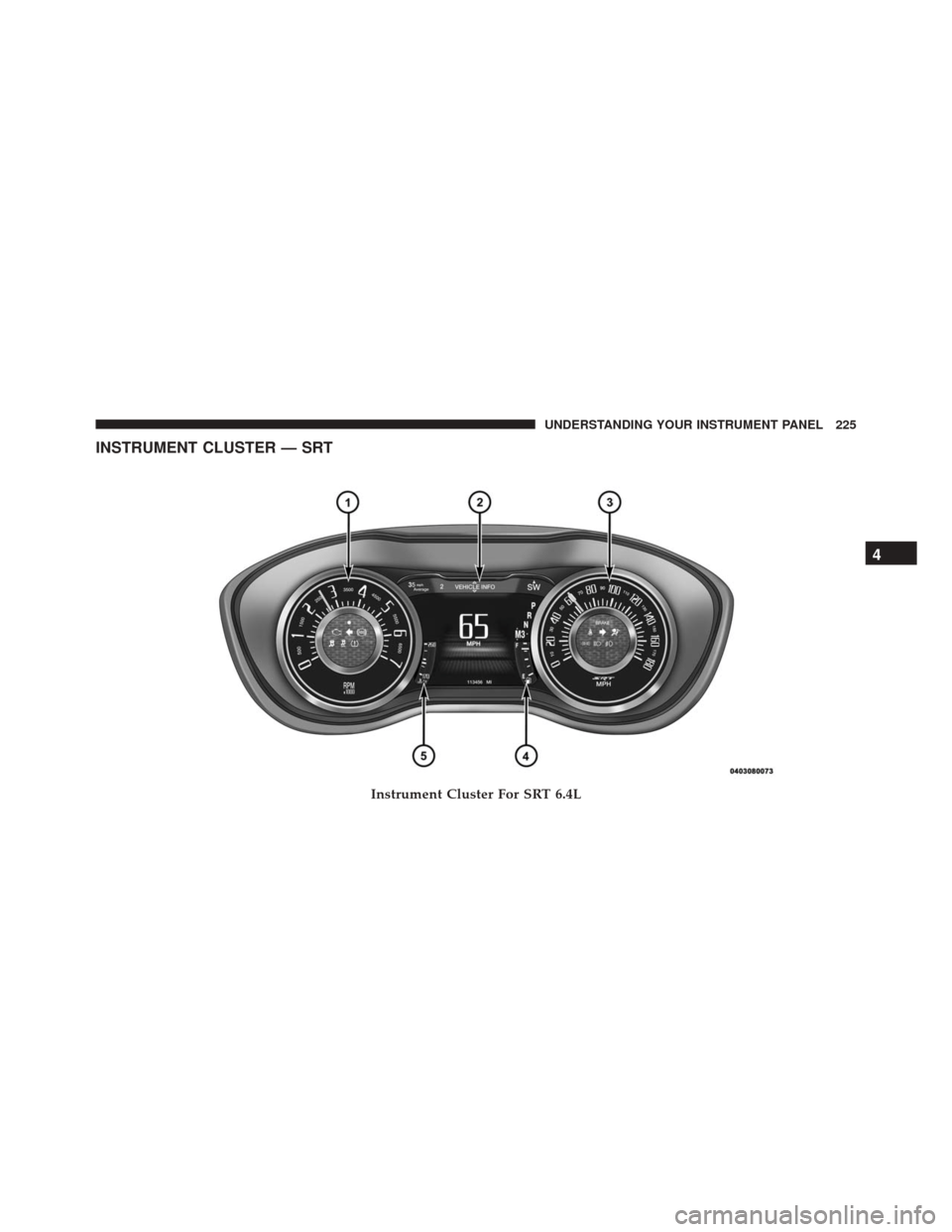
INSTRUMENT CLUSTER — SRT
Instrument Cluster For SRT 6.4L
4
UNDERSTANDING YOUR INSTRUMENT PANEL 225
Page 230 of 616
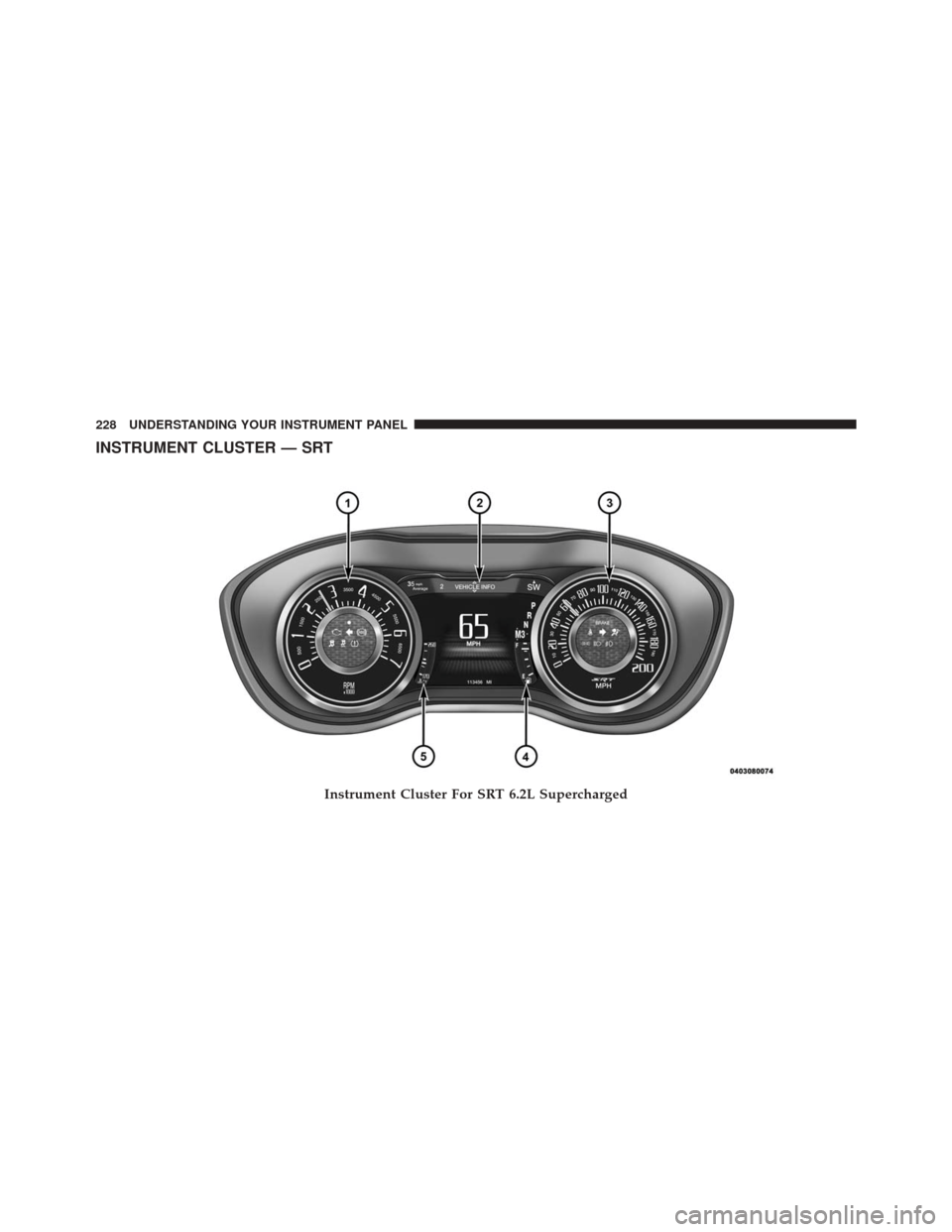
INSTRUMENT CLUSTER — SRT
Instrument Cluster For SRT 6.2L Supercharged
228 UNDERSTANDING YOUR INSTRUMENT PANEL
Page 247 of 616
Electronic Stability Control (ESC) Indicator Light — If Equipped
Yellow TelltaleLight What It Means
Electronic Stability Control (ESC) Indicator Light — If Equipped
The “ESC Indicator Light” in the instrument cluster will come on when the ignition switch
is turned to the ON/RUN position, and when ESC is activated. It should go out with the
engine running. If the “ESC Indicator Light” comes on continuously with the engine run-
ning, a malfunction has been detected in the ESC system. If this light remains on after sev-
eral ignition cycles, and the vehicle has been driven several miles (kilometers) at speeds
greater than 30 MPH (48 km/h), see your authorized dealer as soon as possible to have the
problem diagnosed and corrected.
•
The “ESC Off Indicator Light” and the “ESC Indicator Light” come on momentarily each
time the ignition switch is turned to ON/RUN.
• Each time the ignition is turned to ON/RUN, the ESC system will be ON, even if it was
turned off previously.
• The ESC system will make buzzing or clicking sounds when it is active. This is normal;
the sounds will stop when ESC becomes inactive. 4
UNDERSTANDING YOUR INSTRUMENT PANEL 245
Page 256 of 616
Turn Signal Indicator Lights
Green Tell-tale Light What It Means
Turn Signal Indicator Lights
The instrument cluster directional arrow will flash independently for the LEFT or RIGHT turn
signal as selected, as well as the exterior turn signal lamp(s) (front and rear) as selected when
the multifunction lever is moved down (LEFT) or up (RIGHT).
NOTE:
•A continuous chime will sound if the vehicle is driven more than 1 mile (1.6 km) with either
turn signal on.
•Check for an inoperative outside light bulb if either indicator flashes at a rapid rate.
254 UNDERSTANDING YOUR INSTRUMENT PANEL
Page 259 of 616
DRIVER INFORMATION DISPLAY (DID)
The Driver Information Display (DID) features an inter-
active display which is located in the instrument cluster.
This system conveniently allows the driver to select a
variety of useful information by pushing the arrowbuttons located on the left side of the steering wheel. The
DID Menu Items consists of the following:
•
Speedometer
• Vehicle Info
• Performance — If Equipped
• Driver Assist — If Equipped
• Fuel Economy
• Trip
• Audio
• Messages
• Screen Setup
• Diagnostics — If Equipped
Driver Information Display (DID) Display
4
UNDERSTANDING YOUR INSTRUMENT PANEL 257
Page 271 of 616

•Units will change with the global change in units.
Driver Assist — If Equipped
Adaptive Cruise Control (ACC) Menu
The DID displays the current ACC system settings. The
information displayed depends on ACC system status.
Push the ADAPTIVE CRUISE CONTROL (ACC) ON/
OFF button (located on the steering wheel) until one of
the following displays in the DID:
Adaptive Cruise Control Off
When ACC is deactivated, the display will read “Adap-
tive Cruise Control Off.”
Adaptive Cruise Control Ready
When ACC is activated but the vehicle speed setting has
not been selected, the display will read “Adaptive Cruise
Control Ready.” Push the SET + or the SET- button (located on the steering
wheel) and the following will display in the DID:
ACC SET
When ACC is set, the set speed will display in the
instrument cluster.
The ACC screen may display once again if any ACC
activity occurs, which may include any of the following:
•
Distance Setting Change
• System Cancel
• Driver Override
• System Off
• ACC Proximity Warning
• ACC Unavailable Warning
4
UNDERSTANDING YOUR INSTRUMENT PANEL 269