Page 199 of 268

197
Press on "Audio source " to display t
he carousel of sound sources. Press on "
Audio source " to display
t
he carousel of audio sources.
Select " DAB". Select "
DAB".
Select " DAB radio configuration ".
Activate " L-band". Select "
DAB radio configuration ".
Activate " Alternative DAB
frequency ".
Select the "
Station" tab then select a
station from those received.
Select the " Manual" tab to search for
a station.
Digital radio provides higher quality
r
eception and also the display of
a
dditional
in
formation
(
album
ar
twork...)
o
n
the radio station being listened to.
S
elect "DAB" in the carousel of audio
s
ources.
The range of multiplexes available is
d
isplayed in alphabetical order.
Digital radio does not cover 100% of the
t
e r r i to r y.
When
the digital signal is weak, the
"A
lternative DAB frequency" option
makes
it possible to continue listening
t
o the same station, by automatically
s
witching to the corresponding "FM"
s
tation (if there is one).If
the "DAB" station being listened to
i
s not available, or if "L-band" is not
activated,
the sound will cut out while
t
he digital signal is too weak.
If "
Alternative DAB frequency "
tracking
is activated, there is a
d
ifference of a few seconds when the
s
ystem switches to the "FM" analogue
r
adio station with sometimes a variation
i
n volume.
When
the digital signal is restored, the
s
ystem automatically changes back
t
o "DAB".
DAB / FM station tracking
Digital radio
.
Audio and Telematics
Page 202 of 268

200
Information and advice
The system accepts USB mass storage devices o r A pple® players via the
USB
ports.
The
adaptor cable is not
sup
plied.
Control
of
the
peripheral device is with
t
he
audio
system
controls.
Other
peripherals, not recognised on
c
onnection,
must
be connected to the
a
uxiliary
socket
using a Jack cable
(
not supplied).
It
is
advisable
to
restrict
file
names
to
2
0 characters,
without
using
of
special
c
haracters
(e.g.:
"
"
?
;
ù)
to
avoid
any
playing
a
nd
d
isplaying
pro
blems.
Use
only
USB
memory
sticks
formatted
FAT32
(
File
Allocation
Table).
The
audio
system
plays
files
with
the
extension:
".wma",
type
Ver7
and
Ver8
with
bit
rate
b
etween
48
and
192
Kbps
and
type
Ver9
with
b
it
rate
between
48
and
320
Kbps.
".aac",
with
bit
rate
between
16
and
320
Kbps.
".mp3
-
MPEG1"
with
bit
rate
between
32
and
3
20
Kbps
and
".mp3
-
MPEG2"
with
bit
rate
b
etween
8
and
160
Kbps.
The
sampling
rates
supported
are
11,
22,
44
a
nd
48
KHz. The
system
can
alternatively read files
v
ia the Bluetooth
® system and the USB po
rt.
It
is
recommended that the USB cable
f
or
the
portable
device is used.
Audio and Telematics
Page 203 of 268
201
Audio streaming
Once connected for streaming, the telephone is considered as a media
s
ource.
It
is recommended that "Repeat "
mode
b
e activated in the Bluetooth device.
Streaming
allows audio files on your
t
elephone to be played via the vehicle's
s
peakers.
Connect the telephone: see the "
Telephone "
section, then " Bluetooth".
Choose either " Connect all" or " Connect as
audio player "
pro
file.
If
play
does not start automatically, it may
b
e
necessary to start audio play from the
t
elephone.
Control is from the peripheral device or by
u
sing
the audio system controls.
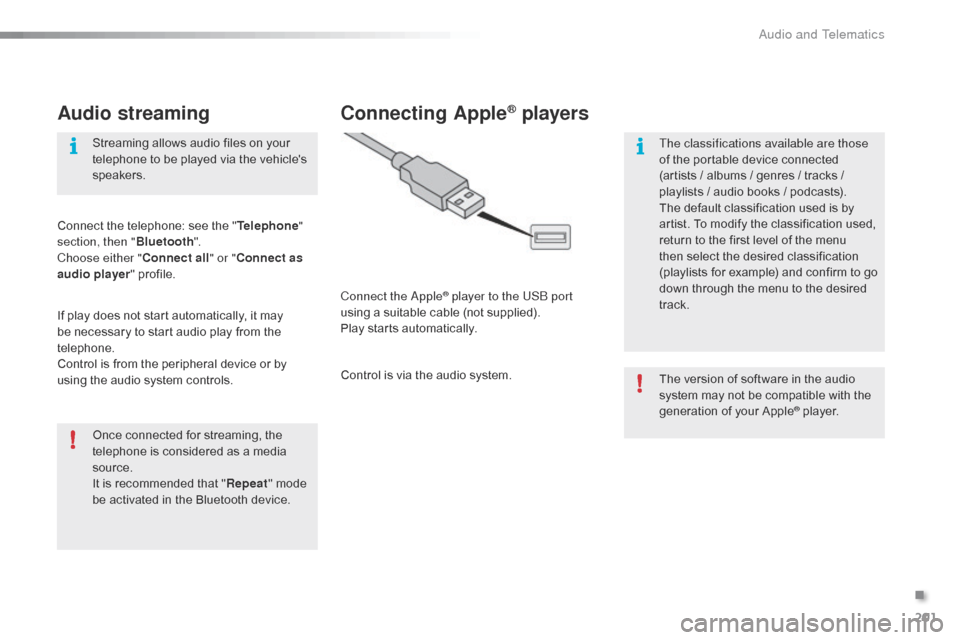
Connecting Apple® players
Connect the Apple® player to the USB port
using
a
suitable
cable (not supplied).
Play
starts
automatically.
Control
is
via
the
audio system. The
version of software in the audio
s
ystem may not be compatible with the
g
eneration of your Apple
® player.
T
he classifications available are those
of
the
portable
device
connected
(
artists
/
albums
/
genres
/ tracks /
p
laylists
/
a
udio
books /
podcasts).
The
default
classification
used is by
a
rtist.
To
modify
the
classification used,
r
eturn
to
the
first
level
of
the menu
t
hen
select
the
desired
classification
(
playlists
for
example)
and confirm to go
d
own
through
the
menu
to the desired
t
rack.
.
Audio and Telematics
Page 205 of 268
203
Level 1Level 2 Level 3 Comment
Contacts
After
making choices, start the call.
Favourites
Call history
Enter a number Call Enter
a number then start the call.
Telephone/ message
configuration Connect the
telephone
Telephone
Select the services to use on the
peripheral
d
evice.
Audio
player
Sounds
configuration Ringtone
Choose
settings, activate or
d
eactivate
o
ptions.
Ringtone
volume
Incoming
SMS/MMS tone
Incoming
SMS/MMS volume
Incoming
e-mail tone
Incoming
e-mail volume
Incoming
call volume
Contacts/
call histor y
configuration Automatic
transfer
Update
telephone contacts
Sort contacts by
Add
favourite
Remove
favourite
Message
configuration Display
of incoming calls
Contacts/call
history transfer state
Telephone
display
configuration Display
of incoming calls
Contacts/call
history transfer state
.
Audio and Telematics
Page 206 of 268

204
Press on "Audio source " to display t
he carousel of audio sources.
Select " Bluetooth audio ".
Select " Bluetooth configuration "
Activate
the telephone's Bluetooth function
a
nd
ensure that it is "visible to all" (telephone
c
onfiguration).
Select the telephone in the list.
Select "
Connect telephone ".
Select the "
Telephone/message
configuration " tab.
Select your choice.
Select the " Add"
tab in the system. Press "
OK"
to confirm.
If the telephone is not detected, it is recommended that you switch the Bluetooth f
unction on your telephone off and then on again.
As a safety measure and because they require prolonged attention on the part
o
f the driver, the operations for pairing
t
he Bluetooth mobile telephone to the
h
ands-free system of the audio system
m
ust be carried out with the vehicle
stationary .
Pairing a Bluetooth® telephone
A waiting screen is displayed with the B
luetooth settings of the system and a default
B
luetooth PIN.
Once
detected, select the name of the system
i
n your telephone.
The
system displays that the services to be
u
sed on the telephone are: "Telephone "
and
"A
udio player ".
The
system offers to connect the telephone:
-
w
ith "Connect all",
-
w
ith "Connect as telephone "
(hands-free
k
it, telephone only),
-
w
ith "Connect as audio player "
(streaming:
wireless play of audio files on
t
he
t
elephone).
Enter
the PIN code in the telephone then accept
t
he connection (depending on the telephone).To
change the connection choice, Sel
ect "Telephone ".
Audio and Telematics
Page 207 of 268

205
The services available depend on the network, the SIM card and the
c
ompatibility of the Bluetooth telephone
u
sed. Check the telephone manual and
w
ith your network provider for details of
t
he services available to you.
The
profiles compatible with the system
a
re: HFP, OPP, PBAP, A2DP, AVRCP,
M
A P. This function allows the connection or
disconnection
of a peripheral device as
w
ell as the deletion of a pairing.
Automatic reconnection
When the ignition is switched on, the last telephone connected when the ignition was
s
witched off reconnects automatically, if this
c
onnection made had been activated during the
p
airing procedure (see previous pages).
Connection
is confirmed by the display of a
m
essage and the name of the telephone.
Managing paired
telephones
Press "Telephone ".
Select " Telephone/message
configuration ".
Select " Connect telephone " to
display
the list of paired devices.
Select " Remove "
then select the device in the
l
ist
and
confirm.
.
Audio and Telematics
Page 208 of 268
206
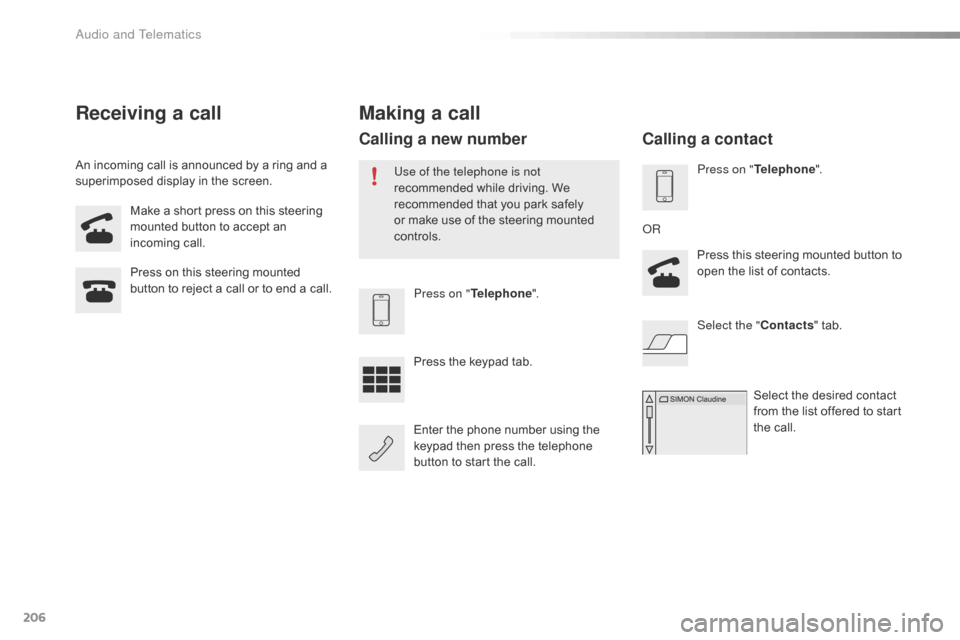
Make a short press on this steering mounted button to accept an
inc
oming
c
all.
Press
on this steering mounted
b
utton to reject a call or to end a call.Press on "Telephone ".
Press
the keypad tab.
Enter
the phone number using the
k
eypad then press the telephone
b
utton to start the call.
Receiving a call
An incoming call is announced by a ring and a superimposed display in the screen.
Making a call
Use of the telephone is not
recommended while driving. We
r
ecommended that you park safely
o
r make use of the steering mounted
c
ontrols.
Calling a new number
Press on " Telephone ".
Press this steering mounted button to
o
pen the list of contacts.
OR
Select the " Contacts"
tab.
Select
the desired contact
f
rom the list offered to start
t
he call.
Calling a contact
Audio and Telematics
Page 209 of 268

207
Press on "Telephone ".
Press this steering mounted button
t
o open the list of contacts; a second
p
ress opens the calls history.
OR
Select the " Calls history "
tab.
Select
the desired contact
f
rom the list offered to start
t
he call.
Calling a recently used number
Managing contacts / Entries
Press on "Telephone " to display the p
rimary pag e.
Select " Telephone/message
configuration ".
Select " Contacts config./calls
history ".
Select:
-
"A
utomatic transfer " to
automatically
transfer the
c
ontacts from your smartphone
o
r
t
elephone.
-
" U
pdate telephone contacts " to
update
the list of contacts.
-
" S
or t contacts by " to sort by
first
or second name.
-
"A
dd favorites "
to add favorites
t
o the list in the system.
-
" R
emove favorite "
to remove
f
avorites from the list in the
s
ystem.
Ringtones
Press on " Telephone ".
Select " Telephone/message
configuration ".
Select " Sound configuration " to
display
the list of audio sources.
You
can select the ringtone used and
a
djust its volume.
.
Audio and Telematics