Page 405 of 702
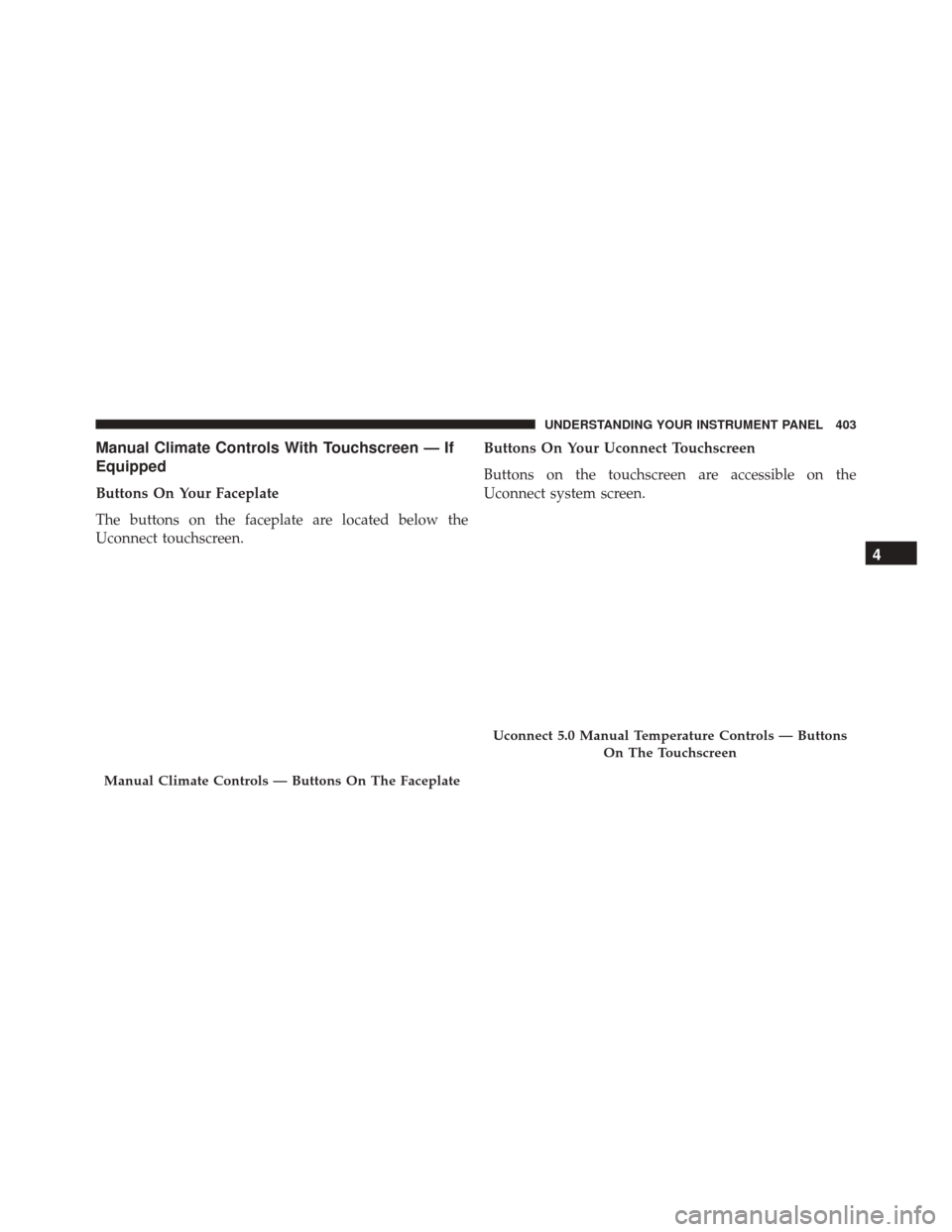
Manual Climate Controls With Touchscreen — If
Equipped
Buttons On Your Faceplate
The buttons on the faceplate are located below the
Uconnect touchscreen.Buttons On Your Uconnect Touchscreen
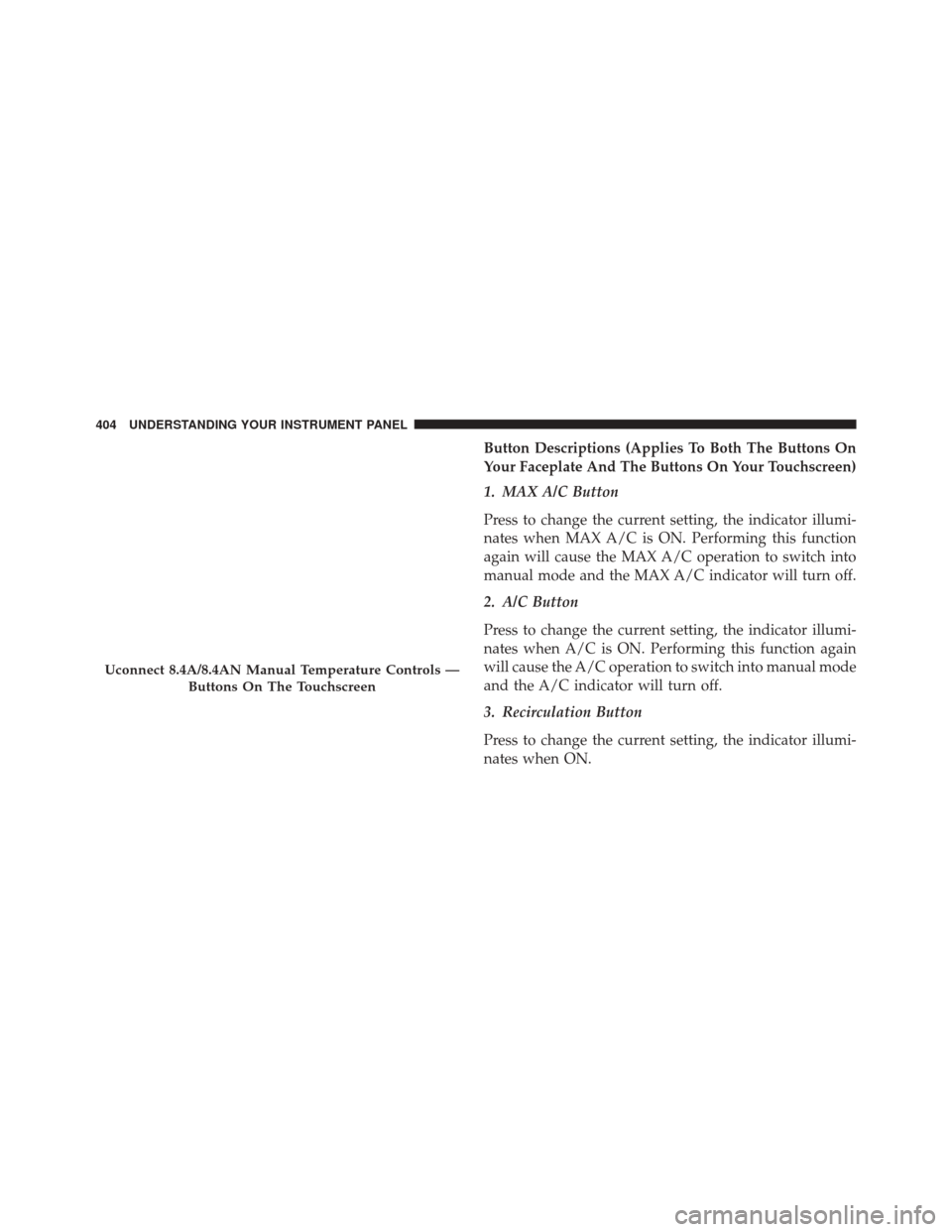
Buttons on the touchscreen are accessible on the
Uconnect system screen.
Manual Climate Controls — Buttons On The Faceplate
Uconnect 5.0 Manual Temperature Controls — Buttons
On The Touchscreen
4
UNDERSTANDING YOUR INSTRUMENT PANEL 403
Page 406 of 702
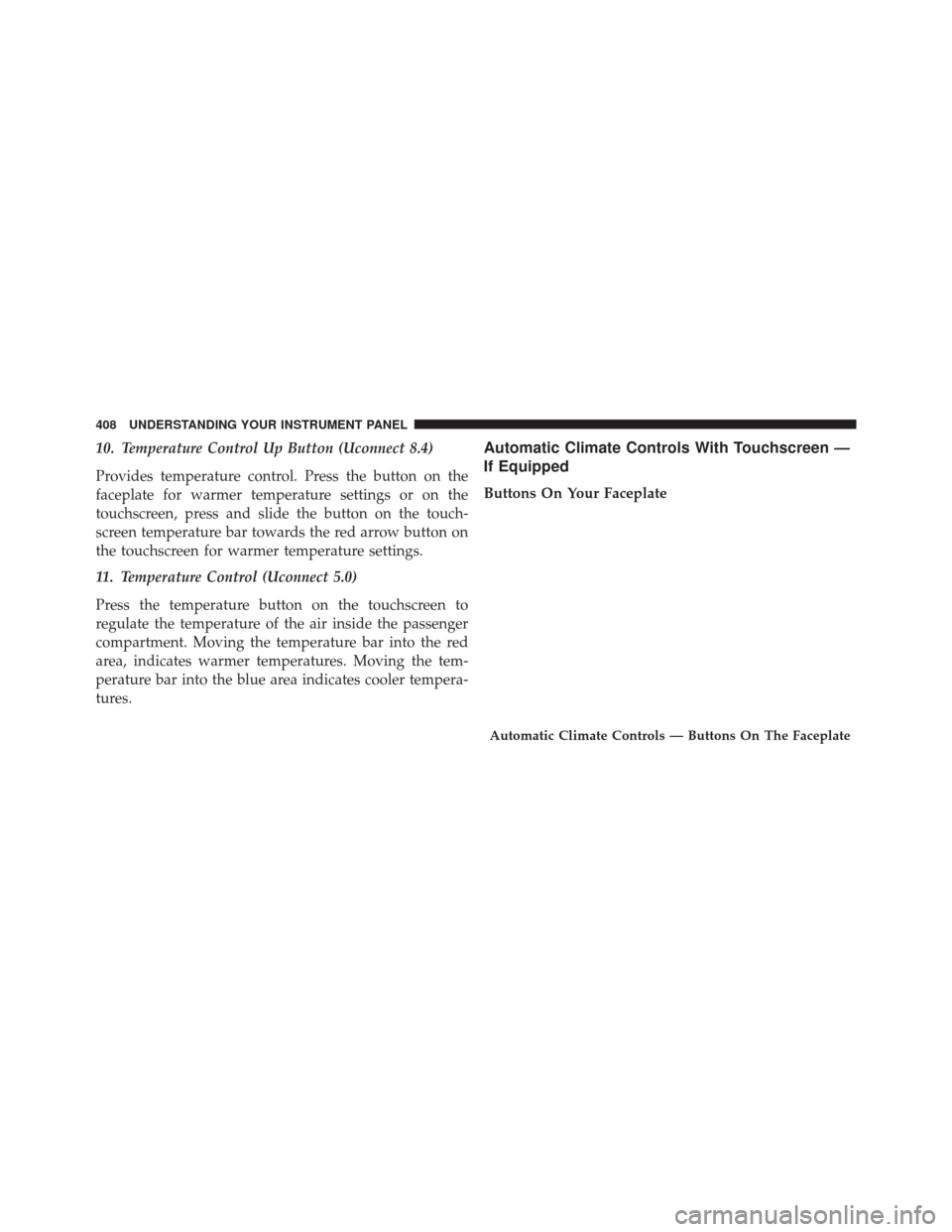
Button Descriptions (Applies To Both The Buttons On
Your Faceplate And The Buttons On Your Touchscreen)
1. MAX A/C Button
Press to change the current setting, the indicator illumi-
nates when MAX A/C is ON. Performing this function
again will cause the MAX A/C operation to switch into
manual mode and the MAX A/C indicator will turn off.
2. A/C Button
Press to change the current setting, the indicator illumi-
nates when A/C is ON. Performing this function again
will cause the A/C operation to switch into manual mode
and the A/C indicator will turn off.
3. Recirculation Button
Press to change the current setting, the indicator illumi-
nates when ON.
Uconnect 8.4A/8.4AN Manual Temperature Controls —Buttons On The Touchscreen
404 UNDERSTANDING YOUR INSTRUMENT PANEL
Page 407 of 702
4. Front Defrost Button
Press to change the current airflow setting to Defrost mode.
The indicator illuminates when this feature is ON. Air
comes from the windshield and side window demist
outlets. When the defrost button is selected, the blower
level will increase. Use Defrost mode with maximum
temperature settings for best windshield and side window
defrosting and defogging. If the front defrost mode is
turned off the climate system will return the previous
setting.
5. Rear Defrost Button
Press this button to turn on the rear window defroster
and the heated outside mirrors (if equipped). An indica-
tor will illuminate when the rear window defroster is on.
The rear window defroster automatically turns off after
10 minutes. For each additional press of this button, five
additional minutes will be added to the timer function.
CAUTION!
Failure to follow these cautions can cause damage to
the heating elements:
•Use care when washing the inside of the rear
window. Do not use abrasive window cleaners on
the interior surface of the window. Use a soft cloth
and a mild washing solution, wiping parallel to the
heating elements. Labels can be peeled off after
soaking with warm water.
• Do not use scrapers, sharp instruments, or abrasive
window cleaners on the interior surface of the
window.
• Keep all objects a safe distance from the window.
4
UNDERSTANDING YOUR INSTRUMENT PANEL 405
Page 409 of 702
•Bi-Level Mode
Air comes from the instrument panel outlets and
floor outlets. A slight amount of air is directed
through the defrost and side window demister outlets.
NOTE: BI-LEVEL mode is designed under comfort con-
ditions to provide cooler air out of the panel outlets and
warmer air from the floor outlets.
•Floor Mode
Air comes from the floor outlets. A slight amount
of air is directed through the defrost and side
window demister outlets.
•Mix Mode
Air comes from the floor, defrost and side window
demist outlets. This mode works best in cold or
snowy conditions. NOTE:
The air conditioning compressor operates in MIX
and DEFROST modes even if the A/C button is not
pressed. This dehumidifies the air to help dry the wind-
shield. To improve fuel economy, use these modes only
when necessary.
8. Climate Control OFF Button
Press this button to turn the Climate Control ON/OFF.
9. Temperature Control Down Button (Uconnect 8.4)
Provides temperature control. Press the button on the
faceplate for cooler temperature settings or on the touch-
screen, press and slide the button on the touchscreen
temperature bar towards the blue arrow button on the
touchscreen for cooler temperature settings.
4
UNDERSTANDING YOUR INSTRUMENT PANEL 407
Page 410 of 702
10. Temperature Control Up Button (Uconnect 8.4)
Provides temperature control. Press the button on the
faceplate for warmer temperature settings or on the
touchscreen, press and slide the button on the touch-
screen temperature bar towards the red arrow button on
the touchscreen for warmer temperature settings.
11. Temperature Control (Uconnect 5.0)
Press the temperature button on the touchscreen to
regulate the temperature of the air inside the passenger
compartment. Moving the temperature bar into the red
area, indicates warmer temperatures. Moving the tem-
perature bar into the blue area indicates cooler tempera-
tures.Automatic Climate Controls With Touchscreen —
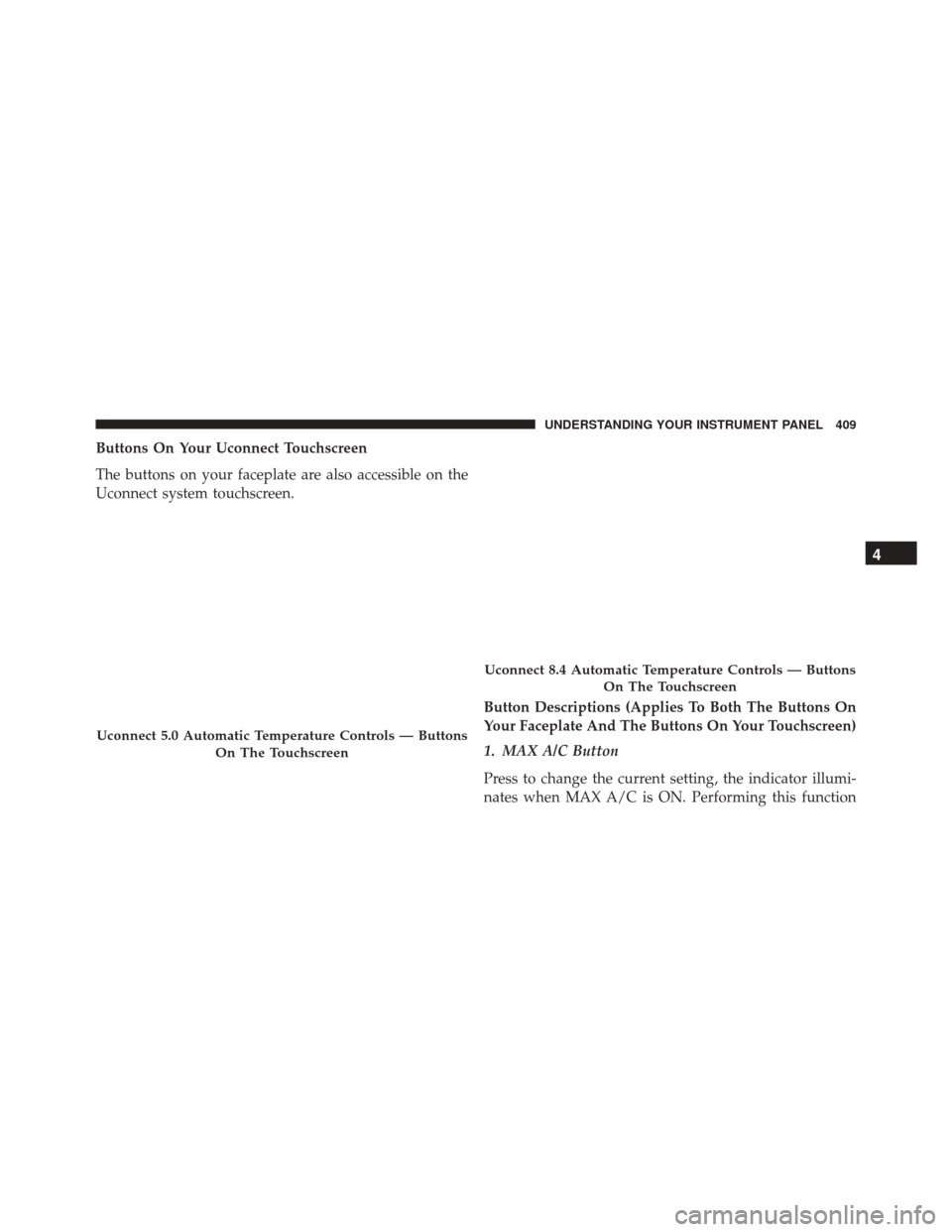
If Equipped
Buttons On Your Faceplate
Automatic Climate Controls — Buttons On The Faceplate
408 UNDERSTANDING YOUR INSTRUMENT PANEL
Page 411 of 702
Buttons On Your Uconnect Touchscreen
The buttons on your faceplate are also accessible on the
Uconnect system touchscreen.Button Descriptions (Applies To Both The Buttons On
Your Faceplate And The Buttons On Your Touchscreen)
1. MAX A/C Button
Press to change the current setting, the indicator illumi-
nates when MAX A/C is ON. Performing this function
Uconnect 5.0 Automatic Temperature Controls — ButtonsOn The Touchscreen
Uconnect 8.4 Automatic Temperature Controls — ButtonsOn The Touchscreen
4
UNDERSTANDING YOUR INSTRUMENT PANEL 409
Page 412 of 702
again will cause the MAX A/C operation to switch into
manual mode and the MAX A/C indicator will turn off.
2. A/C Button
Press to change the current setting, the indicator illumi-
nates when A/C is ON. Performing this function again
will cause the A/C operation to switch into manual mode
and the A/C indicator will turn off.
3. Recirculation Button
Press to change the current setting, the indicator illumi-
nates when ON.
4. AUTO Operation Button
Automatically controls the interior cabin temperature by
adjusting airflow distribution and amount. Performing
this function will cause the ATC to switch between
manual mode and automatic modes. Refer to “Automatic
Operation” for more information.5. Front Defrost Button
Press to change the current airflow setting to Defrost
mode. The indicator illuminates when this feature is ON.
Air comes from the windshield and side window demist
outlets. When the defrost button is selected, the blower
level will increase. Use Defrost mode with maximum
temperature settings for best windshield and side win-
dow defrosting and defogging. Performing this function
will cause the ATC to switch into manual mode. If the
front defrost mode is turned off the climate system will
return the previous setting.
6. Rear Defrost Button
Press this button to turn on the rear window defroster (if
equipped) and the heated outside mirrors (if equipped).
An indicator will illuminate when the rear window
defroster is on. The rear window defroster automatically
turns off after 10 minutes.
410 UNDERSTANDING YOUR INSTRUMENT PANEL
Page 413 of 702
CAUTION!
Failure to follow these cautions can cause damage to
the heating elements:
•Use care when washing the inside of the rear
window. Do not use abrasive window cleaners on
the interior surface of the window. Use a soft cloth
and a mild washing solution, wiping parallel to the
heating elements. Labels can be peeled off after
soaking with warm water.
• Do not use scrapers, sharp instruments, or abrasive
window cleaners on the interior surface of the
window.
• Keep all objects a safe distance from the window.
7.
Passenger Temperature Control Up Button (Uconnect 8.4)
Provides the passenger with independent temperature
control. Press the button on the faceplate for warmer
temperature settings or on the touchscreen, press and slide the button on the touchscreen temperature bar
towards the red arrow button on the touchscreen for
warmer temperature settings.
NOTE:
Pressing this button while in Sync mode will
automatically exit Sync.
8. Passenger Temperature Control Down Button
(Uconnect 8.4)
Provides the passenger with independent temperature
control. Press the button on the faceplate for cooler
temperature settings or on the touchscreen, press and
slide the button on the touchscreen temperature bar
towards the blue arrow button on the touchscreen for
cooler temperature settings.
NOTE: Pressing this button while in Sync mode will
automatically exit Sync.
4
UNDERSTANDING YOUR INSTRUMENT PANEL 411