2016 CHEVROLET SILVERADO instrument panel
[x] Cancel search: instrument panelPage 6 of 533

Chevrolet Silverado Owner Manual (GMNA-Localizing-U.S./Canada/Mexico-
9159338) - 2016 - crc - 10/21/15
In Brief 5
In Brief
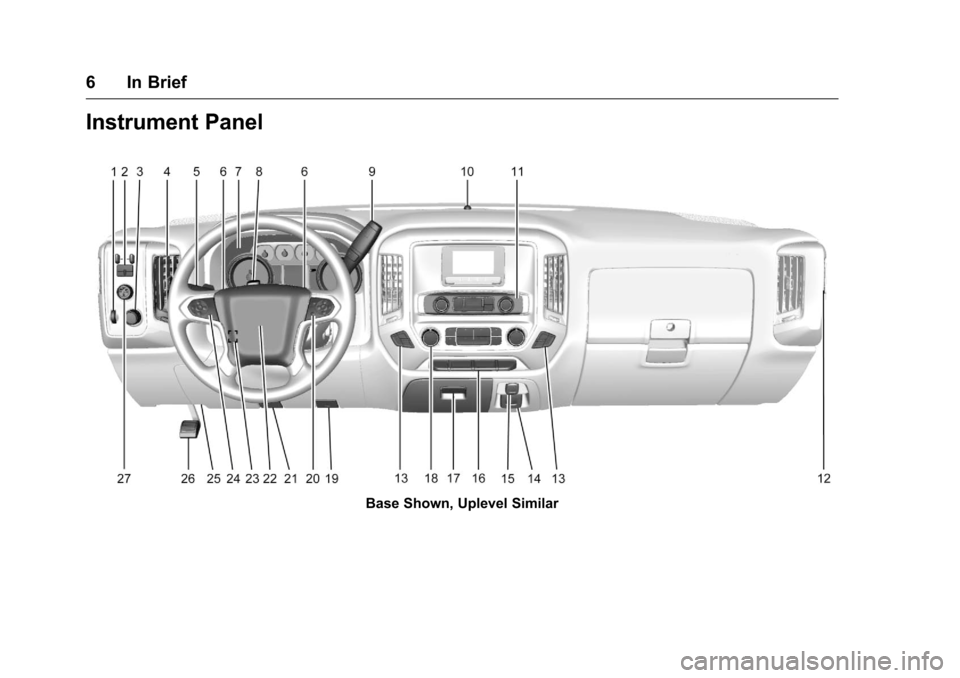
Instrument Panel
Instrument Panel . . . . . . . . . . . . . . . . 6
Initial Drive Information
Initial Drive Information . . . . . . . . . . 8
Remote Keyless Entry (RKE)System . . . . . . . . . . . . . . . . . . . . . . . . 8
Remote Vehicle Start . . . . . . . . . . . 9
Door Locks . . . . . . . . . . . . . . . . . . . . . 9
Windows . . . . . . . . . . . . . . . . . . . . . . . 10
Seat Adjustment . . . . . . . . . . . . . . . 11
Memory Features . . . . . . . . . . . . . . 13
Heated and Ventilated Seats . . . 13
Head Restraint Adjustment . . . . 14
Safety Belts . . . . . . . . . . . . . . . . . . . . 14
Passenger Sensing System . . . 14
Mirror Adjustment . . . . . . . . . . . . . . 15
Steering Wheel Adjustment . . . . 16
Throttle and Brake Pedal Adjustment . . . . . . . . . . . . . . . . . . . 17
Interior Lighting . . . . . . . . . . . . . . . . 17
Exterior Lighting . . . . . . . . . . . . . . . 18
Windshield Wiper/Washer . . . . . . 19
Climate Controls . . . . . . . . . . . . . . . 19
Transmission . . . . . . . . . . . . . . . . . . 22
Four-Wheel Drive . . . . . . . . . . . . . . 23
Vehicle Features
Infotainment System . . . . . . . . . . . 24
Radio(s) . . . . . . . . . . . . . . . . . . . . . . . 24
Satellite Radio . . . . . . . . . . . . . . . . . 25
Portable Audio Devices . . . . . . . . 25
Bluetooth
®. . . . . . . . . . . . . . . . . . . . . 25
Steering Wheel Controls . . . . . . . 26
Cruise Control . . . . . . . . . . . . . . . . . 27
Driver Information Center (DIC) . . . . . . . . . . . . . . . . . 27
Forward Collision Alert (FCA) System . . . . . . . . . . . . . . . . . . . . . . . 28
Lane Departure Warning (LDW) . . . . . . . . . . . . . . . 28
Lane Keep Assist (LKA) . . . . . . . 28
Rear Vision Camera (RVC) . . . . 28
Parking Assist . . . . . . . . . . . . . . . . . 28
Power Outlets . . . . . . . . . . . . . . . . . 29
Universal Remote System . . . . . 29
Sunroof . . . . . . . . . . . . . . . . . . . . . . . . 29
eAssist Features
eAssist®Overview . . . . . . . . . . . . . 30
Performance and Maintenance
Traction Control/Electronic Stability Control . . . . . . . . . . . . . . 30
Tire Pressure Monitor . . . . . . . . . . 31
Engine Oil Life System . . . . . . . . 31
E85 or FlexFuel . . . . . . . . . . . . . . . . 32 Driving for Better Fuel
Economy . . . . . . . . . . . . . . . . . . . . . 32
Roadside Assistance Program . . . . . . . . . . . . . . . . . . . . . . 32
Roadside Assistance
Program . . . . . . . . . . . . . . . . . . . . . . 32
Page 7 of 533
Chevrolet Silverado Owner Manual (GMNA-Localizing-U.S./Canada/Mexico-
9159338) - 2016 - crc - 10/21/15
6 In Brief
Instrument Panel
Base Shown, Uplevel Similar
Page 8 of 533

Chevrolet Silverado Owner Manual (GMNA-Localizing-U.S./Canada/Mexico-
9159338) - 2016 - crc - 10/21/15
In Brief 7
1.Instrument Panel Illumination
Control 0184.
2. Integrated Trailer Brake Control (ITBC) System (If Equipped).
See Towing Equipment 0345.
3. Exterior Lamp Controls 0178.
Fog Lamps 0183 (If
Equipped).
4. Air Vents 0257.
5. Turn Signal Lever. See Turn
and Lane-Change
Signals 0183.
Windshield Wiper/
Washer 0126.
6. Favorite Switches (Out of View). See Steering Wheel
Controls 0125.
Volume Switches (Out of View).
See Steering Wheel
Controls 0125.
7. Instrument Cluster 0132.
8. Hazard Warning
Flashers 0182.
9. Shift Lever. See Automatic
Transmission 0289. Tow/Haul Selector Button (If
Equipped). See
Tow/Haul
Mode 0295.
Range Selection Mode (If
Equipped). See Manual
Mode 0292.
10. Light Sensor. See Automatic
Headlamp System 0181.
11. Infotainment 0189.
12. Passenger Airbag On-Off Switch (If Equipped) (Out of
View). See Airbag On-Off
Switch 080.
13. Heated and Ventilated Seats
013 (If Equipped).
14. Power Outlet 110/120 Volt Alternating Current (If
Equipped). See Power
Outlets 0128.
15. Power Outlets 0128 (If
Equipped).
16.
gTraction Control/Electronic
Stability Control 0308.
0Pedal Adjust Switch (If
Equipped). See Adjustable
Throttle and Brake
Pedal 0280.
{Cargo Lamp 0185.
XParking Assist Button (If
Equipped). See Assistance
Systems for Parking or
Backing 0314.
ALane Keep Assist (LKA)
(1500 Series) 0320 (If
Equipped).
5Hill Descent Control Switch
(If Equipped). See Hill Descent
Control (HDC) 0310.
qExhaust Brake (If
Equipped). See “Exhaust
Brake” in the Duramax diesel
supplement.
gPower Take Off (PTO)
Switch (If Equipped). See the
Duramax diesel supplement.
Auxiliary Button (If Equipped).
See Add-On Electrical
Equipment 0355.
Page 9 of 533
Chevrolet Silverado Owner Manual (GMNA-Localizing-U.S./Canada/Mexico-
9159338) - 2016 - crc - 10/21/15
8 In Brief
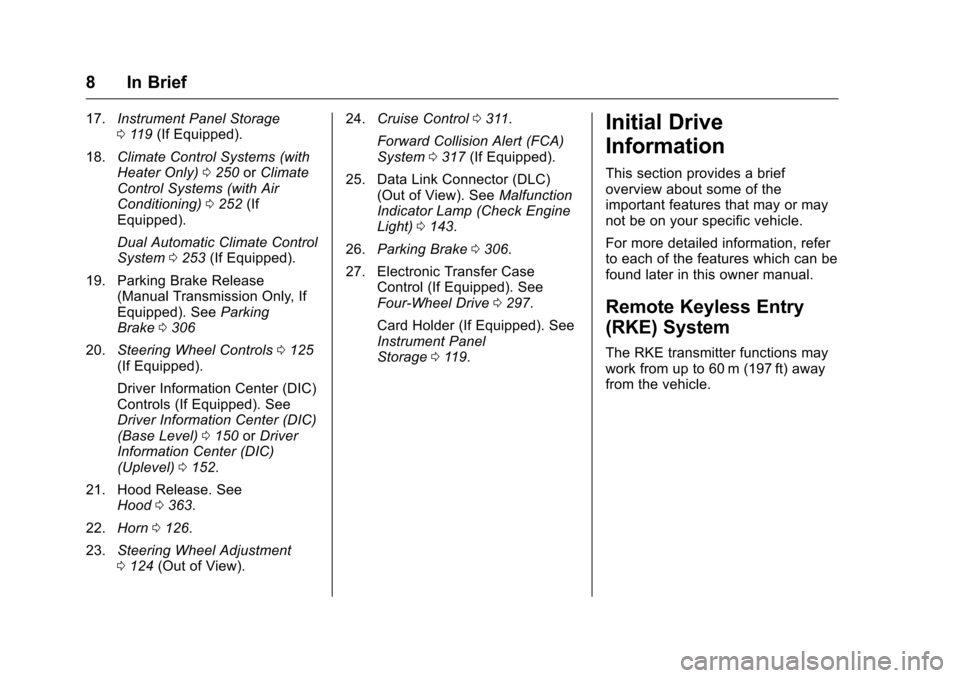
17.Instrument Panel Storage
0119 (If Equipped).
18. Climate Control Systems (with
Heater Only) 0250 orClimate
Control Systems (with Air
Conditioning) 0252 (If
Equipped).
Dual Automatic Climate Control
System 0253 (If Equipped).
19. Parking Brake Release (Manual Transmission Only, If
Equipped). See Parking
Brake 0306
20. Steering Wheel Controls 0125
(If Equipped).
Driver Information Center (DIC)
Controls (If Equipped). See
Driver Information Center (DIC)
(Base Level) 0150 orDriver
Information Center (DIC)
(Uplevel) 0152.
21. Hood Release. See Hood 0363.
22. Horn 0126.
23. Steering Wheel Adjustment
0124 (Out of View). 24.
Cruise Control 0311.
Forward Collision Alert (FCA)
System 0317 (If Equipped).
25. Data Link Connector (DLC) (Out of View). See Malfunction
Indicator Lamp (Check Engine
Light) 0143.
26. Parking Brake 0306.
27. Electronic Transfer Case Control (If Equipped). See
Four-Wheel Drive 0297.
Card Holder (If Equipped). See
Instrument Panel
Storage 0119.Initial Drive
Information
This section provides a brief
overview about some of the
important features that may or may
not be on your specific vehicle.
For more detailed information, refer
to each of the features which can be
found later in this owner manual.
Remote Keyless Entry
(RKE) System
The RKE transmitter functions may
work from up to 60 m (197 ft) away
from the vehicle.
Page 15 of 533
Chevrolet Silverado Owner Manual (GMNA-Localizing-U.S./Canada/Mexico-
9159338) - 2016 - crc - 10/21/15
14 In Brief
PressIto heat the driver or
passenger seatback only.
Press
Jto heat the driver or
passenger seat cushion and
seatback.
Press
Cto ventilate the driver or
passenger seat.
See Heated and Ventilated Front
Seats 063.
Head Restraint
Adjustment
Do not drive until the head restraints
for all occupants are installed and
adjusted properly.
To achieve a comfortable seating
position, change the seatback
recline angle as little as necessary
while keeping the seat and the head
restraint height in the proper
position.
See Head Restraints 058 and Seat
Adjustment 059.
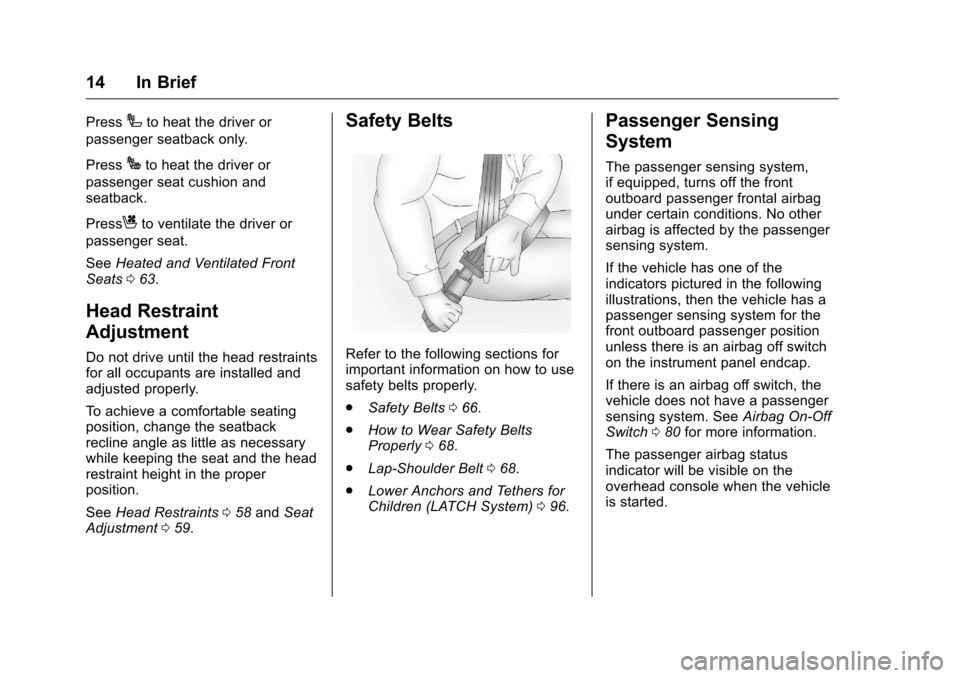
Safety Belts
Refer to the following sections for
important information on how to use
safety belts properly.
.
Safety Belts 066.
. How to Wear Safety Belts
Properly 068.
. Lap-Shoulder Belt 068.
. Lower Anchors and Tethers for
Children (LATCH System) 096.
Passenger Sensing
System
The passenger sensing system,
if equipped, turns off the front
outboard passenger frontal airbag
under certain conditions. No other
airbag is affected by the passenger
sensing system.
If the vehicle has one of the
indicators pictured in the following
illustrations, then the vehicle has a
passenger sensing system for the
front outboard passenger position
unless there is an airbag off switch
on the instrument panel endcap.
If there is an airbag off switch, the
vehicle does not have a passenger
sensing system. See Airbag On-Off
Switch 080 for more information.
The passenger airbag status
indicator will be visible on the
overhead console when the vehicle
is started.
Page 19 of 533
Chevrolet Silverado Owner Manual (GMNA-Localizing-U.S./Canada/Mexico-
9159338) - 2016 - crc - 10/21/15
18 In Brief
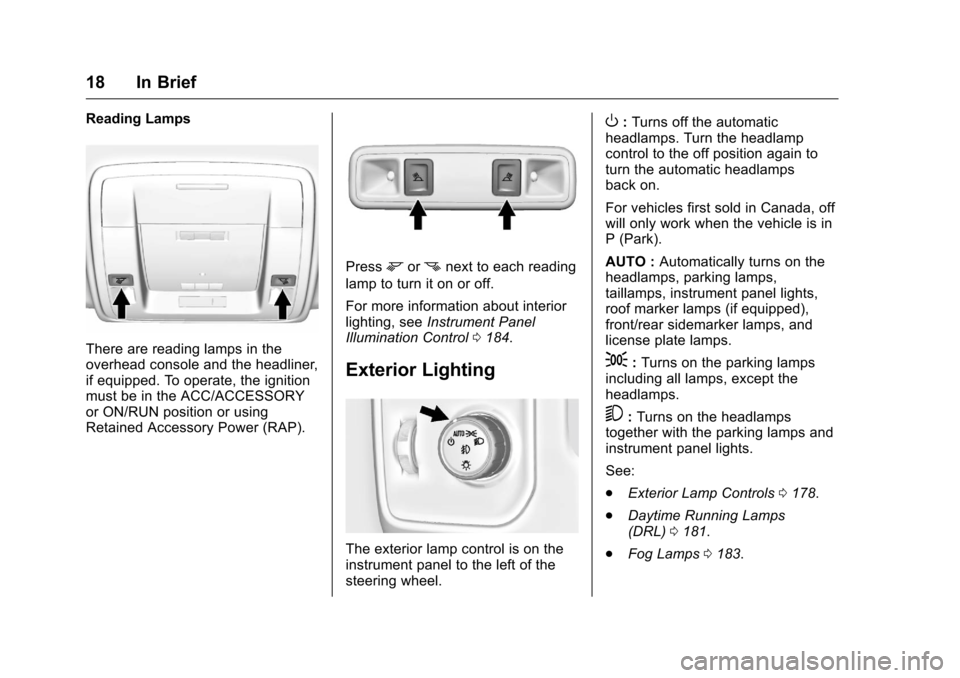
Reading Lamps
There are reading lamps in the
overhead console and the headliner,
if equipped. To operate, the ignition
must be in the ACC/ACCESSORY
or ON/RUN position or using
Retained Accessory Power (RAP).
Pressmornnext to each reading
lamp to turn it on or off.
For more information about interior
lighting, see Instrument Panel
Illumination Control 0184.
Exterior Lighting
The exterior lamp control is on the
instrument panel to the left of the
steering wheel.
O:Turns off the automatic
headlamps. Turn the headlamp
control to the off position again to
turn the automatic headlamps
back on.
For vehicles first sold in Canada, off
will only work when the vehicle is in
P (Park).
AUTO : Automatically turns on the
headlamps, parking lamps,
taillamps, instrument panel lights,
roof marker lamps (if equipped),
front/rear sidemarker lamps, and
license plate lamps.
;: Turns on the parking lamps
including all lamps, except the
headlamps.
5: Turns on the headlamps
together with the parking lamps and
instrument panel lights.
See:
. Exterior Lamp Controls 0178.
. Daytime Running Lamps
(DRL) 0181.
. Fog Lamps 0183.
Page 45 of 533
Chevrolet Silverado Owner Manual (GMNA-Localizing-U.S./Canada/Mexico-
9159338) - 2016 - crc - 10/21/15
44 Keys, Doors, and Windows
2. Kick the switch to extend thepower assist step to the tire.
A DIC message displays.
3. Kick the switch again to return to normal operation.
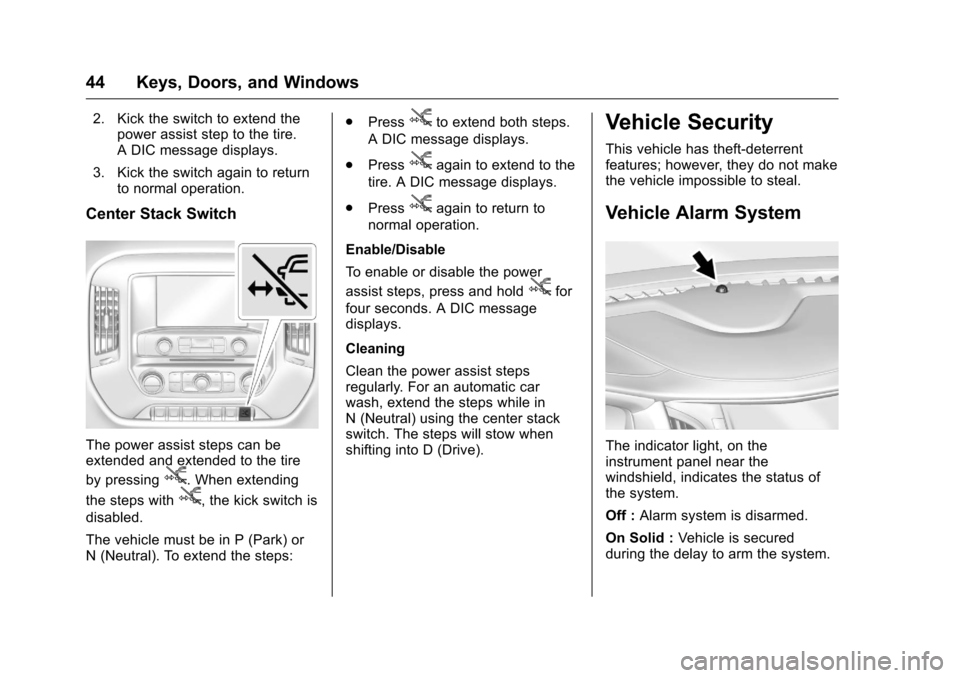
Center Stack Switch
The power assist steps can be
extended and extended to the tire
by pressing
j. When extending
the steps with
j, the kick switch is
disabled.
The vehicle must be in P (Park) or
N (Neutral). To extend the steps: .
Press
jto extend both steps.
A DIC message displays.
. Press
jagain to extend to the
tire. A DIC message displays.
. Press
jagain to return to
normal operation.
Enable/Disable
To enable or disable the power
assist steps, press and hold
jfor
four seconds. A DIC message
displays.
Cleaning
Clean the power assist steps
regularly. For an automatic car
wash, extend the steps while in
N (Neutral) using the center stack
switch. The steps will stow when
shifting into D (Drive).
Vehicle Security
This vehicle has theft-deterrent
features; however, they do not make
the vehicle impossible to steal.
Vehicle Alarm System
The indicator light, on the
instrument panel near the
windshield, indicates the status of
the system.
Off : Alarm system is disarmed.
On Solid : Vehicle is secured
during the delay to arm the system.
Page 68 of 533
Chevrolet Silverado Owner Manual (GMNA-Localizing-U.S./Canada/Mexico-
9159338) - 2016 - crc - 10/21/15
Seats and Restraints 67
Warning (Continued)
passengers to ride in any area of
the vehicle that is not equipped
with seats and safety belts.
Always wear a safety belt, and
check that all passenger(s) are
restrained properly too.
This vehicle has indicators as a
reminder to buckle the safety belts.
See Safety Belt Reminders 0139.
This vehicle may have the Safety
Belt Assurance System, which may
prevent the vehicle from shifting out
of P (Park). See Safety Belt
Messages 0160.
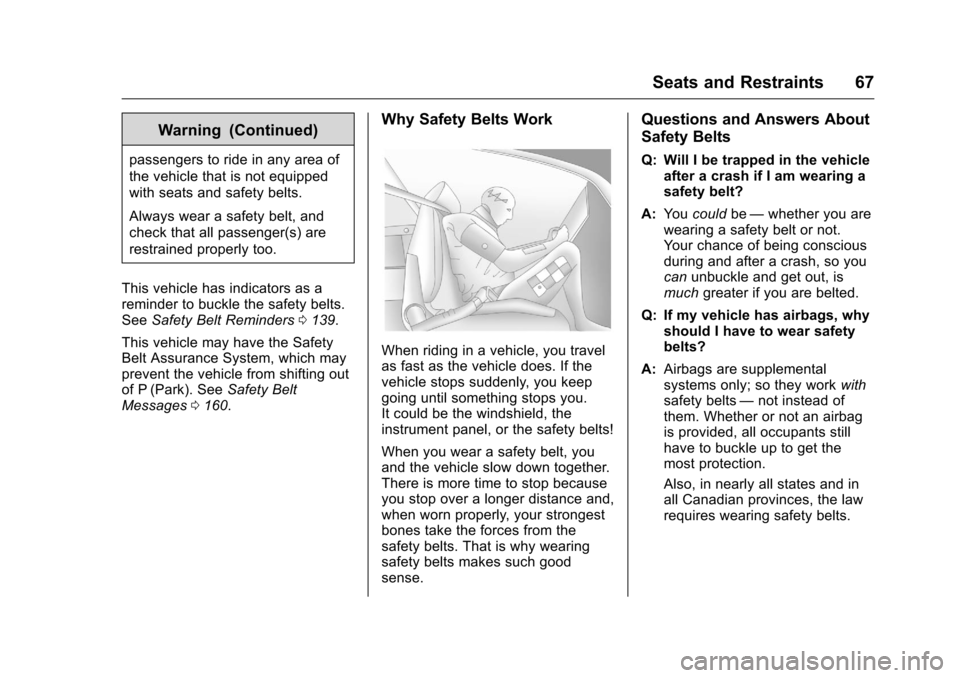
Why Safety Belts Work
When riding in a vehicle, you travel
as fast as the vehicle does. If the
vehicle stops suddenly, you keep
going until something stops you.
It could be the windshield, the
instrument panel, or the safety belts!
When you wear a safety belt, you
and the vehicle slow down together.
There is more time to stop because
you stop over a longer distance and,
when worn properly, your strongest
bones take the forces from the
safety belts. That is why wearing
safety belts makes such good
sense.
Questions and Answers About
Safety Belts
Q: Will I be trapped in the vehicle
after a crash if I am wearing a
safety belt?
A: You could be—whether you are
wearing a safety belt or not.
Your chance of being conscious
during and after a crash, so you
can unbuckle and get out, is
much greater if you are belted.
Q: If my vehicle has airbags, why should I have to wear safety
belts?
A: Airbags are supplemental
systems only; so they work with
safety belts —not instead of
them. Whether or not an airbag
is provided, all occupants still
have to buckle up to get the
most protection.
Also, in nearly all states and in
all Canadian provinces, the law
requires wearing safety belts.