2016 CHEVROLET SILVERADO warning light
[x] Cancel search: warning lightPage 89 of 533
Chevrolet Silverado Owner Manual (GMNA-Localizing-U.S./Canada/Mexico-
9159338) - 2016 - crc - 10/21/15
88 Seats and Restraints
turning off the passenger airbag(s).
SeePassenger Sensing
System 082.
If the vehicle has rollover roof-rail
airbags, see Different Size Tires
and Wheels 0427 for additional
important information.
If a snow plow is added to the
vehicle, the airbags should still work
properly. The airbag systems were
designed to work properly under a
wide range of conditions, including
snow plowing with vehicles that
have the optional snow plow prep
package (RPO VYU). Do not
change or defeat the snow plow's
“tripping mechanism.” If you do, it
can damage the snow plow and the
vehicle, and may cause an airbag
deployment.
If you have to modify your vehicle
because you have a disability and
you have questions about whether
the modifications will affect the
vehicle's airbag system, or if you
have questions about whether the
airbag system will be affected if the
vehicle is modified for any other
reason, call Customer Assistance. See
Customer Assistance Offices
0 485 orCustomer Assistance
Offices 0485.
Airbag System Check
The airbag system does not need
regularly scheduled maintenance or
replacement. Make sure the airbag
readiness light is working. See
Airbag Readiness Light 0139.
Caution
If an airbag covering is damaged,
opened, or broken, the airbag
may not work properly. Do not
open or break the airbag
coverings. If there are any
opened or broken airbag
coverings, have the airbag
covering and/or airbag module
replaced. For the location of the
airbags, see Where Are the
Airbags? 076. See your dealer
for service.
Replacing Airbag System
Parts after a Crash
{Warning
A crash can damage the airbag
systems in the vehicle.
A damaged airbag system may
not work properly and may not
protect you and your
passenger(s) in a crash, resulting
in serious injury or even death. To
help make sure the airbag
systems are working properly
after a crash, have them
inspected and any necessary
replacements made as soon as
possible.
If an airbag inflates, you will need to
replace airbag system parts. See
your dealer for service.
If the airbag readiness light stays on
after the vehicle is started or comes
on when you are driving, the airbag
system may not work properly. Have
the vehicle serviced right away. See
Airbag Readiness Light 0139.
Page 115 of 533
Chevrolet Silverado Owner Manual (GMNA-Localizing-U.S./Canada/Mexico-
9159338) - 2016 - crc - 10/21/15
114 Seats and Restraints
{Warning
A child in a rear-facing child
restraint can be seriously injured
or killed if the front outboard
passenger airbag inflates. This is
because the back of the
rear-facing child restraint would
be very close to the inflating
airbag. A child in a forward-facing
child restraint can be seriously
injured or killed if the front
outboard passenger airbag
inflates and the passenger seat is
in a forward position.
Even if the airbag switch has
turned off the front outboard
passenger frontal airbag, no
system is fail-safe. No one can
guarantee that an airbag will not
deploy under some unusual
circumstance, even though it is
turned off.
Secure rear-facing child restraints
in a rear seat, even if the airbag
is off. If you secure a(Continued)
Warning (Continued)
forward-facing child restraint in
the front outboard seat, always
move the front passenger seat as
far back as it will go. It is better to
secure the child restraint in a
rear seat.
{Warning
If the airbag readiness light ever
comes on and stays on, it means
that something may be wrong
with the airbag system. For
example, the front outboard
passenger frontal airbag could
inflate even though the airbag
on-off switch is turned off.
To help avoid injury to yourself or
others, have the vehicle serviced
right away. SeeAirbag Readiness
Light 0139 for more information,
including important safety
information. If the vehicle does not have a rear
seat that will accommodate a
rear-facing child restraint, a
rear-facing child restraint should not
be installed in the vehicle, even if
the airbag is off.
If a child restraint uses a top tether,
see
Lower Anchors and Tethers for
Children (LATCH System) 096 for
top tether anchor locations.
Do not secure a child restraint in a
position without a top tether anchor
if a national or local law requires
that the top tether be anchored, or if
the instructions that come with the
child restraint say that the top strap
must be anchored.
In Canada, the law requires that
forward-facing child restraints have
a top tether, and that the tether be
attached.
Page 124 of 533
Chevrolet Silverado Owner Manual (GMNA-Localizing-U.S./Canada/Mexico-
9159338) - 2016 - crc - 10/21/15
Instruments and Controls 123
Instruments and
Controls
Controls
Steering Wheel Adjustment . . . 124
Steering Wheel Controls . . . . . . 125
Heated Steering Wheel . . . . . . . 126
Horn . . . . . . . . . . . . . . . . . . . . . . . . . . 126
Windshield Wiper/Washer . . . . 126
Compass . . . . . . . . . . . . . . . . . . . . . 127
Clock . . . . . . . . . . . . . . . . . . . . . . . . . 127
Power Outlets . . . . . . . . . . . . . . . . 128
Wireless Charging . . . . . . . . . . . . 130
Warning Lights, Gauges, and
Indicators
Warning Lights, Gauges, andIndicators . . . . . . . . . . . . . . . . . . . 131
Instrument Cluster . . . . . . . . . . . . 132
Speedometer . . . . . . . . . . . . . . . . . 135
Odometer . . . . . . . . . . . . . . . . . . . . . 135
Trip Odometer . . . . . . . . . . . . . . . . 135
Tachometer . . . . . . . . . . . . . . . . . . . 135
Fuel Gauge . . . . . . . . . . . . . . . . . . . 135
Engine Oil Pressure Gauge . . . . . . . . . . . . . . . . . . . . . . 136
Engine Coolant Temperature Gauge . . . . . . . . . . . . . . . . . . . . . . 137
Voltmeter Gauge . . . . . . . . . . . . . 138 Safety Belt Reminders . . . . . . . . 139
Airbag Readiness Light . . . . . . . 139
Airbag On-Off Light . . . . . . . . . . . 140
Passenger Airbag Status
Indicator . . . . . . . . . . . . . . . . . . . . 141
Charging System Light . . . . . . . 142
Malfunction Indicator Lamp (Check Engine Light) . . . . . . . . 143
Brake System Warning Light . . . . . . . . . . . . . . . . . . . . . . . . 144
Antilock Brake System (ABS) Warning Light . . . . . . . . . . . . . . . 145
Four-Wheel-Drive Light . . . . . . . 145
Tow/Haul Mode Light . . . . . . . . . 146
Hill Descent Control Light . . . . 146
Lane Departure Warning (LDW) Light (2500/3500
Series) . . . . . . . . . . . . . . . . . . . . . . 146
Lane Keep Assist (LKA) Light (1500 Series) . . . . . . . . . . . . . . . 146
Vehicle Ahead Indicator . . . . . . 147
Traction Off Light . . . . . . . . . . . . . 147
StabiliTrak
®OFF Light . . . . . . . . 147
Traction Control System (TCS)/ StabiliTrak
®Light . . . . . . . . . . . 148
Tire Pressure Light . . . . . . . . . . . 148
Low Fuel Warning Light . . . . . . 148
Security Light . . . . . . . . . . . . . . . . . 149
High-Beam On Light . . . . . . . . . . 149
Front Fog Lamp Light . . . . . . . . . 149
Lamps On Reminder . . . . . . . . . 149 Cruise Control Light . . . . . . . . . . 150
Information Displays
Driver Information Center (DIC)
(Base Level) . . . . . . . . . . . . . . . . 150
Driver Information Center (DIC) (Uplevel) . . . . . . . . . . . . . . . . . . . . 152
Vehicle Messages
Vehicle Messages . . . . . . . . . . . . 155
Battery Voltage and ChargingMessages . . . . . . . . . . . . . . . . . . . 155
Brake System Messages . . . . . 156
Compass Messages . . . . . . . . . . 156
Door Ajar Messages . . . . . . . . . . 156
Engine Cooling System Messages . . . . . . . . . . . . . . . . . . . 156
Engine Oil Messages . . . . . . . . . 157
Engine Power Messages . . . . . 157
Fuel System Messages . . . . . . . 158
Key and Lock Messages . . . . . 158
Lamp Messages . . . . . . . . . . . . . . 158
Object Detection System Messages . . . . . . . . . . . . . . . . . . . 158
Ride Control System Messages . . . . . . . . . . . . . . . . . . . 159
Airbag System Messages . . . . 160
Safety Belt Messages . . . . . . . . 160
Security Messages . . . . . . . . . . . 161
Steering System Messages . . . . . . . . . . . . . . . . . . . 161
Page 131 of 533

Chevrolet Silverado Owner Manual (GMNA-Localizing-U.S./Canada/Mexico-
9159338) - 2016 - crc - 10/21/15
130 Instruments and Controls
An indicator light on the outlet turns
on to show it is in use. The light
comes on when the ignition is in
ON/RUN, equipment requiring less
than 150 watts is plugged into the
outlet, and no system fault is
detected.
The indicator light does not come on
when the ignition is in LOCK/OFF or
if the equipment is not fully seated
into the outlet.
If equipment is connected using
more than 150 watts or a system
fault is detected, a protection circuit
shuts off the power supply and the
indicator light turns off. To reset the
circuit, unplug the item and plug it
back in or turn the Retained
Accessory Power (RAP) off and
then back on. SeeRetained
Accessory Power (RAP) 0284.
The power outlet is not designed for
the following, and may not work
properly if they are plugged in:
. Equipment with high initial peak
wattage, such as
compressor-driven refrigerators
and electric power tools. .
Other equipment requiring an
extremely stable power supply,
such as
microcomputer-controlled
electric blankets and touch
sensor lamps.
. Medical equipment.
Wireless Charging
The vehicle may have wireless
charging on top of the center
console. See Center Console
Storage 0120. The system
wirelessly charges one PMA or Qi
compatible mobile device.
To check for phone or other device
compatibility:
. In the U.S., see
my.chevrolet.com/learn.
. In Canada, see
gmtotalconnect.ca.
. Or, see your dealer for details.
{Warning
Wireless charging can affect the
operation of an implanted
pacemaker or other medical
devices. If you have one, it is
recommended to consult with
your doctor before using the
wireless charging system.
The vehicle must be in ON/RUN,
ACC/ACCESSORY, or Retained
Accessory Power (RAP). The
wireless charging feature may not
correctly indicate charging when the
vehicle is in RAP. See Retained
Accessory Power (RAP) 0284.
The operating temperature is −20 °C
(−4 °F) to 60 °C (140 °F) for the
charging system and 0 °C (32 °F) to
35 °C (95 °F) for the phone.
{Warning
Remove all metal objects from the
charging pad before charging
your mobile device. Metal objects,
(Continued)
Page 132 of 533
Chevrolet Silverado Owner Manual (GMNA-Localizing-U.S./Canada/Mexico-
9159338) - 2016 - crc - 10/21/15
Instruments and Controls 131
Warning (Continued)
such as coins, keys, rings,
or paper clips, between the phone
and charging pad will become
very hot. On the rare occasion
that the charging system does not
detect a metal object, and the
object gets wedged between the
phone and charger, remove the
phone and allow the metallic
object to cool before removing it
from the charging pad, to prevent
burns.
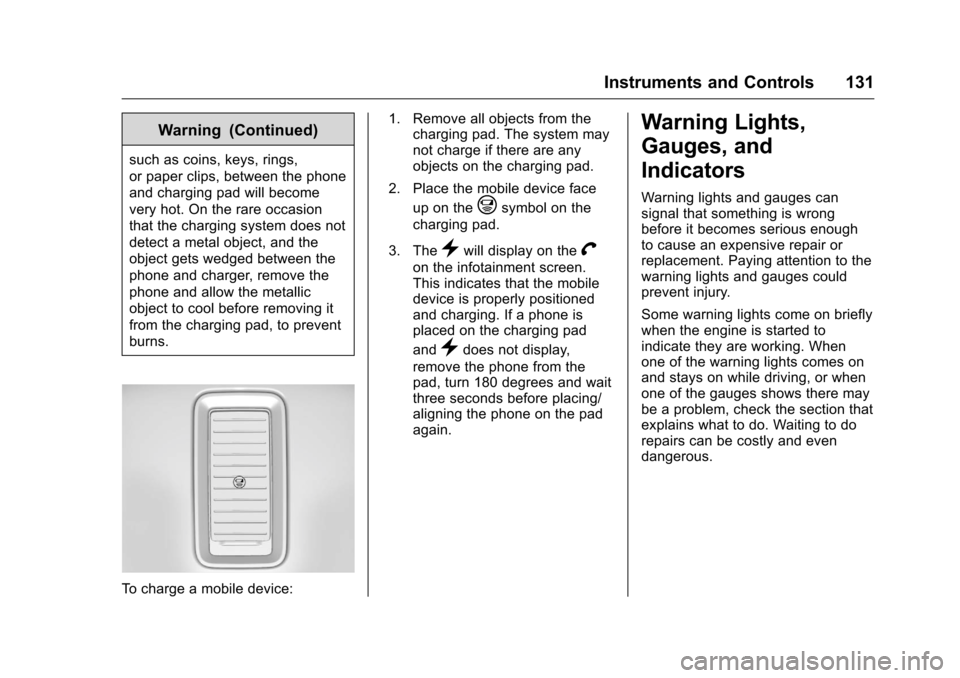
To charge a mobile device:1. Remove all objects from the
charging pad. The system may
not charge if there are any
objects on the charging pad.
2. Place the mobile device face up on the
@symbol on the
charging pad.
3. The
}will display on theV
on the infotainment screen.
This indicates that the mobile
device is properly positioned
and charging. If a phone is
placed on the charging pad
and
}does not display,
remove the phone from the
pad, turn 180 degrees and wait
three seconds before placing/
aligning the phone on the pad
again.
Warning Lights,
Gauges, and
Indicators
Warning lights and gauges can
signal that something is wrong
before it becomes serious enough
to cause an expensive repair or
replacement. Paying attention to the
warning lights and gauges could
prevent injury.
Some warning lights come on briefly
when the engine is started to
indicate they are working. When
one of the warning lights comes on
and stays on while driving, or when
one of the gauges shows there may
be a problem, check the section that
explains what to do. Waiting to do
repairs can be costly and even
dangerous.
Page 136 of 533
Chevrolet Silverado Owner Manual (GMNA-Localizing-U.S./Canada/Mexico-
9159338) - 2016 - crc - 10/21/15
Instruments and Controls 135
be displayed in the Info app. See
“Driver Information Center (DIC)
(Uplevel)”in the Index.
Speed Warning : The Speed
Warning display allows the driver to
set a speed that they do not want to
exceed. To set the Speed Warning,
press
pwhen Speed Warning is
displayed, or press
Von the main
view to set the speed value. Press
worxto adjust the value. PressVto set the speed. Once the speed
is set, this feature can be turned off
by pressing
Vwhile viewing this
page. If the selected speed limit is
exceeded, a pop-up warning is
displayed with a chime.
Software Information : Press
p
while Software Information is
highlighted to display open source
software information.
Speedometer
The speedometer shows the
vehicle's speed in either kilometers
per hour (km/h) or miles per
hour (mph).
Odometer
The odometer shows how far the
vehicle has been driven, in either
kilometers or miles.
Trip Odometer
The trip odometer shows how far
the vehicle has been driven since
the trip odometer was last reset.
The trip odometer is accessed and
reset through the Driver Information
Center (DIC). SeeDriver
Information Center (DIC) (Base
Level) 0150 orDriver Information
Center (DIC) (Uplevel) 0152.
Tachometer
The tachometer displays the engine
speed in revolutions per
minute (rpm).
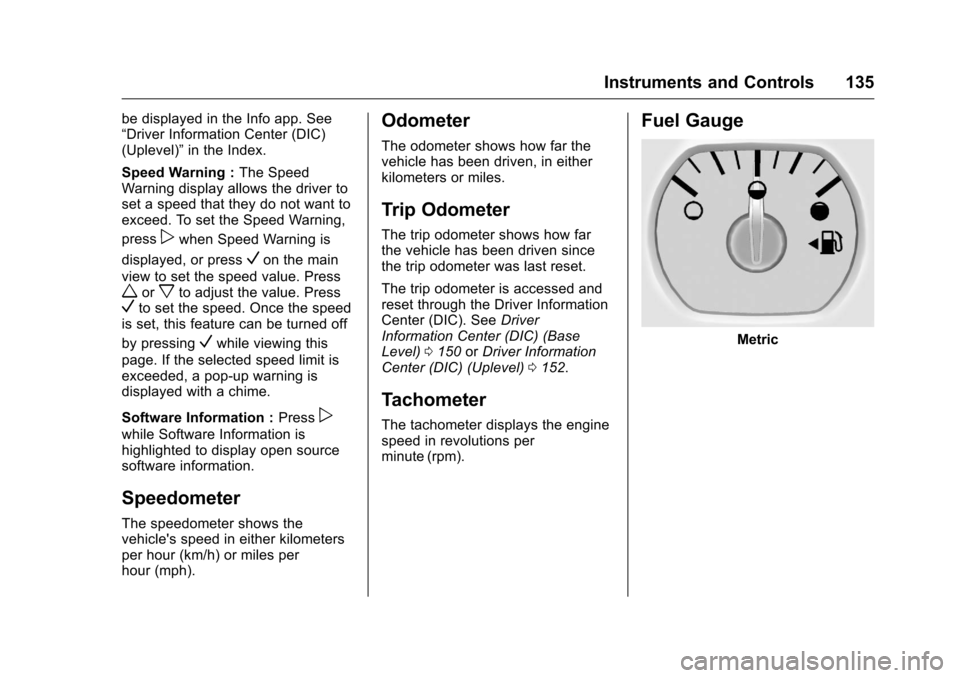
Fuel Gauge
Metric
Page 139 of 533
Chevrolet Silverado Owner Manual (GMNA-Localizing-U.S./Canada/Mexico-
9159338) - 2016 - crc - 10/21/15
138 Instruments and Controls
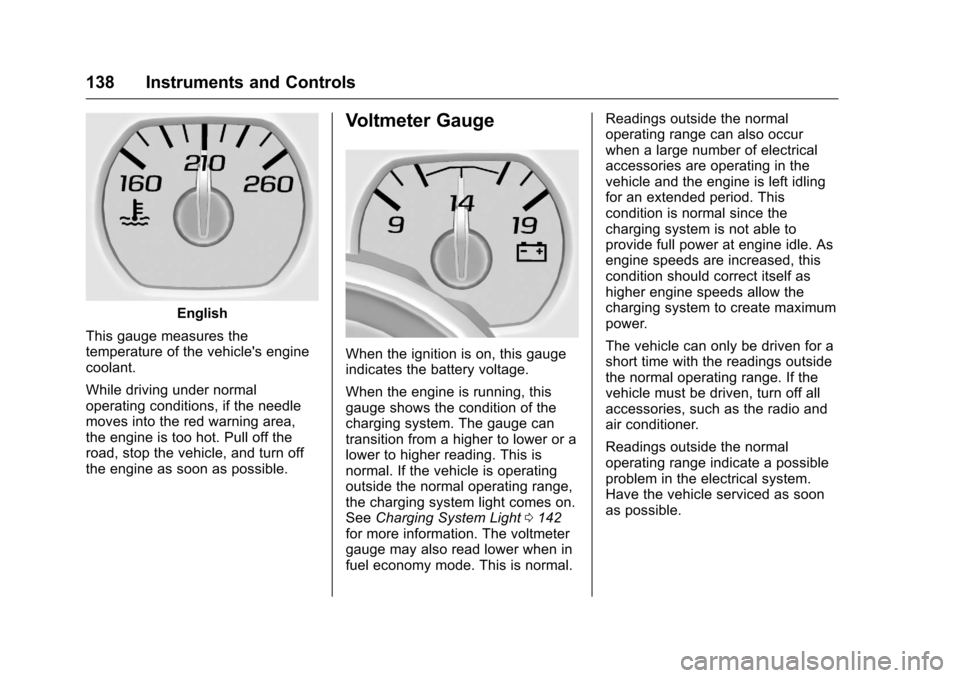
English
This gauge measures the
temperature of the vehicle's engine
coolant.
While driving under normal
operating conditions, if the needle
moves into the red warning area,
the engine is too hot. Pull off the
road, stop the vehicle, and turn off
the engine as soon as possible.
Voltmeter Gauge
When the ignition is on, this gauge
indicates the battery voltage.
When the engine is running, this
gauge shows the condition of the
charging system. The gauge can
transition from a higher to lower or a
lower to higher reading. This is
normal. If the vehicle is operating
outside the normal operating range,
the charging system light comes on.
See Charging System Light 0142
for more information. The voltmeter
gauge may also read lower when in
fuel economy mode. This is normal. Readings outside the normal
operating range can also occur
when a large number of electrical
accessories are operating in the
vehicle and the engine is left idling
for an extended period. This
condition is normal since the
charging system is not able to
provide full power at engine idle. As
engine speeds are increased, this
condition should correct itself as
higher engine speeds allow the
charging system to create maximum
power.
The vehicle can only be driven for a
short time with the readings outside
the normal operating range. If the
vehicle must be driven, turn off all
accessories, such as the radio and
air conditioner.
Readings outside the normal
operating range indicate a possible
problem in the electrical system.
Have the vehicle serviced as soon
as possible.
Page 141 of 533
Chevrolet Silverado Owner Manual (GMNA-Localizing-U.S./Canada/Mexico-
9159338) - 2016 - crc - 10/21/15
140 Instruments and Controls
The airbag readiness light comes on
for several seconds when the
vehicle is started. If the light does
not come on then, have it fixed
immediately.
{Warning
If the airbag readiness light stays
on after the vehicle is started or
comes on while driving, it means
the airbag system might not be
working properly. The airbags in
the vehicle might not inflate in a
crash, or they could even inflate
without a crash. To help avoid
injury, have the vehicle serviced
right away.
If there is a problem with the airbag
system, a Driver Information Center
(DIC) message may also come on.
See Airbag System
Messages 0160.
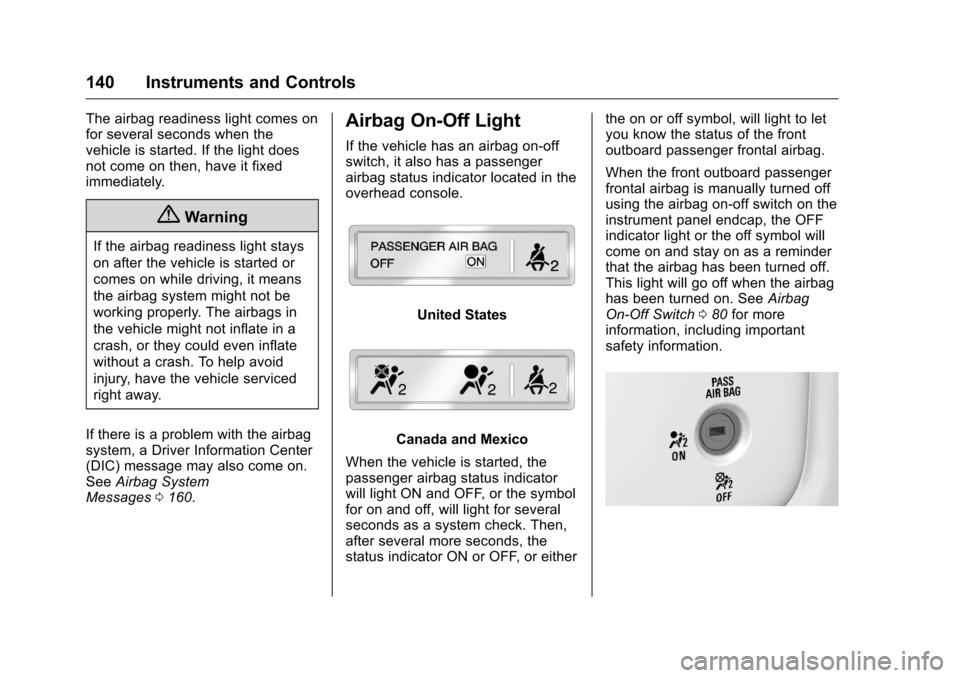
Airbag On-Off Light
If the vehicle has an airbag on-off
switch, it also has a passenger
airbag status indicator located in the
overhead console.
United States
Canada and Mexico
When the vehicle is started, the
passenger airbag status indicator
will light ON and OFF, or the symbol
for on and off, will light for several
seconds as a system check. Then,
after several more seconds, the
status indicator ON or OFF, or either the on or off symbol, will light to let
you know the status of the front
outboard passenger frontal airbag.
When the front outboard passenger
frontal airbag is manually turned off
using the airbag on-off switch on the
instrument panel endcap, the OFF
indicator light or the off symbol will
come on and stay on as a reminder
that the airbag has been turned off.
This light will go off when the airbag
has been turned on. See
Airbag
On-Off Switch 080 for more
information, including important
safety information.