2016 CHEVROLET SILVERADO four wheel drive
[x] Cancel search: four wheel drivePage 6 of 533

Chevrolet Silverado Owner Manual (GMNA-Localizing-U.S./Canada/Mexico-
9159338) - 2016 - crc - 10/21/15
In Brief 5
In Brief
Instrument Panel
Instrument Panel . . . . . . . . . . . . . . . . 6
Initial Drive Information
Initial Drive Information . . . . . . . . . . 8
Remote Keyless Entry (RKE)System . . . . . . . . . . . . . . . . . . . . . . . . 8
Remote Vehicle Start . . . . . . . . . . . 9
Door Locks . . . . . . . . . . . . . . . . . . . . . 9
Windows . . . . . . . . . . . . . . . . . . . . . . . 10
Seat Adjustment . . . . . . . . . . . . . . . 11
Memory Features . . . . . . . . . . . . . . 13
Heated and Ventilated Seats . . . 13
Head Restraint Adjustment . . . . 14
Safety Belts . . . . . . . . . . . . . . . . . . . . 14
Passenger Sensing System . . . 14
Mirror Adjustment . . . . . . . . . . . . . . 15
Steering Wheel Adjustment . . . . 16
Throttle and Brake Pedal Adjustment . . . . . . . . . . . . . . . . . . . 17
Interior Lighting . . . . . . . . . . . . . . . . 17
Exterior Lighting . . . . . . . . . . . . . . . 18
Windshield Wiper/Washer . . . . . . 19
Climate Controls . . . . . . . . . . . . . . . 19
Transmission . . . . . . . . . . . . . . . . . . 22
Four-Wheel Drive . . . . . . . . . . . . . . 23
Vehicle Features
Infotainment System . . . . . . . . . . . 24
Radio(s) . . . . . . . . . . . . . . . . . . . . . . . 24
Satellite Radio . . . . . . . . . . . . . . . . . 25
Portable Audio Devices . . . . . . . . 25
Bluetooth
®. . . . . . . . . . . . . . . . . . . . . 25
Steering Wheel Controls . . . . . . . 26
Cruise Control . . . . . . . . . . . . . . . . . 27
Driver Information Center (DIC) . . . . . . . . . . . . . . . . . 27
Forward Collision Alert (FCA) System . . . . . . . . . . . . . . . . . . . . . . . 28
Lane Departure Warning (LDW) . . . . . . . . . . . . . . . 28
Lane Keep Assist (LKA) . . . . . . . 28
Rear Vision Camera (RVC) . . . . 28
Parking Assist . . . . . . . . . . . . . . . . . 28
Power Outlets . . . . . . . . . . . . . . . . . 29
Universal Remote System . . . . . 29
Sunroof . . . . . . . . . . . . . . . . . . . . . . . . 29
eAssist Features
eAssist®Overview . . . . . . . . . . . . . 30
Performance and Maintenance
Traction Control/Electronic Stability Control . . . . . . . . . . . . . . 30
Tire Pressure Monitor . . . . . . . . . . 31
Engine Oil Life System . . . . . . . . 31
E85 or FlexFuel . . . . . . . . . . . . . . . . 32 Driving for Better Fuel
Economy . . . . . . . . . . . . . . . . . . . . . 32
Roadside Assistance Program . . . . . . . . . . . . . . . . . . . . . . 32
Roadside Assistance
Program . . . . . . . . . . . . . . . . . . . . . . 32
Page 9 of 533
Chevrolet Silverado Owner Manual (GMNA-Localizing-U.S./Canada/Mexico-
9159338) - 2016 - crc - 10/21/15
8 In Brief
17.Instrument Panel Storage
0119 (If Equipped).
18. Climate Control Systems (with
Heater Only) 0250 orClimate
Control Systems (with Air
Conditioning) 0252 (If
Equipped).
Dual Automatic Climate Control
System 0253 (If Equipped).
19. Parking Brake Release (Manual Transmission Only, If
Equipped). See Parking
Brake 0306
20. Steering Wheel Controls 0125
(If Equipped).
Driver Information Center (DIC)
Controls (If Equipped). See
Driver Information Center (DIC)
(Base Level) 0150 orDriver
Information Center (DIC)
(Uplevel) 0152.
21. Hood Release. See Hood 0363.
22. Horn 0126.
23. Steering Wheel Adjustment
0124 (Out of View). 24.
Cruise Control 0311.
Forward Collision Alert (FCA)
System 0317 (If Equipped).
25. Data Link Connector (DLC) (Out of View). See Malfunction
Indicator Lamp (Check Engine
Light) 0143.
26. Parking Brake 0306.
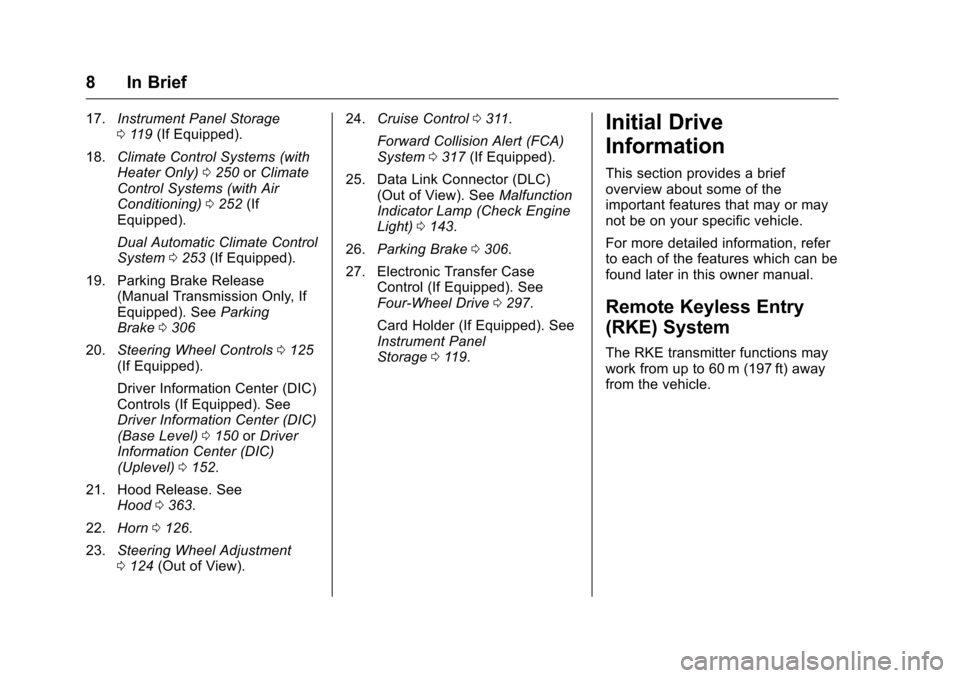
27. Electronic Transfer Case Control (If Equipped). See
Four-Wheel Drive 0297.
Card Holder (If Equipped). See
Instrument Panel
Storage 0119.Initial Drive
Information
This section provides a brief
overview about some of the
important features that may or may
not be on your specific vehicle.
For more detailed information, refer
to each of the features which can be
found later in this owner manual.
Remote Keyless Entry
(RKE) System
The RKE transmitter functions may
work from up to 60 m (197 ft) away
from the vehicle.
Page 24 of 533
Chevrolet Silverado Owner Manual (GMNA-Localizing-U.S./Canada/Mexico-
9159338) - 2016 - crc - 10/21/15
In Brief 23
While using Range Selection Mode,
cruise control and the Tow/Haul
Mode can be used.
Grade Braking is not available when
Range Selection Mode is active.
SeeTow/Haul Mode 0295.
Four-Wheel Drive
If the vehicle has Four-Wheel Drive,
the engine's driving power can be
sent to all four wheels for extra
traction.
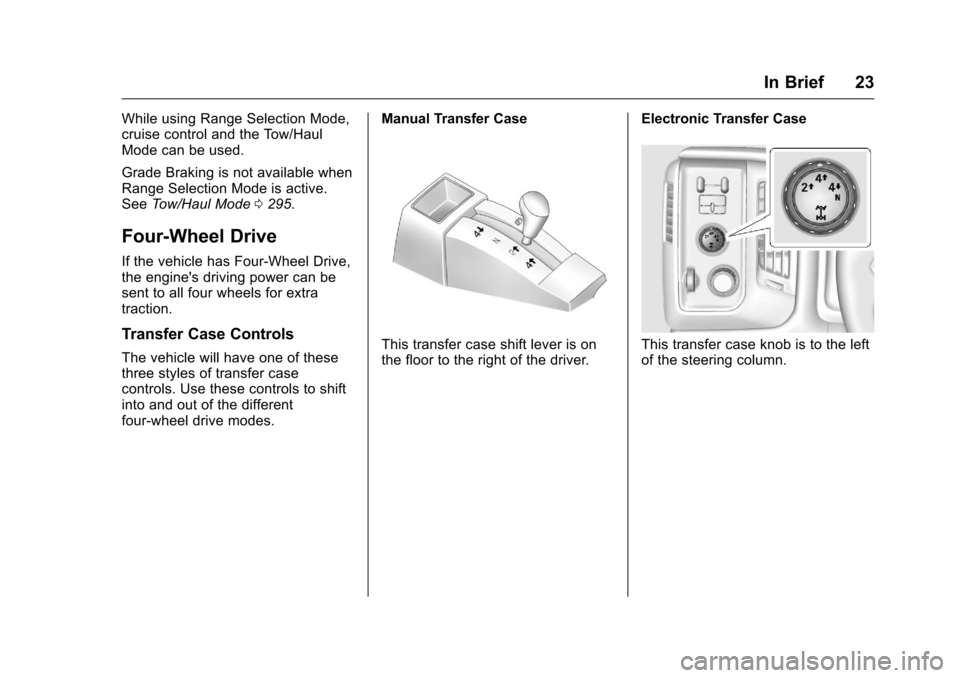
Transfer Case Controls
The vehicle will have one of these
three styles of transfer case
controls. Use these controls to shift
into and out of the different
four-wheel drive modes. Manual Transfer CaseThis transfer case shift lever is on
the floor to the right of the driver.
Electronic Transfer CaseThis transfer case knob is to the left
of the steering column.
Page 25 of 533
Chevrolet Silverado Owner Manual (GMNA-Localizing-U.S./Canada/Mexico-
9159338) - 2016 - crc - 10/21/15
24 In Brief
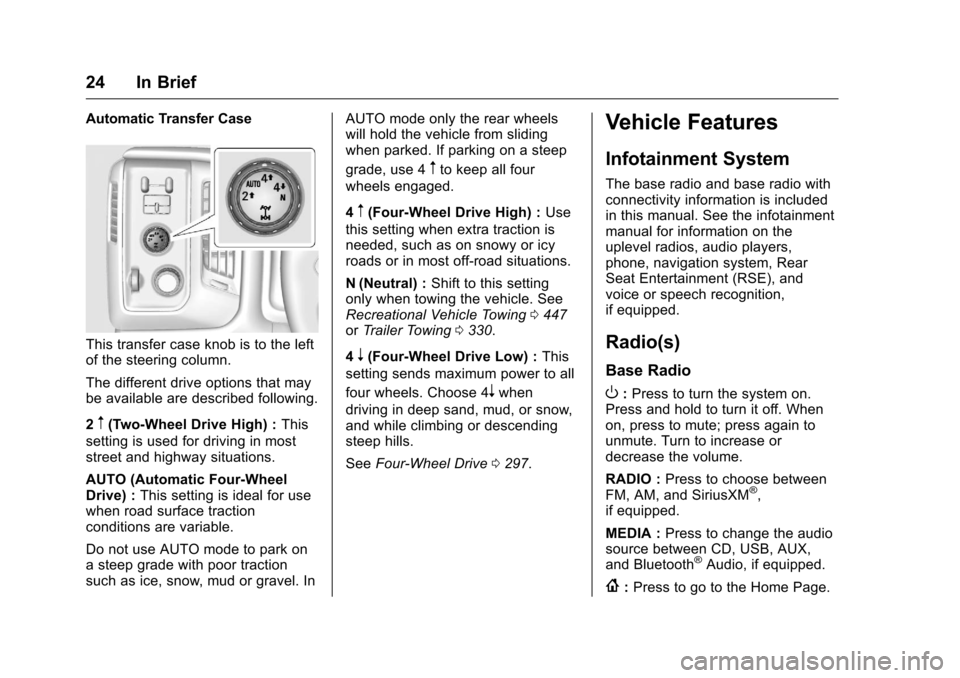
Automatic Transfer Case
This transfer case knob is to the left
of the steering column.
The different drive options that may
be available are described following.
2
m(Two-Wheel Drive High) :This
setting is used for driving in most
street and highway situations.
AUTO (Automatic Four-Wheel
Drive) : This setting is ideal for use
when road surface traction
conditions are variable.
Do not use AUTO mode to park on
a steep grade with poor traction
such as ice, snow, mud or gravel. In AUTO mode only the rear wheels
will hold the vehicle from sliding
when parked. If parking on a steep
grade, use 4
mto keep all four
wheels engaged.
4
m(Four-Wheel Drive High) : Use
this setting when extra traction is
needed, such as on snowy or icy
roads or in most off-road situations.
N (Neutral) : Shift to this setting
only when towing the vehicle. See
Recreational Vehicle Towing 0447
or Trailer Towing 0330.
4
n(Four-Wheel Drive Low) : This
setting sends maximum power to all
four wheels. Choose 4
nwhen
driving in deep sand, mud, or snow,
and while climbing or descending
steep hills.
See Four-Wheel Drive 0297.
Vehicle Features
Infotainment System
The base radio and base radio with
connectivity information is included
in this manual. See the infotainment
manual for information on the
uplevel radios, audio players,
phone, navigation system, Rear
Seat Entertainment (RSE), and
voice or speech recognition,
if equipped.
Radio(s)
Base Radio
O:Press to turn the system on.
Press and hold to turn it off. When
on, press to mute; press again to
unmute. Turn to increase or
decrease the volume.
RADIO : Press to choose between
FM, AM, and SiriusXM
®,
if equipped.
MEDIA : Press to change the audio
source between CD, USB, AUX,
and Bluetooth
®Audio, if equipped.
{: Press to go to the Home Page.
Page 124 of 533
Chevrolet Silverado Owner Manual (GMNA-Localizing-U.S./Canada/Mexico-
9159338) - 2016 - crc - 10/21/15
Instruments and Controls 123
Instruments and
Controls
Controls
Steering Wheel Adjustment . . . 124
Steering Wheel Controls . . . . . . 125
Heated Steering Wheel . . . . . . . 126
Horn . . . . . . . . . . . . . . . . . . . . . . . . . . 126
Windshield Wiper/Washer . . . . 126
Compass . . . . . . . . . . . . . . . . . . . . . 127
Clock . . . . . . . . . . . . . . . . . . . . . . . . . 127
Power Outlets . . . . . . . . . . . . . . . . 128
Wireless Charging . . . . . . . . . . . . 130
Warning Lights, Gauges, and
Indicators
Warning Lights, Gauges, andIndicators . . . . . . . . . . . . . . . . . . . 131
Instrument Cluster . . . . . . . . . . . . 132
Speedometer . . . . . . . . . . . . . . . . . 135
Odometer . . . . . . . . . . . . . . . . . . . . . 135
Trip Odometer . . . . . . . . . . . . . . . . 135
Tachometer . . . . . . . . . . . . . . . . . . . 135
Fuel Gauge . . . . . . . . . . . . . . . . . . . 135
Engine Oil Pressure Gauge . . . . . . . . . . . . . . . . . . . . . . 136
Engine Coolant Temperature Gauge . . . . . . . . . . . . . . . . . . . . . . 137
Voltmeter Gauge . . . . . . . . . . . . . 138 Safety Belt Reminders . . . . . . . . 139
Airbag Readiness Light . . . . . . . 139
Airbag On-Off Light . . . . . . . . . . . 140
Passenger Airbag Status
Indicator . . . . . . . . . . . . . . . . . . . . 141
Charging System Light . . . . . . . 142
Malfunction Indicator Lamp (Check Engine Light) . . . . . . . . 143
Brake System Warning Light . . . . . . . . . . . . . . . . . . . . . . . . 144
Antilock Brake System (ABS) Warning Light . . . . . . . . . . . . . . . 145
Four-Wheel-Drive Light . . . . . . . 145
Tow/Haul Mode Light . . . . . . . . . 146
Hill Descent Control Light . . . . 146
Lane Departure Warning (LDW) Light (2500/3500
Series) . . . . . . . . . . . . . . . . . . . . . . 146
Lane Keep Assist (LKA) Light (1500 Series) . . . . . . . . . . . . . . . 146
Vehicle Ahead Indicator . . . . . . 147
Traction Off Light . . . . . . . . . . . . . 147
StabiliTrak
®OFF Light . . . . . . . . 147
Traction Control System (TCS)/ StabiliTrak
®Light . . . . . . . . . . . 148
Tire Pressure Light . . . . . . . . . . . 148
Low Fuel Warning Light . . . . . . 148
Security Light . . . . . . . . . . . . . . . . . 149
High-Beam On Light . . . . . . . . . . 149
Front Fog Lamp Light . . . . . . . . . 149
Lamps On Reminder . . . . . . . . . 149 Cruise Control Light . . . . . . . . . . 150
Information Displays
Driver Information Center (DIC)
(Base Level) . . . . . . . . . . . . . . . . 150
Driver Information Center (DIC) (Uplevel) . . . . . . . . . . . . . . . . . . . . 152
Vehicle Messages
Vehicle Messages . . . . . . . . . . . . 155
Battery Voltage and ChargingMessages . . . . . . . . . . . . . . . . . . . 155
Brake System Messages . . . . . 156
Compass Messages . . . . . . . . . . 156
Door Ajar Messages . . . . . . . . . . 156
Engine Cooling System Messages . . . . . . . . . . . . . . . . . . . 156
Engine Oil Messages . . . . . . . . . 157
Engine Power Messages . . . . . 157
Fuel System Messages . . . . . . . 158
Key and Lock Messages . . . . . 158
Lamp Messages . . . . . . . . . . . . . . 158
Object Detection System Messages . . . . . . . . . . . . . . . . . . . 158
Ride Control System Messages . . . . . . . . . . . . . . . . . . . 159
Airbag System Messages . . . . 160
Safety Belt Messages . . . . . . . . 160
Security Messages . . . . . . . . . . . 161
Steering System Messages . . . . . . . . . . . . . . . . . . . 161
Page 146 of 533
Chevrolet Silverado Owner Manual (GMNA-Localizing-U.S./Canada/Mexico-
9159338) - 2016 - crc - 10/21/15
Instruments and Controls 145
This light should come on briefly
when the engine is started. If it does
not come on then, have it fixed so it
will be ready to warn you if there is
a problem.
When the ignition is on, the brake
system warning light also comes on
when the parking brake is set. The
light stays on if the parking brake
does not fully release. If it stays on
after the parking brake is fully
released, it means the vehicle has a
brake problem.
If the light comes on while driving,
pull off the road and stop carefully.
The pedal might be harder to push,
or the pedal can go closer to the
floor. It may take longer to stop.
If the light is still on, have the
vehicle towed for service. See
Towing the Vehicle0447.
{Warning
The brake system might not be
working properly if the brake
system warning light is on.
Driving with the brake system
(Continued)
Warning (Continued)
warning light on can lead to a
crash. If the light is still on after
the vehicle has been pulled off
the road and carefully stopped,
have the vehicle towed for
service.
Antilock Brake System
(ABS) Warning Light
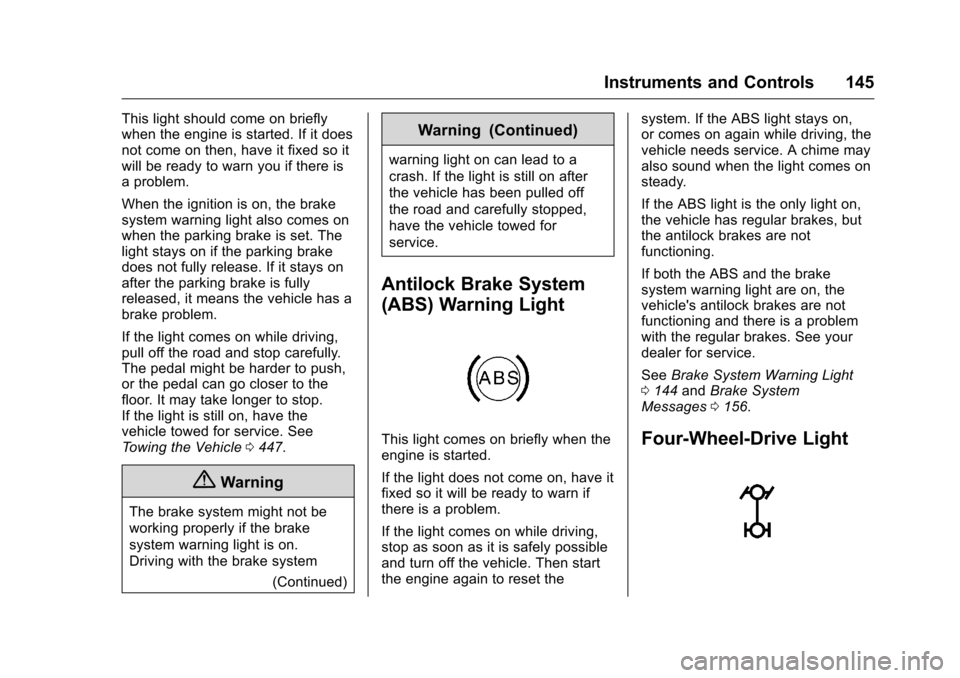
This light comes on briefly when the
engine is started.
If the light does not come on, have it
fixed so it will be ready to warn if
there is a problem.
If the light comes on while driving,
stop as soon as it is safely possible
and turn off the vehicle. Then start
the engine again to reset the system. If the ABS light stays on,
or comes on again while driving, the
vehicle needs service. A chime may
also sound when the light comes on
steady.
If the ABS light is the only light on,
the vehicle has regular brakes, but
the antilock brakes are not
functioning.
If both the ABS and the brake
system warning light are on, the
vehicle's antilock brakes are not
functioning and there is a problem
with the regular brakes. See your
dealer for service.
See
Brake System Warning Light
0 144 andBrake System
Messages 0156.Four-Wheel-Drive Light
Page 147 of 533
Chevrolet Silverado Owner Manual (GMNA-Localizing-U.S./Canada/Mexico-
9159338) - 2016 - crc - 10/21/15
146 Instruments and Controls
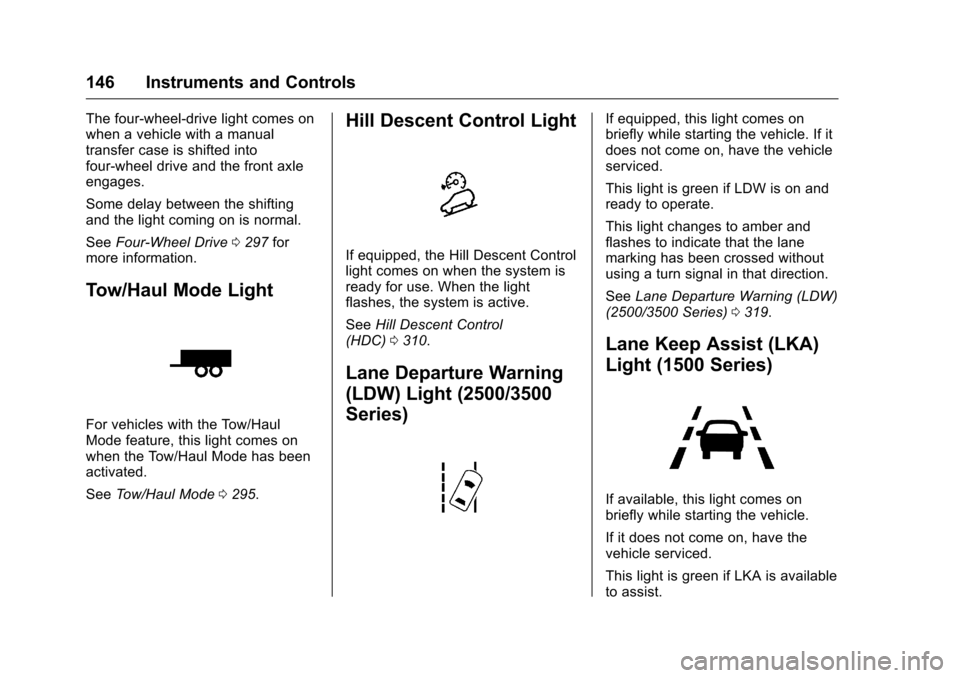
The four-wheel-drive light comes on
when a vehicle with a manual
transfer case is shifted into
four-wheel drive and the front axle
engages.
Some delay between the shifting
and the light coming on is normal.
SeeFour-Wheel Drive 0297 for
more information.
Tow/Haul Mode Light
For vehicles with the Tow/Haul
Mode feature, this light comes on
when the Tow/Haul Mode has been
activated.
See Tow/Haul Mode 0295.
Hill Descent Control Light
If equipped, the Hill Descent Control
light comes on when the system is
ready for use. When the light
flashes, the system is active.
See Hill Descent Control
(HDC) 0310.
Lane Departure Warning
(LDW) Light (2500/3500
Series)
If equipped, this light comes on
briefly while starting the vehicle. If it
does not come on, have the vehicle
serviced.
This light is green if LDW is on and
ready to operate.
This light changes to amber and
flashes to indicate that the lane
marking has been crossed without
using a turn signal in that direction.
See Lane Departure Warning (LDW)
(2500/3500 Series) 0319.
Lane Keep Assist (LKA)
Light (1500 Series)
If available, this light comes on
briefly while starting the vehicle.
If it does not come on, have the
vehicle serviced.
This light is green if LKA is available
to assist.
Page 155 of 533
Chevrolet Silverado Owner Manual (GMNA-Localizing-U.S./Canada/Mexico-
9159338) - 2016 - crc - 10/21/15
154 Instruments and Controls
cylinders the vehicle is running on.
SeeActive Fuel
Management
®0 288.
Press
pto select the distance or
reset best value. Use
wandxto
choose the distance and press
V.
Press
wandxto select “Reset
Best Score.” Press
Vto reset the
best average fuel economy. After
reset, the momentary average fuel
economy will display.
The display provides information on
how current driving behavior affects
the running average and how well
recent driving compares to the best
that has been achieved for the
selected distance.
Timer : This display can be used as
a timer. To start the timer, press
V
while this display is active. The
display will show the amount of time
that has passed since the timer was
last reset. To stop the timer, press
V
briefly while this display is active
and the timer is running. To reset the timer to zero, press and hold
V
while this display is active, or
press
pand select reset.
Speed Limit (If Equipped) : Shows
sign information, which comes from
a roadway database in the onboard
navigation.
Engine Hours : Shows the total
number of hours the engine has run.
Transmission Fluid
Temperature : Shows the
temperature of the automatic
transmission fluid in either degrees
Celsius (°C) or degrees
Fahrenheit (°F).
Trailer Brake (If Equipped) : On
vehicles with the Integrated Trailer
Brake Control (ITBC) system, the
trailer brake display appears in
the DIC.
TRAILER GAIN shows the trailer
gain setting. This setting can be
adjusted from 0.0 to 10.0 with either
a trailer connected or disconnected.
OUTPUT shows the power output to
the trailer anytime a trailer with
electric brakes is connected. Output is displayed as a bar graph. Dashes
may appear in the OUTPUT display
if a trailer is not connected.
Off Road :
Displays vehicle pitch
and roll information, road wheel
angle, and four-wheel drive (4WD)
status.
Blank Page : Shows no
information.