2016 CHEVROLET MALIBU LIMITED lock
[x] Cancel search: lockPage 43 of 360
Chevrolet Malibu Limited Owner Manual (GMNA-Localizing-U.S/Canada-
9086425) - 2016 - crc - 7/31/15
42 Keys, Doors, and Windows
Exterior Mirrors
Convex Mirrors
{Warning
A convex mirror can make things,
like other vehicles, look farther
away than they really are. If you
cut too sharply into the right lane,
you could hit a vehicle on the
right. Check the inside mirror or
glance over your shoulder before
changing lanes.
The passenger side mirror is convex
shaped. A convex mirror's surface is
curved so more can be seen from
the driver seat.
Power Mirrors
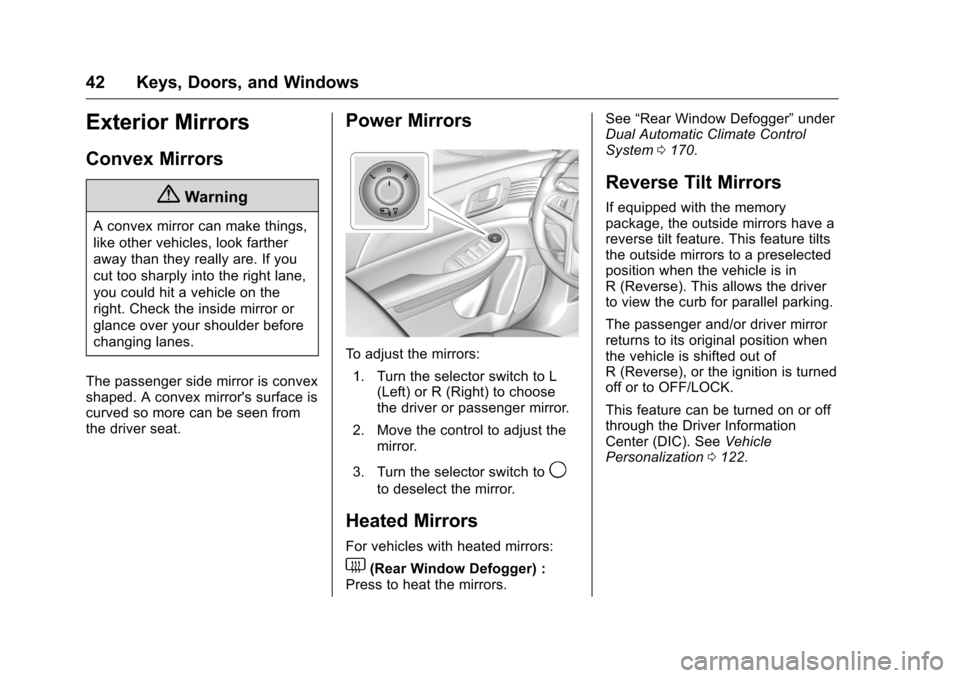
To adjust the mirrors: 1. Turn the selector switch to L (Left) or R (Right) to choose
the driver or passenger mirror.
2. Move the control to adjust the mirror.
3. Turn the selector switch to
9
to deselect the mirror.
Heated Mirrors
For vehicles with heated mirrors:
1(Rear Window Defogger) :
Press to heat the mirrors. See
“Rear Window Defogger” under
Dual Automatic Climate Control
System 0170.
Reverse Tilt Mirrors
If equipped with the memory
package, the outside mirrors have a
reverse tilt feature. This feature tilts
the outside mirrors to a preselected
position when the vehicle is in
R (Reverse). This allows the driver
to view the curb for parallel parking.
The passenger and/or driver mirror
returns to its original position when
the vehicle is shifted out of
R (Reverse), or the ignition is turned
off or to OFF/LOCK.
This feature can be turned on or off
through the Driver Information
Center (DIC). See Vehicle
Personalization 0122.
Page 45 of 360
Chevrolet Malibu Limited Owner Manual (GMNA-Localizing-U.S/Canada-
9086425) - 2016 - crc - 7/31/15
44 Keys, Doors, and Windows
pulsing sound when either rear
window is down and the front
windows are up. To reduce the
sound, open either a front window
or the sunroof, if equipped.
Power Windows
{Warning
Children could be seriously
injured or killed if caught in the
path of a closing window. Never
leave keys in a vehicle with
children. When there are children
in the rear seat, use the window
lockout button to prevent
operation of the windows. See
Keys025.
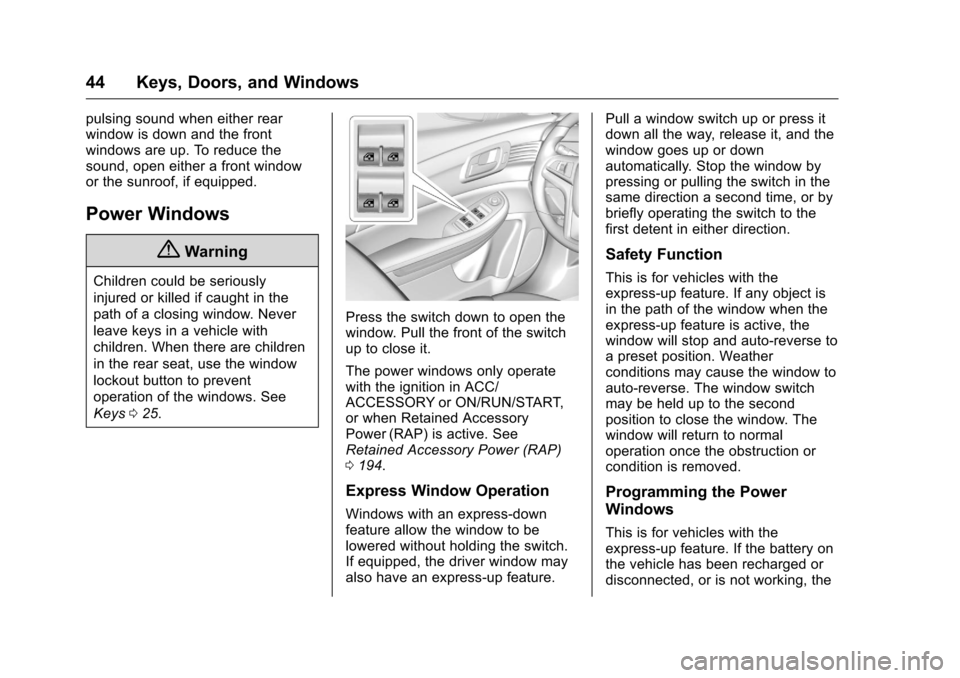
Press the switch down to open the
window. Pull the front of the switch
up to close it.
The power windows only operate
with the ignition in ACC/
ACCESSORY or ON/RUN/START,
or when Retained Accessory
Power (RAP) is active. See
Retained Accessory Power (RAP)
0194.
Express Window Operation
Windows with an express-down
feature allow the window to be
lowered without holding the switch.
If equipped, the driver window may
also have an express-up feature. Pull a window switch up or press it
down all the way, release it, and the
window goes up or down
automatically. Stop the window by
pressing or pulling the switch in the
same direction a second time, or by
briefly operating the switch to the
first detent in either direction.
Safety Function
This is for vehicles with the
express-up feature. If any object is
in the path of the window when the
express-up feature is active, the
window will stop and auto-reverse to
a preset position. Weather
conditions may cause the window to
auto-reverse. The window switch
may be held up to the second
position to close the window. The
window will return to normal
operation once the obstruction or
condition is removed.
Programming the Power
Windows
This is for vehicles with the
express-up feature. If the battery on
the vehicle has been recharged or
disconnected, or is not working, the
Page 46 of 360
Chevrolet Malibu Limited Owner Manual (GMNA-Localizing-U.S/Canada-
9086425) - 2016 - crc - 7/31/15
Keys, Doors, and Windows 45
windows will need to be
reprogrammed for the express-up
feature to work. Before
reprogramming, replace or recharge
the vehicle's battery.
To program the driver window:1. Close all doors, with the ignition in ACC/ACCESSORY
or ON/RUN, or with RAP
active.
2. Press and hold the power window switch until the window
is fully open.
3. Pull the power window switch up until the window is fully
closed.
4. Continue holding the switch up for approximately two seconds
after the window is completely
closed.
The window is now reprogrammed.Window Lockout
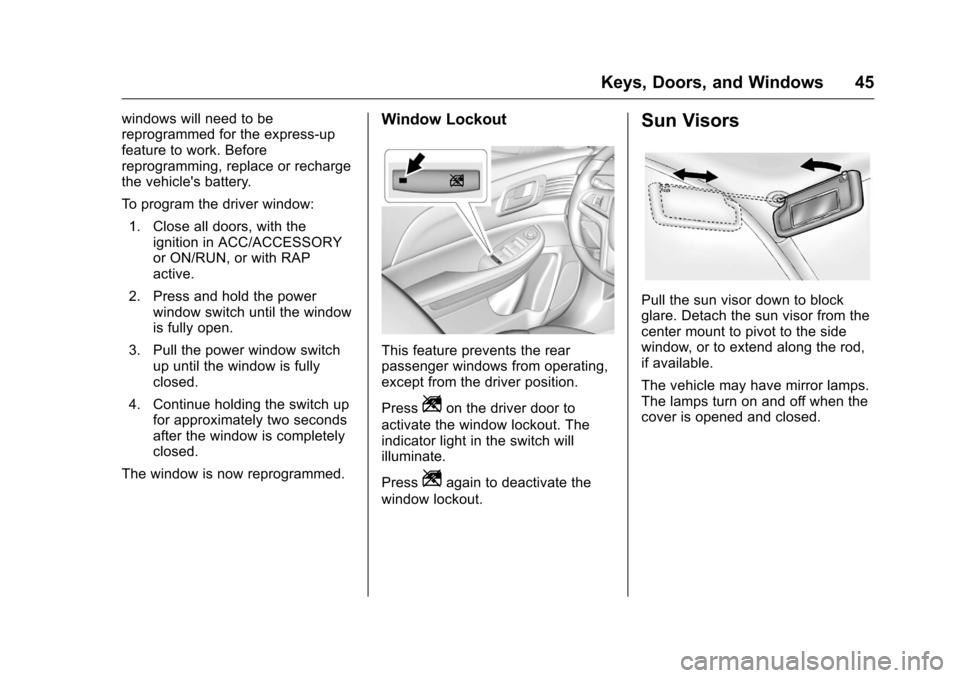
This feature prevents the rear
passenger windows from operating,
except from the driver position.
Press
Zon the driver door to
activate the window lockout. The
indicator light in the switch will
illuminate.
Press
Zagain to deactivate the
window lockout.
Sun Visors
Pull the sun visor down to block
glare. Detach the sun visor from the
center mount to pivot to the side
window, or to extend along the rod,
if available.
The vehicle may have mirror lamps.
The lamps turn on and off when the
cover is opened and closed.
Page 49 of 360
Chevrolet Malibu Limited Owner Manual (GMNA-Localizing-U.S/Canada-
9086425) - 2016 - crc - 7/30/15
48 Seats and Restraints
Head Restraints
{Warning
With head restraints that are not
installed and adjusted properly,
there is a greater chance that
occupants will suffer a neck/
spinal injury in a crash. Do not
drive until the head restraints for
all occupants are installed and
adjusted properly.
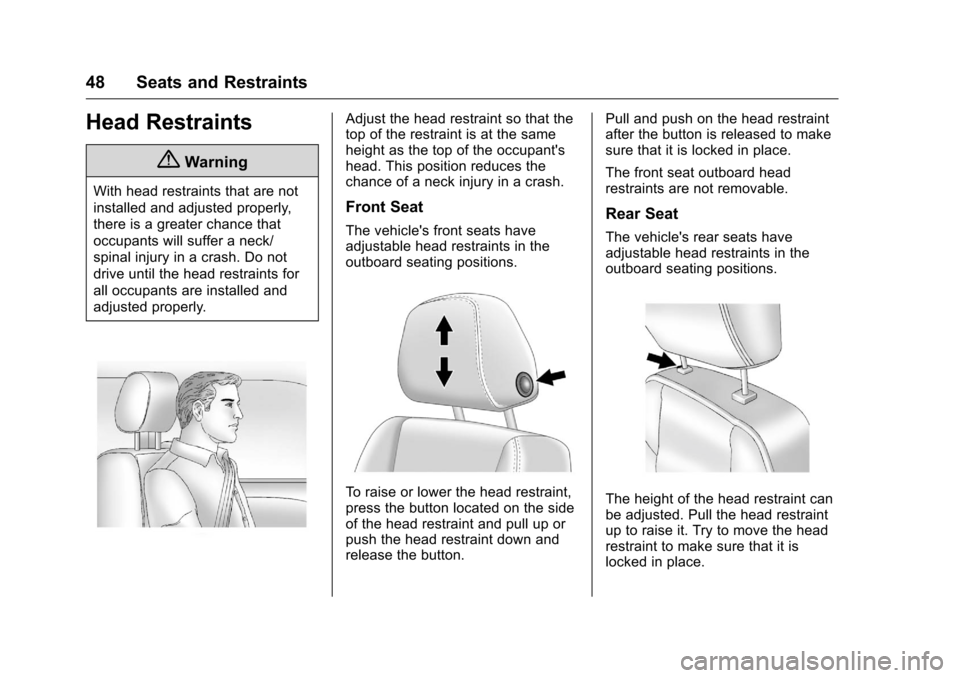
Adjust the head restraint so that the
top of the restraint is at the same
height as the top of the occupant's
head. This position reduces the
chance of a neck injury in a crash.
Front Seat
The vehicle's front seats have
adjustable head restraints in the
outboard seating positions.
To raise or lower the head restraint,
press the button located on the side
of the head restraint and pull up or
push the head restraint down and
release the button.Pull and push on the head restraint
after the button is released to make
sure that it is locked in place.
The front seat outboard head
restraints are not removable.
Rear Seat
The vehicle's rear seats have
adjustable head restraints in the
outboard seating positions.
The height of the head restraint can
be adjusted. Pull the head restraint
up to raise it. Try to move the head
restraint to make sure that it is
locked in place.
Page 50 of 360
Chevrolet Malibu Limited Owner Manual (GMNA-Localizing-U.S/Canada-
9086425) - 2016 - crc - 7/30/15
Seats and Restraints 49
To lower the head restraint, press
the button, located on the top of the
seatback, and push the head
restraint down. Try to move the
head restraint after the button is
released to make sure that it is
locked in place.
If you are installing a child restraint
in the rear seat, see "Securing a
Child Restraint Designed for the
LATCH System" underLower
Anchors and Tethers for Children
(LATCH System) 081.Front Seats
Seat Adjustment
{Warning
You can lose control of the
vehicle if you try to adjust a driver
seat while the vehicle is moving.
Adjust the driver seat only when
the vehicle is not moving.
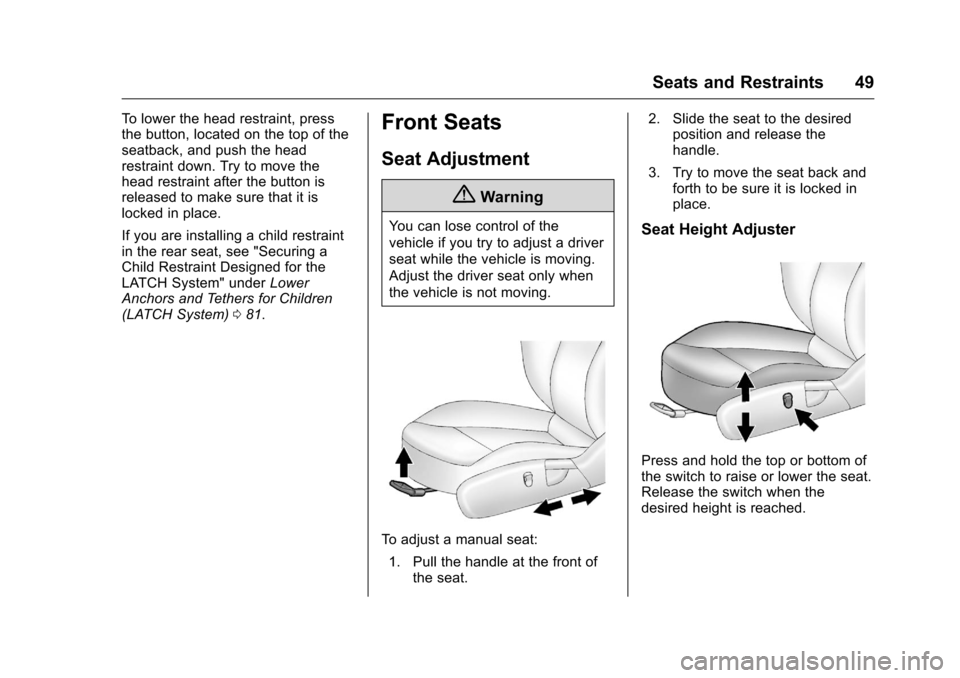
To adjust a manual seat:
1. Pull the handle at the front of the seat. 2. Slide the seat to the desired
position and release the
handle.
3. Try to move the seat back and forth to be sure it is locked in
place.
Seat Height Adjuster
Press and hold the top or bottom of
the switch to raise or lower the seat.
Release the switch when the
desired height is reached.
Page 52 of 360
Chevrolet Malibu Limited Owner Manual (GMNA-Localizing-U.S/Canada-
9086425) - 2016 - crc - 7/30/15
Seats and Restraints 51
Do not have a seatback reclined if
the vehicle is moving.
Manual Reclining Seatbacks
{Warning
If either seatback is not locked, it
could move forward in a sudden
stop or crash. That could cause
injury to the person sitting there.
Always push and pull on the
seatbacks to be sure they are
locked.
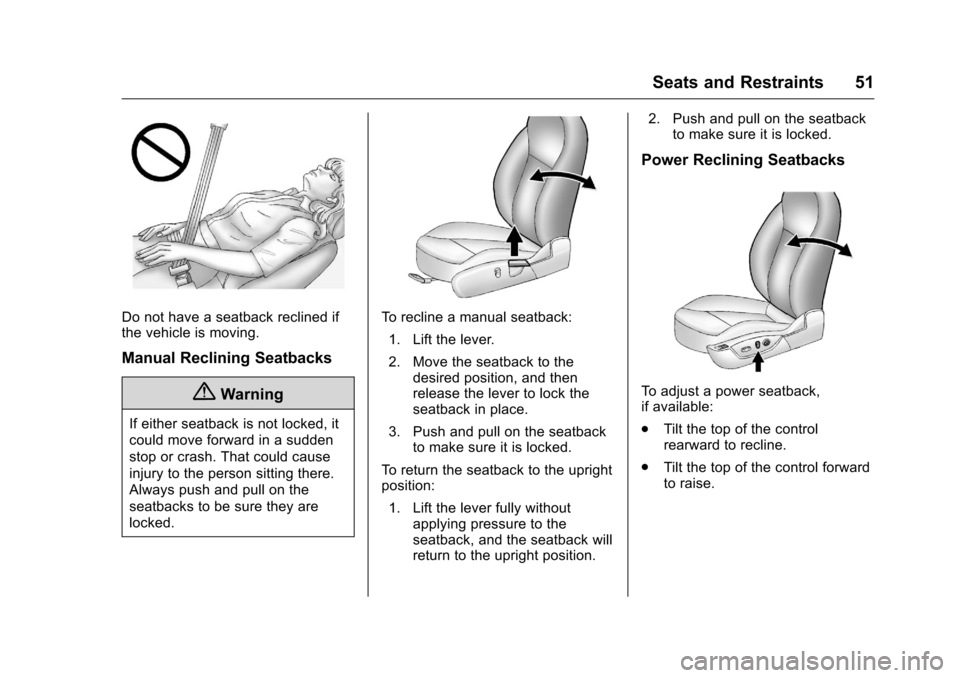
To recline a manual seatback:1. Lift the lever.
2. Move the seatback to the desired position, and then
release the lever to lock the
seatback in place.
3. Push and pull on the seatback to make sure it is locked.
To return the seatback to the upright
position: 1. Lift the lever fully without applying pressure to the
seatback, and the seatback will
return to the upright position. 2. Push and pull on the seatback
to make sure it is locked.
Power Reclining Seatbacks
To adjust a power seatback,
if available:
.Tilt the top of the control
rearward to recline.
. Tilt the top of the control forward
to raise.
Page 53 of 360
Chevrolet Malibu Limited Owner Manual (GMNA-Localizing-U.S/Canada-
9086425) - 2016 - crc - 7/30/15
52 Seats and Restraints
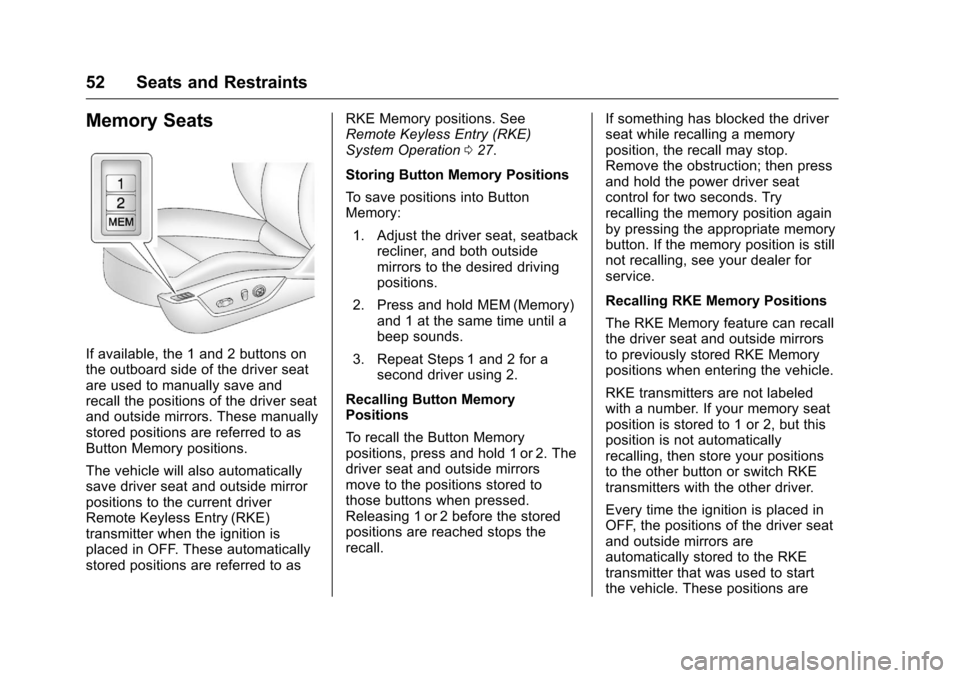
Memory Seats
If available, the 1 and 2 buttons on
the outboard side of the driver seat
are used to manually save and
recall the positions of the driver seat
and outside mirrors. These manually
stored positions are referred to as
Button Memory positions.
The vehicle will also automatically
save driver seat and outside mirror
positions to the current driver
Remote Keyless Entry (RKE)
transmitter when the ignition is
placed in OFF. These automatically
stored positions are referred to asRKE Memory positions. See
Remote Keyless Entry (RKE)
System Operation
027.
Storing Button Memory Positions
To save positions into Button
Memory: 1. Adjust the driver seat, seatback recliner, and both outside
mirrors to the desired driving
positions.
2. Press and hold MEM (Memory) and 1 at the same time until a
beep sounds.
3. Repeat Steps 1 and 2 for a second driver using 2.
Recalling Button Memory
Positions
To recall the Button Memory
positions, press and hold 1 or 2. The
driver seat and outside mirrors
move to the positions stored to
those buttons when pressed.
Releasing 1 or 2 before the stored
positions are reached stops the
recall. If something has blocked the driver
seat while recalling a memory
position, the recall may stop.
Remove the obstruction; then press
and hold the power driver seat
control for two seconds. Try
recalling the memory position again
by pressing the appropriate memory
button. If the memory position is still
not recalling, see your dealer for
service.
Recalling RKE Memory Positions
The RKE Memory feature can recall
the driver seat and outside mirrors
to previously stored RKE Memory
positions when entering the vehicle.
RKE transmitters are not labeled
with a number. If your memory seat
position is stored to 1 or 2, but this
position is not automatically
recalling, then store your positions
to the other button or switch RKE
transmitters with the other driver.
Every time the ignition is placed in
OFF, the positions of the driver seat
and outside mirrors are
automatically stored to the RKE
transmitter that was used to start
the vehicle. These positions are
Page 54 of 360
Chevrolet Malibu Limited Owner Manual (GMNA-Localizing-U.S/Canada-
9086425) - 2016 - crc - 7/30/15
Seats and Restraints 53
called RKE Memory positions and
may be different than the previously
mentioned Button Memory positions
saved to the 1 or 2 buttons.
To recall RKE Memory positions:
.On vehicles with RKE, press
K
on the RKE transmitter and open
the driver door.
. On vehicles with Keyless
Access, press the lock/unlock
button on the outside driver door
handle and open the door. The
RKE transmitter must be present
for the recall to activate.
. If the driver door is already
open, press
Kon the RKE
transmitter to activate the recall.
The driver seat and outside mirrors
will move to the previously saved
RKE Memory positions.
This feature is turned on or off using
the vehicle personalization menu.
See Vehicle Personalization 0122.
To stop recall movement, press one
of the memory, power mirror,
or power seat controls. If something has blocked the driver
seat while recalling a memory
position, the recall may stop.
Remove the obstruction; then press
and hold the appropriate manual
control for the memory item that is
not recalling for two seconds. Try
recalling the memory position again
by opening the driver door and
pressing the RKE transmitter
K
button. If the memory position is still
not recalling, see your dealer for
service.
Easy Exit Driver Seat
This feature moves the seat
rearward allowing the driver more
room to exit the vehicle.
To activate, place the ignition in
OFF and open the driver door. If the
driver door is already open, placing
the ignition in OFF will activate the
recall.
This feature is turned on or off using
the vehicle personalization menu.
See
Vehicle Personalization 0122.
To stop recall movement, press one
of the memory or power seat
controls. If something has blocked the driver
seat while recalling the exit position,
the recall may stop. Remove the
obstruction; then press and hold the
power seat control rearward for
two seconds. Try recalling the exit
position again. If the exit position is
still not recalling, see your dealer for
service.Heated Front Seats
{Warning
If you cannot feel temperature
change or pain to the skin, the
seat heater may cause burns. To
reduce the risk of burns, people
with such a condition should use
care when using the seat heater,
especially for long periods of
time. Do not place anything on
the seat that insulates against
heat, such as a blanket, cushion,
cover, or similar item. This may
cause the seat heater to
overheat. An overheated seat
heater may cause a burn or may
damage the seat.