2016 BMW M4 warning
[x] Cancel search: warningPage 129 of 228
Driving comfortVehicle equipment
This chapter describes all standard, national
and special equipment provided in the model
series. Equipment not available in the vehicle is
therefore also described, for example the se‐
lected special equipment or national version.
This also applies to safety-relevant functions
and systems. Comply with the relevant na‐
tional regulations when using the correspond‐
ing functions and systems.
Cruise Control
Principle System keeps to speed set using buttons on
steering wheel. On downhill gradients, the sys‐
tem will brake the vehicle if the braking action
of the engine alone is insufficient.
General Characteristics of Cruise Control may change
in certain areas depending on vehicle setting.
Information WARNING
Using the system in the following situa‐
tions can lead to an increased danger of acci‐
dent:▷On stretches with many corners and
bends.▷In heavy traffic.▷If the road is icy, if there is fog, snow, rain
or a loose road surface.
Danger of accident or damage to property.
Only use the system if it is possible to drive at
a constant speed.◀
Overview
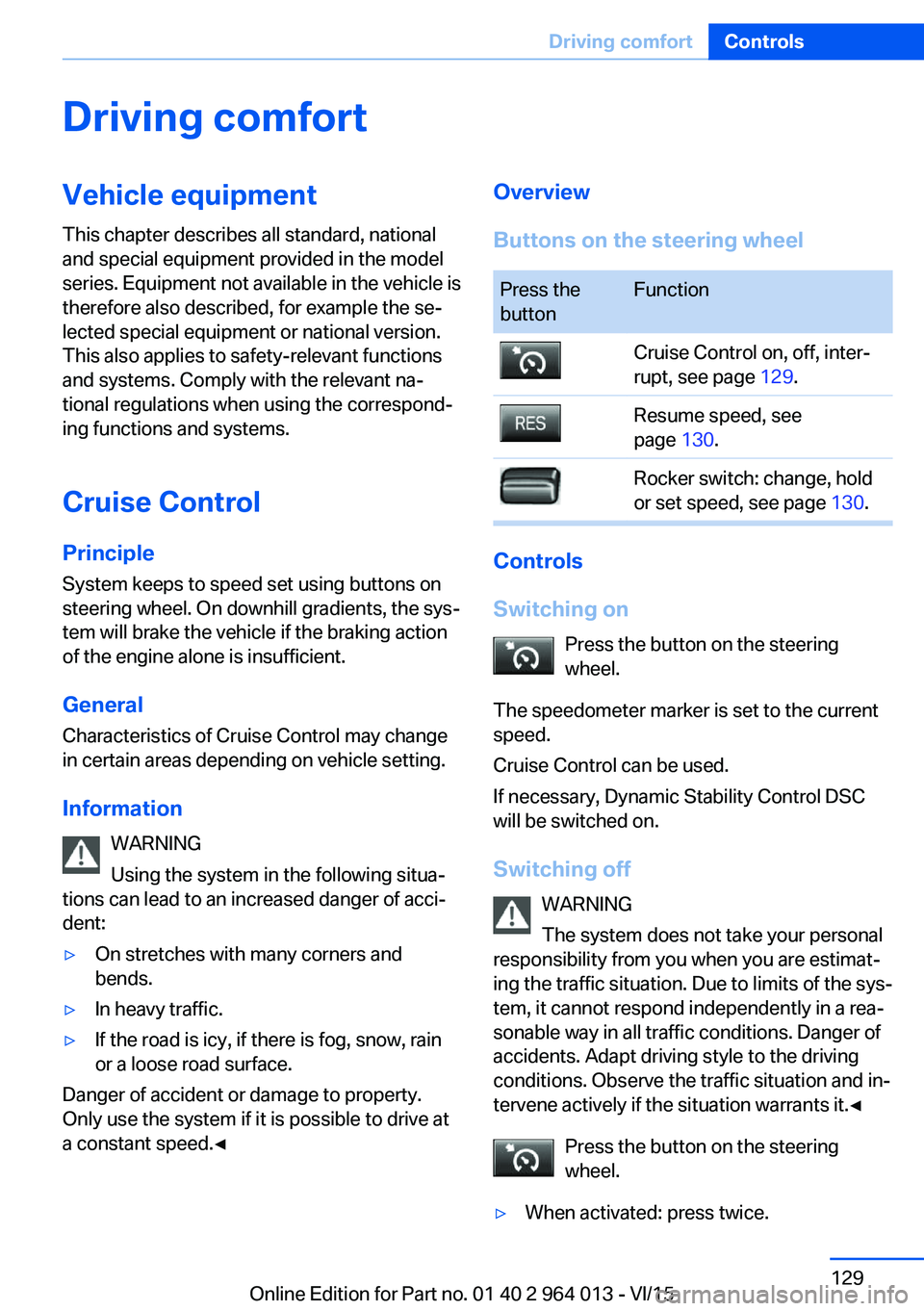
Buttons on the steering wheelPress the
buttonFunctionCruise Control on, off, inter‐
rupt, see page 129.Resume speed, see
page 130.Rocker switch: change, hold
or set speed, see page 130.
Controls
Switching on Press the button on the steering
wheel.
The speedometer marker is set to the current
speed.
Cruise Control can be used.
If necessary, Dynamic Stability Control DSC
will be switched on.
Switching off WARNING
The system does not take your personal
responsibility from you when you are estimat‐
ing the traffic situation. Due to limits of the sys‐
tem, it cannot respond independently in a rea‐
sonable way in all traffic conditions. Danger of
accidents. Adapt driving style to the driving
conditions. Observe the traffic situation and in‐
tervene actively if the situation warrants it.◀
Press the button on the steering
wheel.
▷When activated: press twice.Seite 129Driving comfortControls129
Online Edition for Part no. 01 40 2 964 013 - VI/15
Page 130 of 228
▷When interrupted: press once.
The indicators turn off. The saved desired
speed is deleted.
Interrupting When the system is activated, press
the button on the steering wheel.
The system interrupts automatically in the
following situations:
▷If the brake is applied.▷If the clutch is depressed for a few seconds
or released with no gear engaged.▷If too high a gear has been engaged for the
speed.▷If MDM is activated or DSC is deactivated.▷If DSC intervenes.
Maintaining, saving, changing speed
Notes WARNING
The desired speed can be inadvertently
set incorrectly or called up. Danger of acci‐
dents. Adapt the desired speed to the driving
conditions. Observe the traffic situation and in‐
tervene actively if the situation warrants it.◀
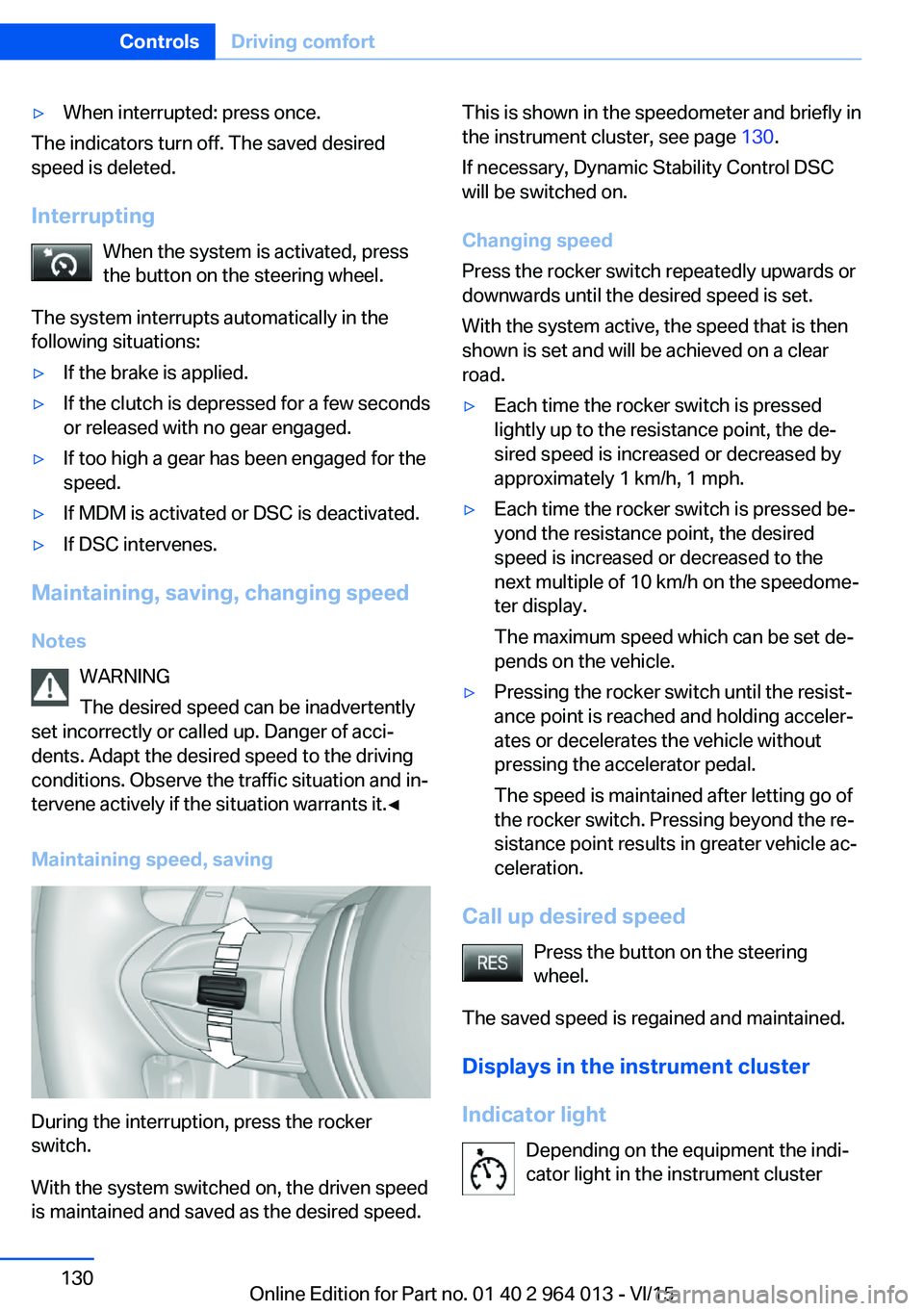
Maintaining speed, saving
During the interruption, press the rocker
switch.
With the system switched on, the driven speed
is maintained and saved as the desired speed.
This is shown in the speedometer and briefly in
the instrument cluster, see page 130.
If necessary, Dynamic Stability Control DSC
will be switched on.
Changing speed
Press the rocker switch repeatedly upwards or
downwards until the desired speed is set.
With the system active, the speed that is then
shown is set and will be achieved on a clear
road.▷Each time the rocker switch is pressed
lightly up to the resistance point, the de‐
sired speed is increased or decreased by
approximately 1 km/h, 1 mph.▷Each time the rocker switch is pressed be‐
yond the resistance point, the desired
speed is increased or decreased to the
next multiple of 10 km/h on the speedome‐
ter display.
The maximum speed which can be set de‐
pends on the vehicle.▷Pressing the rocker switch until the resist‐
ance point is reached and holding acceler‐
ates or decelerates the vehicle without
pressing the accelerator pedal.
The speed is maintained after letting go of
the rocker switch. Pressing beyond the re‐
sistance point results in greater vehicle ac‐
celeration.
Call up desired speed
Press the button on the steering
wheel.
The saved speed is regained and maintained.
Displays in the instrument cluster
Indicator light Depending on the equipment the indi‐
cator light in the instrument cluster
Seite 130ControlsDriving comfort130
Online Edition for Part no. 01 40 2 964 013 - VI/15
Page 131 of 228

shows whether the system is switched on.Desired speed▷Marker illuminates green:
the system is active.▷Marker illuminates orange:
the system is interrupted.▷Marker does not illuminate:
the system is inactive.
Brief status display
Selected desired speed.
If no speed is displayed, the conditions re‐
quired for operation may not be fulfilled at the
moment.
Displays on the Head-Up Display Some information from the system can also be
shown on Head-Up Display.
Park Distance Control PDC
Principle PDC supports you with parking. Slowly ap‐
proaching an object in behind, or with front
PDC, in front of, your vehicle is signalled by
means of:
▷Acoustic signals.▷Visual display.
General
Ultrasonic sensors in each bumper measure
the distance.
The range is approximately 2 m, 6 ft depending on obstacle and environment.
An acoustic warning is only issued under the
following circumstances:
▷At the front sensors and at the two corner
sensors at the rear at approx. 60 cm, 24 in.▷At the central sensors at the rear at ap‐
prox. 1.5 m, 5 ft.▷If there is a collision risk.
Notes
WARNING
The system does not take your personal
responsibility from you when you are estimat‐
ing the traffic situation. Due to limits of the sys‐
tem, it cannot respond independently in a rea‐
sonable way in all traffic conditions. Danger of accidents. Adapt driving style to the driving
conditions. Observe the traffic situation and in‐
tervene actively if the situation warrants it.◀
WARNING
If the vehicle is travelling at high speed
when PDC is activated, there may be a delayed
warning because of physical conditions. Dan‐
ger of injury or damage to property. Avoid ap‐
proaching an object at speed. Avoid moving off at speed while PDC is not yet active.◀
Overview
With front PDC: button in vehicle
Park Distance Control PDC
Ultrasonic sensors PDC sensors on the vehicle.
Seite 131Driving comfortControls131
Online Edition for Part no. 01 40 2 964 013 - VI/15
Page 132 of 228

Functional requirements
To ensure correct functionality:▷Do not cover sensors, for example by stick‐
ers, bicycle rack.▷Keep sensors clean and free from ice.
For cleaning: do not spray the sensors with
high-pressure cleaners for an extended period
of time and maintain a distance of at least
30 cm, 12 in.
Switching on/off
Automatic switching on While the engine is running, engage selector
lever position R.
Automatic switching off when moving forwards
The system switches off when a certain dis‐
tance or speed is exceeded.
Switch the system back on if necessary.
With front PDC: switching on/off
manually
Press the button.
▷On: LED is illuminated.▷Off: LED turns off.
Display
Audible warning signals An intermittent sound indicates position of an
object as the vehicle approaches it. For in‐
stance, if an object is identified to the rear left of the vehicle, the warning signal sounds from
the rear left loudspeaker.
The shorter the distance to an object be‐
comes, the shorter the intervals become.
If the distance to a detected object is less than
approximately 25 cm, 10 in, a continuous tone
sounds.
With front PDC: if there are objects in front of
and behind the vehicle, an alternating continu‐
ous tone sounds.
Volume control It is possible to set the ratio between the vol‐
ume of the PDC acoustic signal and the vol‐
ume of the Entertainment.1."Multimedia", "Radio" or "Settings"2."Sound"3."Volume settings"4."PDC"5.Turn the Controller until the desired set‐
ting is reached.6.Press the Controller.
The setting is saved for the currently used pro‐
file.
Visual warning
When the vehicle is approaching an object it
will be shown on the Control Display. Objects
that are further away from the vehicle will ap‐
pear on the Control Display before an acoustic
signal is given.
A display is superimposed as soon as PDC is
activated.
Recording range of sensors is shown in col‐
ours green, yellow and red.
If the reversing camera image is displayed, it is
possible to change over to PDC:
"Rear view camera"
System limits
Limits of the ultrasound measurement
Detection of objects might not be possible if
the limits of the physical ultrasound measure‐
ment are exceeded, such as for instance at the
following times:
▷With small children and animals.Seite 132ControlsDriving comfort132
Online Edition for Part no. 01 40 2 964 013 - VI/15
Page 133 of 228

▷With persons with certain clothing, for ex‐
ample a coat.▷With external disruption to the ultrasound,
for example by passing vehicles or loud
machines.▷If the sensors are dirty, iced-up, damaged
or incorrectly adjusted.▷In certain weather conditions, for example
high humidity, rain, snowfall, extreme heat
or strong wind.▷With trailer noses and tow hitches of other
vehicles.▷With thin or wedge-shaped objects.▷With moving objects.▷For higher, protruding objects, for example
projecting walls or loads.▷For objects with corners and sharp edges.▷For objects with fine surfaces or struc‐
tures, for example fences.▷For objects with porous surfaces.
Low objects already indicated, such as kerbs,
may enter the sensors' blind areas before or
after a continuous tone is given.
False alarms
Under the following conditions, PDC can issue
a warning although there is no obstacle in the
detection range:
▷In heavy rain.▷If the sensors are very dirty or covered with
ice.▷If the sensors are covered with snow.▷On rough road surfaces.▷On uneven ground, for example speed
bumps.▷In large, rectangular buildings with smooth
walls, for example underground car parks.▷In car washes.▷Due to dense exhaust gas.▷Due to other ultrasonic sources, for exam‐
ple sweeping machines, steam-jet cleaners
or neon lights.
The functional disruption is reported by an
alternating continuous tone between the
front and rear loudspeakers. As soon as
the disruption by other ultrasound sources
is no longer present, the system is fully
functional again.
Malfunction
A Check Control message is shown.
The recording area of the sensors is shown
hatched on the Control Display.
PDC has failed. Have the system checked.
Surround view Principle
Surround view contains various camera assis‐
tance systems, providing support when park‐
ing, manoeuvring and exits and junctions with
poor visibility.
▷Rear-view camera, see page 133.▷Side view, see page 136.▷Top view, see page 137.
Rear-view camera
Principle The rear-view camera offers assistance when
reversing into a parking space or manoeuvring.
To achieve this, the area behind the vehicle is
displayed on the Control Display.
Notes WARNING
The system does not take your personal
responsibility from you when you are estimat‐
ing the traffic situation. Danger of accidents.
Adapt driving style to the driving conditions.
Seite 133Driving comfortControls133
Online Edition for Part no. 01 40 2 964 013 - VI/15
Page 136 of 228
Display settings
Brightness
With rear-view camera switched on:1. Select the symbol.2.Turn the controller until the desired setting
is reached and press the controller.
Contrast
With rear-view camera switched on:
1. Select the symbol.2.Turn the controller until the desired setting
is reached and press the controller.
System limits
Detection of objects
Very low obstacles and higher, protruding ob‐
jects such as ledges cannot be detected by
the system.
Assistance functions also consider data from
the PDC.
Follow notes in the PDC chapter, see
page 131.
The objects shown on the Control Display may
be closer than they appear. Do not estimate
the distance to objects on the display.
Side View
Principle Side View provides you with an advance view
of crossing traffic at blind entrances. Road users hidden by obstacles at the side are only
detected very late from the driver's seat. In or‐
der to improve the view, two cameras in the
front area of the vehicle scan the area to the
side.
Notes
The camera pictures are shown simultane‐ ously on the Control Display.
WARNING
The system does not take your personal
responsibility from you when you are estimat‐
ing the traffic situation. Danger of accidents. Adapt driving style to the driving conditions.
Additionally, look directly to check the traffic
situation and the area around the vehicle and
intervene actively in the corresponding situa‐ tions.◀
Overview
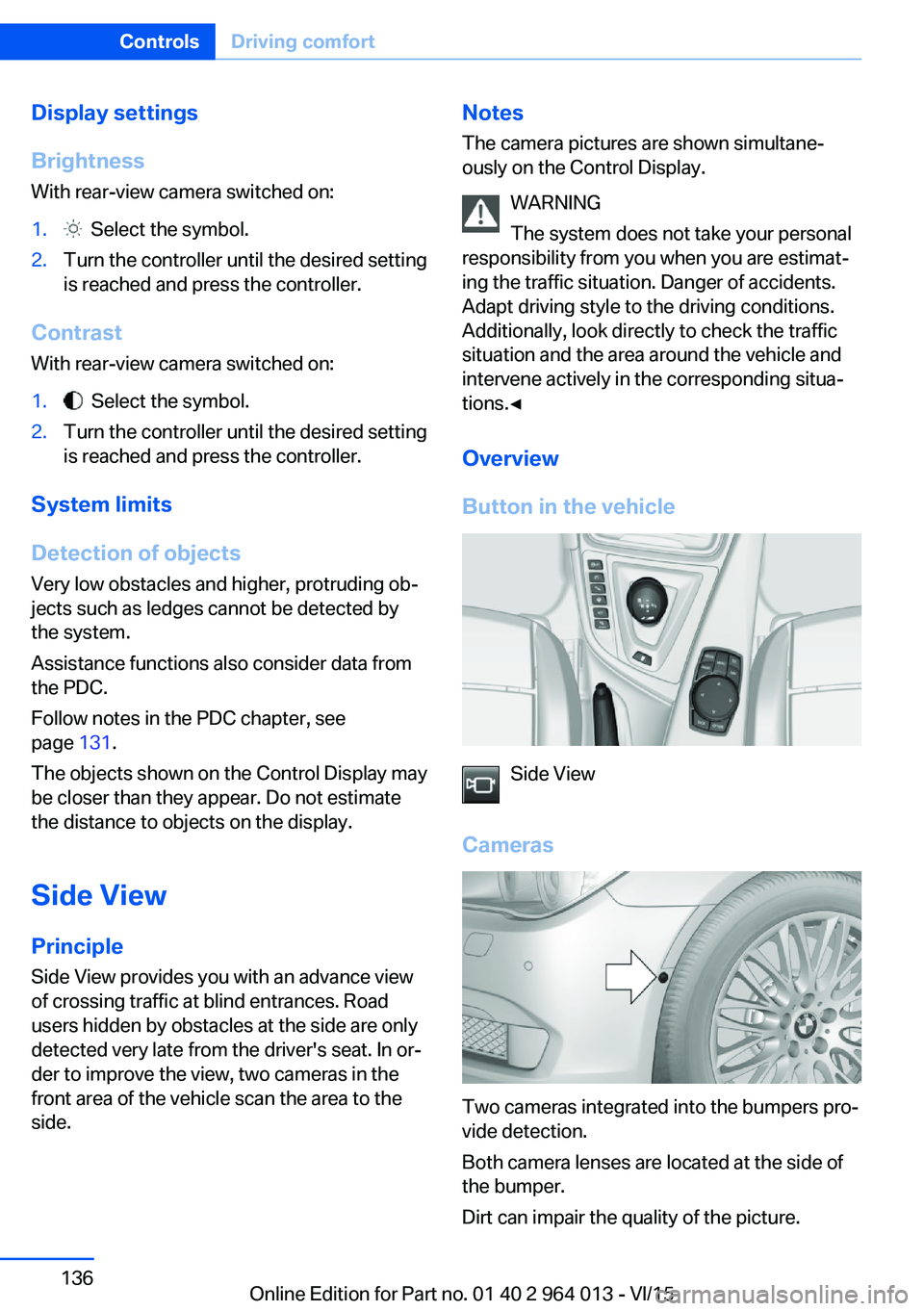
Button in the vehicle
Side View
Cameras
Two cameras integrated into the bumpers pro‐
vide detection.
Both camera lenses are located at the side of
the bumper.
Dirt can impair the quality of the picture.
Seite 136ControlsDriving comfort136
Online Edition for Part no. 01 40 2 964 013 - VI/15
Page 137 of 228
Cleaning camera lenses, see page 211.
Switching on/off Switching on/off manually Press the button.
Automatic switching off when moving
forwards
The system switches off when a certain dis‐
tance or speed is exceeded.
Switch the system back on if necessary.
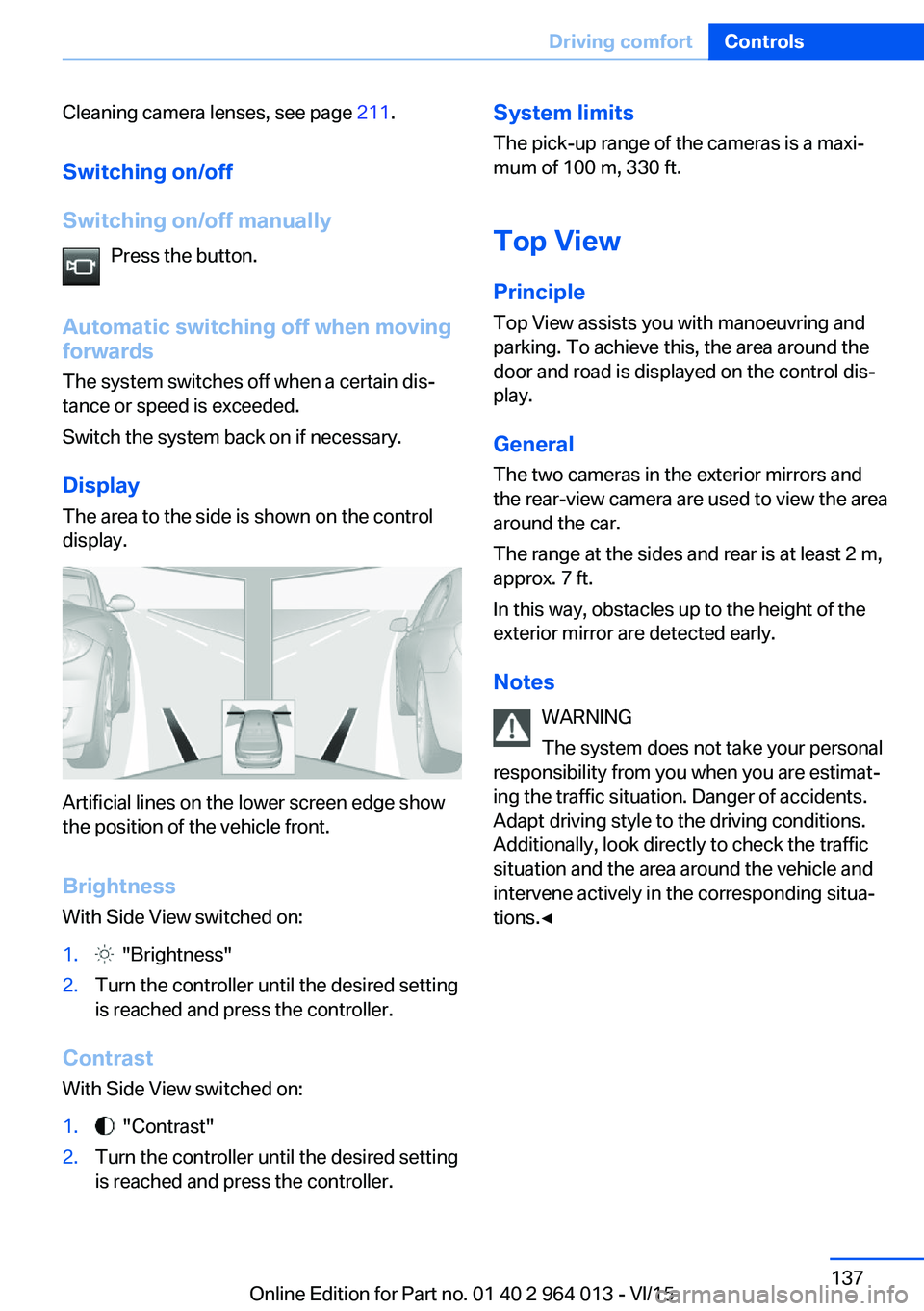
Display
The area to the side is shown on the control
display.
Artificial lines on the lower screen edge show
the position of the vehicle front.
Brightness
With Side View switched on:
1. "Brightness"2.Turn the controller until the desired setting
is reached and press the controller.
Contrast
With Side View switched on:
1. "Contrast"2.Turn the controller until the desired setting
is reached and press the controller.System limits
The pick-up range of the cameras is a maxi‐
mum of 100 m, 330 ft.
Top View
Principle Top View assists you with manoeuvring and
parking. To achieve this, the area around the
door and road is displayed on the control dis‐
play.
General
The two cameras in the exterior mirrors and
the rear-view camera are used to view the area
around the car.
The range at the sides and rear is at least 2 m,
approx. 7 ft.
In this way, obstacles up to the height of the
exterior mirror are detected early.
Notes WARNING
The system does not take your personal
responsibility from you when you are estimat‐
ing the traffic situation. Danger of accidents.
Adapt driving style to the driving conditions.
Additionally, look directly to check the traffic
situation and the area around the vehicle and
intervene actively in the corresponding situa‐
tions.◀Seite 137Driving comfortControls137
Online Edition for Part no. 01 40 2 964 013 - VI/15
Page 138 of 228
Overview
Button in the vehicle
Top View
Cameras
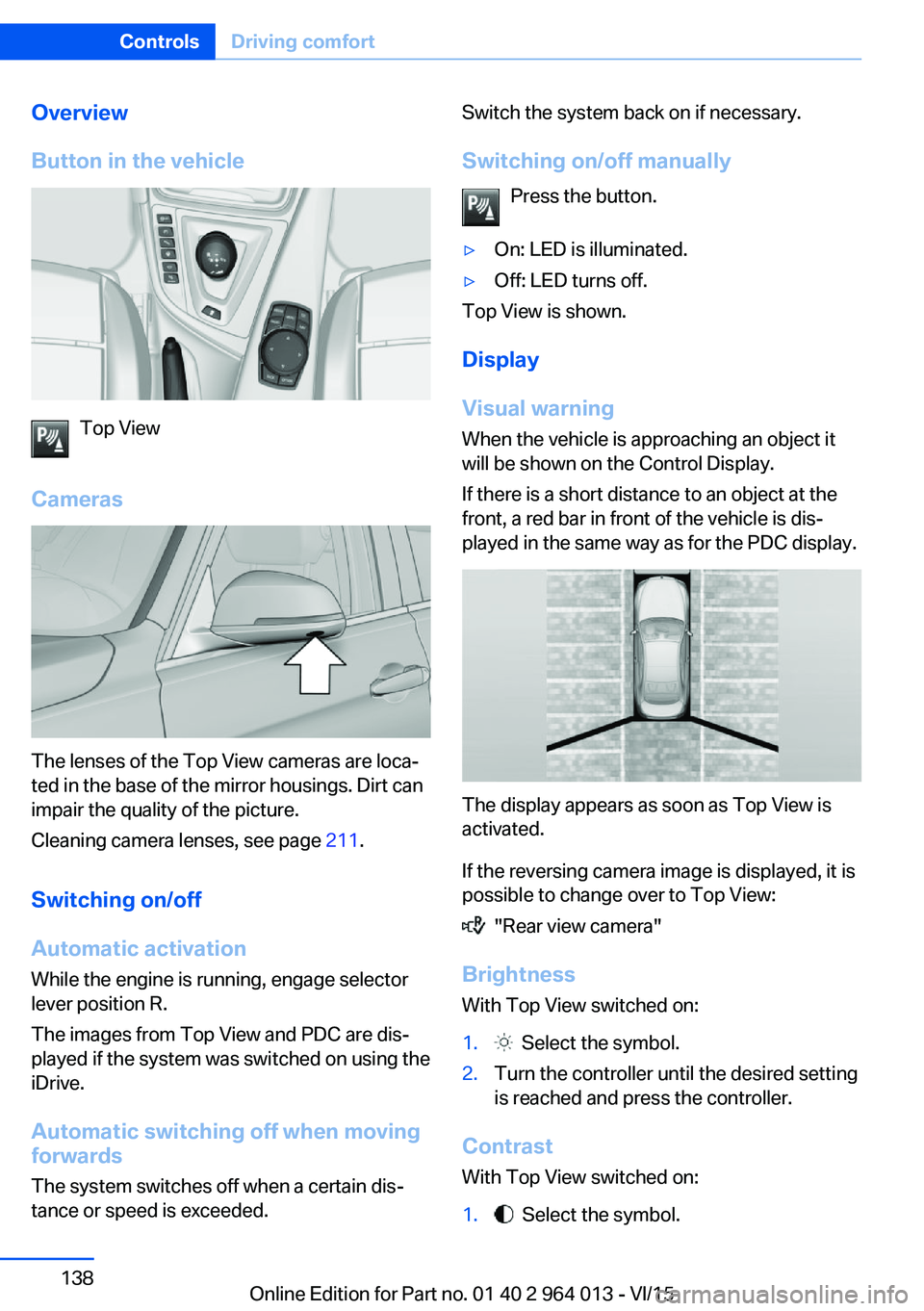
The lenses of the Top View cameras are loca‐
ted in the base of the mirror housings. Dirt can
impair the quality of the picture.
Cleaning camera lenses, see page 211.
Switching on/off Automatic activation While the engine is running, engage selector
lever position R.
The images from Top View and PDC are dis‐
played if the system was switched on using the
iDrive.
Automatic switching off when movingforwards
The system switches off when a certain dis‐
tance or speed is exceeded.
Switch the system back on if necessary.
Switching on/off manually Press the button.▷On: LED is illuminated.▷Off: LED turns off.
Top View is shown.
Display
Visual warning
When the vehicle is approaching an object it
will be shown on the Control Display.
If there is a short distance to an object at the
front, a red bar in front of the vehicle is dis‐
played in the same way as for the PDC display.
The display appears as soon as Top View is
activated.
If the reversing camera image is displayed, it is
possible to change over to Top View:
"Rear view camera"
Brightness
With Top View switched on:
1. Select the symbol.2.Turn the controller until the desired setting
is reached and press the controller.
Contrast
With Top View switched on:
1. Select the symbol.Seite 138ControlsDriving comfort138
Online Edition for Part no. 01 40 2 964 013 - VI/15