2016 AUDI Q5 ignition
[x] Cancel search: ignitionPage 124 of 300

Automatic transmissio n
Automatic transmission
tiptronic
Introduction
The automat ic transmission is controlled e lec
tron ically . The transmission upshifts or down
shifts automatically depending on wh ich dr ive
p rogram is selected. The powe r is transferred by
a torque converter .
When a
moderate driving style is used, the
transmission se lects the most economical d riving
mode .
It will then change up early and de lay the
downshifts to give better fuel economy .
The transm ission switches to a spo rty mode afte r
a kick-down or when the drive r uses a
sport y
d riv ing sty le
charac ter ized by quick accelerator
pedal movements, heavy acce leration, frequent
changes in speed and traveling at the maximum
speed.
If desired, the dr iver can a lso select the gears
manually ( tiptronic mod e) ¢ page 126.
Selector lever positions
0 ;:t 0 ct CX) a,
Fig. 1 34 Disp lay in the instrument cl uster: selector lever in
position P
The selector lever position engaged appears next
to the selector lever as well as in the instrument
cluster display .
P -Pa rk
In this selector lever position the transmission is
mechanically locked. Engage P only when the ve
h icle is
completely stopped¢.& in Driving the
automatic transmission on page 124 .
122
To shift in or out of pos ition P, you m ust first
press and hold the brake pedal and then press
the release button in the selector lever hand le
while moving the selector lever to or from P. You can sh ift out of this position on ly w ith the igni
tion on .
R -Reve rse
Se lect R only when the vehicle is at a full stop
and the engine is running at idle speed c> .& in
Driving the automatic transmission on
page 124.
Befo re yo u move the selector lever to R, press
both the button in the hand le of the se lector lev
er
and the brake peda l at the same time.
When the ignition is on, the backup lights i llumi
nate when the se lector lever is moved into R .
N -Neutral
The t ra nsmission is in neutra l in this position .
S hi ft to this pos it ion for s tand ing wi th the brakes
applied
¢ .&. in Driving the automatic transmis
sion on page 124 .
The vehicle can also ro ll when
the engine is stopped .
When the vehicle is stationa ry o r at speeds be low
1 mph (2 km/h), you must a lways apply the foot
brake before and whi le moving the lever out of N .
D/S -Normal position for driving forward
In the D/5 position, the transmission can be op
erated either in the normal mode Dor in the
spo rt mode 5. To se lect the sport mode 5, p ull
t h e se lecto r lever back briefly. Pulling the leve r
back again will select the normal mode D . The in
strument cluster d isplay shows the se lected driv
i ng mode.
In the
normal mode D, t he transmission auto
matically selects the suitable gear ratio . It de
pends on engine load, vehicle speed and d riving
style.
Se lect t he
sport mode 5 for sporty drivi ng . The
vehicle makes fu ll use of the engine 's power.
Shifting may become noticeable when accelerat
i ng . Hybrid drive* : electric driving is not possible .
When the vehicle is stationary o r at speeds be low
1 mph (2 km/h), you must a lways apply the foot ..,.
Page 125 of 300

..... N
co ~ CX)
..... I.Cl U"I
..... I.Cl ..... brake before and wh
ile moving th e le ver to D/S
out of N.
A WARNING
Read and follow all WARNINGS¢ & in Driv
ing the automatic transmission on
page 124.
(D Note
Coasting downhill with the transmission in N
and the engine not running will result in dam
age to the automatic transmission and possi
bly the catalytic converter .
(D Tips
-On vehicles with Audi drive select*, you can
adjust the sporty shift characteristics in the
Dynamic driving mode .Swill appear in the
i nstrument cluster display instead of 0.
- If you accidentally select N while driving ,
take your foot off the accelerator pedal im
mediately and wa it for the engine to slow
down to idle before selecting D/S .
- Hybrid drive*: if the
l-,,sv ! button r::::;, page 100
is pressed while in sport mode S, the trans
mission switches automatically to the nor
mal mode D.
- If there is a power failure, the selector lever
will not move out of the P posit ion. The
eme rgency release can be used if this hap
pens
¢ page 127.
'
Automatic transmission
Automatic Shift Lock (ASL)
The Automatic Shift Lock safeguards you again st
accidentally shifting into a forward or the re
verse gear and causing the vehicle to move unin
tentionally .
Fig. 13S Shi ft gat e: se lec tor le ver loc i< po sition s and re
lea se butto n highlighted
The selector lever lock is released as follows :
.,. Turn the ignition on.
"" Step on the brake pedal.
At the same time
press and hold the release button on the side of
the gear selector knob
r::::;, fig. 135 with your
thumb until you have moved the selector lever
to the desired position .
Automatic selector lever lock
The selector lever is locked in the P and N po si
tions when the ignit ion is turned on . You must
press the brake peda l and the release button to
select another position. As a reminder to the
driver , the following warn ing appears in the in
strument cluster d isplay when the se lector is in P
and N:
When stationary apply brake pedal while select
ing gear
The Automatic Shift Lock only functions when the
vehicle is stat ionary or at speeds be low 1 mph
(2 km/h) .
At speeds above about 1 mph (2 km/h) the Auto ·
matic Shift Lock is automatically deact ivated in
the N pos it ion .
A time delay element preven ts the selec tor lever
from locking when it is moved through the N po
sition (going from R to D/S). The locking element
will lock the selector lever if the lever is left in N .,..
123
Page 126 of 300

Automatic transmissio n
(N eu tra l) for more than approx imately 1 second,
w ithout th e brake peda l being pressed.
Release button
The release button on the se lec to r lever preven ts
the lever from being accidentally sh ifted into cer
tain posit ions . Press ing t his but ton deactivates
the selector lever lock . Depending on the direc
tion of the shift, the selector lever locks at differ
ent positions. The positions are high lighted in
the illustrat ion ¢
fig. 135 .
Ignition key safety int erlock
The key cannot be removed from the igni tion un
less the selector lever is in the P park pos ition .
When the ignition key is removed, the selector lever will be locked in the P pos ition.
Driving the automatic transmission
F ig. 1 36 Shi ft gat e on t he c en te r co nsole : se lecto r lev er
w ith release b utto n
Starting the engine
~ The selector lever must be in P or N.
Starting off
~ Press and hold the brake pedal.
~ Press and hold the release button in the selec
tor lever handle, se lect the des ired selector lev
er posit ion such as D/S and release the button.
~ Wait briefly until the transmission has shifted
(you w ill feel a slight movement) .
~ Remove your foot from the brake pedal and ac
cele rate .
Stopp ing temporarily
~ Keep the veh icle stationary us ing the braking
pedal, for example at traffic lights .
124
~ Do not press the acce lerato r pedal when doing
this.
~ To prevent the veh icle from ro lling when you
start driving, set the parking brake when stop
ping on steep incl ines¢ &_.
The parking brake wi ll re lease automatically and
the ve hicle w ill start moving once you press the
acce lerator pedal.
Stopping /par king
If the se lector lever is not in the P position whe n
you open the driver's door, the vehicle cou ld roll.
The message
Tr ansmis sion: Car may roll! Shift
to park!
appears.
~ Press and hold the brake peda l un til the vehicle
has come to a comp lete stop .
~ Apply the parking brake¢ page 90, Parking .
~ Select the P selector lever posit ion ¢ &_ .
Stopping on an incline
~ Always press the brake pedal to ho ld the vehi
cle in p lace and prevent it from "rolling back"
¢ &_ . D o
not try to prevent the vehicle from
"rolling back" when a gear is engaged by in
creas ing the engine speed ¢(D .
Starting on an incline
~ Ac tivate the pa rk ing br ake.
~ With the d riving gear selected, press the accel
erator pedal carefully. The parking brake will
release a utomatica lly if your seat belt is fas
tened.
Under certain circumstances, such as driving in
the mounta ins, it may be useful to switch tempo
rarily to the manual sh ift program in order to ad
j ust the gears to the dr iv ing cond it ions by hand
¢ page 126.
On slopes, activate the parking b rake first and
then move the selector lever to the P position.
This prevents too m uch stress from being placed
on the locking mechanism.
A WARNING
- Unintended vehicle movement can cause se
rious injury .
Page 129 of 300

..... N
co ~ CX)
..... I.Cl U"I
..... I.Cl ..... The transmission temperature has increased sig
nificantly due to the sporty driving manner. Drive
in a less sporty manner until the temperature re
turns to the normal range and the indicator light
switches of .
rm Transmission malfunction: You can continue
driving
There is a system malfunct ion in the transmis
sion. You may continue driving. Drive to your au
thorized Audi dealer or qualified repair facility
soon to have the malfunction corrected.
rm Transmission malfunction: Limited driving
functionality
There is a system malfunction in the transmis
sion . T he transmission is sw itching to emergency
mode. This mode only shifts into certain gears or
will no longer shift at all. The engine may stall.
Drive to your authorized Audi dea ler or qualified
repair facility immediately to have the malfunc
tion corrected .
rm Transmission malfunction: Stop vehicle and
shift to park.
Do not continue driving. Select the P selector lev
e r position and see your a uthorized Aud i dea ler
or qualified repair facility for assistance .
(D Note
If the transmission switches to emergency
mode, you sho uld take the vehicl e to an au
thorized Audi dealership as soon as possible
to have the condition corrected.
Automatic transmission
Selector lever emergency release
If the vehicle 's power supply fails, the selector
lever can be released in an emergency .
Fig. 139 Front center conso le: Removing the ashtray insert
Fig. 140 Selector lever emergency release
.,. To access the emergency re lease mechanism,
remove the ashtray insert@ using the release
switch @Qfig.139.
.,. Loosen and remove the cap in the ashtray
mount
Q fig. 140.
.,. You now have access to a pin . Using a screw
driver or sim ilar object, press the pin down and
hold it in that position .
.,. Now press the release button and move these-
lector lever to the N position.
The selector lever can only be moved from the P
pos ition if the key is in the lock and the ignition is
switched on. If the power supply fails (for exam
ple, the battery is discharged) and the vehicle
must be pushed or towed, move the selector lev
er to the N position f irst using the emergency re
lease .
127
Page 132 of 300

Parking system
Switching on and off
Applies to veh icles: w ith Aud i park ing system p lus w ith rear
view ca mera
The rearview camera switches on automatically
together with the acoustic and visual park assist
when you put the vehicle in reverse.
F ig. 145 Center console: Pa rking system sw itch
F ig. 146 MM I d isp lay : v isual d istance display
Sw itch ing on
• Switch the MM I on and select reverse gear .
• To use the front parking system, press the
switch
P11A in the center console¢ fig. 145. A
sho rt confi rmation to ne sounds and the indica
tor light in the switch lights up.
Sw itching betwe en th e re arview came ra and
visual display
• Press t he Graphi c control but ton ¢ page 131,
fig. 147
® to see the vis ual d isplay.
• Press the
Re ar view contro l button to see the
rearview camera image¢
fig. 146.
Switching off
• Drive faster than 6 mph (10 km/h), or
• press the switch
P"1A or
• swit ch off the ignition.
130
S egments in the vis ual d isplay
The red segments in front of and behind the vehi
cle
¢ fig. 146 help you to determine the distance
between you and an obstacle . As your vehicle
comes closer to the obstacle, the segments move
closer to the vehicle . The collision area has been
reached when the next to last segment is dis
played . Do not continue dr iving farther ¢.&.
in
General Information on page 129!
,& WARNING
- The MMI display cannot show, or cannot ad
equate ly show, certain objects (such as
sma ll posts or grati ng), re cesses in the
gro und and protrud ing parts on another car.
- On ly use the rearv iew camera to ass ist you if
it shows a good, clear picture . For example,
the image may be affected by the sun shin
ing into the lens, dirt on the lens o r if there
is a defect .
- Use the rearview camera on ly with the rear
lid completely closed. Make sure any ob jects
you may have mounted on the rear lid do
not block the rearview camera.
(D Tips
- The sensors m ust be kept clean and free of
snow and ice for the park assist to operate .
- The visu al display is shown in the illustra
tion of the rearview camera. This display
shows where the sensors have detected an obstacle.
- Yo u can change the vol ume and pitch of the
signals as well as the disp lay ¢
page 133.
-Please follow the instruc tions for tow ing a
trailer
¢ page 133.
- What appears in the display is time -de
layed .
Page 156 of 300

Airbag syste m
-The inflating airbag will hit the child safety
seat or infant carrier with great force and
will smash the child safety seat and child
against the backrest, center armrest, door
or roof .
- Always install rear-facing child safety seats
on the rear seat .
- If you must install a rearward facing child
safety seat on the front passenger seat be cause of exceptional circumstances and the
P ASS ENGER AIR BAG OFF light does not
come on and stay on, immed iate ly install
the rear-fac ing ch ild safety seat in a rear
seat ing pos ition and have the airbag system
inspected by your authorized Audi dea ler.
- Forward-facing ch ild safety seats installed
on the front passenger's seat may interfere
with the deployment of the airbag and
cause serious personal injury to the child .
A WARNING
If, in exceptional circumstances, you must in
stall a forward-facing chi ld restraint on the
front passenger's seat:
- Always make sure the forward-facing seat
has been designed and certified by its man
ufacturer for use on a front seat with a pas
senger front and side a irbag .
- Never put the forward-facing child restraint
up against or very near the instrument pan
el.
-Always move the passenger seat into its
rearmost position in the seat 's fore and aft
adjustment range, as fa r away from the air
bag as possib le before insta lling the for
ward-facing child restra int. The bac krest
mus t be adjusted to an up right posit ion.
- Make s ure that the
PASSENGER AI R BAG
OFF
light comes on and s tays on all the time
whenever the ignition is switched on.
A WARNING
To red uce the risk of serio us in jury, make s ure
that the
PASSENGER AIR BAG OFF light wi ll
be displayed whenever a child restraint is in
stalled on the front passenger seat and the
ign ition is switched on.
154
- If the PASSENGER AIR BAG OF F light does
not stay on, perform the checks described
¢ page 161, Monitoring the Advanced Air
bag System .
-Take the child restra int off the front passen
ger seat and install it properly at one of the
rear seat positions if the
PA SSENGER AIR
BAG OFF
light does not stay on .
- Have the airbag system inspected by your
author ized Audi dealer immed iately .
- Always carefully follow instructions from
child restraint manufacturers when instal
ling child restra ints.
A WARNING
If, in exceptional circumstances, you must in
stall a forward or rearward-fac ing child re
stra int on the fron t passenger's seat:
- Improper installat ion of child restraints can
reduce the ir effectiveness or even prevent
them from provid ing any pro tect ion.
- An improperly installed child res tra int can
inter fere with the airbag as it deploys and
serious ly injure or even kil l the child -eve n
w ith an Advanced A irbag System.
- Always carefully follow the manufacturer's
instructions provided with the child safe ty
seat o r carrier.
- Never p lace add ition al items on the seat
that can increase the tota l weight registered
by the weight -sensing mat and can cause in
jury in a crash .
Page 163 of 300
-Never place or attach accessories or o ther
objects (such as cupholders, telephone
brackets, la rge, heavy o r bulky objects) on
the doors, over or n ear t he area marked
"AIRBAG" on the steering wheel, instru
ment pane l, seat backrests or between
those areas and you rself . These objects
c ou ld cause injury in a crash, especially
when the airbags inflate.
- Never re cline the front passenge r's seat to
t ransport objec ts. Items ca n also move into
the area of the side airbag o r th e fron t air
bag dur ing braki ng or i n a sudden maneu
ver . Objects near the airbags can become
projectiles and cause injury, particularly
when the seat is reclined.
A WARNING
The fine dust created when airbags deploy can
cause breathing problems for people w ith a
history of asthma or other b reathing condi
t ions .
-To reduce the risk of breathing problems, those w ith asthma or other respiratory con
ditions should get fresh air right away by
gett ing out of the veh icle o r opening w in
dows o r doo rs.
- If you are in a collision in which airbags de
ploy, wash your hand s and face wi th mild
s oa p and wa ter before eat ing .
- Be careful not to get the dust in to your eyes,
o r in to any cuts or s cratches.
- If the resid ue should ge t into yo ur eyes,
flush them with water.
Monitoring the
Advanced Airbag System
ti (USA models) / !f (Canada models)
Airbag monitoring indicator light
Two separate indicators monitor the function of
the Advanced Airbag System: the airbag moni
toring indicator light and the
PASSENGER AIR
,... BAG OFF
light. N
co
~ The Advanced Airbag System ( includ ing the elec-,...
~ tro nic cont rol un it, senso r cir cui ts and system
~ w iri ng) is monitored continuously to make s ure ....
Airb ag sys tem
that it is functioning properly whenever the igni
tion is on. Each time you turn on the ignition, the
airbag monitoring indicator light
II (USA mod
els)
; E,I (Canada models) wi ll come on for a few
seconds (self diagnostics).
The system must be in spected when the
indicator light
ffl (USA models) t E,I
(Canada models ):
- does not come on when the ignition is sw itched
on,
- does not go out a few seconds after you have
sw itched on the igni tion, or
- comes on while driving .
If an airbag system malfunction is detected, the
indicator light will first start flashing to catch the
driver's attention and then stay on continuously
to serve as a constant reminder to have the sys
tem inspected immediately.
If a malfunction occurs that turns the front air
bag on the passenger side off, the
PASSENGER
AIR BAG OFF
lig ht will come on and stay on
whenever the ignition is on .
A WARNING
f-
An airbag system that is not functioning prop-
e rly cannot provide supplemental protect io n
in a fronta l crash.
-If the a irbag ind icator light~ page 16
comes when the veh icle is being used, have
the sy stem inspec ted imme dia tely by your
author ized Audi dealer. It is possi ble th at
the air bag will inflate when it is not sup
posed to, or w ill not inflate when it should.
PASSENGER AIR BAG OFF light
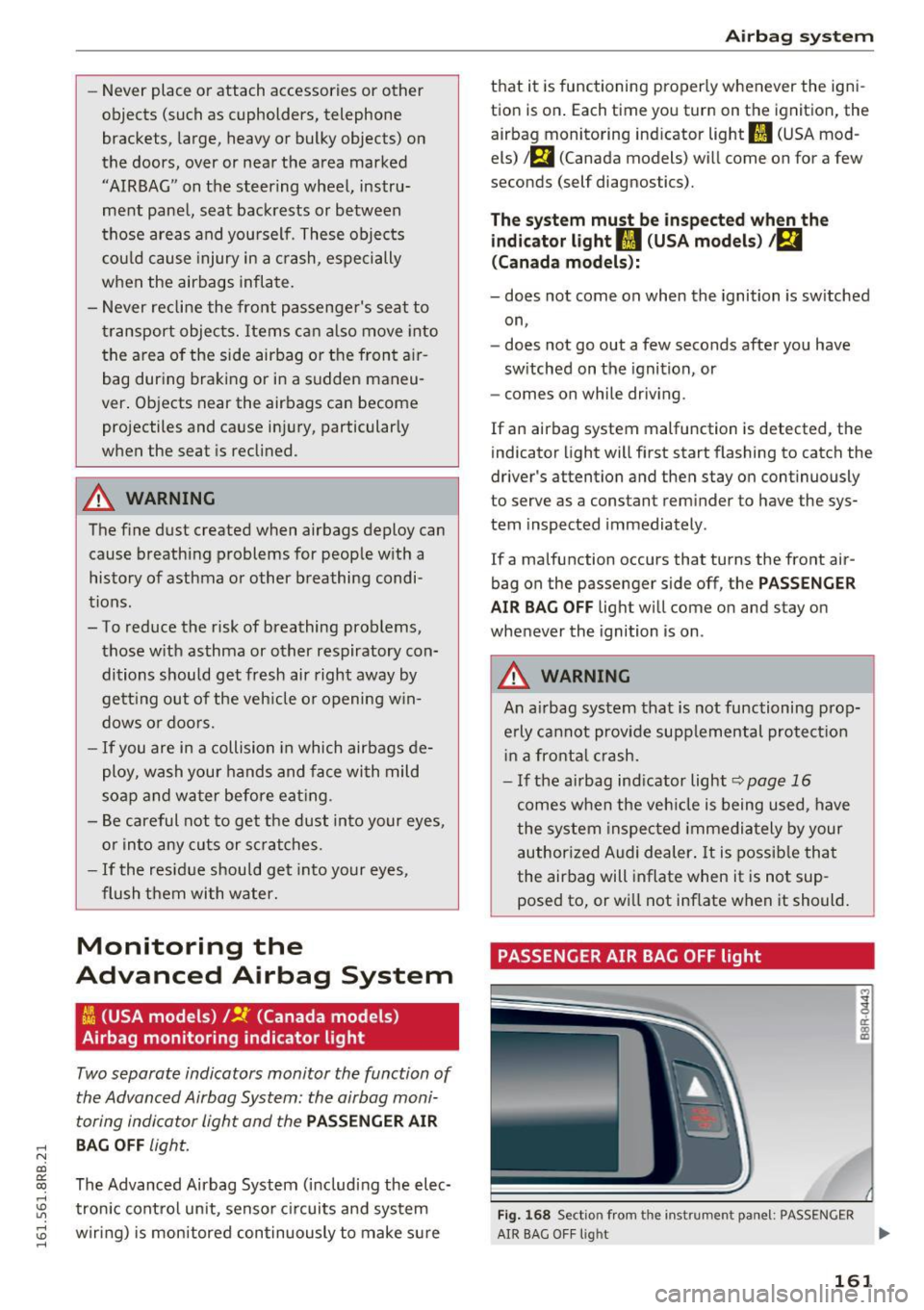
Fig. 1 68 Sectio n from the instrument panel: PASS ENGER
i a: CX)
"'
AIR SAG O FF light ...
161
Page 164 of 300

Airbag system
The PASSENGER AIR BAG OFF light is located in
the center of the instrument panel
r::;,fig. 168.
The PASSENGER AIR BAG OFF light will come on
and stay on to tell you when the front Advanced
Airbag on the passenger side has been turned off
by the electronic control unit. Each time you turn
on the ignition, the
PASSENGER AIR BAG OFF
light will flash for a few seconds and:
- will stay on if the front passenger seat is not
occupied,
-will stay on if there is a small child or child re
straint on the front passenger seat,
- will go out if the front passenger seat is occu
pied by an adult as registered by the weight
sensing mat.
The
PASSENGER AIR BAG OFF light must come
on and stay on
if the ignition is on and
- a car bed has been installed on the front seat,
or
- a rearward-facing child restraint has been in
stalled on the front passenger seat, or
- a forward-facing child restraint has been instal
led on the front passenger seat, or
- the weight registered on the front passenger
seat is equal to or less than the combined
weight of a typical 1 year-old restrained in one
of the rear-facing or forward-facing infant re
straints listed in Federal Motor Vehicle Safety
Standard 208 with which the Advanced Airbag
System in your vehicle was certified.
If the front passenger seat is not occupied, the
front airbag will not deploy, and the
PASSENGER
AIR BAG OFF
light will stay on. Never install a
rearward-facing child restraint on the front pas
senger seat, the safest place for a child in any
kind of child restraint is at one of the seating po
sitions on the rear seat
r::;, page 152, Child re
straints on the front seat -some important
things to know
and <=> page 171, Child safety.
If the PASSENGER AIR BAG OFF light comes on
when one of the conditions listed above is met,
be sure to check the light regularly to make cer
tain that the
PASSENGER AIR BAG OFF light
stays on continuously whenever the ignition is
on. If the
PASSENGER AIR BAG OFF light does
162
not appear and not stay on all the time, stop as
soon as it is safe to do so and
- reactivate the system by turning the ignition
off and then turning it on again ;
- remove and reinstall the child restraint. Make
sure that the child restraint is properly instal
led and that the safety belt for the front pas
senger seat has been correctly routed around
the child restraint as described in the child re
straint manufacturer's instructions;
- make sure that the convertible locking feature
on the safety belt for the front passenger seat
has been activated and that the safety belt has
been pulled tight. The belt must not be loose or
have loops of slack so that the sensor below the
safety belt latch on the seat can do its job
c:::;,page 180.
-make sure that things that may increase the
weight of the child and child safety seat are not
being transported on the front passenger seat;
- make sure that the safety belt tension sensor is
not blocked. Shake the safety belt latch on the
front passenger seatback and forth;
- If a strap or tether is being used to tie the child
safety seat to the front passenger seat, make
sure that it is not so tight that it causes the
weight-sensing mat to measure more weight
than is actually on the seat.
If the PASSENGER AIR BAG OFF light still does
not come on
and does not stay on continuously
(when the ignition is switched on),
- take the child restraint off the front passenger
seat and install it properly at one of the rear
seat positions. Have the airbag system inspect
ed by your authorized Audi dealer immediately .
- move the child to a rear seat position and make
sure that the child is properly restrained in a
child restraint that is appropriate for its size
and age.
The
PASSENGER AIR BAG OFF light should NOT
come on when the ignition is on and an adult is
sitting in a proper seating position on the front
passenger seat.
If the PASSENGER AIR BAG OFF
light comes on and stays on or flashes for about
5 seconds while driving, under these circumstan-
ces, make sure that:
1111>