2016 AUDI A4 low fuel
[x] Cancel search: low fuelPage 5 of 278

..... N
0 ::..:: co .....
Safety belts . . . . . . . . . . . . . . . . . . . . . . . . 133
Belt tensioners . . . . . . . . . . . . . . . . . . . . . . 136
Airbag system . . . . . . . . . . . . . . . . . . . . 138
Important information . . . . . . . . . . . . . . . 138
Fr ont airbags . . . . . . . . . . . . . . . . . . . . . . . 142
Monito ring the Advanced Airbag System . 148
Side airbags . . . . . . . . . . . . . . . . . . . . . . . . 1S2
Side curtain airbags . . . . . . . . . . . . . . . . . . lSS
Child safety . . . . . . . . . . . . . . . . . . . . . . 1S8
Important information . . . . . . . . . . . . . . . 158
Child seats . . . . . . . . . . . . . . . . . . . . . . . . . 163
Securing child seats . . . . . . . . . . . . . . . . . . 167
LATCH system (Lower anchorages and
tethers for children) . . . . . . . . . . . . . . . . . 171
Addit ional information 175
Driver messages . . . . . . . . . . . . . . . . . 176
Intelligent Technology . . . . . . . . . . 176
Notice about data recorded by the Event
Data Recorder and vehicle control
modules . . . . . . . . . . . . . . . . . . . . . . . . . . . 176
E lectronic Stabilization Control ( ESC) . . . . 177
Braking . . . . . . . . . . . . . . . . . . . . . . . . . . . . 180
Electro-mechanical power assist, dynamic
steering . . . . . . . . . . . . . . . . . . . . . . . . . . . 181
Driving with your quattro . . . . . . . . . . . . . 182
Energy management . . . . . . . . . . . . . . . . . 182
Driving and the environment . . . . 185
Breaking in . . . . . . . . . . . . . . . . . . . . . . . . . 185
Avoid damaging the vehicle . . . . . . . . . . . 185
Driving through water on roads . . . . . . . . 185
Cata lytic converter . . . . . . . . . . . . . . . . . . . 186
Shutting down vehicle . . . . . . . . . . . . . . . . 186
Economical and environmentally-friendly
driving . . . . . . . . . . . . . . . . . . . . . . . . . . . . 187
allroad: D riving offroad . . . . . . . . . . . . . . . 188
Trailer mode . . . . . . . . . . . . . . . . . . . . . 190
Driving with a trailer . . . . . . . . . . . . . . . . . 190
Trailer mode notes. . . . . . . . . . . . . . . . . . . 192
Operating instructions ...... .. .. .
Care and cleaning ........... .. .. .
General information ..... ... .. .. .. .. . 193
193 193
~ Car washes . . . . . . . . . . . . . . . . . . . . . . . . . 193 ..... v:, .....
Table of contents
Cleaning and care information . . . . . . . . . 194
Placing your v ehicle out of service . . . . . . 197
Fuel and Refueling . . . . . . . . . . . . . . . 198
Fuel . . . . . . . . . . . . . . . . . . . . . . . . . . . . . . . 198
Refueling . . . . . . . . . . . . . . . . . . . . . . . . . . 200
Checking and Filling . . . . . . . . . . . . . 203
Hood . . . . . . . . . . . . . . . . . . . . . . . . . . . . . . 203
Engine compartment . . . . . . . . . . . . . . . . . 20S
Engine oil . . . . . . . . . . . . . . . . . . . . . . . . . . 205
Cooling system . . . . . . . . . . . . . . . . . . . . . . 208
Brake fluid .. .. .. .. ... ........... ... 2 11
Battery ......... .. ................. 212
Windsh ield/headlight* washer conta iner. 216
Wheels ...... .. .. ................. 217
Wheels and Tires ... ...... ....... .. .. 217
Tire pressure monitoring system 235
Troubleshooting . . . . . . . . . . . . . . . . . 237
Emergency assistance . . . . . . . . . . . 23 7
Vehicle tool kit . . . . . . . . . . . . . . . . . . . . . . 23 7
Space-saving spare tire (compact spare
tire) . . . . . . . . . . . . . . . . . . . . . . . . . . . . . . . 237
Inflatable spare tire . . . . . . . . . . . . . . . . . . 238
Inflating inflatable spare tire . . . . . . . . . . 239
Replacing wheels . . . . . . . . . . . . . . . . . . . . 240
Fuses and bulbs . . . . . . . . . . . . . . . . . . 246
Fuses..... .... .. ......... .... .... .. 246
Bulbs. . . . . . . . . . . . . . . . . . . . . . . . . . . . . . 249
Emergency situations . . . . . . . . . . . . 250
General . . . . . . . . . . . . . . . . . . . . . . . . . . . . 250
Starting by pushing or towing . . . . . . . . . . 250
Starting with jumper cables . . . . . . . . . . . 250
Useofjumpercables ................. 251
Towing with a tow truck . . . . . . . . . . . . . . 252
Raising the vehicle . . . . . . . . . . . . . . . . . . . 254
Technical data . . . . . . . . . . . . . . . . . . . . 255
Technical data . . . . . . . . . . . . . . . . . . . . 255
Vehicle identification ......... ...... . .
Weights ... ... .. .. ................ .
Dimensions .. .. . ... ................ . 255
255
256
3
Page 12 of 278

Instruments and indicator lights
Instruments and indicator Lights
Instruments
Instrument cluster and controls
The instrument cluster is your central source of information.
Fig. 3 Overview of the instr ume nt cluste r
(D Coolant temperature gauge .. .. .
@ Tachometer .... .. .. ..... .... .
@ Warning/indicator lights ...... .
@ ISETI button ....... ...... .... ·
® Display
- Driver information system .... .
- Time and date display ........ .
- Odometer .... ............ . .
® Reset button for trip odometer
10
11
13
11
23
12
12
12
12
-When switching the ignition on, the needles
in the instrument cluster swing upward
briefly.
- The illumination for the instrument cluster
lights up whenever you switch on the igni
tion with the
vehicle headlights off. As the
daylight fades, the instrument cluster illu
mination likewise dims automatically and
will go out completely when the outside
light is very low . This feature is meant to re
mind you to switch on the headlights when
outside light conditions become poor.
10
Engine coolant temperature gauge
The engine coolant gauge¢ page 10, fig. 3@
only works when the ignition is on. To prevent
damage to your engine, please note the follow ing important points:
Engine cold
If the needle is at or close to the bottom of the
gauge, the engine has not yet reached its operat
ing temperature. Avoid high engine speeds,
heavy engine loads, and heavy throttle applica
tions .
Normal temperature
When the engine has reached its operating tem
perature, the needle will move to the middle of
the gauge and remain there. If the engine is
working hard at high outside temperatures, the
needle may move higher on the gauge . This is not
a cause for concern as long as the . warning
li ght i n the inst rument cluster display does not il
luminate . If the . warning light in the instru
ment cluster display flashes, this can mean one
of two things : either the coolant
temperature is
too high, or the coolant
level is too low
¢page 17 ..,.
Page 13 of 278

,....,
N
0
""' CX) ,....,
I.Cl U"I ,....,
I.Cl ,....,
A WARNING
-Always observe the warning in ¢ page 203,
before opening t he hood and checking the
engine coolant level.
- Never open the engine hood if you see or
hear steam, or if you see engine coolant
dr ipping from the engine compartment. You
cou ld burn yourself. Let the engine cool off
firstsothatyoucannothearo rseeany
steam or engine coo lant.
0 Note
- Mounting additional lights or accessories in
front of the air inlets reduces the cooling ef
fect of the radiator. At h igh outside temper
atu res or high engine load, the engine could
overheat.
- The front spoiler has been designed to prop
erly distribute the cooling air when the vehi
cle is moving. If the spoiler is damaged, this
could reduce the cooling effect and the en
gine could then overheat. Ask your author
ized Audi dealer for assistance.
Tachometer (engine rev counter )
The tachometer indicates the engine RPM (revo
lutions per minutes).
If engine RPM drops below 1,500, you should
downshift to the next lower gear. The red area at
the end of the scale indicates maximum permis
sible eng ine RPM after the break-in period. Be
fore reaching this area, move the selector lever
to position D/5 or ease your foot off the accelera
tor pedal.
(D Note
The tachometer needle@¢ page 10, fig. 3
should only briefly be in the red zone: you
could damage your eng ine! The beginning of
the red zone varies depending on the engine.
@ For the sake of the environment
Upshifting early saves fuel and reduces en
gine noise.
Instruments and indicator lights
~button
Fig. 4 SET button in the instrument cluster
The !SET I button performs the following func
tions:
Switching on time, date, temperature
display and odometer
The display appears for approximately 30 sec
onds when you press the
ISETI button¢ fig . 4
with the ignition off.
Starting the Auto-Check sequence
The Auto-Check system constantly monitors cer
tain indiv idual functions and components of the
vehicle when the ignition is turned on and when
the vehicle is moving.
With the ignition turned on, you can start the
"Auto-Check sequence" by pressing the
! SETI but
ton. You can perform an Auto-Check sequence
when the vehicle is stat ionary and the ignition is
turned on or when the vehicle is moving slower
than 3 mph (5 km/h).
In addition, the number of keys initialised for
your vehicle is displayed.
L2 3/3 means that
th ree keys have been initialised. This feature e na
bles used car buye rs to make su re they have re
ceived all of the keys.
If you are given only two keys, for instance, you
should take the veh icle and the existing keys to
an authorized Audi dealer to have the missing key
disabled. It is also important to notify your insur
ance company about the loss.
Setting the speed warning
By pressing the ISETI button briefly, you can set
threshold 1 of the speed warning wh ile you are
driv ing
¢page 88. By ma intaining pressure on
11
Page 19 of 278
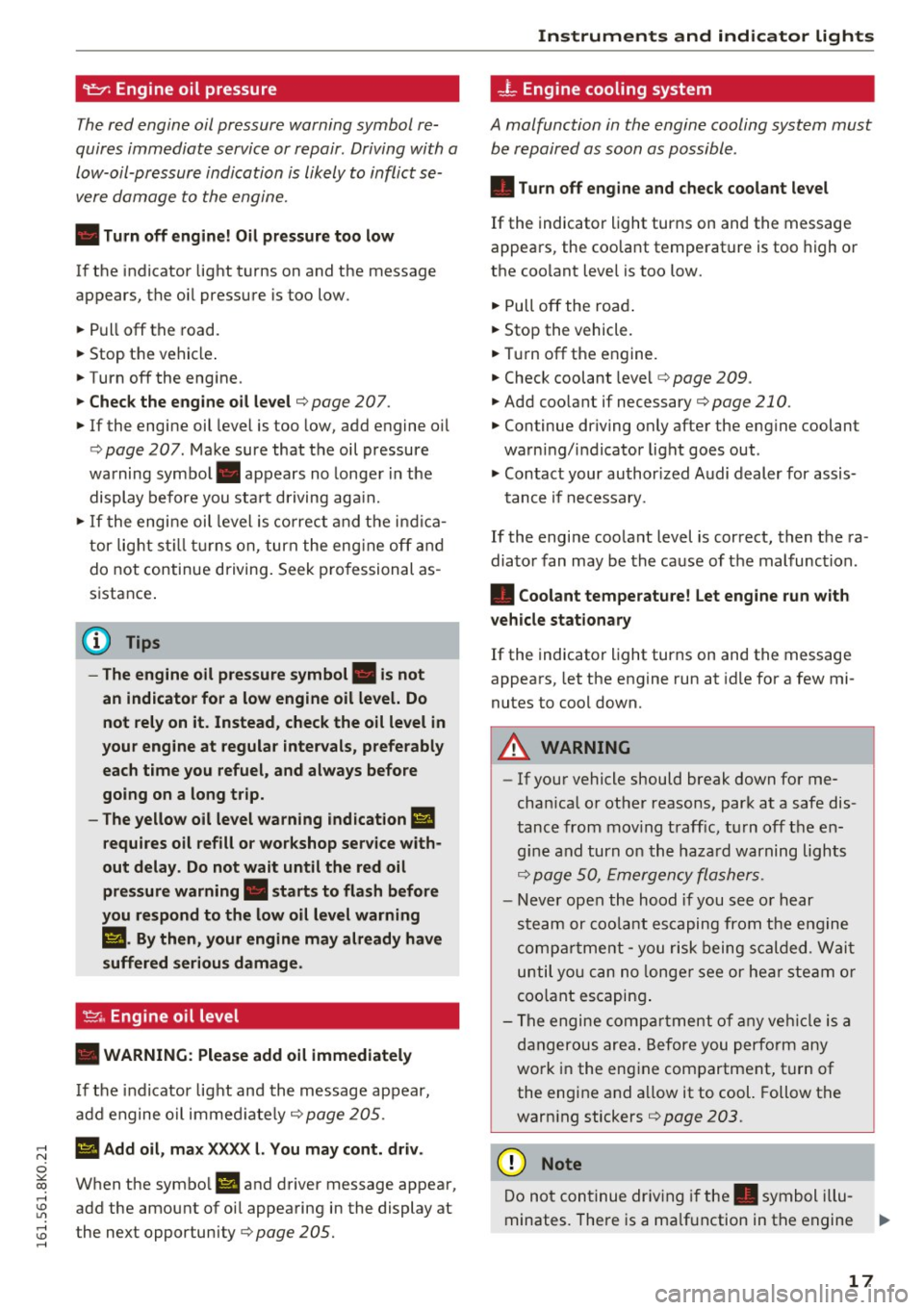
9:::1: Engine oil pressure
The red engine oil pressure warning symbol re
quires immediate service or repair . Driving with a
low-oil-pressure indication is likely to inflict se
vere damage to the engine.
• Turn off engine! Oil pressure too low
If the indicator lig ht t urns on and the message
appears, the oi l pressu re is too low.
~ P ull off the road.
~ Stop t he vehicle .
~ Turnoff the engine.
~ Check the engine oil level¢ page 207 .
~ If the engine oil leve l is too low, add engine oi l
¢
page 207 . Make sure that t he oil pressure
warning symbol. appears no longe r in the
display before you s ta rt driving ag ain.
~ If the engi ne oil leve l is cor rect and t he i ndic a
tor lig ht still tur ns on, turn t he eng ine
off and
do not continue driving . Seek p ro fessional as
s istance .
(D Tips
- The engine oil pressure symbol. is not
an indicator for a low engine oil level. Do
not rely on it. Instead, check the oil level in
your engine at regular intervals, preferably each time you refuel, and always before
going on a long trip.
- The yellow oil level warning indication
Ill
requires oil refill or workshop service with
out delay . Do not wait until the red oil
pressure warning. starts to flash before
you respond to the low oil level warning
Ill . By then , your engine may already have
suffered serious damage .
~ . Engine oil level
• WARNING: Please add oil immediately
If the indicator lig ht and the message ap pear,
a dd engine o il i mm edi ate ly
¢page 205.
;:; Ill Add oil, max XX XX l. You may cont. driv .
0
~ When the symbol II and driver message appea r, ,....,
~ add the amount of oi l appea ring in the display at
:;;: the next opportunity¢
page 205. ,....,
Instruments and ind icator lights
-L Eng ine cooling system
A malfunction in the engine cooling system must
be repaired as soon as possible .
• Turn off engine and check coolant level
If the indicator light turns on and the message
appea rs, the coo lant tempe rat ure is too high o r
t h e coo lant leve l is too low.
~ Pull off the ro ad.
~ Stop the vehicle.
~ Tur noff th e engine.
~ Check coolant leve l¢ page 209 .
~ Add coolant if necessary¢ page 210.
~ Continue dr iv ing only afte r the e ngine coolant
warni ng/ indicator light goes out .
~ Contact your authorized Audi dealer for assis-
t ance if necessa ry.
If the engi ne coo lant level is correct , then t he ra
dia to r f an may be the cause of t he mal func tion.
• Coolant temperature! Let engine run with
vehicle stationary
If the indicator lig ht tur ns on and the messa ge
appea rs, let the engine run a t idle for a few mi
nutes to c ool down.
A WARNING
-- If yo ur vehicle should break down for me
cha nica l o r ot her reasons, park at a safe dis
t ance from mov ing t raff ic, t urn off t he e n
g in e a nd turn on the haz ard warning lights
¢ p age S O, Em ergency fla she rs.
- N ever open t he hood if you see o r hear
s te am or coo lant esca p in g fr om th e engine
co mpartm ent - you ris k being scald ed . W ait
un til yo u can no longe r see or hear steam or
coo lant escapin g.
- T he engine co mpart ment of an y vehicl e is a
d anger ous are a. B efore y ou perfo rm any
wo rk in the eng ine com partment, t urn of
the eng ine a nd a llow it to cool. Follow t he
warn ing stickers
¢page 203.
(D Note
Do not con tinue dr iv in g if the . symbol i llu-
minates. The re is a malf u nction in the engine
IJi,,,
17
Page 26 of 278

Driver information system
Trip computer
Introduction
Applies to vehicles: with trip computer
The trip computer gives you information on cur
rent and average fuel mileage, average speed ,
fuel range and driving tim e.
F ig. 9 Tri p computer display: Average fuel mileage
~ 9 a: co a,
The fo llow ing information is cont in uously evalu
ated by the trip comp uter and can be displayed
sequent ia lly in the instrument cl uster display:
Fuel range
T he est ima ted c ruising range in miles ( km) ap
pears in the d isp lay. Thi s tells you how far your
veh icle w ill be able to t ravel o n the cu rrent tank
of fuel and with the same driv ing style . The dis
p lay changes in increments of 5 miles (10 km).
T he cruising r ange is calc ulated based on the fuel
consumption for the last 18 m iles (30 km). If you
drive conse rvatively, the cruis ing range will in
crease.
Average fuel mileage
T he aver age f uel economy in MPG (l/ 100 km)
since you last cleared the memo ry appears in this
disp lay . You ca n use this display to a djust your
d riving technique to achieve a desired mi leage .
Current fuel mileage
T he inst antaneo us f ue l cons umption in miles per
g all on ( l/ 10 0 km) i s show n in th is display . Yo u
can use t his disp lay to ad just yo ur driv ing tech ni
que to ach ieve a desi red mileage .
Fue l cons umption is re cal culat ed a t inte rv a ls of
33 y ards (30 meters). T his d isp lay sw itches to
24
gallons/hour (liters/ho ur) when the vehicle is not
moving .
Average speed
The average s peed in mp h (km/h) s in ce you last
re se t t he memory ap pears in t he di sp lay.
Elapsed time
The length of time that yo u have been drivi ng
s ince you last reset the me mory a ppears in this
display .
Distance
The distance th at has been covered since the last
time the memory was cleared appears in the dis
play .
(D Tips
- Fu el consumptions (ave rage and cur rent),
range and speed are d isp layed in metric
units on Canadian mod els.
- All stored values will be lost if the vehicle
battery is disconnected.
Memories
Applies to vehicles: with trip computer
The trip computer is equipped with two fully au
tomatic memories as well as an efficiency pro
gram* .
Fig. 1 0 Trip compute r display: mem ory level 1
"' 0 .,, 0 ci: co a,
Yo u c an swit ch between the t rip compu ter 1 a nd
2 and the efficiency pro gram * by pressing the
I RESET I butto n® ~ page 25, fig. 11 .
You can tell w hich memory level is currently a c
tive by the number o r th e sig n in t he display
~fig. 10. The da ta from the single -trip memory
(memory level 1) is bei ng d isplayed if a
D ..,.
Page 28 of 278
Driver information system
In addition, you can determine what information
from the trip computer should be shown in the instrument cluster disp lay . If one of the pieces of
driver information is turned
Off , that driver infor
mation will not be shown in the display. The in
formation will continue to be calculated by the
tr ip computer and can be turned back
On at any
time .
(D Tips
-This function is not available on all veh icles.
- The driving information in the efficiency
program is also reset to zero with the sin
gle-trip memory .
Gearshift Indicator
Appl ies to ve hicles: w ith manu al transmiss ion an d ge arshi ft
i n di cato r
This indicator can help conserve fuel.
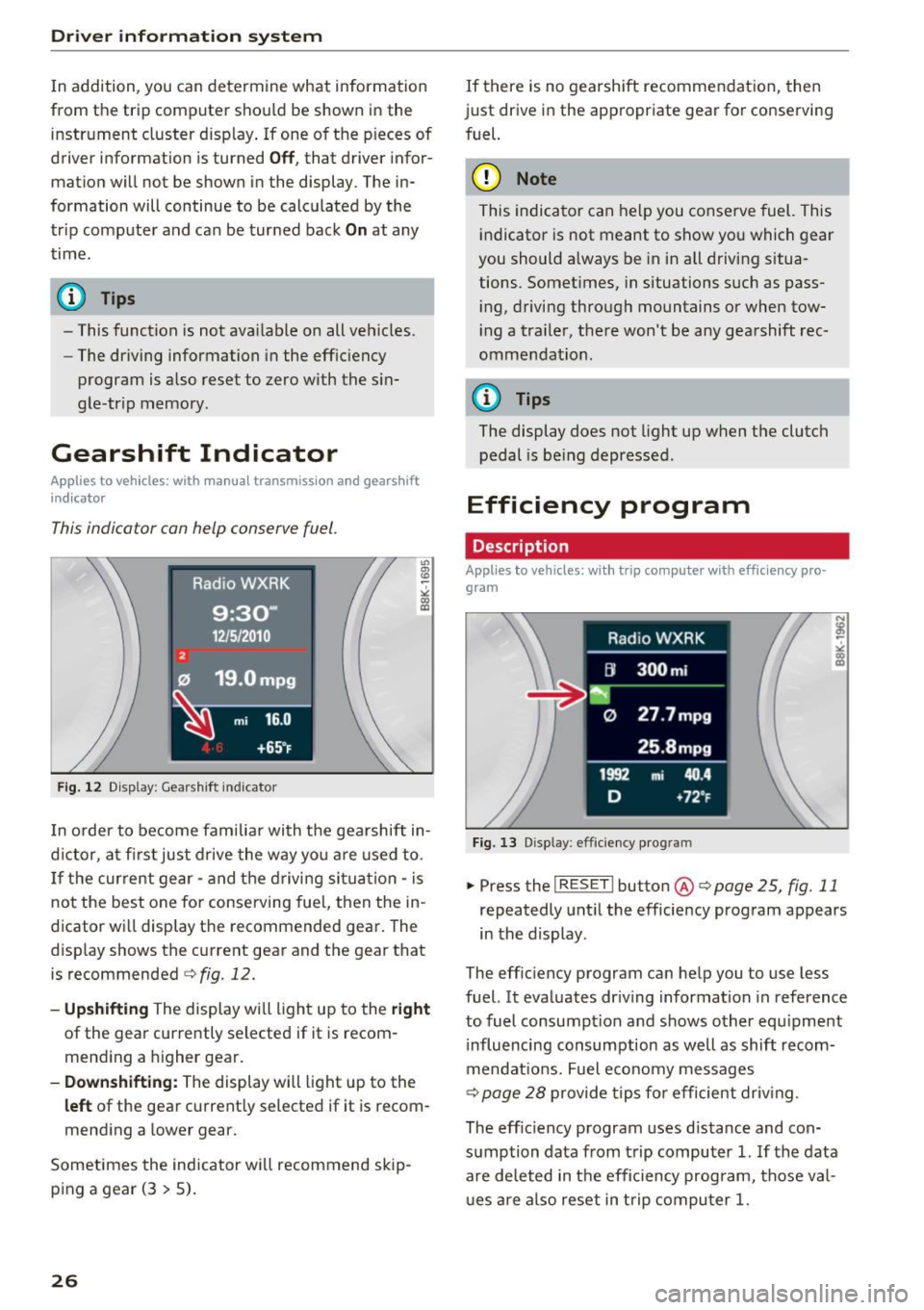
Fig. 12 Display: Gearshift indicator
In order to become familiar with the gearshift in
d ictor, at firs t just drive the way you are used to.
If the current gear - and the driving situation -is
not the best one for conserving fuel, then the in
d icator will display the recommended gear. The
display shows the current gear and the gear that
is recommended
c>fig. 12.
-Upshifting The display will light up to the right
of the gear currently selected if it is recom
mending a higher gear.
-Downshifting: The display will light up to the
left of the gear current ly selected if it is recom
mending a lower gear.
Sometimes the indicator will recommend skip
ping a gear (3
> 5).
26
If there is no gearshift recommendation, then
just drive in the appropriate gear for conserving
fuel.
(D Note
This indicator can help you conserve fuel. This
indicator is not meant to show you which gear
you should a lways be in in all driving situa
tions. Somet imes, in situations such as pass
i ng, driving through mountains or when tow
i ng a tra iler, there won't be any gearshift rec
ommendat ion.
@ Tips
The display does not light up when the clutch
pedal is be ing depressed .
Efficiency program
Description
Applies to vehicles : wi th trip co mpute r with eff ic ie n cy pro
gram
Fig. 13 Disp lay: efficiency program
.. PressthelRESETlbutton @c>poge25, fig.11
repeatedly until the efficiency program appears
in the display .
The efficiency program can help you to use less
fuel. It evaluates driving information in reference
to fuel consumpt ion and shows other equipment
i nfluencing consumption as well as shift recom
mendat ions. Fuel economy messages
c>
page 28 provide tips for efficient driv ing.
The eff ic iency program uses distance and con
sumption data from trip computer
1. If the data
are deleted in the efficiency program, those val
ues are also reset in trip computer
1.
Page 29 of 278

,....,
N
0
""' CX) ,....,
I.Cl U"I ,....,
I.Cl ,....,
Enhanced shift indicator
Applies to vehicles: with manual transmiss ion and tr ip com
p uter with eff iciency program
F ig. 14 Display: enhanced s hift i ndicator
• In the efficiency program, press the function
selection switch¢
page 25, fig. 11@ repeat
edly until the enhanced shift indicator appears
in the display.
The efficiency program also has an enhanced
shift ind icator. This enhanced shift indicator fol
lows the same concept as the "standard" shift in
dicator¢
page 26. The selected and the recom
mended gears are highlighted in colors like a
traffic light .
The color of the circle indicates if the most suita b le gear is engaged or if you should shift up or
down.
Green circle w ithout or No gear or the most
with a gear suitable gear is engag-
ed
Yellow circle¢
fig. 14 Shift up or down one
gear
Red circle Shift up two gears
(D Note
This enhanced shift indicator can help you
conserve fuel. It is not designed to recom
mend the correct gear in all dr iving situa
tions . Only the dr iver can decide which gear is
correct in certain dr iving situations such as
when passing another veh icle, dr iving on hill s
or towing a trailer.
Driver in forma tion system
(D Tips
-The enhanced shift indicator display is dif
ferent in vehicles with a monochrome dis
play.
- The "standard" shift indicator* disappears
when the enhanced shift indicator is dis
played.
Other equipment
Applies to vehicles: with trip computer with eff ic ie n cy pro
gram
Fig. 15 Display : other equ ipment
• In the effic iency program, press the funct ion
select ion switch ¢
page 25, fig. 11 @ repeat
ed ly until the other equipment appears in the
disp lay.
Other equipment that is currently affecting fuel
consumption is listed in the eff ic iency program.
T he display shows up to three other items of
equipment @. T he equipment using the most
fuel is listed first. If more than three items using
fuel are switched on, the equipment that is cur rently using the most fuel is displayed.
A scale @also shows the current total consump
tion of all other equipment .
27
Page 30 of 278

Driver information s ystem
Fuel economy messages
Applies to vehicles: with trip computer with efficiency pro
gram
F ig. 16 D isplay: fuel eco nomy message
Fue l economy messages are displayed when fue l
consumption is inc reased by certain conditions. If
you follow these fuel economy messages, you can reduce your vehicle's consumption of fuel. The
messages appear automatically and are only dis
p layed in the eff iciency program . The fuel econo
my messages turn off automat ica lly afte r ace r
tain period of t ime.
"' To turn a fuel economy message off immed i
ate ly after it appears , press t he I R ESE T I button
¢ page 25, fig. 11 @ , or
"' Press t he f unct ion sele ct io n sw itch
~ page 2 5,
fig. 11
® ·
(D Tips
- Once you have t urned a fue l economy mes
sage off, it will on ly appea r again after you
turn the ig nition on ag ain.
- T he fuel economy messages a re not d is
p layed in every ins tance, but rather in in ter
v al s over a per io d of t ime.
Service interval display
The service interval display reminds you when
your next service is due .
The schedule for the next oil change o r inspec
tion is calc ulated a utomatically and displayed ac
cord ingly. The display works in two stages:
28
Service reminder
3 0 days before the next service is due , a servi ce
r eminder appears in the display when you turn on
the ignition .
After abou t
5 seconds the display swit ches bac k
to normal. The dist ance a nd time rem aining are
u pda ted each time the ignit ion is turned on unt il
the date due for service is reached.
Service due
Whe n the d ue date for se rvice is rea ched, the
message
Service due! appears in the inst rument
cl uster immed iate ly after you tu rn o n the igni
tion . Add itiona lly, a warn ing tone sounds. A fter
about
5 seconds the display switches back to nor
mal.
Calling up the service schedules
I f or w hen an oil change o r inspec tion is due, can
be shown in the radio or MMI * display by se lect
i ng the service interval display in the car menu.
Se lect
I CAR I fu nction button > Se rvice interval
display
or ! CAR I function button > Car systems *
control button > Ser vicing & checks .
Resetting the s ervice interval display
Yo ur a utho rized Aud i dea ler will rese t the corre
sponding service schedu le after performing the
approp riate service on your vehicle . You also have
the possibility to reset t he oi l change schedule
after having pe rformed an oil change accord ing
to Audi specifications. Select
I CA R I fu nction but
ton
> Service interval display > Re set oil change
interval
or ICA RI fu nction button > Car systems *
control button > Servicing & check s > Reset oil
change interval.
(D Note
- Only reset the oil c hange display when you
h ave completed an o il change.
- If you disconnect the battery term inals, no
calcu lations can be made for the se rvice in
te rv al display dur ing th is time and no se rv
i c e rem inder will appear. Remembe r th at
ob serv ing the pro per serv ice intervals is vi-
ta lly im po rt an t to extending the life o f your .,.