Page 462 of 684

By depressing the gas pedal while the vehicle is standing still and ACC is active, the vehicle will ac-celerate. Once you take your foot off the pedal, ACC will automatically resume the stored speed and regulate the set distance.
ACC will not automatically accelerate if the vehicle ahead accelerates.
Distance (time interval) to the vehicle ahead and driving profiles
The distance the ACC maintains to the vehicle traveling ahead is determined by time intervals. A time distance to the vehicle traveling ahead is maintained. This results in a speed-dependent distance. The
higher the speed, the larger the distance in feet/meters ⇒ .
The distance can be set at 4 different levels:
Distance Time distance at 65 mph
(105 km/h)
Very small about 1,0 Seconds
Small about 1,3 Seconds
Medium about 1,8 Seconds
Large about 2,5 Seconds
Besides changing the time distance, the acceleration characteristics can be changed, by choosing on of the following driving profiles:
x Comfort
x Normal
x Sport
The distance intervals can be set by pushing the slider switch on the lever ⇒ fig. 273. The driving profile can only be set in the infotainment system .
Always select a greater following distance to the vehicle ahead on wet roads than on dry roads.
Setting the distance and selecting a driving profile
In order to show the currently selected distance in the instrument cluster display, briefly tap the sliding
switch on the lever ⇒ fig. 273.
Setting the distance with the sliding switch on the lever ⇒ fig. 273:
In order to: You must ⇒ fig. 273: Result:
Increase the
distance by one
level
Briefly push the sliding switch
to the right (+).
The distance is in-
creased by 1 level.
Page 490 of 684
Rear Assist camera settings
Different setting such as Brightness, Contrast and Color can be adjusted by tapping the function keys - or + or moving the slider.
In order to change the settings follow these instructions:
x Park the vehicle in a safe place on a firm, level surface.
x Apply the electronic parking brake to help prevent the vehicle from moving ⇒ Braking and parking.
x Switch the ignition on.
x Turn on the infotainment system if not already on ⇒ Introduction to the Infotainment System.
x Place the transmission into Reverse (R) ⇒ Shifting.
x Tap the function key •.
x Adjust the desired settings in the menu.
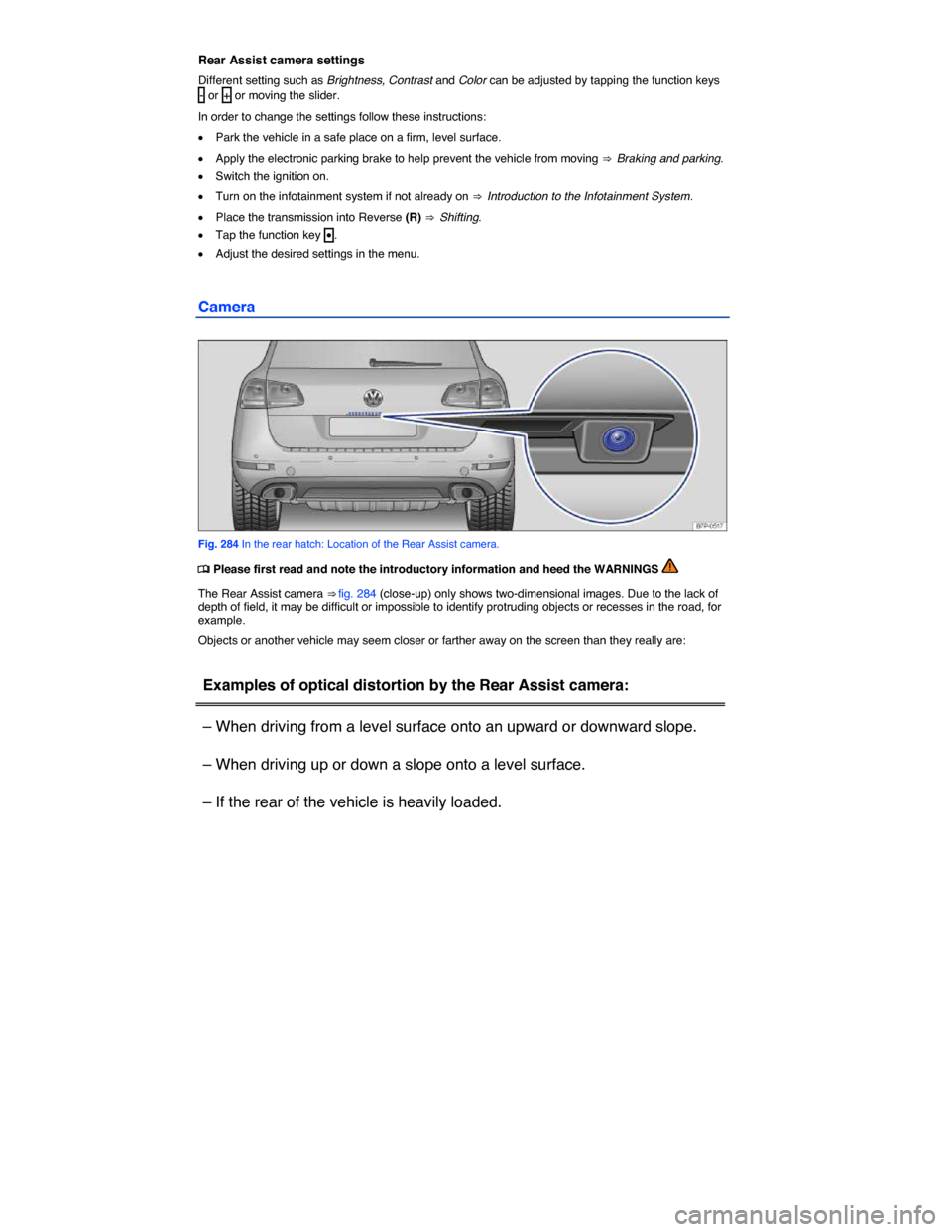
Camera
Fig. 284 In the rear hatch: Location of the Rear Assist camera.
Page 503 of 684

Rear camera views
View Screen display of rear camera
Perpendicular
parking K
The area behind the vehicle is displayed. Orientation lines
are displayed for assistance. See Rear Assist Mode 1
Parallel park-
ing M
The area directly behind the vehicle is displayed. The col-
ored areas and lines are provided for orientation. See Rear
Assist Mode 2
Trailer hitch
R
The rear of the vehicle is displayed. The red line and the
green lines are used to indicate the distance. The distance
between the green lines and the red line is about 12 inches
(30 cm) each. The distance between the red line and the
vehicle is also about 12 inches (30 cm). The yellow line
indicates the extension of the trailer hitch towards the rear
and shows the direction to the trailer hitch depending on
the position of the steering wheel.
Rear cross-
traffic H
Area on left of screen: Left-hand side of intersection.
Area in center of screen: Area directly behind the vehicle.
Area on right of screen: Right-hand side of intersection.
Settings on the Infotainment System screen
Tap the function key (5), to adjust the following settings:
Function
key Action
Brightness
Tap the function key - or + .
OR: Move the slider to set different brightness levels.
Contrast
Tap the function key - or + .
OR: Move the slider to set different contrast levels.
Page 504 of 684
Function
key Action
Color
Tap the function key - or + .
OR: Move the slider to set different color levels.
Page 507 of 684
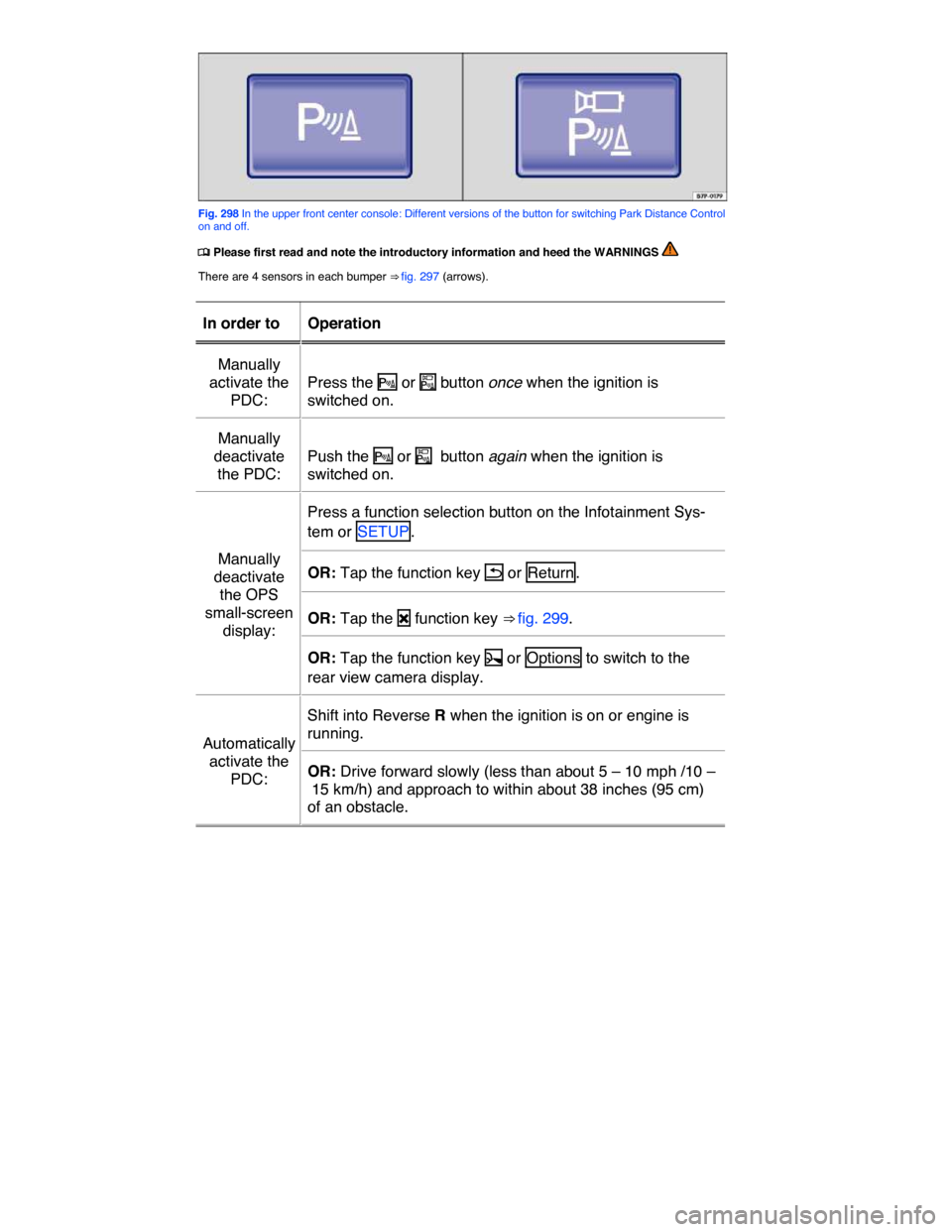
Fig. 298 In the upper front center console: Different versions of the button for switching Park Distance Control on and off.
Page 511 of 684

Distance between vehicle
and obstacle
Audible sig-
nal
Screen: Segment color
if obstacle detected
Front: about 12 – 48 inches
(31 – 120 cm) Beep tone if
manually
activated.
Yellow
Rear: about 12 – 64 inches
(31 – 160 cm)
Front: about 12 – 20 inches
(31 – 50 cm) Beep tone if
automatically
activated.
Yellow
Rear: about 12 – 20 inches (
31 – 50 cm)
About 0 – 12 inches (0 –
30 cm) front or rear
Continuous
tone. Red
The distance at which the continuous tone sounds is somewhat greater for vehicles with a factory-installed trailer hitch.
Infotainment System settings for OPS
A number of settings can be selected in the Infotainment System.
x Switch on the ignition.
x Press the CAR Infotainment button.
x Tap the Assist systems function key on the screen.
x Select Parking Distance Warning System from the list.
Function key: Actions
Front volume/tone level : Different volume and pitches can be separately
selected for front by tapping the - or + function keys or by moving the
slider.
Rear volume/tone level : Different volume and pitches can be separately
selected for rear by tapping the - or + function keys or by moving the slid-
er.
Reduced audio volume : Different volume and pitches can be separately
selected for front and rear by tapping the - or + function keys or by mov-
ing the slider.
Page 533 of 684

x Methanol-blended fuels that do not meet the criteria listed above may cause corrosion and may damage plastic and rubber parts in the fuel system.
x Never use fuels that contain lead or other metals (check listing on the fuel pump). Even lead replacement gasoline (LRP fuels) contain metallic additives in high concentrations. They can damage the engine.
x Do not use fuels that fail to meet the criteria above, or with contents that cannot be identi-fied.
x If you cannot tell whether a particular fuel blend meets the criteria above, ask your service station or its fuel supplier. If you notice a loss of fuel economy or drivability and performance problems using one of these fuel blends, we recommend that you switch to unblended fuel.
x Using fuels that are different from those specified above can damage your vehicle's engine and fuel system and cause performance problems.
x Damage to the engine and fuel system and performance problems caused by using fuels that are different from those specified above or buy using “starting assist fluids” are not the responsibility of Volkswagen and are not covered under the Emission warranties or any other Volkswagen Limited Warranty.
Even a single tank full of leaded fuel can do major damage to the catalytic converter and degrade its effectiveness in reducing polluting emissions.
If you notice a loss of fuel economy or drivability and performance problems using one of these fuel blends, we recommend that you switch to unblended fuel. Never use fuel line antifreeze offered for gasoline engines.
Gasoline additives
Page 535 of 684
Using diesel fuel with concentrations of methyl ester biodiesel higher than 20 % (B20), such as B100 is still contrary to the terms of your Emission warranties or any other Volkswagen Limited Warranty and remains strictly prohibited.
Biodiesel blends (up to B20) may be used in your Illinois registered TDI® Clean Diesel vehicle; howev-er, please be aware that biodiesel has characteristics that are different from other kinds of fuel, espe-cially petroleum-based fuels.
Biodiesel can attract water and also deteriorate with age. Small amounts of biodiesel can get into the engine oil, but unlike petroleum diesel, it does not evaporate over time. This can cause the oil level in the engine to rise and can affect the quality of the oil.
x Routinely check the engine oil level. A good time to do this is when you refuel, especially if you regularly do a lot of short distance or stop-and-go driving. This will help you see if the engine oil level is getting higher. (A rising oil level beyond the maximum indicator means an oil change is needed due
to the dilution of the oil in the system; a potential characteristic of biodiesel use) ⇒ page 590, Checking the engine oil level and adding oil.
x If you ever notice that the engine oil level has risen or is above the maximum indicator, contact your authorized Volkswagen dealer, authorized Volkswagen Service Facility or Volkswagen Customer CARE to schedule an oil change – regardless of the time or mileage that has elapsed since you last had an oil change performed.
x Continue to follow the oil change intervals found in the Warranty and Maintenance booklet that came with your vehicle, and use only engine oil that expressly complies with Volkswagen quality standard VW 507 00.
x Refuel only at trusted, commercial fueling stations that are located near main highways. These stations are more likely to have “fresh” biodiesel fuels that have not aged significantly.
x If your vehicle will be in storage (or not driven) for several weeks or months, please completely fill the fuel tank. If possible, fill the tank with Ultra Low Sulfur Diesel fuel [ASTM D-975 standard Grade No. 2-D (S15)].
If you have additional questions about your Illinois registered TDI® Clean Diesel vehicle, please call or write to us at:
Volkswagen of America, Inc.
Attn: Customer CARE
3800 Hamlin Road, Auburn Hills, MI 48326
Tel.: 1-800-444-8982
WARNING
Starting fluids can explode and cause a run-away vehicle condition.
x Never use starting assist fluids.
NOTICE
x The vehicle's diesel engine was designed solely for use with ULSD fuel. For this reason, never use gasoline, heating oil, or other fuels that have not been expressly approved for use with the diesel engine. These fuels contain substances that will severely damage the fuel sys-tem and the engine. Such damage will not be covered by any Volkswagen Limited Warranty.
x If you put any amount of the incorrect fuel in the fuel tank, do not start the engine under any circumstances. Immediately contact the nearest authorized Volkswagen dealer or authorized Volkswagen Service Facility for assistance.
x If diesel fuel should get on any rubber hose, it must be wiped off immediately. The same applies if diesel fuel gets onto other parts of the vehicle, especially paint, tires, or a plastic part. Wash the contaminated vehicle parts right away with soap and warm water to help pre-vent leaks and serious damage.