Page 135 of 348
Units (Set Units)
This function may be used to set the measurement unit in
three submenus: “Distance,” “Temperature” and “Fuel
Economy.”
To set the required unit, proceed as follows:
1. Briefly push theSET/BACKbutton to display the
three sub-menus.
2. Push and release the UP
or DOWNbutton to
navigate the three sub-menus.
3. Select the required sub-menu and then briefly push
theSET/BACKbutton.
4. When accessing the “Distance” submenu: briefly push
theSET/BACKbutton. Either “mi” or “km” will
appear on the display (according to the previous
setting).5. Push and release the UP
or DOWNbutton for
setting.
6. Briefly push theSET/BACKbutton to return to the
sub-menu.
7. When accessing the “Fuel Economy” submenu, briefly
push theSET/BACKbutton. Either “mpg,” “km/l ” or
“l/100km” will appear on the display (according to
the previous setting).
If the distance unit set is “mi,” the fuel economy unit will
be displayed in “mpg.”
If the distance unit set is “km,” the fuel economy unit will
be displayed in either km/l or l/100km.
1. Push and release the UP
or DOWNbutton for
setting.
2. Briefly push theSET/BACKbutton to return to the
sub-menu.
4
UNDERSTANDING YOUR INSTRUMENT PANEL 133
Page 139 of 348
Exit Menu
This function closes the initial menu screen.
Briefly push theSET/BACKbutton to go back to the
main screen.
Push and release the
button to return to the first
menu option (Speed Buzzer).
Push and releasethebutton to return to the last
menu option (Daylights).
Change Engine Oil Indicator System
Your vehicle is equipped with an engine oil
change indicator system. The “Change Engine Oil” mes-
sage will flash in the EVIC display for approximately 10
seconds and the Oil Pressure Warning Light will illumi-
nate. The “Change Engine Oil” message in the EVIC and
the Oil Pressure Warning Light will turn off after ap-
proximately 10 seconds.NOTE:The reset of the Oil Change message must be
performed by an authorized dealer.
Trip Computer
The Trip Computer is located in the instrument cluster. It
features a driver-interactive display (displays informa-
tion such as trip information, range, fuel consumption,
average speed, and travel time).
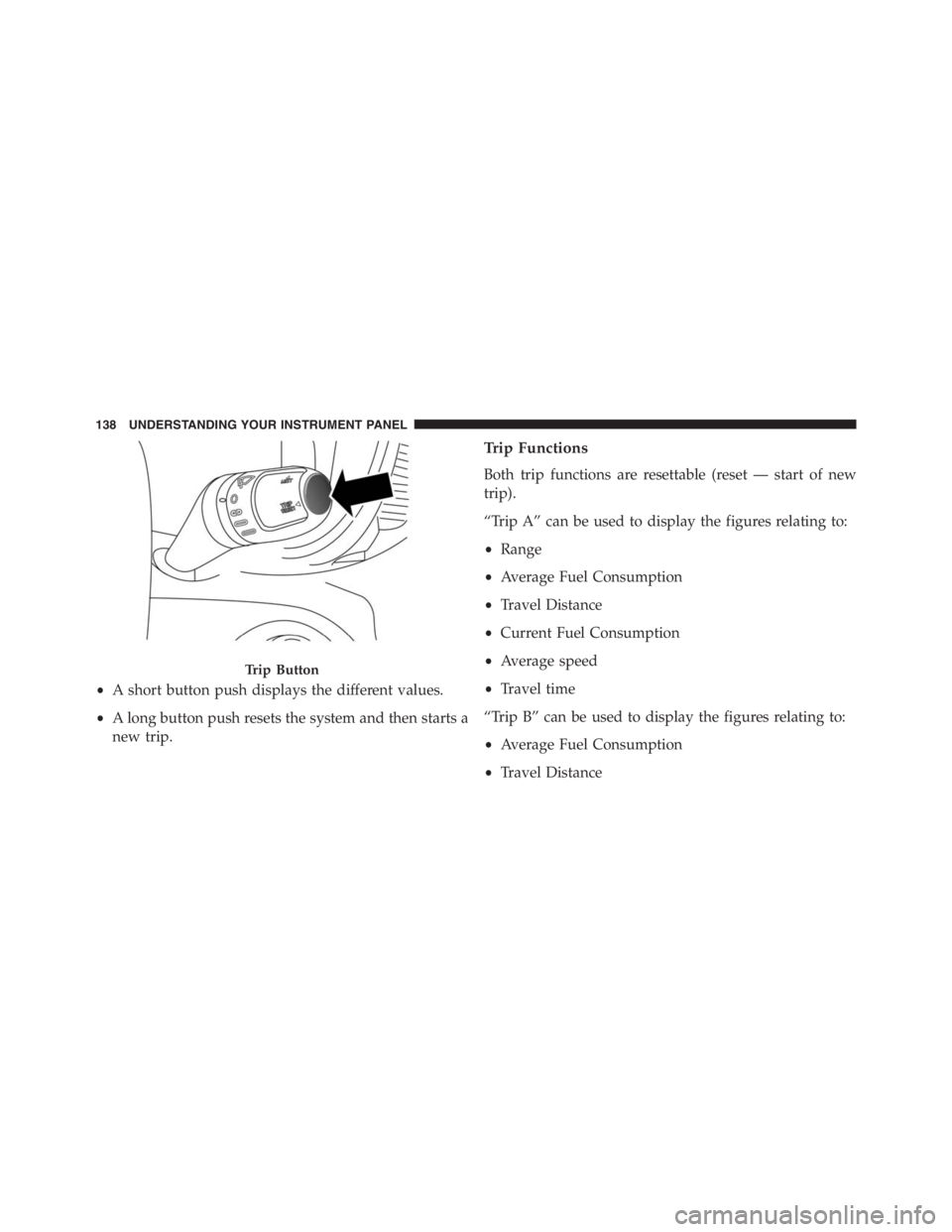
Trip Button
TheTRIPbutton, located on the right steering column
stalk, can be used to display and to reset the trip values.
4
UNDERSTANDING YOUR INSTRUMENT PANEL 137
Page 140 of 348
•A short button push displays the different values.
•A long button push resets the system and then starts a
new trip.
Trip Functions
Both trip functions are resettable (reset — start of new
trip).
“Trip A” can be used to display the figures relating to:
•Range
•Average Fuel Consumption
•Travel Distance
•Current Fuel Consumption
•Average speed
•Travel time
“Trip B” can be used to display the figures relating to:
•Average Fuel Consumption
•Travel Distance
Trip Button
138 UNDERSTANDING YOUR INSTRUMENT PANEL
Page 142 of 348
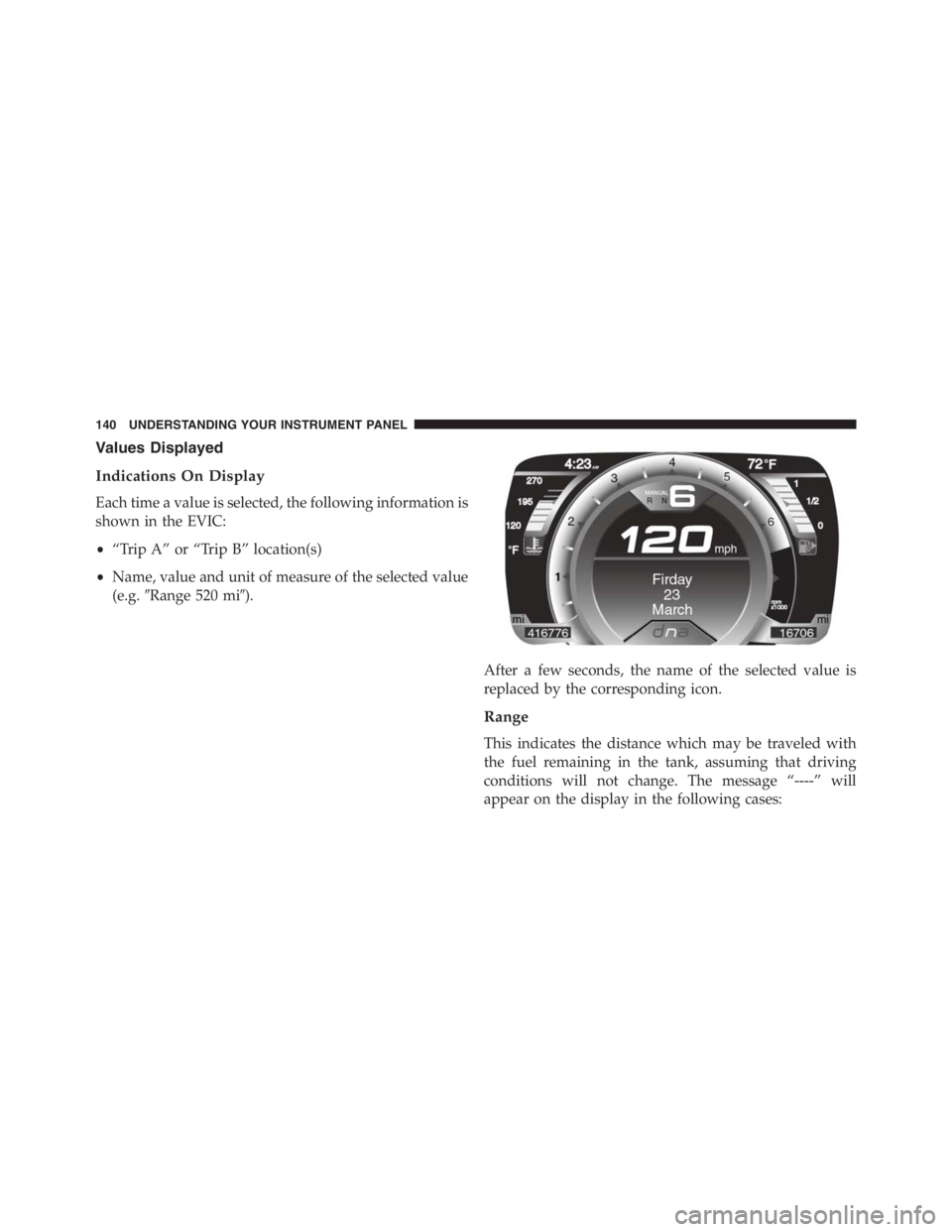
Values Displayed
Indications On Display
Each time a value is selected, the following information is
shown in the EVIC:
•“Trip A” or “Trip B” location(s)
•Name, value and unit of measure of the selected value
(e.g.�Range 520 mi�).
After a few seconds, the name of the selected value is
replaced by the corresponding icon.
Range
This indicates the distance which may be traveled with
the fuel remaining in the tank, assuming that driving
conditions will not change. The message “----” will
appear on the display in the following cases:
140 UNDERSTANDING YOUR INSTRUMENT PANEL
Page 143 of 348

•Distance less than 30 miles (or 50 km).
•The vehicle is parked for a long time with the engine
running.
NOTE:The range depends on several factors: driving
style, type of route (freeway, residential, mountain roads,
etc.), conditions of use of the car (load, tire pressure, etc.).
Trip planning must take into account the above notes.
Average Fuel Consumption
This value shows the approximate average consumption
since the last reset.
Travel Distance
This value shows the distance covered since the last reset.
Current Fuel Consumption
This indicates the fuel consumption. The value is con-
stantly updated. The message “----” will appear on the
display if the car is parked with the engine running.
Average Speed
This value shows the vehicle’s average speed as a func-
tion of the overall time elapsed since the last reset.
Travel Time
This value shows the time elapsed since the last reset.
Tire Pressure Values
This screen will display OK at each Tire Pressure Moni-
toring sensor. Refer to “Tire Pressure Monitoring System”
in “Starting And Operating.”
RADIO SYSTEM
The radio system consists of:
•Supply cables for radio, speakers and aerial;
•Radio;
•Aerial on front bumper;
4
UNDERSTANDING YOUR INSTRUMENT PANEL 141
Page 155 of 348
▫Tire Types...........................200
▫Run Flat Tires — If Equipped.............202
▫Spare Tires — If Equipped...............202
▫Tire Spinning........................205
▫Tread Wear Indicators..................205
▫Life Of Tire.........................206
▫Replacement Tires.....................206
�TIRE CHAINS (TRACTION DEVICES).......208
�TIRE ROTATION RECOMMENDATIONS.....209
�TIRE PRESSURE MONITORING SYSTEM
(TPMS)..............................210
▫Base System.........................212
▫General Information...................215�FUEL REQUIREMENTS — 1.750 Turbo.......215
▫Reformulated Gasoline.................216
▫Gasoline/Oxygenate Blends..............216
▫MMT In Gasoline.....................216
▫Materials Added To Fuel................217
▫Fuel System Cautions...................217
▫Carbon Monoxide Warnings.............218
�ADDING FUEL/SMART FUEL.............219
�TRAILER TOWING.....................222
�RECREATIONAL TOWING (BEHIND
MOTORHOME, ETC.)...................222
▫Towing This Vehicle Behind Another Vehicle . .222
5
STARTING AND OPERATING 153
Page 157 of 348

When the 1, N or R buttons are pressed (or�+�steering
wheel stalk is operated) without pressing the brake
pedal, no gear change request is implemented by the
system.
NOTE:REVERSE (R) cannot be engaged by pressing the
�-�stalk on the steering wheel.
Normal Starting
NOTE:Normal starting of either a cold or a warm
engine is obtained without pumping or pressing the
accelerator pedal.
Turn the ignition switch to the AVV/ACC (START)
position and release it when the engine starts. If the
engine fails to start within 10 seconds, turn the ignition
switch to the STOP (OFF/LOCK) position, wait 10 to 15
seconds, then repeat the “Normal Starting” procedure.
Cold Weather Operation
Your engine is designed to operate at temperatures as
low as 0°F (-18°C).
NOTE:Use of the recommended SAE 5W-40 Synthetic oil
and adhering to the prescribed oil change intervals is
important to prevent engine damage and ensure satisfac-
tory starting in cold conditions.
If Engine Fails To Start
WARNING!
Never pour fuel or other flammable liquids into the
throttle body air inlet opening in an attempt to start
the vehicle. This could result in a flash fire causing
serious personal injury.
5
STARTING AND OPERATING 155
Page 158 of 348
CAUTION!
•Do not attempt to push or tow your vehicle to get it
started. Vehicles equipped with a Alfa Twin Clutch
Transmission cannot be started this way. Unburned
fuel could enter the catalytic converter and once the
engine has started, ignite and damage the converter
and vehicle.
•To prevent damage to the starter, do not continu-
ously crank the engine for more than 15 seconds at
a time. Wait 10 to 15 seconds before trying again.
After Starting
The idle speed is controlled automatically and it will
decrease as the engine warms up.
Turbo Charger “Cool Down”
This vehicle is equipped with an after-run pump to cool
the turbocharger after the engine is shut off. Dependingon the type of driving and the amount of cargo, the pump
will run for up to five minutes after the engine has been
shut off to circulate coolant through the turbocharger.
Although the pump is rubber-mounted for quiet opera-
tion, it is normal to hear it running during this time.
SIX-SPEED ALFA TWIN CLUTCH TRANSMISSION
WARNING!
•It is dangerous to shift out of NEUTRAL if the
engine speed is higher than idle speed. If your foot
is not firmly pressing the brake pedal, the vehicle
could accelerate quickly forward or in reverse. You
could lose control of the vehicle and hit someone or
something. Only shift into gear when the engine is
idling normally and your foot is firmly pressing
the brake pedal.
(Continued)
156 STARTING AND OPERATING