Page 112 of 416
110
308_en_Chap03_confort_ed01-2015
Front demist - defrost
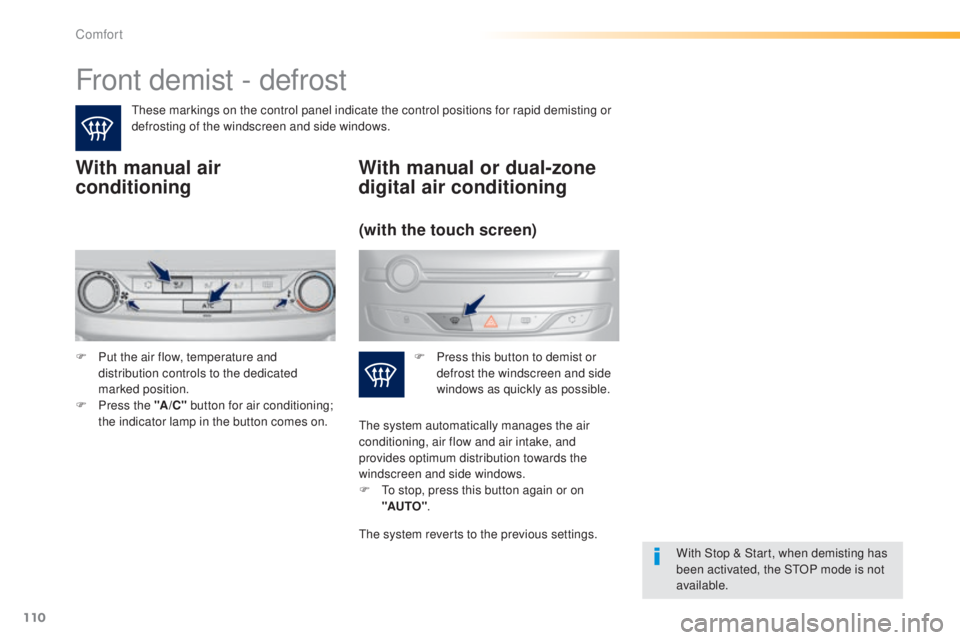
these markings on the control panel indicate the control positions for rapid demisting or
defrosting of the windscreen and side windows.
With manual air
conditioning
With Stop & Start, when demisting has
been activated, the StOP mode is not
available.
With manual or dual-zone
digital air conditioning
F Put the air flow, temperature and distribution controls to the dedicated
marked position.
F
P
ress the "A /C " button for air conditioning;
the indicator lamp in the button comes on. F
P ress this button to demist or
defrost the windscreen and side
windows as quickly as possible.
(with the touch screen)
the system automatically manages the air
conditioning, air flow and air intake, and
provides optimum distribution towards the
windscreen and side windows.
F
t
o s
top, press this button again or on
"AUTO" .
the
system reverts to the previous settings.
Comfort
Page 114 of 416
112
308_en_Chap04_conduite_ed01-2015
A few driving recommendations
Observe the driving regulations at all times and
remain vigilant whatever the traffic conditions.
Pay close attention to the traffic and keep your
hands on the wheel so that you are ready to
react at any time to any eventuality.
On a long journey, a break every two hours is
strongly recommended.
In difficult weather, drive smoothly, anticipate
the need to brake and increase the distance
from other vehicles.Never drive with the parking brake
applied - Risk of overheating and
damage to the braking system!
Do not park or run the engine when
stationary in areas where inflammable
substances and materials (dry grass,
dead leaves...) might come into contact
with the hot exhaust system - Risk of
fire!
Never leave a vehicle unsupervised
with the engine running. If you have
to leave your vehicle with the engine
running, apply the parking brake
and put the gearbox into neutral or
position
N or P, depending on the type
of gearbox.
Driving on flooded roads
We strongly advise against driving on flooded
roads, as this could cause serious damage
to the engine or gearbox, as well as to the
electrical systems of your vehicle.
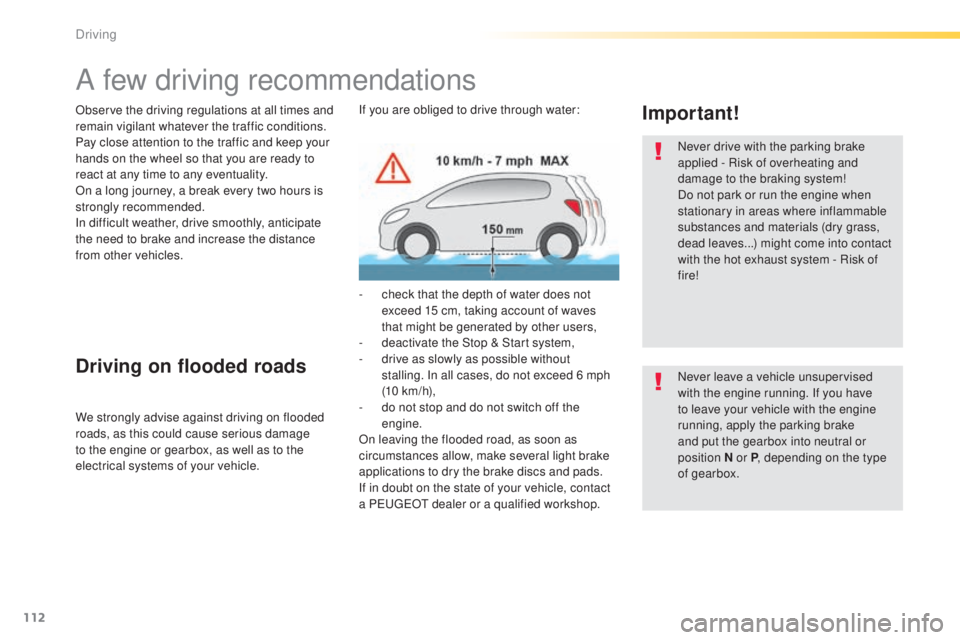
Important!If you are obliged to drive through water:
-
c
heck that the depth of water does not
exceed 15 cm, taking account of waves
that might be generated by other users,
-
d
eactivate the Stop & Start system,
-
d
rive as slowly as possible without
stalling. In all cases, do not exceed 6 mph
(10
km/h),
-
d
o not stop and do not switch off the
engine.
On leaving the flooded road, as soon as
circumstances allow, make several light brake
applications to dry the brake discs and pads.
If in doubt on the state of your vehicle, contact
a P
e
uge
Ot
dealer or a qualified workshop.
Driving
Page 115 of 416
113
308_en_Chap04_conduite_ed01-2015
Starting-switching off the engine, remote control
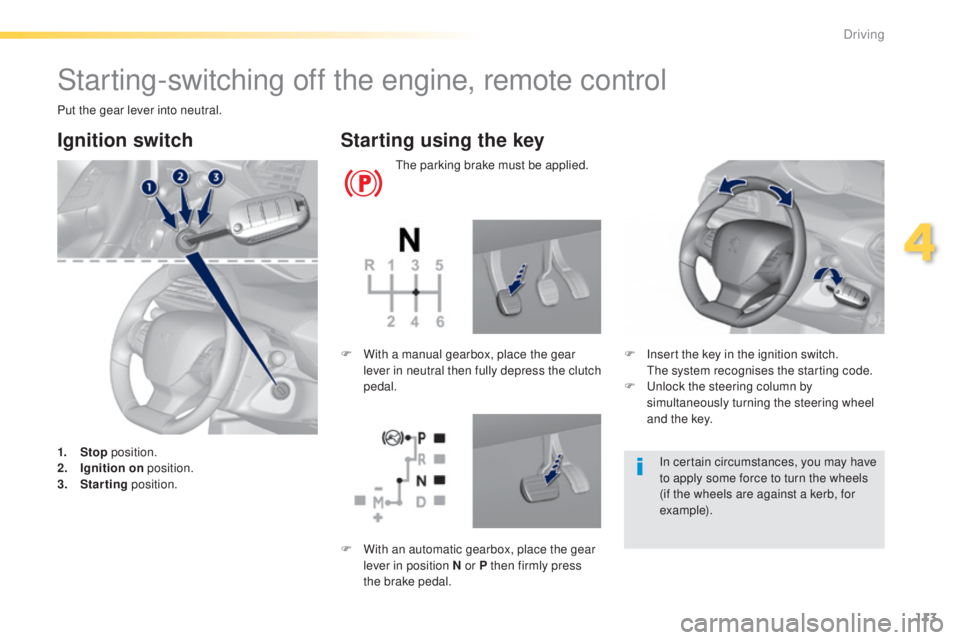
Put the gear lever into neutral.
Ignition switch
1. Stop position.
2. I gnition on position.
3.
S
tarting position.
Starting using the key
the parking brake must be applied.
F
I
nsert the key in the ignition switch.
t
h
e system recognises the starting code.
F
u
n
lock the steering column by
simultaneously turning the steering wheel
and the key.
F
W
ith a manual gearbox, place the gear
lever in neutral then fully depress the clutch
pedal.
In certain circumstances, you may have
to apply some force to turn the wheels
(if the wheels are against a kerb, for
example).
F
W
ith an automatic gearbox, place the gear
lever in position N or P then firmly press
the brake pedal.
4
Driving
Page 118 of 416
116
308_en_Chap04_conduite_ed01-2015
For Diesel vehicles, in sub-
zero temperatures the engine
will not start until the pre-heater
warning lamp has gone off.
If this warning lamp comes on
after pressing the "S
tA
R
t/
StO
P" button, press down on
the brake or clutch pedal until
the warning lamp goes off,
without pressing the "S
tA
R
t/
StO
P" button again, until the
engine starts and runs.
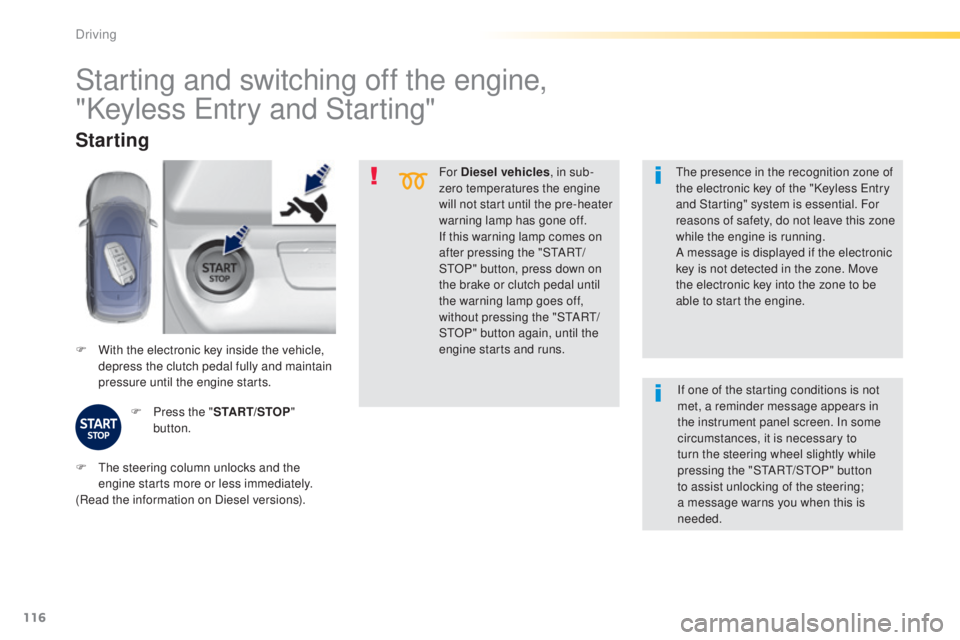
F
W
ith the electronic key inside the vehicle,
depress the clutch pedal fully and maintain
pressure until the engine starts.
Starting
F Press the " START/STOP"
button.
th
e presence in the recognition zone of
the electronic key of the "Keyless e
n
try
and Starting" system is essential. For
reasons of safety, do not leave this zone
while the engine is running.
A message is displayed if the electronic
key is not detected in the zone. Move
the electronic key into the zone to be
able to start the engine.
Starting and switching off the engine,
"Keyless e
n
try and Starting"
F the steering column unlocks and the
engine starts more or less immediately.
(Read the information on Diesel versions). If one of the starting conditions is not
met, a reminder message appears in
the instrument panel screen. In some
circumstances, it is necessary to
turn the steering wheel slightly while
pressing the "StA
Rt/ StO P" button
to assist unlocking of the steering;
a message warns you when this is
needed.
Driving
Page 119 of 416
117
308_en_Chap04_conduite_ed01-2015
If the vehicle is not immobilised,
the engine will not stop.
Switching off
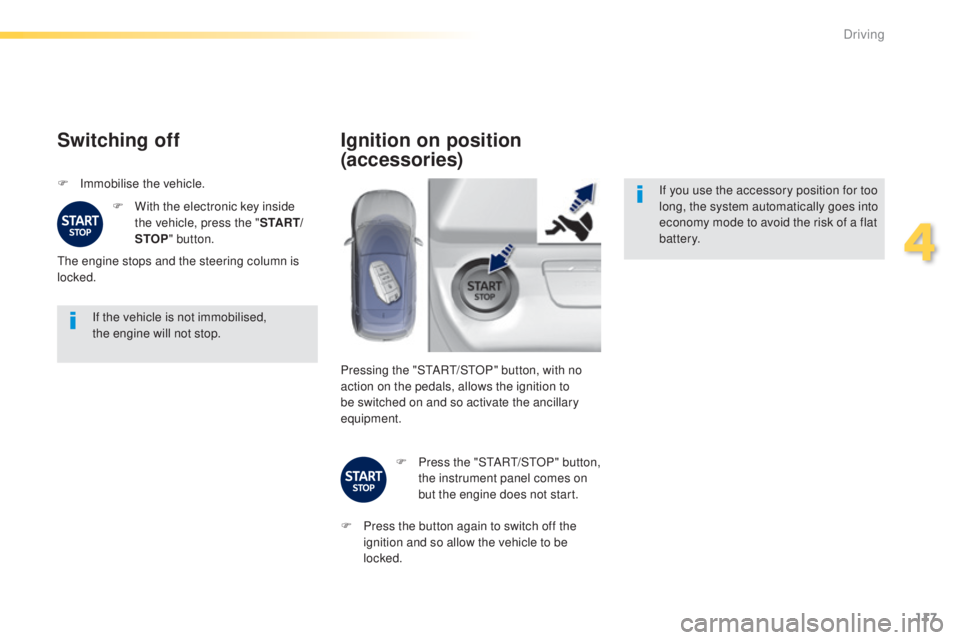
F Immobilise the vehicle.F
W
ith the electronic key inside
the vehicle, press the " S TA R T/
STOP " button.
th
e engine stops and the steering column is
locked.
Ignition on position
(accessories)
If you use the accessory position for too
long, the system automatically goes into
economy mode to avoid the risk of a flat
battery.
Pressing the "S
tA
R
t/
S
tO
P" button, with no
action on the pedals, allows the ignition to
be switched on and so activate the ancillary
equipment.
F
P
ress the "S
tA
R
t/
S
tO
P" button,
the instrument panel comes on
but the engine does not start.
F
P
ress the button again to switch off the
ignition and so allow the vehicle to be
locked.
4
Driving
Page 120 of 416
118
308_en_Chap04_conduite_ed01-2015
Key left in reader
You are warned by a message if the
electronic key is is still in the reader on
opening the driver's door.
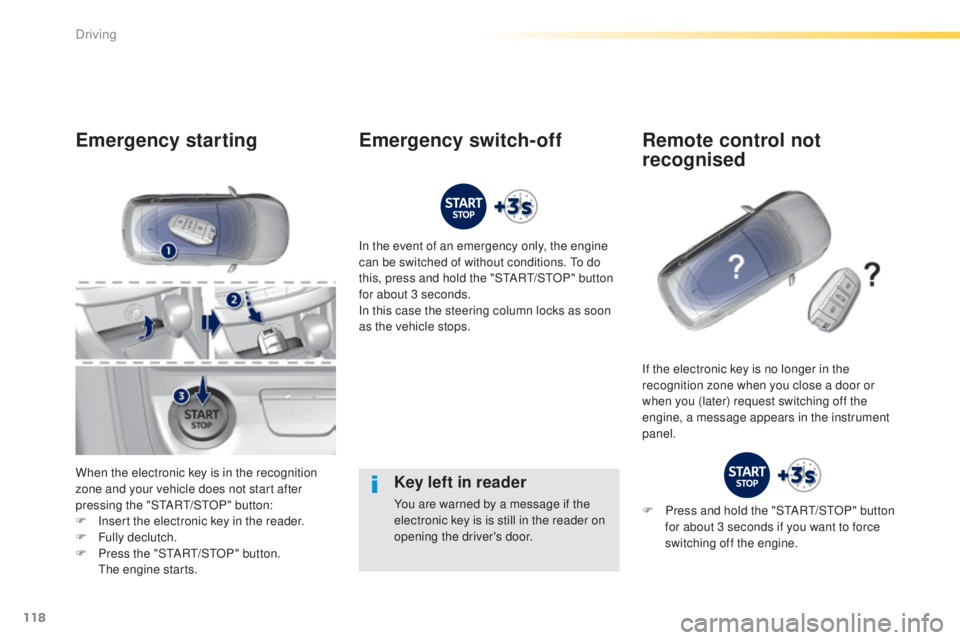
Emergency starting
When the electronic key is in the recognition
zone and your vehicle does not start after
pressing the "S
tA
R
t/
S
tO
P" button:
F
I
nsert the electronic key in the reader.
F
F
ully declutch.
F
P
ress the "S
tA
R
t/
S
tO
P" button.
t
h
e engine starts. In the event of an emergency only, the engine
can be switched of without conditions.
t
o d
o
this, press and hold the "S
tA
R
t/
S
tO
P" button
for about 3 seconds.
In this case the steering column locks as soon
as the vehicle stops.
If the electronic key is no longer in the
recognition zone when you close a door or
when you (later) request switching off the
engine, a message appears in the instrument
panel.
Emergency switch-off Remote control not recognised
F Press and hold the "StARt/ StO P" button
for about 3 seconds if you want to force
switching off the engine.
Driving
Page 124 of 416
122
308_en_Chap04_conduite_ed01-2015
Automatic operation
Automatic release
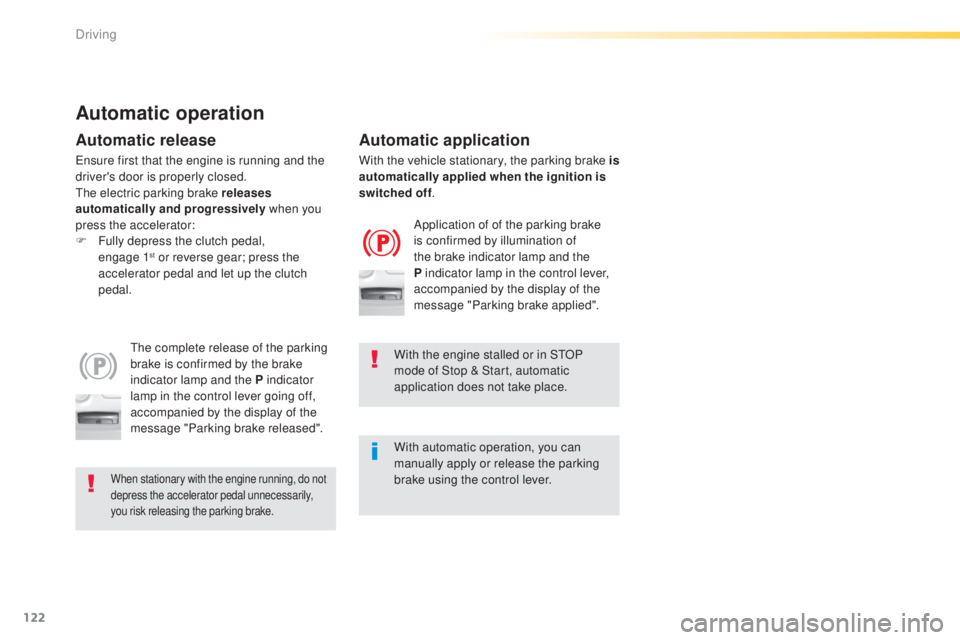
the complete release of the parking
brake is confirmed by the brake
indicator lamp and the P indicator
lamp in the control lever going off,
accompanied by the display of the
message "Parking brake released".
When stationary with the engine running, do not
depress the accelerator pedal unnecessarily,
you risk releasing the parking brake.
Automatic application
Application of of the parking brake
is confirmed by illumination of
the brake indicator lamp and the
P indicator lamp in the control lever,
accompanied by the display of the
message "Parking brake applied".
With the engine stalled or in S
tO
P
mode of Stop & Start, automatic
application does not take place.
With automatic operation, you can
manually apply or release the parking
brake using the control lever.
en
sure first that the engine is running and the
driver's door is properly closed.
th
e electric parking brake releases
automatically and progressively when you
press the accelerator:
F
F
ully depress the clutch pedal,
engage
1
st or reverse gear; press the
a
ccelerator pedal and let up the clutch
pedal. With the vehicle stationary, the parking brake is
automatically applied when the ignition is
switched off
.
Driving
Page 129 of 416
127
308_en_Chap04_conduite_ed01-2015
SituationsConsequences
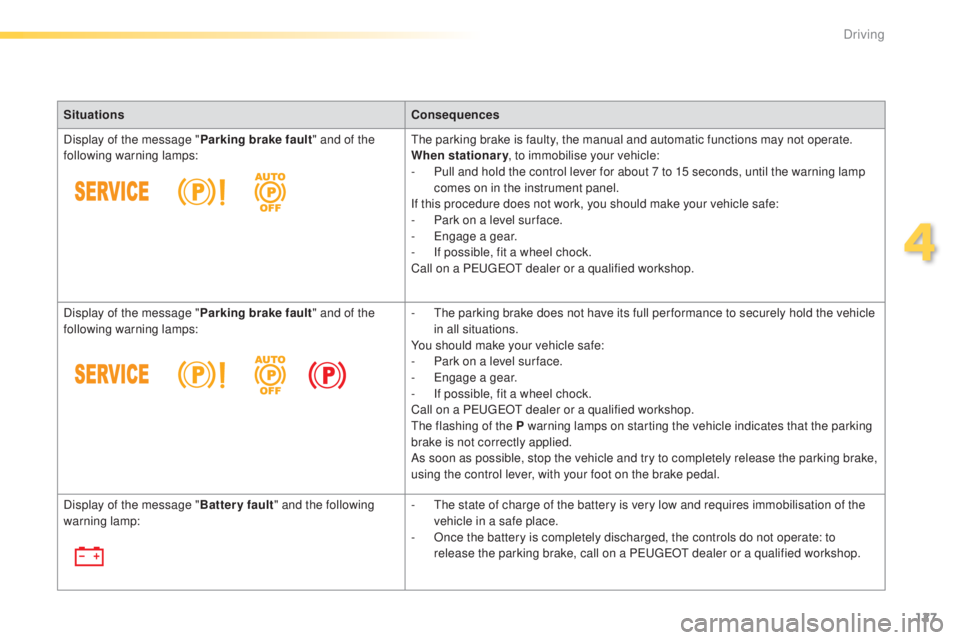
Display of the message " Parking brake fault" and of the
following warning lamps:
th
e parking brake is faulty, the manual and automatic functions may not operate.
When stationary , to immobilise your vehicle:
-
P
ull and hold the control lever for about 7 to 15 seconds, until the warning lamp
comes on in the instrument panel.
If this procedure does not work, you should make your vehicle safe:
-
P
ark on a level sur face.
-
e
n
gage a gear.
-
I
f possible, fit a wheel chock.
Call on a P
e
uge
Ot
dealer or a qualified workshop.
Display of the message " Parking brake fault" and of the
following warning lamps: -
t
h
e parking brake does not have its full per formance to securely hold the vehicle
in all situations.
You should make your vehicle safe:
-
P
ark on a level sur face.
-
e
n
gage a gear.
-
I
f possible, fit a wheel chock.
Call on a P
e
uge
Ot
dealer or a qualified workshop.
th
e flashing of the P warning lamps on starting the vehicle indicates that the parking
brake is not correctly applied.
As soon as possible, stop the vehicle and try to completely release the parking brake,
using the control lever, with your foot on the brake pedal.
Display of the message " Battery fault" and the following
warning lamp: -
t
h
e state of charge of the battery is very low and requires immobilisation of the
vehicle in a safe place.
-
O
nce the battery is completely discharged, the controls do not operate: to
release the parking brake, call on a P
e
uge
Ot
dealer or a qualified workshop.
4
Driving