Page 191 of 298
7-4Other settings
This menu turns on and off the display, adjust
the image quality of the navigation screen and
change the color of the menu screen.
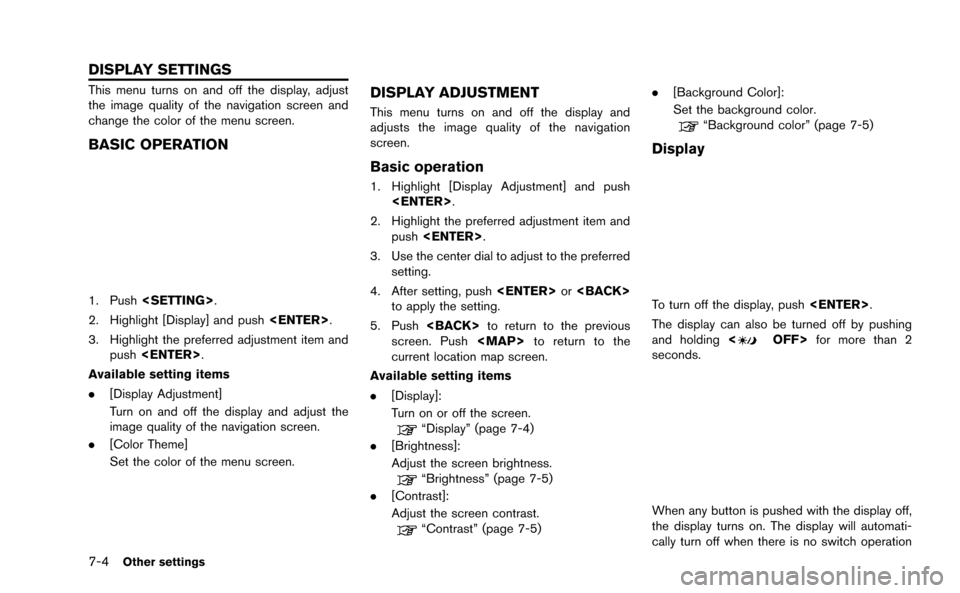
BASIC OPERATION
1. Push.
2. Highlight [Display] and push .
3. Highlight the preferred adjustment item and push .
Available setting items
. [Display Adjustment]
Turn on and off the display and adjust the
image quality of the navigation screen.
. [Color Theme]
Set the color of the menu screen.
DISPLAY ADJUSTMENT
This menu turns on and off the display and
adjusts the image quality of the navigation
screen.
Basic operation
1. Highlight [Display Adjustment] and push
.
2. Highlight the preferred adjustment item and push .
3. Use the center dial to adjust to the preferred setting.
4. After setting, push or
to apply the setting.
5. Push to return to the previous
screen. Push
Page 192 of 298
for 5 seconds.
To turn on the display, push<
OFF>.
Brightness
Adjust the display brightness by rotating the
center dial in the direction of [+] or [−].
Each time [+] or [−] is pushed, the display
brightness changes.
Contrast
Adjust the display contrast by rotating the center
dial in the direction of [+] or [−]. Each time [+] or [−] is pushed, the display
contrast changes.
Background color
Select to toggle between the day screen and
night screen.
Day screen
Night screen
INFO:
The background color setting can also be
changed using the <
OFF>.
SETTING COLOR THEME
1. Highlight [Color Theme] and push
.
Other settings7-5
Page 194 of 298
![NISSAN GT-R 2015 R35 Multi Function Display Owners Manual This changes the clock settings.
BASIC OPERATION
1. Push<SETTING>.
2. Highlight [Clock] and push <ENTER>.
3. Highlight the preferred adjustment item and push <ENTER>.
4. Use the center dial to adjust](/manual-img/5/423/w960_423-193.png "NISSAN GT-R 2015 R35 Multi Function Display Owners Manual This changes the clock settings.
BASIC OPERATION
1. Push<SETTING>.
2. Highlight [Clock] and push <ENTER>.
3. Highlight the preferred adjustment item and push <ENTER>.
4. Use the center dial to adjust")
This changes the clock settings.
BASIC OPERATION
1. Push.
2. Highlight [Clock] and push .
3. Highlight the preferred adjustment item and push .
4. Use the center dial to adjust to the preferred setting. Push to set on or off.
5. After setting, push or
to apply the setting.
6. Push to return to the previous
screen. Push
Page 195 of 298
![NISSAN GT-R 2015 R35 Multi Function Display Owners Manual 7-8Other settings
This key does not appear on the display until the
ignition switch is pushed to the ON position.
1. Push<SETTING>.
2. Highlight [Comfort] and push <ENTER>.
3. Highlight the preferred](/manual-img/5/423/w960_423-194.png "NISSAN GT-R 2015 R35 Multi Function Display Owners Manual 7-8Other settings
This key does not appear on the display until the
ignition switch is pushed to the ON position.
1. Push<SETTING>.
2. Highlight [Comfort] and push <ENTER>.
3. Highlight the preferred")
7-8Other settings
This key does not appear on the display until the
ignition switch is pushed to the ON position.
1. Push.
2. Highlight [Comfort] and push .
3. Highlight the preferred setting item and push . The indicator light of the
selected item illuminates.
4. After setting, push or
to apply the setting.
5. Push to return to the previous
screen. Push
Page 196 of 298
5. Highlight the preferred setting item andpush . The indicator light of the
selected item illuminates.
Available languages
.[English]
.[Franc¸ ais]
.[Espan ˜
ol]
NOTICE
Do not change the ignition switch
position while changing the language.
Doing so may cause a system malfunc-
tion.
UNIT SETTINGS
1. Push .
2. Highlight [Others] and push .
3. Highlight [Language & Units] and push .
4. Highlight [Select Units] and push.
5. Highlight the preferred unit and push. The indicator of the selected
unit illuminates.
Available units
.US:
mile, MPH, 8F, MPG
.Metric:
km, km/h, 8C, L/100 km
6. Push to return to the previous
screen. Push
Page 198 of 298
![NISSAN GT-R 2015 R35 Multi Function Display Owners Manual FULL SCREEN DISPLAY
The full screen display will appear when select-
ing [Full Screen Display] and press<ENTER>.
To operate the Image Viewer or to change the
settings, select the desired key.
.
(Start](/manual-img/5/423/w960_423-197.png "NISSAN GT-R 2015 R35 Multi Function Display Owners Manual FULL SCREEN DISPLAY
The full screen display will appear when select-
ing [Full Screen Display] and press<ENTER>.
To operate the Image Viewer or to change the
settings, select the desired key.
.
(Start")
FULL SCREEN DISPLAY
The full screen display will appear when select-
ing [Full Screen Display] and press.
To operate the Image Viewer or to change the
settings, select the desired key.
.
(Start)
Select “
” and push to start
playing the slideshow.
.
(Stop)
Select “
” and push to stop
the slideshow.
.
(Next)
Select “
” and push to
display the next file.
.
(Previous)
Select “
” and push to
display the previous file.
SETTING THE IMAGE VIEWER
The Image Viewer setting display will appear
when selecting [Settings] on the full screen
display and pushing . The following
settings are available for the full screen display.
. Slideshow Speed
Choose [Slideshow Speed] and push
. From the following display,
select the changing time from 5, 10, 30,
60 seconds or “No Auto Change”. .
Slideshow Order
Choose [Slideshow Order] and push
. From the following display,
select “Random” or “Order List”.
Operating tips
.Only files that meet the following conditions
will be displayed.
— File format: JPEG (“.jpg” or “.jpeg”)
— File size: 2 MB or less
— Display size: 1,536 62,048 pixels or
less
. If an electronic device (such as a digital
camera) is directly connected to the vehicle
using a USB cable, no image will be
displayed on the screen.
. If the file name is too long, some file names
may not be entirely displayed.
Other settings7-11
Page 201 of 298
8-2Voice recognition
NISSAN Voice Recognition allows hands-free
operation of the navigation system and other
systems equipped on this vehicle, in one of two
modes, Standard Mode or Alternate Command
Mode. Standard Mode allows the operation of
Navigation, Phone, Audio, Information and Help.
The commands that are available are always
shown on the display and announced by the
system. To perform operations, simply follow the
prompts given by the system. In Standard Mode,
hands-free operation of Change map view,
Route selection and Bluetooth Audio, etc. is
not available through Voice Recognition.
Alternate Command Mode allows advanced
operations. When this mode is active, an
expanded list of commands can be spoken after
pushing<
>, and the voice command menu
prompts are turned off. Note that in this mode
the recognition success rate may be affected
because the number of available commands and
ways of speaking each command are increased.
Otherwise, it is recommended that Alternate
Command Mode be turned OFF and Standard
Mode be used for the best recognition perfor-
mance.
“Alternate Command Mode” (page 8-13)
INFO:
. To improve recognition success when Alter-
nate Command Mode is active, try using the
Speaker Adaptation function available in that
mode.
“Speaker adaptation” (page 8-22)
Otherwise, it is recommended that Alternate
Command Mode be turned OFF and Stan-
dard Mode be used for the best recognition
performance.
. For the voice commands for the audio,
phone and other systems, refer to the
vehicle Owner’s Manual. The following sec-
tions refer only to the navigation, phone and
information systems.
. If the air conditioner is set to “Auto”, the fan
speed is automatically lowered so that
commands can be recognized more easily.
CONFIRMING HOW TO USE VOICE
COMMANDS
When operating the voice recognition system
for the first time or if help is preferred to use the
system, the User Guide can be displayed.
It is possible to confirm how to use voice
commands by accessing a simplified User
Guide, which contains basic instructions and
tutorials for several voice commands.
Basic operation
1. Push .
2. Highlight [Others] and push .
3. Highlight [Voice Recognition] and push .
4. Highlight [User Guide] and push .
NISSAN VOICE RECOGNITION STANDARD MODE
Page 203 of 298
8-4Voice recognition
Useful tips for correct operation
It is possible to display useful speaking informa-
tion that may help the system to accept a voice
command correctly.
1. Highlight [Help on Speaking] and push.
2. To confirm the page, scroll the screen using the center dial.
USING VOICE RECOGNITION SYS-
TEM
Initialization
When the ignition switch is pushed to the ON
position, Voice Recognition is initialized, which
takes a few seconds. When completed, the
system is ready to accept voice commands. If
<
>is pushed before the initialization com-
pletes, the display will show the message:
“System not ready”.
BEFORE STARTING
To get the best recognition performance from
Voice Recognition, observe the following items.
. The interior of the vehicle should be as quiet
as possible. Close the windows to eliminate
the surrounding noises (traffic noise and
vibration sounds, etc.), which may prevent
the system from correctly recognizing the
voice commands.
. Wait until the tone sounds before speaking a
command.
. Speak in a natural conversational voice
without pausing between words.
GIVING VOICE COMMANDS
1. Push <>located on the steering wheel.
2. A list of commands appears on the screen, and the system provides the voice menu
prompt.
3. After the tone sounds and the icon on the screen changes from [
]to[], speak a
command.
4. Continue to follow the voice menu prompts and speak after the tone sounds until the
preferred operation is completed.
Operating tips
.Speak a command after the tone.
. Commands that are available are always
shown on the display and spoken through
voice menu prompts. Commands other than
those that are displayed are not accepted.
Follow the prompts given by the system.
. If the command is not accepted, the system
announces, “Please say again”. Repeat the
command in a clear voice.
. Push once to return to the
previous screen.
. To cancel the command, push and hold
<
>. The message, “Voice canceled” will
be announced.
Voice Prompt Interrupt:
Push <
>to stop the voice prompt and give
the command at once. Remember to wait for the
tone before speaking.
How to speak numbers
NISSAN Voice Recognition requires a certain
way to speak numbers when giving voice
commands. Refer to the following examples.
![NISSAN GT-R 2015 R35 Multi Function Display Owners Manual for 5 seconds.
To turn on the display, push<
OFF>.
Brightness
Adjust the display brightness by rotating the
center dial in the direction of [+] or [−].
Each time [+] or [−] is pushed, the display](/manual-img/5/423/w960_423-191.png "NISSAN GT-R 2015 R35 Multi Function Display Owners Manual for 5 seconds.
To turn on the display, push<
OFF>.
Brightness
Adjust the display brightness by rotating the
center dial in the direction of [+] or [−].
Each time [+] or [−] is pushed, the display")
![NISSAN GT-R 2015 R35 Multi Function Display Owners Manual 5. Highlight the preferred setting item andpush <ENTER>. The indicator light of the
selected item illuminates.
Available languages
.[English]
.[Franc¸ ais]
.[Espan ˜
ol]
NOTICE
Do not change the ign](/manual-img/5/423/w960_423-195.png "NISSAN GT-R 2015 R35 Multi Function Display Owners Manual 5. Highlight the preferred setting item andpush <ENTER>. The indicator light of the
selected item illuminates.
Available languages
.[English]
.[Franc¸ ais]
.[Espan ˜
ol]
NOTICE
Do not change the ign")