11-12General system information
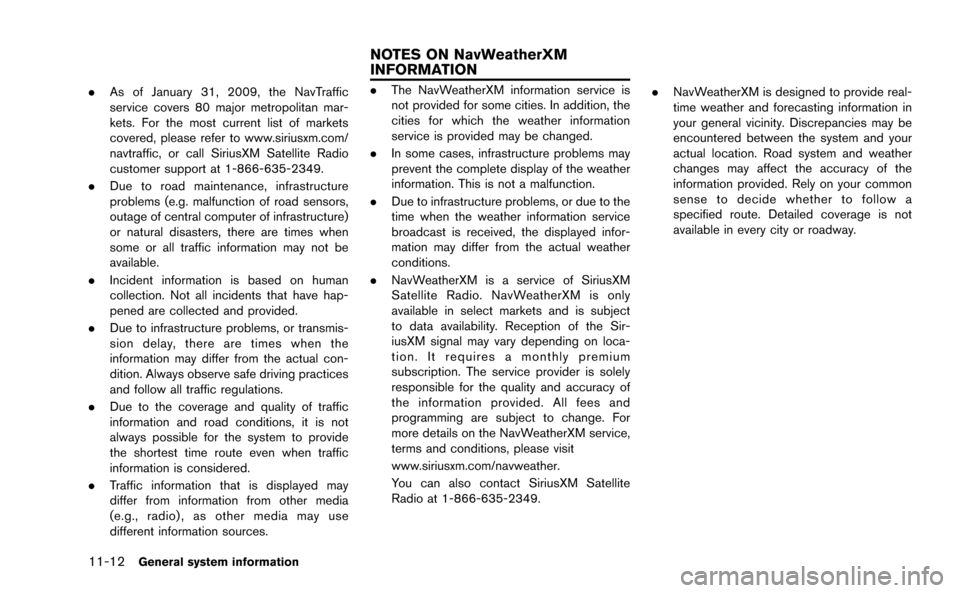
.As of January 31, 2009, the NavTraffic
service covers 80 major metropolitan mar-
kets. For the most current list of markets
covered, please refer to www.siriusxm.com/
navtraffic, or call SiriusXM Satellite Radio
customer support at 1-866-635-2349.
. Due to road maintenance, infrastructure
problems (e.g. malfunction of road sensors,
outage of central computer of infrastructure)
or natural disasters, there are times when
some or all traffic information may not be
available.
. Incident information is based on human
collection. Not all incidents that have hap-
pened are collected and provided.
. Due to infrastructure problems, or transmis-
sion delay, there are times when the
information may differ from the actual con-
dition. Always observe safe driving practices
and follow all traffic regulations.
. Due to the coverage and quality of traffic
information and road conditions, it is not
always possible for the system to provide
the shortest time route even when traffic
information is considered.
. Traffic information that is displayed may
differ from information from other media
(e.g., radio) , as other media may use
different information sources..The NavWeatherXM information service is
not provided for some cities. In addition, the
cities for which the weather information
service is provided may be changed.
. In some cases, infrastructure problems may
prevent the complete display of the weather
information. This is not a malfunction.
. Due to infrastructure problems, or due to the
time when the weather information service
broadcast is received, the displayed infor-
mation may differ from the actual weather
conditions.
. NavWeatherXM is a service of SiriusXM
Satellite Radio. NavWeatherXM is only
available in select markets and is subject
to data availability. Reception of the Sir-
iusXM signal may vary depending on loca-
tion. It requires a monthly premium
subscription. The service provider is solely
responsible for the quality and accuracy of
the information provided. All fees and
programming are subject to change. For
more details on the NavWeatherXM service,
terms and conditions, please visit
www.siriusxm.com/navweather.
You can also contact SiriusXM Satellite
Radio at 1-866-635-2349. .
NavWeatherXM is designed to provide real-
time weather and forecasting information in
your general vicinity. Discrepancies may be
encountered between the system and your
actual location. Road system and weather
changes may affect the accuracy of the
information provided. Rely on your common
sense to decide whether to follow a
specified route. Detailed coverage is not
available in every city or roadway.
NOTES ON NavWeatherXM
INFORMATION
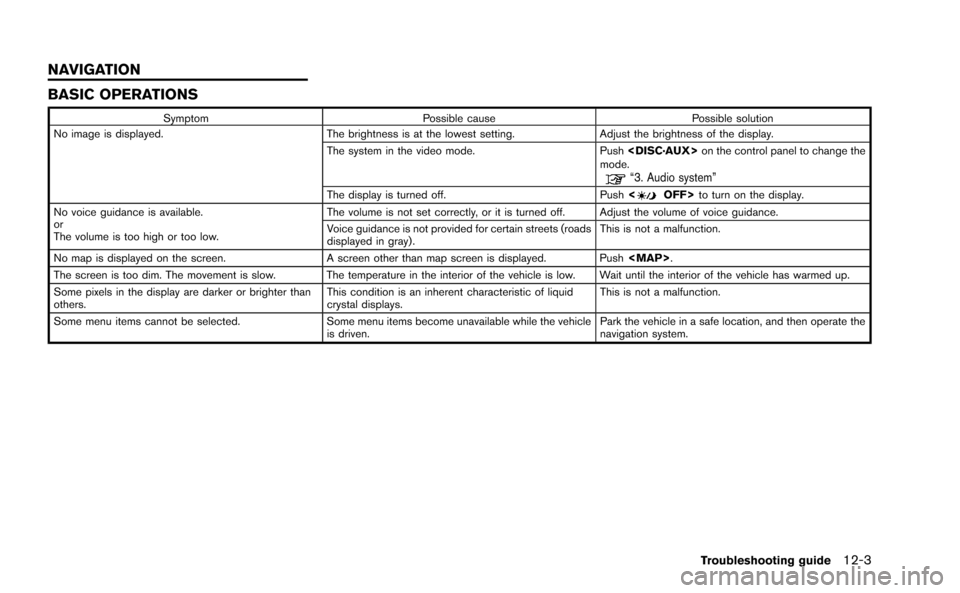
BASIC OPERATIONS
SymptomPossible cause Possible solution
No image is displayed. The brightness is at the lowest setting.Adjust the brightness of the display.
The system in the video mode. Push on the control panel to change the
mode.
“3. Audio system”
The display is turned off. Push to turn on the display.
No voice guidance is available.
or
The volume is too high or too low. The volume is not set correctly, or it is turned off. Adjust the volume of voice guidance.
Voice guidance is not provided for certain streets (roads
displayed in gray).
This is not a malfunction.
No map is displayed on the screen. A screen other than map screen is displayed. Push
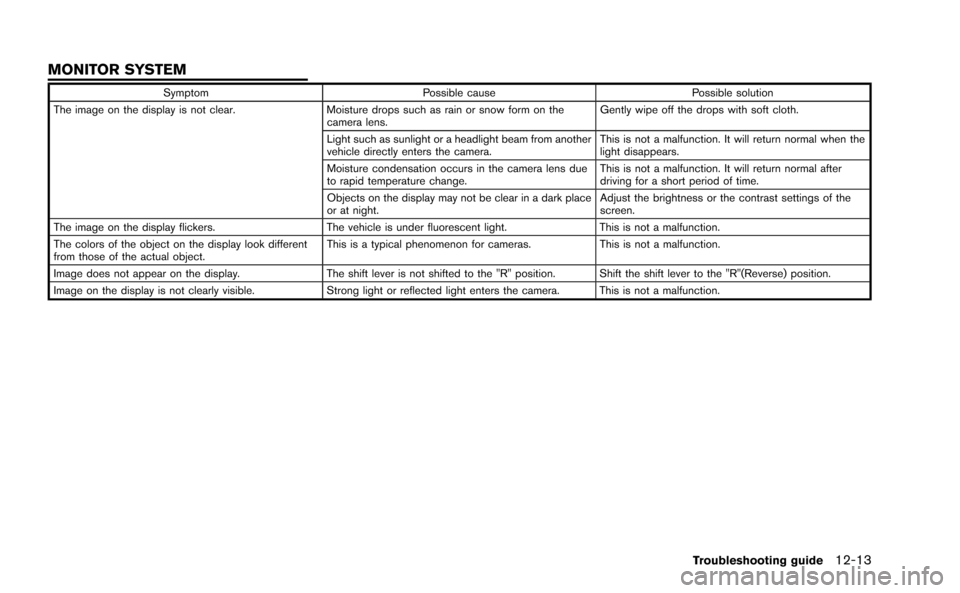
SymptomPossible cause Possible solution
The image on the display is not clear. Moisture drops such as rain or snow form on the
camera lens. Gently wipe off the drops with soft cloth.
Light such as sunlight or a headlight beam from another
vehicle directly enters the camera. This is not a malfunction. It will return normal when the
light disappears.
Moisture condensation occurs in the camera lens due
to rapid temperature change. This is not a malfunction. It will return normal after
driving for a short period of time.
Objects on the display may not be clear in a dark place
or at night. Adjust the brightness or the contrast settings of the
screen.
The image on the display flickers. The vehicle is under fluorescent light.This is not a malfunction.
The colors of the object on the display look different
from those of the actual object. This is a typical phenomenon for cameras.
This is not a malfunction.
Image does not appear on the display. The shift lever is not shifted to the "R" position. Shift the shift lever to the "R"(Reverse) position.
Image on the display is not clearly visible. Strong light or reflected light enters the camera. This is not a malfunction.
Troubleshooting guide12-13
MONITOR SYSTEM