2015 MITSUBISHI OUTLANDER service
[x] Cancel search: servicePage 188 of 446
Lane Departure Warning System (LDW) (if so equipped)
Features and controls 5-111
5
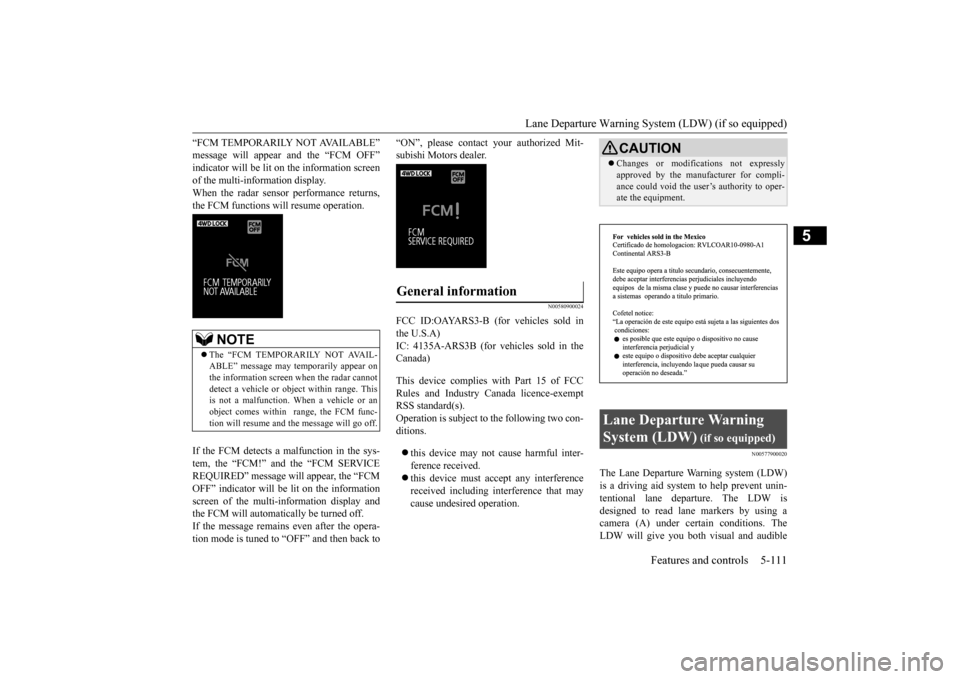
“FCM TEMPORARILY NOT AVAILABLE” message will appear and the “FCM OFF”indicator will be lit on the information screen of the multi-information display. When the radar sensor performance returns,the FCM functions will resume operation. If the FCM detects a malfunction in the sys- tem, the “FCM!” and the “FCM SERVICEREQUIRED” message wi
ll appear, the “FCM
OFF” indicator will be lit on the information screen of the multi-in
formation display and
the FCM will automatically be turned off. If the message remains even after the opera- tion mode is tuned to “OFF” and then back to
“ON”, please contact
your authorized Mit-
subishi Motors dealer.
N00580900024
FCC ID:OAYARS3-B (for vehicles sold in the U.S.A) IC: 4135A-ARS3B (for vehicles sold in theCanada) This device complies
with Part 15 of FCC
Rules and Industry Canada licence-exempt RSS standard(s).Operation is subject to
the following two con-
ditions. this device may not
cause harmful inter-
ference received. this device must ac
cept any interference
received including in
terference that may
cause undesired operation.
N00577900020
The Lane Departure Wa
rning system (LDW)
is a driving aid system to help prevent unin- tentional lane departure. The LDW is designed to read lane markers by using acamera (A) under certain conditions. The LDW will give you both
visual and audible
NOTE
The “FCM TEMPORARILY NOT AVAIL- ABLE” message may temporarily appear on the information screen when the radar cannotdetect a vehicle or object within range. This is not a malfunction.
When a vehicle or an
object comes within
range, the FCM func-
tion will resume and
the message will go off.
General information
CAUTIONChanges or modifica
tions not expressly
approved by the manufacturer for compli-ance could void the user
’s authority to oper-
ate the equipment.
Lane Departure Warning System (LDW)
(if so equipped)
BK0211800US.book 111 ページ 2014年3月12日 水曜日 午後2時42分
Page 199 of 446

Multi Information display - Type 1 5-122 Features and controls
5
N00555001334
The multi information display displays warn- ings, the odometer, trip odometer, servicereminder, engine cool
ant temperature, fuel
remaining, outside temper
ature, selector lever
position, average and momentary fuel con-sumption, driving range, average speed, etc.
It is also possible to change elements such as the language and units used on the multiinformation display. [With ignition switch
or operation mode in
OFF]
NOTE
You can adjust to 8 different levels for when the front side-marker
and parking lights are
illuminated and when they are not. If the vehicle is equipped with the automatic light control, the light
switch is in a position
other than the “OFF” pos
ition and it is suffi-
ciently dark outside the vehicle, the meter illumination switches automatically to theadjusted brightness. The brightness level
of the instruments is
stored when the ignition switch is turned to the “OFF” or “LOCK”
position or the opera-
tion mode is put in OFF. If you press and hold the button for longer than about 2 second when the front side-marker and parking li
ghts are illuminated,
the brightness level changes to the maximum level. Pressing and holding the button forlonger than about 2 second again returns the brightness level to
the previous level.
Multi Information display - Type 1
1-
Warning display screen
P.5-128
2- Information screen
P.5-124
Interrupt display screen
P.5-127
3- Door ajar warning display screen
P.5-128
4- Odometer
P.5-129
BK0211800US.book 122 ページ 2014年3月12日 水曜日 午後2時42分
Page 202 of 446
Multi Information display - Type 1
Features and controls 5-125
5
N00555801202
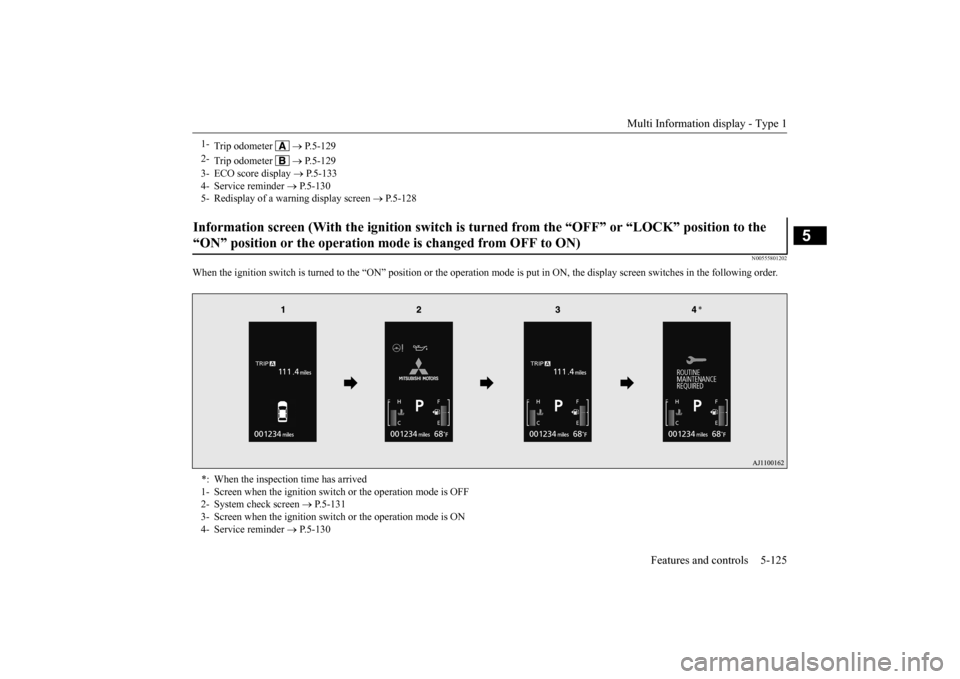
When the ignition switch is turned to the
“ON” position or the operation m
ode is put in ON, the disp
lay screen switches in the
following order.
1-
Trip odometer
P.5-129
2-
Trip odometer
P.5-129
3- ECO score display
P.5-133
4- Service reminder
P.5-130
5- Redisplay of a warning display screen
P.5-128
Information screen (With the igniti
on switch is turned from the “O
FF” or “LOCK” position to the
“ON” position or the operation mo
de is changed from OFF to ON)
*: When the inspection time has arrived 1- Screen when the ignition switch
or the operation mode is OFF
2- System check screen
P.5-131
3- Screen when the ignition switch
or the operation mode is ON
4- Service reminder
P.5-130
BK0211800US.book 125 ページ 2014年3月12日 水曜日 午後2時42分
Page 203 of 446
Multi Information display - Type 1 5-126 Features and controls
5
N00556201232
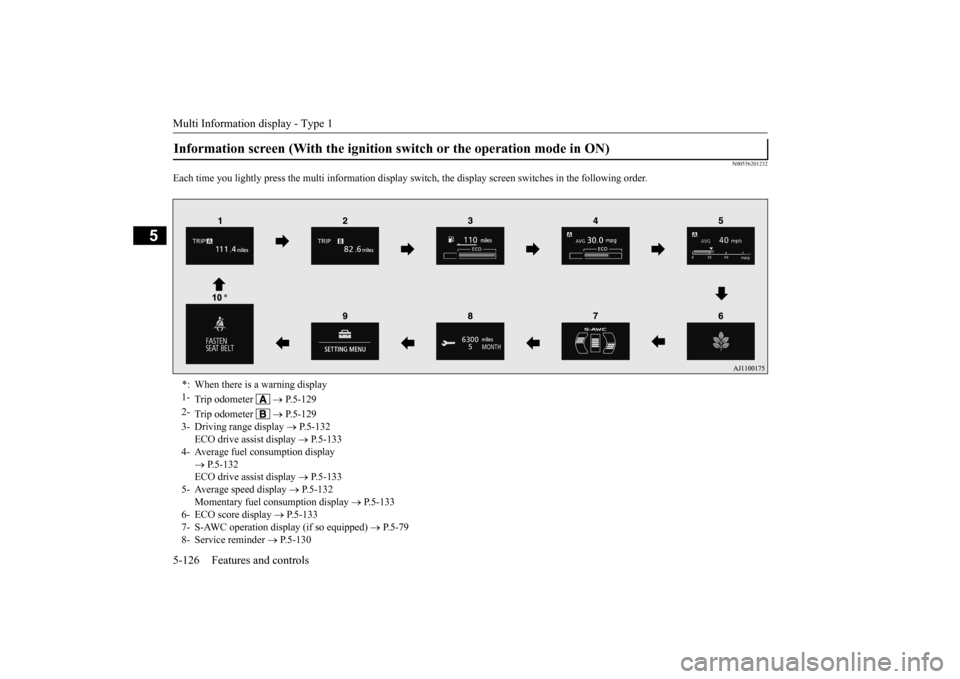
Each time you lightly press th
e multi information display switch, the displa
y screen switches in the following order.
Information screen (With the ignition
switch or the operation mode in ON)
*: When there is a warning display 1-
Trip odometer
P.5-129
2-
Trip odometer
P.5-129
3- Driving range display
P.5-132
ECO drive assist display
P.5-133
4- Average fuel consumption display
P.5-132 ECO drive assist display
P.5-133
5- Average speed display
P.5-132
Momentary fuel consumption display
P.5-133
6- ECO score display
P.5-133
7- S-AWC operation display (if so equipped)
P.5-79
8- Service reminder
P.5-130
BK0211800US.book 126 ページ 2014年3月12日 水曜日 午後2時42分
Page 204 of 446
Multi Information display - Type 1
Features and controls 5-127
5
N00556301217
When there is information to be announced, such as a system fault, the tone sounds and the information screen is switched to the warning display screen.Refer to the warning list and take the neces- sary measures. Refer to “Warning display list” on page5-150. When the cause of the warning display is eliminated, the warning display goes outautomatically.
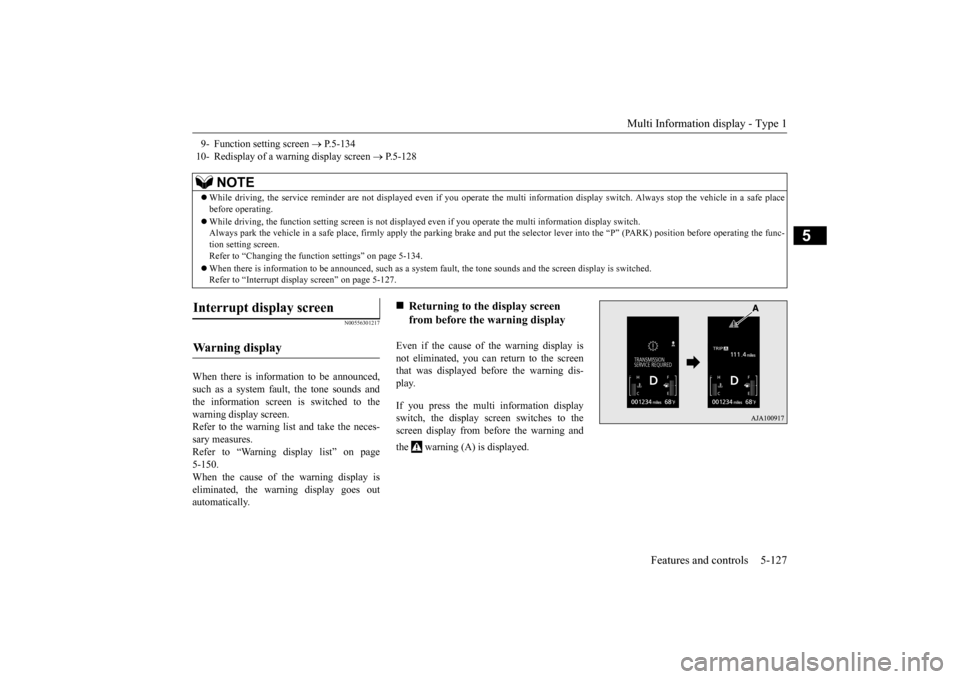
Even if the cause of the warning display is not eliminated, you can return to the screenthat was displayed be
fore the warning dis-
play. If you press the multi information display switch, the display screen switches to thescreen display from before the warning and the warning (A) is displayed.
9- Function setting screen
P.5-134
10- Redisplay of a warning display screen
P.5-128
NOTE
While driving, the service reminder are not
displayed even if you operate the multi in
formation display swit
ch. Always stop the
vehicle in a safe place
before operating. While driving, the function sett
ing screen is not displayed even if you ope
rate the multi information display switch.
Always park the vehicle in a sa
fe place, firmly apply the park
ing brake and put the selector le
ver into the “P” (PARK) position
before operating the func-
tion setting screen.Refer to “Changing the func
tion settings” on page 5-134.
When there is information to be announced, such as a system
fault, the tone sounds and the
screen display is switched.
Refer to “Interrupt disp
lay screen” on page 5-127.
Interrupt display screen Wa r n i n g d is p la y
Returning to the display screen from before the warning display
BK0211800US.book 127 ページ 2014年3月12日 水曜日 午後2時42分
Page 207 of 446
Multi Information display - Type 1 5-130 Features and controls
5
To return the display to 0, hold down the multi information display switch for about 2 seconds or more. Only the currently dis- played value will be reset. Example If trip odometer is
displayed, only trip
odometer wi
ll be reset.
Both trip odometers and can count up to 9999.9 m
iles/kilometers.
When a trip odometer goes past 9999.9 miles/kilometers, it returns to 0.0 miles/ kilometers. When disconnecting th
e battery terminal,
the memories of trip odometer displays
and are cleared, and their displays
return to “0.0 miles/kilometers”.
N00556701237
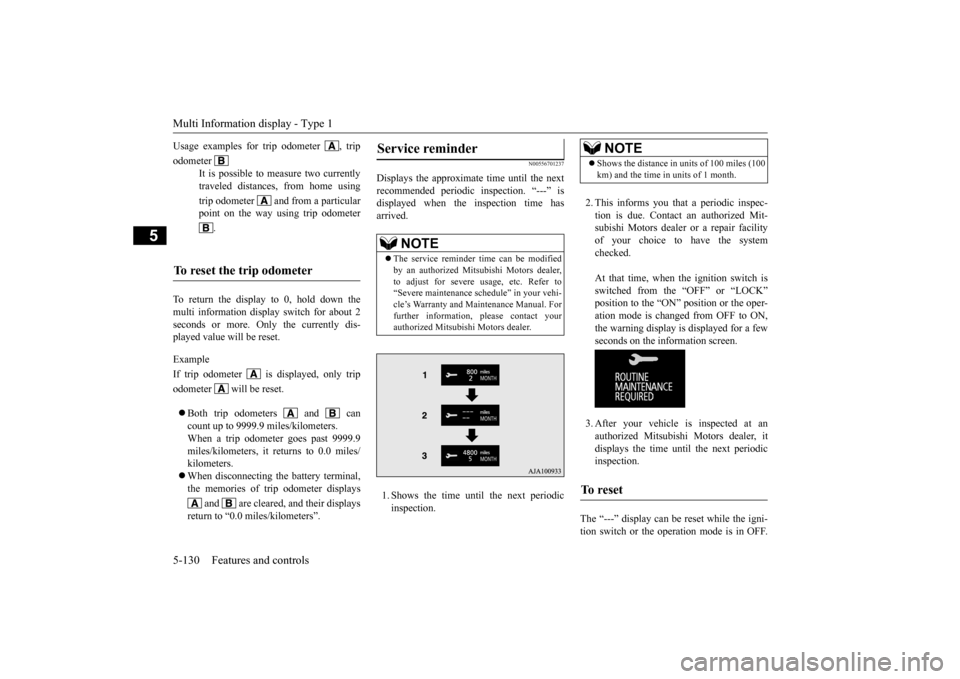
Displays the approximate time until the next recommended periodic inspection. “---” is displayed when the inspection time hasarrived. 1. Shows the time until the next periodic inspection.
2. This informs you that a periodic inspec- tion is due. Contact
an authorized Mit-
subishi Motors dealer or a repair facilityof your choice to have the system checked. At that time, when the ignition switch is switched from the “OFF” or “LOCK” position to the “ON” position or the oper-ation mode is changed from OFF to ON, the warning display is displayed for a few seconds on the information screen. 3. After your vehicle is inspected at an authorized Mitsubishi Motors dealer, it displays the time until the next periodicinspection.
The “---” display can be
reset while the igni-
tion switch or the opera
tion mode is in OFF.
Usage examples for trip odometer , trip odometer
It is possible to measure two currently traveled distances, from home using trip odometer and from a particular point on the way using trip odometer
.
To reset the trip odometer
Service reminder
NOTE
The service reminder ti
me can be modified
by an authorized Mitsubishi Motors dealer,to adjust for severe usage, etc. Refer to “Severe maintenance schedule” in your vehi- cle’s Warranty and Main
tenance Manual. For
further information,
please contact your
authorized Mitsubishi Motors dealer.
NOTE
Shows the distance in units of 100 miles (100 km) and the time in units of 1 month.
To r e s e t
BK0211800US.book 130 ページ 2014年3月12日 水曜日 午後2時42分
Page 208 of 446
Multi Information display - Type 1
Features and controls 5-131
5
When the display is reset, the time until the next periodic inspection
is displayed and the
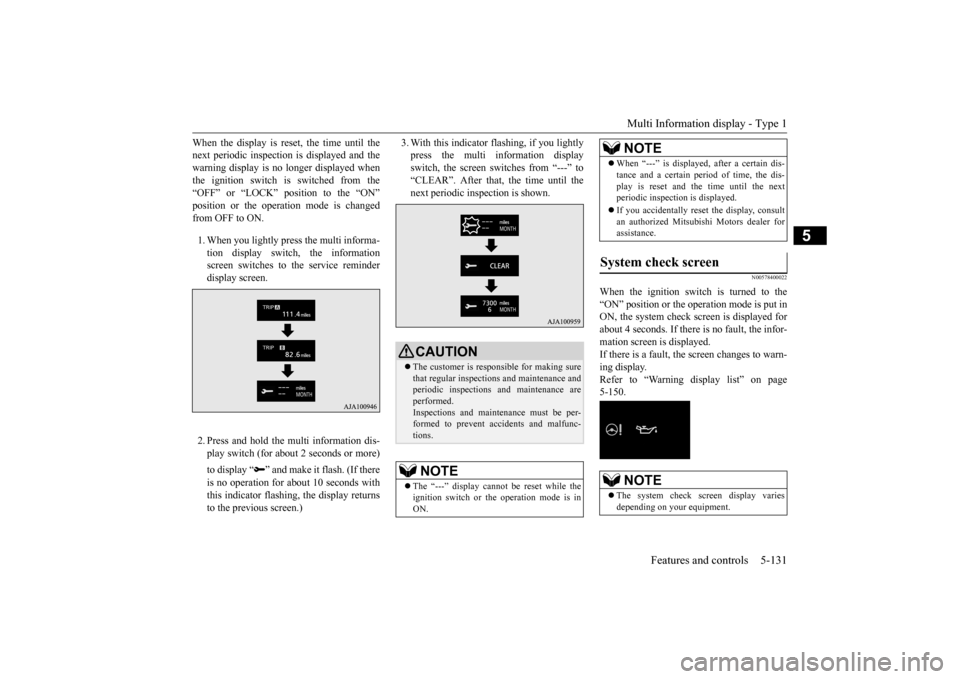
warning display is no longer displayed when the ignition switch is switched from the “OFF” or “LOCK” position to the “ON”position or the operation mode is changed from OFF to ON. 1. When you lightly press the multi informa- tion display switch, the informationscreen switches to the service reminder display screen. 2. Press and hold the mu
lti information dis-
play switch (for about 2 seconds or more) to display “ ” and make
it flash. (If there
is no operation for ab
out 10 seconds with
this indicator flashing,
the display returns
to the previous screen.)
3. With this indicator flashing, if you lightly press the multi information displayswitch, the screen sw
itches from “---” to
“CLEAR”. After that, the time until the next periodic inspection is shown.
N00578400022
When the ignition switch is turned to the “ON” position or the operation mode is put in ON, the system check screen is displayed forabout 4 seconds. If there is no fault, the infor- mation screen is displayed. If there is a fault, the screen changes to warn-ing display. Refer to “Warning display list” on page 5-150.
CAUTION The customer is responsible for making sure that regular inspections
and maintenance and
periodic inspections
and maintenance are
performed.Inspections and mainte
nance must be per-
formed to prevent accidents and malfunc- tions.NOTE
The “---” display cannot
be reset while the
ignition switch or th
e operation mode is in
ON.
When “---” is displaye
d, after a certain dis-
tance and a certain pe
riod of time, the dis-
play is reset and the time until the nextperiodic inspecti
on is displayed.
If you accidentally rese
t the display, consult
an authorized Mitsubishi Motors dealer for assistance.
System check screen
NOTE
The system check screen display varies depending on your equipment.NOTE
BK0211800US.book 131 ページ 2014年3月12日 水曜日 午後2時42分
Page 217 of 446

Multi Information display - Type 2 5-140 Features and controls
5
N00555001291
The multi information display displays the odometer, trip odometer, service reminder, fuel remaining, outside temperature, selectorlever position, averag
e fuel consumption,
driving range, etc. It is also possible to change elements such as the units used on the multi information dis-play.
• Average fuel consumption and average speed reset mode: A (Auto reset) • Fuel consumption display unit: mpg (US) or (L/100 km) • Temperature unit: °F (Fahrenheit) or {°C (Celsius)} • Display language: ENGLISH • Cooperative language
setting: A (language
cooperation: enabled) • Operation sounds: ON (Operation sound on) • “REST REMINDER” display: OFF• Turn signal sound: Turn signal sound 1 • Momentary fuel consumption with the green bar graph: ON
Multi Information display - Type 2
NOTE
1- Frozen road warning
P.5-143
2- Information display
P.5-141
3- Selector lever
position display
P.5-62, 5-69
4- Service reminder
P.5-144
5- Fuel remaining display
P.5-144
NOTE
When the ignition switch is in the “OFF” position, the selector
lever position display,
fuel remaining display and frozen road warn-ing are not displayed.
BK0211800US.book 140 ページ 2014年3月12日 水曜日 午後2時42分