2015 MITSUBISHI OUTLANDER display
[x] Cancel search: displayPage 351 of 446

Listen to Audio Files on a USB Device 7-36 Comfort controls
7
Press the MEDIA key to set USB as the source. The selected source is
indicated on the dis-
play.
Press the key or key to select the track. This enables selection of
the next or previous
track. Hold down the 3 key or the 4 key. Fast forward/rewind is possible. Repeat playback, random
playback, and scan
playback are possible. Press the 1RPT key. Repeat playback of th
e track currently being
played.
NOTE
Digital audio players that support the mass storage class specifications can be con-nected. For details regarding the types of USB devices that can be c
onnected and the types
of files that can be pl
ayed back in vehicles
with a Bluetooth
® 2.0 interface, refer to
“Types of connectable
devices and supported
file specifications” on page 5-207. Regarding how to c
onnect USB devices,
refer to “How to
connect a USB memory
device” on page 5-206. When connecting a US
B device, use a con-
nection cable. Failure to use a connection cable when connecti
ng may place undue load
on, or damage th
e USB connector.
Set up the device in order that no unsafe actions, such as pluggi
ng in the connection
cable are taken while driving. When inserting and removing the USB device, for safety’s sa
ke first stop the vehi-
cle. Do not insert other than audio devices into the USB port. Damage
to the device or
equipment may result. Depending on the status
of the USB device,
it may take some time
until the device is rec-
ognized, or playback starts. Depending on USB device
s, buttons on the
product will not operate while the USBdevice is connected.
USB device specificati
ons and settings may
mean that connection is not possible, orresult in differences
in operation or display.
Depending on audio data
in the USB device,
track information may
not be displayed cor-
rectly. Depending on the status of the vehicle and device, the iPod/iPhone
may not play back
after starting the engine. Data containing copyri
ght information may
not play back. This product can play
back MP3, WMA, and
AAC format audio files. Depending on the type of USB device, usage may not be possible, or
functions that can be
used may be restricted. The recommended file system for USB memory is FAT32. The maximum supported capacity for USB memory is 32GB. Operate the USB device containing recorded audio files while conne
cted to this product.
Play Back of Audio Files on a USB Device
NOTE
Select the Track (File) Fast Forward or Rewind Switch Playback Mode Repeat Playback (RPT)
NOTE
Pressing again will cancel.
BK0211800US.book 36 ページ 2014年3月12日 水曜日 午後2時42分
Page 353 of 446
Listen to Bluetooth Audio (if so equipped) 7-38 Comfort controls
7
This plays the selected file (track).
N00717500020
This product can play back tracks on com- mercially-available Bl
uetooth-capable audio
devices.
Regarding how to connect your Bluetooth device, refer to “Conne
cting the Bluetooth
®
2.0 interface and Blue
tooth device” on page
5-191. Operation methods belo
w describe situations
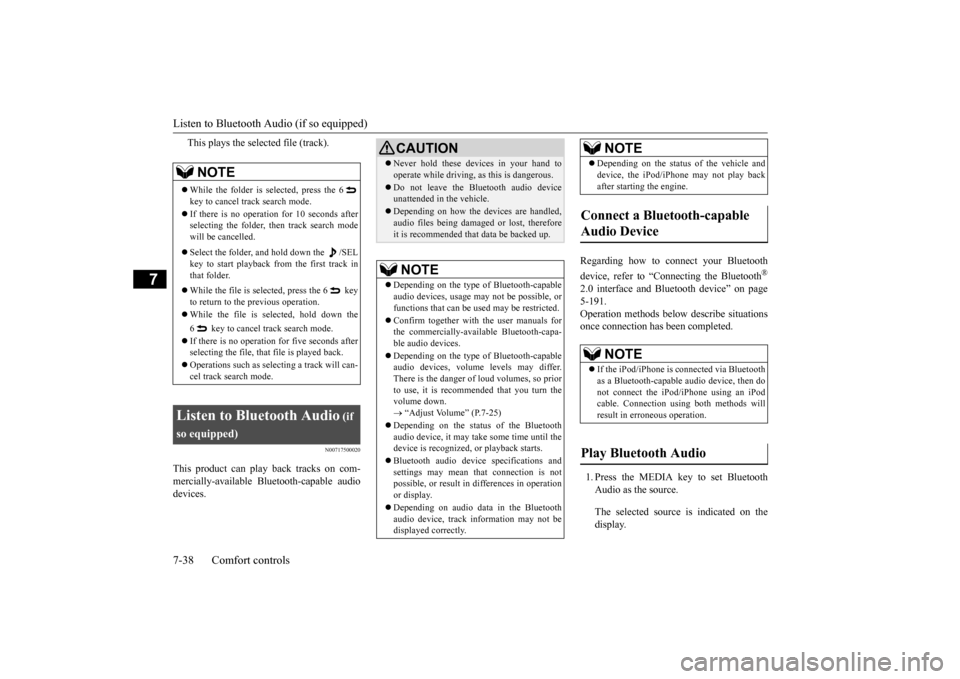
once connection has been completed. 1. Press the MEDIA key to set Bluetooth Audio as the source. The selected source is indicated on the display.
NOTE
While the folder is selected, press the 6 key to cancel track search mode. If there is no operation for 10 seconds after selecting the folder, then track search mode will be cancelled. Select the folder, and hold down the /SEL key to start playback from the first track inthat folder. While the file is selected, press the 6 key to return to the
previous operation.
While the file is se
lected, hold down the
6 key to cancel track search mode. If there is no operation for five seconds after selecting the file, that file is played back. Operations such as sele
cting a trac
k will can-
cel track search mode.
Listen to Bluetooth Audio
(if
so equipped)
CAUTION Never hold these devices in your hand to operate while driving,
as this is dangerous.
Do not leave the Bluetooth audio device unattended in the vehicle. Depending on how the de
vices are handled,
audio files being damage
d or lost, therefore
it is recommended that data be backed up.NOTE
Depending on the type of
Bluetooth-capable
audio devices, usage ma
y not be possible, or
functions that can be us
ed may be restricted.
Confirm together with the user manuals for the commercially-availab
le Bluetooth-capa-
ble audio devices. Depending on the type of
Bluetooth-capable
audio devices, volume
levels may differ.
There is the danger of loud volumes, so prior to use, it is recommended that you turn the volume down. “Adjust Volume” (P.7-25)
Depending on the status of the Bluetooth audio device, it may ta
ke some time until the
device is recognized,
or playback starts.
Bluetooth audio device
specifications and
settings may mean th
at connection is not
possible, or result in
differences in operation
or display. Depending on audio data in the Bluetooth audio device, track in
formation may not be
displayed correctly.
Depending on the status of the vehicle and device, the iPod/iPhone
may not play back
after starting
the engine.
Connect a Bluetooth-capable Audio Device
NOTE
If the iPod/iPhone is c
onnected via Bluetooth
as a Bluetooth-capable
audio device, then do
not connect the iPod/
iPhone using an iPod
cable. Connection us
ing both methods will
result in err
oneous operation.
Play Bluetooth Audio
NOTE
BK0211800US.book 38 ページ 2014年3月12日 水曜日 午後2時42分
Page 355 of 446
Display Indicator 7-40 Comfort controls
7
N00717700022
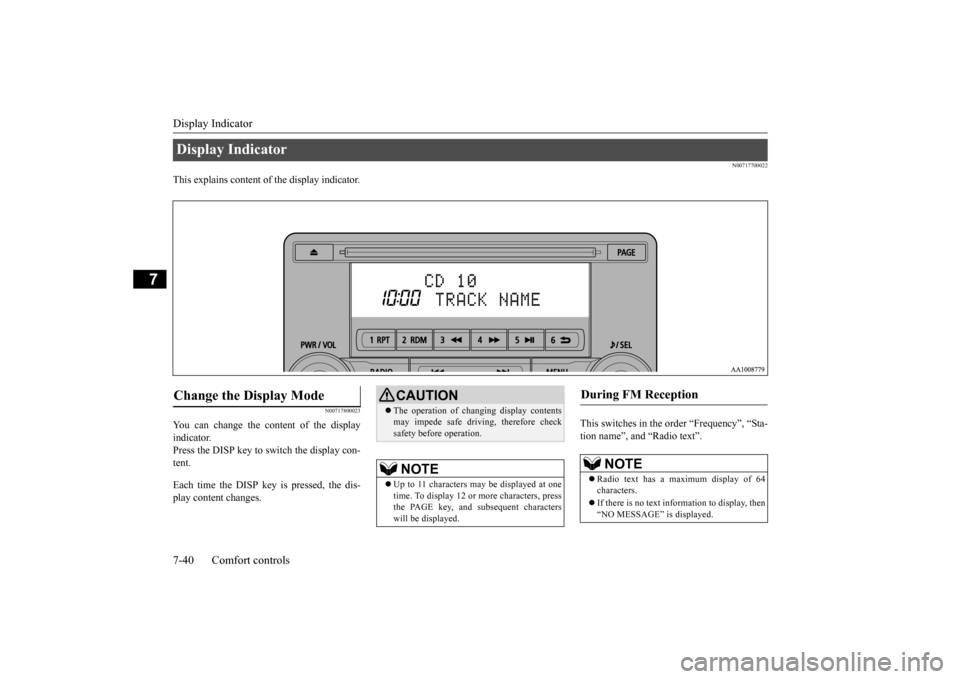
This explains content of the display indicator.
N00717800023
You can change the content of the display indicator. Press the DISP key to switch the display con-tent. Each time the DISP ke
y is pressed, the dis-
play content changes.
This switches in the order “Frequency”, “Sta- tion name”, and “Radio text”.
Display Indicator Change the Display Mode
CAUTION The operation of changing display contents may impede safe driving, therefore checksafety before operation.NOTE
Up to 11 characters
may be displayed at one
time. To display 12 or more characters, press the PAGE key, and s
ubsequent characters
will be displayed.
During FM Reception
NOTE
Radio text has a ma
ximum display of 64
characters. If there is no text information to display, then “NO MESSAGE” is displayed.
BK0211800US.book 40 ページ 2014年3月12日 水曜日 午後2時42分
Page 356 of 446

Audio Quality and Volume Balance Adjustment
Comfort controls 7-41
7
This switches in the order “Channel name”, “Category name”, “Artist name”, “Track name”, and “C
omposer name”.
This switches in the order “Disc title”, “Track title”, and “Operating status”. This switches in the order “Folder title”, “File title”, and “Operating status”.
Hold down the DISP key. This switches the ID3tag display. [DISP] Each time the key is pressed, thisswitches in the order “Album name”, “Track name”, “Artist name”, “Genre name”*, and “Operating status”.
N00718200024
This switches in the order “Albums”, “Track name”, “Artist name”, “Genre name”, and “Operating status”.
N00718300025
Operating details are the same as in “DuringiPod Playback” (P.7-41).
N00718400026
Change audio
quality settings.
1. Press the /SEL key to select settings items. Each time the /SEL
key is pressed, this
switches in the order BASS, TREBLE, FADER, BALANCE,
SCV, and Cancel.
2. Turn the /SEL key to adjust.
During Satellite Radio Reception
(if so equipped)
NOTE
The channel and cate
gory have a maximum
display of 8 characters
. The other items have
a maximum display
of 36 characters.
During CD-DA playback
NOTE
If there is no text information to display, then “NO TITLE” is displayed.
During MP3/WMA/AAC Play- back
NOTE
If there is no text information to display, then “NO TITLE” is displayed.
Display the ID3tag
*:Displayed when playing back audio files on a USB device
(vehicles with a
Bluetooth
® 2.0 interface).
NOTE
During display of the ID3tag, hold down the DISP key to switch to the folder title display. The genre name displa
y may not be possible.
During iPod Playback
NOTE
If there is no text information to display, then “NO TITLE” is displayed. Displayed genre name
in equipment by type
(vehicles with a Bluetooth
® 2.0 interface).
The genre name displa
y may not be possible.
During Bluetooth
® 2.0 Audio Play-
back
(if so equipped)
Audio Quality and Volume Balance Adjustment Adjust Audio Quality and Vol- ume Balance
BK0211800US.book 41 ページ 2014年3月12日 水曜日 午後2時42分
Page 357 of 446

System Settings 7-42 Comfort controls
7
N00718500043
Change system settings
such as product time.
1. Press the MENU key. 2. Press the /SEL key to select settings items.
Each time the /SEL key is pressed, this switches in the order Satellite radio set- tings*
1, Gracenote DB*
2, PHONE set-
tings, Adjust time, and Cancel. 3. Turn the /SEL key to set.4. Press the /SEL key to determine. This completes settings, and displays the next setti
ngs item.
Adjust- ment items
Turn counter- clockwise
Turn clockwise
BASS -6 to 0
(low low-pass volume)
0 to +6 (high low-pass volume)
TRE- BLE
-6 to 0 (Low high-pass volume)
0 to +6 (High high-pass volume)
FADER CENTER to
REAR 11 (emphasize REAR)
FRONT 11 to CENTER (emphasize FRONT)
BAL- ANCE
LEFT 11 to CENTER (emphasize LEFT)
CENTER to RIGHT 11 (emphasize RIGHT)
SCV OFF, LOW
(Low vehicle compensated volume effect)
MID, HIGH (High vehicle compensated volume effect)
System Settings
*1: Displayed when a sate
llite tuner is con-
nected.
*2: Displayed when playi
ng back audio files
(vehicles with a Bluetooth
® 2.0 interface).
BK0211800US.book 42 ページ 2014年3月12日 水曜日 午後2時42分
Page 358 of 446

System Settings
Comfort controls 7-43
7
Change each satel
lite radio setting.
Satellite Radio Settings
(if so equipped)
Settings name
Settings item
Settings value
Settings content
SIRIUS ID — — This displays the SIRIUS ID. SKIP SETTING SKIP SETTING
SELECT CH*
1
ON SKIP can be set for each channel. Channels for which SKIP is set are excluded
from the search during up/down
channel selecting and scanning.
They can be received when selecting chan
nels using the preset keys or searching
for a station.
OFF
SKIP SETTING ALL RESET
— When “YES” is selected, the SKIP sett
ings for all channels are turned off.
LOCK SETTING LOCK SETTING
SELECT CH*
2
ON LOCK can be set for each channel.
Channels for which LOCK is set are
excluded from the search during up/dow
n channel selecting and scanning.
If a channel for which LOCK is set is sele
cted when selecting
channels using the
preset keys or searching for a station,
“CH LCKED” is displayed within about 2
seconds after the channel text is
displayed. The sound is muted.
OFF
LOCK SETTING ALL RESET
— When “YES” is selected and the CODE fo
r settings is input
, the LOCK settings
for all channels are turned off.
LOCK SETTING EDIT CODE
— The CODE required for the LOCK settings
is changed. (The
factory setting is
“1111”.) If the input code is incorrect, “L
OCK SETTING WRG LC
” is displayed.
*1: Each time the /SET key is pressed, this switches in the orde
r Settings channel select, Change SKIP settings, and Complete setti
ngs.
To return to “each channel SK
IP setting”, press the 6 key.
BK0211800US.book 43 ページ 2014年3月12日 水曜日 午後2時42分
Page 359 of 446
System Settings 7-44 Comfort controls
7
Set the time manually. 1. Select “YES” at the “Adjust time” screen, and press the /SEL key. The hour can be adjusted. Press the
/SEL key again to adjust the minutes.
2. Turn the /SEL key to adjust the time.3. Press the /SEL key. This completes the adjustment.
Change the mobile phone voice cut- in set- tings and the Bluetooth
® 2.0 interface lan-
guage.
Depending on the vehi
cle, PHONE settings
may not be possible.
Supported profiles A hands-free kit (available separately) is required. (“Set value” bold typefa
ce indicates factory
default settings.)
*2:Once the CODE (passcode) of your
choice is entered, each time th
e /SET key is pressed, this swit
ches in the order Settings chan
nel select,
Change LOCK settings, a
nd Complete settings.
To return to “each channel LOCK setting”, press the
6 key. Input the CODE from the 1 RPT key to the 6 key.
Time Setting
NOTE
In order to finish ad
justing the time, hold
down the /SEL key unt
il the seconds are
reset to “00”.
PHONE Settings
NOTE
Cancel functions such as the mobile phone “dial lock”, and connect while on thestandby screen. While connected, mobile phone (receiving calls, etc.) operations
may not function cor-
rectly. Depending on the distance between the prod- uct and the mobile
phone, the conditions
within the vehicle, and types of screening,connection may not be
possible. In these
cases, situate the mobile phone as close as possible to the product. Even though a Bluet
ooth-capable mobile
phone, characteristics a
nd specifications may
mean that correct ope
ration may not be pos-
sible. For safety’s sake, do
not operate the mobile
phone while driving.
When operating the
mobile phone, first stop the vehicle in a safelocation. Even though a Bluet
ooth-capable mobile
phone, phone specifications
and settings may
result in differences in display, or prevent correct operation.
Some models may not
be confirmed as con-
nected, or may not connect.Hands-free
HFP(v1.5)
Phonebook transfer
OPP(v1.1), PBAP(v1.0)
Vehicles without a Bluetooth
® 2.0 Inter-
faceSettings value
Settings content
PHONE OFF
Do not use mobile phone voice cut-in.
PHONE MUTE
During mobile phone voice cut- in, mute the audio.
PHONE AT T
During mobile phone voice cut- in, output audio from all speak- ers.
NOTE
BK0211800US.book 44 ページ 2014年3月12日 水曜日 午後2時42分
Page 360 of 446
Troubleshooting
Comfort controls 7-45
7
(“Set value” bold typefa
ce indicates factory
default settings.)
The version number can be confirmed. 1. Select “Gracenote DB” and press the
/SEL key.
2. Turn the /SEL key and select “DB Ver- sion”. 3. Press the /SEL key. The DB Version is displayed.
N00718600044
Please check these items if a message appears on the displa
y, or if you think something is not working properly.
A message is displayed on this pr
oduct according to the situation.
PHONE IN-L
During mobile phone voice cut- in, output sound from the left front speaker.
PHONE IN-R
During mobile phone voice cut- in, output sound from the right front speaker.
PHONE IN-LR
During mobile phone voice cut- in, output sound from the left and right front speakers.
Settings value
Settings content
Vehicles with a Bluetooth
® 2.0 Interface
Settings name
Settings value
Settings content
HFM voice lan- guage set-tings
ENG- LISH
Change the hands free module voice language.
FRENCH SPANISH JAPA- NESE
Gracenote DB (Vehicles with a Bluetooth
® 2.0 interface)
Troubleshooting If This Message Appears...
BK0211800US.book 45 ページ 2014年3月12日 水曜日 午後2時42分