2015 MITSUBISHI OUTLANDER III parking brake
[x] Cancel search: parking brakePage 176 of 446
Adaptive Cruise Control System (ACC) (if so equipped)
Features and controls 5-99
5
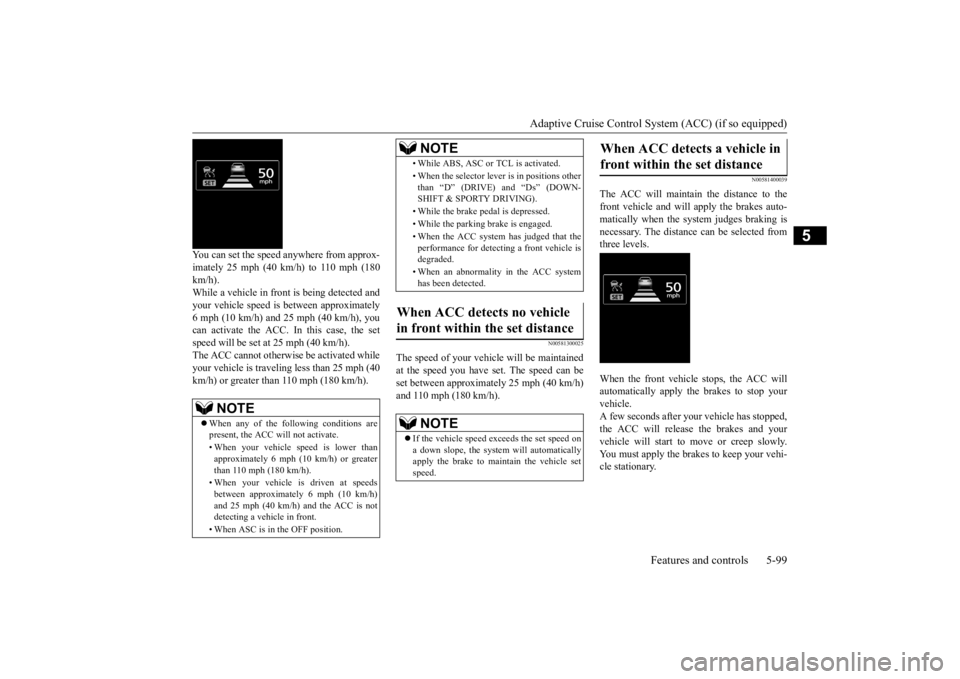
You can set the speed anywhere from approx- imately 25 mph (40 km/h) to 110 mph (180 km/h). While a vehicle in front
is being detected and
your vehicle speed is
between a
pproximately
6 mph (10 km/h) and 25 mph (40 km/h), youcan activate the ACC. In this case, the set speed will be set at 25 mph (40 km/h). The ACC cannot otherwis
e be activated while
your vehicle is traveling less than 25 mph (40 km/h) or greater than 110 mph (180 km/h).
N00581300025
The speed of your vehicle will be maintained at the speed you have set. The speed can be set between approximately 25 mph (40 km/h) and 110 mph (180 km/h).
N00581400039
The ACC will maintain the distance to thefront vehicle and will apply the brakes auto-matically when the system judges braking is necessary. The distance
can be selected from
three levels. When the front vehicle stops, the ACC will automatically apply the brakes to stop yourvehicle. A few seconds after your vehicle has stopped, the ACC will release the brakes and yourvehicle will start to
move or creep slowly.
You must apply the brakes to keep your vehi- cle stationary.
NOTE
When any of the following conditions are present, the ACC will not activate. • When your vehicle speed is lower than approximately 6 mph (10 km/h) or greaterthan 110 mph (180 km/h). • When your vehicle is driven at speeds between approxi
mately 6 mph (10 km/h)
and 25 mph (40 km/h) and the ACC is not detecting a vehi
cle in front.
• When ASC is in the OFF position.
• While ABS, ASC or
TCL is activated.
• When the selector leve
r is in positions other
than “D” (DRIVE) and “Ds” (DOWN- SHIFT & SPORTY DRIVING). • While the brake pedal is depressed. • While the parking brake is engaged.• When the ACC system has judged that the performance for detect
ing a front vehicle is
degraded. • When an abnormality
in the ACC system
has been detected.
When ACC detects no vehicle in front within the set distance
NOTE
If the vehicle speed exceeds the set speed on a down slope, the system will automatically apply the brake to maintain the vehicle set speed.NOTE
When ACC detects a vehicle in front within the set distance
BK0211800US.book 99 ページ 2014年3月12日 水曜日 午後2時42分
Page 181 of 446
Adaptive Cruise Control System (ACC) (if so equipped) 5-104 Features and controls
5
N00581700032
There are two ways to cancel the ACC con- trol. By pressing the “CANCEL” switch. By depressing the brake pedal.
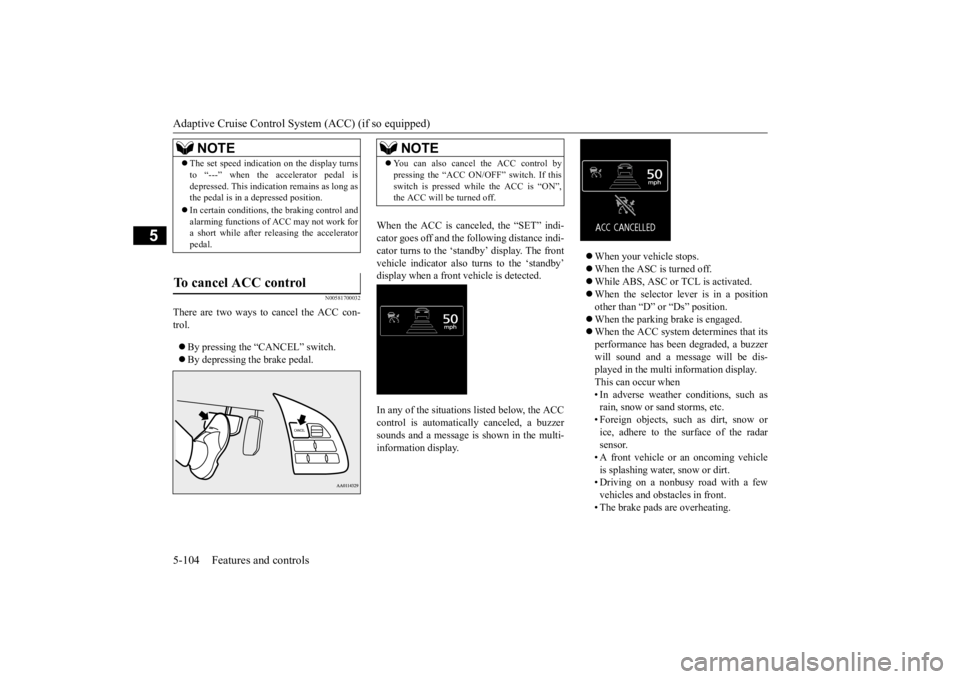
When the ACC is canceled, the “SET” indi- cator goes off and the fo
llowing distance indi-
cator turns to the ‘standby’ display. The front vehicle indicator also turns to the ‘standby’ display when a front vehicle is detected. In any of the situations listed below, the ACC control is automatically canceled, a buzzer sounds and a message is
shown in the multi-
information display.
When your vehicle stops. When the ASC is turned off. While ABS, ASC or TCL is activated. When the selector lever is in a position other than “D” or “Ds” position. When the parking brake is engaged. When the ACC system determines that its performance has been degraded, a buzzer will sound and a message will be dis- played in the multi information display.This can occur when • In adverse weather conditions, such as rain, snow or sand storms, etc.• Foreign objects, such as dirt, snow or ice, adhere to the surface of the radar sensor.• A front vehicle or an oncoming vehicle is splashing water,
snow or dirt.
• Driving on a nonbusy road with a fewvehicles and obstacles in front. • The brake pads are overheating.
NOTE
The set speed indication on the display turns to “---” when the accelerator pedal isdepressed. This indication remains as long asthe pedal is in a depressed position. In certain conditions, th
e braking control and
alarming functions of ACC may not work for a short while after releasing the accelerator pedal.
To cancel ACC control
NOTE
You can also cancel the ACC control by pressing the “ACC ON/OFF” switch. If thisswitch is pressed while the ACC is “ON”,the ACC will be turned off.
BK0211800US.book 104 ページ 2014年3月12日 水曜日 午後2時42分
Page 182 of 446
Adaptive Cruise Control System (ACC) (if so equipped)
Features and controls 5-105
5
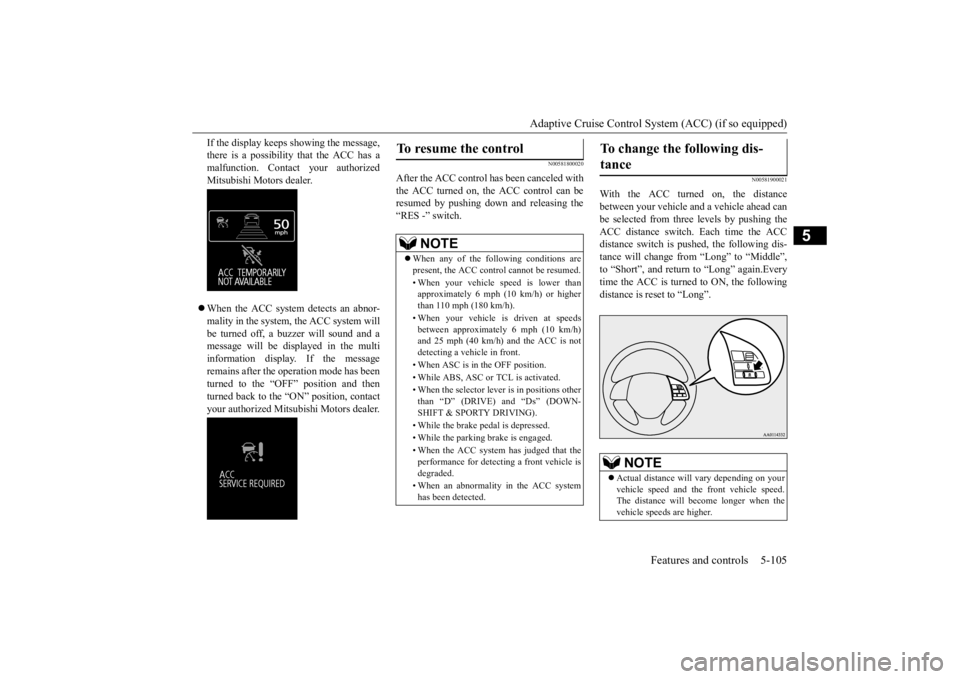
If the display keeps showing the message, there is a possibility that the ACC has amalfunction. Contact your authorized Mitsubishi Motors dealer. When the ACC system detects an abnor- mality in the system, the ACC system will be turned off, a buzzer will sound and amessage will be displayed in the multi information display. If the message remains after the operation mode has beenturned to the “OFF” position and then turned back to the “ON” position, contact your authorized Mitsubi
shi Motors dealer.
N00581800020
After the ACC control has been canceled with the ACC turned on, the ACC control can be resumed by pushing down and releasing the“RES -” switch.
N00581900021
With the ACC turned on, the distancebetween your vehicle and a vehicle ahead canbe selected from thre
e levels by pushing the
ACC distance switch. Each time the ACC distance switch is pushed, the following dis-tance will change from “Long” to “Middle”, to “Short”, and return to “Long” again.Every time the ACC is turned to ON, the following distance is re
set to “Long”.
To resume the control
NOTE
When any of the following conditions are present, the ACC cont
rol cannot be resumed.
• When your vehicle speed is lower than approximately 6 mph (10 km/h) or higherthan 110 mph (180 km/h). • When your vehicle is driven at speeds between approximately 6 mph (10 km/h) and 25 mph (40 km/h) and the ACC is not detecting a vehi
cle in front.
• When ASC is in the OFF position. • While ABS, ASC or
TCL is activated.
• When the selector leve
r is in positions other
than “D” (DRIVE) and “Ds” (DOWN- SHIFT & SPORTY DRIVING). • While the brake pedal is depressed. • While the parking brake is engaged.• When the ACC system has judged that the performance for detect
ing a front vehicle is
degraded. • When an abnormality
in the ACC system
has been detected.
To change the following dis- tance
NOTE
Actual distance will
vary depending on your
vehicle speed and the
front vehicle speed.
The distance will be
come longer when the
vehicle speeds are higher.
BK0211800US.book 105 ページ 2014年3月12日 水曜日 午後2時42分
Page 211 of 446
Multi Information display - Type 1 5-134 Features and controls
5
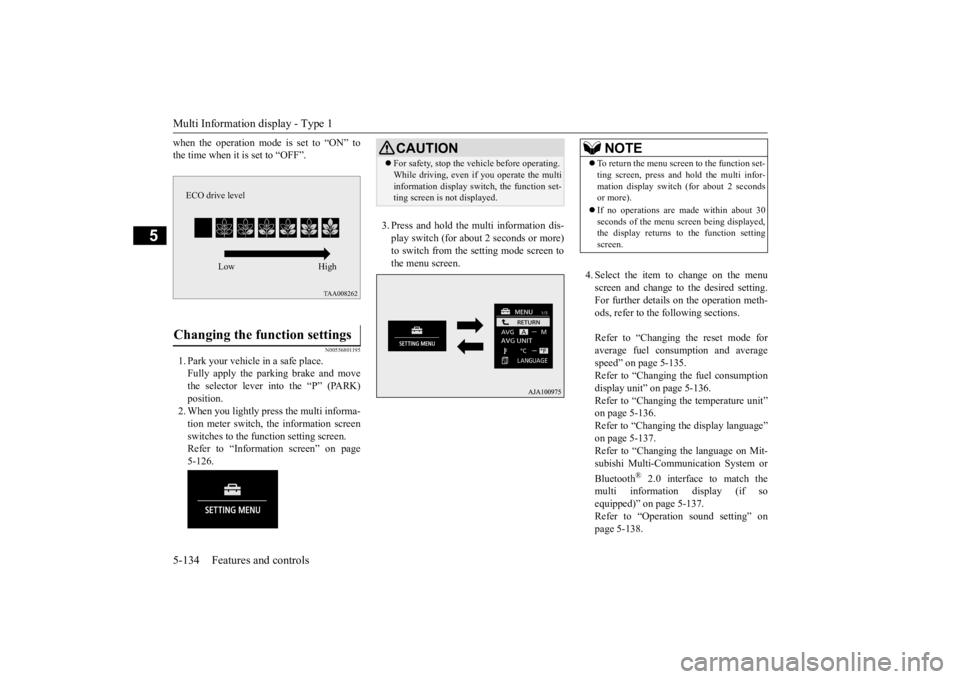
when the operation mode is set to “ON” to the time when it is set to “OFF”.
N00556801195
1. Park your vehicle in a safe place.Fully apply the parking brake and movethe selector lever into the “P” (PARK) position. 2. When you lightly press the multi informa-tion meter switch, the information screen switches to the func
tion setting screen.
Refer to “Information screen” on page5-126.
3. Press and hold the mu
lti information dis-
play switch (for about 2 seconds or more)to switch from the setting mode screen to the menu screen.
4. Select the item to change on the menu screen and change to the desired setting.For further details on the operation meth- ods, refer to the fo
llowing sections.
Refer to “Changing the reset mode for average fuel consumption and average speed” on page 5-135.Refer to “Changing the fuel consumption display unit” on page 5-136. Refer to “Changing th
e temperature unit”
on page 5-136. Refer to “Changing the display language” on page 5-137.Refer to “Changing the language on Mit- subishi Multi-Comm
unication System or
Bluetooth
® 2.0 interface to match the
multi informati
on display (if so
equipped)” on page 5-137. Refer to “Operati
on sound setting” on
page 5-138.
Changing the function settings
ECO drive level
Low High
CAUTION For safety, stop the ve
hicle before operating.
While driving, even if you operate the multiinformation display sw
itch, the function set-
ting screen is not displayed.
NOTE
To return the menu scre
en to the function set-
ting screen, press and hold the multi infor-mation display switch
(for about 2 seconds
or more). If no operations are made within about 30 seconds of the menu sc
reen being displayed,
the display returns to the function setting screen.
BK0211800US.book 134 ページ 2014年3月12日 水曜日 午後2時42分
Page 232 of 446
Indicator light, warning light, and information screen display list (multi information display - Type 1)
Features and controls 5-155
5
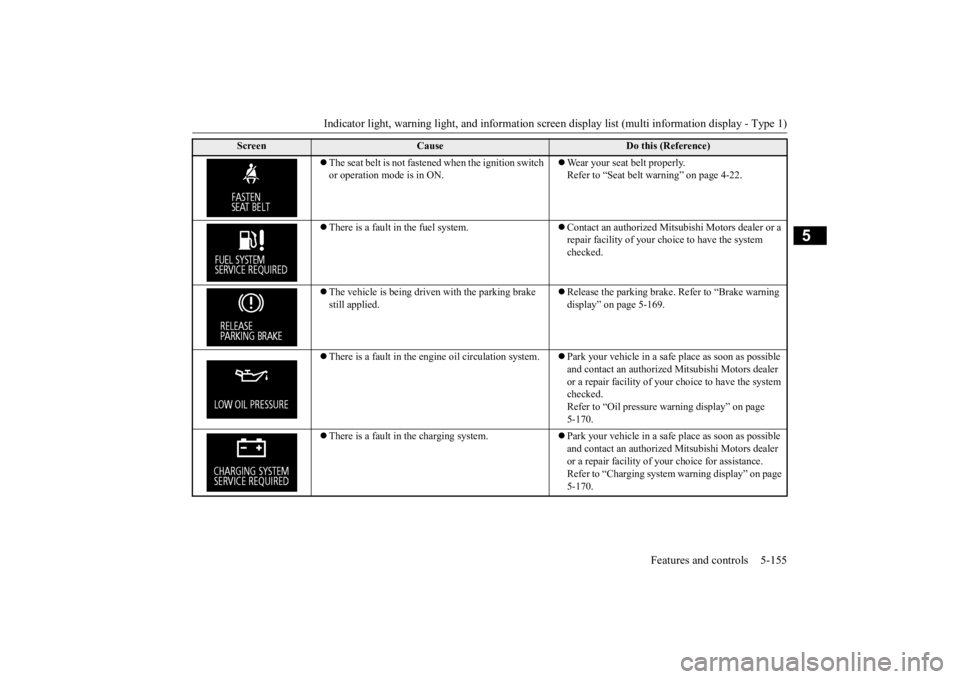
The seat belt is not fastened when the ignition switch or operation mode is in ON.
Wear your seat belt properly. Refer to “Seat belt warning” on page 4-22.
There is a fault in the fuel system.
Contact an authorized Mitsubishi Motors dealer or a repair facility of your choi
ce to have the system
checked.
The vehicle is being driven with the parking brake still applied.
Release the parking brake.
Refer to “Brake warning
display” on page 5-169.
There is a fault in the engi
ne oil circul
ation system.
Park your vehicle in a safe
place as soon as possible
and contact an authorized
Mitsubishi Motors dealer
or a repair facility of your
choice to have the system
checked.Refer to “Oil pressure
warning display” on page
5-170.
There is a fault in the charging system.
Park your vehicle in a safe
place as soon as possible
and contact an authorized
Mitsubishi Motors dealer
or a repair facility of your
choice for assistance.
Refer to “Charging system
warning display” on page
5-170.
Screen
Cause
Do this (Reference)
BK0211800US.book 155 ページ 2014年3月12日 水曜日 午後2時42分
Page 244 of 446
Warning lights
Features and controls 5-167
5
N00520300147 N00520401536
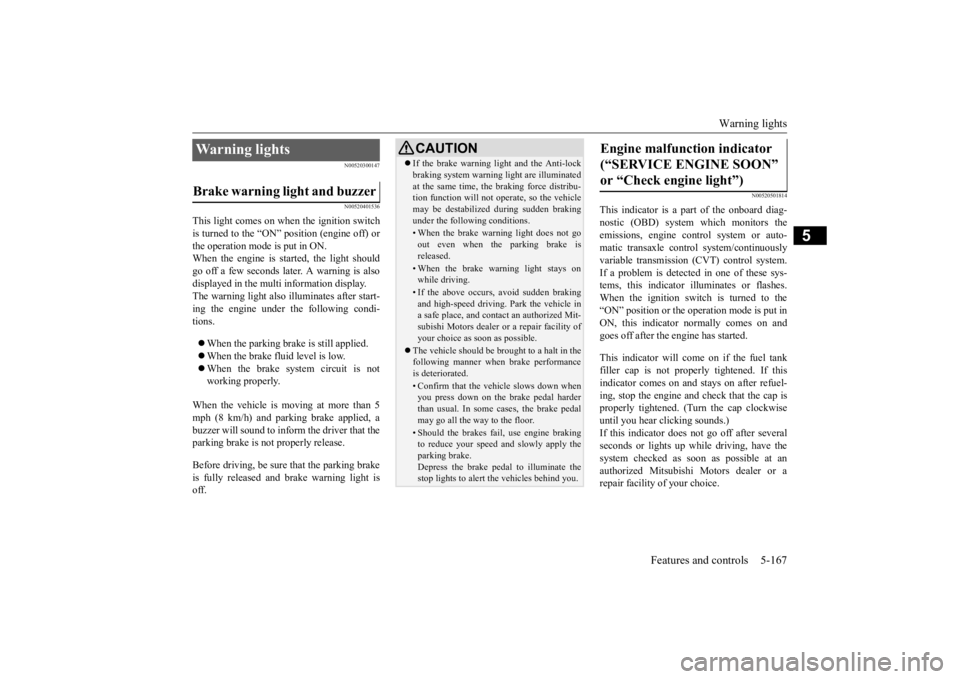
This light comes on when the ignition switch is turned to the “ON” position (engine off) or the operation mode is put in ON.When the engine is started, the light should go off a few seconds later. A warning is also displayed in the multi information display. The warning light also illuminates after start- ing the engine under the following condi-tions. When the parking brake is still applied. When the brake fluid level is low. When the brake system circuit is not working properly.
When the vehicle is moving at more than 5 mph (8 km/h) and parking brake applied, a buzzer will sound to inform the driver that theparking brake is not properly release. Before driving, be sure
that the parking brake
is fully released and
brake warning light is
off.
N00520501814
This indicator is a part
of the onboard diag-
nostic (OBD) system which monitors the emissions, engine control system or auto- matic transaxle cont
rol system/continuously
variable transmission
(CVT) control system.
If a problem is detected in one of these sys- tems, this indicator illuminates or flashes. When the ignition switch is turned to the “ON” position or the operation mode is put inON, this indicator
normally comes on and
goes off after the engine has started. This indicator will come on if the fuel tank filler cap is not properly tightened. If thisindicator comes on and stays on after refuel- ing, stop the engine and check that the cap is properly tightened. (Turn the cap clockwiseuntil you hear clicking sounds.) If this indicator does not go off after several seconds or lights up while driving, have thesystem checked as soon as possible at an authorized Mitsubishi Motors dealer or a repair facility
of your choice.
Warning lights Brake warning light and buzzer
CAUTIONIf the brake warning light and the Anti-lock braking system warning
light are illuminated
at the same time, the braking force distribu-tion function will not ope
rate, so the vehicle
may be destabilized during sudden braking under the following conditions.• When the brake warning light does not goout even when the parking brake isreleased.• When the brake warning light stays onwhile driving.• If the above occurs, avoid sudden brakingand high-speed driving. Park the vehicle in a safe place, and contact an authorized Mit- subishi Motors dealer or a repair facility ofyour choice as soon as possible.
The vehicle should be brought to a halt in the following manner when brake performance is deteriorated.• Confirm that the vehicle slows down whenyou press down on the brake pedal harder than usual. In some cases, the brake pedalmay go all the way to the floor.• Should the brakes fail, use engine brakingto reduce your speed and slowly apply the parking brake. Depress the brake peda
l to illuminate the
stop lights to alert
the vehicles
behind you.
Engine malfunction indicator (“SERVICE ENGINE SOON” or “Check engine light”)
BK0211800US.book 167 ページ 2014年3月12日 水曜日 午後2時42分
Page 246 of 446
Information screen display (Vehicle equipped with the multi information display - Type 1)
Features and controls 5-169
5
N00575701021
This light comes on in red if the coolant tem- perature becomes excessively high.
N00520901339
This light comes on when any door or the lift-gate is open or not completely closed. When the vehicle is moving at more than 5mph (8 km/h) and any door or the liftgate is open or ajar, a tone will sound 4 times to inform the driver that any door or the liftgate is not properly shut.
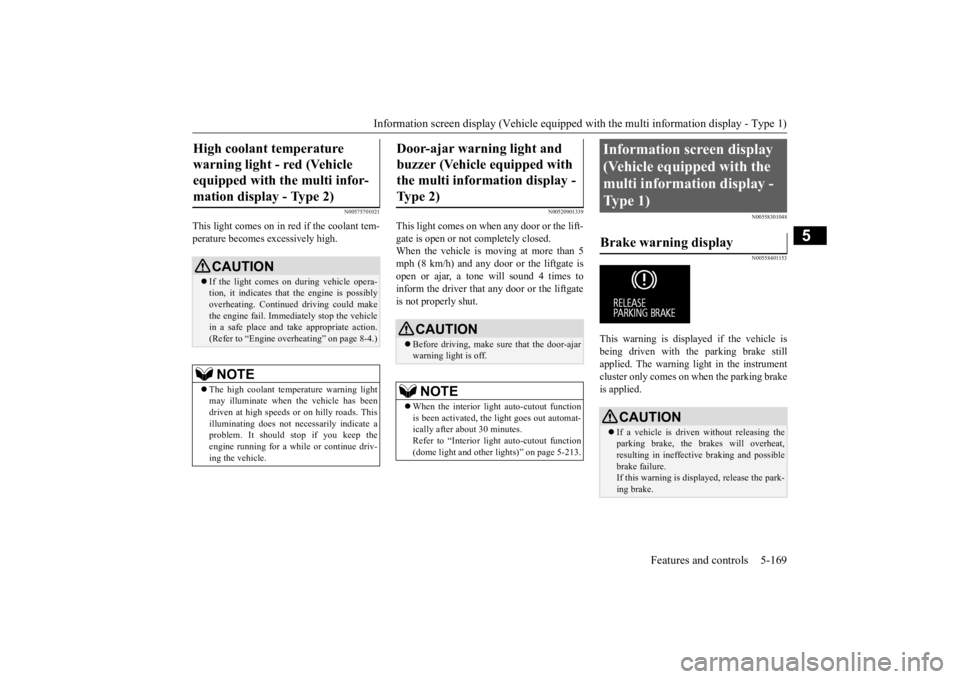
N00558301048 N00558401153
This warning is displayed if the vehicle is being driven with the parking brake stillapplied. The warning light in the instrument cluster only comes on when the parking brake is applied.
High coolant temperature warning light - red (Vehicle equipped with the multi infor- mation display - Type 2)
CAUTION If the light comes on during vehicle opera- tion, it indicates that
the engine is possibly
overheating. Continue
d driving could make
the engine fail. Immedi
ately stop the vehicle
in a safe place and ta
ke appropriate action.
(Refer to “Engine overheating” on page 8-4.)NOTE
The high coolant temp
erature warning light
may illuminate when
the vehicle has been
driven at high speeds or on hilly roads. This illuminating does not ne
cessarily indicate a
problem. It should stop if you keep theengine running for a whil
e or continue driv-
ing the vehicle.
Door-ajar warning light and buzzer (Vehicle equipped with the multi information display - Type 2)
CAUTION Before driving, make sure that the door-ajar warning light is off.NOTE
When the interior light auto-cutout function is been activated, th
e light goes out automat-
ically after about 30 minutes. Refer to “Interior light
auto-cutout function
(dome light and other
lights)” on page 5-213.
Information screen display (Vehicle equipped with the multi information display - Type 1) Brake warning display
CAUTION If a vehicle is driven without releasing the parking brake, the brakes will overheat, resulting in ineffectiv
e braking and possible
brake failure. If this warning is displayed, release the park- ing brake.
BK0211800US.book 169 ページ 2014年3月12日 水曜日 午後2時42分
Page 247 of 446
Information screen display (Vehicle equipped with the multi information display - Type 1) 5-170 Features and controls
5
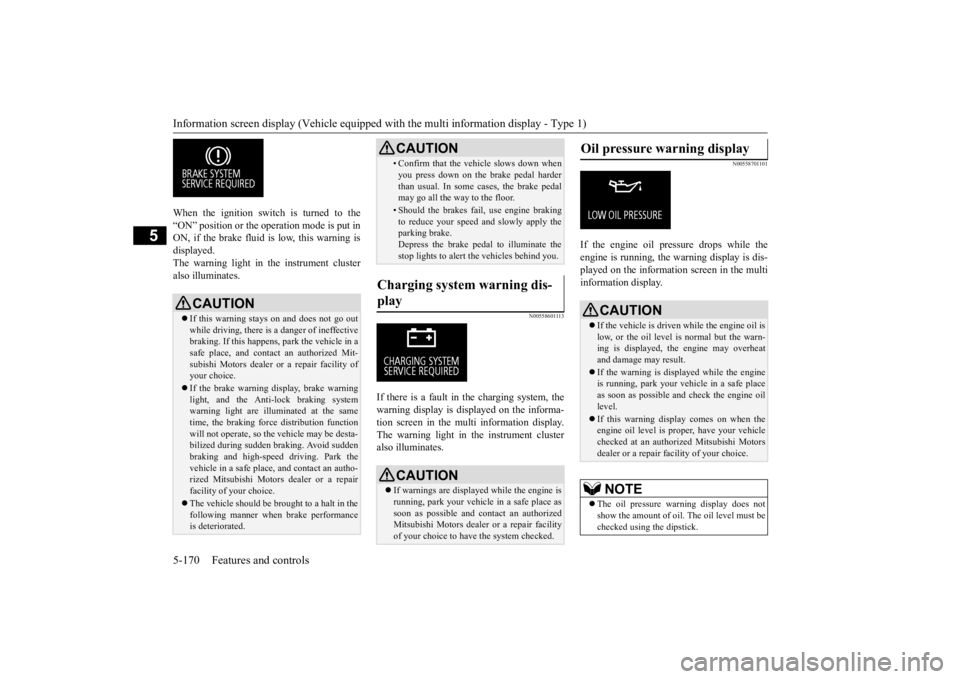
When the ignition switch is turned to the “ON” position or the ope
ration mode is put in
ON, if the brake fluid is
low, this warning is
displayed. The warning light in the instrument cluster also illuminates.
N00558601113
If there is a fault in the charging system, the warning display is di
splayed on the informa-
tion screen in the multi information display. The warning light in th
e instrument cluster
also illuminates.
N00558701101
If the engine oil pressure drops while the engine is running, the
warning display is dis-
played on the information screen in the multi information display.
CAUTION If this warning stays on and does not go out while driving, there is
a danger of ineffective
braking. If this happens
, park the vehicle in a
safe place, and contac
t an authorized Mit-
subishi Motors dealer or a repair facility ofyour choice. If the brake warning display, brake warning light, and the Anti-lock braking system warning light are illu
minated at the same
time, the braking forc
e distribution function
will not operate, so th
e vehicle may be desta-
bilized during sudden br
aking. Avoid sudden
braking and high-speed driving. Park thevehicle in a safe place,
and contact an autho-
rized Mitsubishi Motors
dealer or a repair
facility of your choice. The vehicle should be brought to a halt in the following manner when
brake performance
is deteriorated.
• Confirm that the vehicle slows down whenyou press down on the brake pedal harderthan usual. In some cases, the brake pedalmay go all the way to the floor.• Should the brakes fail, use engine brakingto reduce your speed and slowly apply the parking brake. Depress the brake pedal to illuminate thestop lights to alert th
e vehicles behind you.
Charging system warning dis- play
CAUTION If warnings are displa
yed while the engine is
running, park your vehicl
e in a safe place as
soon as possible and c
ontact an authorized
Mitsubishi Motors dealer
or a repair facility
of your choice to have the system checked.CAUTION
Oil pressure warning display
CAUTION If the vehicle is driven while the engine oil is low, or the oil level is normal but the warn-ing is displayed, th
e engine may overheat
and damage may result. If the warning is displayed while the engine is running, park your ve
hicle in a safe place
as soon as possible and check the engine oillevel. If this warning display comes on when the engine oil level is pr
oper, have your vehicle
checked at an authorized Mitsubishi Motors dealer or a repair fa
cility of your choice.
NOTE
The oil pressure wa
rning display does not
show the amount of oil. The oil level must bechecked using the dipstick.
BK0211800US.book 170 ページ 2014年3月12日 水曜日 午後2時42分