2015 MITSUBISHI LANCER change time
[x] Cancel search: change timePage 295 of 434
Automatic air conditioning with
Fahrenheit scale (if so equipped)
7-20 Comfort controls
7
Press the air selection switch for about 10 seconds or longer. When the setting has changed, the system will beep and the indicator light will flash.• When the setting has changed from enabled to disabled, the system will beep three times and theindicator will flash three times. • When the setting has changed from dis- abled to enabled,the system will beep two times and theindicator light will flash three times.
N00737300297
Push the switch, and the air conditioningcompressor will turn
on. The air conditioning
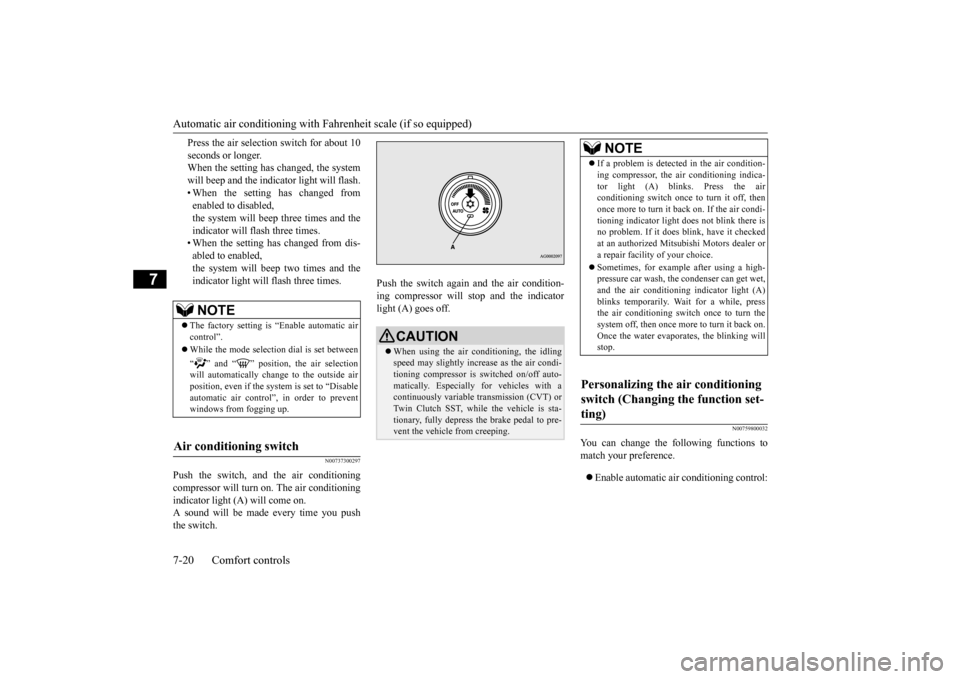
indicator light (A) will come on. A sound will be made every time you push the switch.
Push the switch again and the air condition- ing compressor will stop and the indicator light (A) goes off.
N00759800032
You can change the following functions tomatch your preference. Enable automatic air conditioning control:
NOTE
The factory setting is “Enable automatic air control”. While the mode selection dial is set between “ ” and “ ” position, the air selection will automatically change to the outside air position, even if the sy
stem is set to “Disable
automatic air control”, in order to preventwindows from fogging up.
Air conditioning switch
CAUTION When using the air conditioning, the idling speed may slightly increase as the air condi-tioning compressor is switched on/off auto- matically. Especially for vehicles with a continuously variable transmission (CVT) orTwin Clutch SST, while the vehicle is sta- tionary, fully depress the brake pedal to pre- vent the vehicle from creeping.
NOTE
If a problem is detected in the air condition- ing compressor, the air conditioning indica- tor light (A) blinks. Press the air conditioning switch once to turn it off, then once more to turn it b
ack on. If the air condi-
tioning indicator light does not blink there is no problem. If it does blink, have it checked at an authorized Mitsubishi Motors dealer ora repair facility of your choice. Sometimes, for example after using a high- pressure car wash, the condenser can get wet, and the air conditioning indicator light (A) blinks temporarily. Wait for a while, pressthe air conditioning switch once to turn the system off, then once more to turn it back on. Once the water evaporates, the blinking willstop.
Personalizing the air conditioning switch (Changing the function set- ting)
BK0210300US.bo
ok 20 ページ 2014年4月8日 火曜日 午前10時46分
Page 296 of 434

Automatic air conditioning with
Fahrenheit scale (if so equipped)
Comfort controls 7-21
7
When the mode selection dial or blower speed selection dial has been set to the “AUTO” position or when the tempera- ture control dial has been set to the mini-mum temperature, the air conditioning switch is automatically controlled. Disable automatic air conditioning con- trol:The air conditioning switch is not auto- matically controlled, unless the air condi- tioning switch is used. Changing the settings: Press the air conditioning switch for about10 seconds or longer. When the setting has changed, the system will beep and the indicator light will flash.• When the setting has changed from enabled to disabled, the system will beep three times and theindicator will flash three times. • When the setting has changed from dis- abled to enabled,the system will beep two times and the indicator light will flash three times.
N00731701414
In normal conditions, use the system in the AUTO mode and follow these procedures: 1. Set the blower speed selection dial to the “AUTO” position.
2. Select the temperature control dial to the desired temperature. The temperature can be set within a range of around 61 to 89. The temperature will increase as the dialis turned to the right. 3. Set the mode selection dial to the “AUTO” position.
The vents, recirculation/outside air, blower speed, and ON/OFF of air conditioning will be controlled automatically.
N00731800072
Blower speed and vent mode may be con-trolled manually by setting the blower speed selection dial and the mode selection dial tothe desired positions. To return to automatic
NOTE
The factory setting is “Enable automatic air conditioning control”.
While the mode selection dial is set between “ ” and “ ” position, the air condition- ing will run automatically, even if the system is set to “Disable automatic air conditioningcontrol”, in order to prevent windows from fogging up.
Operating the air conditioning system (automatic mode)
NOTE
NOTE
Set the temperature at about 75 under normal conditions. While the engine coolant temperature is low, the temperature of the air from the heater will be cool/cold until the engine warms up, even if you have selected warm air with thedial. To prevent the windshield and windows from fogging up, the vent mode will be changed to “ ” or “ ” and the blower speed will be reduced.
Operating the air conditioning system (manual mode)
BK0210300US.bo
ok 21 ページ 2014年4月8日 火曜日 午前10時46分
Page 299 of 434

Automatic air conditioning with
Celsius scale (if so equipped)
7-24 Comfort controls
7
The above indicates the factory settings. You can personalize the air selection switch and air conditioning switch to match your per-sonal preferences. Contact your Mitsubishi Motors dealer or a repair facility of your choice for assistance.Refer to “Personalizing the air conditioning switch (Changing the function setting)” on page 7-26.Refer to “Personalizing the air selection (Changing the function setting)” on page
7-25.
N00737100136
To change the amount of
air flowing from the
vents, turn the mode selection dial. Refer to“Changing the mode selection” on page 7-2.
N00737200241
Normally, use the outside air position to keepthe windshield and side windows clear and toquickly remove fog or frost from the wind- shield. To change the air selection, simply press the air selection switch. A sound will be madeevery time you press the switch. Outside air {Indicator light (A) OFF}
Outside air is introduced into the passen- ger compartment. Recirculated air {Indicator light (A) ON} Air is recirculated inside the passengercompartment.
When the air conditioning turns on, the air selection is controll
ed automatically. When
the air conditioning turns off, the air selectionautomatically goes back to the outside air position. If high cooling performance is desired, or ifthe outside air is dusty or contaminated in some way, use the recirculation position. Switch to the outside air position every nowand then to keep the windows from fogging up.
NOTE
While the engine coolant temperature is low, the temperature of the air from the heater will be cool/cold until the engine warms up, even if you have selected warm air with the dial. When the temperature is set to the highest or the lowest setting under the AUTO opera-tion, the air selection and the air conditioning will be automatically changed as follows. Also, if the air selection is operated manuallyafter an automatic changeover, manual oper- ation will be selected. • Quick Heating (When the temperature is set to the highest setting) Outside air will be introduced and the airconditioning will stop. • Quick Cooling (When the temperature is set to the lowest setting) Inside air will be recirculated and the air conditioning will operate.
Mode selection dial
Air selection switch
CAUTION Using recirculated air for a long time may cause the windows to fog up.
BK0210300US.bo
ok 24 ページ 2014年4月8日 火曜日 午前10時46分
Page 300 of 434
Automatic air conditioning with
Celsius scale (if so equipped)
Comfort controls 7-25
7
N00760000050
You can change the following functions to match your preference. Enable automatic air control: When the mode selection dial or theblower speed selection dial is set to the “AUTO” position, the air selection switch will also be automatically controlled. Disable automatic air control: Even when the mode selection dial or theblower speed selection dial is set to the “AUTO” position, the air selection switch will not be automatically controlled. Changing the settings Press the air selection switch for about 10 seconds or longer. When the setting has changed, the systemwill beep and the indicator light will flash. • When the setting has changed from enabled to disabled,the system will beep three times and the indicator will flash three times. • When the setting has changed from dis-abled to enabled, the system will beep two times and the indicator light will flash three times.
N00737300301
Push the switch, and the air conditioning compressor will turn
on. The air conditioning
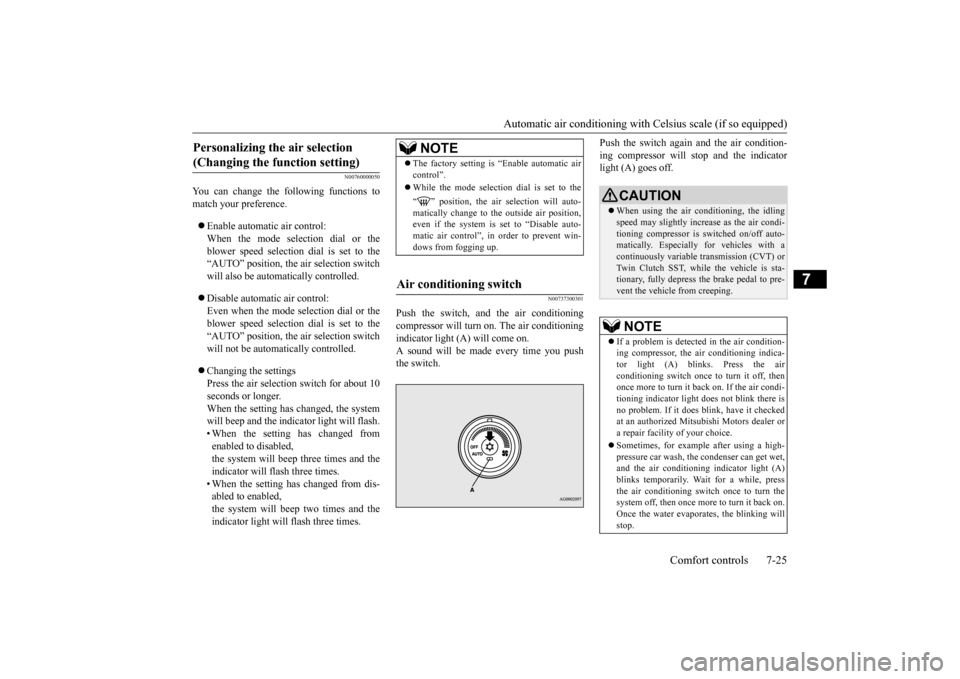
indicator light (A) will come on.A sound will be made every time you push the switch.
Push the switch again and the air condition- ing compressor will stop and the indicator light (A) goes off.
Personalizing the air selection (Changing the function setting)
NOTE
The factory setting is “Enable automatic air control”. While the mode selection dial is set to the “ ” position, the air selection will auto- matically change to the outside air position, even if the system is set to “Disable auto-matic air control”, in order to prevent win- dows from fogging up.
Air conditioning switch
CAUTION When using the air conditioning, the idling speed may slightly increase as the air condi- tioning compressor is switched on/off auto- matically. Especially for vehicles with acontinuously variable transmission (CVT) or Twin Clutch SST, while the vehicle is sta- tionary, fully depress the brake pedal to pre-vent the vehicle from creeping.NOTE
If a problem is detect
ed in the air condition-
ing compressor, the air conditioning indica-tor light (A) blinks. Press the air conditioning switch once to turn it off, then once more to turn it back on. If the air condi-tioning indicator light
does not blink there is
no problem. If it does blink, have it checked at an authorized Mitsubishi Motors dealer ora repair facility of your choice. Sometimes, for example after using a high- pressure car wash, the condenser can get wet, and the air conditioning indicator light (A)blinks temporarily. Wait for a while, press the air conditioning switch once to turn the system off, then once more to turn it back on.Once the water evaporates, the blinking will stop.
BK0210300US.bo
ok 25 ページ 2014年4月8日 火曜日 午前10時46分
Page 301 of 434

Automatic air conditioning with
Celsius scale (if so equipped)
7-26 Comfort controls
7
N00759800029
You can change the following functions to match your preference. Enable automatic air conditioning control: When the mode selection dial or blower speed selection dial has been set to the“AUTO” position or when the tempera-ture control dial has been set to the mini- mum temperature, the air conditioning switch is automatically controlled. Disable automatic air conditioning con- trol: The air conditioning switch is not auto- matically controlled, unless the air condi-tioning switch is used. Changing the settings Press the air conditioning switch for about 10 seconds or longer.When the setting has changed, the system will beep and the indicator light will flash. • When the setting has changed fromenabled to disabled, the system will beep three times and the indicator will flash three times.• When the setting has changed from dis- abled to enabled,
the system will beep two times and the indicator light will flash three times.
N00731701427
In normal conditions, use the system in the AUTO mode and follow these procedures:
1. Set the blower speed selection dial to the “AUTO” position. 2. Select the temperature control dial to the desired temperature. The temperature canbe set within a range of around 18 to 32. The temperature will increase as the dial is turned to the right.3. Set the mode selection dial to the “AUTO” position.
The vents, recirculation/outside air, blower speed, and ON/OFF of air conditioning willbe controlled automatically.
N00731800098
Blower speed and vent mode may be con-trolled manually by setting the blower speed
Personalizing the air conditioning switch (Changing the function set- ting)
NOTE
The factory setting is “Enable automatic air conditioning control”. While the mode selection dial is set to the “ ” position, the air conditioning will run automatically, even if the system is set to “Disable automatic air conditioning control”, in order to prevent windows from foggingup.
Operating the air conditioning system (automatic mode)
NOTE
Set the temperature at about 25 under normal conditions. While the engine coolant temperature is low, the temperature of the air from the heater will be cool/cold until the engine warms up,even if you have selected warm air with the dial. To prevent the windshield and windows from fogging up, the vent mode will be changed to “ ” or “ ” and the blower speed will be reduced.
Operating the air conditioning system (manual mode)
BK0210300US.bo
ok 26 ページ 2014年4月8日 火曜日 午前10時46分
Page 319 of 434

Listen to Satellite Radio (if so equipped) 7-44 Comfort controls
7
Channels are received in order and take 10 seconds each. Press the SCAN key. All of the channels are scanned. 1. Press the PTY key. Switches to the category search mode, and the category name is indicated on the display.
2. Turn the /SEL key to select the cate- gory. 3. Press the SCAN key.The channels in the selected category are scanned.
Register the channel in advance, and select this at a later time. 1. Tune in to the channel to register. 2. Hold down any of the keys from the 1RPT key to the 6 key. A “Beep” sounds, and the preset key is registered.
Other channels can be selected while listen- ing to a channel. 1. Press the PTY key. Switches to the category search mode, and the category name is indicated on thedisplay. 2. Turn the /SEL key to select the cate- gory. 3. Press the /SEL key. Switches to channel search mode. 4. Turn the /SEL key to select the chan- nel. 5. Press the /SEL key. A “Beep” sounds, and the selected chan-nel is received. (Channel preliminary set-ting mode) The channel name shown on the display flashes. Press the /SEL key again to cancel the search mode and return to normal recep- tion.
NOTE
When cycling up/down through channels, the channel number display in the upper level of the display changes. When channel number “000” is selected, the SIRIUS ID (12 digits) is displayed.
Scan Station Selection
Scan All Channels
NOTE
Press this key again while receiving the channel to return to normal reception. Selecting a channel will cancel this.
Scan Category Channels
NOTE
Press the SCAN key or PTY key again while receiving the channel to return to normalreception. Turning the /SET key will cancel.
Preset Memory
NOTE
The preset memory can register a maximum of 6 stations per band. If a preset key that already has a channel reg- istered is selected, then this is overwritten with the new preset.
Pressing the preset key will select the previ- ously registered channel. The preset channels on the display are shown as “P1” though “P6”.
Channel Search
NOTE
BK0210300US.bo
ok 44 ページ 2014年4月8日 火曜日 午前10時46分
Page 330 of 434

Display Indicator
Comfort controls 7-55
7
N00717700022
This explains content of the display indicator.
N00717800023
You can change the content of the display indicator. Press the DISP key to switch the display con- tent. Each time the DISP key is pressed, the dis- play content changes.
This switches in the order “Frequency”, “Sta- tion name”, and “Radio text”.
Display Indicator Change the Display Mode
CAUTION The operation of changing display contents may impede safe driving, therefore check safety before operation.NOTE
Up to 11 characters may be displayed at one time. To display 12 or more characters, press the PAGE key, and subsequent characterswill be displayed.
During FM Reception
NOTE
Radio text has a maximum display of 64 characters. If there is no text information to display, then “NO MESSAGE” is displayed.
BK0210300US.bo
ok 55 ページ 2014年4月8日 火曜日 午前10時46分
Page 331 of 434

Audio Quality and Volume Balance Adjustment 7-56 Comfort controls
7
This switches in the order “Channel name”, “Category name”, “Artist name”, “Trackname”, and “Composer name”. This switches in the order “Disc title”, “Track title”, and “Operating status”. This switches in the order “Folder title”, “File title”, and “Operating status”.
Hold down the DISP key. This switches the ID3tag display. [DISP] Each time the key is pressed, this switches in the order “Album name”, “Track name”, “Artist name”, “Genre name”*, and“Operating status”.
N00718200024
This switches in the order “Albums”, “Trackname”, “Artist name”, “Genre name”, and “Operating status”.
N00718300025
Operating details are the same as in “DuringiPod Playback” (P.7-56).
N00718400026
Change audio quality settings. 1. Press the /SEL key to select settings items. Each time the /SEL key is pressed, this switches in the order BASS, TREBLE, FADER, BALANCE, SCV, and Cancel. 2. Turn the /SEL key to adjust.
During Satellite Radio Reception
(if so equipped)
NOTE
The channel and category have a maximum display of 8 characters. The other items have a maximum display of 36 characters.
During CD-DA playback
NOTE
If there is no text information to display, then “NO TITLE” is displayed.
During MP3/WMA/AAC Play- back
NOTE
If there is no text information to display, then “NO TITLE” is displayed.
Display the ID3tag
*:Displayed when playing back audio files on a USB device (vehicles with a Bluetooth
® 2.0 interface).
NOTE
During display of the ID3tag, hold down the DISP key to switch to the folder title display. The genre name display may not be possible.
During iPod Playback
NOTE
If there is no text information to display, then “NO TITLE” is displayed. Displayed genre name in equipment by type (vehicles with a Bluetooth
® 2.0 interface).
The genre name display may not be possible.
During Bluetooth
® 2.0 Audio Play-
back
(if so equipped)
Audio Quality and Volume Balance Adjustment Adjust Audio Quality and Vol- ume Balance
BK0210300US.bo
ok 56 ページ 2014年4月8日 火曜日 午前10時46分