2015 MITSUBISHI LANCER ESP
[x] Cancel search: ESPPage 305 of 434

AM/FM radio/CD player (if so equipped) 7-30 Comfort controls
7
“Made for iPod”, “Made for iPhone” mean that an electronic accessory has been designed to connect specifically to iPod or iPhone, respectively, and has beencertified by the developer to meet Apple performance standards. iPhone, iPod, iPod classic, iPod nano, andiPod touch are trademarks of Apple Inc., registered in the U.S. and other countries. Apple is not responsible for the operationof this device or its compliance withsafety and regulatory standards.NOTE
iPod and iTunes licensing allows individual users to privately reproduce and play back non- copyrighted material as well as material that may be legally copied and reproduced.Infringement of copyright is prohibited.
For vehicles with a Bluetooth
® 2.0 interface,
the types of devices that can be connectedmay vary. [For vehicles sold in U.S.A.] For details, access the Mitsubishi MotorsNorth America website. [For vehicles sold in Canada and Mexico] For details, access the Mitsubishi Motorswebsite. Please read and agree to the “Warn- ing about Links to the Web Sites of Other Companies”. The websites mentioned abovemay connect you to websites other than the Mitsubishi Motors website. http://www.mitsubishi-motors.com/en/prod-ucts/index.htmlNOTE
BK0210300US.bo
ok 30 ページ 2014年4月8日 火曜日 午前10時46分
Page 336 of 434

Troubleshooting
Comfort controls 7-61
7
Mode
Message
Cause
Response
CD CHECK DISC The disc is inserted upsi
de down. Insert with the label side up.
The disc has condensation on it. Wait a while before inserting again.
DISC ERROR The disc is damaged. Clean the read surface of the disc.
The disc is dirty.
INTERNAL E The drive has malfunctioned for some reason. Check that there is no problem with the disc, and
insert the disc again. If the problem persists, con-sult an authorized Mitsubishi Motors dealer or a repair facility of your choice.
HEAT ERROR The temperature inside the product is high.
Remove the disc, and wait for the internal tempera- ture to return to normal.
USB FILE ERROR Files that cannot be played are
selected. Select files that can be played.
“Audio Files (MP3/WMA/AAC)” (P.7-34)
USB BUS PWR There is high or low electrical current or
voltage. Turn the power OFF and wait a short while. If the
problem persists, consult an authorized Mitsubishi Motors dealer or a repair facility of your choice.
LSI ERROR There is an internal malfunction for some reason. UNSUPPORTED Unsupported audio files have been pl
ayed. Confirm audio files that can be played.
“Audio Files (MP3/WMA/AAC)” (P.7-34)
FORMAT
UNSUPPORTED An unsupported USB device has been co
nnected. Please connect a USB memory device.
DEVICE
iPod NO SONG An iPod/iPhone not containing any tracks has been
connected.
Connect an iPod/iPhone containing tracks.
VER ERROR This iPod/iPhone software version is not supported. Please change to a supported software version.
Other ERROR DC An abnormal direct voltage has been sent to the
speakers.
Turn the power OFF and wait a short while. If the problem persists, consult an authorized Mitsubishi Motors dealer or a repair facility of your choice.
BK0210300US.bo
ok 61 ページ 2014年4月8日 火曜日 午前10時46分
Page 337 of 434

Antenna 7-62 Comfort controls
7
Here is a list of symptoms, causes and responses
if you think something is not working properly.
N00734200426
Turn the pole (A) counterclockwise. Screw
the pole (A) clockwise into the base
(B) until it is securely retained.
If You Think Something Is Not Working Properly...
Symptoms
Cause
Response
There is no sound or quiet sound.
The volume is turned to its minimum. Adjust the volume.
“Adjust Volume” (P.7-39)
The balance or fader is turned to one side. Adjust the balance or fader.
“Adjust Audio Quality and Volume Balance” (P.7-56)
The disc cannot be inserted.
A disc is already in the product. Eject the disc.
“Insert/Eject Discs” (P.7-39)
There is no disc in the product, but the prod- uct says it is loading.
Press the eject button once. “Insert/Eject Discs” (P.7-39)
The disc cannot be played. The disc is inserted upside down. Insert with the label side up.
The disc has condensation on it. W
ait a while before inserting.
The disc is dirty. Clean the read surface of the disc.
The sound skips in the same place.
The disc is damaged or dirty. Check the disc.
There is no sound, even if the disc is inserted.
Damage to or dirt on the disc means that its data cannot be read.
Check the disc. Additionally, if using CD-R/RW discs, their charac- teristics may render them unable to be played.
Antenna Roof antenna (except for vehi- cles with SIRIUS satellite radio)
To remove
To i n s t a l l
BK0210300US.bo
ok 62 ページ 2014年4月8日 火曜日 午前10時46分
Page 340 of 434
General information about your radio
Comfort controls 7-65
7
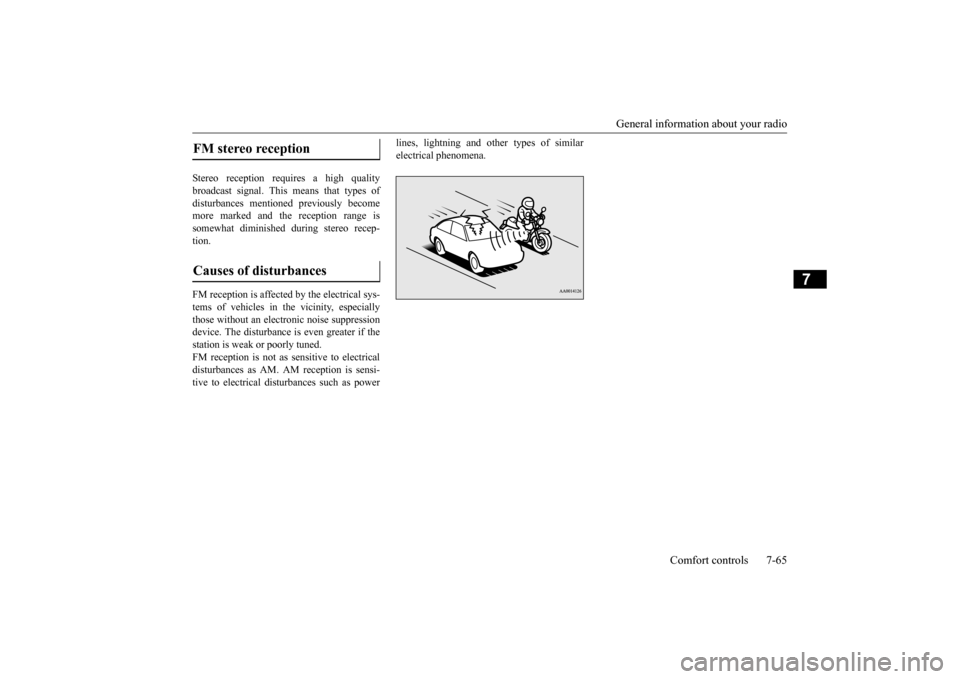
Stereo reception requires a high quality broadcast signal. This means that types ofdisturbances mentioned previously become more marked and the reception range is somewhat diminished during stereo recep-tion. FM reception is affected by the electrical sys- tems of vehicles in the vicinity, especially those without an electronic noise suppressiondevice. The disturbance is even greater if the station is weak or poorly tuned. FM reception is not as sensitive to electricaldisturbances as AM. AM reception is sensi- tive to electrical disturbances such as power
lines, lightning and other types of similar electrical phenomena.
FM stereo reception Causes of disturbances
BK0210300US.bo
ok 65 ページ 2014年4月8日 火曜日 午前10時46分
Page 348 of 434

How to change a tire
For emergencies 8-7
8
6. Get the jack, bar and wheel nut wrench ready.Refer to “Tools and jack” on page 8-5.
N00849600298
The compact spare tire is designed to savespace in the trunk. Its lighter weight makes it easier to use if a flat tire occurs.
N00849701300
1. Lift up the luggage floor board. For front-wheel drive vehicles, pull theluggage floor board (A) rearward to release the hooks (B), and then lift it up.
WA R N I N G Be sure to apply chocks or blocks to the correct tire when jacking up the vehicle. If the vehicle moves while jacked up, the jack could slip out of position, leading to an accident.NOTE
The chocks shown in the illustration do not come with your vehicle. It is recommended that you purchase chocks or blocks and keepthem in the vehicle for use if needed. If chocks or blocks are not available, use stones or any other objects that are large enough to hold the wheel in position.
Spare tire information Compact spare tire
WA R N I N G Tires, including spare tire, degrade over time with age even when they are not being used. It is recommended that tires over 6 years generally be replaced even if damage is not obvious.CAUTION While the compact spare tire is stowed, the inflation pressure should be checked at least once a month to assure that it remains at therecommended inflation pressure. See the tire and loading information placard attached to the driver’s door sill.Refer to “Tire and loading information plac- ard” on page 11-3. Driving with an improperly inflated tire can cause an accident. If you have no choice but to drive with an under-inflated tire, keepyour speed down and avoid sudden steering or braking, if possible
. Inflate the tire to the
correct pressure as soon as possible. Refer to“Tire inflation pressures” on page 9-21. The compact spare tire should be used only temporarily. While the compact spare tire is being used, the tire pressure monitoring sys- tem will not function properly. Have the tire replaced or repaired at an authorized Mit- subishi Motors dealer or a repair facility ofyour choice as soon as possible. If your vehicle has aluminum type wheels, you can use the same wheel nuts on the com- pact spare tire wheel.
Do not go over 50 mph (80 km/h) when driv- ing with the compact spare tire. Avoid fast starting and braking when driving with the compact spare tire. Do not drive through automatic car washes and over obstacles that could possibly dam-age the underside of your vehicle. Because the compact spare tire is smaller than the original tire, there is less clearance betweenthe ground and your vehicle. Because the compact spare tire is designed only for your vehicle, do not use it on any other vehicle. Do not put the compact spare tire on a differ- ent wheel, and do not put standard tires, snow tires, wheel covers or trim rings on thecompact spare wheel. Otherwise, you could damage these parts or other parts on your vehicle. Do not use snow chain with your compact spare tire. Using a chain could cause damageto your vehicle and loss of the chains.
To remove the compact spare tire
CAUTION
BK0210300US.bo
ok 7 ページ 2014年4月8日 火曜日 午前10時46分
Page 356 of 434

Fuel Pump Shut-off System
For emergencies 8-15
8
When driving on a road covered with snow or ice, use snow tires. Tire chains cannot be used on your vehicle. There may be state or local regulations aboutusing snow tires. Always check the regu- lations in your local area before using them. Refer to the section entitled “Snowtires” on page 9-24 and “Tire chains” on page 9-24. Drive slowly. Do not make sudden starts or stops, sharp turns, or slam on the brakes. Allow extra distance between your vehi- cle and the vehicle in front of you, and avoid sudden braking. If a skid occurs when the accelerator pedal is depressed, take your foot off the pedal. Steer gently in the direction of the skid.
Your vehicle is equipped with an anti-lock braking system (ABS), hold the brake pedal down firmly and keep it depressed. Do not pump the brake pedal which willresult in reduced braking performance. After parking on snowy or icy road, it may be difficult to move your vehicle dueto freeze-up of the brake. Depress the accelerator pedal little by little to move the vehicle after confirming safety of thevehicle. Drive as slow as poss
ible when driving on
bumpy or rutted roads or over potholes etc.
N00860600044
In the event of a collision causing frontal air-bag deployment, the fuel pump shut-off sys- tem will activate to stop fuel supply to the engine.
When driving in rain, a layer of water may form between the tires and the road surface (aquaplaning). This loosens your tires’ grip on the road, making it difficult to steer or brake properly. When driving on a wet road:• Drive your vehicle at a safe speed.• Do not drive on worn tires.• Always keep the tires at the correct infla-tion pressures.
On snowy or icy roads
CAUTION
CAUTION Do not depress the accelerator pedal rapidly. The vehicle could start moving when it breaks free from the ice, possibly resulting inan accident.
On a bumpy or rutted road
CAUTION Driving on bumpy, rutted roads or over pot- holes can damage the tires and wheels.Wheels with low-profiles tires or under- inflated tires are especially at risk for dam- age.
The vehicle’s body, bumper, muffler and other parts may be damaged if the vehicle is:• driven over a step (for example, at the entrance or exit of a parking lot);• parked too closely against a curb or parkingblock, or by the side of a road with curb-stones;• driven on a steep slope;
Fuel Pump Shut-off System
WA R N I N G Before attempting to restart the engine after a collision, always inspect the groundunder the vehicle for leaking fuel. If a fuel leak is found or a fuel odor is detected, do not restart the engine. Mitsubishi Motors recommends that your vehicle be inspected by an authorizedMitsubishi Motors dealer after any colli- sion.CAUTION
BK0210300US.bo
ok 15 ページ 2014年4月8日 火曜日 午前10時46分
Page 359 of 434

Service precautions 9-2 Vehicle care and maintenance
9
N00937301397
Taking regular care of your vehicle will pre- serve its value and appearance as long as pos-sible. You can do some of the maintenance work yourself, and the rest should only be per- formed by an authorized Mitsubishi Motorsdealer or a repair facility of your choice.If you discover a malfunction or other prob- lem, have it corrected by an authorized Mit- subishi Motors dealer or a repair facility ofyour choice. This section describes the maintenance inspections that you can do yourself, if you sodesire. Follow the instructions and precau- tions for each procedure.
Have you purchased the Mitsubishi Motors Diamond Care Protection Plan? The Plan supplements your new vehicle warranties. See your authorized Mitsubishi Motors dealerfor details.
N00937400131
The catalytic converter requires you to useunleaded fuel only. Leaded gasoline will destroy the emission-control effectiveness of the converter. Normally, the catalytic converter does not require maintenance. However, it is important to keep the engine properly tuned for the con- verter to continue to work properly.
Service precautions
WA R N I N G When checking or servicing the inside of the engine compartment, be sure theengine is stopped and has had a chance to cool down. If you need to work in the engine compart- ment with the engine running, be espe-cially careful that your clothing, hair, etc. does not get caught in
the fan, drive belts,
or other moving parts.
The fan can turn on automatically even if the engine is not running. Turn the igni- tion switch to the “LOCK” position to be safe while you work in the engine com- partment. Do not smoke or allow open flames around fuel or the battery. The fumes are flamma-ble. Be extremely careful when working around the battery. It contains poisonous and corrosive sulfuric acid. Do not get under your vehicle while it is on a jack. Always use properly rated automotivejack stands. Handling your vehicle’s parts and materi- als in the wrong way can injure you. Ask an authorized Mitsubishi Motors dealer or a repair facility of your choice if youhave questions. WA R N I N G
Catalytic converter
BK0210300US.bo
ok 2 ページ 2014年4月8日 火曜日 午前10時46分
Page 372 of 434

Battery
Vehicle care and maintenance 9-15
9
1. Remove the clips (A), and then remove the air duct (B). 2. Turn the plastic nuts (C) counterclock- wise, and then remove the battery uppercover (D).
1. Install the battery upper cover (A) onto the battery, and then push the plastic nuts (B) in the direction shown by the arrows to secure the cover. 2. To install the air duct, perform the removal steps in reverse.
N00901500014
The electrolyte level must be between the limits shown on the outside of the battery. Fill it with distilled water as needed. The inside ofthe battery is divided into several compart- ments. Take the cap off of each compartment and fill to the mark.Do not fill above the top line because a spill during driving could cause damage.
To remove
NOTE
Be careful not to lose the removed plastic nuts.
To install
NOTE
Be sure to install the plastic nuts in the cor- rect direction. Make sure that the battery upper cover is installed securely.
CAUTION Be sure to install the battery upper cover. Otherwise, the battery electrolyte may spill and cause a malfunction. When installing the battery upper cover, plastic nuts, and air duct, do not touch the cooling fan or other moving parts in the engine compartment. Be especially carefulthat the cables, your clothing or hair, etc., do not get caught in the cooling fan or other moving parts.
Checking battery electrolyte level
BK0210300US.bo
ok 15 ページ 2014年4月8日 火曜日 午前10時46分