2015 MERCEDES-BENZ GLC SUV traction control
[x] Cancel search: traction controlPage 7 of 497
1, 2, 3 ...
4ETS (Electronic Traction System) see ETS/4ETS (Electronic Trac-
tion System)
4MATIC (permanent four-wheel
drive) .................................................. 254
4MATIC off-road system ...................254
12 V socket
see Socket (12 V)
230 V power socket .......................... 406
360° camera
Cleaning ......................................... 425
Function/notes ............................ .267 A
ABS (Anti-lock Braking System) Display message ............................ 336
Function/notes ................................ 79
Important safety notes .................... 79
Warning lamp ................................. 379
Accident
Automatic measures after an acci-
dent ................................................. 65
Activating/deactivating air-recir-
culation mode ................................... .170
Activating/deactivating cooling
with air dehumidification ................. 162
Active Blind Spot Assist
Activating/deactivating (on-
board computer) ............................ 328
Display message ............................ 362
Active Lane Keeping Assist
Activating/deactivating (on-
board computer) ............................ 329
Display message ............................ 361
Function/notes ............................ .283
Active light function ......................... 142
Active Light System
Display message ............................ 352
Active Parking Assist
Cancelling ...................................... 261
Detecting parking spaces .............. 258
Display message ............................ 362
Exiting a parking space .................. 260
Function/notes ............................ .257
Important safety notes .................. 257 Parking .......................................... 259
Towing a trailer .............................. 257
ADAPTIVE BRAKE ................................. 87
Adaptive Brake Assist
Function/notes ................................ 83
Adaptive brake lights .......................... 84
Adaptive Damping System (ADS) ..... 253
Adaptive Highbeam Assist Plus
Display message ............................ 353
Function/notes ............................ .143
Switching on/off ........................... 144
AdBlue ®
Additive ......................................... 484
Display message ............................ 356
Displaying level and range ............. 327
Filling capacity ............................... 485
Important safety notes .................. 484
Low outside temperatures ............. 484
Purity ............................................. 485
Topping up ..................................... 207
Additional speedometer ................... 333
Additives (engine oil) ........................ 486
Adjusting the headlamp range ......... 140
AIR BODY CONTROL
Display message ............................ 359
Function/notes ............................ .252
Lowering the rear of the vehicle .... 253
Raising the rear of the vehicle ....... 254
Air conditioning
General notes ................................ 156
Air filter (white display message) .... 356
Air vents
Important safety notes .................. 183
Rear ............................................... 184
Setting .......................................... .183
Setting the centre air vents ........... 184
Setting the side air vents .............. .184
Air-conditioning system
see Climate control
Airbag
Automatic front-passenger front
airbag deactivatio n .......................... 56
Introduction ..................................... 53
PASSENGER AIR BAG indicator
lamps ............................................... 48
Airbags
Display message ............................ 349 4
Index
Page 88 of 497
If ESP
®
detects that the vehicle is deviating
from the direction desired by the driver, one
or more wheels are braked to stabilise the
vehicle. The engine output is also modified to keep the vehicle on the desired course within
physical limits. ESP ®
assists the driver when
pulling away on wet or slippery roads. ESP ®
can also stabilise the vehicle during braking.
4ETS (Electronic Traction System) i
Observe the "Important safety notes" sec-
tion (Y page 78).
4ETS traction control is part of ESP ®
.
Traction control brakes the drive wheels indi-
vidually if they spin. This enables you to pull
away and accelerate on slippery surfaces, for
example if the road surface is slippery on one
side. In addition, more drive torque is trans-
ferred to the wheel or wheels with traction.
Traction control remains active if you deacti-
vate ESP ®
.
Off-road 4ETS (Electronic Traction Sys-
tem) A 4ETS system specifically suited to off-road
terrain is activated automatically once the off- road program is activated (Y page 250).
Off-road ESP ® An ESP
®
system specifically suited to off-road
terrain is activated automatically once the off-
road program is activated (Y page 250).
The off-road ESP ®
intervenes with a delay if
there is oversteering or understeering, thus
improving traction.
Important safety notes i
Observe the "Important safety notes" sec-
tion (Y page 78). G
WARNING
If ESP ®
is malfunctioning, ESP ®
is unable to
stabilise the vehicle. In addition, other driving safety systems are switched off. This increa-
ses the risk of skidding and an accident.
Drive on carefully. Have ESP
®
checked at a
qualified specialist workshop.
If the å ESP®
OFF warning lamp lights up
continuously, ESP ®
is deactivated.
If the ÷ ESP®
warning lamp lights up con-
tinuously, ESP ®
is not available due to a mal-
function.
Observe the information on warning lamps
(Y page 381) and display messages which
may be shown in the instrument cluster
(Y page 336).
Only use wheels with the recommended tyre
sizes. Only then will ESP ®
function properly.
Characteristics of ESP ® General notes
If the
÷ ESP warning lamp goes out before
beginning the journey, ESP ®
is automatically
active.
If ESP ®
intervenes, the ÷ESP®
warning
lamp flashes in the instrument cluster.
If ESP ®
intervenes:
X Do not deactivate ESP ®
under any circum-
stances.
X When pulling away, only depress the accel-
erator pedal as far as is necessary.
X Adapt your driving style to suit the prevail-
ing road and weather conditions.
ECO start/stop function
The ECO start/stop function switches the
engine off automatically if the vehicle stops
moving. When pulling away again, the engine starts automatically. ESP ®
remains in its pre-
viously selected status. Example:if ESP®
was deactivated before the engine was
switched off, ESP ®
remains deactivated when
the engine is switched on again. Driving safety systems
85Safety Z
Page 89 of 497
Deactivating/activating ESP
®Important safety notes
i Observe the "Important safety notes" sec-
tion (Y page 78).
You can select between the following sta-
tuses of ESP ®
:
R ESP ®
is activated
R ESP ®
is deactivated G
WARNING
If you deactivate ESP ®
, ESP ®
no longer sta-
bilises the vehicle. There is an increased risk
of skidding and an accident.
Only deactivate ESP ®
in the situations descri-
bed in the following.
It may be best to deactivate ESP ®
in the fol-
lowing situations:
R when using snow chains
R in deep snow
R on sand or gravel
R when driving off-road (vehicles without off-
road program)
Activate ESP ®
as soon as the situations
described above no longer apply. ESP ®
will
otherwise not be able to stabilise the vehicle if the vehicle starts to skid or a wheel starts to
spin.
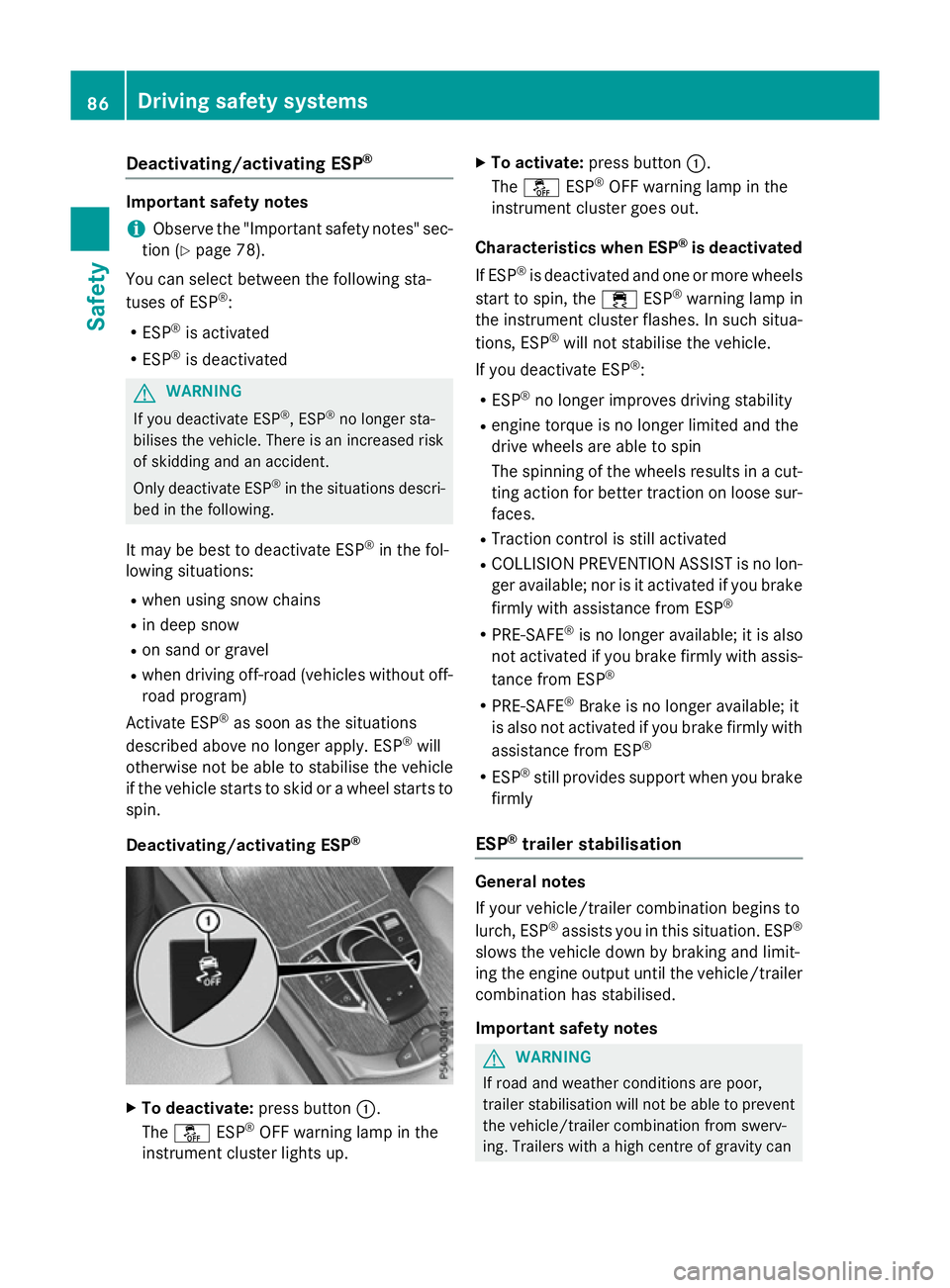
Deactivating/activating ESP ®X
To deactivate: press button:.
The å ESP®
OFF warning lamp in the
instrument cluster lights up. X
To activate: press button :.
The å ESP®
OFF warning lamp in the
instrument cluster goes out.
Characteristics when ESP ®
is deactivated
If ESP ®
is deactivated and one or more wheels
start to spin, the ÷ESP®
warning lamp in
the instrument cluster flashes. In such situa-
tions, ESP ®
will not stabilise the vehicle.
If you deactivate ESP ®
:
R ESP ®
no longer improves driving stability
R engine torque is no longer limited and the
drive wheels are able to spin
The spinning of the wheels results in a cut-
ting action for better traction on loose sur- faces.
R Traction control is still activated
R COLLISION PREVENTION ASSIST is no lon-
ger available; nor is it activated if you brake
firmly with assistance from ESP ®
R PRE-SAFE ®
is no longer available; it is also
not activated if you brake firmly with assis-
tance from ESP ®
R PRE-SAFE ®
Brake is no longer available; it
is also not activated if you brake firmly with
assistance from ESP ®
R ESP ®
still provides support when you brake
firmly
ESP ®
trailer stabilisation General notes
If your vehicle/trailer combination begins to
lurch, ESP
®
assists you in this situation. ESP ®
slows the vehicle down by braking and limit-
ing the engine output until the vehicle/trailer combination has stabilised.
Important safety notes G
WARNING
If road and weather conditions are poor,
trailer stabilisation will not be able to prevent the vehicle/trailer combination from swerv-
ing. Trailers with a high centre of gravity can 86
Driving safety syste
msSafety
Page 234 of 497
Important safety notes
If you fail to adapt your driving style, cruise
control can neither reduce the risk of an acci-
dent nor override the laws of physics. Cruise
control cannot take into account road,
weather or traffic conditions. Cruise control is only an aid. You are responsible for the dis-
tance to the vehicle in front, for vehicle speed,
for braking in good time, and for staying in
lane.
Do not use cruise control:
R in road and traffic conditions which do not
allow you to maintain a constant speed, e.g.
in heavy traffic or on winding roads
R on smooth or slippery roads. Braking or
accelerating can cause the drive wheels to lose traction and the vehicle could then
skid
R when there is poor visibility, e.g. due to fog,
heavy rain or snow
If there is a change of drivers, advise the new
driver of the speed stored.
i The speed indicated in the speedometer
may differ slightly from the speed stored.
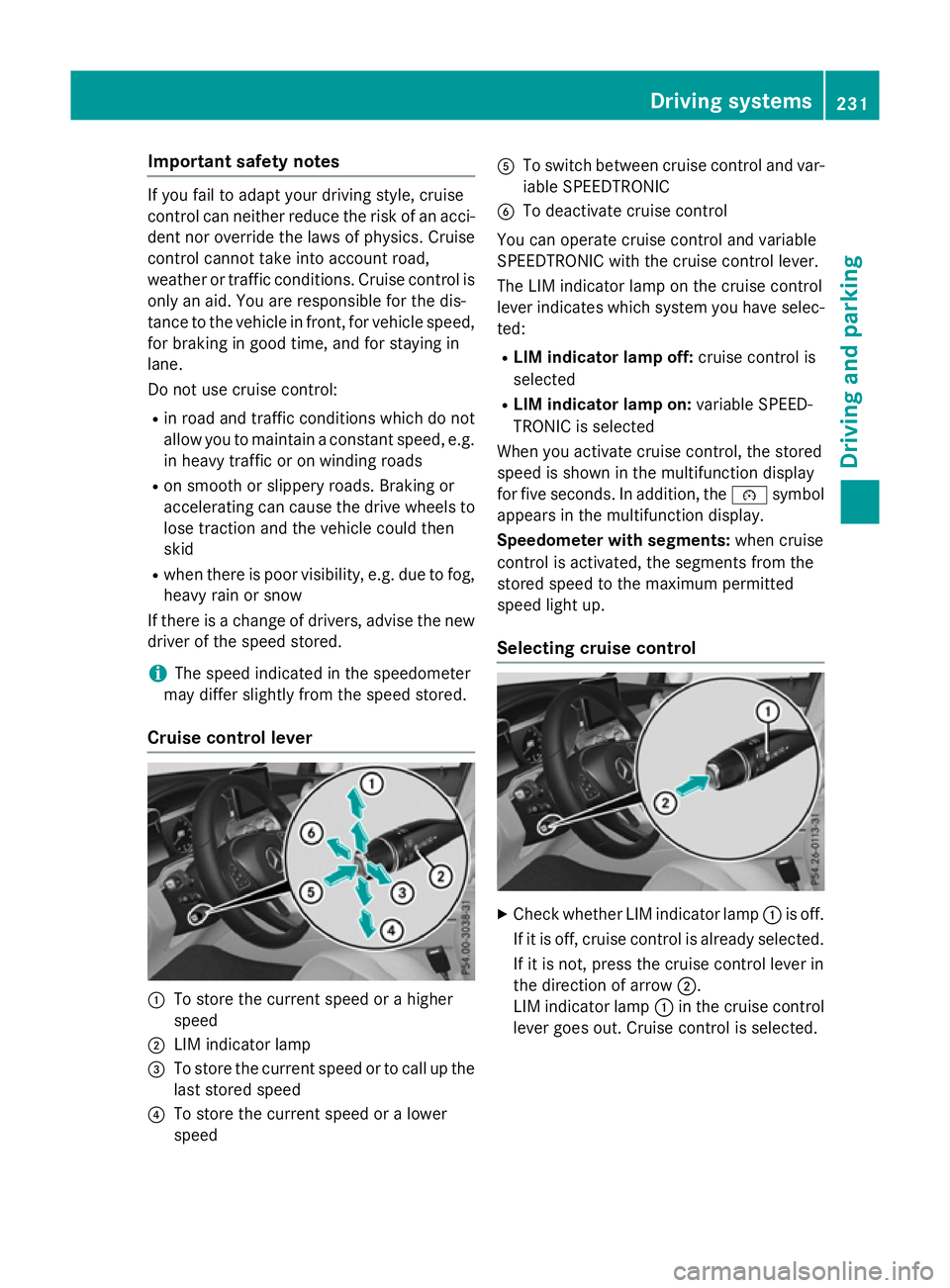
Cruise control lever :
To store the current speed or a higher
speed
; LIM indicator lamp
= To store the current speed or to call up the
last stored speed
? To store the current speed or a lower
speed A
To switch between cruise control and var-
iable SPEEDTRONIC
B To deactivate cruise control
You can operate cruise control and variable
SPEEDTRONIC with the cruise control lever.
The LIM indicator lamp on the cruise control
lever indicates which system you have selec-
ted:
R LIM indicator lamp off: cruise control is
selected
R LIM indicator lamp on: variable SPEED-
TRONIC is selected
When you activate cruise control, the stored
speed is shown in the multifunction display
for five seconds. In addition, the ésymbol
appears in the multifunction display.
Speedometer with segments: when cruise
control is activated, the segments from the
stored speed to the maximum permitted
speed light up.
Selecting cruise control X
Check whether LIM indicator lamp :is off.
If it is off, cruise control is already selected. If it is not, press the cruise control lever in
the direction of arrow ;.
LIM indicator lamp :in the cruise control
lever goes out. Cruise control is selected. Driving systems
231Driving and parking Z
Page 240 of 497
G
WARNING
DISTRONIC PLUS brakes your vehicle with up to 50% of the maximum possible deceleration.
If this deceleration is not sufficient,
DISTRONIC PLUS alerts you with a visual and
acoustic warning. There is a risk of an acci-
dent.
Apply the brakes yourself in these situations
and try to take evasive action.
! When DISTRONIC PLUS or the HOLD
function is activated, the vehicle brakes
automatically in certain situations.
To avoid damage to the vehicle, deactivate DISTRONIC PLUS and the HOLD function in
the following or similar situations:
R when towing away
R in a car wash
If you fail to adapt your driving style,
DISTRONIC PLUS can neither reduce the risk
of an accident nor override the laws of phys-
ics. DISTRONIC PLUS cannot take road and
weather conditions or traffic conditions into
account. DISTRONIC PLUS is only an aid. You are responsible for the distance to the vehicle
in front, for vehicle speed, for braking in good time, and for staying in lane.
Do not use DISTRONIC PLUS:
R in road and traffic conditions which do not
allow you to maintain a constant speed, e.g.
in heavy traffic or on winding roads
R on smooth or slippery roads. Braking or
accelerating can cause the drive wheels to lose traction and the vehicle could then
skid
R when there is poor visibility, e.g. due to fog,
heavy rain or snow
DISTRONIC PLUS may not detect narrow
vehicles driving in front, e.g. motorcycles, or
vehicles driving on a different line.
In particular, the detection of obstacles can
be impaired in the case of:
R dirt on the sensors or obscured sensors
R snow or heavy rain R
interference by other radar sources
R the possibility of strong radar reflections,
for example, in multi-storey car parks
If DISTRONIC PLUS no longer detects a vehi-
cle in front, it may unexpectedly accelerate to the speed stored.
This speed can:
R be too high for a filter lane or a slip road
R be so high in the right lane that you pass
vehicles driving on the left (left-hand drive
countries)
R be so high in the left lane that you pass
vehicles driving on the right (right-hand
drive countries)
If there is a change of drivers, advise the new driver of the speed stored.
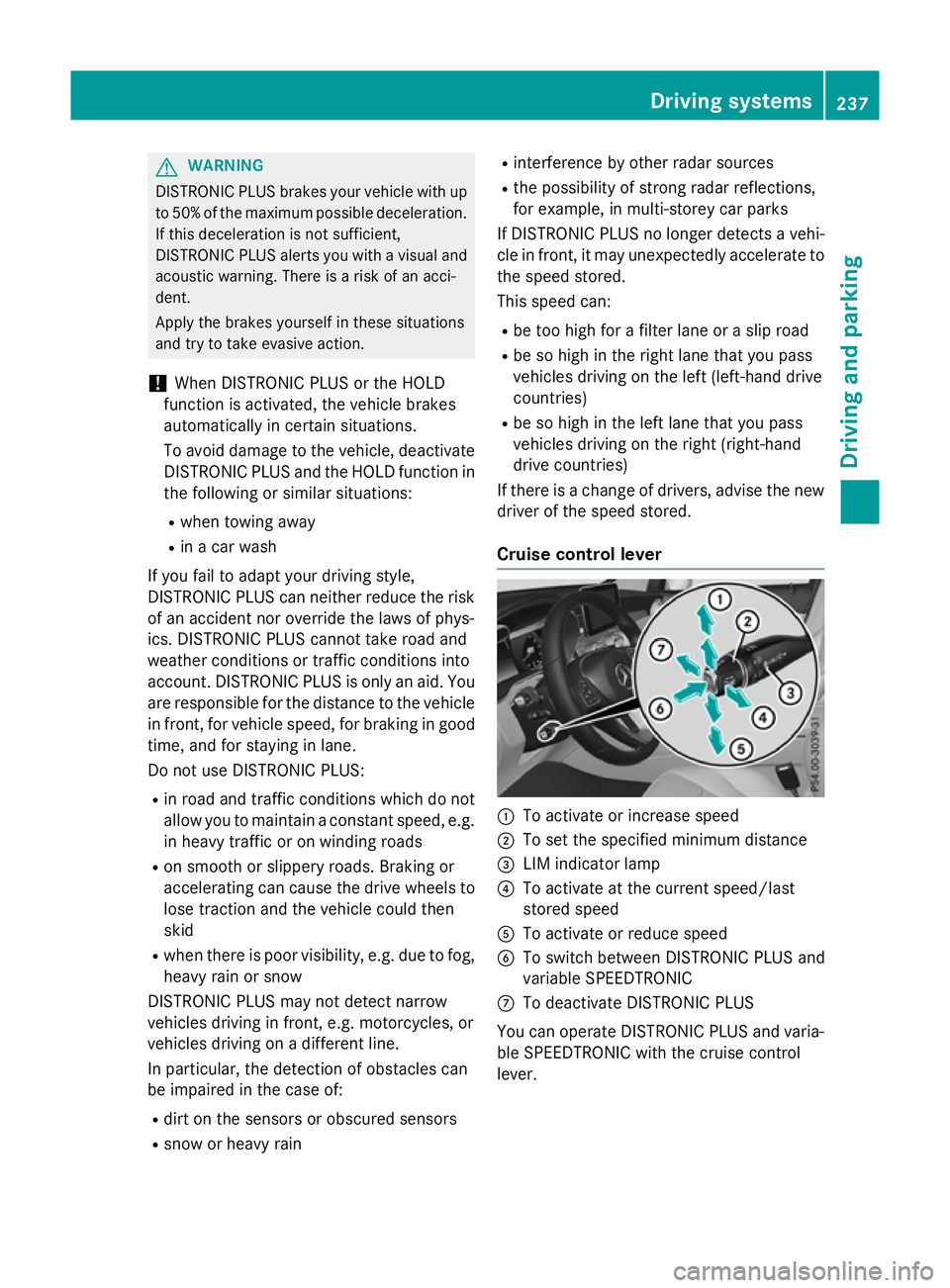
Cruise control lever :
To activate or increase speed
; To set the specified minimum distance
= LIM indicator lamp
? To activate at the current speed/last
stored speed
A To activate or reduce speed
B To switch between DISTRONIC PLUS and
variable SPEEDTRONIC
C To deactivate DISTRONIC PLUS
You can operate DISTRONIC PLUS and varia- ble SPEEDTRONIC with the cruise control
lever. Driving systems
237Driving and parking Z
Page 251 of 497
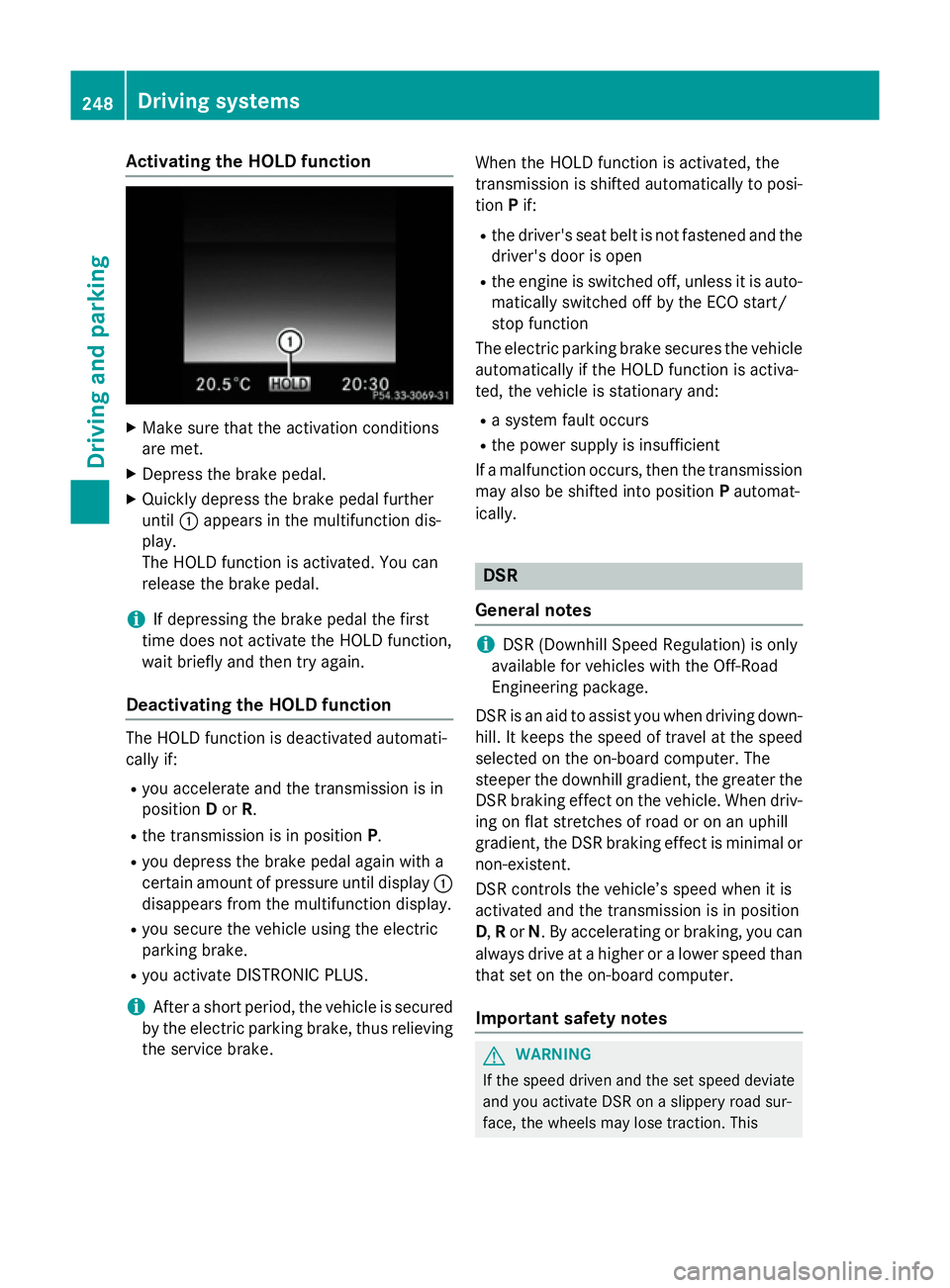
Activating the HOLD function
X
Make sure that the activation conditions
are met.
X Depress the brake pedal.
X Quickly depress the brake pedal further
until :appears in the multifunction dis-
play.
The HOLD function is activated. You can
release the brake pedal.
i If depressing the brake pedal the first
time does not activate the HOLD function,
wait briefly and then try again.
Deactivating the HOLD function The HOLD function is deactivated automati-
cally if:
R you accelerate and the transmission is in
position Dor R.
R the transmission is in position P.
R you depress the brake pedal again with a
certain amount of pressure until display :
disappears from the multifunction display.
R you secure the vehicle using the electric
parking brake.
R you activate DISTRONIC PLUS.
i After a short period, the vehicle is secured
by the electric parking brake, thus relieving
the service brake. When the HOLD function is activated, the
transmission is shifted automatically to posi-
tion Pif:
R the driver's seat belt is not fastened and the
driver's door is open
R the engine is switched off, unless it is auto-
matically switched off by the ECO start/
stop function
The electric parking brake secures the vehicle automatically if the HOLD function is activa-
ted, the vehicle is stationary and:
R a system fault occurs
R the power supply is insufficient
If a malfunction occurs, then the transmission may also be shifted into position Pautomat-
ically. DSR
General notes i
DSR (Downhill Speed Regulation) is only
available for vehicles with the Off-Road
Engineering package.
DSR is an aid to assist you when driving down-
hill. It keeps the speed of travel at the speed
selected on the on-board computer. The
steeper the downhill gradient, the greater the
DSR braking effect on the vehicle. When driv-
ing on flat stretches of road or on an uphill
gradient, the DSR braking effect is minimal or
non-existent.
DSR controls the vehicle’s speed when it is
activated and the transmission is in position
D, Ror N. By accelerating or braking, you can
always drive at a higher or a lower speed than that set on the on-board computer.
Important safety notes G
WARNING
If the speed driven and the set speed deviate and you activate DSR on a slippery road sur-
face, the wheels may lose traction. This 248
Driving systemsDriving and pa
rking
Page 371 of 497
Display messages
Possible causes/consequences and
M
MSolutions Check tyre(s)
Check tyre(s) The tyre pressure in one or more tyres has dropped significantly.
The wheel position is displayed in the multifunction display.
A warning tone also sounds.
G WARNING
Underinflated tyres pose the following risks:
R the tyres may burst, especially as the load and vehicle speed
increase
R the tyres may wear excessively and/or unevenly, which may
greatly impair tyre traction
R the driving characteristics, as well as steering and braking, may
be greatly impaired
There is a risk of an accident.
X Stop the vehicle without making any sudden steering or braking
manoeuvres. Pay attention to the traffic conditions as you do so.
X Safeguard the vehicle against rolling away (Y page 219).
X Check the tyres and, if necessary, follow the instructions for a
flat tyre (Y page 433).
X Check the tyre pressure (Y page 460).
X If necessary, correct the tyre pressure. Warning Warning
tyre
tyredefect
defect The tyre pressure in one or more tyres has dropped suddenly. The
wheel position is displayed in the multifunction display.
G WARNING
If you drive with a flat tyre, there is a risk of the following hazards:
R a flat tyre affects the ability to steer or brake the vehicle
R you could lose control of the vehicle
R continued driving with a flat tyre will cause excessive heat build-
up and possibly a fire
There is a risk of an accident.
X Stop the vehicle without making any sudden steering or braking
manoeuvres. Pay attention to the traffic conditions as you do so.
X Safeguard the vehicle against rolling away (Y page 219).
X Check the tyres and, if necessary, follow the instructions for a
flat tyre (Y page 433).368
Display
messagesOn-board computer and displays
Page 384 of 497
Warning/
indicator
lamp
N N
Signal type
Possible causes/consequences and M
MSolutions J÷
!
N
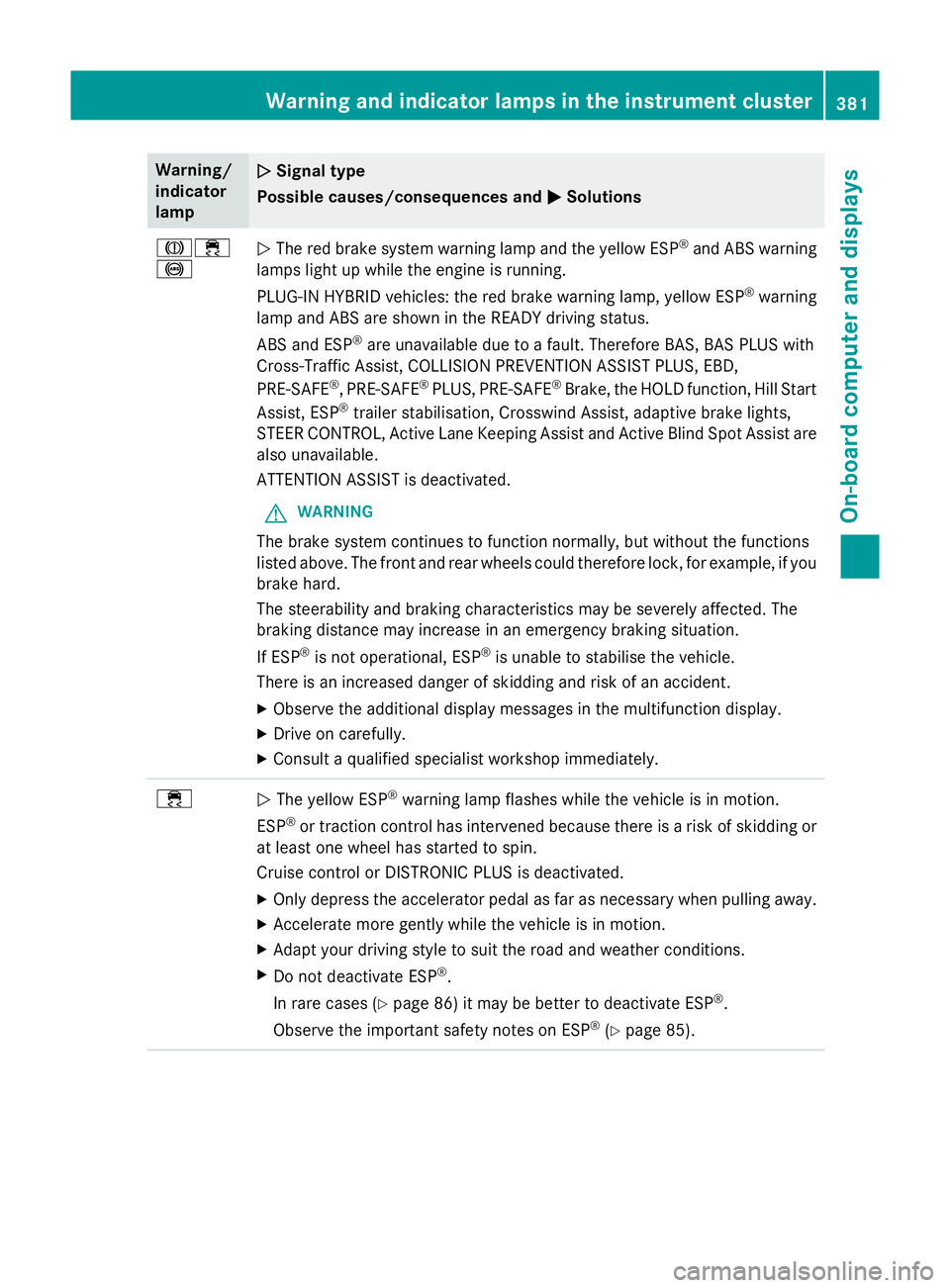
The red brake system warning lamp and the yellow ESP ®
and ABS warning
lamps light up while the engine is running.
PLUG-IN HYBRID vehicles: the red brake warning lamp, yellow ESP ®
warning
lamp and ABS are shown in the READY driving status.
ABS and ESP ®
are unavailable due to a fault. Therefore BAS, BAS PLUS with
Cross-Traffic Assist, COLLISION PREVENTION ASSIST PLUS, EBD,
PRE‑SAFE ®
, PRE‑ SAFE®
PLUS, PRE‑ SAFE®
Brake, the HOLD function, Hill Start
Assist, ESP ®
trailer stabilisation, Crosswind Assist, adaptive brake lights,
STEER CONTROL, Active Lane Keeping Assist and Active Blind Spot Assist are also unavailable.
ATTENTION ASSIST is deactivated.
G WARNING
The brake system continues to function normally, but without the functions
listed above. The front and rear wheels could therefore lock, for example, if you
brake hard.
The steerability and braking characteristics may be severely affected. The
braking distance may increase in an emergency braking situation.
If ESP ®
is not operational, ESP ®
is unable to stabilise the vehicle.
There is an increased danger of skidding and risk of an accident.
X Observe the additional display messages in the multifunction display.
X Drive on carefully.
X Consult a qualified specialist workshop immediately. ÷
N
The yellow ESP ®
warning lamp flashes while the vehicle is in motion.
ESP ®
or traction control has intervened because there is a risk of skidding or
at least one wheel has started to spin.
Cruise control or DISTRONIC PLUS is deactivated.
X Only depress the accelerator pedal as far as necessary when pulling away.
X Accelerate more gently while the vehicle is in motion.
X Adapt your driving style to suit the road and weather conditions.
X Do not deactivate ESP ®
.
In rare cases (Y page 86) it may be better to deactivate ESP ®
.
Observe the important safety notes on ESP ®
(Y page 85). Warning and indicator lamps in the instrument cluster
381On-board computer and displays Z