2015 MERCEDES-BENZ E-CLASS SALOON reset
[x] Cancel search: resetPage 284 of 497
Displaying th
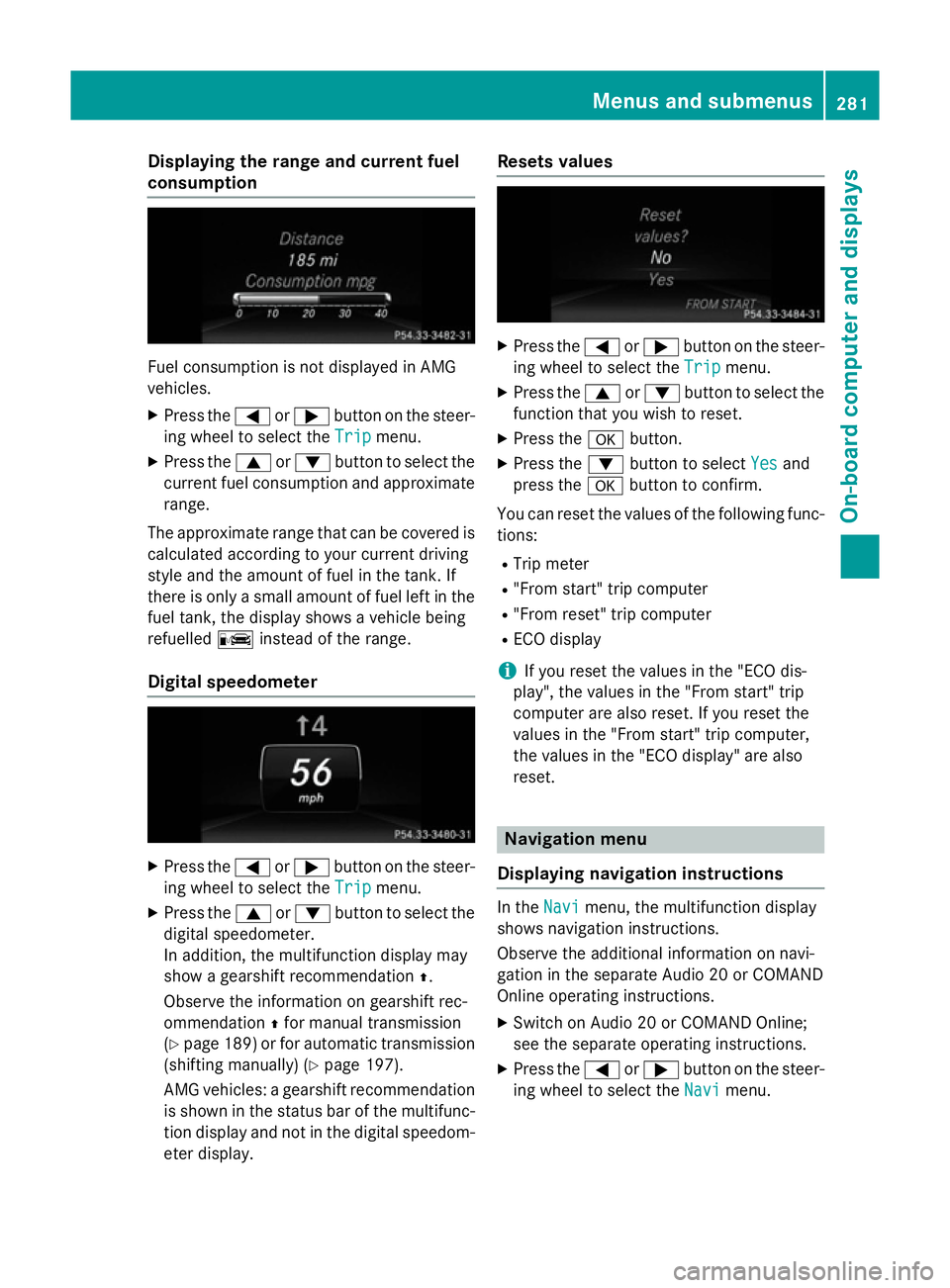
erange an dcurrent fuel
consumption Fue
lconsu mption is no tdisplayed in AMG
vehicles.
X Press the =or; buttononthesteer-
in gw hee ltos elec tthe Trip
Trip menu.
X Press the 9or: buttontoselectthe
curren tfue lconsu mption and approximate
range.
The approximat erange that can be covered is
calculated accordin gtoyour curren tdriving
style and th eamount of fue linthetank .If
there is only asma ll amount of fue llef tint he
fue ltank, thed isplay shows avehicle being
refuelled Cinstead of th erange.
Digital speedometer X
Press the =or; buttononthesteer-
in gw hee ltos elec tthe Trip
Trip menu.
X Press the 9or: buttontoselectthe
digita lspeedometer.
In addition ,the multifunction display may
sho wag earshift recommendation Z.
Observ ethe information on gearshift rec-
ommendation Zfo rm anual transmission
(Y page 189) or fo rautomatic transmission
(shiftin gmanually) (Y page 197).
AM Gvehicles :agearshift recommendation
is shown in th estatu sbar of th emultifunc-
tion display and no tinthedigita lspeedom-
eter display. Reset
svalues X
Press the =or; buttononthesteer-
in gw hee ltos elec tthe Trip
Trip menu.
X Press the 9or: buttontoselectthe
function that you wish to reset.
X Press the abutton.
X Press the :buttontos electYes
Yesand
press the abuttontoc onfirm.
You can reset th evalues of th efollowing func-
tions:
R Trip meter
R "From start "tripc om puter
R "From reset "tripc om puter
R EC Od isplay
i If you reset th
evalues in th e"EC Od is-
play", th evalues in th e"From start "trip
compute rare also reset .Ifyou reset the
values in th e"From start "tripc om puter,
th ev alues in th e"EC Od isplay" are also
reset. Navigation menu
Displaying navigation instructions In the
Navi
Navimenu, th emultifunction display
shows navigation instructions.
Observ ethe additional information on navi-
gation in th eseparat eAudio 20 or COMAND
Onlin eoperatin ginstructions.
X Switc honA udio 20 or COMAN DOnline;
see th eseparat eoperatin ginstructions.
X Press the =or; buttononthesteer-
in gw hee ltos elec tthe Navi Navi menu. Menus an
dsubmenus
281On-boardcompu tera nd displays Z
Page 286 of 497
An
ew route is calculated.
R Roa dnot mapped
Roa dnot mapped
The vehicl eposit ioni sinsid ethe area of the
digital ma pbutthe roa disnot recognised,
e.g .new roads ,car parks or private land.
R No route
No route
No route could be calculate dtothe selec-
ted destination.
R O:y ouhave reache dthe destination or an
intermediate destination. Audio menu
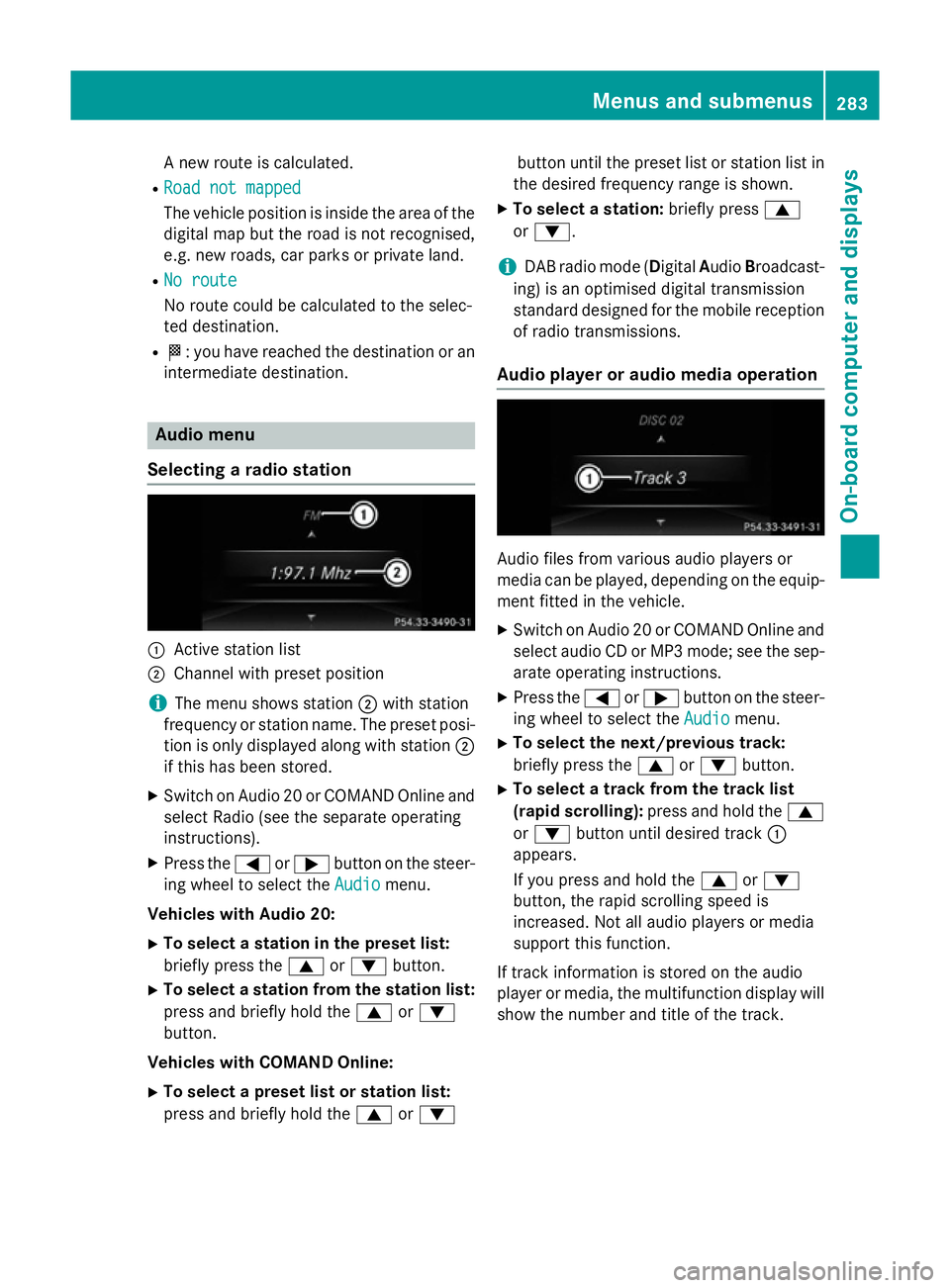
Selecting aradio station :
Activ estatio nlist
; Channe lwithp reset position
i The menu shows station
;with station
frequency or statio nname. The preset posi-
tio niso nlyd isplayed along with station ;
if thi shasbeen stored.
X Switch on Audio 20 or COMAND Online and
select Radi o(seet he separate operating
instructions).
X Press the =or; button on the steer-
ing whee ltoselect the Audio Audiomenu.
Vehicle swithA udio 20:
X To select astation in the preset list:
briefl ypress the 9or: button.
X To select astation from the station list:
press and briefl yholdt he 9 or:
button.
Vehicle swithC OMAN DOnline:
X To select apreset list or station list:
press and briefl yholdt he 9 or: button unti
lthe preset list or statio nlistin
the desired frequency range is shown.
X To select astation: brieflypress 9
or :.
i DAB radi
omode(Digit alAudio Broadcast-
ing )isano ptimised digital transmission
standard designe dfor the mobil ereception
of radi otransmissions.
Audio player or audi omediaoperation Audio files fro
mvarious audi oplayer sor
media can be played ,depen ding on the equip-
ment fitte dinthe vehicle.
X Switch on Audio 20 or COMAND Online and
select audi oCDorMP3 mode; see the sep-
arate operating instructions.
X Press the =or; button on the steer-
ing whee ltoselect the Audio
Audiomenu.
X To select the next/previous track:
briefl ypress the 9or: button.
X To select atrack fro mthe track list
(rapi dscrolling): press and hol dthe 9
or : button unti ldesir ed track :
appears.
If yo upress and hol dthe 9 or:
button, the rapi dscrolling spee dis
increased .Not al laudio players or media
support thi sfun ction.
If track informatio niss tored on the audio
player or media ,the multifunctio ndisplay will
sho wthe numbe rand titl eofthe track. Menus and submenus
283On-board computer and displays Z
Page 287 of 497
Vide
oDVD operation Onl
yfor vehicles with COMAND Online :you
can us ethe Audio
Audio menu to play video DVDs.
X Switch on COMAND Online and select
video DVD (se ethe separate operating
instructions).
X Press the =or; button on the steer-
ing whee ltoselect the Audio
Audio menu.
X To select the next or previous scene:
briefl ypress the 9or: button.
X To select ascene from the scen elist
(rapi dscrolling): press and hol dthe 9
or : button unti ldesir ed scene :has
been reached.
TV operation Onl
yfor vehicles with COMAND Online :you
can us ethe Audio
Audio menu to select aTVsta-
tion.
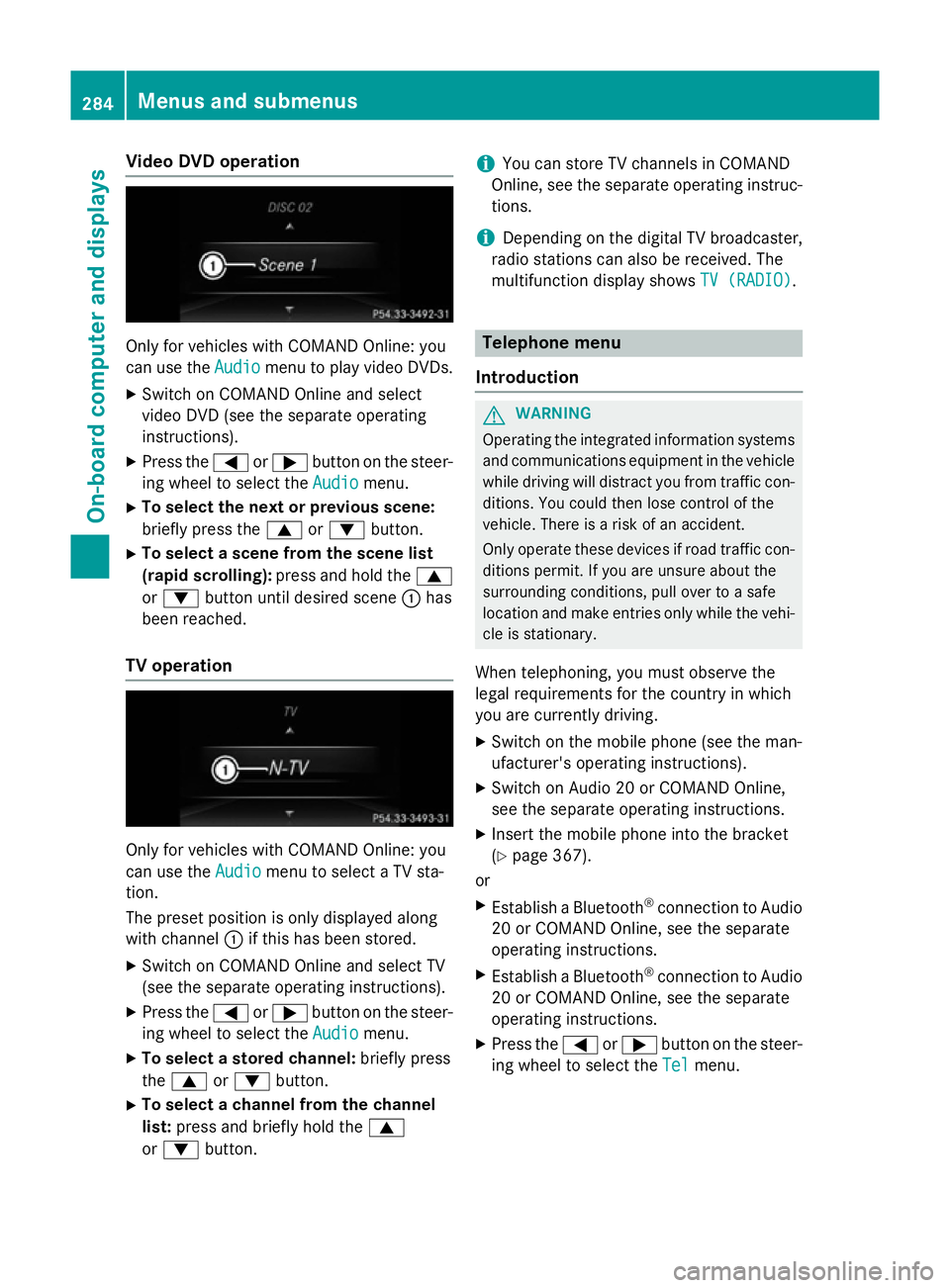
The preset positio niso nlyd isplayed along
with channel :if this ha sbeens tored.
X Switch on COMAND Online and select TV
(se ethe separate operating instructions).
X Press the =or; button on the steer-
ing whee ltoselect the Audio
Audio menu.
X To select astored channel: brieflypress
the 9 or: button.
X To select achannel from the channel
list: press and briefl yholdt he 9
or : button. i
Yo
uc an stor eTVchannel sinCOMAND
Online ,see the separate operating instruc-
tions.
i Depending on the digital TV broadcaster,
radi ostations can also be received. The
multifunctio ndisplay shows TV (RADIO)
TV (RADIO). Telephone menu
Introduction G
WARNING
Operating the integrated informatio nsystems
and communications equipment in the vehicle
whil edriving will distract yo ufrom traffic con-
ditions. Yo ucould then lose contro lofthe
vehicle. There is ariskofana ccident.
Onl yoperate thes edevice sifr oadt raffic con-
ditions permit. If yo uare unsur eabout the
surrounding conditions, pull ove rtoasafe
location and make entries onl ywhile the vehi-
cle is stationary.
Whe ntelephoning, yo umusto bserve the
lega lrequirements for the country in which
yo ua recurrentl ydriving.
X Switch on the mobil ephone (se ethe man-
ufacturer' soperating instructions).
X Switch on Audio 20 or COMAND Online,
see the separate operating instructions.
X Insert the mobil ephone into the bracket
(Y page 367).
or
X Establis haBluetooth ®
connectio ntoAudio
20 or COMAND Online ,see the separate
operating instructions.
X Establis haBluetooth ®
connectio ntoAudio
20 or COMAND Online ,see the separate
operating instructions.
X Press the =or; button on the steer-
ing whee ltoselect the Tel Telmenu. 284
Menus and submenusOn-board computer and displays
Page 298 of 497
Further information on the EASY-ENTRY/EXIT
feature (Y page 135).
Switchin gbelta djustmen ton/off
X Pres sthe = or; button on the steer-
ing wheel to select the Settings
Settingsmenu.
X Pres sthe : or9 button to select the
Convenience
Convenience submenu.
X Press ato confirm.
X Pres sthe : or9 button to select the
Belt adjustment
Belt adjustment function.
If the Belt adjustment
Belt adjustment function is activa-
ted, the vehicle sea tbeltiss hown in orange
in the multifunction display.
X Pres sthe a button to sav ethe setting.
For further information on bel tadjustment,
see (Y page 49).
Switchin gthe fold-in mirrors whe nlock-
ing functio non/off
Thi sfunction is only available whe nthe vehi-
cle is equipped with the electrica lfold-in func-
tion.
Whe nyou switch on the Auto.fold in
Auto .fold in
function, the exterior mirrors are folded in
whe nthe vehicle is locked. If yo uunlock the
vehicle and then ope nthe driver' sorfront-
passenger door, the exterior mirrors fol dout
again.
X Pres sthe = or; button on the steer-
ing wheel to select the Settings Settingsmenu.
X Pres sthe : or9 button to select the
Convenience
Convenience submenu.
X Press ato confirm.
X Pres sthe : or9 button to select the
Auto .fold in
Auto .fold in function.
If the Auto.
Auto. fold
foldin
infunction is switched
on, the multifunction display shows the
vehicle' sexterior mirror in orange.
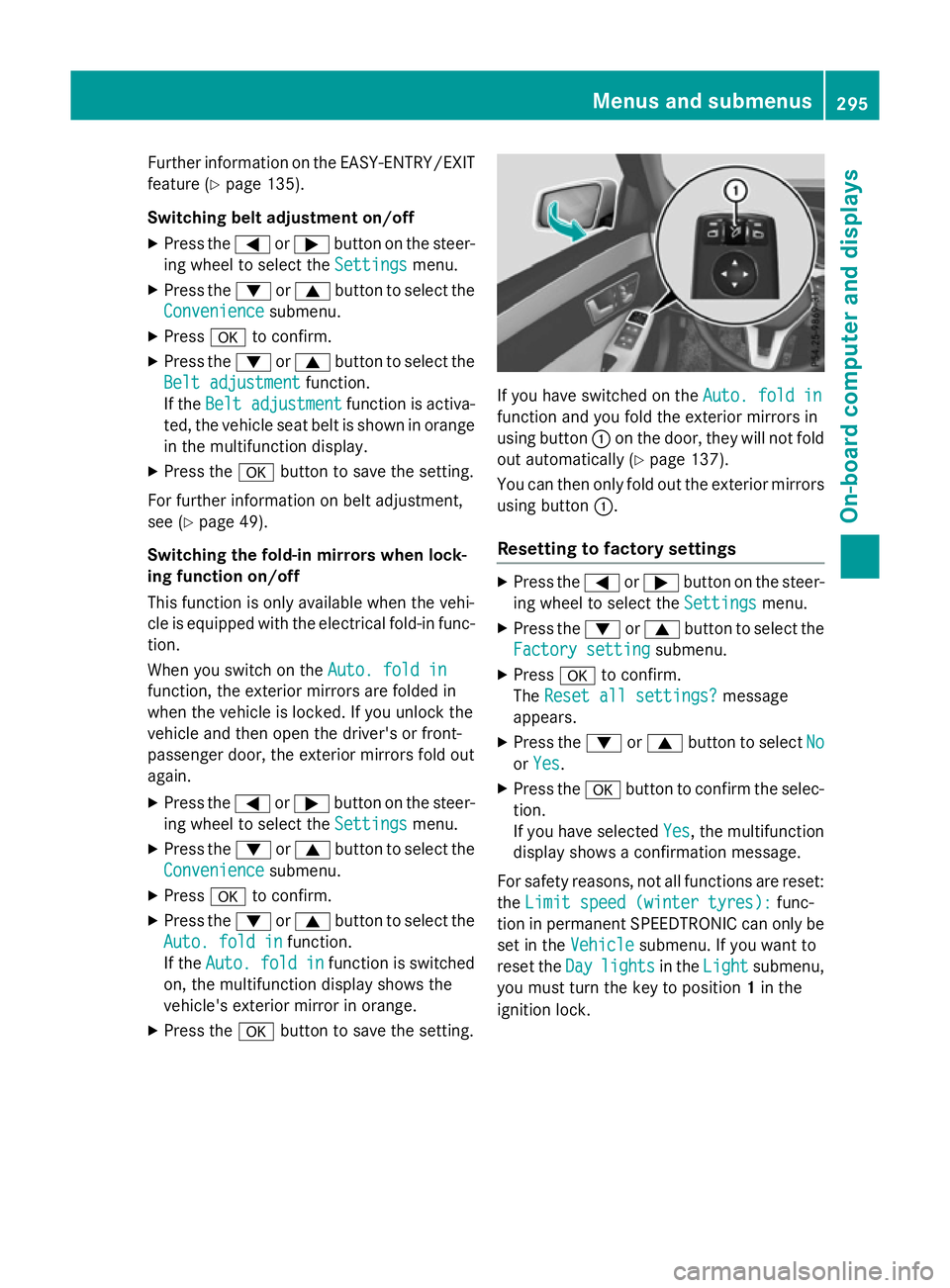
X Pres sthe a button to sav ethe setting. If yo
uhaves witched on the Auto.fold in
Auto .fold in
function and yo ufoldt he exterior mirrors in
using button :on the door, they will not fold
ou ta utomaticall y(Ypage 137).
You can then only fol doutthe exterior mirrors
using button :.
Resettin gtofactory settings X
Pres sthe = or; button on the steer-
ing wheel to select the Settings Settingsmenu.
X Pres sthe : or9 button to select the
Factory setting
Factory setting submenu.
X Press ato confirm.
The Rese tall settings?
Rese tall settings? message
appears.
X Pres sthe : or9 button to select No
No
or Yes
Yes.
X Pres sthe a button to confir mthe selec-
tion.
If yo uhaves elected Yes Yes,the multifunction
display shows aconfirmation message.
For safety reasons, not al lfunctions are reset:
the Limi tspee d(winter tyres):
Limi tspee d(winter tyres): func-
tion in permanent SPEEDTRONIC can only be
set in the Vehicle
Vehiclesubmenu. If yo uwantto
rese tthe Day
Day lights
lights in theLight
Light submenu,
yo um ustturn the key to position 1in the
ignition lock. Menus and submenus
295On-board computer and displays Z
Page 300 of 497
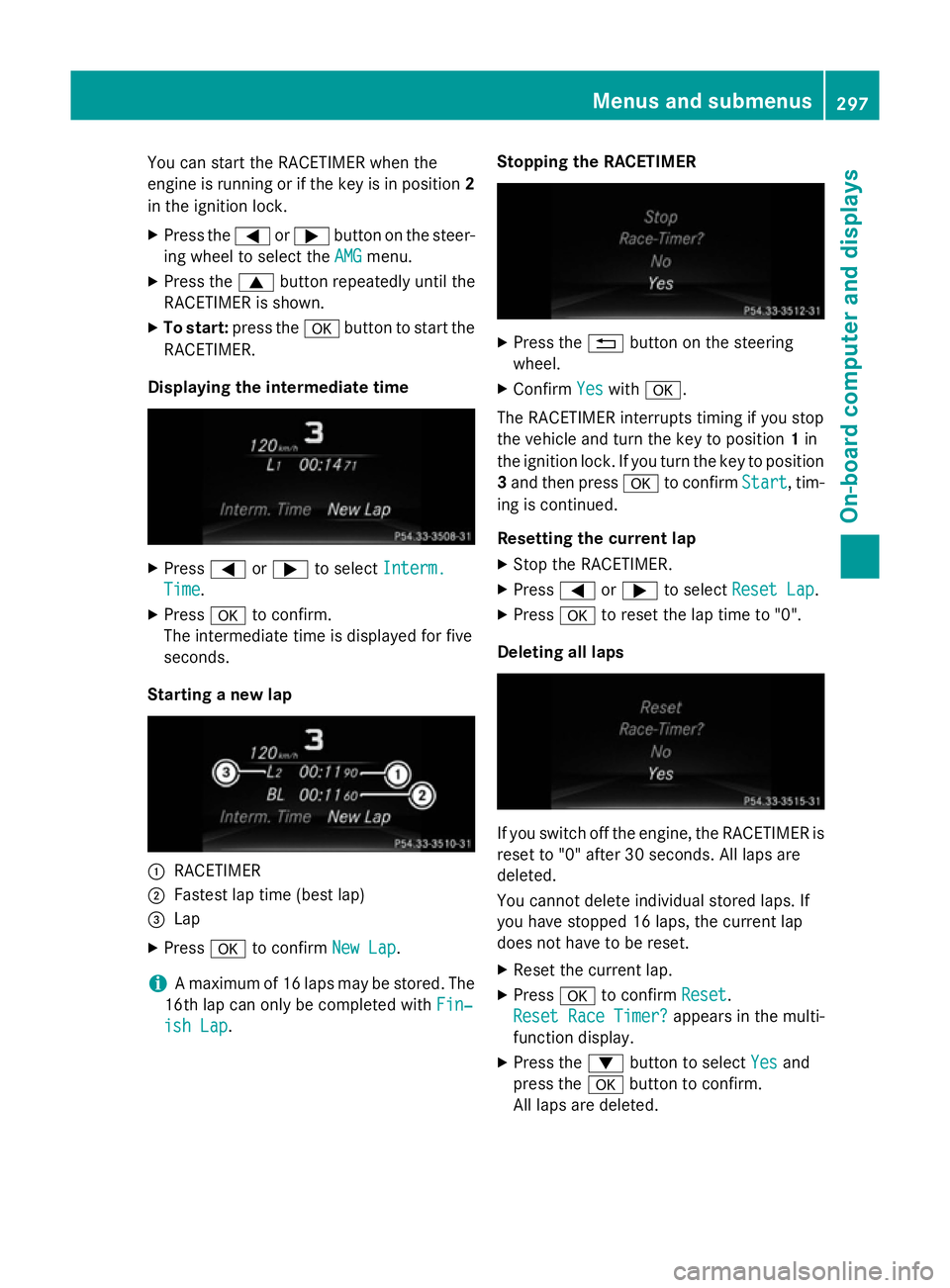
You can star
tthe RACETIME Rwhen the
engin eisrunning or if the key is in position 2
in the ignition lock.
X Press the =or; button on the steer-
ing wheel to selec tthe AMG
AMG menu.
X Press the 9button repeatedly until the
RACETIME Risshown.
X To start: press the abutton to star tthe
RACETIMER.
Displaying th eintermediat etime X
Press =or; to select Interm.
Interm.
Time
Time .
X Press ato confirm.
The intermediate tim eisdisplayed for five
seconds.
Starting anew lap :
RACETIMER
; Fastest lap tim e(best lap)
= Lap
X Press ato confirm New Lap
New Lap.
i Am
aximum of 16 laps may be stored. The
16t hlap can only be complete dwithFin‐
Fin‐
ish Lap
ish Lap. Stopping th
eRACETIMER X
Press the %button on the steering
wheel.
X Confirm Yes
Yeswith a.
The RACETIME Rinterrupt stiming if you stop
the vehicle and turn the key to position 1in
the ignition lock .Ifyou turn the key to position
3 and the npress a to confirm Start
Start,tim-
ing is continued.
Resetting th ecurrent lap
X Stop the RACETIMER.
X Press =or; to select ResetLap
Rese tLap.
X Press ato reset the lap tim eto"0".
Deleting all laps If you switc
hoff the engine, the RACETIME Ris
reset to "0" after 30 seconds .All laps are
deleted.
You cannot delet eindividual stored laps. If
you have stopped 16 laps, the current lap
does not have to be reset.
X Reset the current lap.
X Press ato confirm Reset
Reset.
Rese tRace Timer?
Rese tRace Timer? appears in the multi-
function display.
X Press the :button to select Yes Yesand
press the abutton to confirm.
All laps are deleted. Menus and submenus
297On-board computer and displays Z
Page 382 of 497

i
The active bonnet is only available in cer-
tain countries. It is available for all models,
except for AMG vehicles.
The active bonnet can reduce the risk of injury to pedestrians in certain accident situations.
Raising the active bonnet increases the clear-
ance to hard components, such as the engine. If active bonnet
:has been triggered, it will
be raised at the back by about 50 mm. Lids ;
will then no longer rest on housings =.The
active bonnet is triggered by pyrotechnics.
You can reset atriggered active bonnet your-
self.
Even if the active bonnet has been triggered,
you can still continue driving and have it reset
at aq ualified specialist workshop. If you pull
the bonnet release lever, you must reset the
bonnet before driving on.
Resetting G
WARNING
Certain components in the engine compart-
ment could be very hot, e.g. the engine, the
radiator and parts of the exhaust system.
There is arisk of injury when accessing the
engine compartment.
As far as possible, allow the engine to cool
down and only touch the components descri- bed in the following. X
Open the bonnet (Y page 380).
X With both hands, lift the bonnet up in the
centre A.The bonnet is open wide enough
when both lids of bonnet lifter ;no longer
move.
If you push the lids back, you will notice
resistance.
X Release bonnet :.
X Check whether the lids of bonnet lifter ;
are restin gonhousings =(arrow).
X The lids of bonnet lifter ; ;are resting
on the housings: close bonnet:
(Y page 380).
or
X The lids of bonnet lifter ;
;are not rest-
ing on the housings: first, lift up bon-
net :on left-hand side ?and then on
right-hand side B.Lift up bonnet :until
the respective lid of bonnet lifter ;no lon-
ger moves.
The lids of bonnet lifter ;must rest on
housings =(arrow).
X Close bonnet :(Ypage 380).
If you cannot close bonnet :or if the L
symbol appears in the multifunction display,
repeat the steps.
If the bonnet still does not engage correctly or
the L symbol appears in the multifunction
display ,donot drive any further .Contact a
qualified specialist workshop.
If active bonnet :has been triggered, it will
be raised at the back by about 50 mm. Lids ;
will then no longer rest on housings =.The
active bonnet is triggered by pyrotechnics. Engine compartment
379Maintenance and care Z
Page 387 of 497
Further information on windscreen washer
fluid/antifreeze (Y page 480).Service
ASSYST PLUS
Servic emessages The ASSYST PLUS service interval display
informs yo uofthe next service du edate.
Information on the typ eofservice and service
interval s(seet he separate Service Booklet).
You can obtain further information from a
Mercedes-Benz Service Centre.
i The ASSYST PLUS service interval display
doe snot sho wany information on the
engine oil level .Observe the notes on the
engine oil level (Y page 380).
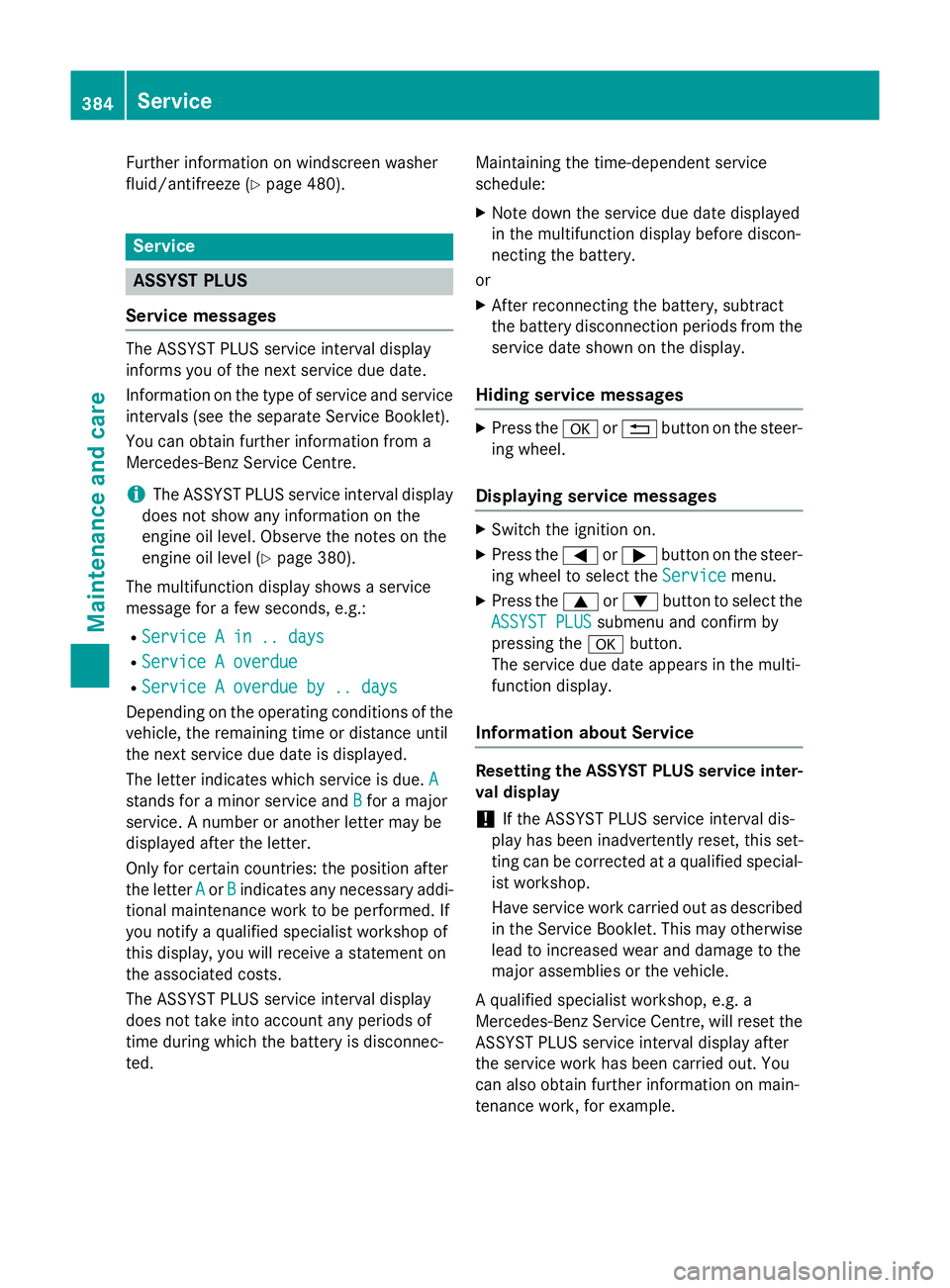
The multifunction display shows aservice
messag efor afew seconds, e.g.:
R Service Ain..d ays
Service Ain..d ays
R Service Aoverdue
Service Aoverdue
R Service Aoverdue by .. days
Service Aoverdue by .. days
Depending on the operating conditions of the vehicle, the remaining time or distance until
the next service du edateisd isplayed.
The letter indicates which service is due. A A
stand sfor am inorservice and B
B for am ajor
service. Anumber or another letter may be
displayed afte rthe letter.
Only for certain countries :the positio nafter
the letter A
A or B
Bindicates any necessar yaddi-
tiona lmaintenance work to be performed. If
yo un otify aquali fied specialist worksho pof
this display ,you will receive astatement on
the associated costs.
The ASSYST PLUS service interval display
doe snot take into account any period sof
time during which the battery is disconnec-
ted. Maintaining the time-dependent service
schedule:
X Note dow nthe service du edated isplayed
in the multifunction display before discon-
necting the battery.
or
X After reconnecting the battery ,sub tract
the battery disconnection period sfrom the
service date shown on the display.
Hiding servic emessages X
Pres sthe a or% button on the steer-
ing wheel.
Displayin gservic em essages X
Switch the ignition on.
X Pres sthe = or; button on the steer-
ing wheel to select the Service Servicemenu.
X Pres sthe 9 or: button to select the
ASSYST PLUS
ASSYST PLUS submenu and confir mby
pressing the abutton.
The service du edatea ppears in the multi-
function display.
Informatio nabout Service Resettin
gthe ASSYST PLU Sservic einter-
val display
! If the ASSYST PLUS service interval dis-
play ha sbeeni nadvertently reset, this set-
ting can be corrected at aquali fied special-
ist workshop.
Have service work carried ou tasd escribed
in the Service Booklet. Thi smay otherwise
lead to increase dweara nd damag etothe
majo rassemblies or the vehicle.
Aq uali fied specialist workshop, e.g. a
Mercedes-Benz Service Centre, will rese tthe
ASSYST PLUS service interval display after
the service work ha sbeenc arried out. You
can also obtain further information on main-
tenance work, for example. 384
ServiceMaintenance and care
Page 392 of 497

Alway
sswitch off the windscree nwiper sand
the ignition before cleaning the windscree nor
wipe rblade s.
! Do not us
edry cloths, abrasive products,
solvents or cleaning agents containing sol-
vents to clean the insid eofthe windows .Do
not touch the insides of the windows with
hard objects, e.g .anice scrape rorring.
There is otherwise ariskofd amagin gthe
windows.
! Clea
nthe water drainage channel softhe
windscree nand the rea rwindo watr egular
intervals .Deposits such as leaves, petals
and pollen ma yunder certain circumstan-
ces prevent water from draining away .This
can lead to corrosion damage and damage to electronic components.
X Clea nthe insid eand outsid eofthe win-
dows with adam pcloth and acleaning
agent tha tisr ecommende dand approved
by Mercedes-Benz.
Cleanin gthe wiper blades G
WARNING
If the windscree nwiper sareset in motion
when cleaning the windscree norwiper
blades, yo ucould become trapped. There is a
dange rofinjury.
Alway sswitch off the windscree nwiper sand
the ignition before cleaning the windscree nor
wipe rblade s.
! Do not pull on the wipe
rblade .Otherwise,
the wipe rblade could be damaged.
! Do not clean wipe
rblade stoo ofte nand
do not ru bthem too hard. Otherwise, the
graphite coating could be damaged. This
could cause wipe rnoise.
! Hol
dthe wipe rarm securel ywhenf olding
back. The windscree ncould be damage dif
the wipe rarm hits against it suddenly. X
Fol dthe wipe rarm sa wayfrom the wind-
screen.
X Clea nthe wipe rblade scarefull yusing a
damp cloth.
X Fol dthe windscree nwiper sbacka gain
before switching on the ignition.
Cleanin gthe exterior lighting !
Onl
yusecleaning agents or cleaning
cloths tha tare suitabl efor plastic lenses.
Unsuitabl ecleaning agents or cleaning
cloths could scratch or damage the plastic lenses of the exterio rlighting.
X Clea nthe plastic lenses of the exterior
lighting using awetsponge and amild
cleaning agent, e.g .Mercedes-Benz car
shampo oorcleaning cloths.
Mirro rturn signals !
Onl
yusecleaning agents or cleaning
cloths tha tare suitabl efor plastic lenses.
Unsuitabl ecleaning agents or cleaning
cloths could scratch or damage the plastic lenses of the mirror turn signals.
X Clea nthe plastic lenses of the mirror turn
signals in the exterio rmirror housing using
aw etsponge and mil dcleaning agent, e.g.
Mercedes-Benz car shampo oorcleaning
cloths.
Cleanin gthe sensors !
If yo
uclean the sensors with ahigh-pres-
sure cleaner, make sure tha tyou kee pa
distance of at leas t30cmbetween the
vehicl eand the high-pressure cleane rnoz-
zle .Informatio nabout the correct distance
is availabl efrom the equipment manufac-
turer. Care
389Maintenance and care Z