2015 MERCEDES-BENZ B-Class ELECTRIC brake
[x] Cancel search: brakePage 172 of 338
Active Parking Assist will only detect parking
spaces:
R that are parallel to the direction of travel
R that are at least 59 in (1.5 m) wide
R that are at least 51 in (1.3 m) longer than
your vehicle
When driving at speeds below 19 mph
(30 km/h), you will see parking symbol ;as
a status indicator in the instrument cluster.
When a parking space has been detected, an arrow towards the right or the left also
appears. By default, Active Parking Assist
only displays parking spaces on the front-
passenger side. Parking spaces on the driv-
er's side are displayed as soon as the turn
signal on the driver's side is activated. When
parking on the driver's side, this must remain activated until you confirm the use of Active
Parking Assist by pressing the abutton on
the multifunction steering wheel.
A parking space is displayed while you are
driving past it, and until you are approx-
imately 50 ft (15 m) away from it.
Parking G
WARNING
Active Parking Assist merely aids you by inter- vening actively in the steering. If you do not
brake there is a risk of an accident.
Always apply the brakes yourself when
maneuvering and parking.
X Stop the vehicle when the parking space
symbol shows the desired parking space in
the instrument cluster.
X Shift the transmission to position R.
The Start Park Assist? Start Park Assist? Yes: OK
Yes: OKNo:
No:
% message appears in the multifunction
display. X
To cancel the procedure: press the%
button on the multifunction steering wheel or pull away.
or
X To park using Active Parking Assist:
press the abutton on the multifunction
steering wheel.
The Park Assist Active Accelerate Park Assist Active Accelerate
and Brake and Brake Observe Surroundings
Observe Surroundings mes-
sage appears in the multifunction display.
X Let go of the multifunction steering wheel.
X Back up the vehicle, being ready to brake at
all times. When backing up, drive at a speed below approximately 6 mph (10 km/h).
Otherwise Active Parking Assist will be can-
celed.
Maneuvering may be required in tight park- ing spaces.
X Stop as soon as PARKTRONIC sounds the
continuous warning tone, if not before.
Maneuvering may be required in tight park- ing spaces.
The Park Assist Active Select D Park Assist Active Select D
Observe Observe Surroundings Surroundings message appears in
the multifunction display.
X Shift the transmission to position Dwhile
the vehicle is stationary.
Active Parking Assist immediately steers in
the other direction.
The Park Assist Active Accelerate Park Assist Active Accelerate
and Brake
and Brake Observe Surroundings
Observe Surroundings mes-
sage appears in the multifunction display.
i You will achieve the best results by wait-
ing for the steering procedure to complete before pulling away.
X Drive forwards and be ready to brake at all
times.
Maneuvering may be required in tight park-
ing spaces.
X Stop as soon as PARKTRONIC sounds the
continuous warning tone, if not before.
The Park Assist Active Select R Park Assist Active Select R
Observe
Observe Surroundings
Surroundings message appears in
the multifunction display. 170
Driving systemsDriving an
d parking
Page 173 of 338
As soon as the parking procedure is com-
plete, the Park
ParkAssist
Assist Switched
Switched Off
Offmes-
sage appears and a warning tone sounds. The vehicle is now parked.
Active Parking Assist no longer supports you
with steering interventions and brake appli-
cations. When Active Parking Assist is fin-
ished, you must steer and brake again your-
self. PARKTRONIC is still available.
Parking tips:
R The way your vehicle is positioned in the
parking space after parking is dependent
on various factors. These include the posi-
tion and shape of the vehicles parked in
front and behind it and the conditions of the location. It may be the case that Active
Parking Assist guides you too far into a
parking space, or not far enough into it. In
some cases, it may also lead you across or
onto the curb. If necessary, you should can- cel the parking procedure with Active Park-ing Assist.
R You can also select preselect transmission
position D. The vehicle redirects and does
not drive as far into the parking space.
Should the transmission change take place
too early, the parking procedure will be
canceled. A sensible parking position can
no longer be achieved from this position.
Exiting a parking space In order that Active Parking Assist can sup-
port you when you exit the parking space:
R you need to have parked using Active Park-
ing Assist.
R the border of the parking space must be
high enough at the front and the rear. A
curb is too small, for example.
R the border of the parking space must not be
too wide, as the position of the vehicle must
not exceed an angle of 45° to the starting
position as it is maneuvering into the park-
ing space.
R a maneuvering distance of at least 3.3 ft
(1.0 m) must be available. Active Parking Assist can only assist you with
exiting a parking space if you have parked thevehicle parallel to the direction of travel using
Active Parking Assist.
X Start the engine.
X Release the electric parking brake.
X Switch on the turn signal in the direction
you are pulling away.
X Shift the transmission to position Dor R.
The Start Park Assist? Yes: OK No: Start Park Assist? Yes: OK No:
message appears in the multifunction dis-
play %.
X To cancel the procedure: press the%
button on the multifunction steering wheel
or pull away.
or X To exit a parking space using Active
Parking Assist: press theabutton on
the multifunction steering wheel.
The Park Assist Active Accelerate Park Assist Active Accelerate
and
and Brake
Brake Observe
Observe Surroundings
Surroundings mes-
sage appears in the multifunction display.
X Let go of the multifunction steering wheel.
X Pull away, being ready to brake at all times.
Do not exceed a maximum speed of
approximately 6 mph (10 km/h) when exit-
ing a parking space. Otherwise Active Park- ing Assist will be canceled.
X Stop when PARKTRONIC sounds the con-
tinuous warning tone, if not before.
X Depending on the message or as required,
shift the transmission to position Dor R.
Active Parking Assist immediately steers in the other direction. The Park Assist Park Assist
Active Accelerate and Brake
Active Accelerate and Brake
Observe Observe Surroundings
Surroundings message appears
in the multifunction display.
i You will achieve the best results by wait-
ing for the steering procedure to complete before pulling away.
If you back up after activation, the steeringwheel is moved to the straight-ahead posi-
tion. Driving systems
171Driving and parking Z
Page 174 of 338
X
Drive forwards and back up as prompted by
the PARKTRONIC warning displays, several
times if necessary.
X Stop when PARKTRONIC sounds the con-
tinuous warning tone, if not before.
Once you have exited the parking space com-
pletely, the steering wheel is moved to the
straight-ahead position. You hear a tone and
the Park Assist Finished
Park Assist Finished message
appears in the multifunction display. You will
then have to steer and merge into traffic on
your own. PARKTRONIC is still available. You
can take over the steering, before the vehicle has exited the parking space completely. Thisis useful, for example when you recognize
that it is already possible to pull out of the
parking space.
Canceling Active Parking Assist X
Stop the movement of the multifunction
steering wheel or steer yourself.
Active Parking Assist will be canceled at
once. The Park Assist Canceled Park Assist Canceled mes-
sage appears in the multifunction display.
or
X Press the PARKTRONIC button
(Y page 167).
PARKTRONIC is switched off and Active
Parking Assist is immediately canceled.
The Park Assist Canceled
Park Assist Canceled message
appears in the multifunction display.
Active Parking Assist is canceled automati-
cally if:
R the electric parking brake is engaged
R transmission position Pis selected
R parking using Active Parking Assist is no
longer possible
R you are driving faster than 6 mph (10 km/h)
R a wheel spins, ESP ®
intervenes or fails. The
÷ warning lamp lights up in the instru-
ment cluster
A warning tone sounds. The parking symbol
disappears and the multifunction display shows the
Park Assist Canceled
Park Assist Canceled mes-
sage.
When Active Parking Assist is canceled, you
must steer and brake again yourself.
If a system malfunction occurs, the vehicle is braked to a standstill. To drive on, depress the
accelerator again. Rear view camera
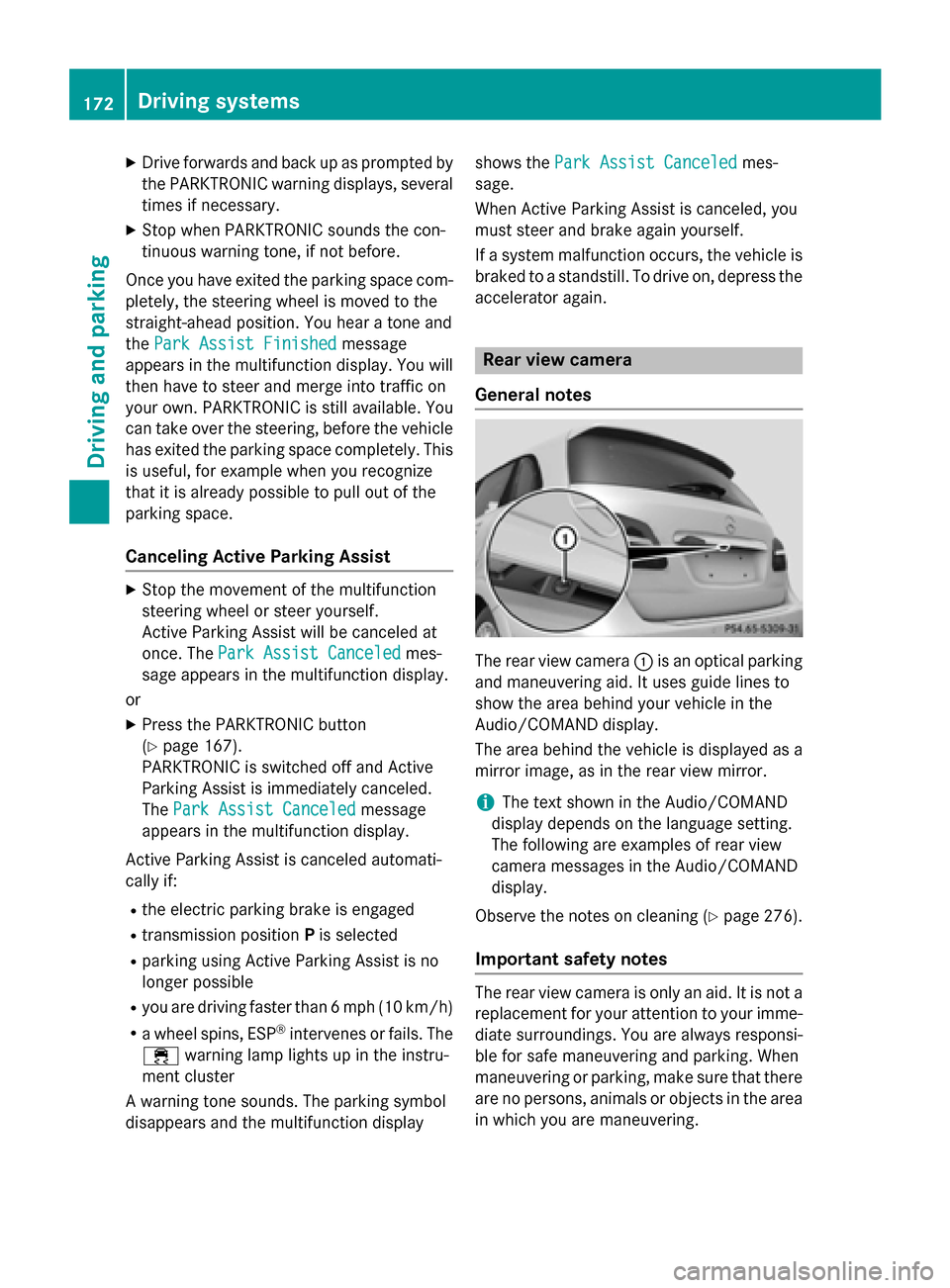
General notes The rear view camera
:is an optical parking
and maneuvering aid. It uses guide lines to
show the area behind your vehicle in the
Audio/COMAND display.
The area behind the vehicle is displayed as a
mirror image, as in the rear view mirror.
i The text shown in the Audio/COMAND
display depends on the language setting.
The following are examples of rear view
camera messages in the Audio/COMAND
display.
Observe the notes on cleaning (Y page 276).
Important safety notes The rear view camera is only an aid. It is not a
replacement for your attention to your imme-
diate surroundings. You are always responsi-
ble for safe maneuvering and parking. When
maneuvering or parking, make sure that there are no persons, animals or objects in the area in which you are maneuvering. 172
Driving systemsDriving an
d parking
Page 186 of 338
The braking performance of the electric
motor using recuperative braking is, in some
operating modes, either reduced or not effec-
tive:
R when the condition of charge of the high-
voltage battery increases
R if the high-voltage battery is not yet at a
normal operating temperature
R when driving close to the maximum speed
R when the vehicle is almost stationary
R in transmission position N
R during and after ESP stability control
If necessary, counteract the reduced regen-
erative braking effect by applying the brake
yourself. Charge level display
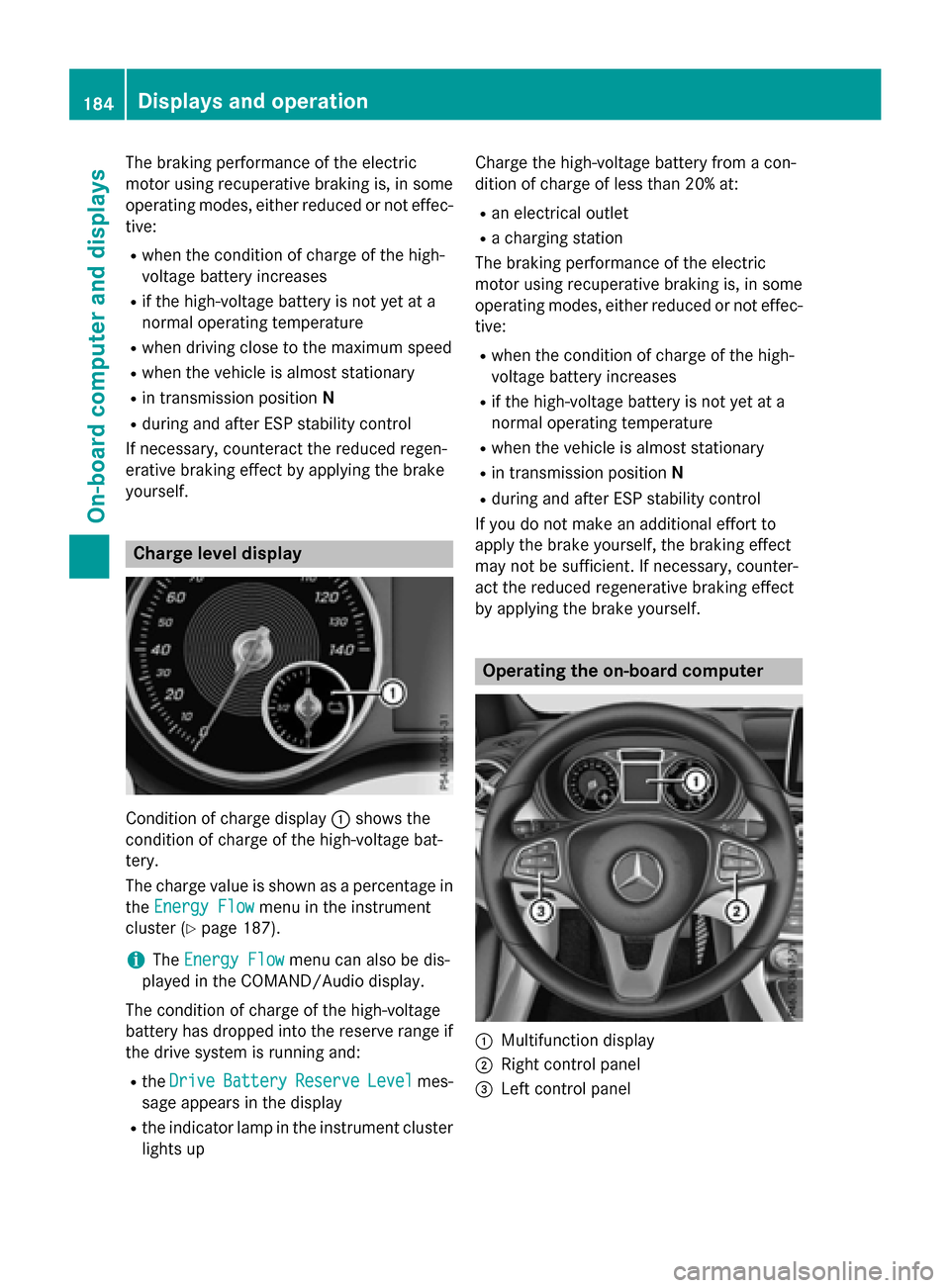
Condition of charge display
:shows the
condition of charge of the high-voltage bat-
tery.
The charge value is shown as a percentage in
the Energy Flow Energy Flow menu in the instrument
cluster (Y page 187).
i The
Energy Flow
Energy Flow menu can also be dis-
played in the COMAND/Audio display.
The condition of charge of the high-voltage
battery has dropped into the reserve range if
the drive system is running and:
R the Drive Drive Battery
Battery Reserve
ReserveLevel
Levelmes-
sage appears in the display
R the indicator lamp in the instrument cluster
lights up Charge the high-voltage battery from a con-
dition of charge of less than 20% at:
R an electrical outlet
R a charging station
The braking performance of the electric
motor using recuperative braking is, in some
operating modes, either reduced or not effec-
tive:
R when the condition of charge of the high-
voltage battery increases
R if the high-voltage battery is not yet at a
normal operating temperature
R when the vehicle is almost stationary
R in transmission position N
R during and after ESP stability control
If you do not make an additional effort to
apply the brake yourself, the braking effect
may not be sufficient. If necessary, counter-
act the reduced regenerative braking effect
by applying the brake yourself. Operating the on-board computer
:
Multifunction display
; Right control panel
= Left control panel 184
Displays and operationOn-board computer and displays
Page 190 of 338
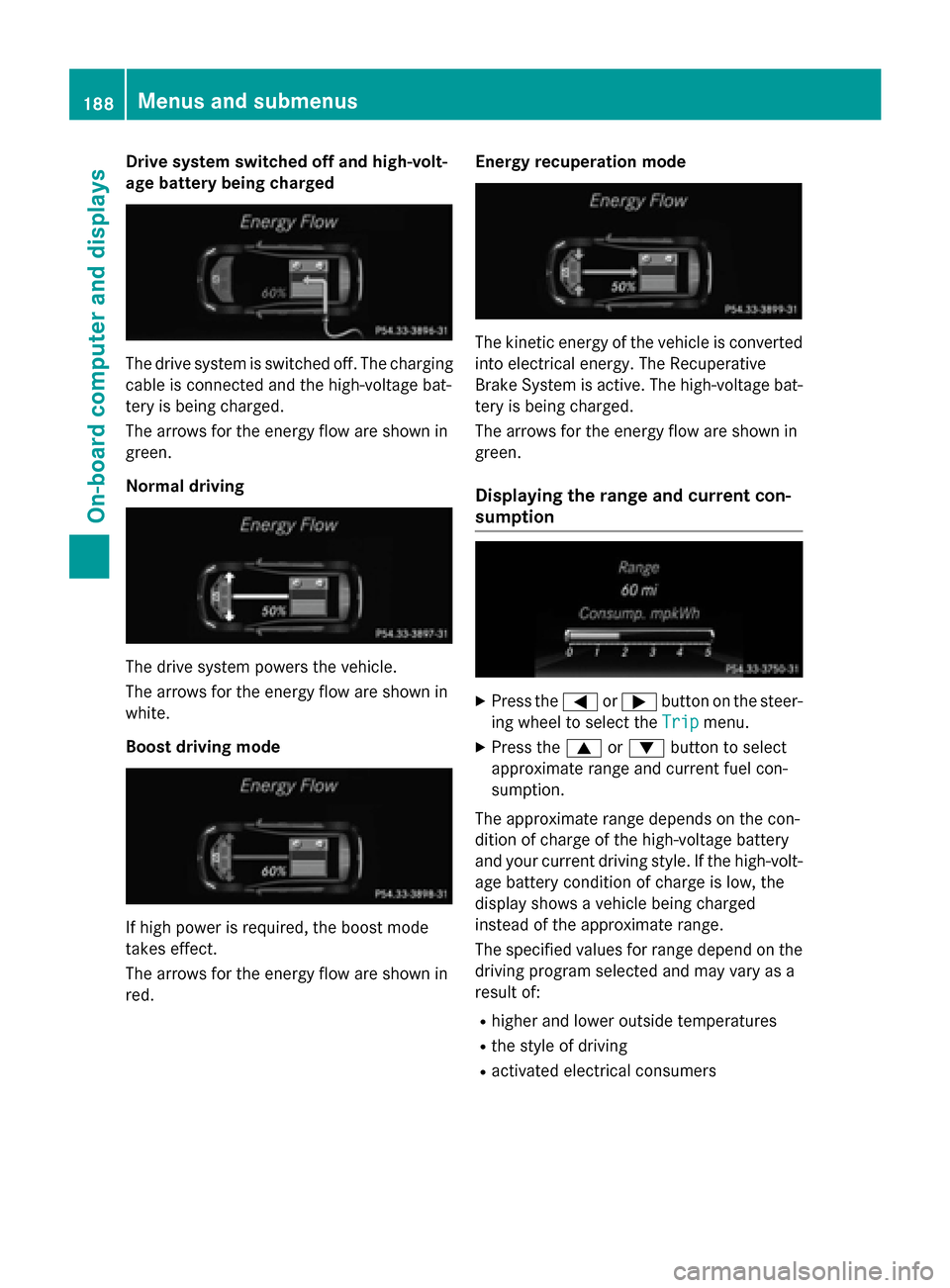
Drive system switched off and high-volt-
age battery being charged The drive system is switched off. The charging
cable is connected and the high-voltage bat-
tery is being charged.
The arrows for the energy flow are shown in
green.
Normal driving The drive system powers the vehicle.
The arrows for the energy flow are shown in
white.
Boost driving mode If high power is required, the boost mode
takes effect.
The arrows for the energy flow are shown in
red. Energy recuperation mode The kinetic energy of the vehicle is converted
into electrical energy. The Recuperative
Brake System is active. The high-voltage bat-
tery is being charged.
The arrows for the energy flow are shown in
green.
Displaying the range and current con-
sumption X
Press the =or; button on the steer-
ing wheel to select the Trip Tripmenu.
X Press the 9or: button to select
approximate range and current fuel con-
sumption.
The approximate range depends on the con-
dition of charge of the high-voltage battery
and your current driving style. If the high-volt- age battery condition of charge is low, the
display shows a vehicle being charged
instead of the approximate range.
The specified values for range depend on the
driving program selected and may vary as a
result of:
R higher and lower outside temperatures
R the style of driving
R activated electrical consumers 188
Menus and sub
menusOn-board computer and displays
Page 203 of 338
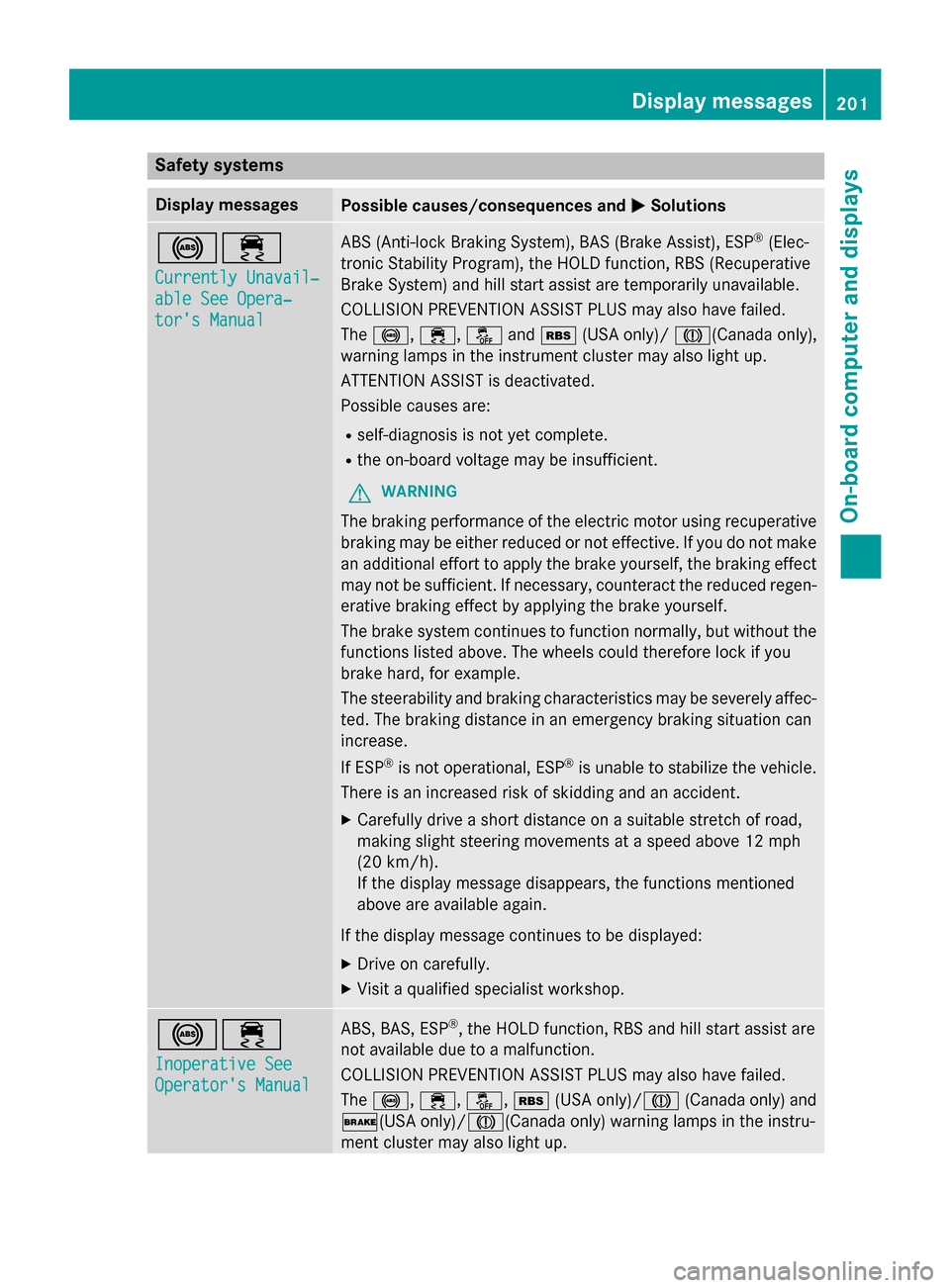
Safety systems
Display messages
Possible causes/consequences and
M
MSolutions !÷
Currently Unavail‐ Currently Unavail‐
able See Opera‐ able See Opera‐
tor's Manual tor's Manual ABS (Anti-lock Braking System), BAS (Brake Assist), ESP
®
(Elec-
tronic Stability Program), the HOLD function, RBS (Recuperative
Brake System) and hill start assist are temporarily unavailable.
COLLISION PREVENTION ASSIST PLUS may also have failed.
The !, ÷, åandé (USA only)/ J(Canada only),
warning lamps in the instrument cluster may also light up.
ATTENTION ASSIST is deactivated.
Possible causes are:
R self-diagnosis is not yet complete.
R the on-board voltage may be insufficient.
G WARNING
The braking performance of the electric motor using recuperative braking may be either reduced or not effective. If you do not make
an additional effort to apply the brake yourself, the braking effect may not be sufficient. If necessary, counteract the reduced regen-erative braking effect by applying the brake yourself.
The brake system continues to function normally, but without the functions listed above. The wheels could therefore lock if you
brake hard, for example.
The steerability and braking characteristics may be severely affec-
ted. The braking distance in an emergency braking situation can
increase.
If ESP ®
is not operational, ESP ®
is unable to stabilize the vehicle.
There is an increased risk of skidding and an accident.
X Carefully drive a short distance on a suitable stretch of road,
making slight steering movements at a speed above 12 mph
(20 km/h).
If the display message disappears, the functions mentioned
above are available again.
If the display message continues to be displayed: X Drive on carefully.
X Visit a qualified specialist workshop. !÷
Inoperative See Inoperative See
Operator's Manual Operator's Manual ABS, BAS, ESP
®
, the HOLD function, RBS and hill start assist are
not available due to a malfunction.
COLLISION PREVENTION ASSIST PLUS may also have failed.
The !, ÷, å,é(USA only)/ J(Canada only) and
$(USA only)/J(Canada only) warning lamps in the instru-
ment cluster may also light up. Display messages
201On-board computer and displays Z
Page 204 of 338
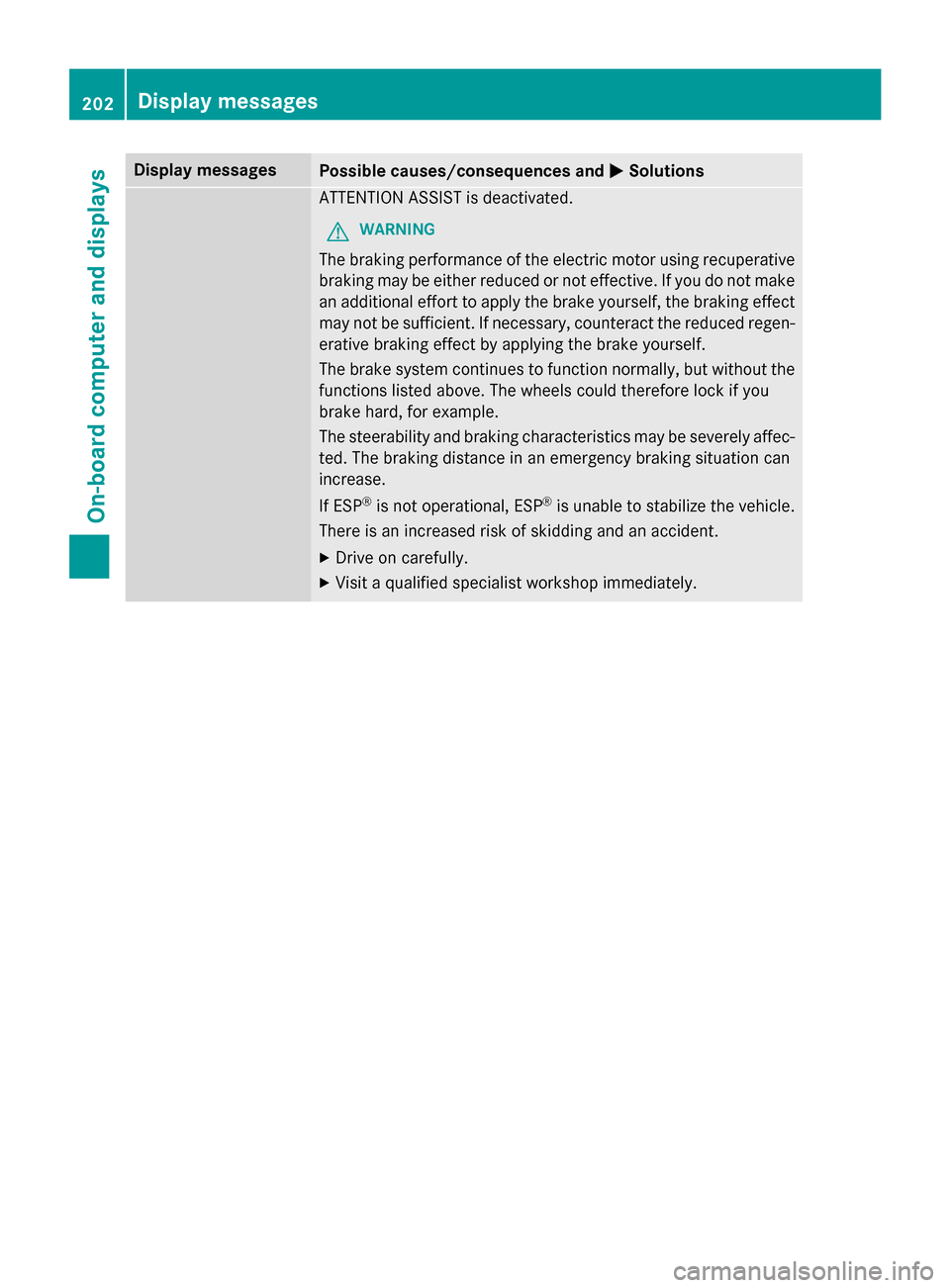
Display messages
Possible causes/consequences and
M
MSolutions ATTENTION ASSIST is deactivated.
G WARNING
The braking performance of the electric motor using recuperative braking may be either reduced or not effective. If you do not make
an additional effort to apply the brake yourself, the braking effect may not be sufficient. If necessary, counteract the reduced regen-erative braking effect by applying the brake yourself.
The brake system continues to function normally, but without the functions listed above. The wheels could therefore lock if you
brake hard, for example.
The steerability and braking characteristics may be severely affec-
ted. The braking distance in an emergency braking situation can
increase.
If ESP ®
is not operational, ESP ®
is unable to stabilize the vehicle.
There is an increased risk of skidding and an accident.
X Drive on carefully.
X Visit a qualified specialist workshop immediately. 202
Display
messagesOn-board computer and displays
Page 205 of 338
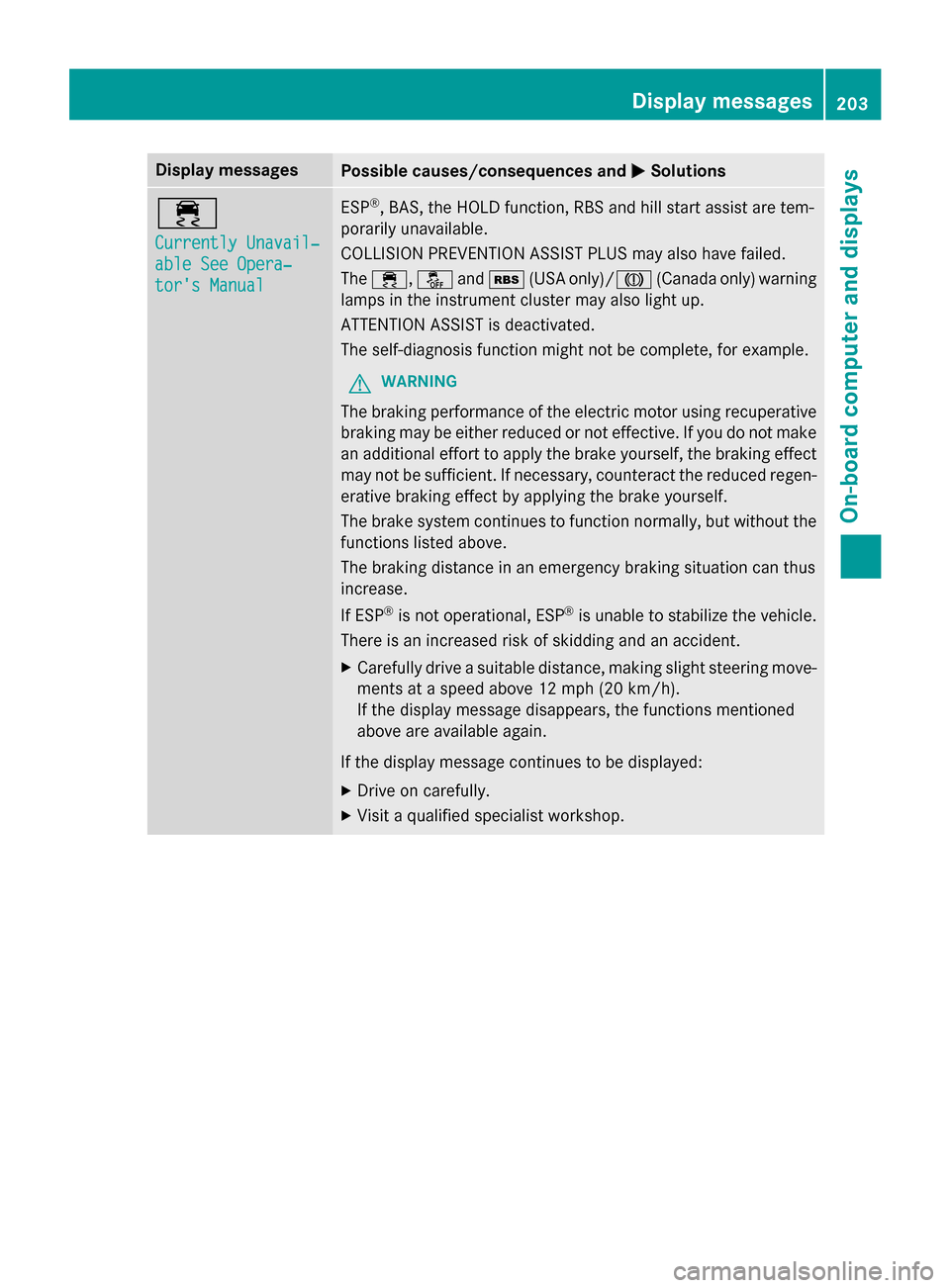
Display messages
Possible causes/consequences and
M
MSolutions ÷
Currently Unavail‐ Currently Unavail‐
able See Opera‐ able See Opera‐
tor's Manual tor's Manual ESP
®
, BAS, the HOLD function, RBS and hill start assist are tem-
porarily unavailable.
COLLISION PREVENTION ASSIST PLUS may also have failed.
The ÷, åandé (USA only)/ J(Canada only) warning
lamps in the instrument cluster may also light up.
ATTENTION ASSIST is deactivated.
The self-diagnosis function might not be complete, for example.
G WARNING
The braking performance of the electric motor using recuperative braking may be either reduced or not effective. If you do not make
an additional effort to apply the brake yourself, the braking effect may not be sufficient. If necessary, counteract the reduced regen-erative braking effect by applying the brake yourself.
The brake system continues to function normally, but without the functions listed above.
The braking distance in an emergency braking situation can thus
increase.
If ESP ®
is not operational, ESP ®
is unable to stabilize the vehicle.
There is an increased risk of skidding and an accident.
X Carefully drive a suitable distance, making slight steering move-
ments at a speed above 12 mph (20 km/h).
If the display message disappears, the functions mentioned
above are available again.
If the display message continues to be displayed: X Drive on carefully.
X Visit a qualified specialist workshop. Display
messages
203On-board computer and displays Z