2015 LINCOLN MKT ECU
[x] Cancel search: ECUPage 85 of 500
Programming a Spare Intelligent Access Key
Note:A maximum of four intelligent access keys can be programmed to
your vehicle. You must take your vehicle and all access keys to your
authorized dealer to be erased and reprogrammed if you would like to
replace a previously programmed access key with a new access key, or if
you already have four access keys programmed to your vehicle.
You must have two previously programmed intelligent access keys inside
your vehicle and the new unprogrammed intelligent access keys readily
accessible. See your authorized dealer to have the spare key
programmed if two previously programmed keys are not available.
Make sure that your vehicle is off before beginning this procedure. Make
sure that all doors are closed before beginning and that they remain
closed throughout the procedure. Perform all steps within 30 seconds of
starting the sequence. Stop and wait for at least one minute before
starting again if any steps are performed out of sequence.
Read and understand the entire procedure before you begin.
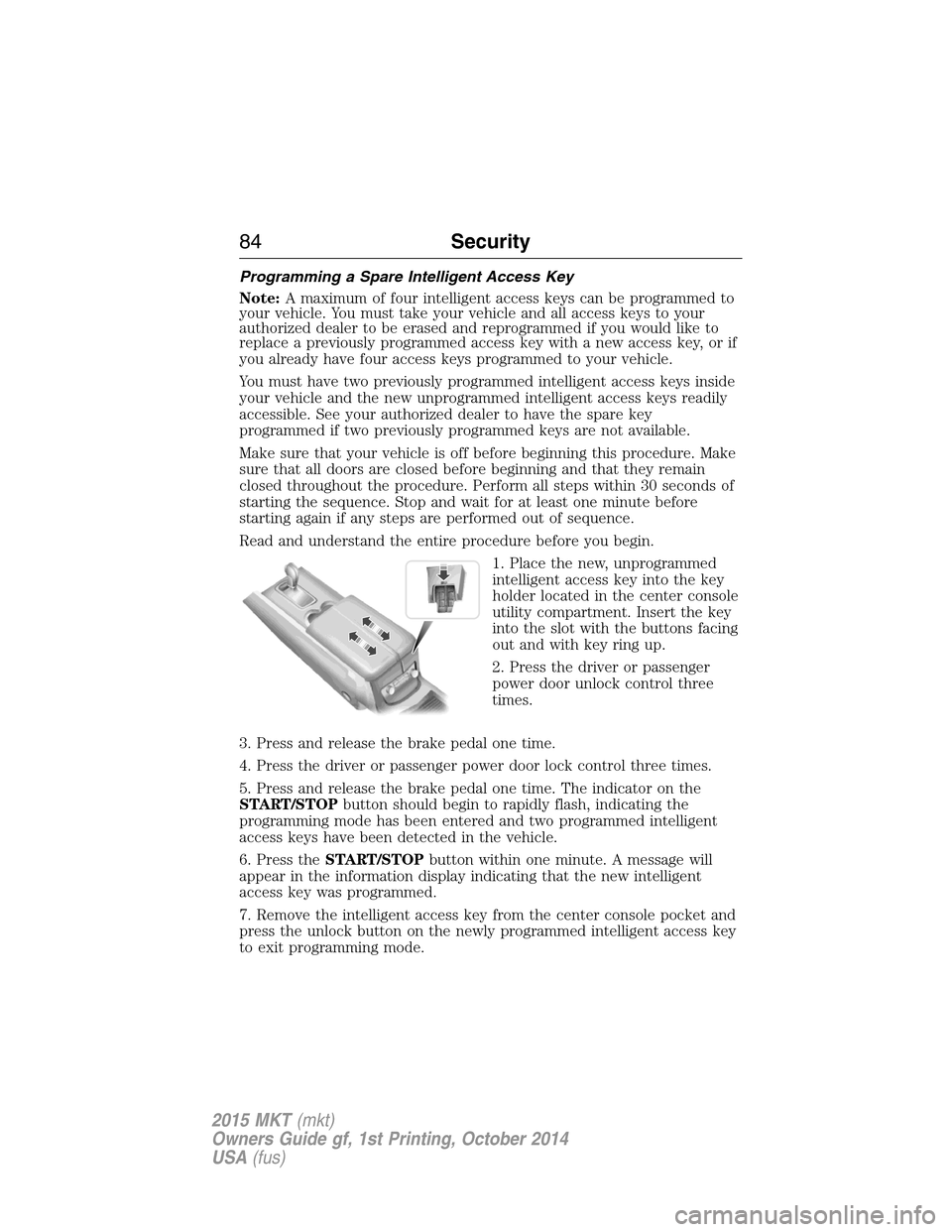
1. Place the new, unprogrammed
intelligent access key into the key
holder located in the center console
utility compartment. Insert the key
into the slot with the buttons facing
out and with key ring up.
2. Press the driver or passenger
power door unlock control three
times.
3. Press and release the brake pedal one time.
4. Press the driver or passenger power door lock control three times.
5. Press and release the brake pedal one time. The indicator on the
START/STOPbutton should begin to rapidly flash, indicating the
programming mode has been entered and two programmed intelligent
access keys have been detected in the vehicle.
6. Press theSTART/STOPbutton within one minute. A message will
appear in the information display indicating that the new intelligent
access key was programmed.
7. Remove the intelligent access key from the center console pocket and
press the unlock button on the newly programmed intelligent access key
to exit programming mode.
84Security
2015 MKT(mkt)
Owners Guide gf, 1st Printing, October 2014
USA(fus)
Page 86 of 500
8. Verify that the remote entry functions operate (press lock then
unlock, making sure you end in unlock) and that your vehicle starts with
new intelligent access key.
ANTI-THEFT ALARM
The system will warn you of unauthorized entry to your vehicle.
The turn signal lamps will flash and sound the horn up to a total of 10
times when:
•any door, the hood or the luggage compartment is opened without
using the keypad, the remote control or the intelligent access
transmitter
•the ignition is turned on with an invalid key.
Take all keys and remote controls to an authorized dealer if there is any
potential alarm problem with your vehicle.
Arming the Alarm
The system is ready to arm whenever the ignition is off. Lock your
vehicle to arm the alarm.
The turn signal lamps will flash once after locking your vehicle to
indicate the alarm is in the pre-armed mode. It will become fully armed
in 20 seconds.
Disarming the Alarm
To disarm the alarm, do any of the following:
•Press the power door unlock button within the 20-second pre-armed
mode will.
•Press the unlock button on the remote control.
•Unlock the doors with the keyless entry pad.
•Enter your vehicle using intelligent access.
•Press the panic button on the remote control. The alarm system will
still be armed, but this shuts off the horn and turn lamps when the
alarm is sounding.
Note:If the driver door is unlocked with a key, a tone will sound when
you open the door and a message will appear in the information display.
You will have 12 seconds to disarm the alarm using any of the actions
above, otherwise the alarm will trigger.
Security85
2015 MKT(mkt)
Owners Guide gf, 1st Printing, October 2014
USA(fus)
Page 124 of 500

Alarm/Security
MessagesAction / Description
Vehicle Alarm To Stop
Alarm, Start VehicleDisplayed when the perimeter alarm system is
armed and the vehicle is entered using the key
on the driver’s side door. In order to prevent
the perimeter alarm system from triggering,
the ignition must be turned to start or on
before the 12 second chime expires.
Automatic Engine
Shutdown MessagesAction / Description
Engine Shuts Off in
XX SecondsDisplays when the engine is getting ready to
shut off.
Engine Shut Off for
Fuel EconomyDisplays when the engine has shut off to help
increase fuel economy.
Engine Shuts Off in
XX Seconds Press OK
to OverrideDisplays when the engine is getting ready to
shut off. You can press OK on the left steering
wheel button to override the shut down.
AWD Messages Action / Description
AWD Off Displayed when the AWD system has been
automatically disabled to protect itself. This is
caused by operating the vehicle with the
compact spare tire installed or if the system is
overheating. The AWD system will resume
normal function and clear this message after
driving a short distance with the road tire
re-installed or after the system is allowed to
cool.
Check AWD Displayed in conjunction with the Throttle
Control/Transmission/AWD light when the
AWD system is not operating properly. If the
warning stays on or continues to come on,
contact your authorized dealer as soon as
possible.
Information Displays123
2015 MKT(mkt)
Owners Guide gf, 1st Printing, October 2014
USA(fus)
Page 156 of 500
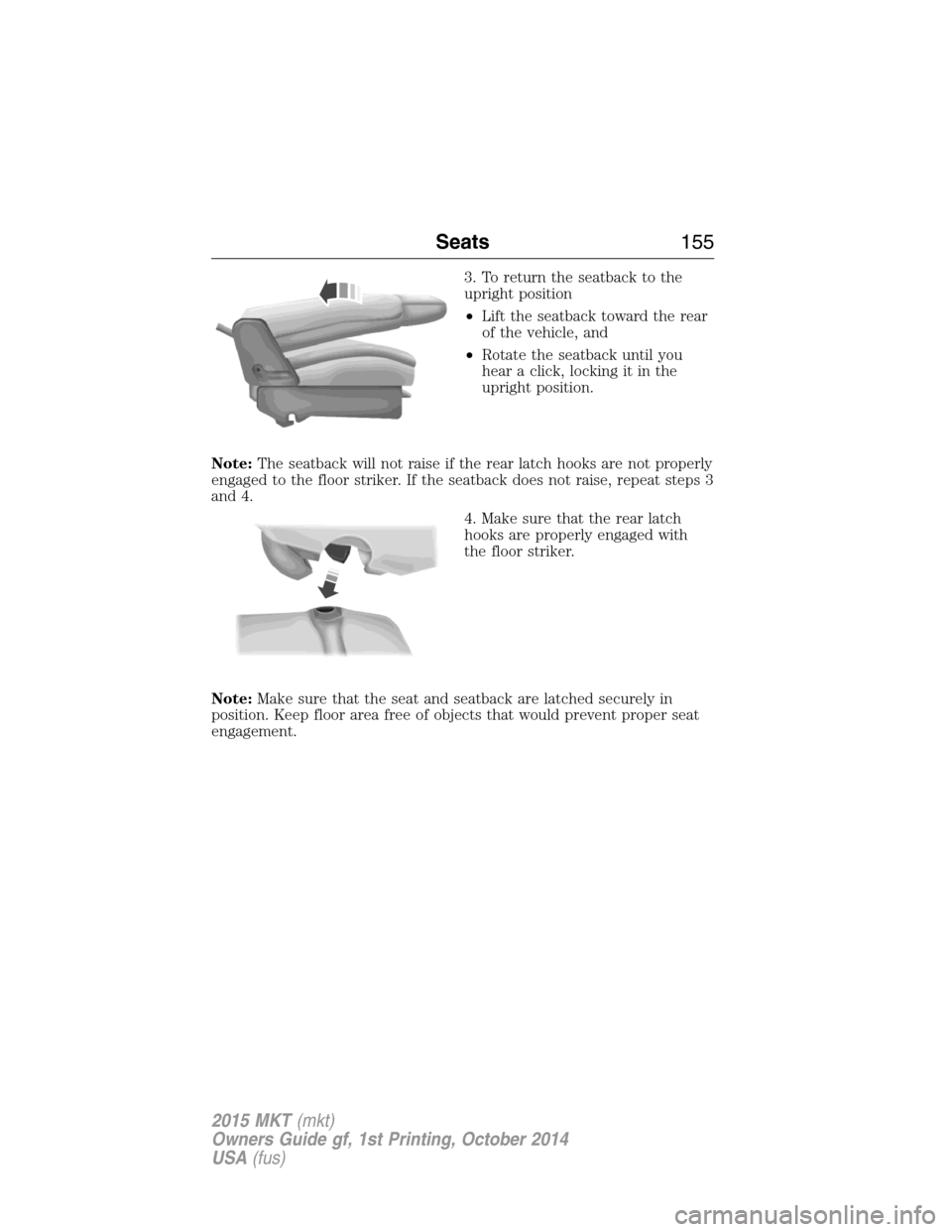
3. To return the seatback to the
upright position
•Lift the seatback toward the rear
of the vehicle, and
•Rotate the seatback until you
hear a click, locking it in the
upright position.
Note:The seatback will not raise if the rear latch hooks are not properly
engaged to the floor striker. If the seatback does not raise, repeat steps 3
and 4.
4. Make sure that the rear latch
hooks are properly engaged with
the floor striker.
Note:Make sure that the seat and seatback are latched securely in
position. Keep floor area free of objects that would prevent proper seat
engagement.
Seats155
2015 MKT(mkt)
Owners Guide gf, 1st Printing, October 2014
USA(fus)
Page 159 of 500

Note:The power fold seats work only when the transmission is in park
(P) and the tailgate is open. If the ignition is off and the feature is still
running, the battery saver will turn it off after 10 minutes. You can
reactivate the power seats by pressing the unlock button on the remote
entry key fob or by using the unlock procedure on the keyless entry
keypad. SeeSecuriCode keyless keypadin theLockschapter. Keep the
key in the accessory or run position to prevent the feature from timing
out.
Press the seat selection button (D) to select either right-hand seat, the
left-hand seat or both. First, select the seat you would like to adjust,
then select one of the following:
•Press the NORMAL button (A) to return the seat to the normal
seating position.
•Press the STOW button (B) to stow the seat into the tub floor.
•Press the FOLD button (C) (the top portion of the button) to fold
down the seat back.
•Press the TAILGATE button (C) (the bottom portion of the button) to
put the seat into the tailgate position.
Note:Pressing a different button while the power seat feature is already
being performed may cause the first selected seat movement to be
cancelled. Allow the first seat movement to be completed before pressing
a button for another function.
Note:Make sure that there are no objects such as books, purses or brief
cases on the load floor before unstowing the seat. Failure to remove all
objects from the top of the load floor prior to unstowing it may cause
damage to the seat.
Note:In order to allow the seat to complete the stowed position, do not
place objects under the seat before stowing. Remove all objects from the
seat and stowage tub. Sharp objects may result in damage to the seat
upholstery and improper seat function.
NORMAL
STOWRH
BOTH
LH
FOLD
TA I L G AT E
ABCD
158Seats
2015 MKT(mkt)
Owners Guide gf, 1st Printing, October 2014
USA(fus)
Page 161 of 500
HOMELINK® WIRELESS CONTROL SYSTEM (IF EQUIPPED)
WARNING:Make sure that the garage door and security device
are free from obstruction when you are programming. Do not
program the system with the vehicle in the garage.
WARNING:Do not use the system with any garage door opener
that does not have the safety stop and reverse feature as
required by U.S. Federal Safety Standards (this includes any garage
door opener manufactured before April 1, 1982).
Note:Make sure you keep the original remote control transmitter for
use in other vehicles as well as for future system programming.
Note:We recommend that upon the sale or lease termination of your
vehicle, you erase the programmed function buttons for security reasons.
SeeErasing the function button codeslater in this section.
Note:You can program a maximum of three devices. To change or
replace any of the three devices after it has been initially programmed,
you must first erase the current settings. SeeErasing the function
button codeslater in this section.
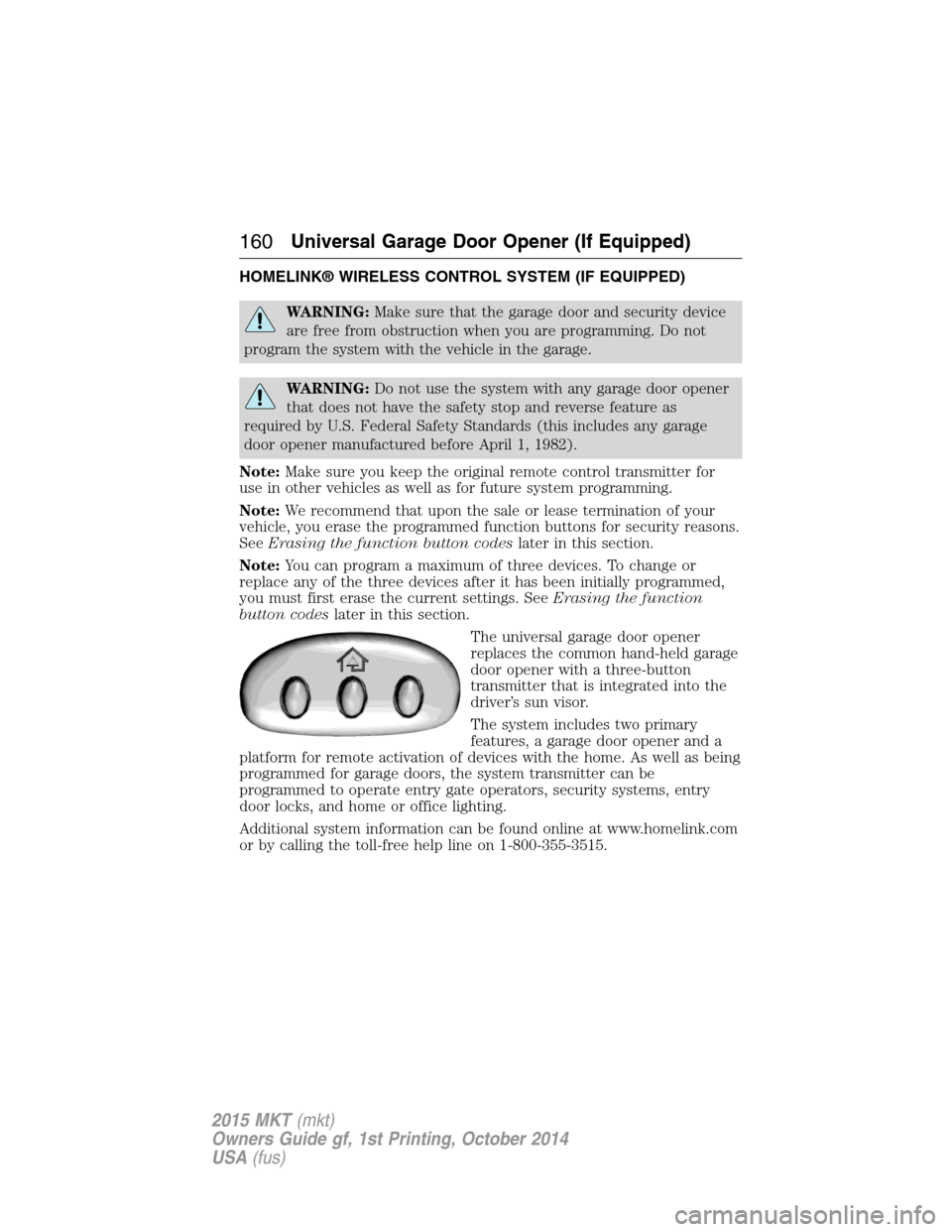
The universal garage door opener
replaces the common hand-held garage
door opener with a three-button
transmitter that is integrated into the
driver’s sun visor.
The system includes two primary
features, a garage door opener and a
platform for remote activation of devices with the home. As well as being
programmed for garage doors, the system transmitter can be
programmed to operate entry gate operators, security systems, entry
door locks, and home or office lighting.
Additional system information can be found online at www.homelink.com
or by calling the toll-free help line on 1-800-355-3515.
160Universal Garage Door Opener (If Equipped)
2015 MKT(mkt)
Owners Guide gf, 1st Printing, October 2014
USA(fus)
Page 188 of 500

AUTOMATIC TRANSMISSION
WARNING:Always set the parking brake fully and make sure
the gearshift is latched in P (Park). Turn the ignition to the off
position and remove the key whenever you leave your vehicle.
Your vehicle has been designed to improve fuel economy by reducing
fuel usage while coasting or decelerating. When you take your foot off
the accelerator pedal and the vehicle begins to slow down, the torque
converter clutch locks up and aggressively shuts off fuel flow to the
engine while decelerating. This fuel economy benefit may be perceived
as a light to medium braking sensation when removing your foot from
the accelerator pedal.
P (Park)
This position locks the transmission
and prevents the front wheels from
turning.
To put your vehicle in gear:
•Press the brake pedal
•Move the gearshift lever into the
desired gear
To put your vehicle in P (Park):
•Come to a complete stop
•Move the gearshift lever and securely latch it in P (Park)
R (Reverse)
With the gearshift lever in R (Reverse), the vehicle will move backward.
Always come to a complete stop before shifting into and out of R (Reverse).
N (Neutral)
With the gearshift lever in N (Neutral), the vehicle can be started and is
free to roll. Hold the brake pedal down while in this position.
D (Drive) with overdrive
The normal driving position for the best fuel economy. Transmission
operates in gears one through six. The automatic transmission shift
strategy has the ability to detect hilly terrain or mountainous areas and
will provide a limited amount of grade assist features automatically.
PRNDS
Transmission187
2015 MKT(mkt)
Owners Guide gf, 1st Printing, October 2014
USA(fus)
Page 201 of 500
Anti-Lock Brake System
This system helps you maintain steering control during emergency stops
by keeping the brakes from locking.
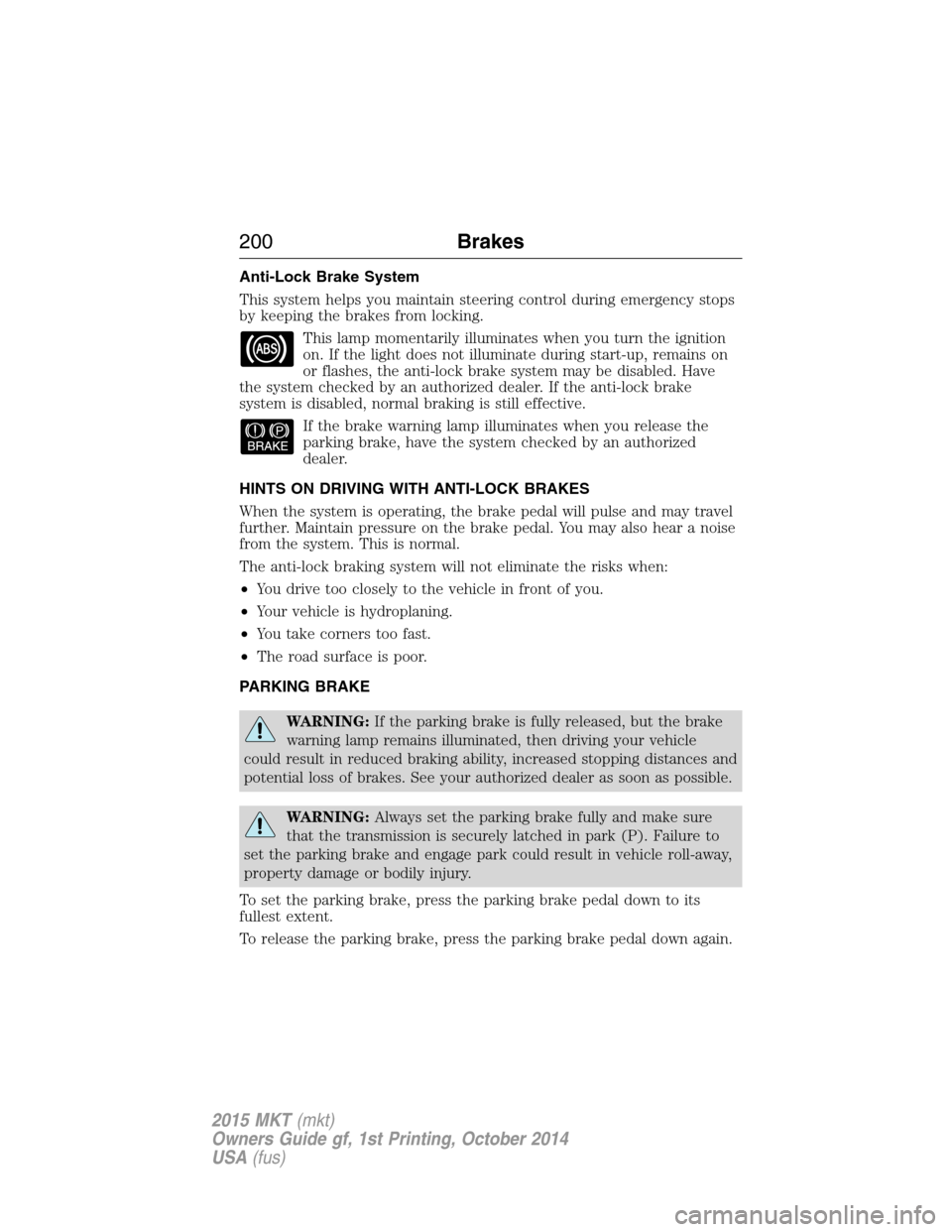
This lamp momentarily illuminates when you turn the ignition
on. If the light does not illuminate during start-up, remains on
or flashes, the anti-lock brake system may be disabled. Have
the system checked by an authorized dealer. If the anti-lock brake
system is disabled, normal braking is still effective.
If the brake warning lamp illuminates when you release the
parking brake, have the system checked by an authorized
dealer.
HINTS ON DRIVING WITH ANTI-LOCK BRAKES
When the system is operating, the brake pedal will pulse and may travel
further. Maintain pressure on the brake pedal. You may also hear a noise
from the system. This is normal.
The anti-lock braking system will not eliminate the risks when:
•You drive too closely to the vehicle in front of you.
•Your vehicle is hydroplaning.
•You take corners too fast.
•The road surface is poor.
PARKING BRAKE
WARNING:If the parking brake is fully released, but the brake
warning lamp remains illuminated, then driving your vehicle
could result in reduced braking ability, increased stopping distances and
potential loss of brakes. See your authorized dealer as soon as possible.
WARNING:Always set the parking brake fully and make sure
that the transmission is securely latched in park (P). Failure to
set the parking brake and engage park could result in vehicle roll-away,
property damage or bodily injury.
To set the parking brake, press the parking brake pedal down to its
fullest extent.
To release the parking brake, press the parking brake pedal down again.
200Brakes
2015 MKT(mkt)
Owners Guide gf, 1st Printing, October 2014
USA(fus)