2015 LINCOLN MKT change time
[x] Cancel search: change timePage 165 of 500
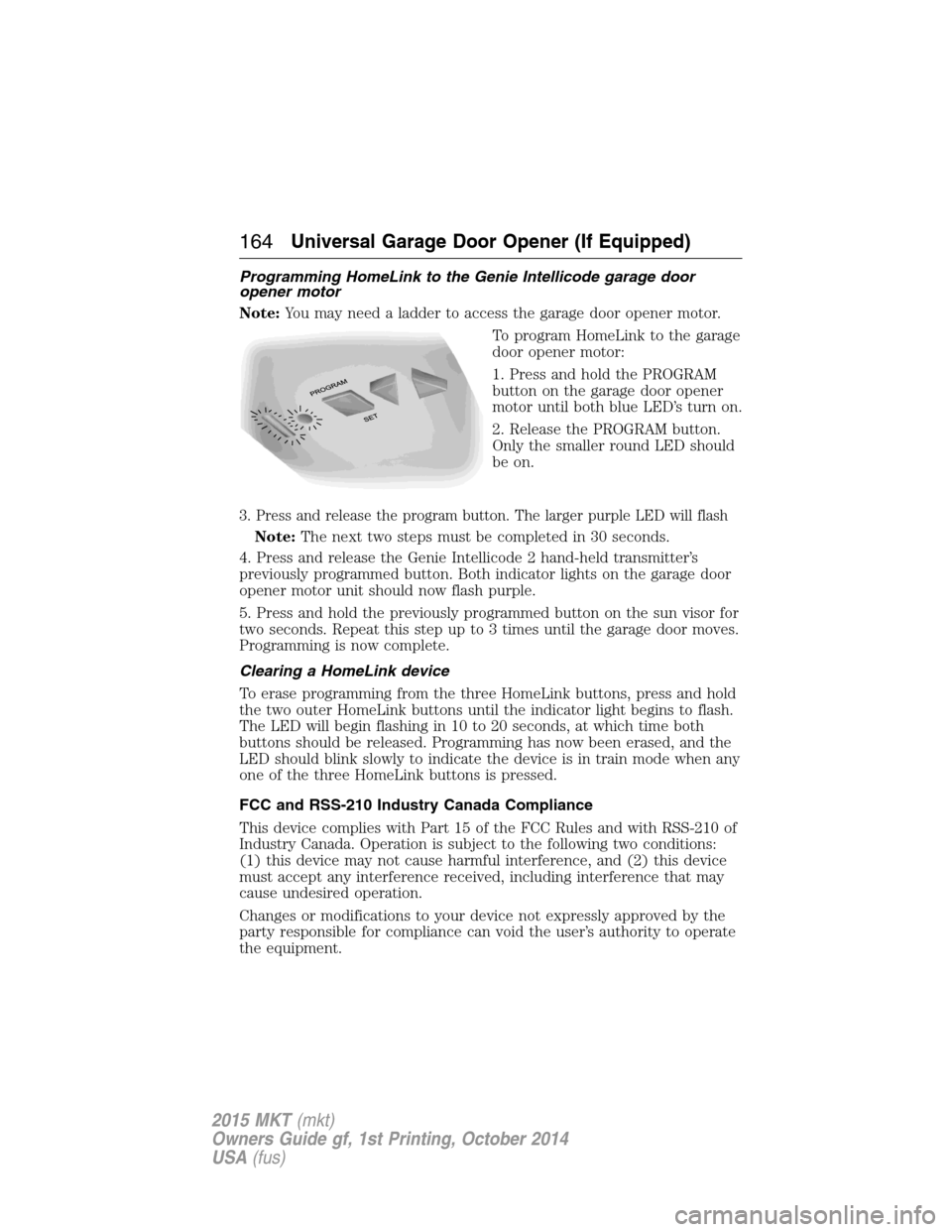
Programming HomeLink to the Genie Intellicode garage door
opener motor
Note:You may need a ladder to access the garage door opener motor.
To program HomeLink to the garage
door opener motor:
1. Press and hold the PROGRAM
button on the garage door opener
motor until both blue LED’s turn on.
2. Release the PROGRAM button.
Only the smaller round LED should
be on.
3. Press and release the program button. The larger purple LED will flash
Note:The next two steps must be completed in 30 seconds.
4. Press and release the Genie Intellicode 2 hand-held transmitter’s
previously programmed button. Both indicator lights on the garage door
opener motor unit should now flash purple.
5. Press and hold the previously programmed button on the sun visor for
two seconds. Repeat this step up to 3 times until the garage door moves.
Programming is now complete.
Clearing a HomeLink device
To erase programming from the three HomeLink buttons, press and hold
the two outer HomeLink buttons until the indicator light begins to flash.
The LED will begin flashing in 10 to 20 seconds, at which time both
buttons should be released. Programming has now been erased, and the
LED should blink slowly to indicate the device is in train mode when any
one of the three HomeLink buttons is pressed.
FCC and RSS-210 Industry Canada Compliance
This device complies with Part 15 of the FCC Rules and with RSS-210 of
Industry Canada. Operation is subject to the following two conditions:
(1) this device may not cause harmful interference, and (2) this device
must accept any interference received, including interference that may
cause undesired operation.
Changes or modifications to your device not expressly approved by the
party responsible for compliance can void the user’s authority to operate
the equipment.
164Universal Garage Door Opener (If Equipped)
2015 MKT(mkt)
Owners Guide gf, 1st Printing, October 2014
USA(fus)
Page 170 of 500
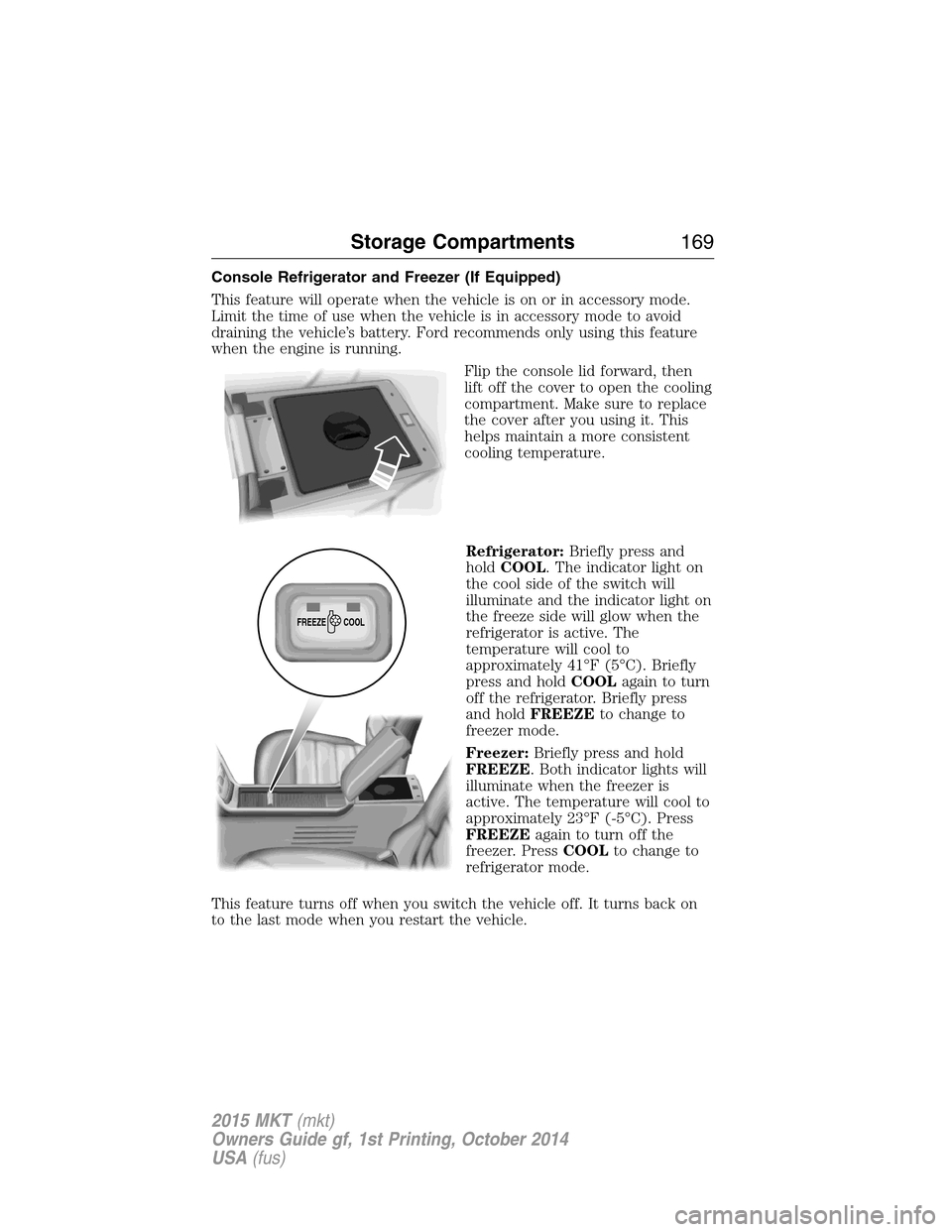
Console Refrigerator and Freezer (If Equipped)
This feature will operate when the vehicle is on or in accessory mode.
Limit the time of use when the vehicle is in accessory mode to avoid
draining the vehicle’s battery. Ford recommends only using this feature
when the engine is running.
Flip the console lid forward, then
lift off the cover to open the cooling
compartment. Make sure to replace
the cover after you using it. This
helps maintain a more consistent
cooling temperature.
Refrigerator:Briefly press and
holdCOOL. The indicator light on
the cool side of the switch will
illuminate and the indicator light on
the freeze side will glow when the
refrigerator is active. The
temperature will cool to
approximately 41°F (5°C). Briefly
press and holdCOOLagain to turn
off the refrigerator. Briefly press
and holdFREEZEto change to
freezer mode.
Freezer:Briefly press and hold
FREEZE. Both indicator lights will
illuminate when the freezer is
active. The temperature will cool to
approximately 23°F (-5°C). Press
FREEZEagain to turn off the
freezer. PressCOOLto change to
refrigerator mode.
This feature turns off when you switch the vehicle off. It turns back on
to the last mode when you restart the vehicle.
FREEZE
COOL
Storage Compartments169
2015 MKT(mkt)
Owners Guide gf, 1st Printing, October 2014
USA(fus)
Page 195 of 500

WARNING:Do not spin the wheels at over 35 mph (56 km/h).
The tires may fail and injure a passenger or bystander.
Note:Do not rock the vehicle if the engine is not at normal operating
temperature or damage to the transmission may occur.
Note:Do not rock the vehicle for more than a few minutes or damage to
the transmission and tires may occur or the engine may overheat.
If your vehicle gets stuck in mud or snow it may be rocked out by
shifting between forward and reverse gears, stopping between shifts, in a
steady pattern. Press lightly on the accelerator in each gear.
If your vehicle is equipped with AdvanceTrac® with Roll Stability
Control™, it may be beneficial to disengage the AdvanceTrac® with Roll
Stability Control™ system while attempting to rock the vehicle.
Emergency Maneuvers
•In an unavoidable emergency situation where a sudden sharp turn
must be made, remember to avoid “over-driving” your vehicle (i.e.,
turn the steering wheel only as rapidly and as far as required to avoid
the emergency). Excessive steering will result in less vehicle control,
not more. Additionally, smooth variations of the accelerator and/or
brake pedal pressure should be utilized if changes in vehicle speed are
called for. Avoid abrupt steering, acceleration or braking which could
result in an increased risk of loss of vehicle control, vehicle rollover
and/or personal injury. Use all available road surface to return the
vehicle to a safe direction of travel.
•In the event of an emergency stop, avoid skidding the tires and do not
attempt any sharp steering wheel movements.
•If the vehicle goes from one type of surface to another (i.e., from
concrete to gravel) there will be a change in the way the vehicle
responds to a maneuver (steering, acceleration or braking). Again,
avoid these abrupt inputs.
Sand
When driving over sand, try to keep all four wheels on the most solid
area of the trail. Avoid reducing the tire pressures but shift to a lower
gear and drive steadily through the terrain. Apply the accelerator slowly
and avoid excessive wheel slip.
Do not drive your vehicle in deep sand for an extended period of time.
This could cause the AWD system to overheat and default to front-wheel
drive. If this occurs AWD Off will be displayed in the Information Display.
194All-Wheel Drive (If Equipped)
2015 MKT(mkt)
Owners Guide gf, 1st Printing, October 2014
USA(fus)
Page 207 of 500

ACTIVE PARK ASSIST (IF EQUIPPED)
WARNING:This system is designed to be a supplementary park
aid. It may not work in all conditions and is not intended to
replace the driver’s attention and judgment. The driver is responsible
for avoiding hazards and maintaining a safe distance and speed, even
when the system is in use.
Note:The driver is always responsible for controlling the vehicle,
supervising the system and intervening if required.
The system detects an available parallel parking space and automatically
steers the vehicle into the space (hands-free) while you control the
accelerator, gearshift and brakes. The system visually and/or audibly
instructs the driver to park the vehicle.
The system may not function correctly if something passes between the
front bumper and the parking space (i.e. a pedestrian or cyclist) or if the
edge of the neighboring parked vehicle is high from the ground (i.e. a
bus, tow truck or flatbed truck).
Note:The sensors may not detect objects in heavy rain or other
conditions that cause disruptive reflections.
Note:The sensors may not detect objects with surfaces that absorb
ultrasonic waves.
Note:After a tire change the system will go through a relearning
procedure. During this time the system performance may deteriorate.
The system should not be used if:
•a foreign object (i.e. bike rack or trailer) is attached to the front or
rear of the vehicle or at another location close to the sensors.
•an overhanging object (i.e. surfboard) is attached to the roof.
•the front bumper or side sensors are damaged (i.e. in a collision) or
obstructed by a foreign object (i.e. front bumper cover).
•a mini-spare tire is in use.
206Parking Aids
2015 MKT(mkt)
Owners Guide gf, 1st Printing, October 2014
USA(fus)
Page 211 of 500
![LINCOLN MKT 2015 Owners Manual The system does not position the vehicle where I want in the
space
The vehicle is rolling in the opposite direction of the transmission (i.e.
rolling forward when R [Reverse] is selected)
The transmis](/manual-img/15/6934/w960_6934-210.png "LINCOLN MKT 2015 Owners Manual The system does not position the vehicle where I want in the
space
The vehicle is rolling in the opposite direction of the transmission (i.e.
rolling forward when R [Reverse] is selected)
The transmis")
The system does not position the vehicle where I want in the
space
The vehicle is rolling in the opposite direction of the transmission (i.e.
rolling forward when R [Reverse] is selected)
The transmission is in R (Reverse); the vehicle must be moving
forward to detect a parking space
An irregular curb along the parking space prevents the system from
aligning the vehicle properly
Vehicles or objects bordering the space may not be positioned correctly
The vehicle was pulled too far past the parking space. The system
performs best when you drive the same distance past the parking
space
The tires may not be installed or maintained correctly (i.e. not inflated
correctly, improper size, or of different sizes)
A repair or alteration has changed detection capabilities
A parked vehicle has a high attachment (i.e. salt sprayer, snowplow,
moving truck bed, etc.)
The parking space length or position of parked objects changed after
your vehicle passed
The temperature around your vehicle changes quickly (i.e. driving from
a heated garage into the cold, or after leaving a car wash)
REAR VIEW CAMERA SYSTEM (IF EQUIPPED)
WARNING:The rear view camera system is a reverse aid
supplement device that still requires the driver to use it in
conjunction with the interior and exterior mirrors for maximum
coverage.
WARNING:Objects that are close to either corner of the
bumper or under the bumper, might not be seen on the screen
due to the limited coverage of the camera system.
WARNING:Back up as slow as possible since higher speeds
might limit your reaction time to stop the vehicle.
210Parking Aids
2015 MKT(mkt)
Owners Guide gf, 1st Printing, October 2014
USA(fus)
Page 225 of 500

Cause Action
Swirling water, or snow or ice on
the surface of the road may
interfere with the radar signals.Do not use system in these
conditions because it may not
detect any vehicle ahead.
You are in a desert or remote area
with no other vehicles and no
roadside objects.Wait a short time or switch to
normal cruise control.
Due to the nature of radar technology, it is possible to get a blockage
warning and not be blocked. This can happen, for example, when driving
in sparse rural or desert environments. A false blocked condition will
either self-clear or clear after a key cycle.
Switching to Normal Cruise Control
WARNING:Normal cruise control will not brake due to slower
vehicles. Always be aware of which mode is selected and apply
the brakes when necessary.
You can manually change from adaptive cruise control to normal cruise
control through the information display.
The cruise control indicator light will replace the adaptive
cruise control indicator light if normal cruise control is selected.
The gap setting will not be displayed, the system will not
automatically respond to lead vehicles and automatic braking will not be
activated. The system will default to adaptive cruise control when the
engine is started.
224Cruise Control
2015 MKT(mkt)
Owners Guide gf, 1st Printing, October 2014
USA(fus)
Page 227 of 500

System Display
When active the system will run automatically in the background and
only issue a warning if required. You can view the status at any time
using the information display. Refer to theInformation Displays
chapter.
The alertness level is shown by six steps in a colored bar.
The current assessment of your
alertness is within a typical range.
The current assessment of your
alertness indicates that you should
rest as soon as safely possible.
The status bar will travel from left to right as the calculated alertness
level decreases. As the rest icon is approached the color turns from
green to yellow to red. The yellow position represents the first warning
is active and the red position represents the second warning is active.
Note:If you have recently received a warning; you should consider
resting, even if the current assessment is with the typical range.
Note:If the camera sensor cannot track the road lane markings or if
your vehicle speed drops below approximately 40 mph (64 km/h), the
alertness level will change to grey for a short time and the information
display will inform you that the system is unavailable.
Resetting the System
You can reset the system by either:
•Switching the ignition off and on.
•Stopping the vehicle and then opening and closing the driver’s door.
226Driving Aids
2015 MKT(mkt)
Owners Guide gf, 1st Printing, October 2014
USA(fus)
Page 228 of 500

LANE KEEPING SYSTEM (IF EQUIPPED)
WARNING:The system is designed to aid the driver. It is not
intended to replace the driver’s attention and judgment. The
driver is still responsible to drive with due care and attention.
The system detects unintentional drifting toward the outside of the lane
and alerts and/or aids the driver to stay in the lane through the steering
system and instrument cluster display. The system automatically detects
and tracks the road lane markings using a camera that is mounted
behind the interior rear view mirror.
Note:The system works above 40 mph (64 km/h).
Note:The system works as long as one lane marking can be detected by
the camera.
Note:If the camera is blocked or if the windshield is damaged, the
system may not function.
Note:When Aid mode is on and the system detects no driver steering
activity for a short period after system activation, the system alerts the
driver to keep their hands on the steering wheel. The system may detect
a light touch or grip on the steering wheel as hands-off driving.
Switching the System On and Off
Press the button located on the center console to switch the
system on or off.
Note:The system on/off setting is stored until it is manual changed,
unless a MyKey® is detected. If a MyKey® is detected, the system is
defaulted to on and the mode is set to Alert.
Note:If a MyKey® is detected, pressing the button will not affect the
on/off status of the system. Only the Mode and Intensity settings can be
changed when a MyKey® is present.
System Settings
The system has one standard feature setting and one optional setting
menu available. To view or adjust the settings, refer to theInformation
Displayschapter. The last-known selection for each of these settings is
stored by the system. You do not need to readjust your settings each
time you turn on the system.
Mode (if equipped):This setting allows the driver to select which of
the system features will be enabled.
Driving Aids227
2015 MKT(mkt)
Owners Guide gf, 1st Printing, October 2014
USA(fus)