Page 357 of 500
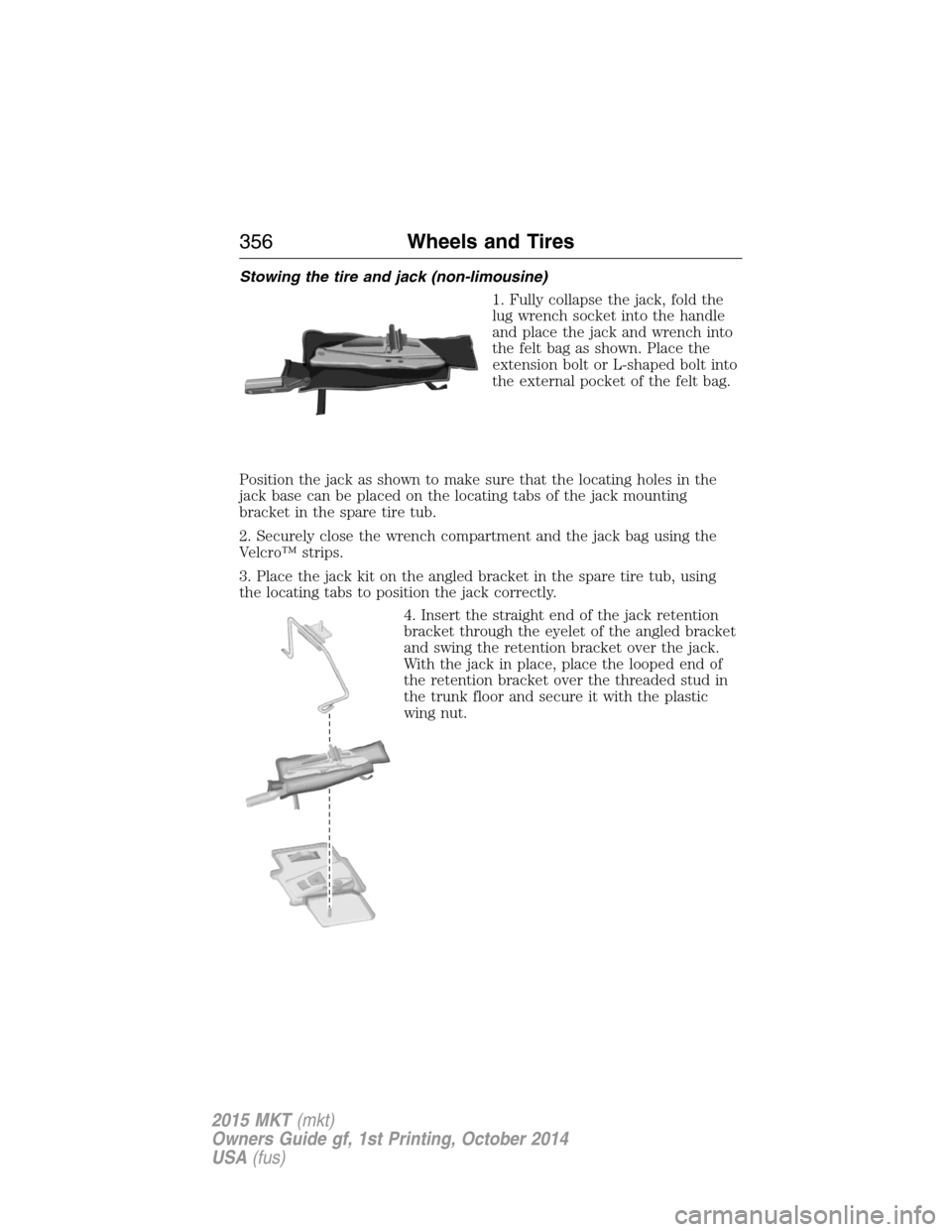
Stowing the tire and jack (non-limousine)
1. Fully collapse the jack, fold the
lug wrench socket into the handle
and place the jack and wrench into
the felt bag as shown. Place the
extension bolt or L-shaped bolt into
the external pocket of the felt bag.
Position the jack as shown to make sure that the locating holes in the
jack base can be placed on the locating tabs of the jack mounting
bracket in the spare tire tub.
2. Securely close the wrench compartment and the jack bag using the
Velcro™ strips.
3. Place the jack kit on the angled bracket in the spare tire tub, using
the locating tabs to position the jack correctly.
4. Insert the straight end of the jack retention
bracket through the eyelet of the angled bracket
and swing the retention bracket over the jack.
With the jack in place, place the looped end of
the retention bracket over the threaded stud in
the trunk floor and secure it with the plastic
wing nut.
356Wheels and Tires
2015 MKT(mkt)
Owners Guide gf, 1st Printing, October 2014
USA(fus)
Page 358 of 500

If you are stowing the flat tire,
remove the L-shaped bolt from the
external pocket of the felt bag. With
the third row seat in the raised
position, stand the flat tire in the
rear of the vehicle with the tire’s
valve stem facing the rear of the
vehicle.
Fasten the flat tire to the vehicle by inserting the L-shaped bolt through
one of the lug bolt holes in the wheel. Turn it clockwise into the
threaded hole in the vehicle until the tire is secured.
If you are stowing the temporary spare tire, place the tire over the jack
and secure it with the large wing nut.
Stowing the tire and jack (limousine)
1. Fully collapse the jack. Place the jack and wrench into the jack foam
pockets.
2. Place the full size tire and wheel assembly in the well facing up on top
of the jack foam. Make sure that the aluminum wheel is centered in the
jack foam.
3. Secure the full size spare with the large wing nut.
TECHNICAL SPECIFICATIONS
Wheel Lug Nut Torque Specifications
WARNING:When a wheel is installed, always remove any
corrosion, dirt or foreign materials present on the mounting
surfaces of the wheel or the surface of the wheel hub, brake drum or
brake disc that contacts the wheel. Make sure that any fasteners that
attach the rotor to the hub are secured so they do not interfere with
the mounting surfaces of the wheel. Installing wheels without correct
metal-to-metal contact at the wheel mounting surfaces can cause the
wheel nuts to loosen and the wheel to come off while the vehicle is in
motion, resulting in loss of control.
Wheels and Tires357
2015 MKT(mkt)
Owners Guide gf, 1st Printing, October 2014
USA(fus)
Page 359 of 500
Retighten the lug nuts to the specified torque within 100 miles
(160 kilometers) after any wheel disturbance (such as rotation, flat tire,
wheel removal).
Lug nut socket
size/Bolt sizeWheel lug nut torque*
All others
12x 20 100 ft-lb 135 N•m
Limo only M14 x 1.5 150 ft-lb 204 N•m
* Torque specifications are for nut and bolt threads free of dirt and
rust. Use only Ford recommended replacement fasteners.
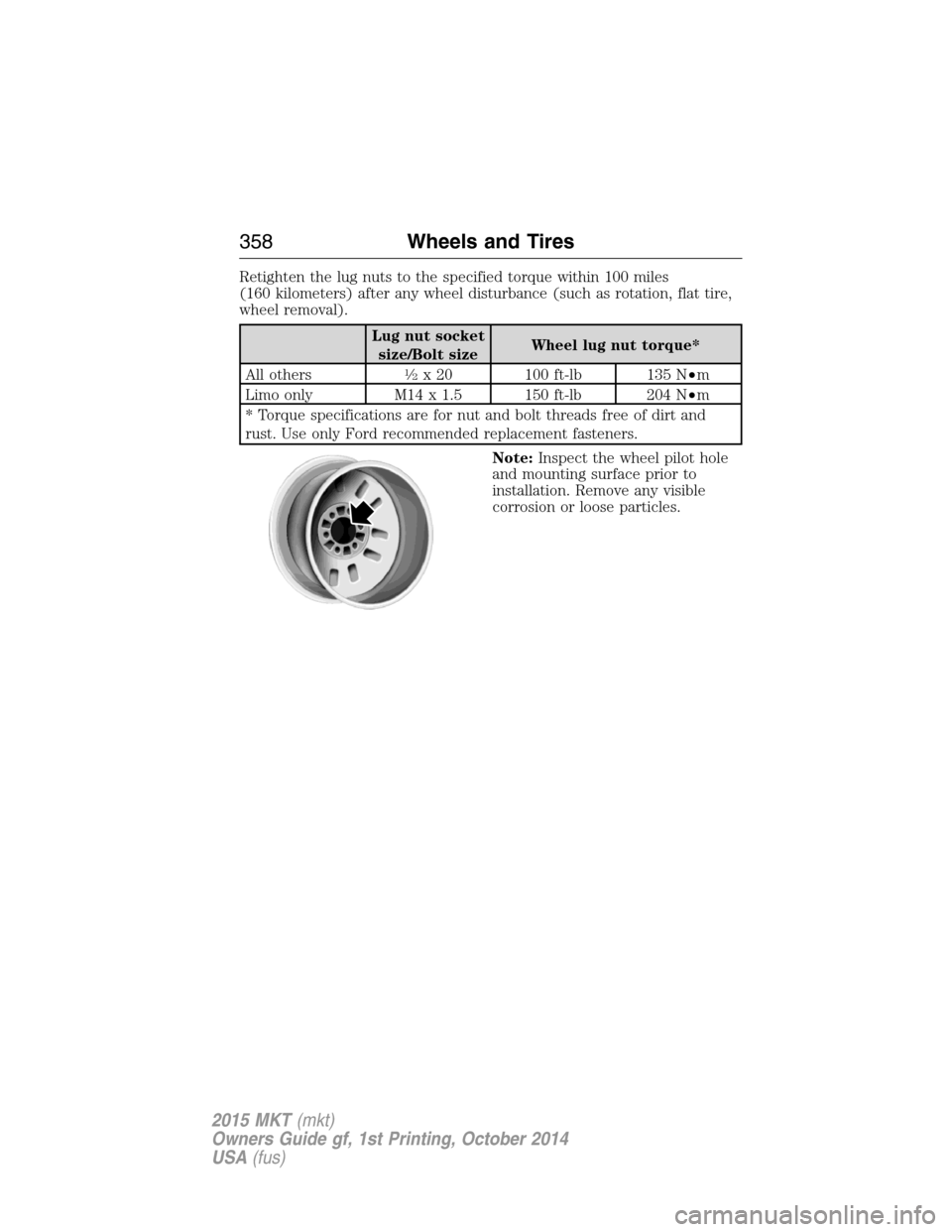
Note:Inspect the wheel pilot hole
and mounting surface prior to
installation. Remove any visible
corrosion or loose particles.
358Wheels and Tires
2015 MKT(mkt)
Owners Guide gf, 1st Printing, October 2014
USA(fus)
Page 362 of 500

TECHNICAL SPECIFICATIONS
Items CapacityFord part name or
equivalentFord part number /
Ford specification
Brake fluid
1
Between MAX and
MIN on reservoirMotorcraft DOT 4 Low
Viscosity High
Performance Motor
Vehicle Brake FluidPM-20 / WSS-M6C65-A2
Door latch, hood latch,
auxiliary hood latch,
seat tracks, trunk and
liftgate latches—Multi-Purpose Grease
(Lithium grease)XL-5 / ESA-M1C93-B
Lock cylinders —Motorcraft Penetrating
and Lock LubricantXL-1 /
None
Automatic transmission
fluid
2,3
6F35 transmission
9.0 qt (8.5L)
Motorcraft MERCON LV
Automatic Transmission
FluidXT-10-QLVC (U.S.);
CXT-10-LV12 (Canada) /
WSS-M2C938-A
MERCON LV 6F50 transmission
10.9 qt (10.3L)
6F55 transmission
11.6 qt (11.0L)
Rear differential fluid
(All Wheel Drive)2.43 pt
(1.15L)Motorcraft SAE 80W-90
Premium Rear Axle
LubricantXY-80W90-QL /
WSP-M2C197-A
Power Transfer Unit
(PTU) fluid (All Wheel
Drive)
4
18 oz (0.53L)Motorcraft SAE 75W-140
Synthetic Rear Axle
LubricantXY-75W140-QL(U.S.)
/ WSL-M2C192-A
CXY-75W140–1L
(Canada)
/ WSL-M2C192-A
Capacities and Specifications361
2015 MKT(mkt)
Owners Guide gf, 1st Printing, October 2014
USA(fus)
Page 369 of 500

ACCESSORIES
For a complete listing of the accessories that are available for your
vehicle, please contact an authorized dealer or visit our online store at:
www.Accessories.Lincoln.com (United States only).
Lincoln Motor Company will repair or replace any properly authorized
dealer-installed Lincoln Genuine Accessory found to be defective in
factory-supplied materials or workmanship during the warranty period, as
well as any component damaged by the defective accessories.
Lincoln Motor Company will warrant your accessory through the
warranty that provides the greatest benefit:
•24 months, unlimited mileage.
•The remainder of your new vehicle limited warranty.
Contact an authorized dealer for details and a copy of the warranty.
Exterior style
•Side window deflectors
Interior style
•Floor mats•Rear seat entertainment*
Lifestyle
•Ash cup / smoker’s package•Cargo organization and
management
•Conversation mirror•Trailer towing accessories
•Hitch-mounted bike carrier
Peace of mind
•Remote start•Wheel locks
•Vehicle security•Locking fuel plug
*The accessory manufacturer designs, develops and therefore warrants
Lincoln Licensed Accessories, and does not design or test these
accessories to Lincoln Motor Company engineering requirements.
Contact an authorized Lincoln dealer for the manufacturer’s limited
warranty details, and request a copy of the Lincoln Licensed Accessories
product limited warranty from the accessory manufacturer.
368Accessories
2015 MKT(mkt)
Owners Guide gf, 1st Printing, October 2014
USA(fus)
Page 386 of 500

It is recommended that new owners conduct a Master Reset upon taking
possession of the vehicle to remove it from any existing MyLincoln Mobile
accounts. The new owner can activate a MyLincoln Mobile account by
going to http://support.lincoln.com/owner-services/mylincoln-mobile-app and
following the registration process.
ACCESSING AND ADJUSTING MODES THROUGH YOUR RIGHT
VEHICLE INFORMATION DISPLAY
The display is located on the right side of your instrument cluster. You
can use your steering wheel controls to view and make minor
adjustments to active modes without taking your hands off the wheel.
For example:
•In Entertainment mode, you can view what is now playing, change
the audio source (such as AM, FM and CD) and scroll through
memory presets.
•In Phone mode, you can accept or reject an incoming call, or make a
call by choosing from select menus within the Phone menu.
•If your vehicle is equipped with Navigation, you can view the current
route or cancel a route.
Note:If your vehicle is not equipped with Navigation, Compass appears
in the display instead of Navigation. If you press the right arrow to go
into the Compass menu, you can see the compass graphic. The compass
displays the direction in which the vehicle is traveling, not true direction.
(For example, if the vehicle is traveling west, the middle of the compass
graphic displays west; north displays to the left of west though its true
direction is to the right of west).
MyLincoln Touch™385
2015 MKT(mkt)
Owners Guide gf, 1st Printing, October 2014
USA(fus)
Page 387 of 500
Audio Sources and Memory Presets
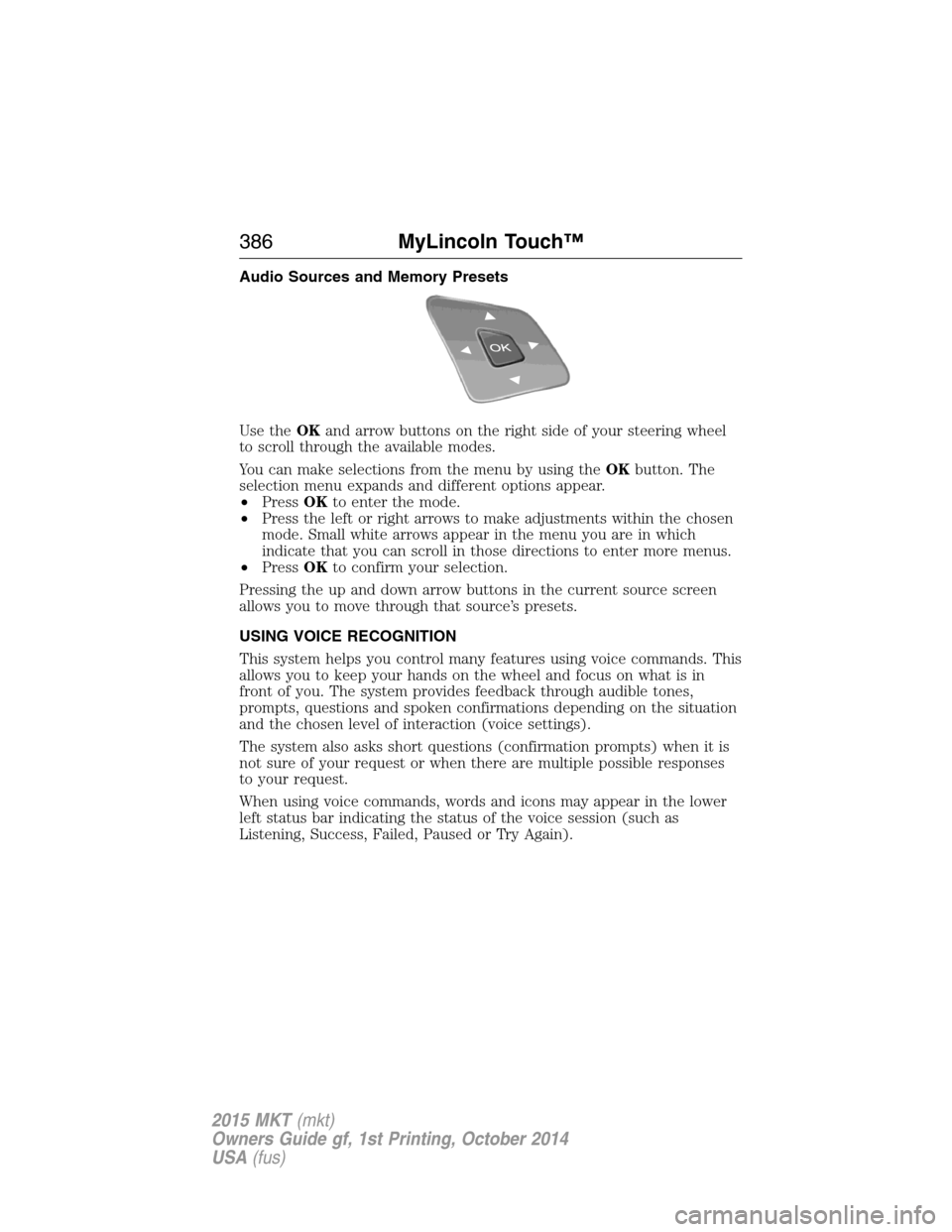
Use theOKand arrow buttons on the right side of your steering wheel
to scroll through the available modes.
You can make selections from the menu by using theOKbutton. The
selection menu expands and different options appear.
•PressOKto enter the mode.
•Press the left or right arrows to make adjustments within the chosen
mode. Small white arrows appear in the menu you are in which
indicate that you can scroll in those directions to enter more menus.
•PressOKto confirm your selection.
Pressing the up and down arrow buttons in the current source screen
allows you to move through that source’s presets.
USING VOICE RECOGNITION
This system helps you control many features using voice commands. This
allows you to keep your hands on the wheel and focus on what is in
front of you. The system provides feedback through audible tones,
prompts, questions and spoken confirmations depending on the situation
and the chosen level of interaction (voice settings).
The system also asks short questions (confirmation prompts) when it is
not sure of your request or when there are multiple possible responses
to your request.
When using voice commands, words and icons may appear in the lower
left status bar indicating the status of the voice session (such as
Listening, Success, Failed, Paused or Try Again).
386MyLincoln Touch™
2015 MKT(mkt)
Owners Guide gf, 1st Printing, October 2014
USA(fus)
Page 389 of 500

•If you use the steering wheel control, press the voice icon. After the
tone, speak your command clearly.
Voice command list
“Audio list of commands”
“Bluetooth audio list of commands”
“Browse list of commands”
“CD list of commands”
“Climate control list of commands”
“List of commands”
“Navigation list of commands”
*
“Phone list of commands”
“Radio list of commands”
“SD card list of commands”
“Sirius satellite list of commands”
**
“Travel link list of commands”*
“USB list of commands”
“Voice instructions list of commands”
“Voice settings list of commands”
“Help”
*This command is only available when your vehicle is equipped with the
navigation system, and the navigation system SD card is in the card slot.
**This command is only available when you have an active Sirius satellite
radio subscription.
Voice Settings
Voice settings allow you to customize the level of system interaction,
help and feedback. The system defaults to standard interaction that uses
candidate lists and confirmation prompts as these provide the highest
level of guidance and feedback.
Interaction Mode:Novice mode provides detailed interaction and
guidance while the advanced mode has less audible interaction and more
tone prompts.
Confirmation Prompts:The system uses these short questions to
confirm your voice request. If turned off, the system simply makes a best
guess as to what you requested. The system may still occasionally ask
you to confirm settings.
388MyLincoln Touch™
2015 MKT(mkt)
Owners Guide gf, 1st Printing, October 2014
USA(fus)