Page 270 of 878

2702-4. Using other driving systems
NOTICE■
Conditions which may affect the rear view monitor system ●
If the back of the vehicle has been hit, the camera’s position and mounting angle
may have changed. Have the vehicle inspected by your Lexus dealer.●
Rapid temperature changes, such as when hot water is poured on the vehicle in
cold weather, may cause the system to function abnormally.●
If the camera lens is dirty, it cannot transmit a clear image. Rinse with water and
wipe with a soft cloth. If extremely dirty, wash with a mild cleanser and rinse.●
The displayed image may be darker and mo ving images may be slightly distorted
when the system is cold.■
Camera precautions ●
As the camera has a water proof constr uction, do not detach, disassemble or
modify it. This may cause incorrect operation.●
Do not subject the camera to a strong impact.●
If the camera lens becomes dirty, it cannot transmit a clear image. If water drop-
lets, snow, or mud adhere to the lens, rinse with water and wipe wi th a soft cloth. If
the lens is extremely dirty, wash it with a mild cleanser and rinse. Do not rub hard.●
Do not allow organic solvent, car wax, window cleaner or glass coat to adhere to
the camera. If this happens, wipe it off as soon as possible.●
Do not strongly rub the camera lens. If the camera lens is scratched, it cannot
transmit a clear image.●
When washing the vehicle, do not apply intensive bursts of water to the camera
or camera area. Doing so may result in the camera malfunctioning.●
When replacing tires, please consult your Lexus dealer. If you replace the tires,
the area displayed on the screen may change.
Page 272 of 878
2722-4. Using other driving systems
When the VSC/TRAC systems are operating
If the vehicle is in danger of slip-
ping or if any of the drive wheels
spins, the slip indicator light flashes
to indicate that the VSC/TRAC
systems are operating.
Disabling TRAC and/or VSC systems
If the vehicle gets stuck in fresh snow or mud, the TRAC/VSC systems
may reduce power from the hybrid system to the wheel s. You may need
to turn the system off to enable you to rock the vehicle in order to free it.
■ Turning off the TRAC system only
To turn the TRAC system off,
quickly press and release the
switch. A message will be shown on the
multi-information display.
Press the switch again to turn the
system back on.
Page 273 of 878

2732-4. Using other driving systems
2
When driving ■ Turning off both TRAC and VSC systems
To turn the TRAC and VSC sys-
tems off, press and hold the switch
for 3 seconds or more while the
vehicle is stopped. A message will be shown on the
multi-information display and VSC
off indicator light will come on.
Press the switch again to turn the
systems back on.■
When the message is displayed on the multi-information display showing that
TRAC has been disabled even if the VSC off switch has not been pressed
TRAC and hill-start assist control cannot be operated. Contact your Lexus dealer.■
Sounds and vibrations caused by th e ABS, VSC, TRAC and brake assist ●
A sound may be heard from the engine compartment when the hybrid system is
started or just after the vehicle begins to move. This sound does not indicate that
a malfunction has occurred in any of these systems. ●
Any of the following conditions may occur when the above systems are operat-
ing. None of these indicates that a malfunction has occurred.
• Vibrations may be felt through the vehicle body and steering.
• A motor sound may be heard after the vehicle comes to a stop.
• The brake pedal may pulsate slightly after the ABS is activated.
• The brake pedal may move down s lightly after the ABS is activated.■
EPS operation sound
When the steering wheel is operated, a motor sound (whirring sound) may be
heard. This does not indicate a malfunction.
■
Reactivation of the TRAC /VSC systems
Turning off the hybrid system after turning off the TRAC/VSC systems will automat-
ically reactivate them.
Page 275 of 878

2752-4. Using other driving systems
2
When driving CAUTION■
When the VSC is activated
The slip indicator light flashes. Always drive carefully. Reckless driving may cause
an accident, resulting in death or serious injury. Exercise particular care when the
indicator light flashes.■
When the TRAC/VSC systems are turned off
Be especially careful and drive at a speed appropriate to the road conditions. As
these are the systems to help ensure vehicle stability and driving force, do not turn
the TRAC/VSC systems off unless necessary.■
Replacing tires
Make sure that all tires are of the same size, brand, tread pattern and total load
capacity. In addition, make sure that the tires are inflated to the recommended tire
inflation pressure level.
The ABS and VSC systems will not function correctly if different tires are installed
on the vehicle.
Contact your Lexus dealer for further info rmation when replacing tires or wheels.■
Handling of tires and suspension
Using tires with any kind of problem or modifying the suspension will affect the driv-
ing assist systems, and may cause a system malfunction.
Page 276 of 878
2762-4. Using other driving systems
Hill-start assist control
■
Hill-start assist control can be operated when ●
The shift lever is in a position other than P.●
The parking brake is not applied.●
The accelerator peda l is not depressed.■
Hill-start assist control ●
While hill-start assist control is operating, the brakes remain automatically
applied after the driver releases the br ake pedal. The stop lights and the high
mounted stoplight turn on.●
Hill-start assist control operates for about 2 seconds after the brake pedal is
released.●
If the slip indicator does not flash and the buzzer does not sound when the brake
pedal is further depressed, slightly redu ce the pressure on the brake pedal (do
not allow the vehicle to roll backward) and then firmly depress it again. If the sys-
tem still does not operate, check if th e operating conditions explained above
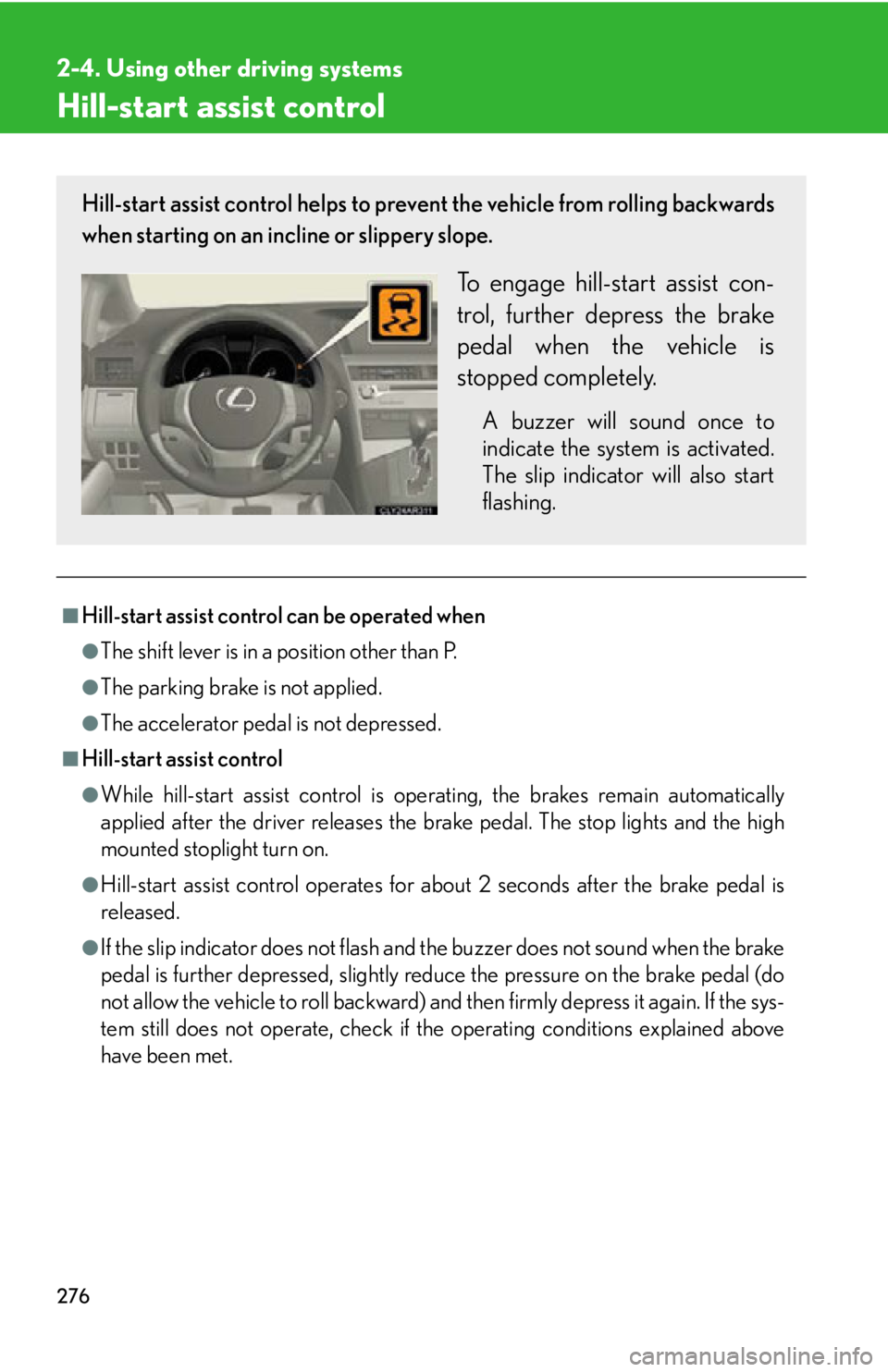
have been met.Hill-start assist control helps to prevent the vehicle from rolling backwards
when starting on an incline or slippery slope.
To engage hill-start assist con-
trol, further depress the brake
pedal when the vehicle is
stopped completely. A buzzer will sound once to
indicate the system is activated.
The slip indicator will also start
flashing.
Page 278 of 878

2782-4. Using other driving systems
Pre-Collision System When the radar sensor detects the possib ility of a frontal collision, the pre-
collision system such as the brakes and seat belts are automatically
engaged to lessen impact as well as vehicle damage.
■ Pre-collision seat belts (front seat belts only) If the pre-collision sensor detects that a collision is unavoidable, the pre-
collision system will retract the seat belt before the collision occurs.
The same will happen if the driver makes an emergency braking or loses
control of the vehicle. ( P. 1 0 0 )
However, the system will not operate in the event of skidding when the
VSC system is disabled.
■ Pre-collision brake assist When there is a high possibility of a frontal collision, the system applies
greater braking force in relation to how strongly the brake pedal is
depressed. The system may not warn the driver using a warning light,
warning display and buzzer when the system detects and judges braking
operations.
■ Pre-collision braking When there is a high possibility of a frontal collision, the system warns the
driver using a warning light, warnin g display and buzzer. If the system
determines that a collision is unavoidable, the brakes are automatically
applied to reduce the collision speed. Pre-collision braking can be dis-
abled using the pre-collision braking off switch.
: If equipped
Page 279 of 878
2792-4. Using other driving systems
2
When driving Disabling pre-collision braking
Pre-collision braking disabled
Pre-collision braking enabled The pre-collision system warning
light turn on when pre-collision
braking is disabled.
Radar sensor
The radar sensor detects vehicles
or other obstacles on or near the
road ahead and determines
whether a collision is imminent
based on the posit ion, speed, and
heading of the obstacles.
Page 282 of 878

2822-4. Using other driving systems
■
Situations in which the pre-collision system does not function properly
The system may not function effectively in situations such as the following: ●
On roads with sharp be nds or uneven surfaces●
If a vehicle suddenly moves in front of your vehicle, such as at an intersection●
If a vehicle suddenly cuts in front of your vehicle, such as when overtaking●
In inclement weather such as heav y rain, fog, snow or sand storms●
When your vehicle is skiddi ng with the VSC system off●
When an extreme change in vehicle height occurs●
When the axis of the radar is out of adjustment■
Automatic cancelation of the pre-collision system
When a malfunction occurs due to sensor contamination, etc. that results in the
sensors being unable to detect obstacles, the pre-collision system will be automati-
cally disabled. In this case, the system will not activate even if there is a collision pos-
sibility.■
When there is a malfunction in the system, or if the system is temporarily unus-
able
Warning lights and/or warning messages will turn on or flash. ( P. 7 3 3 , 74 3 )

