Page 225 of 886
2252-3. Operating the light s and windshield wipers
2
When driving
■
The rear window wiper and washer can be operated when
The “ENGINE START STOP” switch is in IGNITION ON mode.
NOTICE■
When the rear window is dry
Do not use the wipers, as they may damage the rear window.
■
When the washer fluid tank is empty
Damage to the washer fluid pump may be caused if the lever is operated continu-
ally.
■
When a nozzle becomes blocked
In this case, contact your Lexus dealer.
Do not try to clear it with a pin or other object. The nozzle will be damaged. Type B
Off
Intermittent window
wiper operation
Normal window wiper
operation
Washer/wiper dual
operation
Washer/wiper dual
operation
Page 226 of 886
2262-3. Operating the lights and windshield wipers
Headlight cleaner switch
■
The headlight cleaner can be operated when
The “ENGINE START STOP” switch is in IGNITION ON mode and the headlight
switch is turned on.■
Windshield washer linked operation
When the windshield washer is operated with the “ENGINE START STOP” switch
in IGNITION ON mode and the headlights on, the headlight cleaner will operate
once. ( P. 2 1 7 )
NOTICE■
When the washer fluid tank is empty
Do not press the switch continually as the washer fluid pump may overheat. Washer fluid can be sprayed on the headlights.
Press the switch to clean the
headlights.
: If equipped
Page 239 of 886

2392-4. Using other driving systems
2
When driving If the “ENGINE START STOP”
switch is turned off and then turned
to IGNITION ON mode again, the
vehicle will automatically return to
vehicle-to-vehicle distance control
mode.
Adjusting the speed setting:
P. 2 3 3
Canceling and resuming the speed
setting: P. 2 3 5■
Dynamic radar cruise co ntrol can be set when●
The shift lever is in D or range 4 or higher of S has been selected.●
Range 4 or higher has been sele cted by using the paddle shift.
(vehicles with paddle shift switch)●
Vehicle speed is above approximately 30 mph (50 km/h).■
Accelerating after setting the vehicle speed
The vehicle can accelerate normally. After acceleration, the set speed resumes.
However, during vehicle-to-vehicle distance control mode, the vehicle speed may
decrease below the set speed in order to maintain the distance to the vehicle
ahead.■
Automatic cancelation of vehicle-to-vehicle distance control
Vehicle-to-vehicle distance control driving is automatically canceled in the follow-
ing situations: ●
Actual vehicle speed falls below approximately 25 mph (40 km/h).●
Enhanced VSC is activated. (vehicles with enhanced VSC)●
VSC is activated. (vehicles with VSC)
●
The sensor cannot operate correctly because it is covered in some way.
●
The windshield wipers are operating at high speed (when the wiper switch is set
to the AUTO mode or the high speed wiper operation position).
●
When the snow mode is set.
If vehicle-to-vehicle distance control driving is automatically canceled for any other
reason, there may be a malfunction in the system. Contact your Lexus dealer.
Page 302 of 886

3022-5. Driving information
Winter driving tips Carry out the necessary preparations and inspections before driving the
vehicle in winter. Always drive the ve hicle in a manner appropriate to the
prevailing weather conditions.
■ Pre-winter preparations
● Use fluids that are appropria te to the prevailing outside tempera-
tures.
• Engine oil
• Engine coolant
• Washer fluid
● Have a service technician inspec t the condition of the battery.
● Have the vehicle fitted with four snow tires or purchase a set of
tire chains for the front tires. Ensure that all tires are the same size and brand, and that chains match
the size of the tires.
■ Before driving the vehicle
Perform the following accord ing to the driving conditions:
● Do not try to forcibly open a w indow or move a wiper that is fro-
zen. Pour warm water over the frozen area to melt the ice. Wipe
away the water immediately to prevent it from freezing.
● To ensure proper operation of the climate control system fan,
remove any snow that has accumu lated on the air inlet vents in
front of the windshield.
● Check for and remove any exce ss ice or snow that may have
accumulated on the exterior lights, vehicle's roof, chassis, around
the tires or on the brakes.
● Remove any snow or mud from the bottom of your shoes before
getting in the vehicle.
Page 325 of 886
Interior features
3
3253-1. Lexus Display Audio
system
Lexus Display Audio
system..................................... 328
Display settings ...................... 332
Setup menu ............................. 334
Vehicle information............... 340
Mobile Assistant .................... 343
3-2. Using the air conditioning
system and defogger
Automatic air conditioning
system (with the Lexus
Display Audio system) ....... 345
Automatic air conditioning
system (without a
navigation system or the
Lexus Display Audio
system) ................................... 353
Rear window defogger
switch ....................................... 361
Windshield wiper de-icer .... 363
Page 345 of 886
3453
Interior features 3-2. Using the air conditio ning system and defogger
Automatic air conditioning system (with the Lexus Display Audio system) Air outlets and fan speed are automati cally adjusted according to the tem-
perature setting.
To display the air conditioning oper ation screen, press the “MENU” button
on the Lexus Display Audio controller and then select “Climate”.
■ Control panel Air conditioning operation screen
Outside temperature display
Windshield
defogger
button
Air outlet
selector
button
Outside/
recircu-
lated air
mode but-
tonPassenger's side temperature
control buttons“OFF” button
Automatic
mode button
Fan speed
control button
Driver's side temperature
control buttons
Page 346 of 886
3463-2. Using the air conditio ning system and defogger
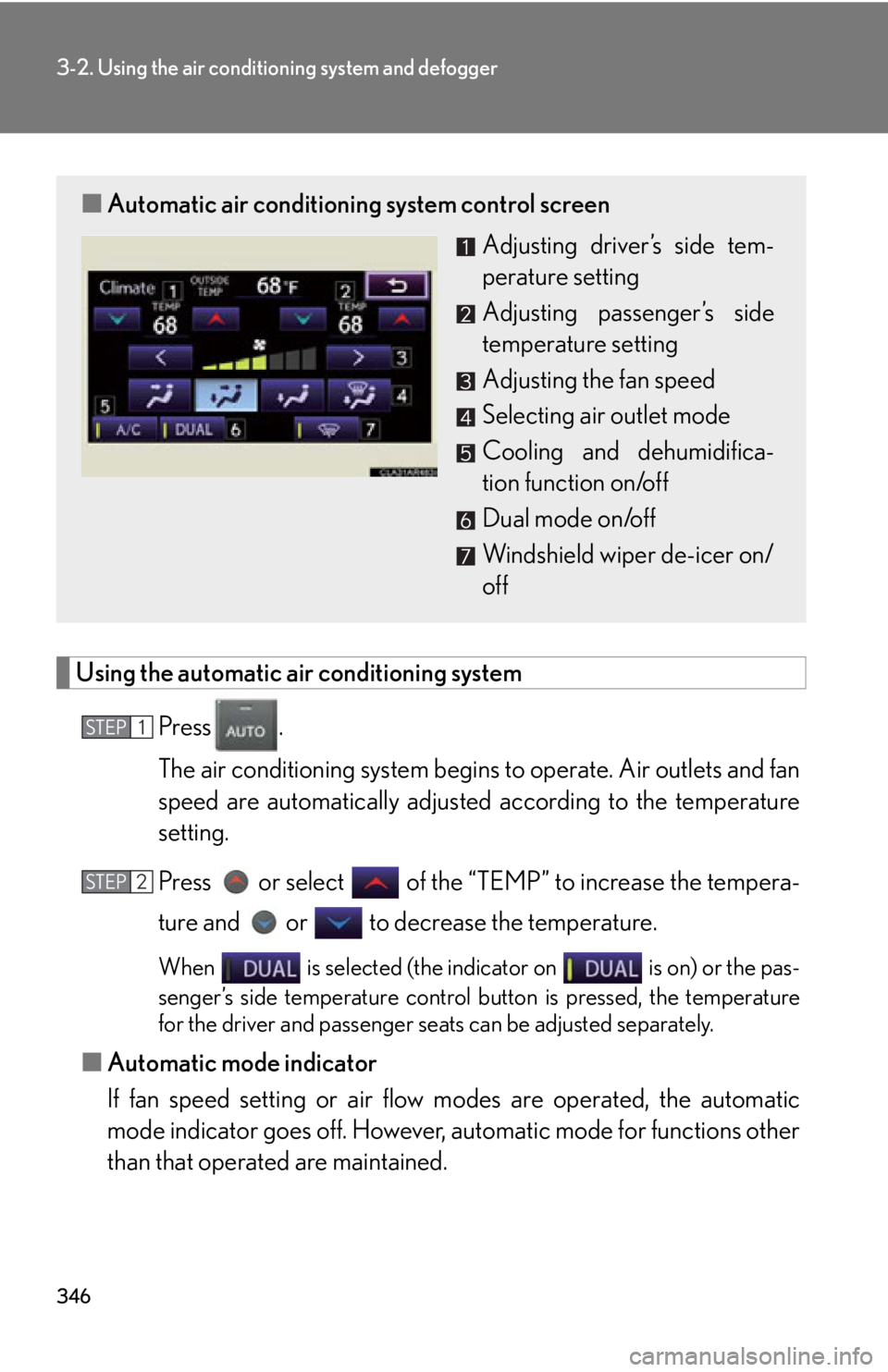
Using the automatic air conditioning system
Press .
The air conditioning system begins to operate. Air outlets and fan
speed are automatically adjusted according to the temperature
setting.
Press or select of the “TEMP” to increase the tempera-
ture and or to decrease the temperature.
When is selected (the indicator on is on) or the pas-
senger’s side temperature control bu tton is pressed, the temperature
for the driver and passenger seat s can be adjusted separately.
■ Automatic mode indicator
If fan speed setting or air flow modes are operated, the automatic
mode indicator goes off. However, automatic mode for functions other
than that operated are maintained.■ Automatic air conditioning system control screen
Adjusting driver’s side tem-
perature setting
Adjusting passenger’s side
temperature setting
Adjusting the fan speed
Selecting air outlet mode
Cooling and dehumidifica-
tion function on/off
Dual mode on/off
Windshield wiper de-icer on/
offSTEP 1
STEP 2
Page 349 of 886
3493-2. Using the air conditio ning system and defogger
3
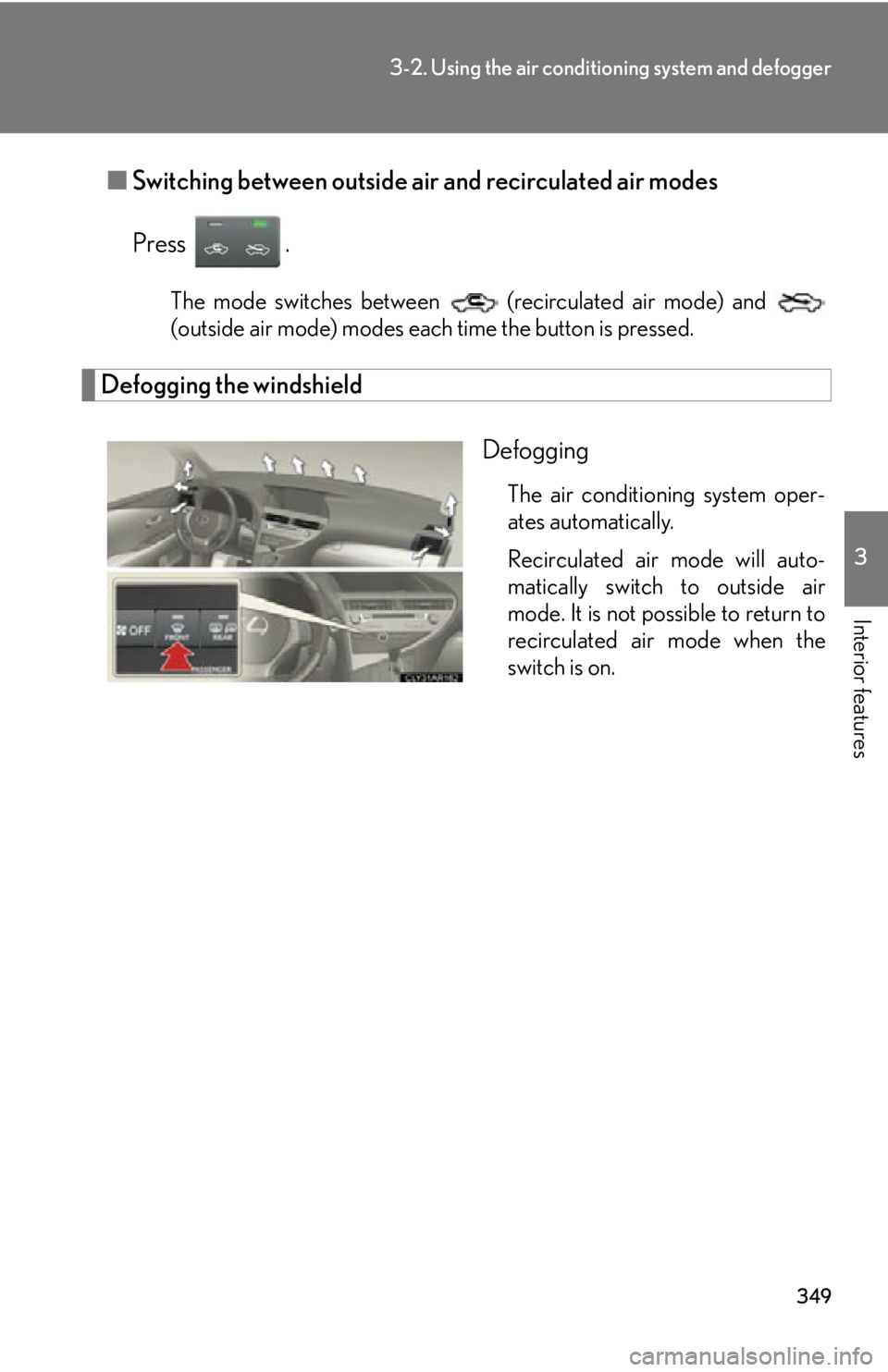
Interior features ■ Switching between outside air and recirculated air modes
Press . The mode switches between (recirculated air mode) and
(outside air mode) modes each time the button is pressed.
Defogging the windshield
Defogging The air conditioning system oper-
ates automatically.
Recirculated air mode will auto-
matically switch to outside air
mode. It is not possible to return to
recirculated air mode when the
switch is on.