Page 205 of 886
2052-2. Instrument cluster
2
When driving ■
The multi-information display at low temperatures
Allow the interior of the vehicle to warm up before using the liquid crystal informa-
tion display. At extremely low temperatures, the information display monitor may
respond slowly, and display changes may be delayed. ■
Customization
Settings (e.g. available la nguages) can be changed.
(Customizable features P. 8 3 4 )
CAUTION■
Caution while driving
When operating the electronic features control while driving, take extra notice of
the vehicle's surrounding area.
Page 206 of 886
2062-2. Instrument cluster
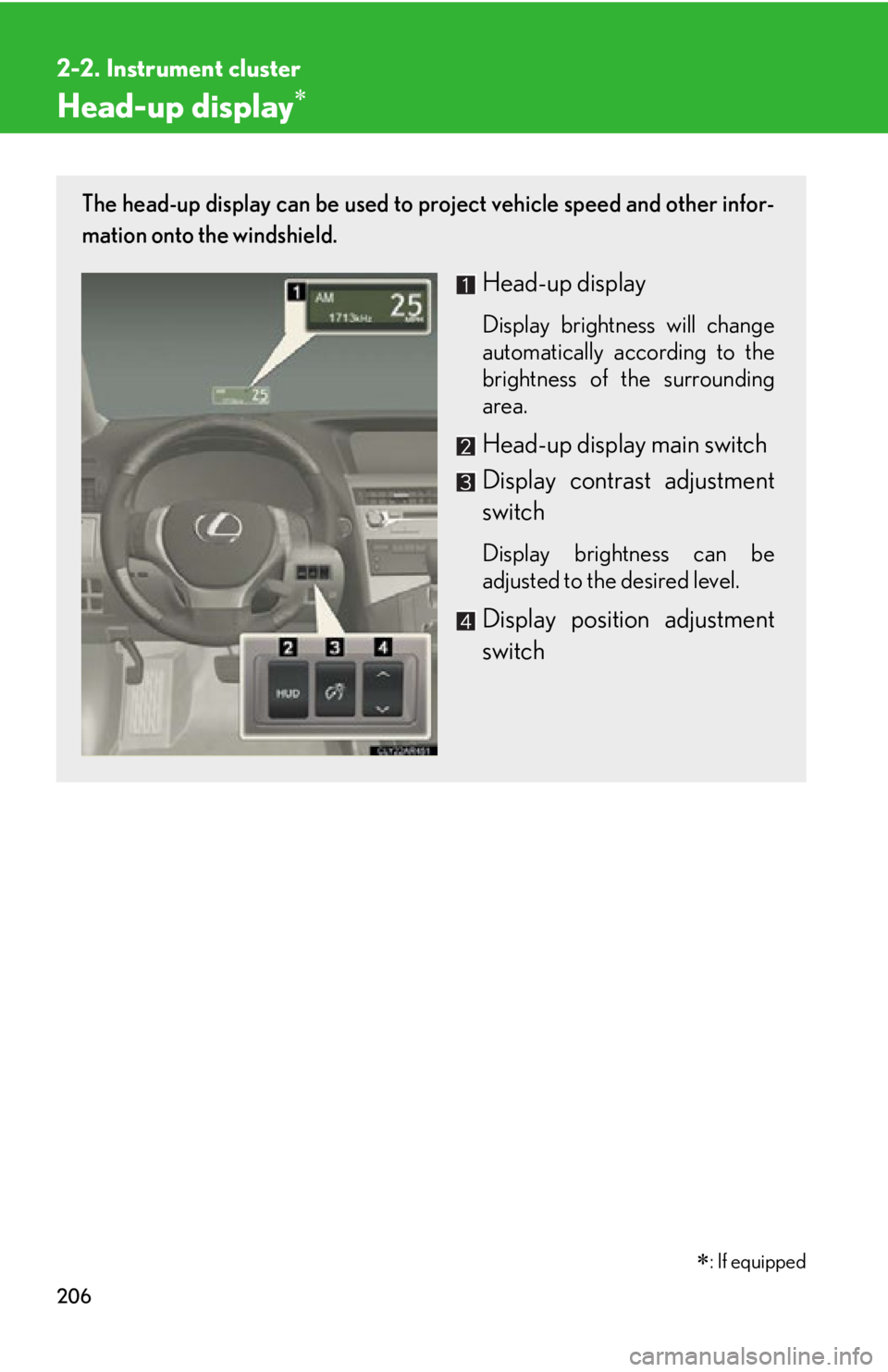
Head-up display The head-up display can be used to project vehicle speed and other infor-
mation onto the windshield.
Head-up display Display brightness will change
automatically according to the
brightness of the surrounding
area.
Head-up display main switch
Display contrast adjustment
switch Display brightness can be
adjusted to the desired level.
Display position adjustment
switch
: If equipped
Page 207 of 886
2072-2. Instrument cluster
2
When driving ■ Head-up display contents
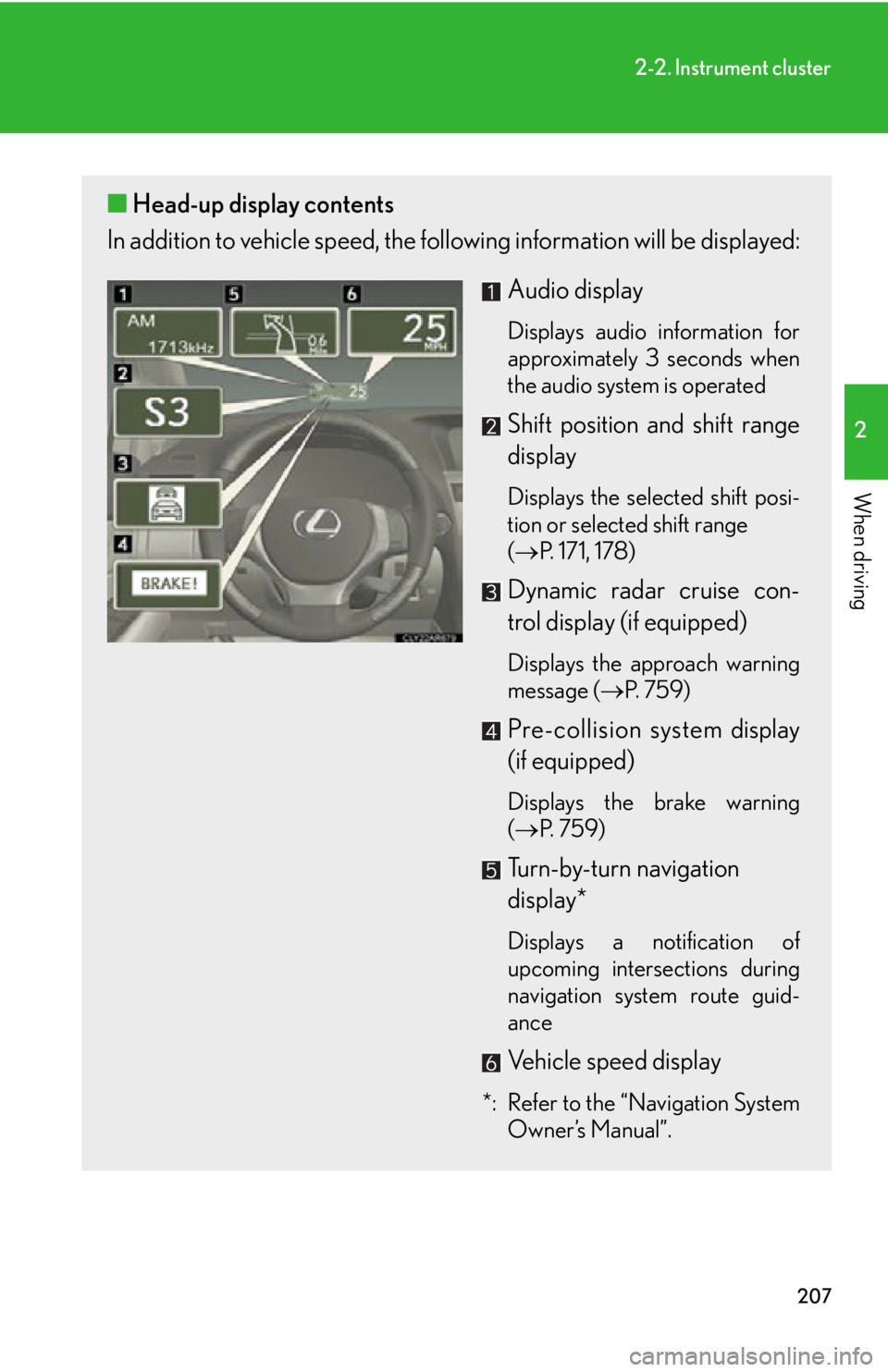
In addition to vehicle sp eed, the following informa tion will be displayed:
Audio display Displays audio information for
approximately 3 seconds when
the audio system is operated
Shift position and shift range
display Displays the selected shift posi-
tion or selected shift range
( P. 171, 178)
Dynamic radar cruise con-
trol display (if equipped) Displays the approach warning
message ( P. 7 5 9 )
Pre-collision system display
(if equipped) Displays the brake warning
( P. 7 5 9 )
Turn-by-turn navigation
display*
Displays a notification of
upcoming intersections during
navigation system route guid-
ance
Vehicle speed display
*: Refer to the “Navigation System
Owner’s Manual”.
Page 208 of 886
2082-2. Instrument cluster
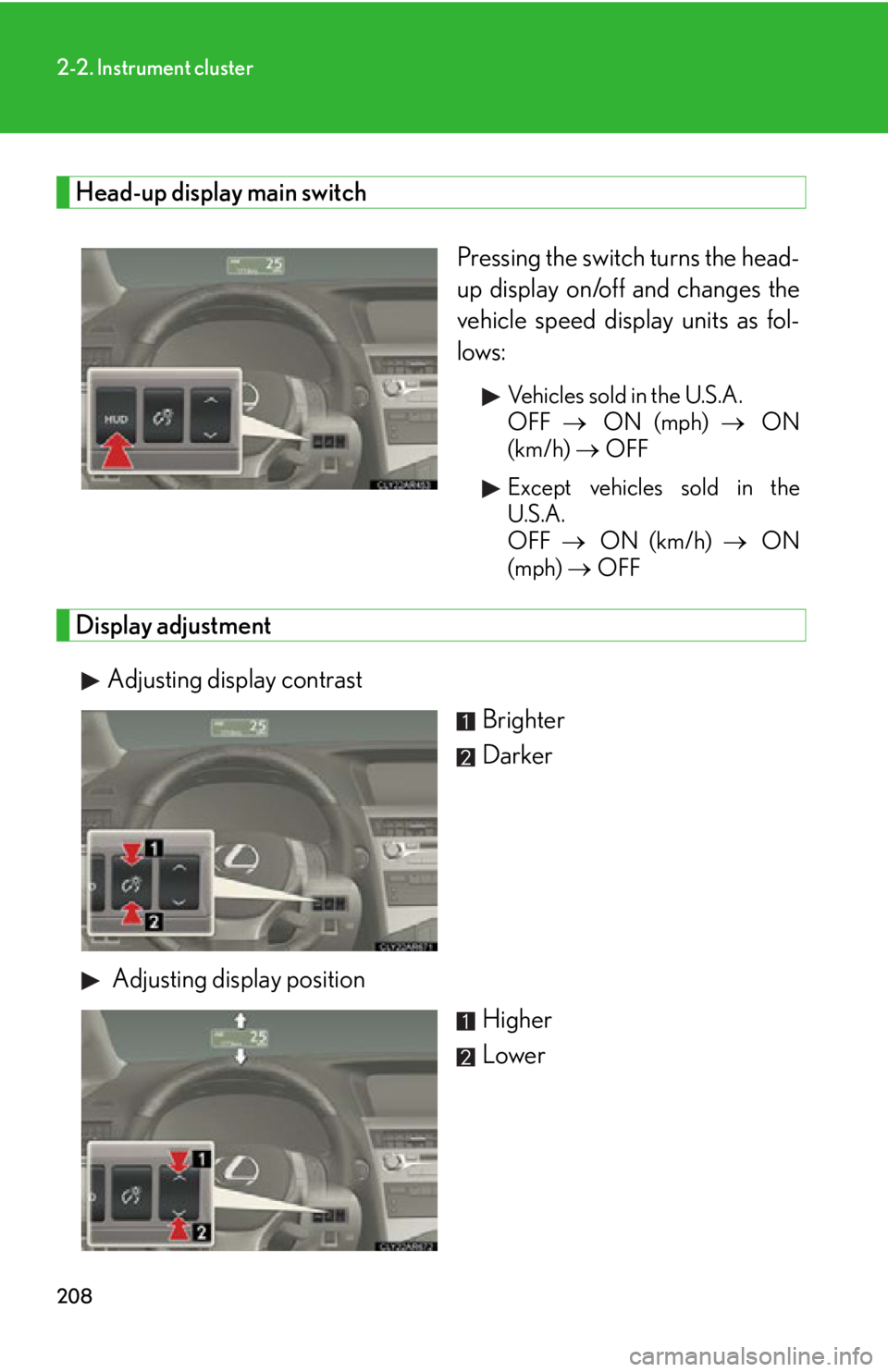
Head-up display main switch
Pressing the switch turns the head-
up display on/off and changes the
vehicle speed disp lay units as fol-
lows: Vehicles sold in the U.S.A.
OFF ON (mph) ON
(km/h) OFF
Except vehicles sold in the
U.S.A.
OFF ON (km/h) ON
(mph) OFF
Display adjustment
Adjusting display contrast
Brighter
Darker
Adjusting display position
Higher
Lower
Page 209 of 886
2092-2. Instrument cluster
2
When driving Display customization
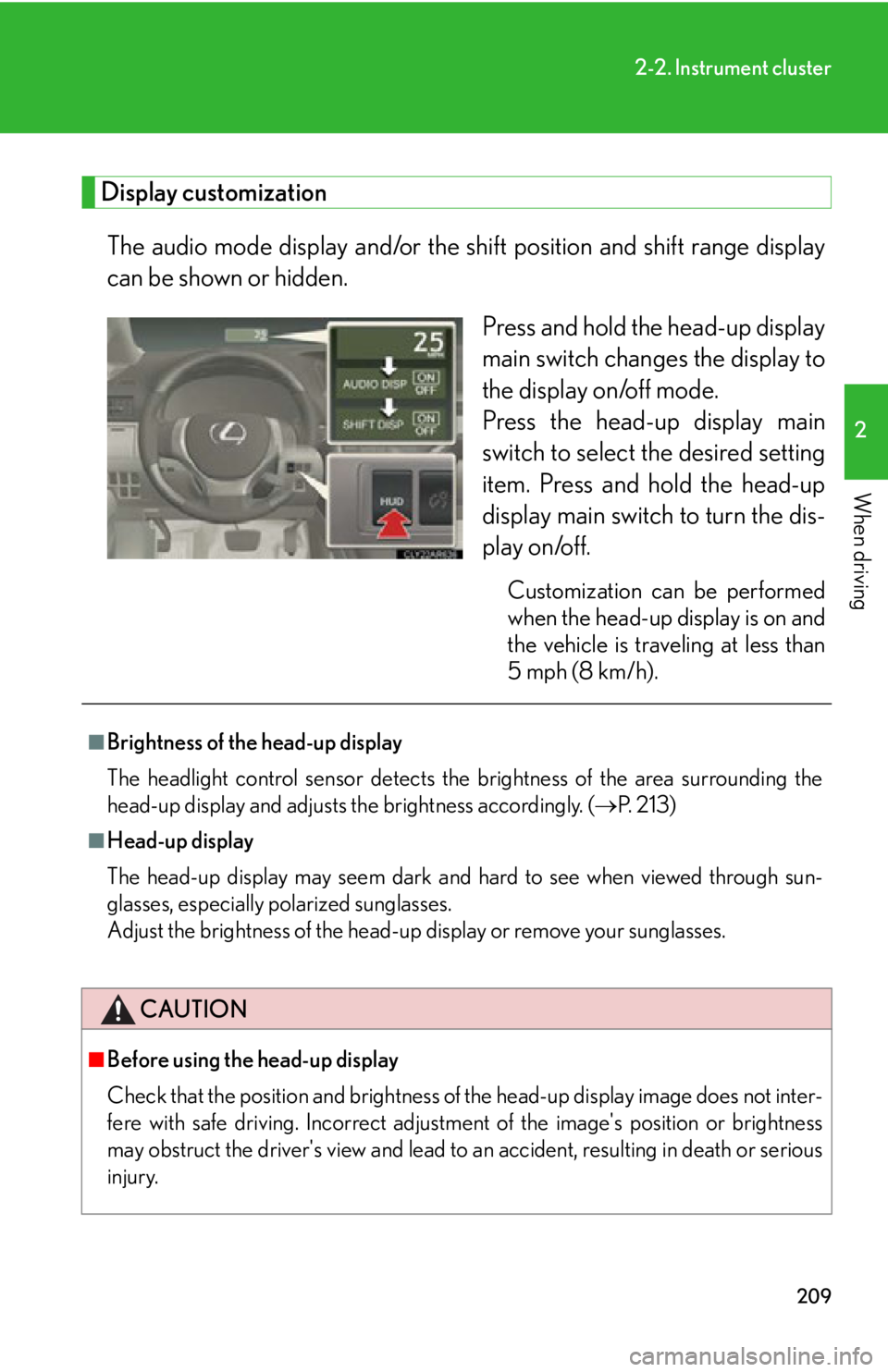
The audio mode display and/or the sh ift position and shift range display
can be shown or hidden.
Press and hold the head-up display
main switch change s the display to
the display on/off mode.
Press the head-up display main
switch to select the desired setting
item. Press and hold the head-up
display main switch to turn the dis-
play on/off. Customization can be performed
when the head-up display is on and
the vehicle is traveling at less than
5 mph (8 km/h).■
Brightness of the head-up display
The headlight control sensor detects the brightness of the area surrounding the
head-up display and adjusts th e brightness accordingly. ( P. 2 1 3 )■
Head-up display
The head-up display may seem dark and hard to see when viewed through sun-
glasses, especially polarized sunglasses.
Adjust the brightness of the head-up display or remove your sunglasses.
CAUTION
■
Before using the head-up display
Check that the position and brightness of the head-up display image does not inter-
fere with safe driving. Incorrect adjustme nt of the image's po sition or brightness
may obstruct the driver's view and lead to an accident, resulting in death or serious
injury.
Page 210 of 886
2102-2. Instrument cluster
NOTICE■
To prevent damage to components ●
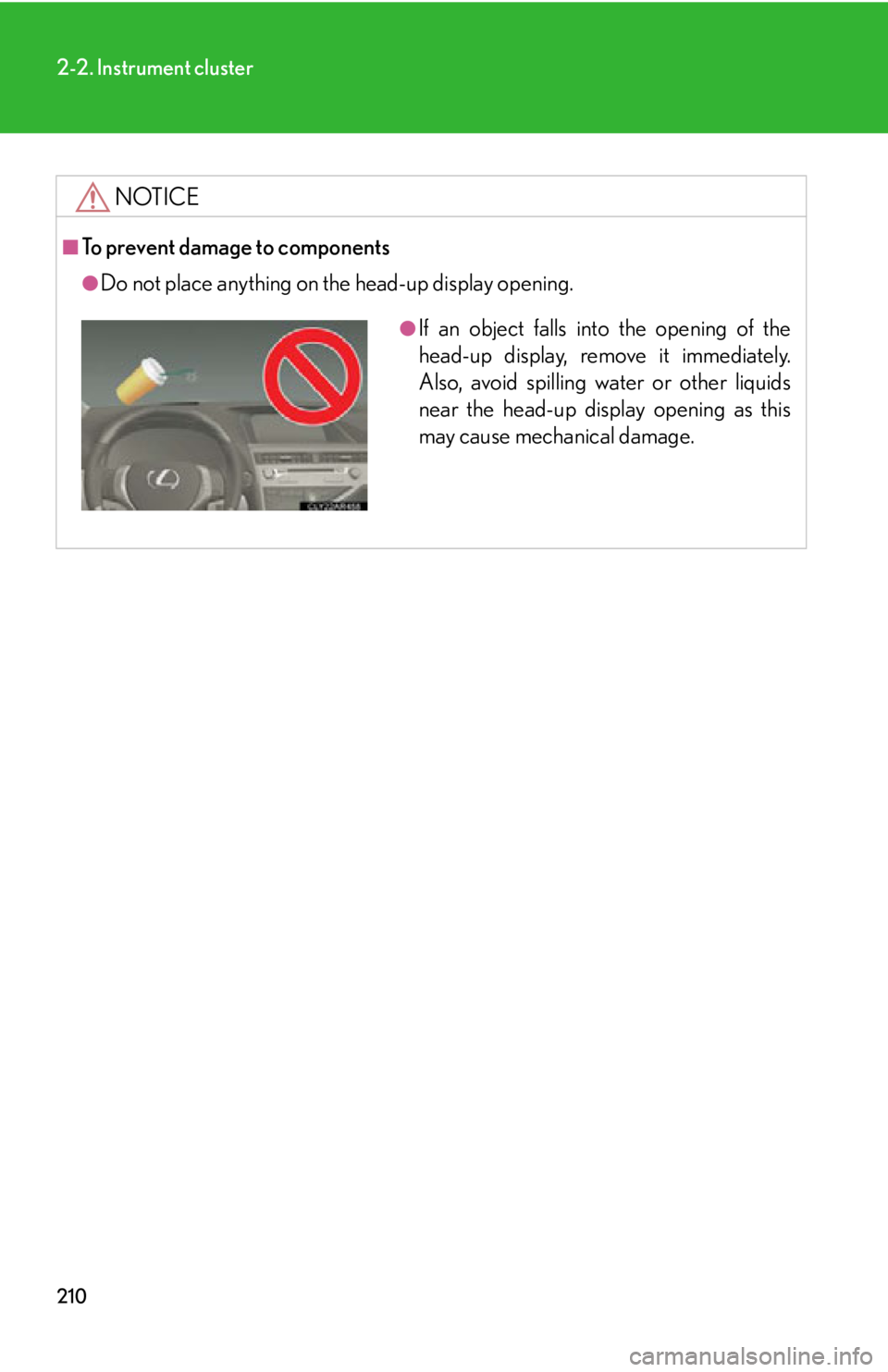
Do not place anything on the head-up display opening. ●
If an object falls into the opening of the
head-up display, remove it immediately.
Also, avoid spilling water or other liquids
near the head-up display opening as this
may cause mechanical damage.
Page:
< prev 1-8 9-16 17-24