2015 KIA Soul EV key battery
[x] Cancel search: key batteryPage 80 of 407
Features of your vehicle
10
4
Battery replacement
A smart key battery should last for
several years, but if the smart key is
not working properly, try replacing
the battery with a new one. If you are
unsure how to use your smart key or
replace the battery, contact an
authorized Kia dealer.
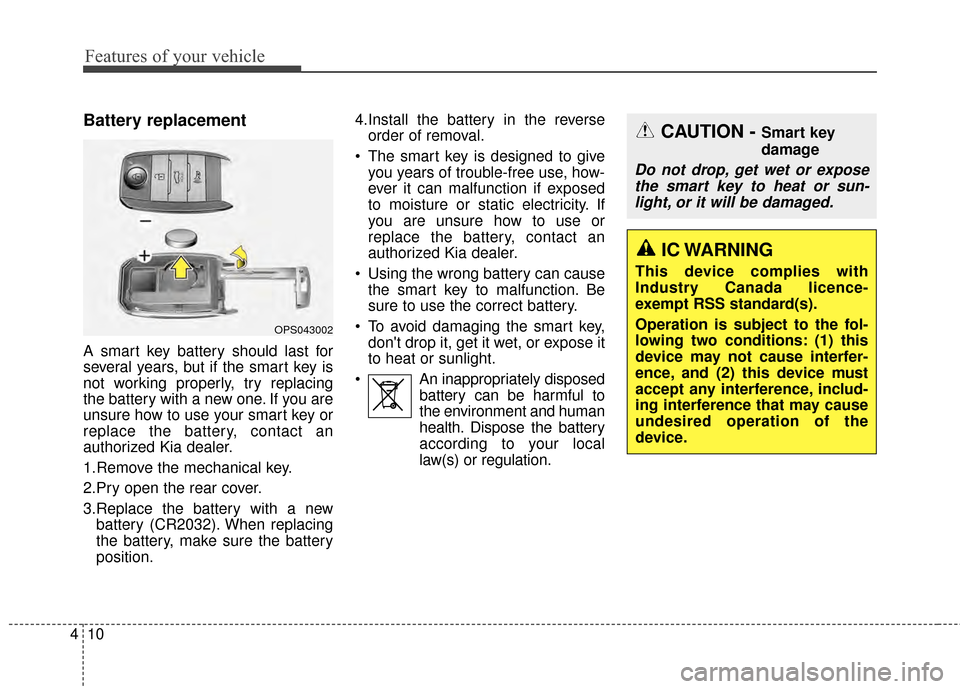
1.Remove the mechanical key.
2.Pry open the rear cover.
3.Replace the battery with a new
battery (CR2032). When replacing
the battery, make sure the battery
position. 4.Install the battery in the reverse
order of removal.
The smart key is designed to give you years of trouble-free use, how-
ever it can malfunction if exposed
to moisture or static electricity. If
you are unsure how to use or
replace the battery, contact an
authorized Kia dealer.
Using the wrong battery can cause the smart key to malfunction. Be
sure to use the correct battery.
To avoid damaging the smart key, don't drop it, get it wet, or expose it
to heat or sunlight.
An inappropriately disposed battery can be harmful to
the environment and human
health. Dispose the battery
according to your local
law(s) or regulation.
OPS043002
CAUTION - Smart key
damage
Do not drop, get wet or exposethe smart key to heat or sun-light, or it will be damaged.
IC WARNING
This device complies with
Industry Canada licence-
exempt RSS standard(s).
Operation is subject to the fol-
lowing two conditions: (1) this
device may not cause interfer-
ence, and (2) this device must
accept any interference, includ-
ing interference that may cause
undesired operation of the
device.
Page 121 of 407
451
Features of your vehicle
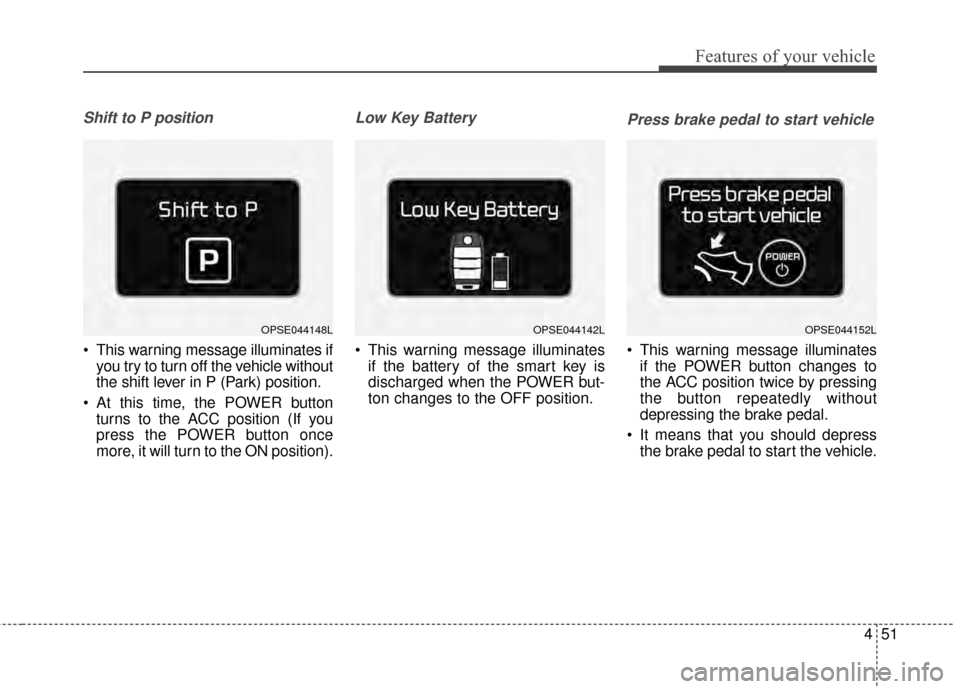
Shift to P position
This warning message illuminates ifyou try to turn off the vehicle without
the shift lever in P (Park) position.
At this time, the POWER button turns to the ACC position (If you
press the POWER button once
more, it will turn to the ON position).
Low Key Battery
This warning message illuminatesif the battery of the smart key is
discharged when the POWER but-
ton changes to the OFF position.
Press brake pedal to start vehicle
This warning message illuminatesif the POWER button changes to
the ACC position twice by pressing
the button repeatedly without
depressing the brake pedal.
It means that you should depress the brake pedal to start the vehicle.
OPSE044142LOPSE044148LOPSE044152L
Page 138 of 407
Features of your vehicle
68
4
This indicator light illuminates for 2
seconds and goes off:
When the vehicle can not detect
the smart key which is in the vehi-
cle while the POWER button is ON.
In this case, have your vehicle
inspected by an authorized Kia
dealer.
This indicator light blinks:
When the battery of the smart key is weak.
- At this time, you can not start thevehicle. However, you can start the
vehicle if you press the POWER
button with the smart key. (For
more details, refer to “Starting the
vehicle” in chapter 5).
When there is a malfunction with the immobilizer system.
In this case, have your vehicle
inspected by an authorized Kia
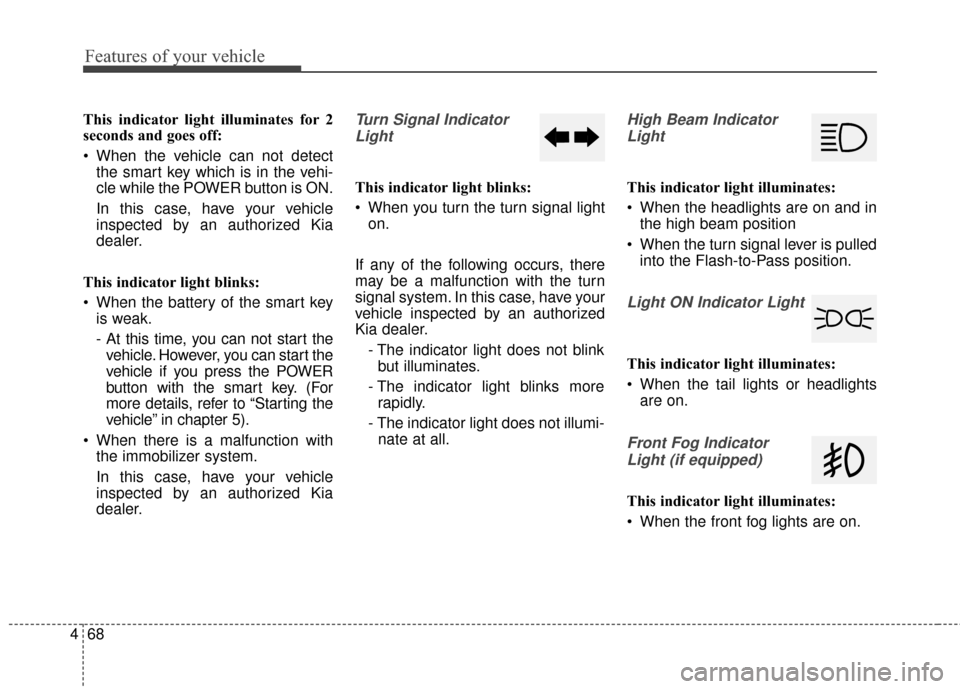
dealer.Turn Signal Indicator
Light
This indicator light blinks:
When you turn the turn signal light on.
If any of the following occurs, there
may be a malfunction with the turn
signal system. In this case, have your
vehicle inspected by an authorized
Kia dealer. - The indicator light does not blinkbut illuminates.
- The indicator light blinks more rapidly.
- The indicator light does not illumi- nate at all.
High Beam Indicator
Light
This indicator light illuminates:
When the headlights are on and in the high beam position
When the turn signal lever is pulled into the Flash-to-Pass position.
Light ON Indicator Light
This indicator light illuminates:
When the tail lights or headlightsare on.
Front Fog Indicator
Light (if equipped)
This indicator light illuminates:
When the front fog lights are on.
Page 145 of 407
475
Features of your vehicle
Headlamp escort (if equipped)
If you turn the POWER button to the
ACC or OFF position with the head-
lights ON, the headlights remain on
for about 5 minutes. However, if the
driver’s door is opened and closed,
the headlights are turned off after 15
seconds.
The headlights can be turned off by
pressing the lock button on the smart
key twice or turning the light switch to
the OFF or Auto position. However, if
you turn the light switch to the Auto
position when it is dark outside, the
headlights will not be turned off
immediately.
Battery saver function
The purpose of this feature is toprevent the battery from being dis-
charged. The system automatically
turns off the parking lights when
the driver turns the vehicle off and
opens the driver-side door (in that
order).
With this feature, the parking lights will turn off automatically if the driv-
er parks on the side of the road at
night.
If necessary, to keep the lights on
when the vehicle is turned off, per-
form the following:
1) Open the driver-side door.
2) Turn the parking lights OFF and ON again using the light switch
on the steering column.
Daytime running light
Daytime Running Lights (DRL) may
help make it easier for others to see
the front of your vehicle during the
day. DRL can be helpful in many dif-
ferent driving conditions, and it is
especially helpful after dawn and
before sunset.
The DRL system turns OFF when:
1. The front fog light or headlight (lowbeam) switch is ON.
2. The POWER button is OFF.
3. The parking brake is applied.
LIGHTING
Page 154 of 407
Features of your vehicle
84
4
Do not use the interior lights for
extended periods when the v ehicle is
not in the ready ( ) mode.
It may cause battery discharge.Interior lamp AUTO cut
When all entrances are closed, if you lock the vehicle by using the
smart key, all interior lamp will be
off after a few seconds.
If you do not operate anything in the vehicle after turning off the
POWER button, the lights will turn
off after 20 minutes.
Map lamp
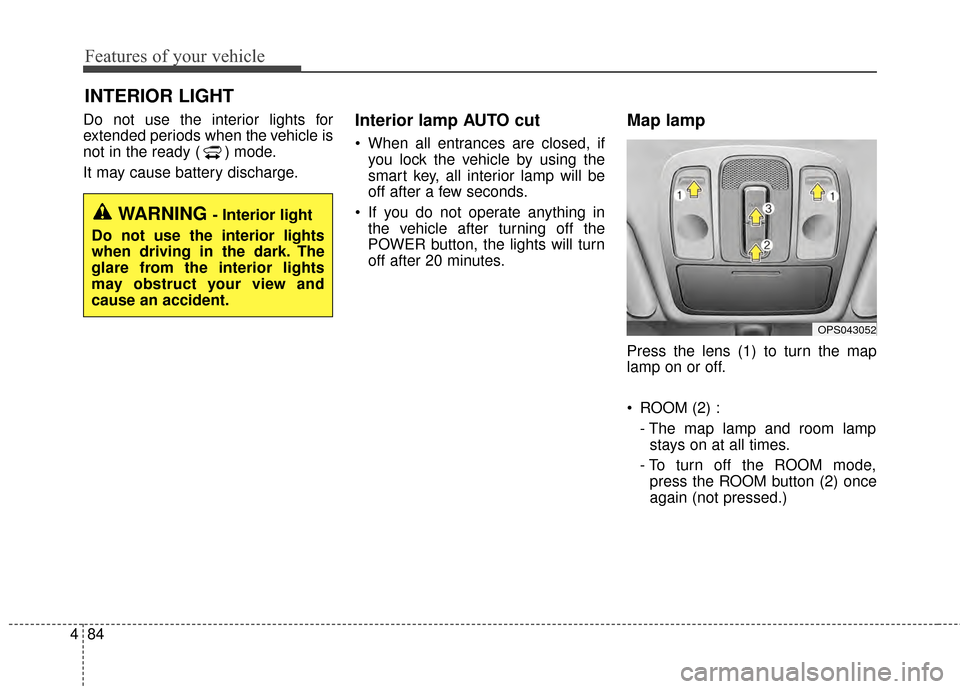
Press the lens (1) to turn the map
lamp on or off.
ROOM (2) :
- The map lamp and room lampstays on at all times.
- To turn off the ROOM mode, press the ROOM button (2) once
again (not pressed.)
INTERIOR LIGHT
WARNING - Interior light
Do not use the interior lights
when driving in the dark. The
glare from the interior lights
may obstruct your view and
cause an accident.
OPS043052
Page 194 of 407
55
Driving your vehicle
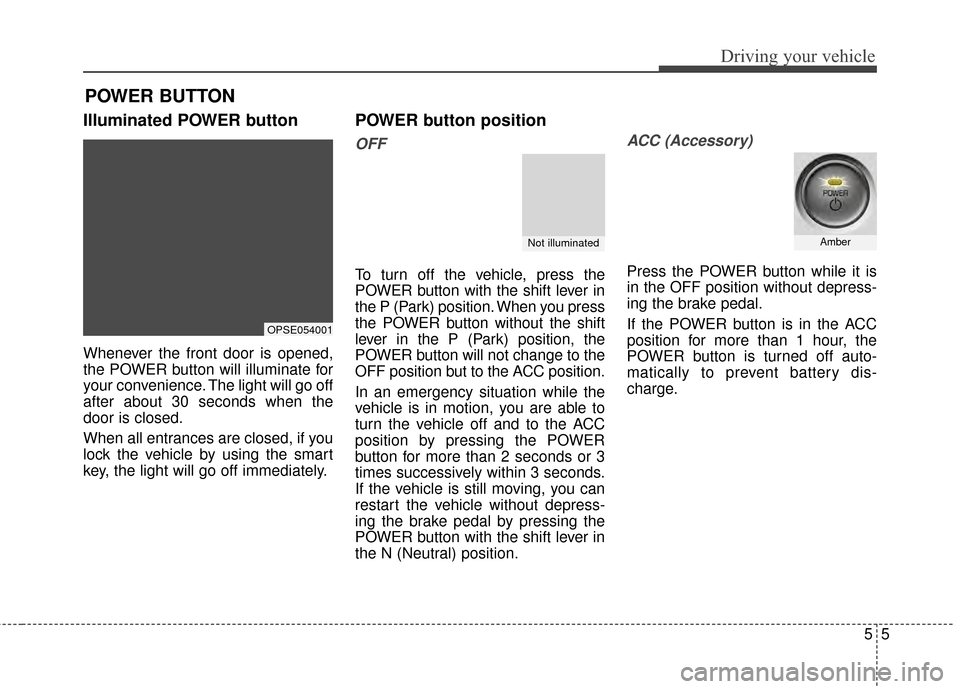
Illuminated POWER button
Whenever the front door is opened,
the POWER button will illuminate for
your convenience. The light will go off
after about 30 seconds when the
door is closed.
When all entrances are closed, if you
lock the vehicle by using the smart
key, the light will go off immediately.
POWER button position
OFF
To turn off the vehicle, press the
POWER button with the shift lever in
the P (Park) position. When you press
the POWER button without the shift
lever in the P (Park) position, the
POWER button will not change to the
OFF position but to the ACC position.
In an emergency situation while the
vehicle is in motion, you are able to
turn the vehicle off and to the ACC
position by pressing the POWER
button for more than 2 seconds or 3
times successively within 3 seconds.
If the vehicle is still moving, you can
restart the vehicle without depress-
ing the brake pedal by pressing the
POWER button with the shift lever in
the N (Neutral) position.
ACC (Accessory)
Press the POWER button while it is
in the OFF position without depress-
ing the brake pedal.
If the POWER button is in the ACC
position for more than 1 hour, the
POWER button is turned off auto-
matically to prevent battery dis-
charge.
POWER BUTTON
OPSE054001
Not illuminatedAmber
Page 197 of 407

Driving your vehicle
85
If the battery is weak or the smartkey does not work correctly, you
can start the vehicle by pressing
the POWER button with the smart
key.
The side with the lock button
should contact the POWER button
directly.
When you press the POWER but-
ton directly with the smart key, the
smart key should contact the
POWER button at a right angle. When the stop lamp fuse is blown,
you can't start the vehicle normally.
Replace the fuse with a new one. If
it is not possible, you can start the
vehicle by pressing the POWER
button for 10 seconds while it is in
the ACC position. The vehicle can
start with depressing the brake
pedal.
Do not press the POWER button for
more than 10 seconds except when
the stop lamp fuse is blown.
Pedestrian Warning System
The Pedestrian Warning System
generates engine sound for pedestri-
ans to hear vehicle sound because
there is little sound while the Electric
Vehicle (EV) is operating.
If the vehicle is moving low speed,
the Pedestrian Warning System will
operated.
- When the reduction gear is shifted to [R], the Pedestrian Warning System
will be operated immediately.
OPSE054005
Page 234 of 407
545
Driving your vehicle
Use high quality ethylene gly-
col coolant
Your vehicle is delivered with high qual-
ity ethylene glycol coolant in the cool-
ing system. It is the only type of coolant
that should be used because it helps
prevent corrosion in the cooling sys-
tem, lubricates the water pump and
prevents freezing. Be sure to replace
or replenish your coolant in accor-
dance with the maintenance schedule
in section 7. Before winter, have your
coolant tested to assure that its freez-
ing point is sufficient for the tempera-
tures anticipated during the winter.
Check battery and cables
Winter puts additional burdens on the
battery system. Visually inspect the
battery and cables as described in
section 7. The level of charge in your
battery can be checked by an author-
ized Kia dealer or a service station.
To keep locks from freezing
To keep the locks from freezing,
squirt an approved de-icer fluid or
glycerine into the key opening. If a
lock is covered with ice, squirt it with
an approved de-icing fluid to remove
the ice. If the lock is frozen internally,
you may be able to thaw it out by
using a heated key. Handle the heat-
ed key with care to avoid injury.
Use approved window washer
anti-freeze in system
To keep the water in the window
washer system from freezing, add an
approved window washer anti-freeze
solution in accordance with instruc-
tions on the container. Window wash-
er anti-freeze is available from an
authorized Kia dealer and most auto
parts outlets. Do not use coolant or
other types of anti-freeze as these
may damage the paint finish.