Page 79 of 678
WARNING!
Be certain that the seatback is securely locked into
position. If the seatback is not securely locked into
position the seat will not provide the proper stability
for child seats and/or passengers. An improperly
latched seat could cause serious injury.
HEAD RESTRAINTS
Head restraints are designed to reduce the risk of injury
by restricting head movement in the event of a rear
impact. Head restraints should be adjusted so that the top
of the head restraint is located above the top of your ear.
WARNING!
The head restraints for all occupants must be prop-
erly adjusted prior to operating the vehicle or occu-
pying a seat. Head restraints should never be ad-
justed while the vehicle is in motion. Driving a
vehicle with the head restraints improperly adjusted
or removed could cause serious injury or death in the
event of a collision.
Front Head Restraints
To raise the head restraint, pull upward on the head
restraint. To lower the head restraint, push the adjust-
ment button, located at the base of the head restraint, and
push downward on the head restraint.
4
GETTING TO KNOW YOUR VEHICLE 77
Page 151 of 678

Closing
Hold up the hood with one hand and with the other hand
remove the support rod from its seat and reinsert it into
the locking tab.
Lower the hood to approximately 6 inches (15 cm) from
the engine compartment and drop it. Make sure that the
hood is completely closed.
CAUTION!
To prevent possible damage, do not slam the hood to
close it. Lower the hood until it is open approxi-
mately 6 inches (15 cm), and then drop it. This should
secure both latches. Never drive your vehicle unless
the hood is fully closed, with both latches engaged.
WARNING!
Be sure the hood is fully latched before driving your
vehicle. If the hood is not fully latched, it could open
when the vehicle is in motion and block your vision.
Failure to follow this warning could result in serious
injury or death.
LIFTGATE
Opening
To unlock the liftgate, use the Remote Keyless Entry
(RKE) transmitter or activate the power door lock
switches located on the driver door handle.
To open the liftgate, squeeze the electronic liftgate release
and pull the liftgate open with one fluid motion.
4
GETTING TO KNOW YOUR VEHICLE 149
Page 156 of 678
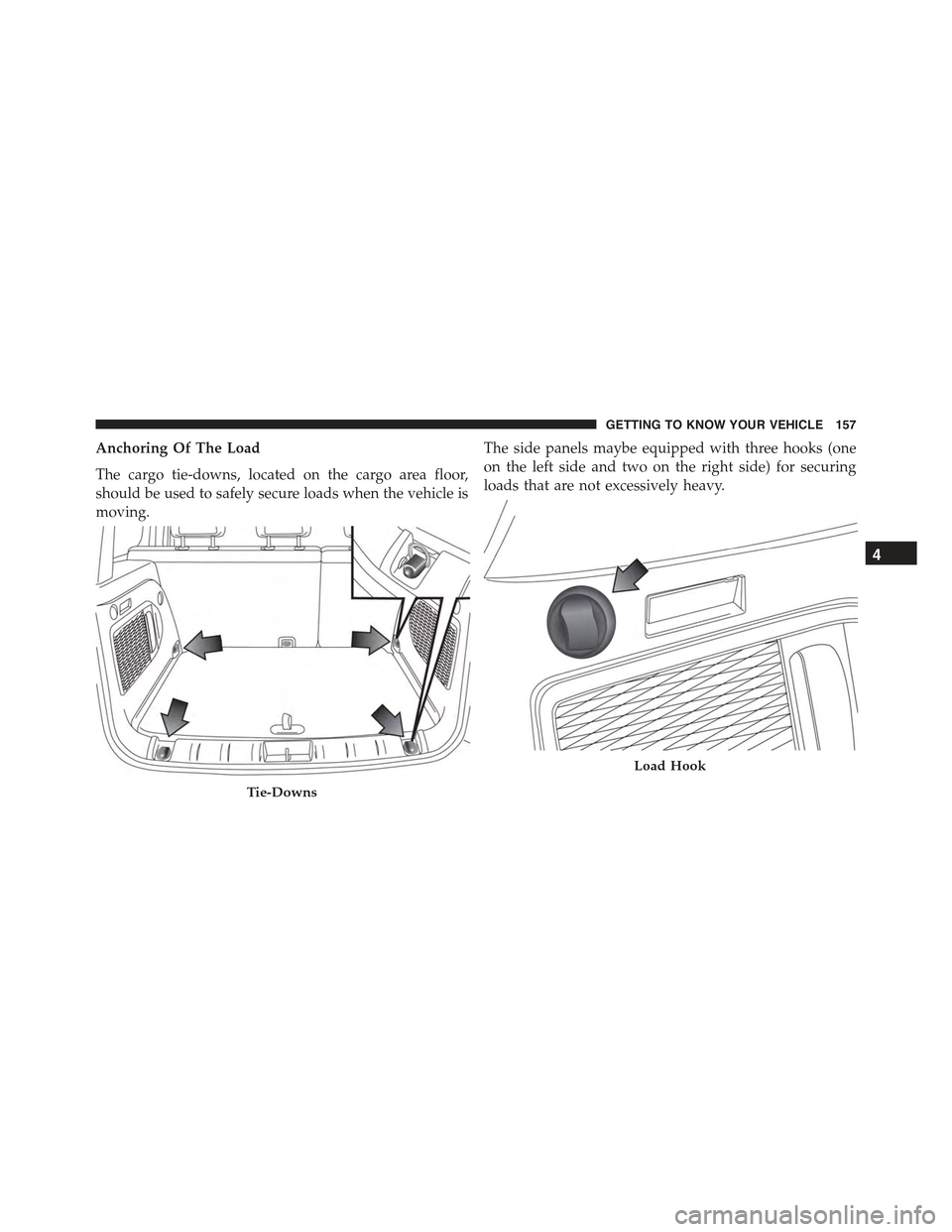
Table Tilt Load
In addition to the two positions described above, the load
floor can also be placed in a tilted position (slanted
toward the rear seatbacks as to ease the access to the
underlying zone of the luggage compartment (e.g. to pick
up the spare tire or the Tire Service Kit).
Place the load floor in a way that it rests at the supports
1 and 2 on the sides of the cargo area.
The load floor provides securing of any cargo inside this
position, so that the cargo will slide in the case of sudden
braking.
Load Floor
154 GETTING TO KNOW YOUR VEHICLE
Page 159 of 678
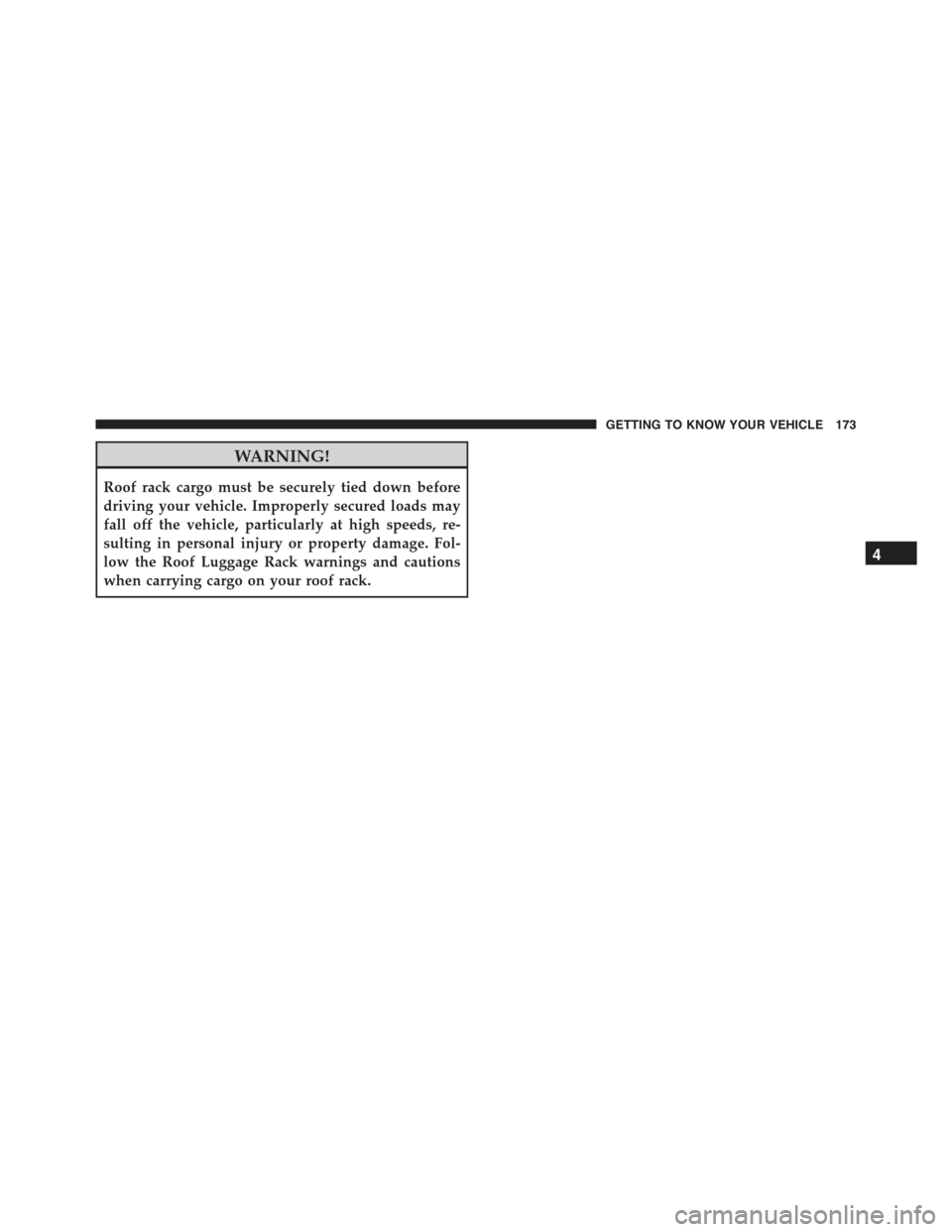
Anchoring Of The Load
The cargo tie-downs, located on the cargo area floor,
should be used to safely secure loads when the vehicle is
moving.
The side panels maybe equipped with three hooks (one
on the left side and two on the right side) for securing
loads that are not excessively heavy.
Tie-Downs
Load Hook
4
GETTING TO KNOW YOUR VEHICLE 157
Page 174 of 678
ROOF LUGGAGE RACK — IF EQUIPPED
Your vehicle may be equipped with a Roof Luggage Rack
for transporting accessories.
Crossbars should always be used whenever cargo is
placed on the Roof Luggage Rack. Check the straps
frequently to be sure that the load remains securely
attached.
NOTE:Crossbars can be purchased at a authorized
dealer through Mopar® parts. External racks do not
increase the total load carrying capacity of the vehicle. Be
sure that the total occupant and luggage load inside the
vehicle, plus the load on the Roof Luggage Rack, do not
exceed the maximum vehicle load capacity.
The load carried on the roof, when equipped with a
luggage rack, must not exceed 150 lbs (68 kg), and it
should be uniformly distributed over the cargo area.
Do not use the retractable roof when using the crossbars.
CAUTION!
•To avoid damage to the Roof Luggage Rack and
vehicle, do not exceed the maximum roof rack load
capacity. Always distribute heavy loads as evenly
as possible and secure the load appropriately.
•Long loads, which extend over the windshield,
such as wood panels or surfboards, should be
secured to both the front and rear of the vehicle.
•Place a blanket or other protection between the
surface of the roof and the load.
•Travel at reduced speeds and turn corners carefully
when carrying large or heavy loads on the roof
rack. Wind forces, due to natural causes or nearby
truck traffic, can add sudden upward loads. This is
especially true on large flat loads and may result in
damage to the cargo or your vehicle.
172 GETTING TO KNOW YOUR VEHICLE
Page 175 of 678
WARNING!
Roof rack cargo must be securely tied down before
driving your vehicle. Improperly secured loads may
fall off the vehicle, particularly at high speeds, re-
sulting in personal injury or property damage. Fol-
low the Roof Luggage Rack warnings and cautions
when carrying cargo on your roof rack.
4
GETTING TO KNOW YOUR VEHICLE 173
Page 198 of 678

Automatic Transmission Failure
•What Does It Mean
This light will illuminate when the system
detects a failure of the automatic transmis-
sion.
•What To Do
Contact an authorized dealer as soon as possible.
Oil Temperature Warning Light
•What Does It Mean
This light indicates engine oil temperature
is high.
NOTE:
•Driving with this light illuminated can cause serious
damage to the transmission, causing it to break. It can
also cause the oil to overheat. If the hot engine or
exhaust components come in contact, a fire may occur.
•If the light turns on while driving, stop the vehicle and
shut off the engine as soon as possible.
SENTRY KEY® / Vehicle Security Alarm System Failure
•What Does It Mean
System Failure Sentry Key®
After placing the ignition to the MAR/
RUN position, if there is a problem with the
system, the Vehicle Security Light will illuminate.
This condition will result in the engine being shut off
after two seconds.
•What To Do
Contact an authorized dealer as soon as possible.
196 GETTING TO KNOW YOUR INSTRUMENT PANEL
Page 215 of 678
Restore Default Settings
Selecting this item, and you can reset and restore the
default settings.
Vehicle Setup
This menu item allows you to change the settings for the
following:
•Display
•Units of measure
•Clock and Data
•Safety
•Safety and Assistance
•Lights
•Doors and Locks
•Compass (If Equipped)
Vehicles Equipped With Multifunctional Display
Reconfigurable:Menu items#Display#(you can select
only the items#See Phone#and#See Navigation,##Secu-
rity,#and#Safety & Assistance#(only#Volume Alerts#is
selectable) are present.
All other entries are displayed and selected on the
display of the Uconnect® system.
“Display”
By selecting the#Display,#you can access the following
settings:
•Language: allows you to select the language in which
to display the information/warnings.
•See Phone:allows you to view, on the instrument
cluster display, the information relating to Phone
mode displayed on the display of the Uconnect®
system.
5
GETTING TO KNOW YOUR INSTRUMENT PANEL 213