2015 HYUNDAI IX35 start stop button
[x] Cancel search: start stop buttonPage 147 of 550
Features of your vehicle62
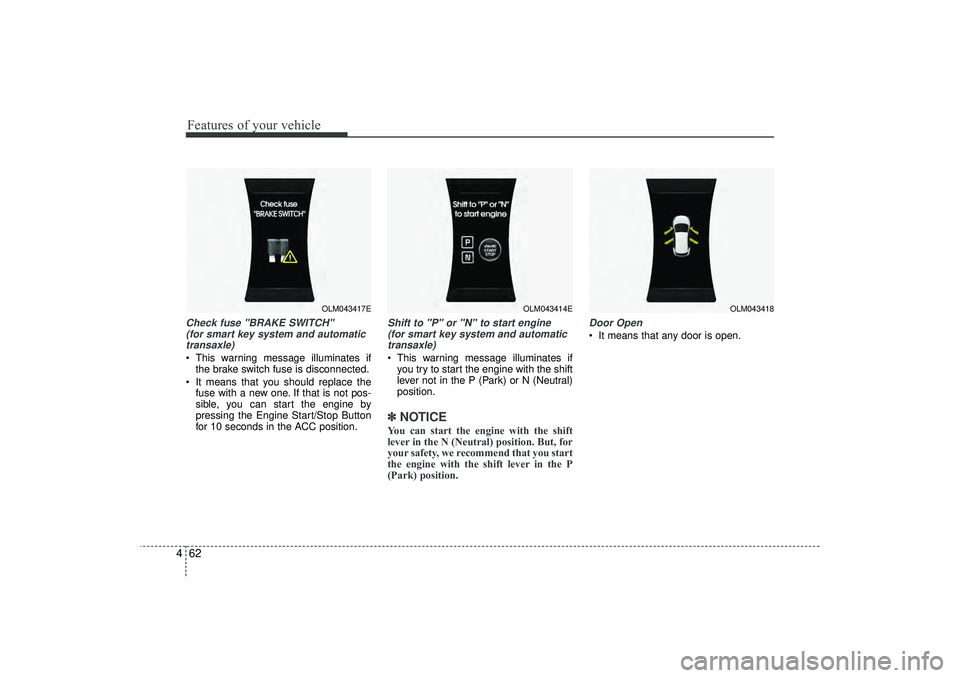
4Check fuse "BRAKE SWITCH"
(for smart key system and automatictransaxle) This warning message illuminates if the brake switch fuse is disconnected.
It means that you should replace the fuse with a new one. If that is not pos-
sible, you can start the engine by
pressing the Engine Start/Stop Button
for 10 seconds in the ACC position.
Shift to "P" or "N" to start engine (for smart key system and automatictransaxle) This warning message illuminates if you try to start the engine with the shift
lever not in the P (Park) or N (Neutral)
position.✽ ✽ NOTICEYou can start the engine with the shift
lever in the N (Neutral) position. But, for
your safety, we recommend that you start
the engine with the shift lever in the P
(Park) position.
Door Open It means that any door is open.
OLM043417E
OLM043414E
OLM043418
EL(FL) UK 4A.QXP 2/9/2015 9:05 PM Page 62
Page 151 of 550
Features of your vehicle66
4✽
✽
NOTICE• The average vehicle speed is not dis-
played if the driving distance is less
than 300 meters (0.186 miles) or the
driving time is less than 10 seconds
since the ignition switch or Engine
Start/Stop button is turned to ON.
• Even if the vehicle is not in motion, the average vehicle speed keeps going
whilst the engine is running.Elapsed Time (3) The elapsed time is the total driving
time since the last elapsed time reset.
- Time range (hh:mm): 00:00 ~ 99:59
To reset the elapsed time, press the trip button (Type A : TRIP, Type B : )
for more than 1 second when the
elapsed time is displayed.✽ ✽ NOTICEEven if the vehicle is not in motion, the
elapsed time keeps going whilst the
engine is running.
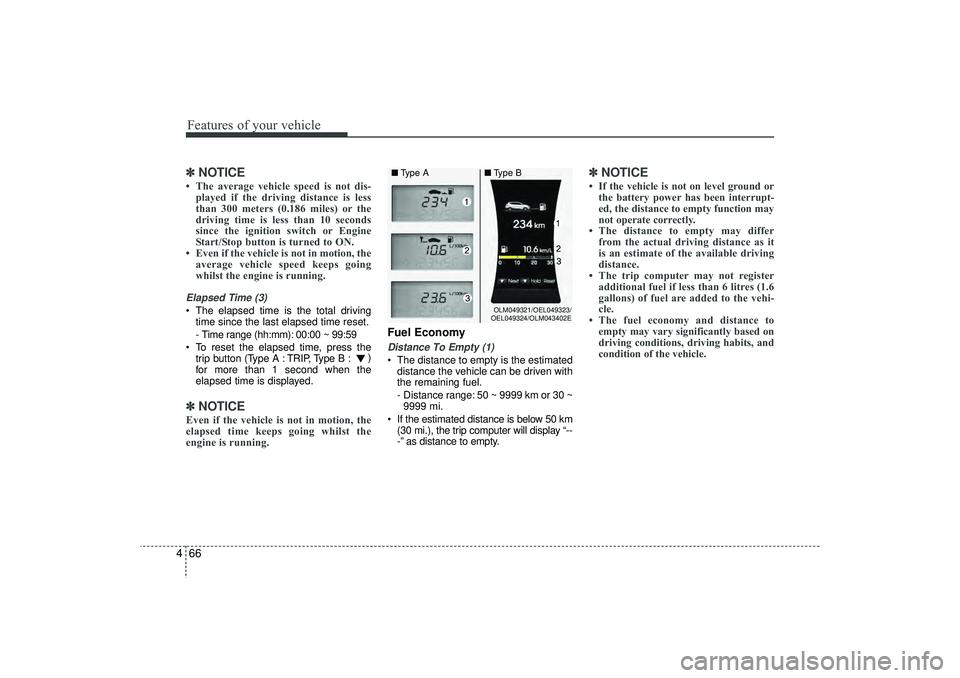
Fuel EconomyDistance To Empty (1) The distance to empty is the estimated
distance the vehicle can be driven with
the remaining fuel.
- Distance range: 50 ~ 9999 km or 30 ~9999 mi.
If the estimated distance is below 50 km (30 mi.), the trip computer will display “--
-” as distance to empty.
✽ ✽ NOTICE• If the vehicle is not on level ground or
the battery power has been interrupt-
ed, the distance to empty function may
not operate correctly.
• The distance to empty may differ from the actual driving distance as it
is an estimate of the available driving
distance.
• The trip computer may not register additional fuel if less than 6 litres (1.6
gallons) of fuel are added to the vehi-
cle.
• The fuel economy and distance to empty may vary significantly based on
driving conditions, driving habits, and
condition of the vehicle.
OLM049321/OEL049323/
OEL049324/OLM043402E
■ Type A ■Type B
EL(FL) UK 4A.QXP 2/9/2015 9:05 PM Page 66
Page 152 of 550
467
Features of your vehicle
Average Fuel Economy (2) The average fuel economy is calculat-ed by the total driving distance and fuel
consumption since the last average fuel
economy reset.
- Fuel economy range: 0.0 ~ 99.9L/100km or MPG
The average fuel economy can be reset both manually and automatically.
Manual reset
To clear the average fuel economy manu-
ally, press the trip b utton (Type A : TRIP,
Type B : )
for more than 1 second
when the average fuel economy is dis-
played. Automatic reset
The average fuel economy will be
cleared to zero (---) when the vehicle
speed exceeds 1 km/h after refuelling
more than 6 litres (1.6 gallons).
✽ ✽
NOTICEThe average fuel economy is not dis-
played for more accurate calculation if
the vehicle does not drive more than 10
seconds or 50 meters (0.03 miles) since
the ignition switch or Engine Start/Stop
button is turned to ON.
Instant Fuel Economy (3) This mode displays the instant fuel
economy during the last few seconds
when the vehicle speed is more than
10 km/h (6.2 MPH).
- Fuel economy range:
Type A : 0 ~ 99.9 L/100 km or MPG
Type B : 0 ~ 30 L/100 km or 0 ~ 50
MPG
EL(FL) UK 4A.QXP 2/9/2015 9:05 PM Page 67
Page 160 of 550
475
Features of your vehicle
Immobiliser indicator (if equipped)Without smart key system
This indicator illuminates when the
immobiliser key is inserted and turned to
the ON position to start the engine.
At this time, you can start the engine. The
indicator goes out after the engine is run-
ning.
If this indicator blinks when the ignition
switch is in the ON position before start-
ing the engine, we recommend that the
system be checked by a HYUNDAI
authorised repairer. With smart key system
If any of the following occurs in a vehicle
equipped with the smart key, the immo-
biliser indicator illuminates, blinks or
goes off.
When the battery of the smart key is
weak.
- At this time, you can not start theengine. However, you can start the
engine if you press the Engine
Start/Stop Button with the smart key.
(For more details, refer to “Starting
the Engine” in section 5).
If the indicator illuminates only for 2 seconds and goes out when the
ENGINE START/STOP button is
turned to ON position with the smart
key in the vehicle, we recommend that
the system be checked by a HYUNDAI
authorised repairer.
When the battery is weak, if the ENGINE START/STOP button is
pressed, the indicator will blink and you
are not able to start the engine.
However, you are able to start the
engine by pressing the engine
start/stop button with the smart key.
Also, if the smart key system related
parts have a problem, the indicator will
blink.
Low fuel level warning This warning light indicates the fuel tank
is nearly empty. When it comes on, you
should add fuel as soon as possible.
Driving with the fuel level warning light on
or with the fuel level below “E” can cause
the engine to misfire and damage the
catalytic converter.
EL(FL) UK 4A.QXP 2/9/2015 9:05 PM Page 75
Page 162 of 550
477
Features of your vehicle
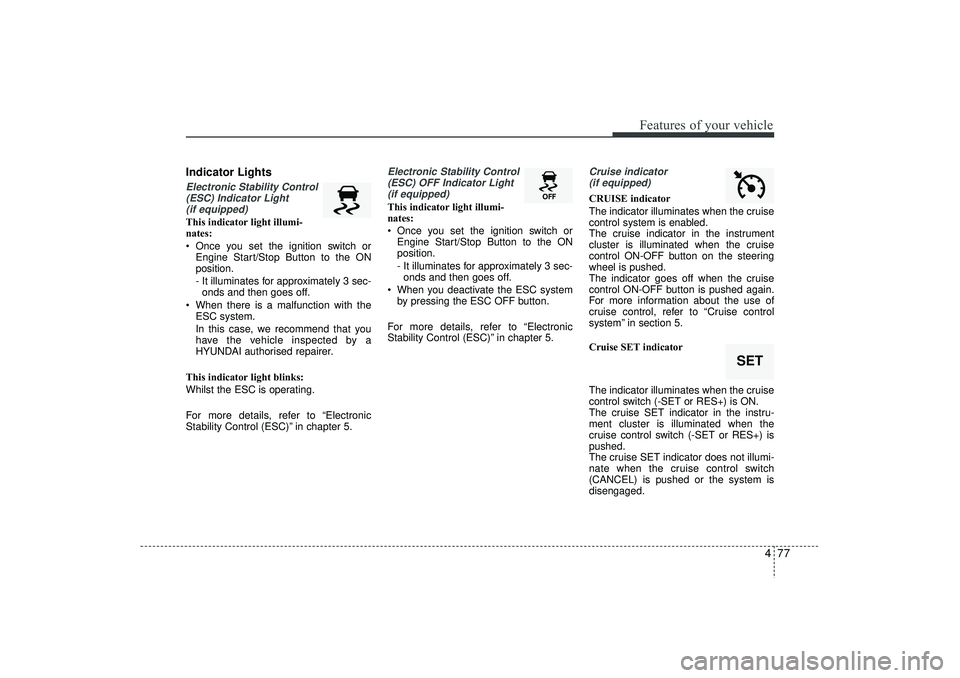
Indicator LightsElectronic Stability Control(ESC) Indicator Light (if equipped)This indicator light illumi-
nates:
Once you set the ignition switch or Engine Start/Stop Button to the ON
position.
- It illuminates for approximately 3 sec-onds and then goes off.
When there is a malfunction with the ESC system.
In this case, we recommend that you
have the vehicle inspected by a
HYUNDAI authorised repairer.
This indicator light blinks:
Whilst the ESC is operating.
For more details, refer to “Electronic
Stability Control (ESC)” in chapter 5.
Electronic Stability Control (ESC) OFF Indicator Light (if equipped)This indicator light illumi-
nates:
Once you set the ignition switch or Engine Start/Stop Button to the ON
position.
- It illuminates for approximately 3 sec-onds and then goes off.
When you deactivate the ESC system by pressing the ESC OFF button.
For more details, refer to “Electronic
Stability Control (ESC)” in chapter 5.
Cruise indicator (if equipped)CRUISE indicator
The indicator illuminates when the cruise
control system is enabled.
The cruise indicator in the instrument
cluster is illuminated when the cruise
control ON-OFF button on the steering
wheel is pushed.
The indicator goes off when the cruise
control ON-OFF button is pushed again.
For more information about the use of
cruise control, refer to “Cruise control
system” in section 5.
Cruise SET indicator
The indicator illuminates when the cruise
control switch (-SET or RES+) is ON.
The cruise SET indicator in the instru-
ment cluster is illuminated when the
cruise control switch (-SET or RES+) is
pushed.
The cruise SET indicator does not illumi-
nate when the cruise control switch
(CANCEL) is pushed or the system is
disengaged.
SET
EL(FL) UK 4A.QXP 2/9/2015 9:05 PM Page 77
Page 163 of 550
Features of your vehicle78
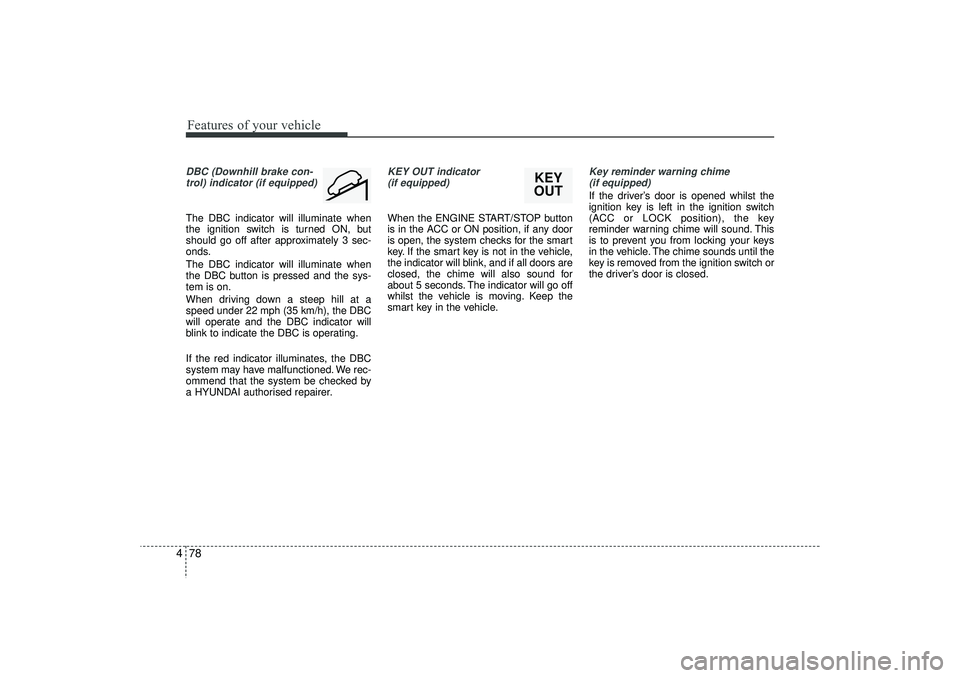
4DBC (Downhill brake con-
trol) indicator (if equipped)The DBC indicator will illuminate when
the ignition switch is turned ON, but
should go off after approximately 3 sec-
onds.
The DBC indicator will illuminate when
the DBC button is pressed and the sys-
tem is on.
When driving down a steep hill at a
speed under 22 mph (35 km/h), the DBC
will operate and the DBC indicator will
blink to indicate the DBC is operating.
If the red indicator illuminates, the DBC
system may have malfunctioned. We rec-
ommend that the system be checked by
a HYUNDAI authorised repairer.
KEY OUT indicator (if equipped)When the ENGINE START/STOP button
is in the ACC or ON position, if any door
is open, the system checks for the smart
key. If the smart key is not in the vehicle,
the indicator will blink, and if all doors are
closed, the chime will also sound for
about 5 seconds. The indicator will go off
whilst the vehicle is moving. Keep the
smart key in the vehicle.
Key reminder warning chime (if equipped)If the driver’s door is opened whilst the
ignition key is left in the ignition switch
(ACC or LOCK position), the key
reminder warning chime will sound. This
is to prevent you from locking your keys
in the vehicle. The chime sounds until the
key is removed from the ignition switch or
the driver’s door is closed.
KEY
OUT
EL(FL) UK 4A.QXP 2/9/2015 9:05 PM Page 78
Page 194 of 550
4 109
Features of your vehicle
Headlight washer (if equipped)If your vehicle is equipped with the head-
light washer it will operate at the same
time when you operate the windscreen
washer. It will operate when the headlight
low beam is turned on and the ignition
switch or engine start/stop button is in
the ON position.
The washer fluid will be sprayed on to the
headlights.✽ ✽NOTICE• Check the headlight washers periodi-
cally to confirm that the washer fluid
is being sprayed properly onto the
headlight lenses.
• The headlight washer can be operated 15 minutes after being operated last
time.
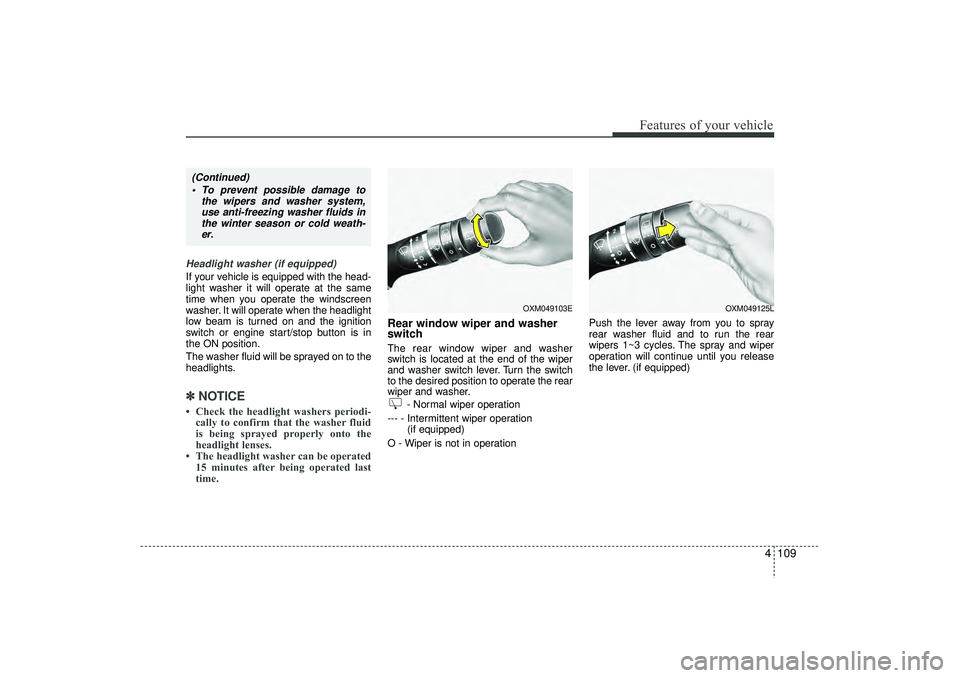
Rear window wiper and washer
switch The rear window wiper and washer
switch is located at the end of the wiper
and washer switch lever. Turn the switch
to the desired position to operate the rear
wiper and washer.
- Normal wiper operation
--- - Intermittent wiper operation (if equipped)
O - Wiper is not in operation Push the lever away from you to spray
rear washer fluid and to run the rear
wipers 1~3 cycles. The spray and wiper
operation will continue until you release
the lever. (if equipped)
OXM049103E
OXM049125L
(Continued)
To prevent possible damage to the wipers and washer system,use anti-freezing washer fluids inthe winter season or cold weath-er.
EL(FL) UK 4A.QXP 2/9/2015 9:07 PM Page 109
Page 349 of 550
Driving your vehicle
5
Before driving . . . . . . . . . . . . . . . . . . . . . . . . . . . . . . 5-4• Before entering vehicle . . . . . . . . . . . . . . . . . . . . . . . . . 5-4
• Necessary inspections . . . . . . . . . . . . . . . . . . . . . . . . . 5-4
• Before starting . . . . . . . . . . . . . . . . . . . . . . . . . . . . . . . 5-4Key positions . . . . . . . . . . . . . . . . . . . . . . . . . . . . . . . 5-5• Illuminated ignition switch . . . . . . . . . . . . . . . . . . . . . 5-5
• Ignition switch position . . . . . . . . . . . . . . . . . . . . . . . . . 5-6
• Starting the engine . . . . . . . . . . . . . . . . . . . . . . . . . . . . 5-7Engine start/stop button . . . . . . . . . . . . . . . . . . . . . 5-9• Illuminated engine start/stop button . . . . . . . . . . . . . . 5-9
• Engine start/stop button position. . . . . . . . . . . . . . . . . 5-9
• Starting the engine . . . . . . . . . . . . . . . . . . . . . . . . . . . 5-12ISG (Idle Stop and Go) system . . . . . . . . . . . . . . 5-15• Auto stop . . . . . . . . . . . . . . . . . . . . . . . . . . . . . . . . . . . 5-\
15
• Auto start . . . . . . . . . . . . . . . . . . . . . . . . . . . . . . . . . . . 5-\
16
• Condition of ISG system operation . . . . . . . . . . . . . . 5-17
• ISG system deactivation . . . . . . . . . . . . . . . . . . . . . . . 5-17
• ISG system malfunction . . . . . . . . . . . . . . . . . . . . . . . 5-18Manual transaxle . . . . . . . . . . . . . . . . . . . . . . . . . . 5-19• Manual transaxle operation . . . . . . . . . . . . . . . . . . . . 5-19
• Good driving practices . . . . . . . . . . . . . . . . . . . . . . . . 5-21Automatic transaxle . . . . . . . . . . . . . . . . . . . . . . . 5-22• Automatic transaxle operation. . . . . . . . . . . . . . . . . . 5-23
• Good driving practices . . . . . . . . . . . . . . . . . . . . . . . . 5-27
Four wheel drive (4WD) . . . . . . . . . . . . . . . . . . . . 5-28• Tight corner brake effect . . . . . . . . . . . . . . . . . . . . . . 5-28
• Four Wheel Drive (4WD) transfer mode selection . 5-29
• For safe four-wheel drive operation . . . . . . . . . . . . 5-30
• Reducing the risk of a rollover . . . . . . . . . . . . . . . . . 5-32Brake system . . . . . . . . . . . . . . . . . . . . . . . . . . . . . . 5-35• Power brakes . . . . . . . . . . . . . . . . . . . . . . . . . . . . . . . 5-35
• Parking brake . . . . . . . . . . . . . . . . . . . . . . . . . . . . . . 5-36
• Anti-lock brake system (ABS) . . . . . . . . . . . . . . . . . . 5-38
• Electronic stability control (ESC) . . . . . . . . . . . . . . . 5-41
• Vehicle stability management (VSM) . . . . . . . . . . . . 5-44
• Hill-start assist control (HAC) . . . . . . . . . . . . . . . . . . 5-45
• Downhill brake control (DBC) . . . . . . . . . . . . . . . . . 5-46
• Emergency stop signal (ESS) . . . . . . . . . . . . . . . . . . . 5-47
• Trailer stability assist (TSA) . . . . . . . . . . . . . . . . . . . 5-47
• Good braking practices. . . . . . . . . . . . . . . . . . . . . . . . 5-48Cruise control system . . . . . . . . . . . . . . . . . . . . . . 5-50• To set cruise control speed . . . . . . . . . . . . . . . . . . . . . 5-51
• To increase cruise control set speed. . . . . . . . . . . . . . 5-51
• To decrease the cruising speed . . . . . . . . . . . . . . . . . . 5-52
• To temporarily accelerate with the cruise control on . . . . . . . . . . . . . . . . . . . . . . . . 5-52
• To cancel cruise control, do one of the following . . . 5-52
• To resume cruising speed at more than approximately 25 mph (40 km/h) . . . . . . . . . . . . . . 5-53
EL(FL) UK 5.QXP 12/16/2014 8:08 PM Page 1