2015 FORD FOCUS fuel cap
[x] Cancel search: fuel capPage 275 of 453
Specification
Name
--
Lock cylinders (U.S.):
Penetrating and Lock Lubricant
XL-1
--
Lock cylinders (Canada):
Penetrating Fluid
CXC-51-A
--
Lock cylinders (Mexico):
Penetrating and Lock Lubricant
MXL-1
If you use oil and fluids that do not meet
the defined specification and viscosity
grade, this may lead to:
• Component damage which is not
covered by the vehicle warranty.
• Longer engine cranking periods.
• Increased emission levels.
• Reduced engine performance.
• Reduced fuel economy.
• Degraded brake performance.
We recommend Motorcraft motor oil for
your vehicle. If Motorcraft oil is not
available, use motor oils of the
recommended viscosity grade that meet
API SN requirements and display the API
Certification Mark for gasoline engines. Do
not use oil labeled with API SN service
category unless the label also displays the
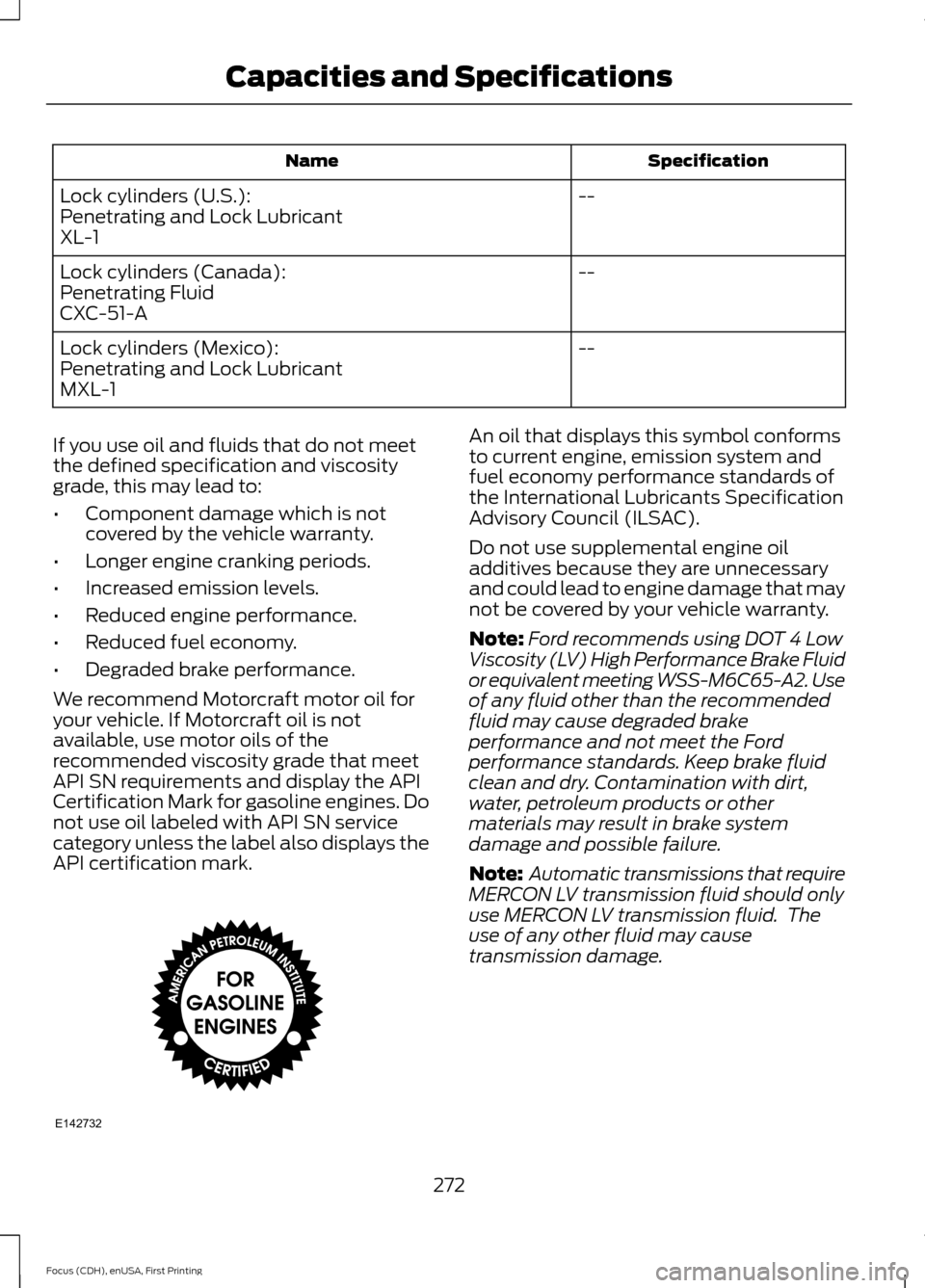
API certification mark. An oil that displays this symbol conforms
to current engine, emission system and
fuel economy performance standards of
the International Lubricants Specification
Advisory Council (ILSAC).
Do not use supplemental engine oil
additives because they are unnecessary
and could lead to engine damage that may
not be covered by your vehicle warranty.
Note:
Ford recommends using DOT 4 Low
Viscosity (LV) High Performance Brake Fluid
or equivalent meeting WSS-M6C65-A2. Use
of any fluid other than the recommended
fluid may cause degraded brake
performance and not meet the Ford
performance standards. Keep brake fluid
clean and dry. Contamination with dirt,
water, petroleum products or other
materials may result in brake system
damage and possible failure.
Note: Automatic transmissions that require
MERCON LV transmission fluid should only
use MERCON LV transmission fluid. The
use of any other fluid may cause
transmission damage.
272
Focus (CDH), enUSA, First Printing Capacities and SpecificationsE142732
Page 309 of 453
Setting 911 Assist On or Off
Press the phone button to enter the
phone menu then select:
Action and Description
Menu
Item
Press OK to confirm and enter
the 911 Assist menu.
911 Assist
Scroll to activate this option
then press OK when the
desired option appears in the
radio display.
If you choose not to activate this
feature you will have the following
options: Action and Description
Menu
Item
Provides a display and voice
reminder at phone connection
at vehicle start.
Voice
Reminder
ON
Provides a display reminder
only without a voice reminder
at phone connection.
Voice
Reminder
OFF
To make sure that 911 Assist works
properly:
• SYNC must be powered and working
properly at the time of the incident and
throughout feature activation and use.
• The 911 Assist feature must be set on
before the incident.
• You must pair and connect a
Bluetooth-enabled and compatible
cell phone to SYNC.
• A connected Bluetooth-enabled phone
must have the ability to make and
maintain an outgoing call at the time
of the incident. •
A connected Bluetooth-enabled phone
must have adequate network coverage,
battery power and signal strength.
• The vehicle must have battery power
and be located in the U.S., Canada or
in a territory in which 911 is the
emergency number.
In the Event of a Crash
Not all crashes deploy an airbag or activate
the fuel pump shut-off (the triggers for 911
Assist). If a connected cell phone sustains
damage or loses its connection to SYNC
during a crash, SYNC searches for and tries
to connect to a previously paired cell
phone; SYNC then attempts to call the
emergency services.
Before making the call:
• SYNC provides a short window of time
(about 10 seconds) to cancel the call.
If you fail to cancel the call, SYNC
attempts to dial 911.
• SYNC says the following, or a similar
message: "SYNC will attempt to call
911, to cancel the call, press Cancel on
your screen or press and hold the
phone button on your steering wheel".
If you do not cancel the call, and SYNC
makes a successful call, a pre-recorded
message plays for the 911 operator, and
then the occupant(s) in your vehicle is able
to talk with the operator. Be prepared to
provide your name, phone number and
location immediately, because not all 911
systems are capable of receiving this
information electronically.
911 Assist May Not Work If
• Your cellular phone or 911 Assist
hardware sustains damage in a crash.
• The vehicle's battery or the SYNC
system has no power.
• The phone(s) thrown from your vehicle
are the ones paired and connected to
the system.
306
Focus (CDH), enUSA, First Printing SYNC™
Page 310 of 453

911 Assist Privacy Notice
When you switch on 911 Assist, it may
disclose to emergency services that your
vehicle has been in a crash involving the
deployment of an airbag or activation of
the fuel pump shut-off. Certain versions or
updates to 911 Assist may also be capable
of electronically or verbally disclosing to
911 operators your vehicle location or other
details about your vehicle or crash to assist
911 operators to provide the most
appropriate emergency services. If you do
not want to disclose this information, do
not switch the feature on.
SYNC Mobile Apps
The system enables voice and steering
wheel control of SYNC AppLink enabled
smartphone apps. When an app is running
through AppLink, you can control main
features of the app through voice
commands and steering wheel controls.
Note:
You must pair and connect your
smartphone to SYNC to access AppLink.
Note: iPhone users need to connect the
phone to the USB port.
Note: Android users need to connect the
phone to SYNC using Bluetooth.
Note: For information on available apps,
supported smartphone devices and
troubleshooting tips please visit the Ford
website.
Availability of SYNC AppLink enabled Apps
will vary by region. Note:
Make sure you have an active account
for the app that you have downloaded.
Some apps work automatically with no
setup. Other apps want you to configure
your personal settings and personalize your
experience by creating stations or favorites.
We recommend you do this at home or
outside of your vehicle.
Note: AppLink is not available if your
vehicle is equipped with the MyFordTouch
system.
To Access Using the SYNC Menu
Press the MENU button to access the
menu on-screen. Then select: Action and Description
Menu
Item
SYNC-Apps Scroll through the list of
available applications and
select a particular app or
select:
Mobile
Apps
Find New Apps
Note: If you cannot find a compatible SYNC
AppLink app, make sure the required app is
running on the mobile device.
Accessing an App's Menu
When an app is running through SYNC,
press the right arrow button on the steering
wheel control to access the app menu.
You can access various app features from
here, for example thumbs up and thumbs
down.
Press the left arrow button on the steering
wheel control to exit the app menu.
307
Focus (CDH), enUSA, First Printing SYNC™
Page 382 of 453
•
You must pair and connect a
Bluetooth-enabled and compatible
phone to SYNC.
• A connected Bluetooth-enabled phone
must have the ability to make and
maintain an outgoing call at the time
of the incident.
• A connected Bluetooth-enabled phone
must have adequate network coverage,
battery power and signal strength.
• The vehicle must have battery power
and be located in the United States,
Canada or in a territory in which 911 is
the emergency number.
In the Event of a Crash
Not all crashes deploy an airbag or activate
the fuel pump shut-off (which would
trigger 911 Assist); however, SYNC tries to
contact emergency services if 911 Assist
triggers. If a connected phone sustains
damage or loses connection to SYNC,
SYNC searches for, and tries to connect
to, any available previously paired phone
and tries to make the call to 911.
Before making the call:
• SYNC provides a short window of time
(approximately 10 seconds) to cancel
the call. If you fail to cancel the call,
SYNC attempts to dial 911.
• SYNC says the following, or a similar
message: "SYNC will attempt to call
911, to cancel the call, press Cancel on
your screen or press and hold the
phone button on your steering wheel."
If you do not cancel the call, and SYNC
makes a successful call, a pre-recorded
message plays for the 911 operator, and
then the occupant(s) in your vehicle is able
to talk with the operator. Be prepared to
provide your name, phone number and
location immediately, because not all 911
systems are capable of receiving this
information electronically. 911 Assist May Not Work If:
•
Your cellular phone or 911 Assist
hardware sustains damage in a crash.
• The vehicle's battery or the SYNC
system has no power.
• The phones(s) previously paired or
connected to the system are thrown
from the vehicle.
911 Assist Privacy Notice
When you turn on 911 Assist, it may
disclose to emergency services that your
vehicle has been in a crash involving the
deployment of an airbag or activation of
the fuel pump shut-off. Certain versions or
updates to 911 Assist may also be capable
of electronically or verbally disclosing to
911 operators your vehicle location or other
details about your vehicle or crash to assist
911 operators to provide the most
appropriate emergency services. If you do
not want to disclose this information, do
not turn the feature on.
Vehicle Health Report WARNING
Always follow scheduled
maintenance instructions, regularly
inspect your vehicle, and seek repair
for any damage or problem you suspect.
Vehicle Health Report supplements, but
cannot replace, normal maintenance and
vehicle inspection. Vehicle Health Report
only monitors certain systems
electronically monitored by your vehicle
and will not monitor or report the status
of any other system, (such as brake lining
wear). Failure to perform scheduled
maintenance and regularly inspect your
vehicle may result in vehicle damage and
serious injury. Note:
This feature is only available in the
United States.
379
Focus (CDH), enUSA, First Printing MyFord Touch
™
Page 450 of 453
Phone...............................................................364
Making Calls........................................................ 366
Pairing Subsequent Cell Phones.................365
Pairing Your Cell Phone for the First Time................................................................... 365
Phone Menu Options........................................ 367
Phone Settings................................................... 370
Phone Voice Commands................................. 371
Receiving Calls................................................... 366
Text Messaging.................................................. 368
Post-Crash Alert System...........................193
Power Door Locks See: Locking and Unlocking............................. 63
Power Seats
....................................................116
Power Lumbar....................................................... 117
Power Windows.............................................85 Accessory Delay................................................... 86
Bounce-Back......................................................... 85
One-Touch Down................................................. 85
One-Touch Up....................................................... 85
Window Lock......................................................... 85
Protecting the Environment........................14
R
Rear Exterior Overview..................................16
Rear Parking Aid............................................153 Rear Sensing System........................................ 153
Rear Seats
.........................................................117
Folding the Seatback.......................................... 117
Rear Under Floor Storage..........................174 Cargo Management System........................... 174
Rear View Camera
.......................................159
Using the Rear View Camera System.........159
Rear View Camera See: Rear View Camera.................................... 159
Rear Window Wiper and Washers...........78 Rear Window Washer......................................... 78
Rear Window Wiper............................................. 78
Refueling..........................................................135 Easy Fuel ™ Capless Fuel System................136 Remote Control - Vehicles With:
Integrated Key Transmitter
.....................50
Changing the Remote Control Battery..........51
Integrated Keyhead Transmitter.................... 50
Locating Your Vehicle.......................................... 51
Programming a New Remote Control...........51
Reprogramming the Unlocking Function............................................................... 51
Sounding the Panic Alarm................................ 52
Remote Control - Vehicles With: Keyless Entry.................................................................52
Changing the Remote Control Battery.........52
Intelligent Access Key......................................... 52
Locating Your Vehicle......................................... 54
Programming a New Remote Control..........52
Remote Control - Vehicles With: Keyless Entry with Remote Start..........................54
Changing the Remote Control Battery........54
Intelligent Access Key......................................... 54
Locating Your Vehicle......................................... 55
Programming a New Remote Control..........54
Remote Start......................................................... 55
Sounding the Panic Alarm................................ 55
Remote Start
...................................................113
Automatic Settings............................................. 113
Heated and Cooled Devices............................ 113
Last Settings.......................................................... 113
Removing a Headlamp...............................221
Repairing Minor Paint Damage..............234
Replacement Parts Recommendation.........................................11
Collision Repairs..................................................... 11
Scheduled Maintenance and Mechanical Repairs................................................................... 11
Warranty on Replacement Parts..................... 12
Replacing a Lost Key or Remote Control.............................................................57
Reporting Safety Defects (Canada Only)
..............................................................199
Reporting Safety Defects (U.S. Only)..............................................................198
447
Focus (CDH), enUSA, First Printing Index
Page 452 of 453

T
Tailgate
See: Manual Liftgate........................................... 67
Technical Specifications See: Capacities and Specifications.............261
The Better Business Bureau (BBB) Auto Line Program (U.S. Only).......................196
Tire Care...........................................................237
Glossary of Tire Terminology......................... 239
Important Information for 235/40R18 Low-Profile Tires and Wheels.................. 237
Information About Uniform Tire Quality Grading.............................................................. 237
Information Contained on the Tire Sidewall........................................................... 240
Temperature A B C............................................ 238
Traction AA A B C............................................... 238
Treadwear............................................................ 238
Tire Pressure Monitoring System...........253 Changing Tires With a Tire Pressure
Monitoring System....................................... 254
Understanding Your Tire Pressure Monitoring System ...................................... 254
Tires See: Wheels and Tires...................................... 237
Towing a Trailer.............................................183
Towing the Vehicle on Four Wheels - Automatic Transmission
........................184
Emergency Towing............................................ 184
Recreational Towing......................................... 184
Towing the Vehicle on Four Wheels - Manual Transmission
...............................183
Recreational Towing.......................................... 183
Towing..............................................................183
Traction Control
.............................................151
Principle of Operation........................................ 151
Transmission Code Designation............265
Transmission...................................................141
Transmission See: Transmission............................................... 141
Transporting the Vehicle............................183 Trip Computer
.................................................98
All Values................................................................ 99
Average Fuel Consumption............................. 99
Distance to Empty............................................... 99
Outside Air Temperature.................................. 99
Resetting the Trip Computer........................... 98
Trip Odometer....................................................... 99
Trip Timer................................................................ 99
U
Under Hood Overview - 1.0L EcoBoost™...................................................211
Under Hood Overview - 2.0L Duratec-HE (MI4)...............................................................212
Unique Driving Characteristics................130
USB Port
.........................................................289
Using Cruise Control....................................162
Switching Cruise Control Off.......................... 162
Switching Cruise Control On.......................... 162
Using MyKey With Remote Start Systems..........................................................62
Using Snow Chains.....................................252
Using SYNC™ With Your Media Player.............................................................310
Accessing Your USB Song Library................315
Bluetooth Devices and System Settings.............................................................. 317
Connecting Your Digital Media Player to the USB Port........................................................... 310
Line In Audio.......................................................... 317
Media Menu Features....................................... 314
Media Voice Commands................................... 311
USB 2....................................................................... 316
Voice Commands for Audio Sources...........317
Using SYNC™ With Your Phone............294 Accessing Features through the Phone
Menu................................................................. 298
Accessing Your Phone Settings.................... 301
Bluetooth Devices............................................. 302
Making Calls......................................................... 297
Pairing a Phone for the First Time...............294
Pairing Subsequent Phones.......................... 295
Phone Options during an Active Call.........297
Phone Voice Commands................................ 296
Receiving Calls.................................................... 297
System Settings................................................. 303
Text Messaging.................................................. 299
449
Focus (CDH), enUSA, First Printing Index