2015 FORD FOCUS ELECTRIC key
[x] Cancel search: keyPage 238 of 369
Support
The SYNC support team is available:
•
Monday-Saturday, 8:30am-8:00pm
EST.
• United States: 1-888-270-1055
• Canada: 1-800-565-3673
Note: Times are subject to change due to
holidays.
Safety Information WARNING
Driving while distracted can result in
loss of vehicle control, crash and
injury. We strongly recommend that
you use extreme caution when using any
device that may take your focus off the
road. Your primary responsibility is the safe
operation of your vehicle. We recommend
against the use of any hand-held device
while driving and encourage the use of
voice-operated systems when possible.
Make sure you are aware of all applicable
local laws that may affect the use of
electronic devices while driving. •
Do not attempt to service or repair the
system. Have your vehicle checked by
an authorized dealer.
• Do not operate media devices if the
power cables are broken or damaged. •
Make sure the power cables do not
interfere with the safe operation of your
vehicle's controls or affect your safe
driving abilities.
• Some SYNC functions are
speed-dependent. Their use is limited
to when your vehicle is traveling at
speeds below 3 mph (5 km/h).
Make sure that you review your device's
manual before using it with SYNC.
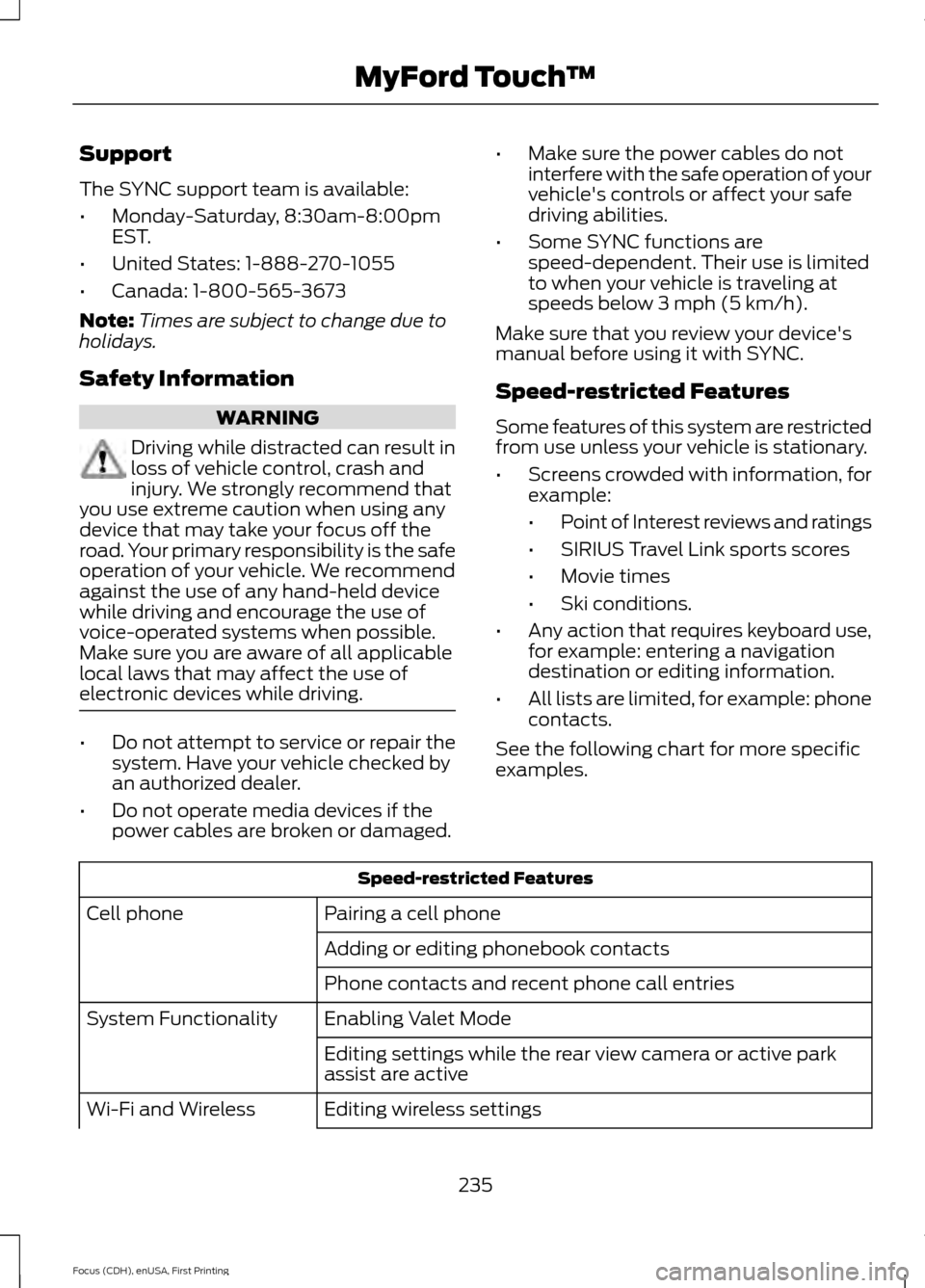
Speed-restricted Features
Some features of this system are restricted
from use unless your vehicle is stationary.
• Screens crowded with information, for
example:
•Point of Interest reviews and ratings
• SIRIUS Travel Link sports scores
• Movie times
• Ski conditions.
• Any action that requires keyboard use,
for example: entering a navigation
destination or editing information.
• All lists are limited, for example: phone
contacts.
See the following chart for more specific
examples. Speed-restricted Features
Pairing a cell phone
Cell phone
Adding or editing phonebook contacts
Phone contacts and recent phone call entries
Enabling Valet Mode
System Functionality
Editing settings while the rear view camera or active park
assist are active
Editing wireless settings
Wi-Fi and Wireless
235
Focus (CDH), enUSA, First Printing MyFord Touch
™
Page 239 of 369
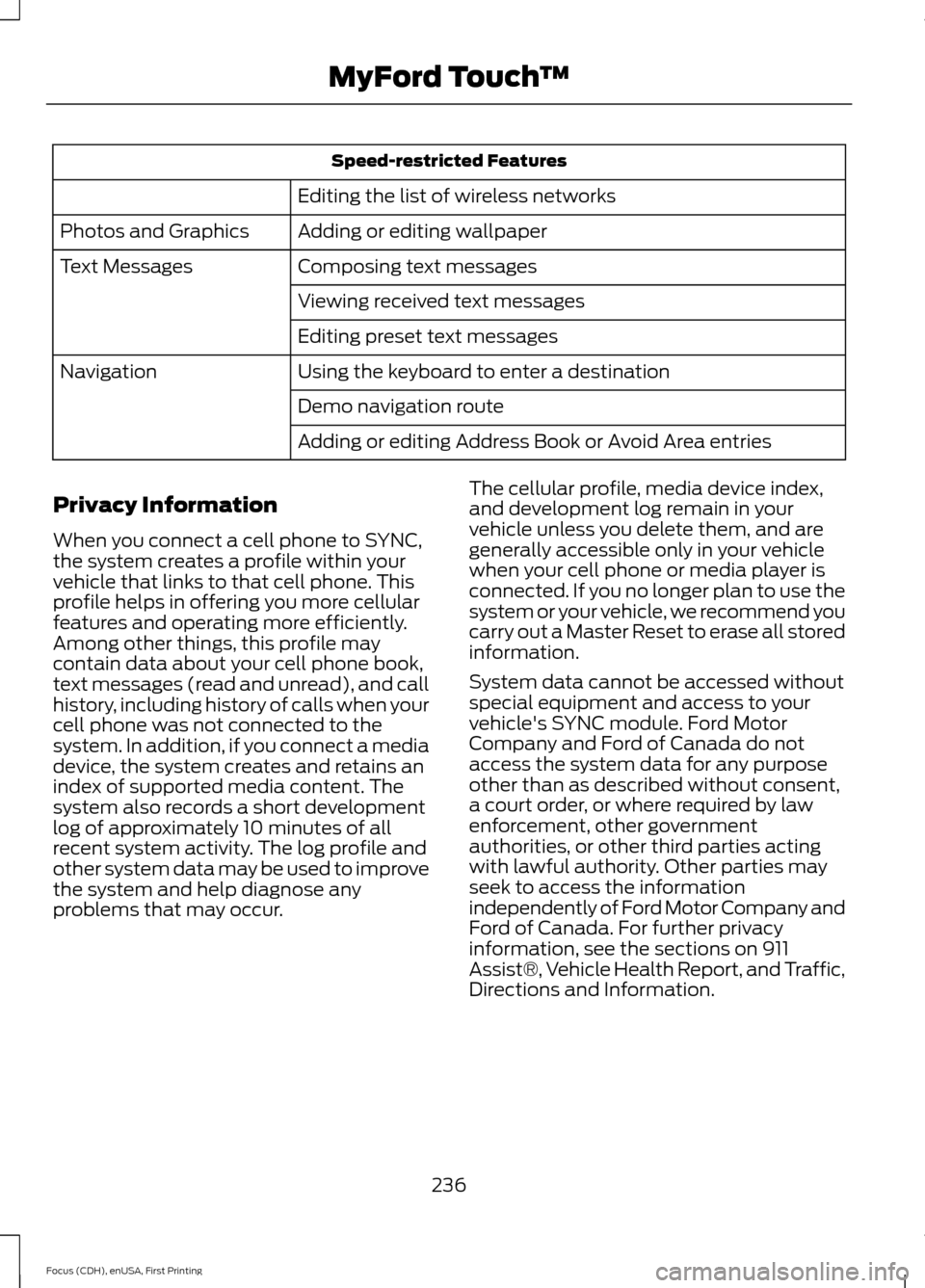
Speed-restricted Features
Editing the list of wireless networks
Adding or editing wallpaper
Photos and Graphics
Composing text messages
Text Messages
Viewing received text messages
Editing preset text messages
Using the keyboard to enter a destination
Navigation
Demo navigation route
Adding or editing Address Book or Avoid Area entries
Privacy Information
When you connect a cell phone to SYNC,
the system creates a profile within your
vehicle that links to that cell phone. This
profile helps in offering you more cellular
features and operating more efficiently.
Among other things, this profile may
contain data about your cell phone book,
text messages (read and unread), and call
history, including history of calls when your
cell phone was not connected to the
system. In addition, if you connect a media
device, the system creates and retains an
index of supported media content. The
system also records a short development
log of approximately 10 minutes of all
recent system activity. The log profile and
other system data may be used to improve
the system and help diagnose any
problems that may occur. The cellular profile, media device index,
and development log remain in your
vehicle unless you delete them, and are
generally accessible only in your vehicle
when your cell phone or media player is
connected. If you no longer plan to use the
system or your vehicle, we recommend you
carry out a Master Reset to erase all stored
information.
System data cannot be accessed without
special equipment and access to your
vehicle's SYNC module. Ford Motor
Company and Ford of Canada do not
access the system data for any purpose
other than as described without consent,
a court order, or where required by law
enforcement, other government
authorities, or other third parties acting
with lawful authority. Other parties may
seek to access the information
independently of Ford Motor Company and
Ford of Canada. For further privacy
information, see the sections on 911
Assist®, Vehicle Health Report, and Traffic,
Directions and Information.
236
Focus (CDH), enUSA, First Printing MyFord Touch
™
Page 250 of 369
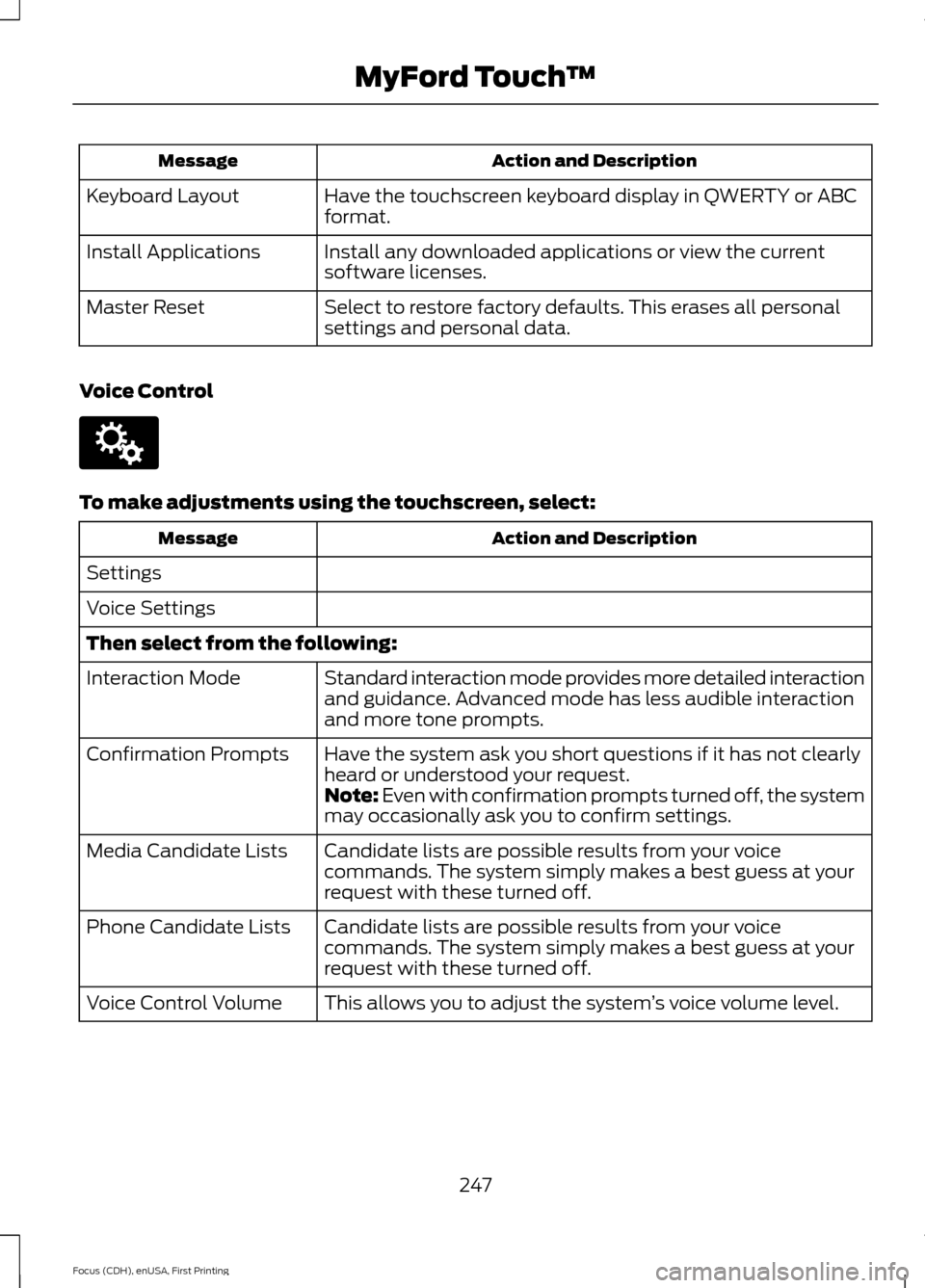
Action and Description
Message
Have the touchscreen keyboard display in QWERTY or ABC
format.
Keyboard Layout
Install any downloaded applications or view the current
software licenses.
Install Applications
Select to restore factory defaults. This erases all personal
settings and personal data.
Master Reset
Voice Control To make adjustments using the touchscreen, select:
Action and Description
Message
Settings
Voice Settings
Then select from the following: Standard interaction mode provides more detailed interaction
and guidance. Advanced mode has less audible interaction
and more tone prompts.
Interaction Mode
Have the system ask you short questions if it has not clearly
heard or understood your request.
Confirmation Prompts
Note: Even with confirmation prompts turned off, the system
may occasionally ask you to confirm settings.
Candidate lists are possible results from your voice
commands. The system simply makes a best guess at your
request with these turned off.
Media Candidate Lists
Candidate lists are possible results from your voice
commands. The system simply makes a best guess at your
request with these turned off.
Phone Candidate Lists
This allows you to adjust the system ’s voice volume level.
Voice Control Volume
247
Focus (CDH), enUSA, First Printing MyFord Touch
™E142607
Page 267 of 369
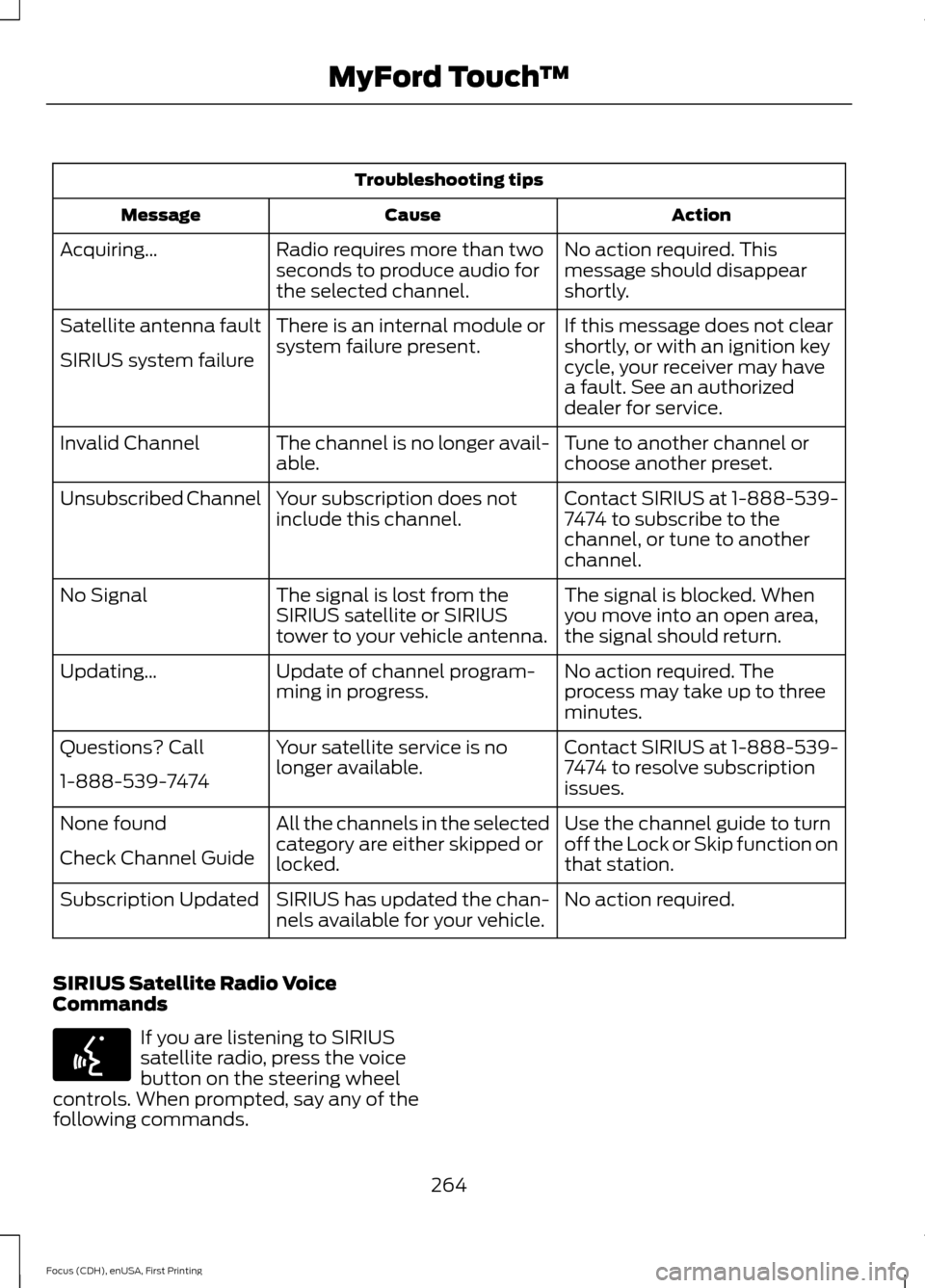
Troubleshooting tips
Action
Cause
Message
No action required. This
message should disappear
shortly.
Radio requires more than two
seconds to produce audio for
the selected channel.
Acquiring…
If this message does not clear
shortly, or with an ignition key
cycle, your receiver may have
a fault. See an authorized
dealer for service.
There is an internal module or
system failure present.
Satellite antenna fault
SIRIUS system failure
Tune to another channel or
choose another preset.
The channel is no longer avail-
able.
Invalid Channel
Contact SIRIUS at 1-888-539-
7474 to subscribe to the
channel, or tune to another
channel.
Your subscription does not
include this channel.
Unsubscribed Channel
The signal is blocked. When
you move into an open area,
the signal should return.
The signal is lost from the
SIRIUS satellite or SIRIUS
tower to your vehicle antenna.
No Signal
No action required. The
process may take up to three
minutes.
Update of channel program-
ming in progress.
Updating…
Contact SIRIUS at 1-888-539-
7474 to resolve subscription
issues.
Your satellite service is no
longer available.
Questions? Call
1-888-539-7474
Use the channel guide to turn
off the Lock or Skip function on
that station.
All the channels in the selected
category are either skipped or
locked.
None found
Check Channel Guide
No action required.
SIRIUS has updated the chan-
nels available for your vehicle.
Subscription Updated
SIRIUS Satellite Radio Voice
Commands If you are listening to SIRIUS
satellite radio, press the voice
button on the steering wheel
controls. When prompted, say any of the
following commands.
264
Focus (CDH), enUSA, First Printing MyFord Touch
™E142599
Page 324 of 369
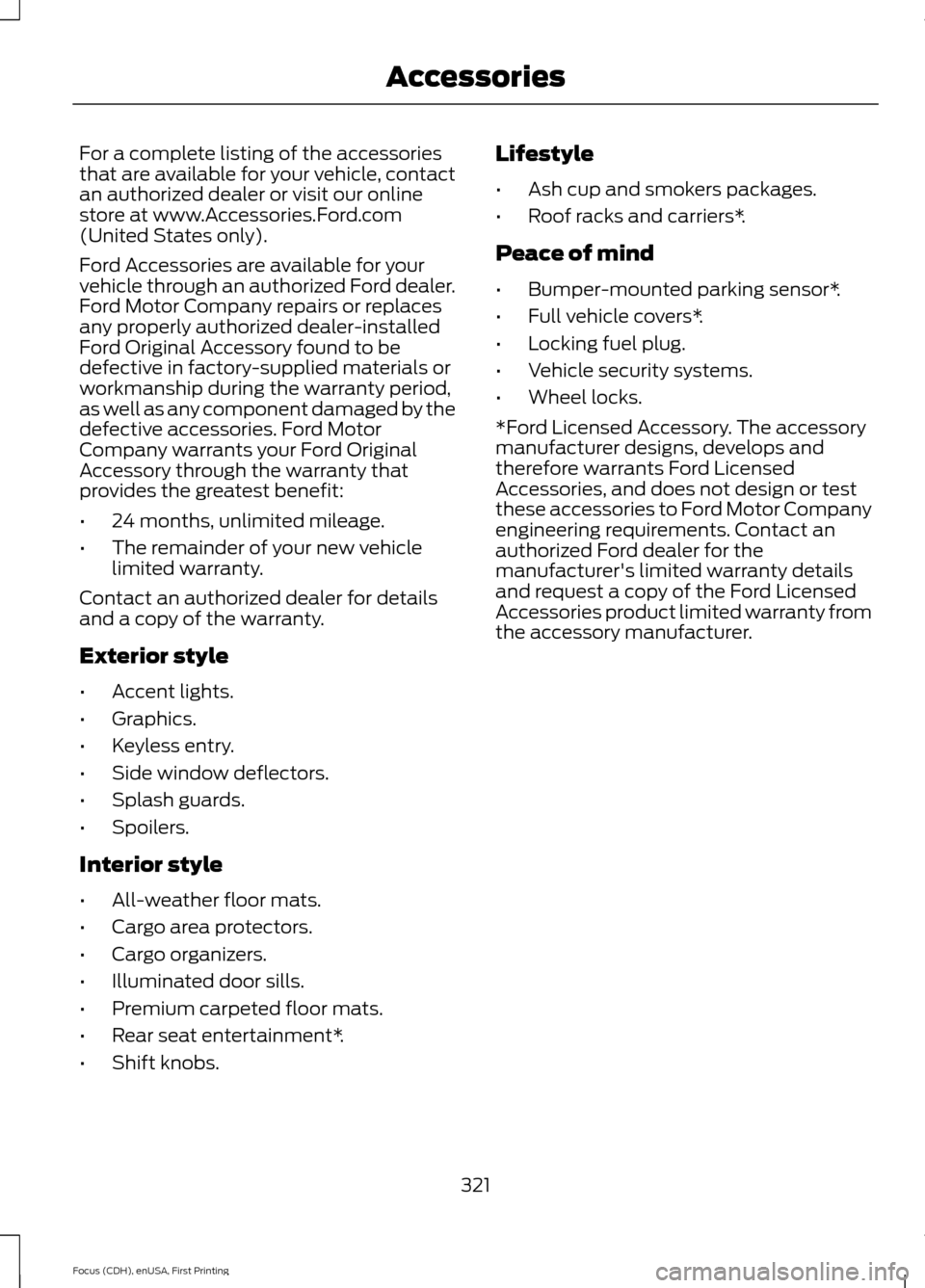
For a complete listing of the accessories
that are available for your vehicle, contact
an authorized dealer or visit our online
store at www.Accessories.Ford.com
(United States only).
Ford Accessories are available for your
vehicle through an authorized Ford dealer.
Ford Motor Company repairs or replaces
any properly authorized dealer-installed
Ford Original Accessory found to be
defective in factory-supplied materials or
workmanship during the warranty period,
as well as any component damaged by the
defective accessories. Ford Motor
Company warrants your Ford Original
Accessory through the warranty that
provides the greatest benefit:
•
24 months, unlimited mileage.
• The remainder of your new vehicle
limited warranty.
Contact an authorized dealer for details
and a copy of the warranty.
Exterior style
• Accent lights.
• Graphics.
• Keyless entry.
• Side window deflectors.
• Splash guards.
• Spoilers.
Interior style
• All-weather floor mats.
• Cargo area protectors.
• Cargo organizers.
• Illuminated door sills.
• Premium carpeted floor mats.
• Rear seat entertainment*.
• Shift knobs. Lifestyle
•
Ash cup and smokers packages.
• Roof racks and carriers*.
Peace of mind
• Bumper-mounted parking sensor*.
• Full vehicle covers*.
• Locking fuel plug.
• Vehicle security systems.
• Wheel locks.
*Ford Licensed Accessory. The accessory
manufacturer designs, develops and
therefore warrants Ford Licensed
Accessories, and does not design or test
these accessories to Ford Motor Company
engineering requirements. Contact an
authorized Ford dealer for the
manufacturer's limited warranty details
and request a copy of the Ford Licensed
Accessories product limited warranty from
the accessory manufacturer.
321
Focus (CDH), enUSA, First Printing Accessories
Page 362 of 369
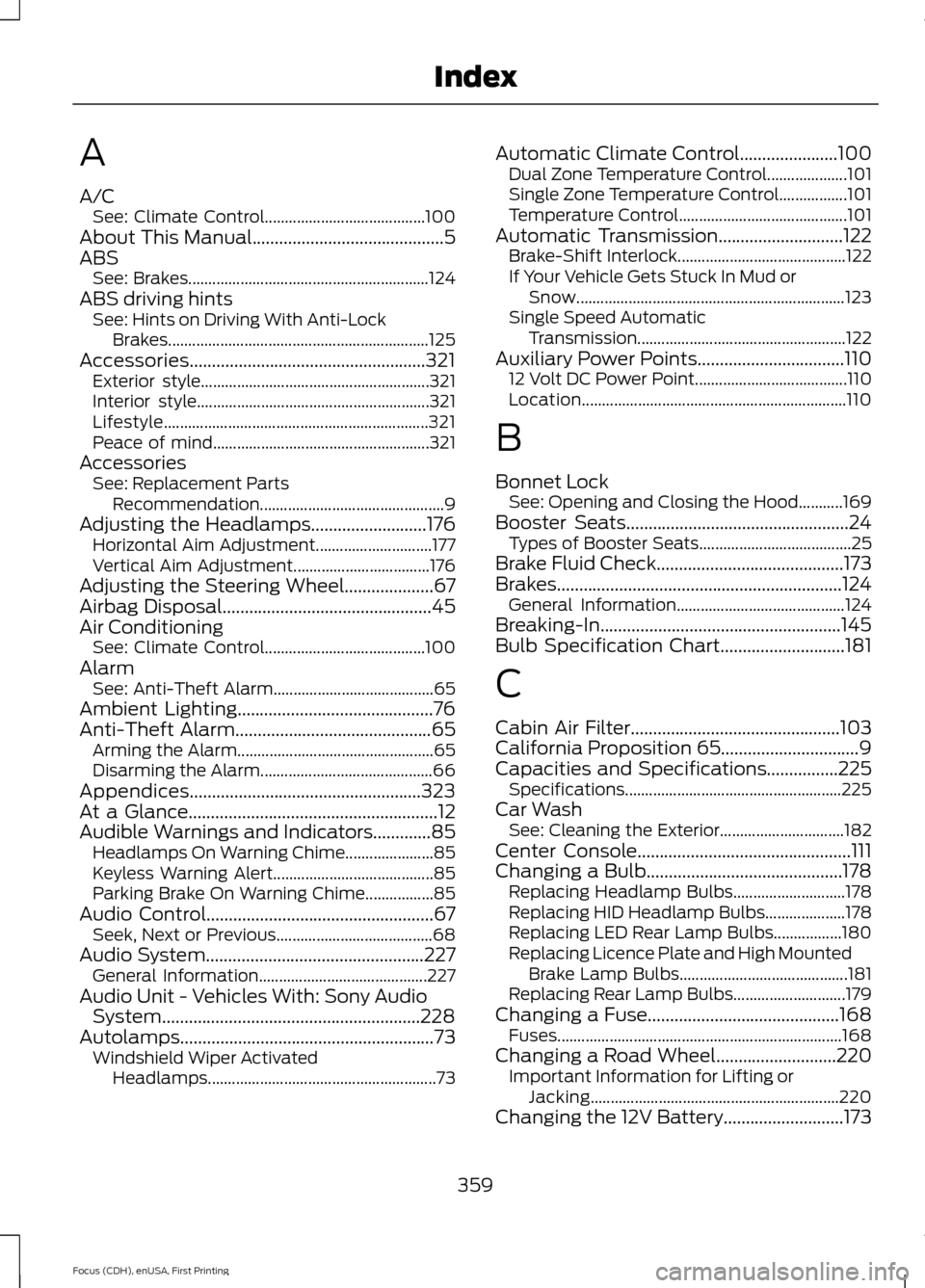
A
A/C
See: Climate Control........................................ 100
About This Manual...........................................5
ABS See: Brakes............................................................ 124
ABS driving hints See: Hints on Driving With Anti-Lock
Brakes................................................................. 125
Accessories.....................................................321 Exterior style......................................................... 321
Interior style.......................................................... 321
Lifestyle.................................................................. 321
Peace of mind...................................................... 321
Accessories See: Replacement Parts
Recommendation.............................................. 9
Adjusting the Headlamps..........................176 Horizontal Aim Adjustment............................. 177
Vertical Aim Adjustment.................................. 176
Adjusting the Steering Wheel....................67
Airbag Disposal...............................................45
Air Conditioning See: Climate Control........................................ 100
Alarm See: Anti-Theft Alarm........................................ 65
Ambient Lighting............................................76
Anti-Theft Alarm
............................................65
Arming the Alarm................................................. 65
Disarming the Alarm........................................... 66
Appendices....................................................323
At a Glance
........................................................12
Audible Warnings and Indicators.............85 Headlamps On Warning Chime...................... 85
Keyless Warning Alert........................................ 85
Parking Brake On Warning Chime.................85
Audio Control...................................................67 Seek, Next or Previous....................................... 68
Audio System
.................................................227
General Information.......................................... 227
Audio Unit - Vehicles With: Sony Audio System..........................................................228
Autolamps.........................................................73 Windshield Wiper Activated
Headlamps......................................................... 73Automatic Climate Control......................100
Dual Zone Temperature Control.................... 101
Single Zone Temperature Control.................101
Temperature Control.......................................... 101
Automatic Transmission............................122 Brake-Shift Interlock.......................................... 122
If Your Vehicle Gets Stuck In Mud or Snow................................................................... 123
Single Speed Automatic Transmission.................................................... 122
Auxiliary Power Points.................................110 12 Volt DC Power Point...................................... 110
Location.................................................................. 110
B
Bonnet Lock See: Opening and Closing the Hood...........169
Booster Seats..................................................24 Types of Booster Seats...................................... 25
Brake Fluid Check..........................................173
Brakes................................................................124 General Information.......................................... 124
Breaking-In......................................................145
Bulb Specification Chart............................181
C
Cabin Air Filter...............................................103
California Proposition 65...............................9
Capacities and Specifications
................225
Specifications ...................................................... 225
Car Wash See: Cleaning the Exterior............................... 182
Center Console................................................111
Changing a Bulb............................................178 Replacing Headlamp Bulbs............................ 178
Replacing HID Headlamp Bulbs.................... 178
Replacing LED Rear Lamp Bulbs.................180
Replacing Licence Plate and High Mounted Brake Lamp Bulbs.......................................... 181
Replacing Rear Lamp Bulbs............................ 179
Changing a Fuse
...........................................168
Fuses....................................................................... 168
Changing a Road Wheel
...........................220
Important Information for Lifting or
Jacking.............................................................. 220
Changing the 12V Battery...........................173
359
Focus (CDH), enUSA, First Printing Index
Page 363 of 369
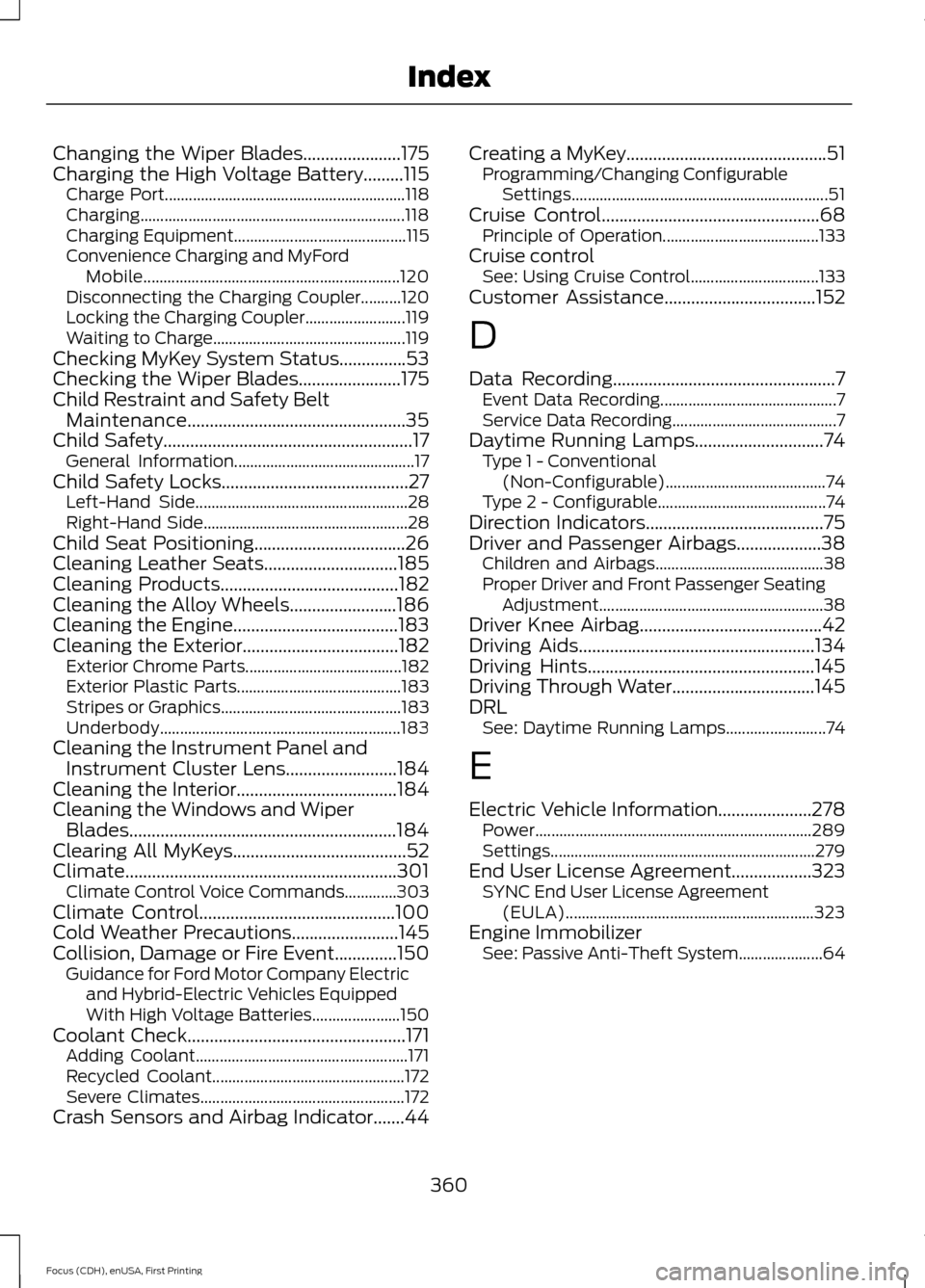
Changing the Wiper Blades......................175
Charging the High Voltage Battery.........115 Charge Port............................................................ 118
Charging.................................................................. 118
Charging Equipment........................................... 115
Convenience Charging and MyFord Mobile................................................................ 120
Disconnecting the Charging Coupler..........120
Locking the Charging Coupler......................... 119
Waiting to Charge................................................ 119
Checking MyKey System Status...............53
Checking the Wiper Blades.......................175
Child Restraint and Safety Belt Maintenance.................................................35
Child Safety
........................................................17
General Information............................................. 17
Child Safety Locks..........................................27 Left-Hand Side..................................................... 28
Right-Hand Side................................................... 28
Child Seat Positioning..................................26
Cleaning Leather Seats..............................185
Cleaning Products
........................................182
Cleaning the Alloy Wheels........................186
Cleaning the Engine.....................................183
Cleaning the Exterior...................................182 Exterior Chrome Parts....................................... 182
Exterior Plastic Parts......................................... 183
Stripes or Graphics............................................. 183
Underbody............................................................ 183
Cleaning the Instrument Panel and Instrument Cluster Lens.........................184
Cleaning the Interior
....................................184
Cleaning the Windows and Wiper Blades............................................................184
Clearing All MyKeys.......................................52
Climate.............................................................301 Climate Control Voice Commands.............303
Climate Control............................................100
Cold Weather Precautions........................145
Collision, Damage or Fire Event..............150 Guidance for Ford Motor Company Electric
and Hybrid-Electric Vehicles Equipped
With High Voltage Batteries...................... 150
Coolant Check.................................................171 Adding Coolant..................................................... 171
Recycled Coolant................................................ 172
Severe Climates................................................... 172
Crash Sensors and Airbag Indicator.......44 Creating a MyKey.............................................51
Programming/Changing Configurable
Settings................................................................ 51
Cruise Control.................................................68 Principle of Operation....................................... 133
Cruise control See: Using Cruise Control................................ 133
Customer Assistance
..................................152
D
Data Recording
..................................................7
Event Data Recording............................................ 7
Service Data Recording......................................... 7
Daytime Running Lamps.............................74 Type 1 - Conventional
(Non-Configurable)........................................ 74
Type 2 - Configurable.......................................... 74
Direction Indicators........................................75
Driver and Passenger Airbags...................38 Children and Airbags.......................................... 38
Proper Driver and Front Passenger Seating Adjustment........................................................ 38
Driver Knee Airbag.........................................42
Driving Aids
.....................................................134
Driving Hints...................................................145
Driving Through Water................................145
DRL See: Daytime Running Lamps......................... 74
E
Electric Vehicle Information.....................278 Power..................................................................... 289
Settings.................................................................. 279
End User License Agreement..................323 SYNC End User License Agreement
(EULA).............................................................. 323
Engine Immobilizer See: Passive Anti-Theft System..................... 64
360
Focus (CDH), enUSA, First Printing Index
Page 365 of 369
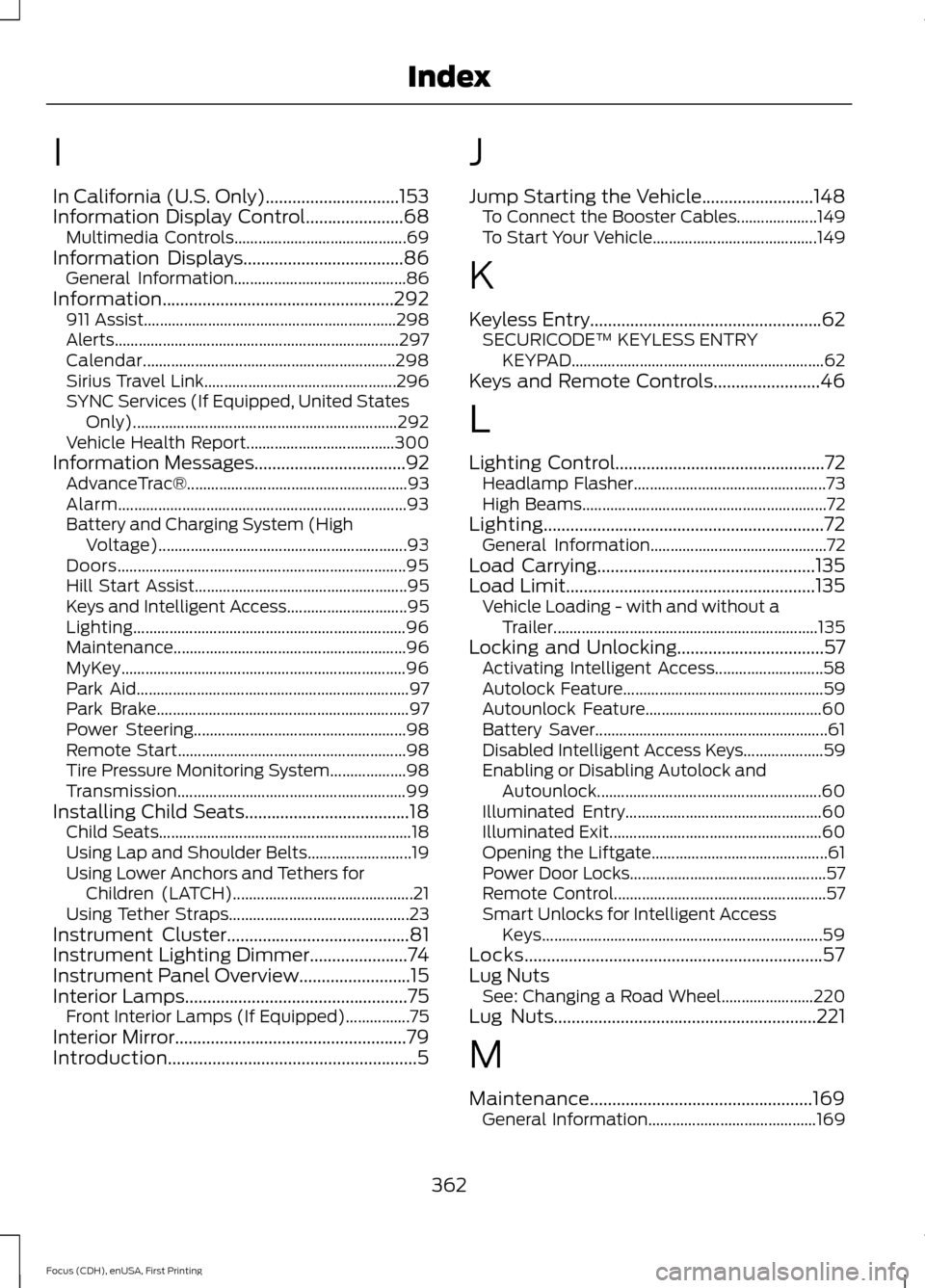
I
In California (U.S. Only)..............................153
Information Display Control......................68
Multimedia Controls........................................... 69
Information Displays
....................................86
General Information........................................... 86
Information....................................................292 911 Assist............................................................... 298
Alerts....................................................................... 297
Calendar............................................................... 298
Sirius Travel Link................................................ 296
SYNC Services (If Equipped, United States Only).................................................................. 292
Vehicle Health Report..................................... 300
Information Messages
..................................92
AdvanceTrac®....................................................... 93
Alarm........................................................................\
93
Battery and Charging System (High Voltage).............................................................. 93
Doors........................................................................\
95
Hill Start Assist..................................................... 95
Keys and Intelligent Access.............................. 95
Lighting.................................................................... 96
Maintenance.......................................................... 96
MyKey....................................................................... 96
Park Aid.................................................................... 97
Park Brake............................................................... 97
Power Steering..................................................... 98
Remote Start......................................................... 98
Tire Pressure Monitoring System................... 98
Transmission......................................................... 99
Installing Child Seats
.....................................18
Child Seats............................................................... 18
Using Lap and Shoulder Belts.......................... 19
Using Lower Anchors and Tethers for Children (LATCH)............................................. 21
Using Tether Straps............................................. 23
Instrument Cluster
.........................................81
Instrument Lighting Dimmer......................74
Instrument Panel Overview.........................15
Interior Lamps..................................................75
Front Interior Lamps (If Equipped)................75
Interior Mirror
....................................................79
Introduction........................................................5 J
Jump Starting the Vehicle
.........................148
To Connect the Booster Cables.................... 149
To Start Your Vehicle......................................... 149
K
Keyless Entry....................................................62 SECURICODE™ KEYLESS ENTRY
KEYPAD............................................................... 62
Keys and Remote Controls........................46
L
Lighting Control
...............................................72
Headlamp Flasher................................................ 73
High Beams............................................................. 72
Lighting...............................................................72 General Information............................................ 72
Load Carrying
.................................................135
Load Limit........................................................135
Vehicle Loading - with and without a
Trailer.................................................................. 135
Locking and Unlocking
.................................57
Activating Intelligent Access........................... 58
Autolock Feature.................................................. 59
Autounlock Feature............................................ 60
Battery Saver.......................................................... 61
Disabled Intelligent Access Keys.................... 59
Enabling or Disabling Autolock and Autounlock........................................................ 60
Illuminated Entry................................................. 60
Illuminated Exit..................................................... 60
Opening the Liftgate............................................ 61
Power Door Locks................................................. 57
Remote Control..................................................... 57
Smart Unlocks for Intelligent Access Keys...................................................................... 59
Locks...................................................................57
Lug Nuts See: Changing a Road Wheel....................... 220
Lug Nuts
...........................................................221
M
Maintenance..................................................169 General Information.......................................... 169
362
Focus (CDH), enUSA, First Printing Index