2015 FORD EXPLORER USB
[x] Cancel search: USBPage 528 of 596
Wireless & Internet
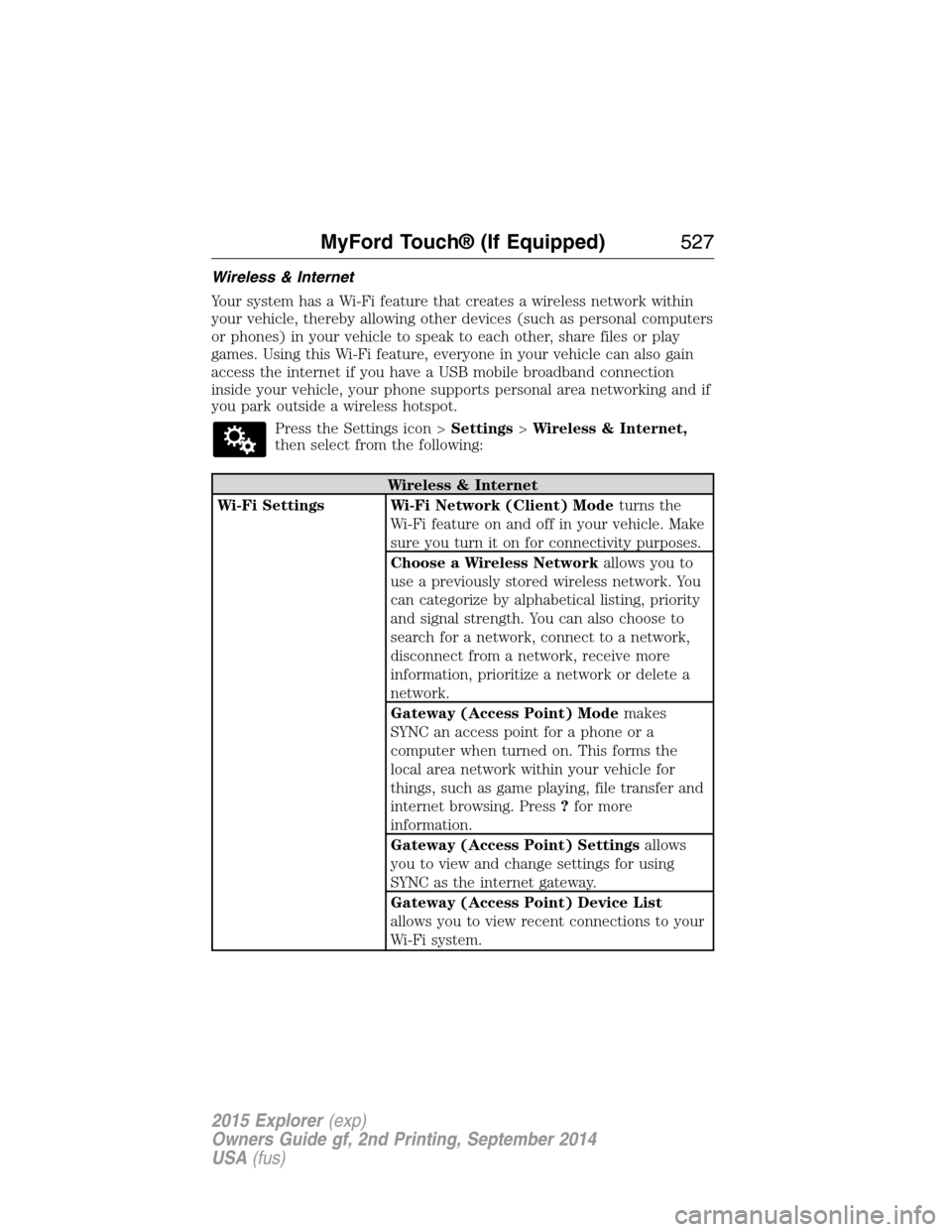
Your system has a Wi-Fi feature that creates a wireless network within
your vehicle, thereby allowing other devices (such as personal computers
or phones) in your vehicle to speak to each other, share files or play
games. Using this Wi-Fi feature, everyone in your vehicle can also gain
access the internet if you have a USB mobile broadband connection
inside your vehicle, your phone supports personal area networking and if
you park outside a wireless hotspot.
Press the Settings icon >Settings>Wireless & Internet,
then select from the following:
Wireless & Internet
Wi-Fi Settings Wi-Fi Network (Client) Modeturns the
Wi-Fi feature on and off in your vehicle. Make
sure you turn it on for connectivity purposes.
Choose a Wireless Networkallows you to
use a previously stored wireless network. You
can categorize by alphabetical listing, priority
and signal strength. You can also choose to
search for a network, connect to a network,
disconnect from a network, receive more
information, prioritize a network or delete a
network.
Gateway (Access Point) Modemakes
SYNC an access point for a phone or a
computer when turned on. This forms the
local area network within your vehicle for
things, such as game playing, file transfer and
internet browsing. Press?for more
information.
Gateway (Access Point) Settingsallows
you to view and change settings for using
SYNC as the internet gateway.
Gateway (Access Point) Device List
allows you to view recent connections to your
Wi-Fi system.
MyFord Touch® (If Equipped)527
2015 Explorer(exp)
Owners Guide gf, 2nd Printing, September 2014
USA(fus)
Page 529 of 596
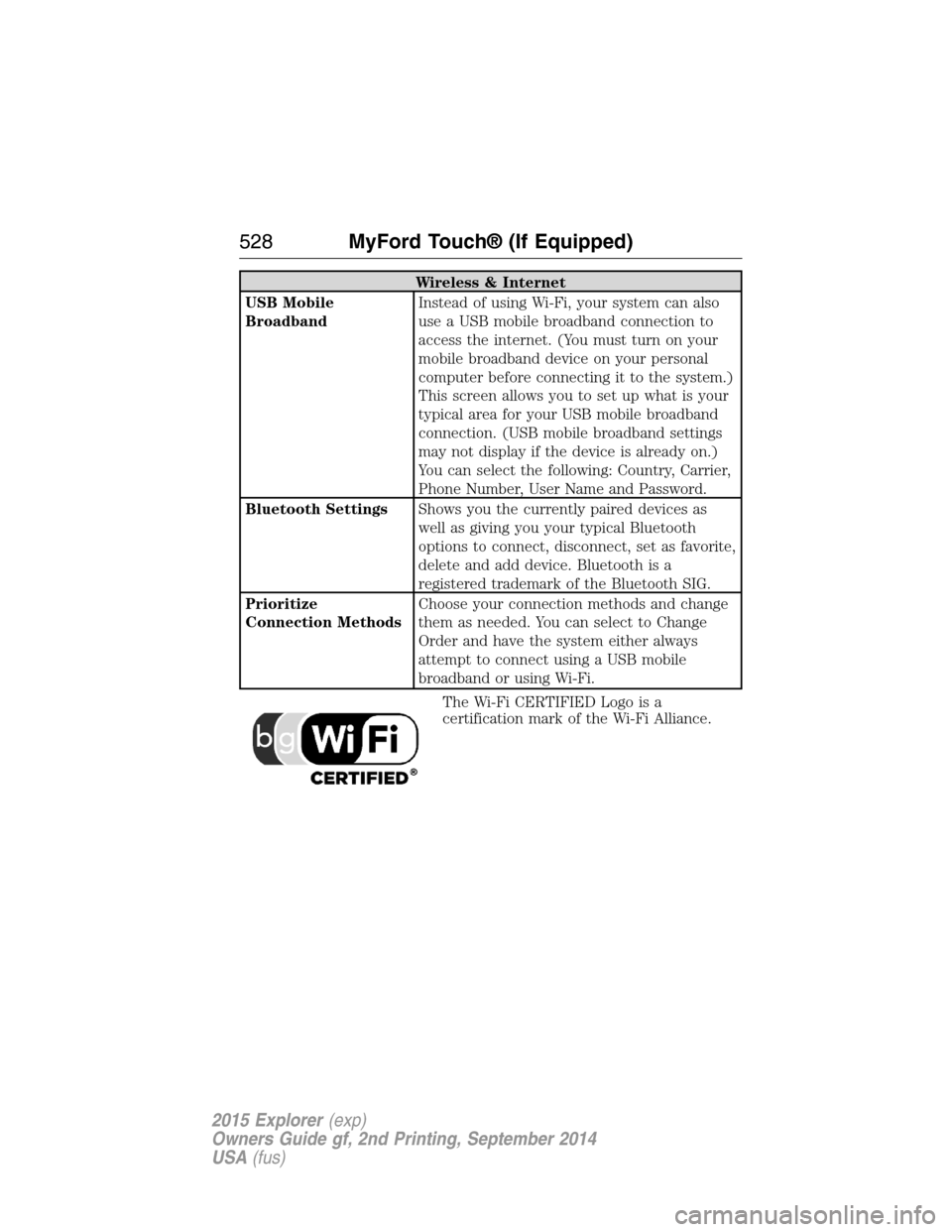
Wireless & Internet
USB Mobile
BroadbandInstead of using Wi-Fi, your system can also
use a USB mobile broadband connection to
access the internet. (You must turn on your
mobile broadband device on your personal
computer before connecting it to the system.)
This screen allows you to set up what is your
typical area for your USB mobile broadband
connection. (USB mobile broadband settings
may not display if the device is already on.)
You can select the following: Country, Carrier,
Phone Number, User Name and Password.
Bluetooth SettingsShows you the currently paired devices as
well as giving you your typical Bluetooth
options to connect, disconnect, set as favorite,
delete and add device. Bluetooth is a
registered trademark of the Bluetooth SIG.
Prioritize
Connection MethodsChoose your connection methods and change
them as needed. You can select to Change
Order and have the system either always
attempt to connect using a USB mobile
broadband or using Wi-Fi.
The Wi-Fi CERTIFIED Logo is a
certification mark of the Wi-Fi Alliance.
528MyFord Touch® (If Equipped)
2015 Explorer(exp)
Owners Guide gf, 2nd Printing, September 2014
USA(fus)
Page 548 of 596
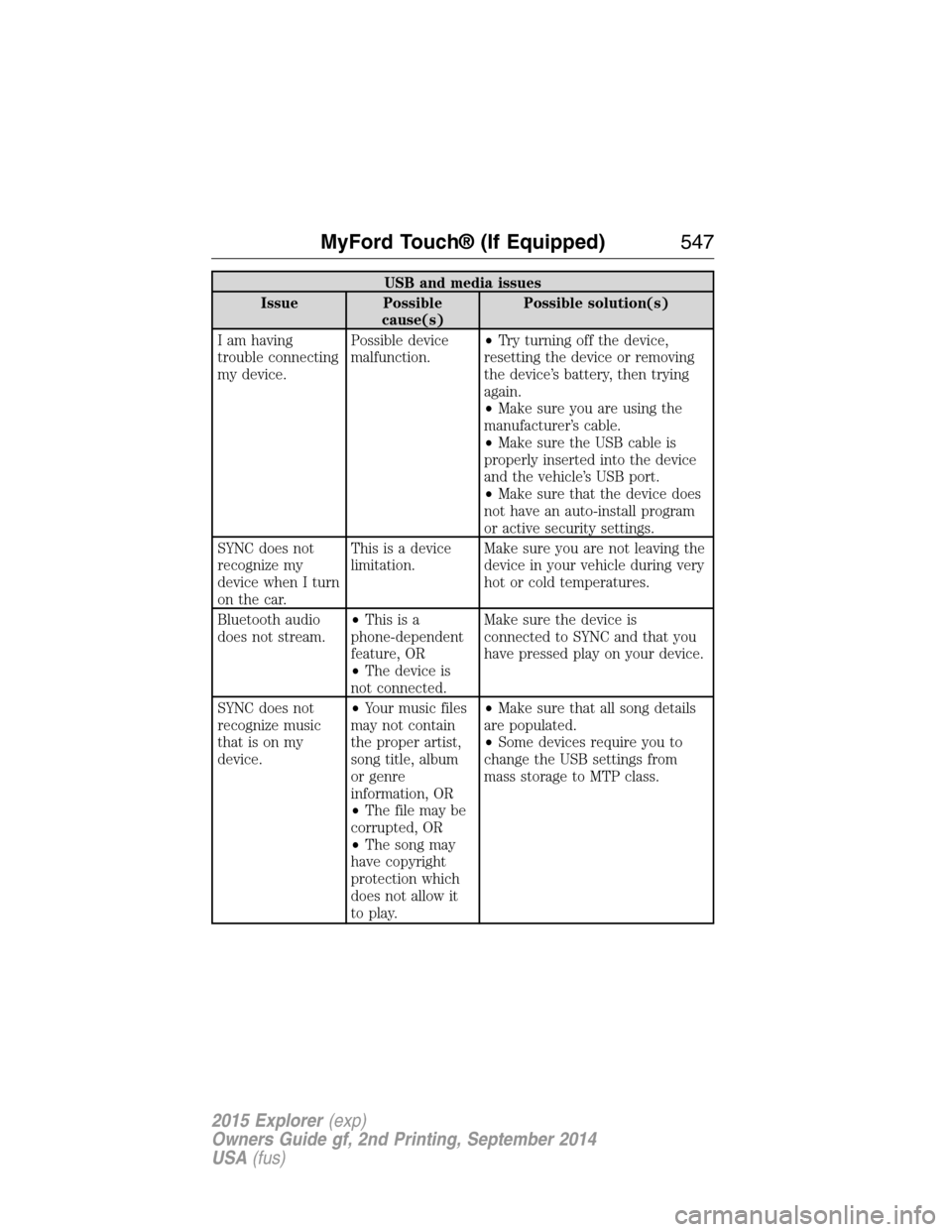
USB and media issues
Issue Possible
cause(s)Possible solution(s)
I am having
trouble connecting
my device.Possible device
malfunction.•Try turning off the device,
resetting the device or removing
the device’s battery, then trying
again.
•Make sure you are using the
manufacturer’s cable.
•Make sure the USB cable is
properly inserted into the device
and the vehicle’s USB port.
•Make sure that the device does
not have an auto-install program
or active security settings.
SYNC does not
recognize my
device when I turn
on the car.This is a device
limitation.Make sure you are not leaving the
device in your vehicle during very
hot or cold temperatures.
Bluetooth audio
does not stream.•Thisisa
phone-dependent
feature, OR
•The device is
not connected.Make sure the device is
connected to SYNC and that you
have pressed play on your device.
SYNC does not
recognize music
that is on my
device.•Your music files
may not contain
the proper artist,
song title, album
or genre
information, OR
•The file may be
corrupted, OR
•The song may
have copyright
protection which
does not allow it
to play.•Make sure that all song details
are populated.
•Some devices require you to
change the USB settings from
mass storage to MTP class.
MyFord Touch® (If Equipped)547
2015 Explorer(exp)
Owners Guide gf, 2nd Printing, September 2014
USA(fus)
Page 589 of 596
911 Assist™ ......................436, 513
A
ABS (see Brakes) .....................220
Accessing and using your USB
port ............................................493
Accessing call history/phone
book during active call .............425
Accessing your calendar ..........513
Accessing your media menu
features ......................................448
Accessing your phone menu
features ......................................427
Accessory delay ........................108
Active call menu options .........425
Active Park Assist .....................230
Adaptive Cruise Control ...........240
Adding (pairing) a phone ........500
Advanced menu options ...434, 454
Advanced menu options
(prompts, languages, defaults,
master reset, installing
applications) ..............................434
Airbag supplemental restraint
system ..........................................52
and child safety seats ..............53
description ................................52
disposal ......................................61
driver airbag ..............................52
passenger airbag .......................52
side airbag ...........................52, 57
Air cleaner filter .......331–332, 391
Air conditioning ........................144
manual heating and air
conditioning system ...............144
Air filter .....................................332Air filter, cabin ..........................153
All Wheel Drive (AWD),
driving off road .........................212
Ambient mood/lighting .............520
Ambulance packages ..................16
AM/FM .......................................480
Antifreeze
(see Engine coolant) ................316
Anti-lock brake system
(see Brakes) ..............................220
Anti-theft system ..................85, 88
arming the system ..............85, 88
disarming a triggered system ..88
AppLink™ .................................444
Audio system
Single CD ................401, 406–407
Audio system
(see Radio) ................401, 406–407
Automatic transmission ............205
fluid, adding ............................322
fluid, checking ........................322
fluid, refill capacities ..............386
fluid, specification ..................386
Selectshift (SST) ....................208
Auxiliary Input Jack .................489
Auxiliary input jack (Line in) ..414
Auxiliary powerpoint ................182
A/V inputs ..........................416, 497
Axle
lubricant specifications ..........386
refill capacities ........................386
B
Battery .......................................327
acid, treating emergencies .....327
jumping a disabled battery ....289
588Index
2015 Explorer(exp)
Owners Guide gf, 2nd Printing, September 2014
USA(fus)
Page 595 of 596

SecuriLock passive anti-theft
system ..........................................85
Selecting your media source
(USB, Line in, BT audio) .........448
Sending new text messages .....503
Setting a destination ................533
Setting a destination by
voice ...........................................534
Settings ......................................518
Setting the clock ...............401, 518
Side air curtain ...........................58
Side-curtain airbags system .......58
SIRIUS® satellite radio ....401, 486
SIRIUS satellite radio voice
commands .................................488
SIRIUS Travel Link ...................510
SIRIUS Travel Link voice
commands .................................511
Snowplowing ...............................16
SOS Post Crash Alert .................51
Spark plugs,
specifications .....................384, 391
Special notice
ambulance conversions ............16
utility-type vehicles ..................16
Specification chart,
lubricants ...................................386
Stability system .........................224
Starting your vehicle ................189
jump starting ..........................289
push button start system .......188
Steering wheel ............................90
controls ......................................92
tilting ...................................90–91
Sun visor ....................................112Supplemental Restraint System
(SRS) (see airbags) ....................52
Supported media file types ......496
Supported player, media
formats and metadata
information ................................496
SYNC® AppLink™ ...................444
SYNC® customer
support ..............................418, 470
SYNC® Services ................441, 506
System settings .........................521
T
Temperature control
(see Climate control) ......144, 146,
148, 530
Text messaging .................429, 502
Text messaging (sending,
downloading, deleting) .....429, 431
Third-row power fold seat .......175
Tilt steering wheel ................90–91
Tires ...........................354–355, 375
alignment ................................368
care ..........................................353
changing ..........................375, 377
checking the pressure ............364
inflating ...................................362
label .........................................361
replacing ..................................366
rotating ....................................369
safety practices .......................368
sidewall information ...............357
snow tires and chains ............370
spare tire .................................375
terminology .............................356
tire grades ...............................355
treadwear ........................355, 364
594Index
2015 Explorer(exp)
Owners Guide gf, 2nd Printing, September 2014
USA(fus)
Page 596 of 596
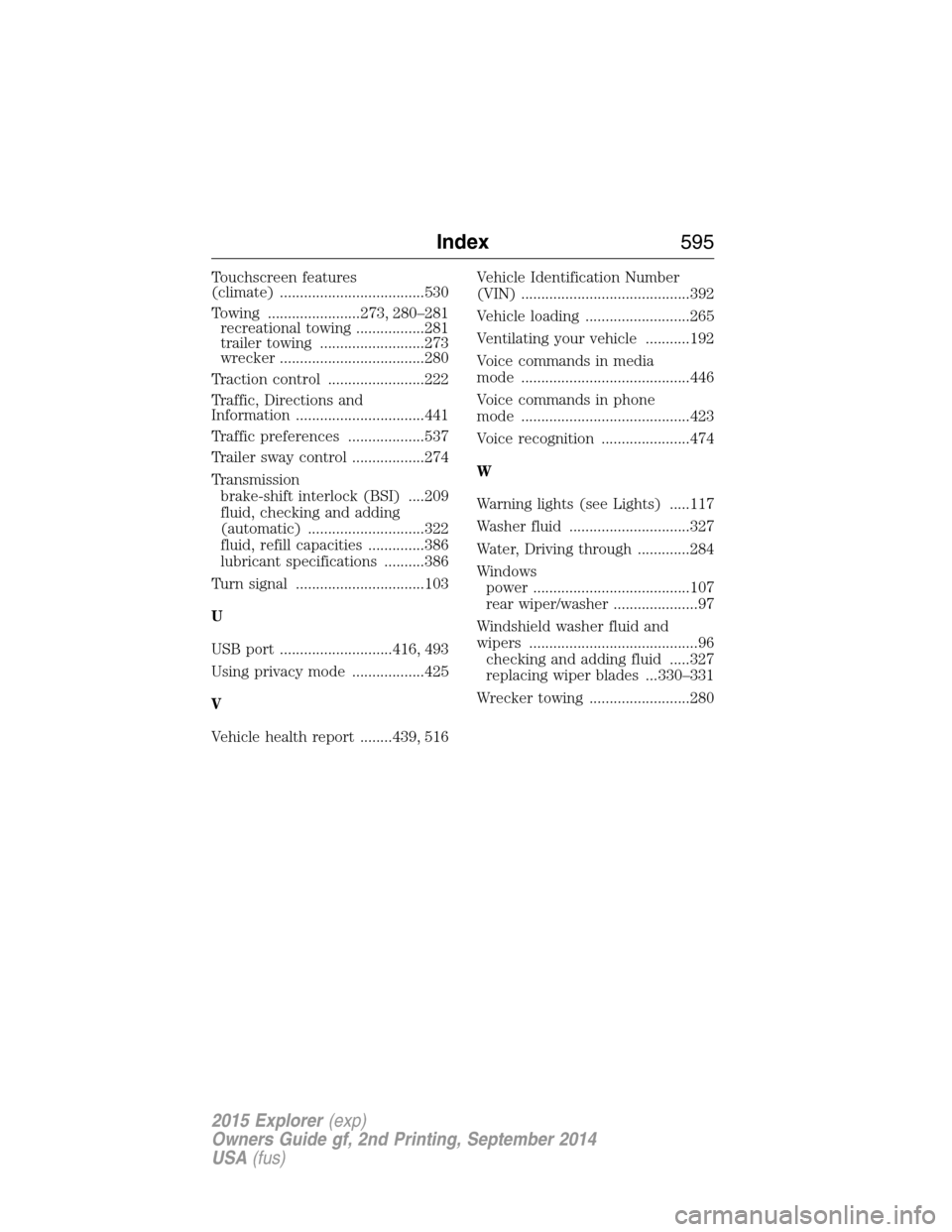
Touchscreen features
(climate) ....................................530
Towing .......................273, 280–281
recreational towing .................281
trailer towing ..........................273
wrecker ....................................280
Traction control ........................222
Traffic, Directions and
Information ................................441
Traffic preferences ...................537
Trailer sway control ..................274
Transmission
brake-shift interlock (BSI) ....209
fluid, checking and adding
(automatic) .............................322
fluid, refill capacities ..............386
lubricant specifications ..........386
Turn signal ................................103
U
USB port ............................416, 493
Using privacy mode ..................425
V
Vehicle health report ........439, 516Vehicle Identification Number
(VIN) ..........................................392
Vehicle loading ..........................265
Ventilating your vehicle ...........192
Voice commands in media
mode ..........................................446
Voice commands in phone
mode ..........................................423
Voice recognition ......................474
W
Warning lights (see Lights) .....117
Washer fluid ..............................327
Water, Driving through .............284
Windows
power .......................................107
rear wiper/washer .....................97
Windshield washer fluid and
wipers ..........................................96
checking and adding fluid .....327
replacing wiper blades ...330–331
Wrecker towing .........................280
Index595
2015 Explorer(exp)
Owners Guide gf, 2nd Printing, September 2014
USA(fus)