Page 80 of 596

Power Liftgate (If Equipped)
WARNING:Make sure all persons are clear of the power liftgate
area before using the power liftgate control.
WARNING:Keep keys out of reach of children. Do not allow
children to play near an open or moving power liftgate.
Note:Cycling the ignition while the liftgate is power closing and is near
the latch may cause the liftgate to reverse to full open position. Make
sure that you close the liftgate before operating or moving the vehicle,
especially in an enclosure like a garage or a parking structure. You could
damage the liftgate or its components.
Note:Do not drive with the liftgate open without first disabling the
power function and securing the liftgate to the vehicle.
Note:In case of operation in extreme cold -40°F (-40°C), or on extreme
inclines, manual operation of the liftgate is suggested.
You can enable or disable the power liftgate using the information
display. The remote control and instrument panel button will still operate
the liftgate regardless of the setting.
Opening and Closing the Power Liftgate
Note:You can reverse the liftgate movement direction with a second
press of the instrument panel button, or the control button on the
liftgate, or a second double press of the transmitter button.
The liftgate will only operate with the transmission inP.
A chime will sound three times as the liftgate begins to power close. A
single chime indicates a problem with the close request, caused by:
•the ignition is on and the transmission is not inP;or
•the battery voltage is below the minimum operating voltage; or
•the vehicle speed is at or above 3 mph (5 km/h).
If the liftgate reverses and starts to close after an open request, a fast
continuous chime indicates excessive load on the gate or a possible strut
failure. Have your vehicle checked by an authorized dealer if you still
have a fast chime after you remove the load.
Locks79
2015 Explorer(exp)
Owners Guide gf, 2nd Printing, September 2014
USA(fus)
Page 81 of 596
To open or close from the instrument panel:Press the
instrument panel button.
To open or close with the remote control:Press the remote
control button twice within three seconds.
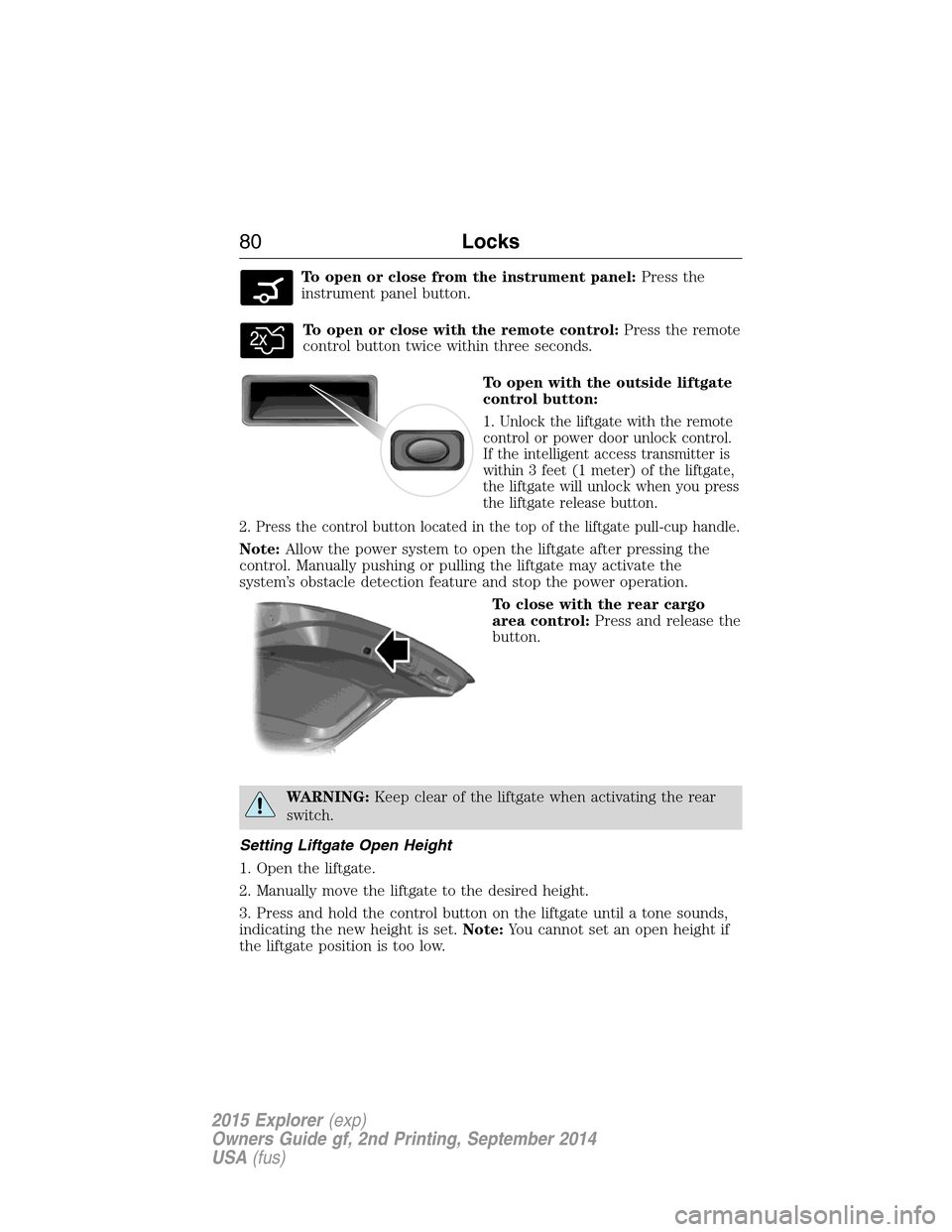
To open with the outside liftgate
control button:
1. Unlock the liftgate with the remote
control or power door unlock control.
If the intelligent access transmitter is
within 3 feet (1 meter) of the liftgate,
the liftgate will unlock when you press
the liftgate release button.
2. Press the control button located in the top of the liftgate pull-cup handle.
Note:Allow the power system to open the liftgate after pressing the
control. Manually pushing or pulling the liftgate may activate the
system’s obstacle detection feature and stop the power operation.
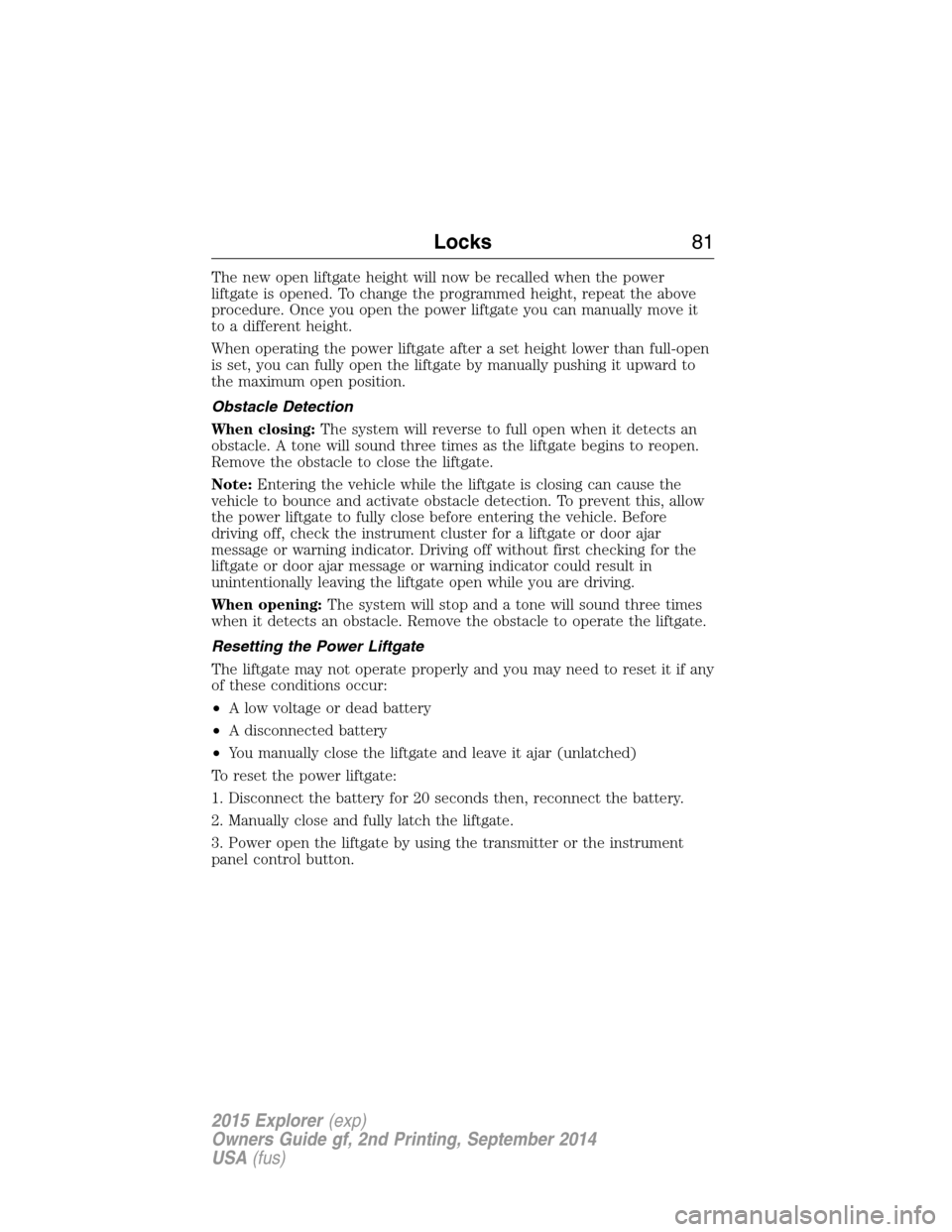
To close with the rear cargo
area control:Press and release the
button.
WARNING:Keep clear of the liftgate when activating the rear
switch.
Setting Liftgate Open Height
1. Open the liftgate.
2. Manually move the liftgate to the desired height.
3. Press and hold the control button on the liftgate until a tone sounds,
indicating the new height is set.Note:You cannot set an open height if
the liftgate position is too low.
80Locks
2015 Explorer(exp)
Owners Guide gf, 2nd Printing, September 2014
USA(fus)
Page 82 of 596
The new open liftgate height will now be recalled when the power
liftgate is opened. To change the programmed height, repeat the above
procedure. Once you open the power liftgate you can manually move it
to a different height.
When operating the power liftgate after a set height lower than full-open
is set, you can fully open the liftgate by manually pushing it upward to
the maximum open position.
Obstacle Detection
When closing:The system will reverse to full open when it detects an
obstacle. A tone will sound three times as the liftgate begins to reopen.
Remove the obstacle to close the liftgate.
Note:Entering the vehicle while the liftgate is closing can cause the
vehicle to bounce and activate obstacle detection. To prevent this, allow
the power liftgate to fully close before entering the vehicle. Before
driving off, check the instrument cluster for a liftgate or door ajar
message or warning indicator. Driving off without first checking for the
liftgate or door ajar message or warning indicator could result in
unintentionally leaving the liftgate open while you are driving.
When opening:The system will stop and a tone will sound three times
when it detects an obstacle. Remove the obstacle to operate the liftgate.
Resetting the Power Liftgate
The liftgate may not operate properly and you may need to reset it if any
of these conditions occur:
•A low voltage or dead battery
•A disconnected battery
•You manually close the liftgate and leave it ajar (unlatched)
To reset the power liftgate:
1. Disconnect the battery for 20 seconds then, reconnect the battery.
2. Manually close and fully latch the liftgate.
3. Power open the liftgate by using the transmitter or the instrument
panel control button.
Locks81
2015 Explorer(exp)
Owners Guide gf, 2nd Printing, September 2014
USA(fus)
Page 99 of 596
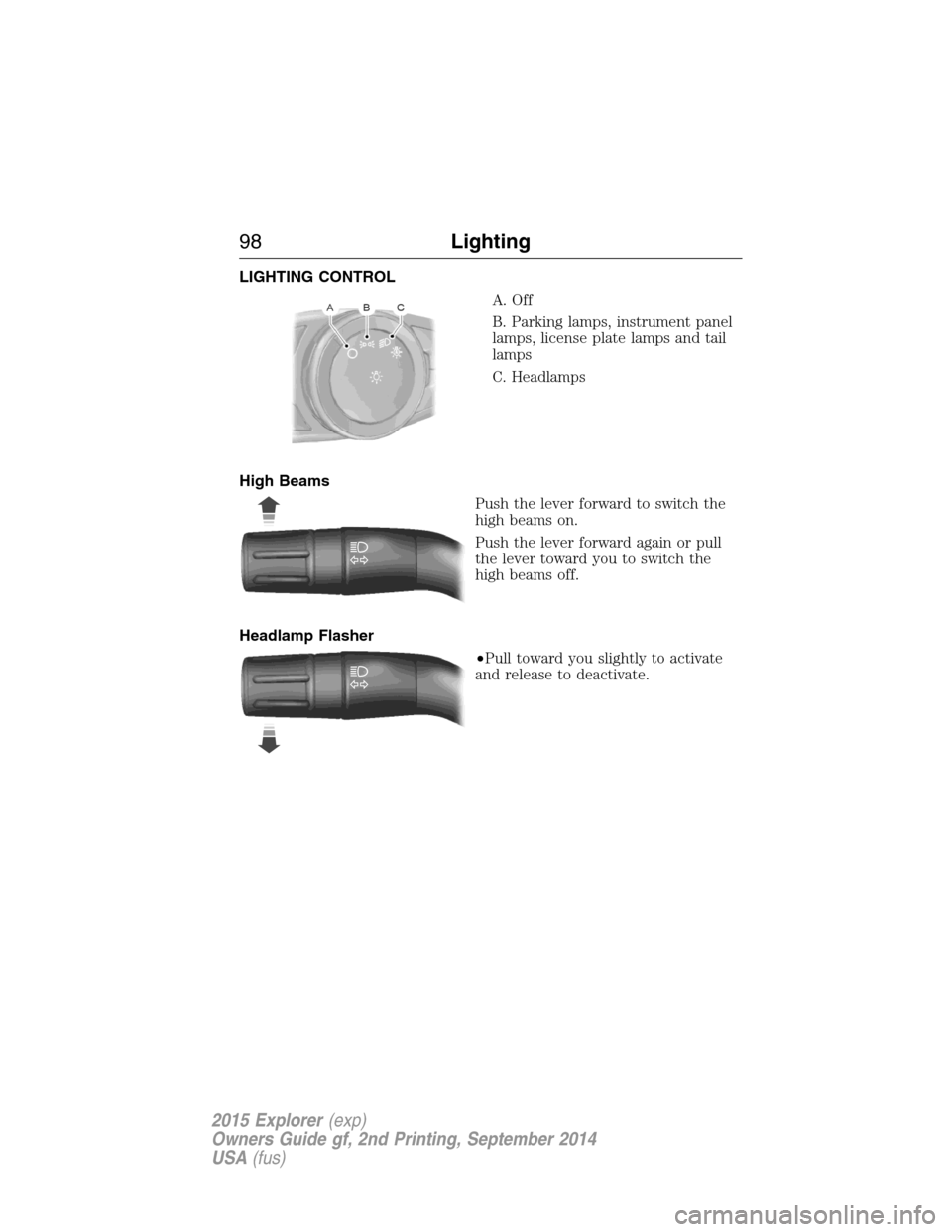
LIGHTING CONTROL
A. Off
B. Parking lamps, instrument panel
lamps, license plate lamps and tail
lamps
C. Headlamps
High Beams
Push the lever forward to switch the
high beams on.
Push the lever forward again or pull
the lever toward you to switch the
high beams off.
Headlamp Flasher
•Pull toward you slightly to activate
and release to deactivate.
98Lighting
2015 Explorer(exp)
Owners Guide gf, 2nd Printing, September 2014
USA(fus)
Page 106 of 596
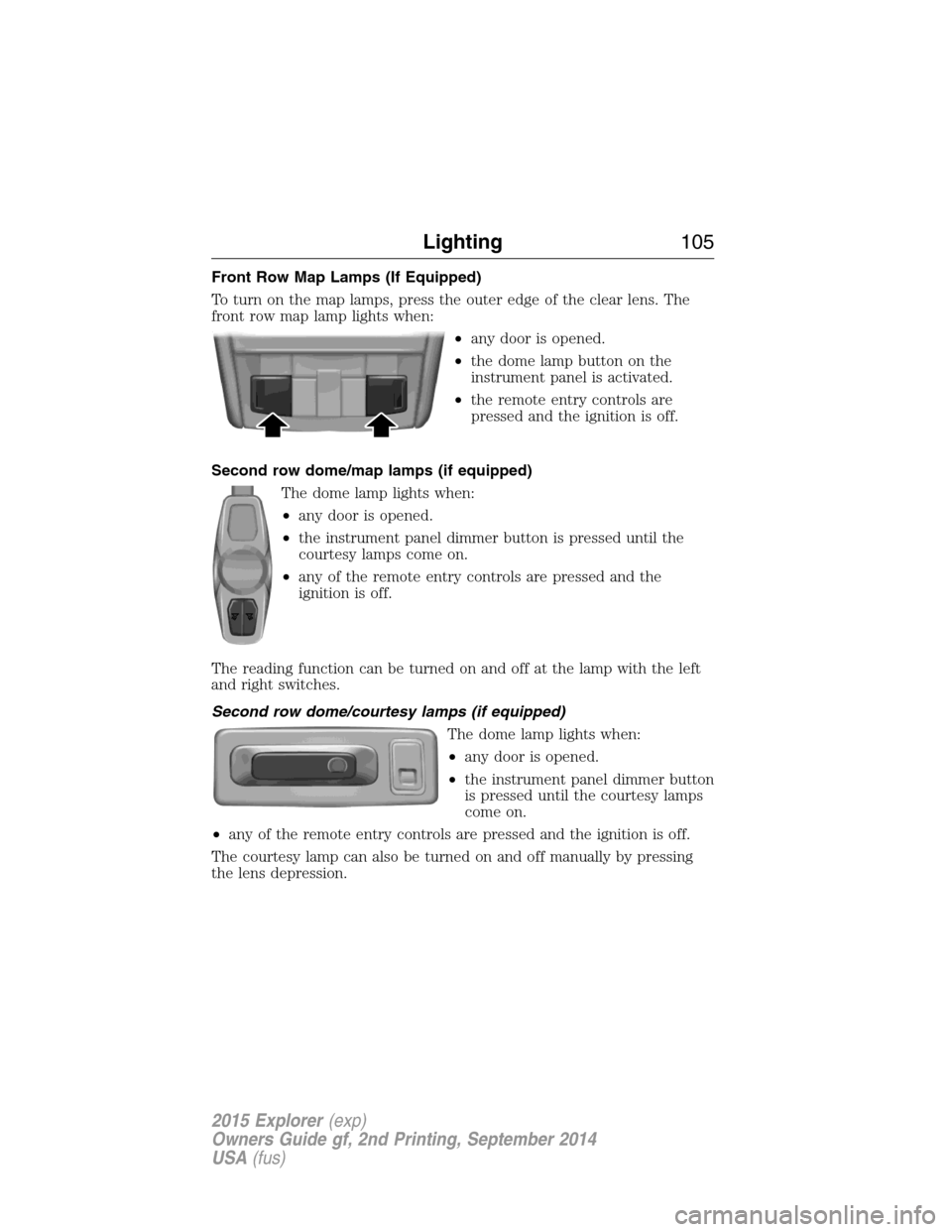
Front Row Map Lamps (If Equipped)
To turn on the map lamps, press the outer edge of the clear lens. The
front row map lamp lights when:
•any door is opened.
•the dome lamp button on the
instrument panel is activated.
•the remote entry controls are
pressed and the ignition is off.
Second row dome/map lamps (if equipped)
The dome lamp lights when:
•any door is opened.
•the instrument panel dimmer button is pressed until the
courtesy lamps come on.
•any of the remote entry controls are pressed and the
ignition is off.
The reading function can be turned on and off at the lamp with the left
and right switches.
Second row dome/courtesy lamps (if equipped)
The dome lamp lights when:
•any door is opened.
•the instrument panel dimmer button
is pressed until the courtesy lamps
come on.
•any of the remote entry controls are pressed and the ignition is off.
The courtesy lamp can also be turned on and off manually by pressing
the lens depression.
Lighting105
2015 Explorer(exp)
Owners Guide gf, 2nd Printing, September 2014
USA(fus)
Page 107 of 596
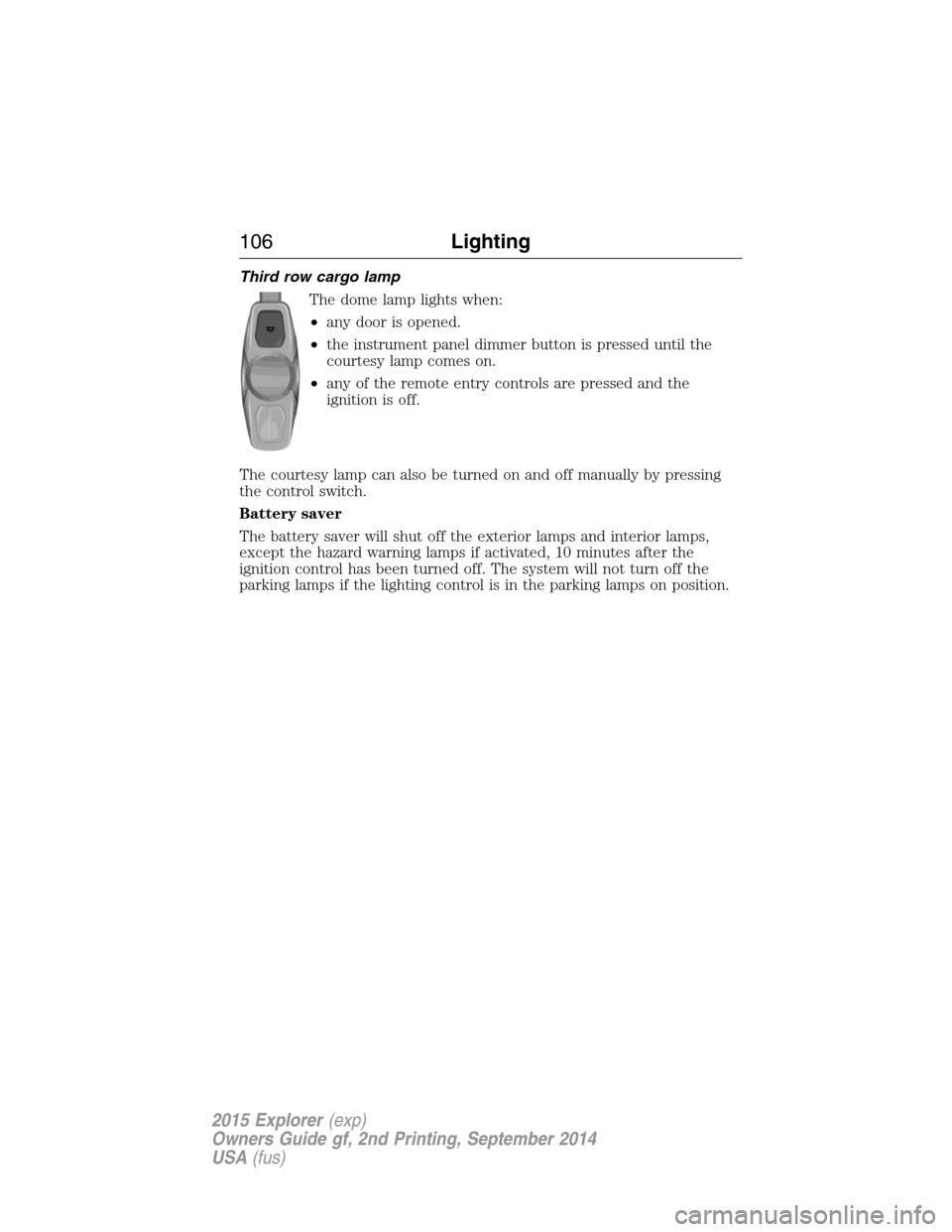
Third row cargo lamp
The dome lamp lights when:
•any door is opened.
•the instrument panel dimmer button is pressed until the
courtesy lamp comes on.
•any of the remote entry controls are pressed and the
ignition is off.
The courtesy lamp can also be turned on and off manually by pressing
the control switch.
Battery saver
The battery saver will shut off the exterior lamps and interior lamps,
except the hazard warning lamps if activated, 10 minutes after the
ignition control has been turned off. The system will not turn off the
parking lamps if the lighting control is in the parking lamps on position.
106Lighting
2015 Explorer(exp)
Owners Guide gf, 2nd Printing, September 2014
USA(fus)
Page 114 of 596

Illuminated Visor Vanity Mirror (If Equipped)
Lift the cover to switch on the
lamp.
DUAL PANEL MOONROOF AND POWER SUNSCREEN
(IF EQUIPPED)
WARNING:Do not let children play with the moon roof or leave
children unattended in the vehicle. They may seriously hurt
themselves.
WARNING:When closing the dual panel moon roof, you should
verify that it is free of obstructions and ensure that children
and/or pets are not in the proximity of the roof opening.
The moonroof and sunscreen controls are located on the overhead
console.
The moonroof and sunscreen have a one-touch open and close feature.
To stop their motion during one-touch operation, press the control a
second time.
Opening and Closing the Sunscreen
Press and release the control to open
the sunscreen.
Note:The sunscreen stops at the
first panel for the dual panel moon
roof. Press and release again to
continue to open the sunscreen past
the second panel.
Pull and release the control to close the sunscreen. The moonroof, if
open, will automatically close prior to closing the sunscreen.
SLIDE TILT
Windows and Mirrors11 3
2015 Explorer(exp)
Owners Guide gf, 2nd Printing, September 2014
USA(fus)
Page 145 of 596
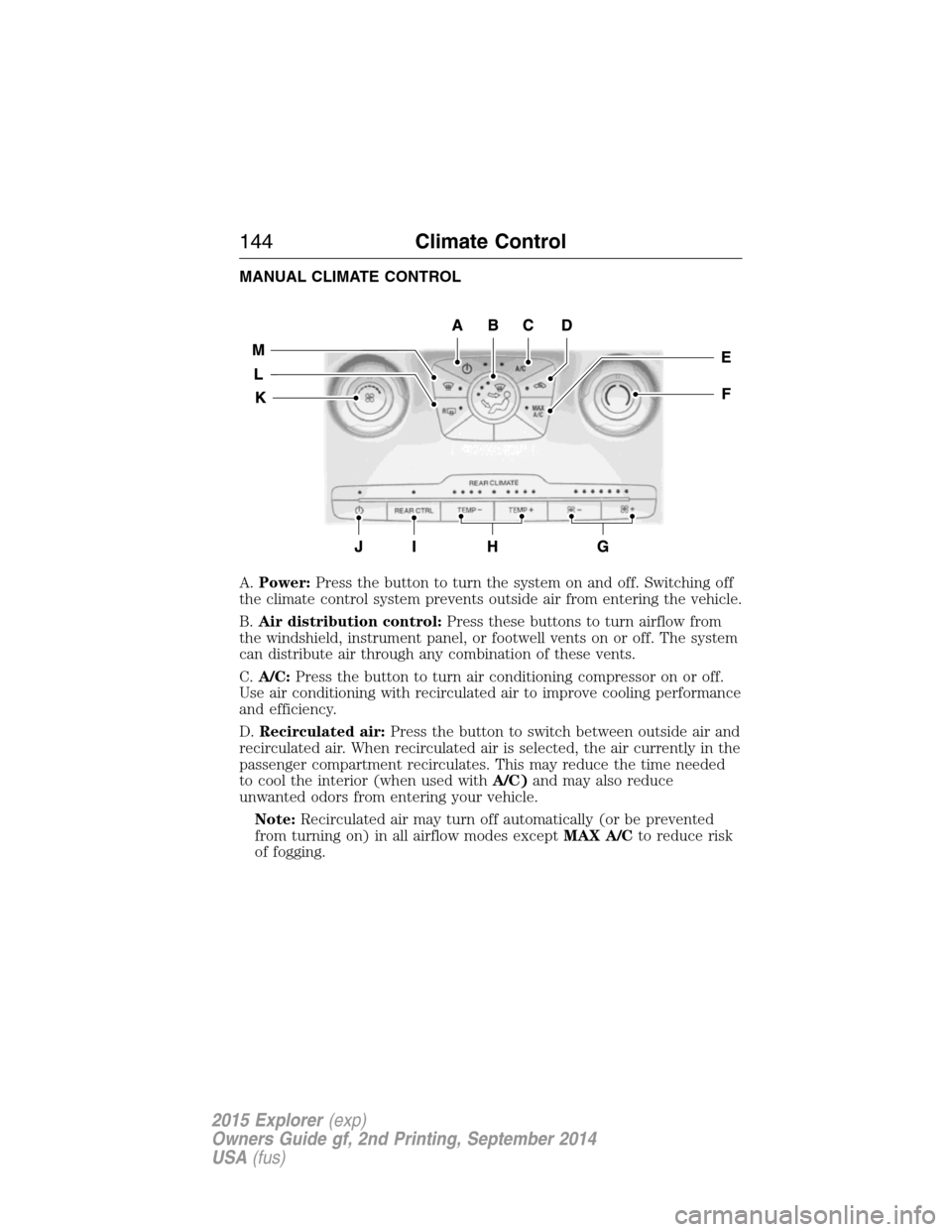
MANUAL CLIMATE CONTROL
A.Power:Press the button to turn the system on and off. Switching off
the climate control system prevents outside air from entering the vehicle.
B.Air distribution control:Press these buttons to turn airflow from
the windshield, instrument panel, or footwell vents on or off. The system
can distribute air through any combination of these vents.
C.A/C:Press the button to turn air conditioning compressor on or off.
Use air conditioning with recirculated air to improve cooling performance
and efficiency.
D.Recirculated air:Press the button to switch between outside air and
recirculated air. When recirculated air is selected, the air currently in the
passenger compartment recirculates. This may reduce the time needed
to cool the interior (when used withA/C)and may also reduce
unwanted odors from entering your vehicle.
Note:Recirculated air may turn off automatically (or be prevented
from turning on) in all airflow modes exceptMAX A/Cto reduce risk
of fogging.
144Climate Control
2015 Explorer(exp)
Owners Guide gf, 2nd Printing, September 2014
USA(fus)