Page 41 of 596
FASTENING THE SAFETY BELTS
The front outboard and rear safety restraints in your vehicle are
combination lap and shoulder belts.
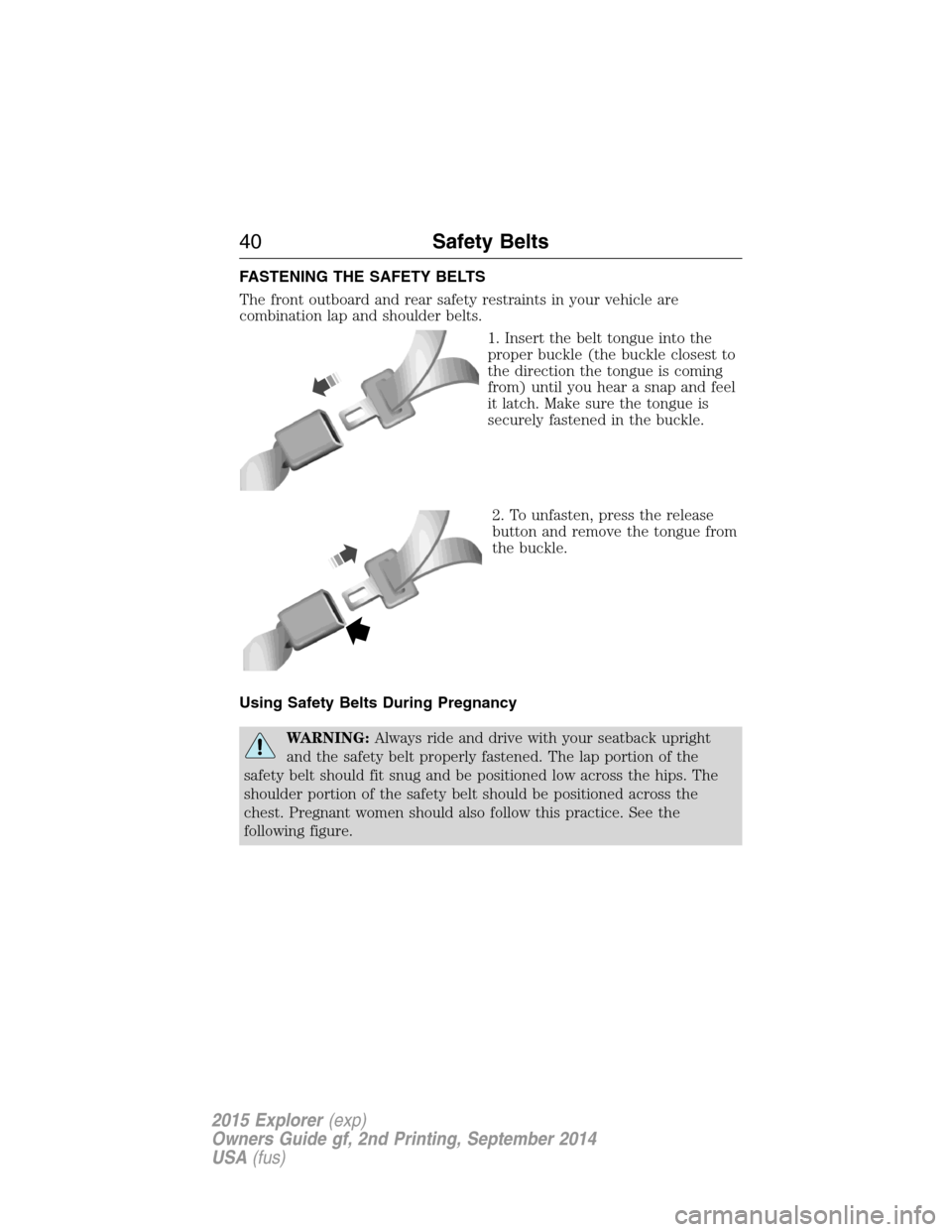
1. Insert the belt tongue into the
proper buckle (the buckle closest to
the direction the tongue is coming
from) until you hear a snap and feel
it latch. Make sure the tongue is
securely fastened in the buckle.
2. To unfasten, press the release
button and remove the tongue from
the buckle.
Using Safety Belts During Pregnancy
WARNING:Always ride and drive with your seatback upright
and the safety belt properly fastened. The lap portion of the
safety belt should fit snug and be positioned low across the hips. The
shoulder portion of the safety belt should be positioned across the
chest. Pregnant women should also follow this practice. See the
following figure.
40Safety Belts
2015 Explorer(exp)
Owners Guide gf, 2nd Printing, September 2014
USA(fus)
Page 57 of 596
OccupantPassenger airbag
status indicatorPassenger airbag
EmptyOFF: Lit
Disabled
ON: Unlit
ChildOFF: Lit
Disabled
ON: Unlit
AdultOFF: Unlit
Enabled
ON: Lit
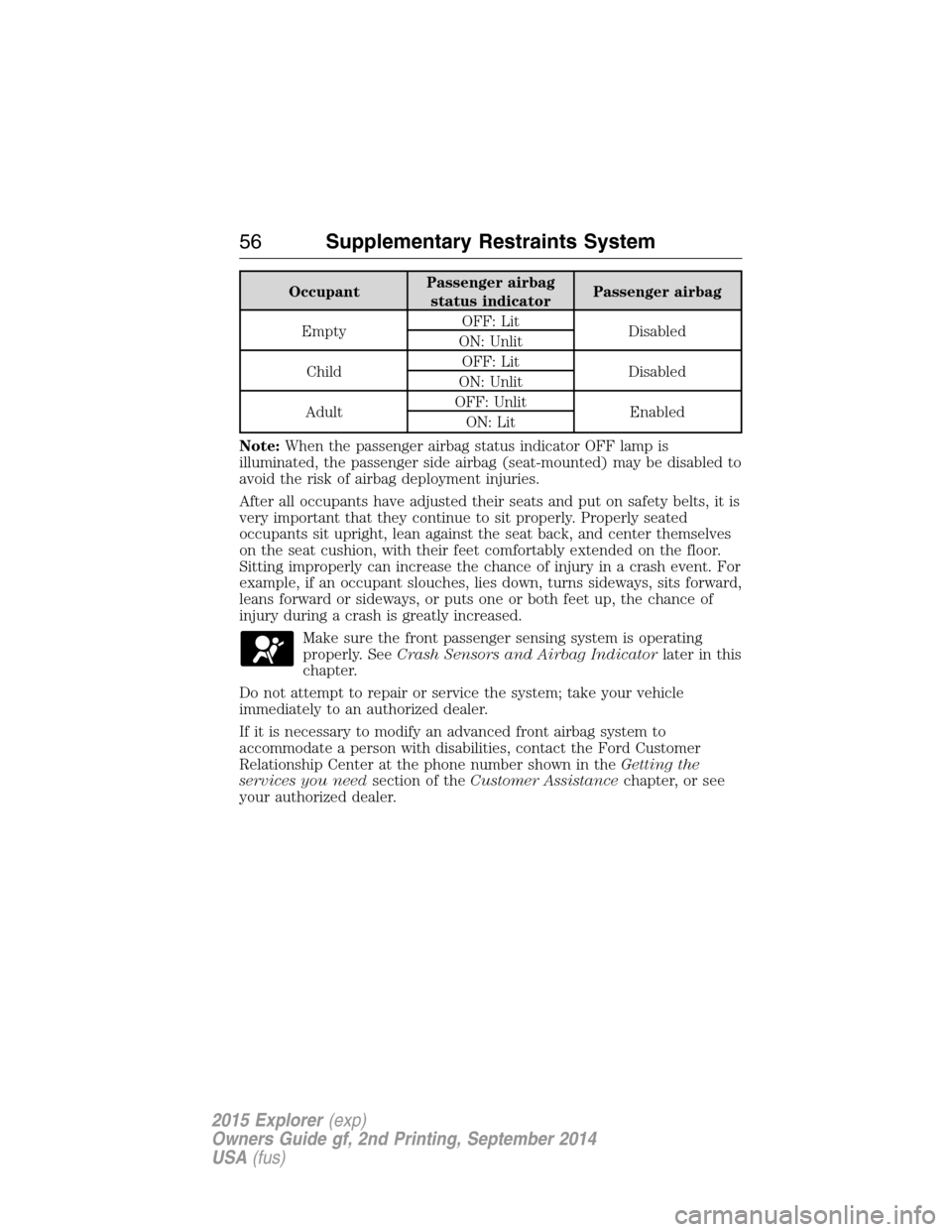
Note:When the passenger airbag status indicator OFF lamp is
illuminated, the passenger side airbag (seat-mounted) may be disabled to
avoid the risk of airbag deployment injuries.
After all occupants have adjusted their seats and put on safety belts, it is
very important that they continue to sit properly. Properly seated
occupants sit upright, lean against the seat back, and center themselves
on the seat cushion, with their feet comfortably extended on the floor.
Sitting improperly can increase the chance of injury in a crash event. For
example, if an occupant slouches, lies down, turns sideways, sits forward,
leans forward or sideways, or puts one or both feet up, the chance of
injury during a crash is greatly increased.
Make sure the front passenger sensing system is operating
properly. SeeCrash Sensors and Airbag Indicatorlater in this
chapter.
Do not attempt to repair or service the system; take your vehicle
immediately to an authorized dealer.
If it is necessary to modify an advanced front airbag system to
accommodate a person with disabilities, contact the Ford Customer
Relationship Center at the phone number shown in theGetting the
services you needsection of theCustomer Assistancechapter, or see
your authorized dealer.
56Supplementary Restraints System
2015 Explorer(exp)
Owners Guide gf, 2nd Printing, September 2014
USA(fus)
Page 64 of 596
REMOTE CONTROL
Integrated Keyhead Transmitters (IKTs) (If Equipped)
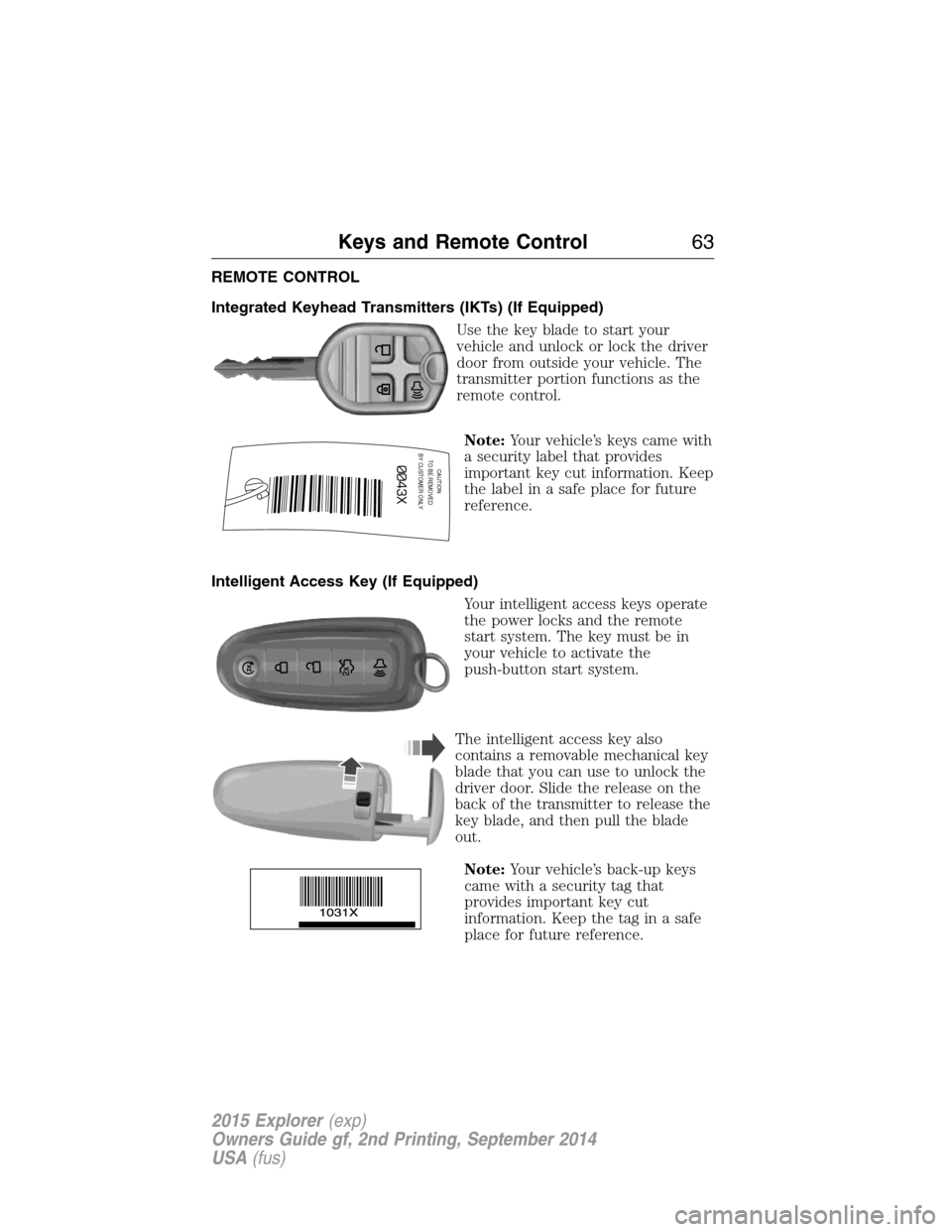
Use the key blade to start your
vehicle and unlock or lock the driver
door from outside your vehicle. The
transmitter portion functions as the
remote control.
Note:Your vehicle’s keys came with
a security label that provides
important key cut information. Keep
the label in a safe place for future
reference.
Intelligent Access Key (If Equipped)
Your intelligent access keys operate
the power locks and the remote
start system. The key must be in
your vehicle to activate the
push-button start system.
The intelligent access key also
contains a removable mechanical key
blade that you can use to unlock the
driver door. Slide the release on the
back of the transmitter to release the
key blade, and then pull the blade
out.
Note:Your vehicle’s back-up keys
came with a security tag that
provides important key cut
information. Keep the tag in a safe
place for future reference.
CAUTIONTO BE REMOVED
BY CUSTOMER ONLY
Keys and Remote Control63
2015 Explorer(exp)
Owners Guide gf, 2nd Printing, September 2014
USA(fus)
Page 69 of 596

Extending the Vehicle Run Time
Repeat Steps 1 and 2 with your vehicle still running to extend the run
time for another remote start duration. If the duration is set to last
10 minutes, the duration will extend by another 10 minutes beginning
after what is left of the first activation time. For example, if your vehicle
had been running from the first remote start for five minutes, your
vehicle will continue to run now for 15 additonal minutes.
Wait at least five seconds before remote starting after a vehicle
shutdown.
Turning the Vehicle Off After Remote Starting
Press the button once. The parking lamps will turn off.
You may have to be closer to your vehicle than when starting due to
ground reflection and the added noise of the running vehicle.
You can disable or enable the remote start system through the
information display. See theInformation Displaychapter.
REPLACING A LOST KEY OR REMOTE CONTROL
You can purchase replacement or additional keys or remote controls from
an authorized dealer. A dealer can program the transmitters to your
vehicle or you may be able to program them yourself. See theSecurity
chapter for information on programming your transmitters.
68Keys and Remote Control
2015 Explorer(exp)
Owners Guide gf, 2nd Printing, September 2014
USA(fus)
Page 73 of 596

MYKEY TROUBLESHOOTING
Condition Potential causes
I cannot create a
MyKey.•The key or fob used to start the vehicle
does not have admin privileges.
•The key or fob used to start the vehicle is
the only admin key (there always has to be at
least one admin key).
•Vehicles with push-button start: The
intelligent access key is not in the backup slot.
The backup slot location information is in
another chapter. SeeStarting and Stopping
the Vehicle.
•SecuriLock passive anti-theft system is
disabled or in unlimited mode.
I cannot program the
configurable settings.•The key or fob used to start the vehicle
does not have admin privileges.
•No MyKeys are created. SeeCreating a
MyKey.
I cannot clear the
MyKeys.•The key or fob used to start the vehicle
does not have admin privileges.
•No MyKeys are created. Refer toCreating a
MyKey.
I lost the only admin
key.•Purchase a new key from your authorized
dealer.
I lost a key.•Program a spare key. SeeSecuriLockin the
Security.
No MyKey functions
with intelligent access
key (push- button
start).•An admin fob is present at engine start.
•No MyKey has been created. SeeCreating a
MyKey.
MyKey distances do
not accumulate.•The MyKey user is not using the MyKey.
•An admin key holder cleared the MyKeys
and created new MyKeys.
•The key system has been reset.
72MyKey
2015 Explorer(exp)
Owners Guide gf, 2nd Printing, September 2014
USA(fus)
Page 80 of 596

Power Liftgate (If Equipped)
WARNING:Make sure all persons are clear of the power liftgate
area before using the power liftgate control.
WARNING:Keep keys out of reach of children. Do not allow
children to play near an open or moving power liftgate.
Note:Cycling the ignition while the liftgate is power closing and is near
the latch may cause the liftgate to reverse to full open position. Make
sure that you close the liftgate before operating or moving the vehicle,
especially in an enclosure like a garage or a parking structure. You could
damage the liftgate or its components.
Note:Do not drive with the liftgate open without first disabling the
power function and securing the liftgate to the vehicle.
Note:In case of operation in extreme cold -40°F (-40°C), or on extreme
inclines, manual operation of the liftgate is suggested.
You can enable or disable the power liftgate using the information
display. The remote control and instrument panel button will still operate
the liftgate regardless of the setting.
Opening and Closing the Power Liftgate
Note:You can reverse the liftgate movement direction with a second
press of the instrument panel button, or the control button on the
liftgate, or a second double press of the transmitter button.
The liftgate will only operate with the transmission inP.
A chime will sound three times as the liftgate begins to power close. A
single chime indicates a problem with the close request, caused by:
•the ignition is on and the transmission is not inP;or
•the battery voltage is below the minimum operating voltage; or
•the vehicle speed is at or above 3 mph (5 km/h).
If the liftgate reverses and starts to close after an open request, a fast
continuous chime indicates excessive load on the gate or a possible strut
failure. Have your vehicle checked by an authorized dealer if you still
have a fast chime after you remove the load.
Locks79
2015 Explorer(exp)
Owners Guide gf, 2nd Printing, September 2014
USA(fus)
Page 83 of 596
SECURICODE™ KEYLESS ENTRY KEYPAD (IF EQUIPPED)
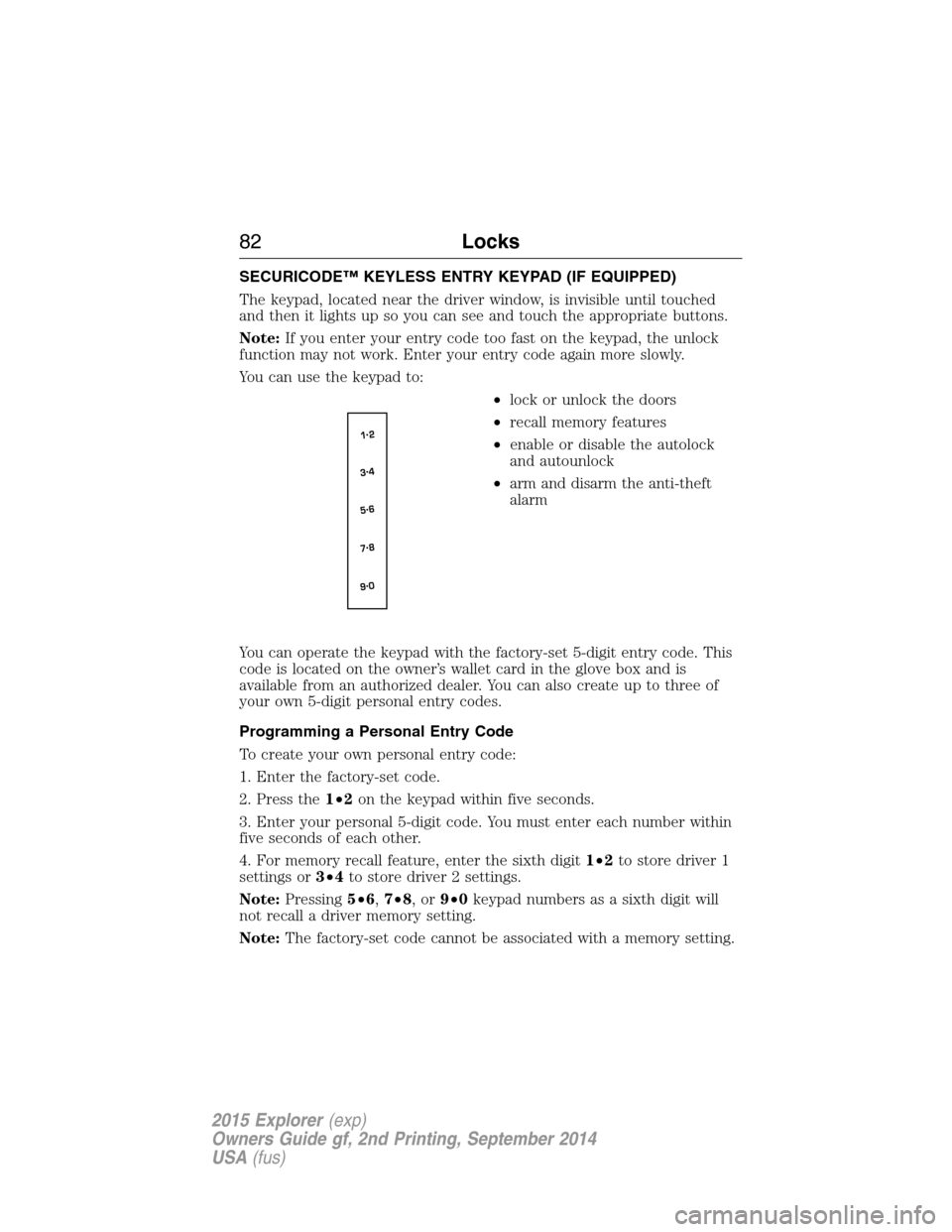
The keypad, located near the driver window, is invisible until touched
and then it lights up so you can see and touch the appropriate buttons.
Note:If you enter your entry code too fast on the keypad, the unlock
function may not work. Enter your entry code again more slowly.
You can use the keypad to:
•lock or unlock the doors
•recall memory features
•enable or disable the autolock
and autounlock
•arm and disarm the anti-theft
alarm
You can operate the keypad with the factory-set 5-digit entry code. This
code is located on the owner’s wallet card in the glove box and is
available from an authorized dealer. You can also create up to three of
your own 5-digit personal entry codes.
Programming a Personal Entry Code
To create your own personal entry code:
1. Enter the factory-set code.
2. Press the1•2on the keypad within five seconds.
3. Enter your personal 5-digit code. You must enter each number within
five seconds of each other.
4. For memory recall feature, enter the sixth digit1•2to store driver 1
settings or3•4to store driver 2 settings.
Note:Pressing5•6,7•8,or9•0keypad numbers as a sixth digit will
not recall a driver memory setting.
Note:The factory-set code cannot be associated with a memory setting.
82Locks
2015 Explorer(exp)
Owners Guide gf, 2nd Printing, September 2014
USA(fus)
Page 84 of 596
5. The doors will lock and then unlock to confirm that programming is
complete.
You may also program a personal entry code through the MyFord Touch
or MyLincoln Touch system. Refer to theMyFord TouchorMyLincoln
Touchchapter.
Tips:
•Do not set a code that uses five of the same number.
•Do not use five numbers in sequential order.
•The factory-set code will work even if you have set your own personal
code.
Erasing a Personal Code
1. Enter the factory-set 5-digit code.
2. Press and release1•2on the keypad within five seconds.
3. Press and hold1•2for two seconds. This must be done within five
seconds of completing Step 2.
All personal codes are now erased and only the factory-set 5-digit code
will work.
Anti-Scan Feature
The keypad will go into an anti-scan mode if you enter the wrong code
seven times (35 consecutive button presses). This mode disables the
keypad for one minute and the keypad lamp will flash.
The anti-scan feature will turn off after:
•one minute of keypad inactivity
•pressing the unlock button on the remote control
•switching the ignition on
•unlocking the vehicle using intelligent access.
Locks83
2015 Explorer(exp)
Owners Guide gf, 2nd Printing, September 2014
USA(fus)