2015 FORD EXPEDITION clock
[x] Cancel search: clockPage 375 of 564
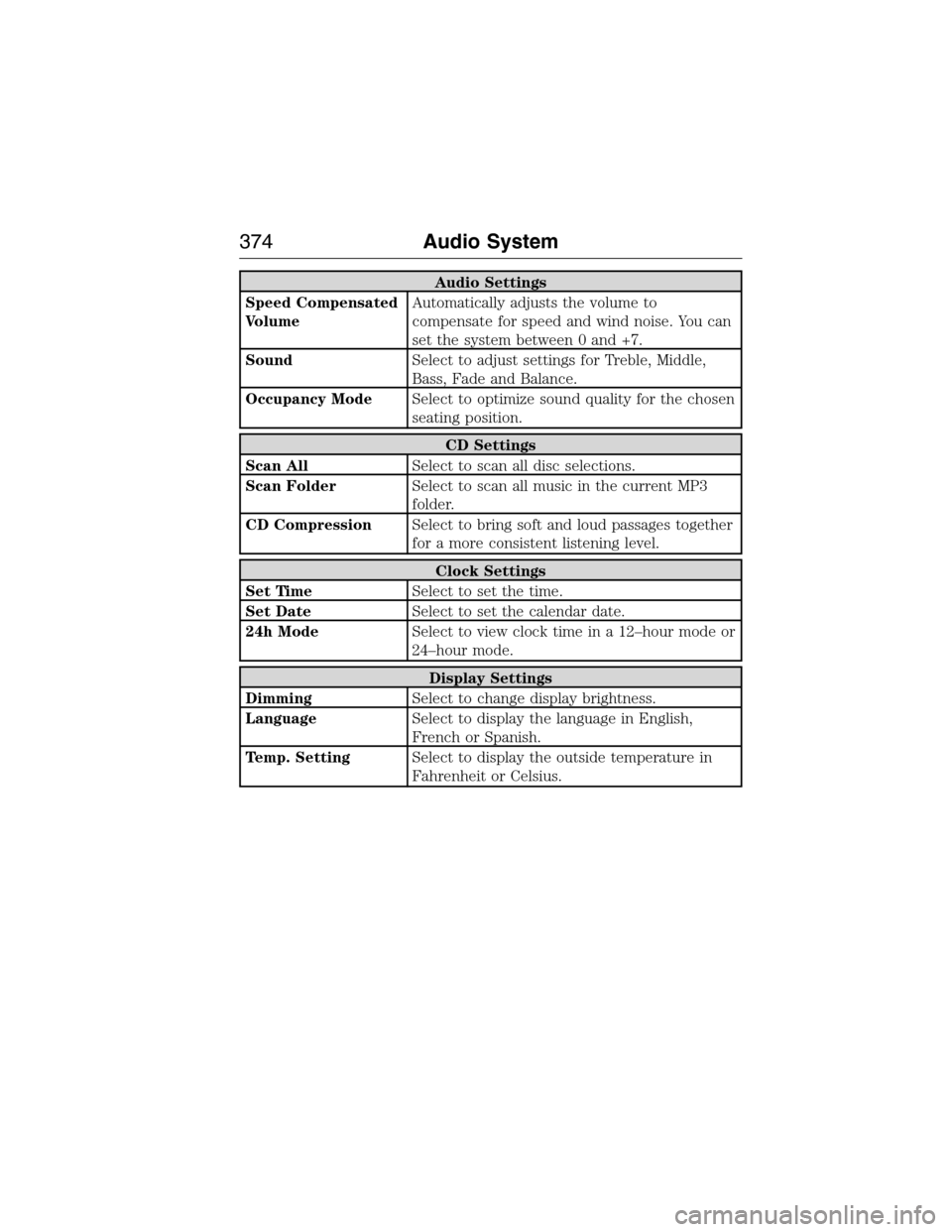
Audio Settings
Speed Compensated
VolumeAutomatically adjusts the volume to
compensate for speed and wind noise. You can
set the system between 0 and +7.
SoundSelect to adjust settings for Treble, Middle,
Bass, Fade and Balance.
Occupancy ModeSelect to optimize sound quality for the chosen
seating position.
CD Settings
Scan AllSelect to scan all disc selections.
Scan FolderSelect to scan all music in the current MP3
folder.
CD CompressionSelect to bring soft and loud passages together
for a more consistent listening level.
Clock Settings
Set TimeSelect to set the time.
Set DateSelect to set the calendar date.
24h ModeSelect to view clock time in a 12–hour mode or
24–hour mode.
Display Settings
DimmingSelect to change display brightness.
LanguageSelect to display the language in English,
French or Spanish.
Temp. SettingSelect to display the outside temperature in
Fahrenheit or Celsius.
374Audio System
2015 Expedition(exd)
Owners Guide gf, 1st Printing, July 2014
USA(fus)
Page 377 of 564
E.VOL and Power:
•Press this button to switch the system off and on.
•Turn it to adjust the volume.
F.Eject:Press this button to eject a CD.
G.CD Slot:Insert a CD.
REAR AUDIO CONTROLS
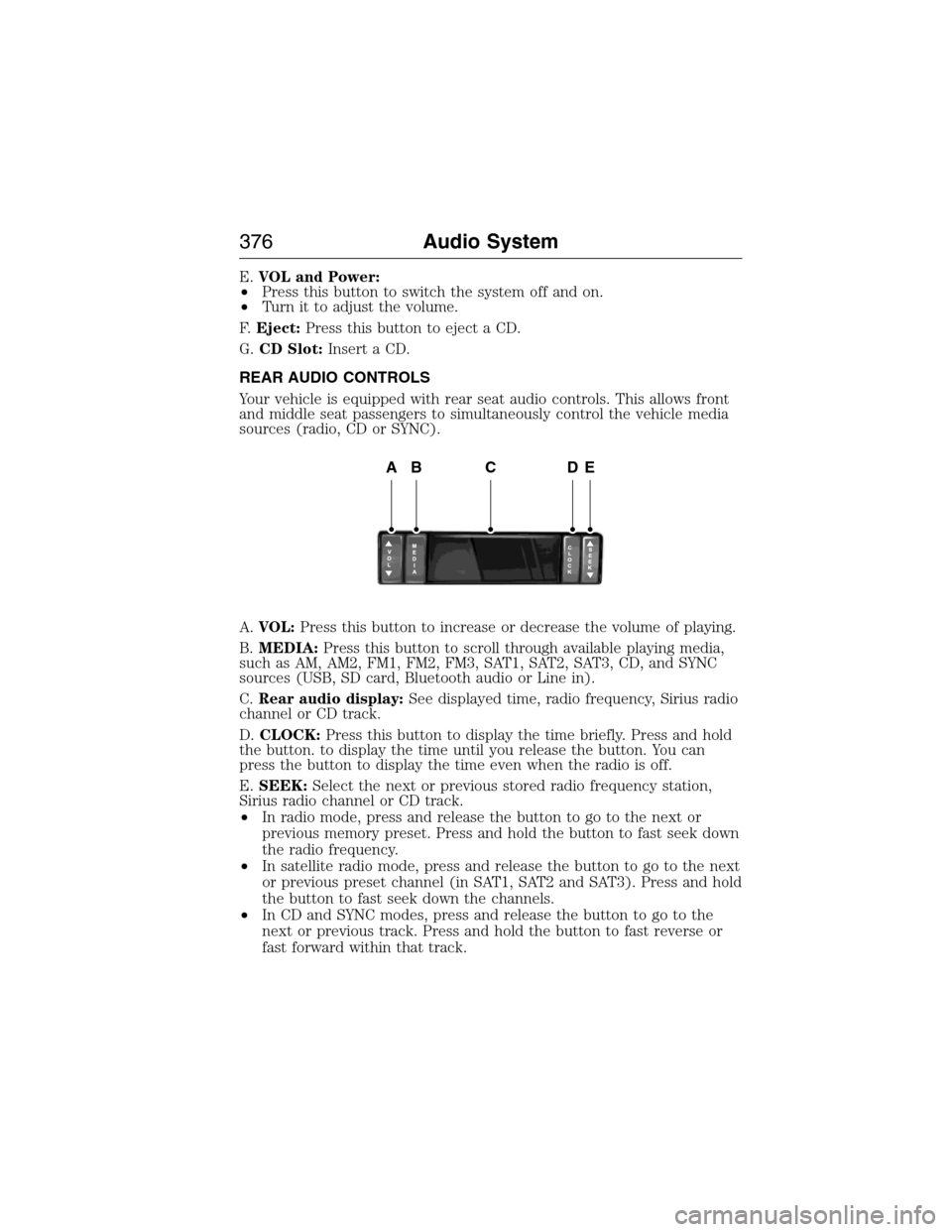
Your vehicle is equipped with rear seat audio controls. This allows front
and middle seat passengers to simultaneously control the vehicle media
sources (radio, CD or SYNC).
A.VOL:Press this button to increase or decrease the volume of playing.
B.MEDIA:Press this button to scroll through available playing media,
such as AM, AM2, FM1, FM2, FM3, SAT1, SAT2, SAT3, CD, and SYNC
sources (USB, SD card, Bluetooth audio or Line in).
C.Rear audio display:See displayed time, radio frequency, Sirius radio
channel or CD track.
D.CLOCK:Press this button to display the time briefly. Press and hold
the button. to display the time until you release the button. You can
press the button to display the time even when the radio is off.
E.SEEK:Select the next or previous stored radio frequency station,
Sirius radio channel or CD track.
•In radio mode, press and release the button to go to the next or
previous memory preset. Press and hold the button to fast seek down
the radio frequency.
•In satellite radio mode, press and release the button to go to the next
or previous preset channel (in SAT1, SAT2 and SAT3). Press and hold
the button to fast seek down the channels.
•In CD and SYNC modes, press and release the button to go to the
next or previous track. Press and hold the button to fast reverse or
fast forward within that track.
ABCDE
376Audio System
2015 Expedition(exd)
Owners Guide gf, 1st Printing, July 2014
USA(fus)
Page 439 of 564
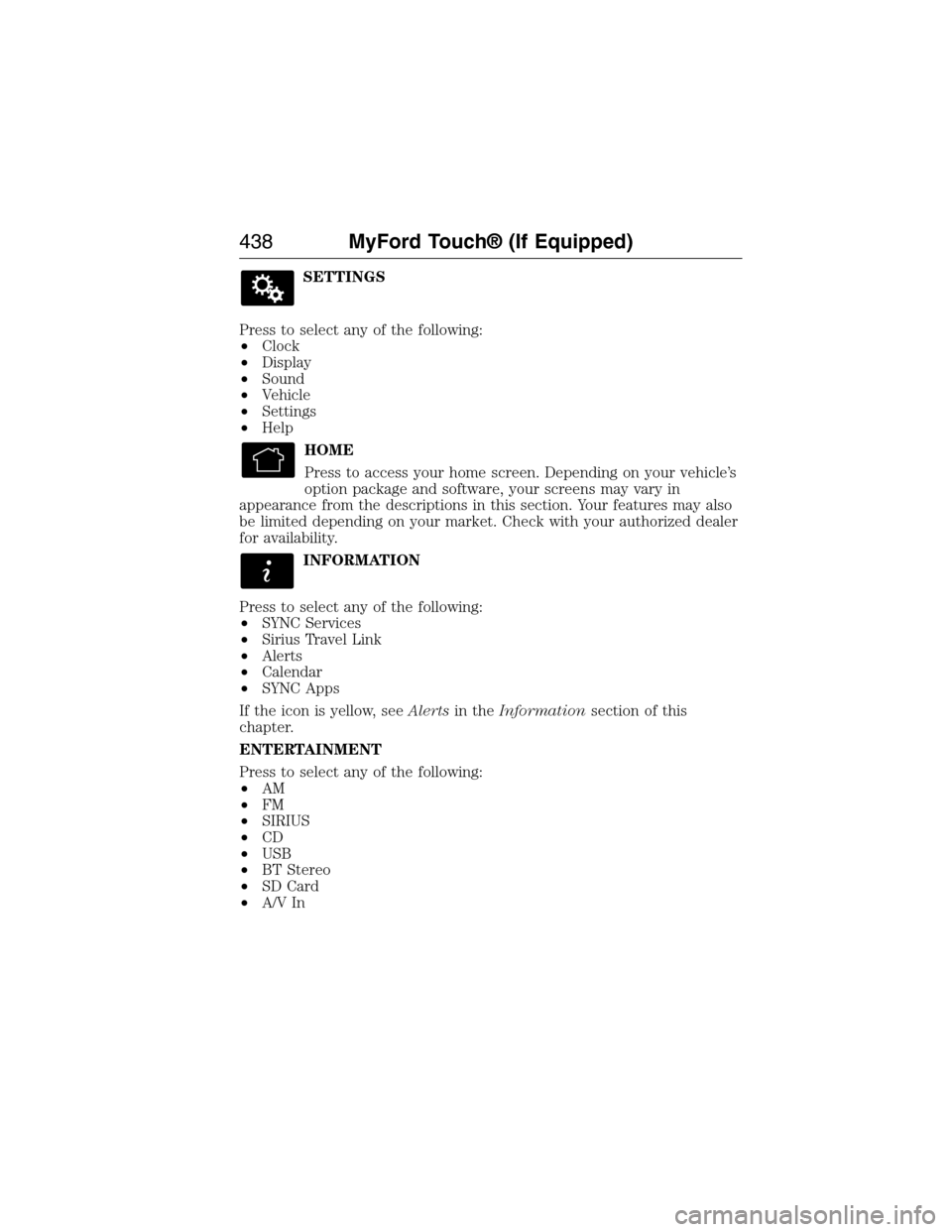
SETTINGS
Press to select any of the following:
•Clock
•Display
•Sound
•Vehicle
•Settings
•Help
HOME
Press to access your home screen. Depending on your vehicle’s
option package and software, your screens may vary in
appearance from the descriptions in this section. Your features may also
be limited depending on your market. Check with your authorized dealer
for availability.
INFORMATION
Press to select any of the following:
•SYNC Services
•Sirius Travel Link
•Alerts
•Calendar
•SYNC Apps
If the icon is yellow, seeAlertsin theInformationsection of this
chapter.
ENTERTAINMENT
Press to select any of the following:
•AM
•FM
•SIRIUS
•CD
•USB
•BT Stereo
•SD Card
•A/V In
438MyFord Touch® (If Equipped)
2015 Expedition(exd)
Owners Guide gf, 1st Printing, July 2014
USA(fus)
Page 487 of 564
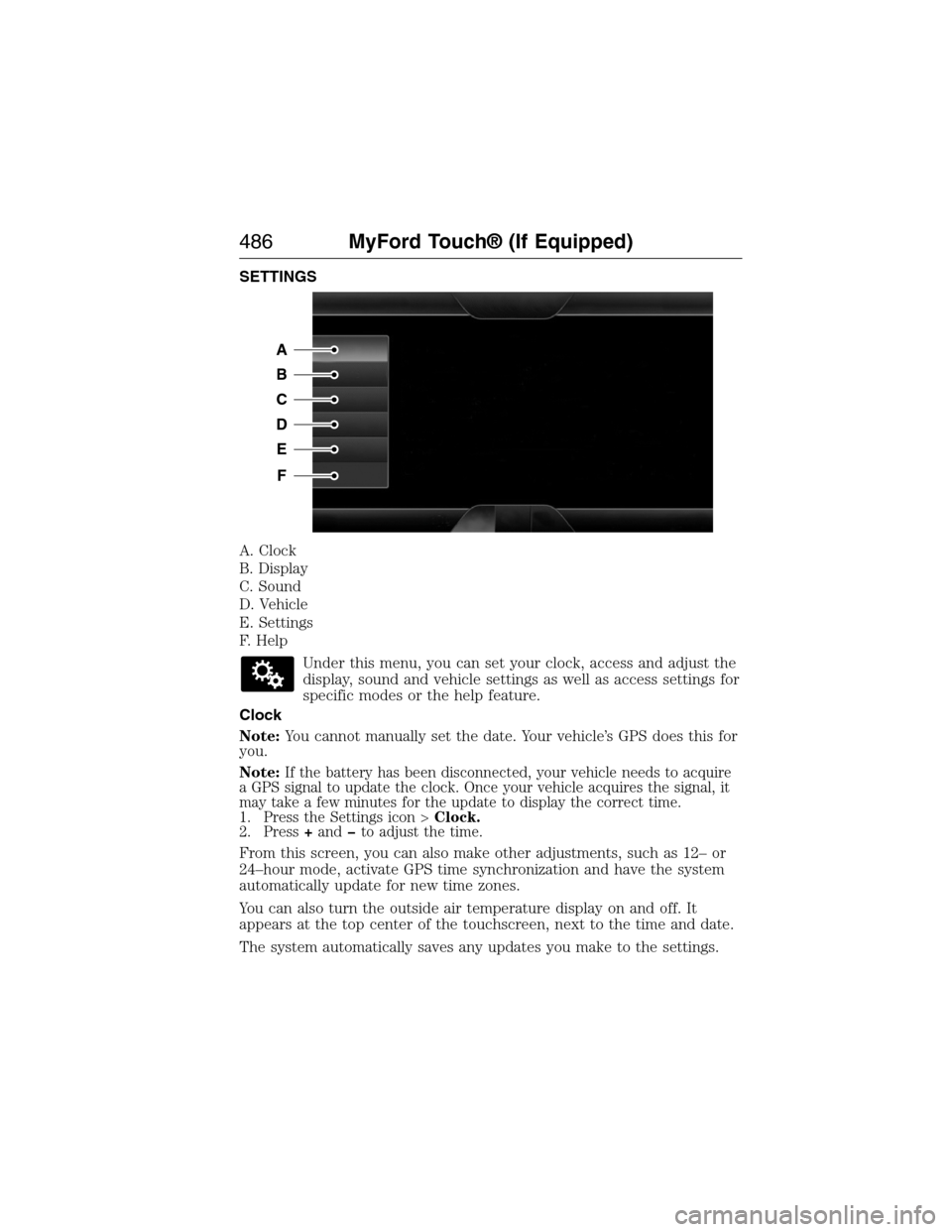
SETTINGS
A. Clock
B. Display
C. Sound
D. Vehicle
E. Settings
F. Help
Under this menu, you can set your clock, access and adjust the
display, sound and vehicle settings as well as access settings for
specific modes or the help feature.
Clock
Note:You cannot manually set the date. Your vehicle’s GPS does this for
you.
Note:
If the battery has been disconnected, your vehicle needs to acquire
a GPS signal to update the clock. Once your vehicle acquires the signal, it
may take a few minutes for the update to display the correct time.
1. Press the Settings icon >Clock.
2. Press+andto adjust the time.
From this screen, you can also make other adjustments, such as 12– or
24–hour mode, activate GPS time synchronization and have the system
automatically update for new time zones.
You can also turn the outside air temperature display on and off. It
appears at the top center of the touchscreen, next to the time and date.
The system automatically saves any updates you make to the settings.
A
B
C
D
E
F
486MyFord Touch® (If Equipped)
2015 Expedition(exd)
Owners Guide gf, 1st Printing, July 2014
USA(fus)
Page 501 of 564
I.Heated rear window:Turns the heated rear window on and off. See
Heated windows and mirrorsin theClimate Controlchapter.
J.Defrost:Touch the button to distribute air to the windshield vents
and de-mister. Air distribution to instrument panel and footwell vents
turn off. You can use this setting to defog and clear the windshield of a
thin covering of ice.
K.Manual controls:Touch these buttons to switch airflow from the
windshield, instrument panel, or footwell vents on or off. The system can
distribute air through any combination of these vents.
L.Driver settings:Depending on your vehicle and option package, you
may have the following features:
•Touch the+or–to increase or decrease the air temperature on the
passenger side of the vehicle.
•Touch the heated seat icon to switch the heated seat off and on (if
equipped).
•Touch the climate-controlled seat icon to switch the
climate-controlled seat off and on (if equipped).
•TouchMyTempto select your preset temperature setpoint. Touch
and holdMyTempto save a new preset temperature setpoint.
•If your vehicle is equipped with a heated steering wheel, touch the
heated steering wheel icon to warm the steering wheel.
Note:If your vehicle is equipped with a wood-trimmed steering wheel, it
does not heat between the 10 o’clock and 2 o’clock positions.
Climate Control Voice Commands
The following voice commands are available at the main menu
level of a voice session. For example, press the voice button
and after the prompt, “Say a command”; say any of the
following commands:
Climate control voice commands
“Climate automatic”
“Climate my temperature”
“Climate off”
“Climate on”
“Climate temperature <15.5–29.5> degrees”
“Climate temperature <60–85> degrees”
“Help”
500MyFord Touch® (If Equipped)
2015 Expedition(exd)
Owners Guide gf, 1st Printing, July 2014
USA(fus)
Page 558 of 564

B
Battery .......................................300
acid, treating emergencies .....300
jumping a disabled battery ....271
maintenance-free ....................300
replacement, specifications ...360
servicing ..................................300
Blind Spot Information
System .......................................230
Booster seats ...............................30
Brakes ........................................212
anti-lock ...................................212
anti-lock brake system (ABS)
warning light ...........................212
brake warning light ................212
fluid, checking and adding ....299
fluid, refill capacities ..............356
fluid, specifications .................356
lubricant specifications ..........356
parking ....................................213
shift interlock ..................199–200
trailer ...............................254–255
C
Capacities for refilling fluids ....356
Cargo management system ......244
CD ......................................370, 375
CD player ..........................368, 460
CD voice commands .................461
Cell phone use ............................16
Changing a tire .........................347
Changing the air filter ..............304
Child safety seats
automatic locking mode
(retractor) .................................38
LATCH .......................................23Child safety seats -
booster seats ...............................30
Cleaning the touchscreen ........440
Cleaning your vehicle ...............313
engine compartment ..............315
instrument panel ....................318
interior .....................................317
plastic parts ............................314
washing ....................................313
waxing .....................................315
wheels ......................................320
wiper blades ............................316
Climate control
(see Air conditioning or
Heating) .............................136, 138
Climate voice commands .........500
Clock ..................................370, 486
Console
overhead ..........................101, 176
Controls
power seat ...............................153
Coolant ......................................294
checking and adding ..............294
refill capacities ........................356
specifications ..........................356
Cross Traffic Alert ....................230
Cruise control ...........................228
Customer Assistance ................268
Ford Extended Service
Plan ..........................................365
Getting roadside assistance ...268
Getting the service you
need .........................................274
Ordering additional owner’s
literature .................................280
Utilizing the
Mediation/Arbitration
Program ...................................278
Index557
2015 Expedition(exd)
Owners Guide gf, 1st Printing, July 2014
USA(fus)
Page 563 of 564
SecuriCode keyless entry
system ..........................................77
SecuriLock passive anti-theft
system ..........................................79
Selecting your media source
(USB, Line in, BT audio) .........418
Sending new text messages .....471
Setting a destination ................502
Setting a destination by
voice ...........................................502
Settings ......................................486
Setting the clock ...............370, 486
Side air curtain ...........................50
Side-curtain airbags system .......50
SIRIUS® satellite radio ....370, 455
SIRIUS satellite radio voice
commands .................................457
SIRIUS Travel Link ...................478
SIRIUS Travel Link voice
commands .................................480
Snowplowing ...............................15
SOS Post Crash Alert .................46
Spark plugs,
specifications .....................355, 360
Special notice
ambulance conversions ............15
Specification chart,
lubricants ...................................356
Stability system .........................217
Starting your vehicle ................179
jump starting ..........................271
push button start system .......178
Steering wheel ............................83
controls ......................................85
tilting .........................................83Sun visor ....................................102
Supplemental Restraint System
(SRS) (see airbags) ....................47
Supported media file types ......464
Supported player, media
formats and metadata
information ................................464
Suspension ................................236
SYNC® AppLink™ ...................413
SYNC® customer
support ..............................387, 440
SYNC® Services ................410, 474
System settings .........................489
T
Temperature control
(see Climate control) ..............136,
138, 140, 498
Text messaging .................398, 470
Text messaging (sending,
downloading, deleting) .....398, 400
Third-row power fold seat .......167
Tilt steering wheel ......................83
Tires ...........................326–327, 347
alignment ................................340
care ..........................................326
changing ..........................347, 349
checking the pressure ............336
inflating ...................................334
label .........................................333
replacing ..................................338
rotating ....................................341
safety practices .......................340
sidewall information ...............329
snow tires and chains ............341
spare tire .................................347
terminology .............................328
562Index
2015 Expedition(exd)
Owners Guide gf, 1st Printing, July 2014
USA(fus)