2015 FORD EXPEDITION service
[x] Cancel search: servicePage 60 of 564

Car Finder
Press the button twice within three seconds. The horn will sound
and the turn signals will flash. We recommend you use this
method to locate your vehicle, rather than using the panic alarm.
Sounding a Panic Alarm
Press the button to activate the alarm. Press the button again
or switch the ignition on to deactivate.
Note:The panic alarm will only operate when the ignition is off.
Remote Start (If Equipped)
WARNING:To avoid exhaust fumes, do not use remote start if
your vehicle is parked indoors or areas that are not well
ventilated.
Note:Do not use remote start if your vehicle is low on fuel.
The remote start button is on the transmitter.
This feature allows you to start your vehicle from outside your vehicle.
The transmitter has an extended operating range.
Vehicles with automatic climate control can be configured to operate
when the vehicle is remote started. See theClimate Controlchapter for
more information. A manual climate control system will run at the setting
it was set to when your vehicle was last turned off.
Many states and provinces have restrictions for the use of remote start.
Check your local and state or provincial laws for specific requirements
regarding remote start systems.
The remote start system will not work if:
•the ignition is on
•the alarm system is triggered
•you disable the feature
•the hood is open
•the transmission is not inP
•the vehicle battery voltage is too low
•the service engine soon light is on.
Keys and Remote Control59
2015 Expedition(exd)
Owners Guide gf, 1st Printing, July 2014
USA(fus)
Page 80 of 564
SECURILOCK® PASSIVE ANTI-THEFT SYSTEM
Note:The system is not compatible with non-Ford aftermarket remote
start systems. Use of these systems may result in vehicle starting
problems and a loss of security protection.
Note:Metallic objects, electronic devices or a second coded key on the
same key chain may cause vehicle starting issues if they are too close to
the key when starting your vehicle. Prevent these objects from touching
the coded key while starting the engine. Switch the ignition off, move all
objects on the key chain away from the coded key and restart your
vehicle if a problem occurs.
Note:Do not leave a duplicate coded key in your vehicle. Always take
your keys and lock all doors when leaving your vehicle.
The system helps prevent the engine from starting unless you use a coded
key programmed to your vehicle. Using the wrong key may prevent your
vehicle from starting. A message may appear in the information display.
If you are unable to start your vehicle with a correctly coded key, a
malfunction has occurred. A message may appear in the information display.
Automatic Arming
Your vehicle arms immediately after you switch the ignition off.
Anti-Theft Indicator
The anti-theft indicator is located in the instrument cluster.
•When the ignition is off, the indicator will flash once every
two seconds to indicate the SecuriLock system is functioning
as a theft deterrent.
•When the ignition is on, the indicator will glow for three seconds, then
turn off to indicate normal system functionality.
If a problem occurs with the SecuriLock system, the indicator will flash
rapidly or glow steadily when the ignition is on. If this occurs, switch the
ignition off then back on to make sure there was no electronic
interference with the programmed key. If your vehicle does not start, try
to start it with the second programmed key and if successful contact
your authorized dealership for key replacement. If the indicator still
flashes rapidly or glows steadily, your vehicle will not start. Contact your
authorized dealer as soon as possible for service.
Automatic Disarming
Your vehicle disarms when you switch the ignition on with a coded key.
Security79
2015 Expedition(exd)
Owners Guide gf, 1st Printing, July 2014
USA(fus)
Page 106 of 564
Fuel Gauge
Note:The fuel gauge may vary slightly when your vehicle is moving or
on a gradient.
Switch the ignition on. The fuel gauge will indicate approximately how much
fuel is left in the fuel tank. The arrow adjacent to the fuel pump symbol
indicates on which side of your vehicle the fuel filler door is located.
The needle should move toward F when you refuel your vehicle. If the
needle points to E after adding fuel, this indicates your vehicle needs
service soon.
After refueling some variability in needle position is normal:
•It may take a short time for the needle to reach F after leaving the gas
station. This is normal and depends upon the slope of pavement at the
gas station.
•The fuel amount dispensed into the tank is a little less or more than
the gauge indicated. This is normal and depends upon the slope of
pavement at the gas station.
•If the gas station nozzle shuts off before the tank is full, try a different
gas pump nozzle.
Low Fuel Reminder
A low fuel reminder triggers when the fuel gauge needle is at 1/16th.
Variations:
Driving type (fuel
economy conditions)Fuel gauge position Distance-to-empty
Highway driving 1/16th35 miles to 80 miles
(56 km to 129 km)
Severe duty driving (trailer
towing, extended idle)1/16th 35 miles (56km)
Engine Coolant Temperature Gauge
Shows the temperature of the engine coolant. At normal operating
temperature, the needle will remain in the center section. If the needle
enters the red section, the engine is overheating. Stop the engine, switch
the ignition off and determine the cause once the engine has cooled down.
Note:Do not restart the engine until the cause of overheating has been
resolved.
Instrument Cluster105
2015 Expedition(exd)
Owners Guide gf, 1st Printing, July 2014
USA(fus)
Page 111 of 564
Service Engine Soon
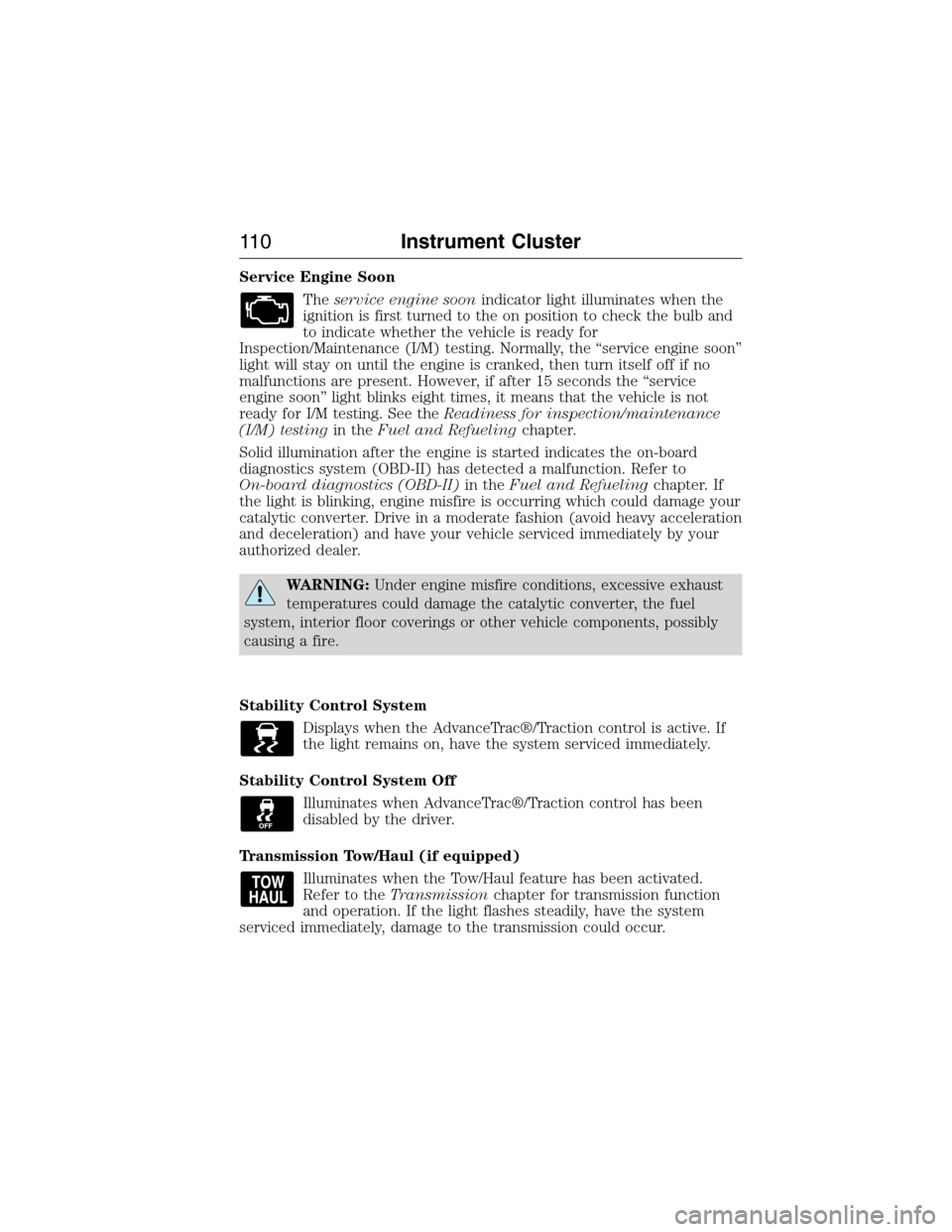
Theservice engine soonindicator light illuminates when the
ignition is first turned to the on position to check the bulb and
to indicate whether the vehicle is ready for
Inspection/Maintenance (I/M) testing. Normally, the “service engine soon”
light will stay on until the engine is cranked, then turn itself off if no
malfunctions are present. However, if after 15 seconds the “service
engine soon” light blinks eight times, it means that the vehicle is not
ready for I/M testing. See theReadiness for inspection/maintenance
(I/M) testingin theFuel and Refuelingchapter.
Solid illumination after the engine is started indicates the on-board
diagnostics system (OBD-II) has detected a malfunction. Refer to
On-board diagnostics (OBD-II)in theFuel and Refuelingchapter. If
the light is blinking, engine misfire is occurring which could damage your
catalytic converter. Drive in a moderate fashion (avoid heavy acceleration
and deceleration) and have your vehicle serviced immediately by your
authorized dealer.
WARNING:Under engine misfire conditions, excessive exhaust
temperatures could damage the catalytic converter, the fuel
system, interior floor coverings or other vehicle components, possibly
causing a fire.
Stability Control System
Displays when the AdvanceTrac®/Traction control is active. If
the light remains on, have the system serviced immediately.
Stability Control System Off
Illuminates when AdvanceTrac®/Traction control has been
disabled by the driver.
Transmission Tow/Haul (if equipped)
Illuminates when the Tow/Haul feature has been activated.
Refer to theTransmissionchapter for transmission function
and operation. If the light flashes steadily, have the system
serviced immediately, damage to the transmission could occur.
11 0Instrument Cluster
2015 Expedition(exd)
Owners Guide gf, 1st Printing, July 2014
USA(fus)
Page 126 of 564
INFORMATION MESSAGES
Note:Depending on the vehicle options equipped with your vehicle, not
all of the messages will display or be available. Certain messages may be
abbreviated or shortened depending upon which cluster type you have.
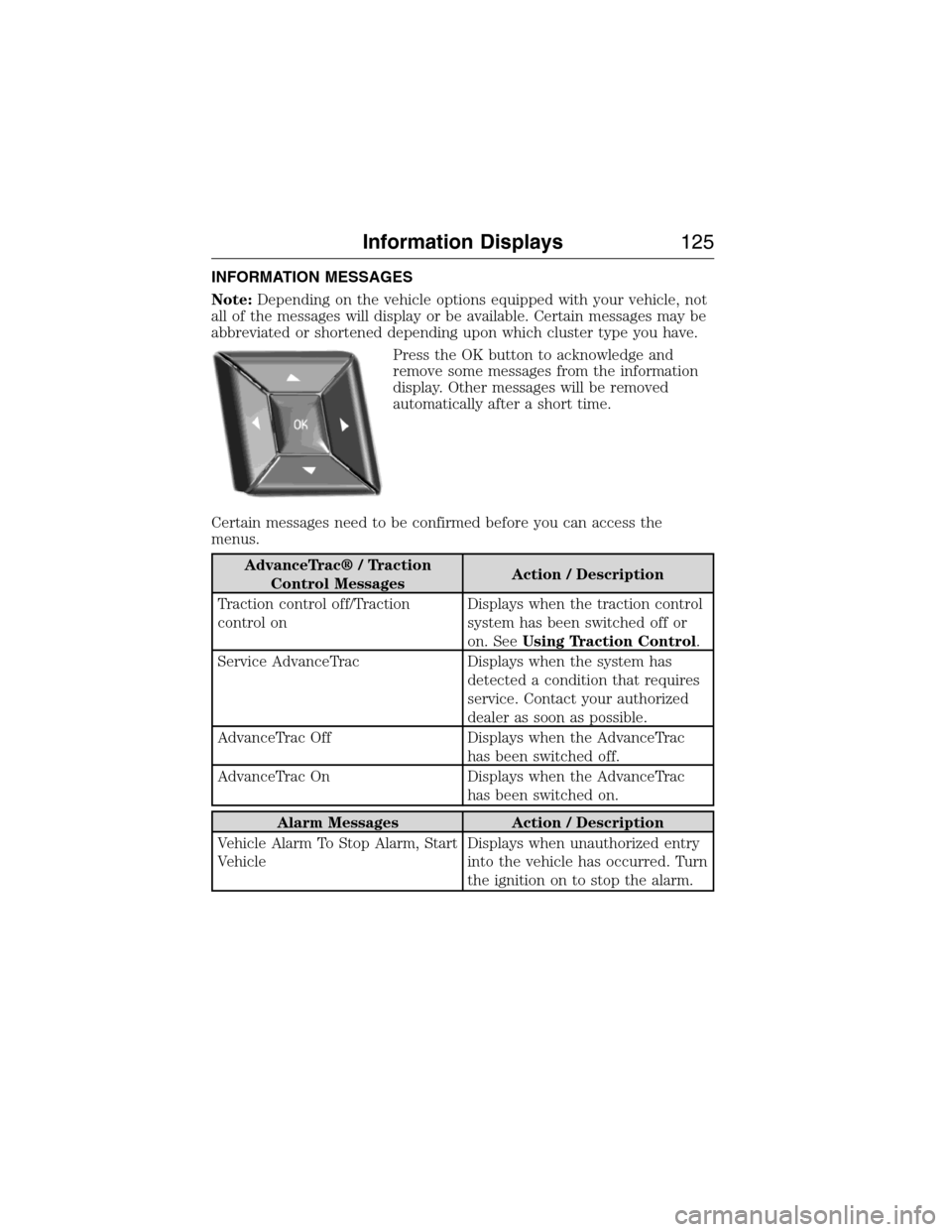
Press the OK button to acknowledge and
remove some messages from the information
display. Other messages will be removed
automatically after a short time.
Certain messages need to be confirmed before you can access the
menus.
AdvanceTrac® / Traction
Control MessagesAction / Description
Traction control off/Traction
control onDisplays when the traction control
system has been switched off or
on. SeeUsing Traction Control.
Service AdvanceTrac Displays when the system has
detected a condition that requires
service. Contact your authorized
dealer as soon as possible.
AdvanceTrac Off Displays when the AdvanceTrac
has been switched off.
AdvanceTrac On Displays when the AdvanceTrac
has been switched on.
Alarm Messages Action / Description
Vehicle Alarm To Stop Alarm, Start
VehicleDisplays when unauthorized entry
into the vehicle has occurred. Turn
the ignition on to stop the alarm.
Information Displays125
2015 Expedition(exd)
Owners Guide gf, 1st Printing, July 2014
USA(fus)
Page 130 of 564
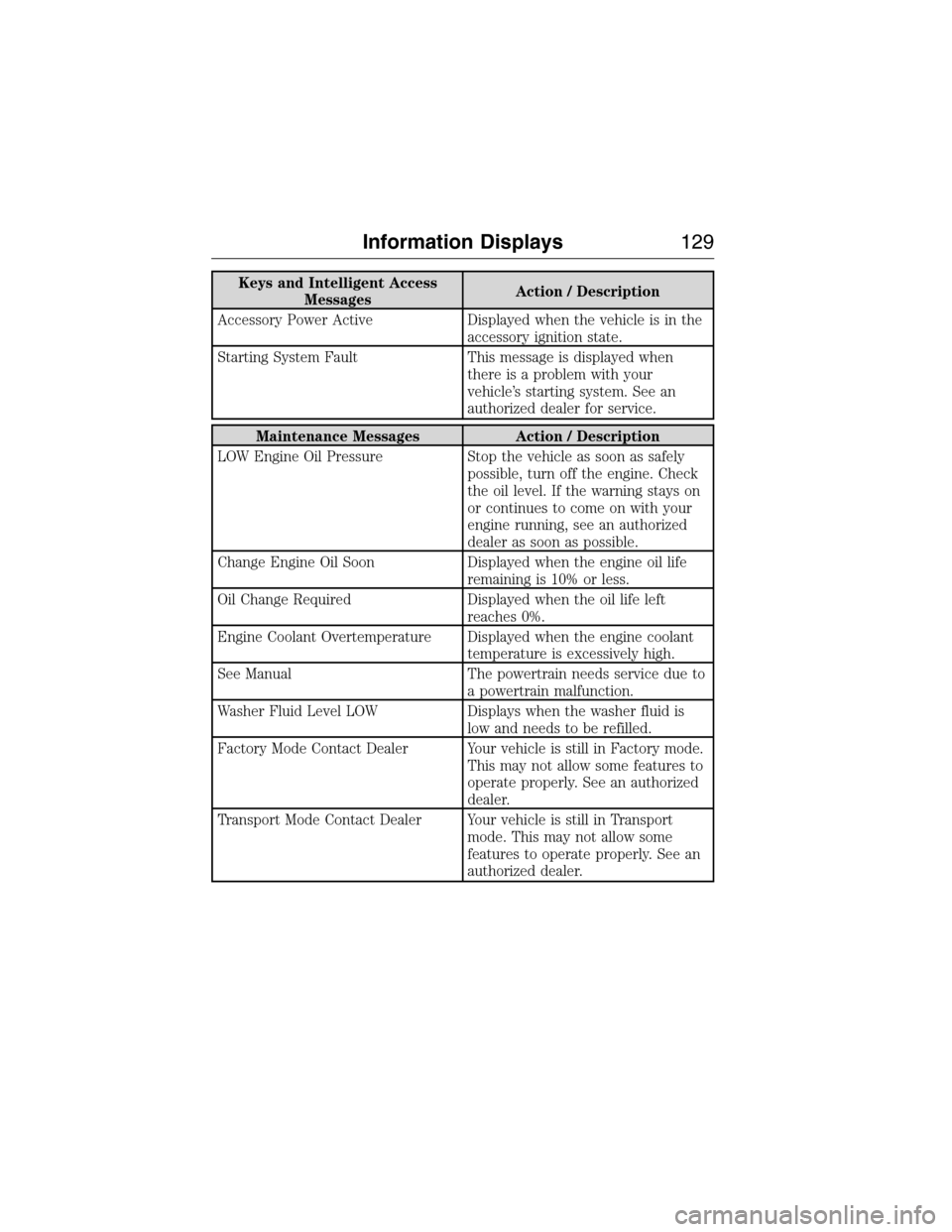
Keys and Intelligent Access
MessagesAction / Description
Accessory Power Active Displayed when the vehicle is in the
accessory ignition state.
Starting System Fault This message is displayed when
there is a problem with your
vehicle’s starting system. See an
authorized dealer for service.
Maintenance Messages Action / Description
LOW Engine Oil Pressure Stop the vehicle as soon as safely
possible, turn off the engine. Check
the oil level. If the warning stays on
or continues to come on with your
engine running, see an authorized
dealer as soon as possible.
Change Engine Oil Soon Displayed when the engine oil life
remaining is 10% or less.
Oil Change Required Displayed when the oil life left
reaches 0%.
Engine Coolant Overtemperature Displayed when the engine coolant
temperature is excessively high.
See Manual The powertrain needs service due to
a powertrain malfunction.
Washer Fluid Level LOW Displays when the washer fluid is
low and needs to be refilled.
Factory Mode Contact Dealer Your vehicle is still in Factory mode.
This may not allow some features to
operate properly. See an authorized
dealer.
Transport Mode Contact Dealer Your vehicle is still in Transport
mode. This may not allow some
features to operate properly. See an
authorized dealer.
Information Displays129
2015 Expedition(exd)
Owners Guide gf, 1st Printing, July 2014
USA(fus)
Page 132 of 564
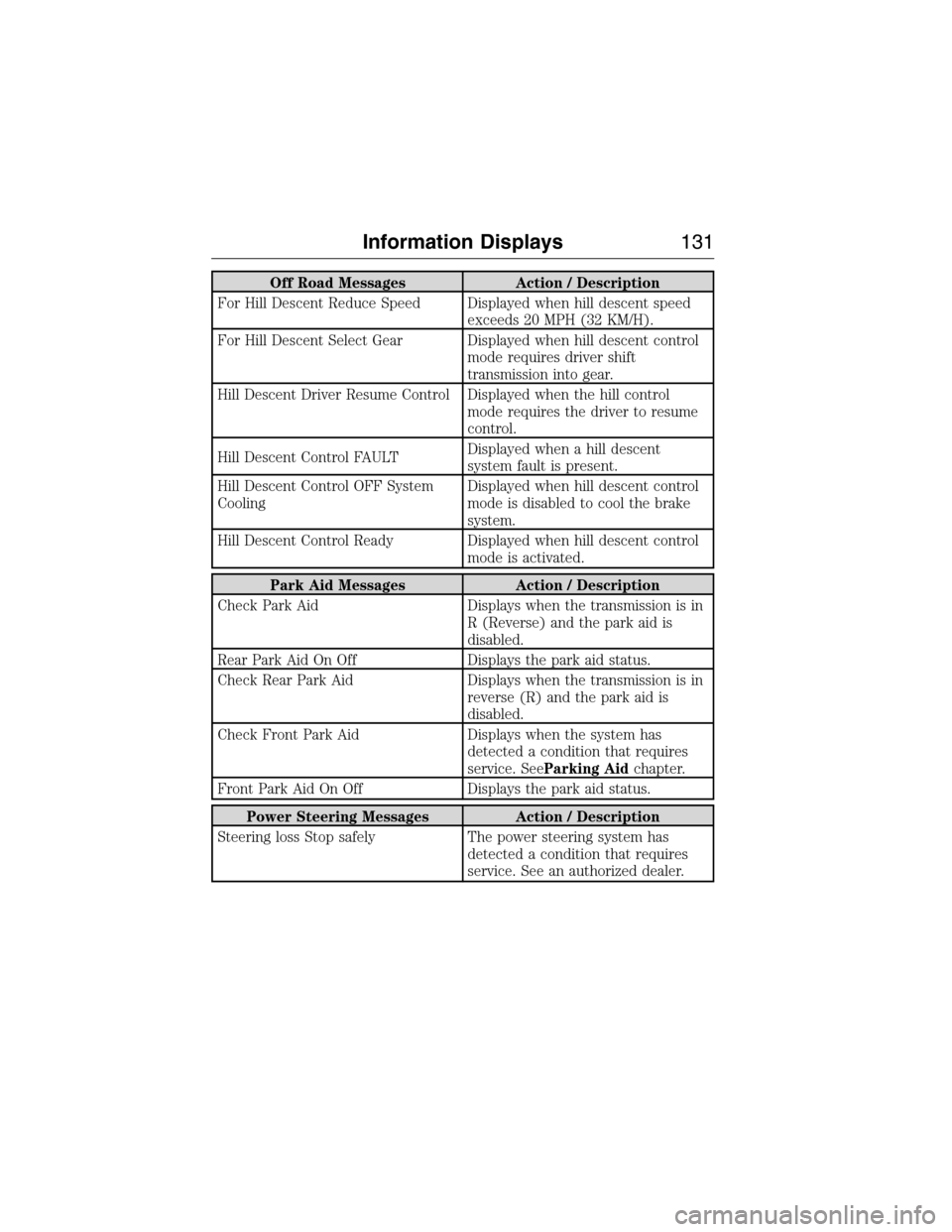
Off Road Messages Action / Description
For Hill Descent Reduce Speed Displayed when hill descent speed
exceeds 20 MPH (32 KM/H).
For Hill Descent Select Gear Displayed when hill descent control
mode requires driver shift
transmission into gear.
Hill Descent Driver Resume Control Displayed when the hill control
mode requires the driver to resume
control.
Hill Descent Control FAULTDisplayed when a hill descent
system fault is present.
Hill Descent Control OFF System
CoolingDisplayed when hill descent control
mode is disabled to cool the brake
system.
Hill Descent Control Ready Displayed when hill descent control
mode is activated.
Park Aid Messages Action / Description
Check Park Aid Displays when the transmission is in
R (Reverse) and the park aid is
disabled.
Rear Park Aid On Off Displays the park aid status.
Check Rear Park Aid Displays when the transmission is in
reverse (R) and the park aid is
disabled.
Check Front Park Aid Displays when the system has
detected a condition that requires
service. SeeParking Aidchapter.
Front Park Aid On Off Displays the park aid status.
Power Steering Messages Action / Description
Steering loss Stop safely The power steering system has
detected a condition that requires
service. See an authorized dealer.
Information Displays131
2015 Expedition(exd)
Owners Guide gf, 1st Printing, July 2014
USA(fus)
Page 133 of 564
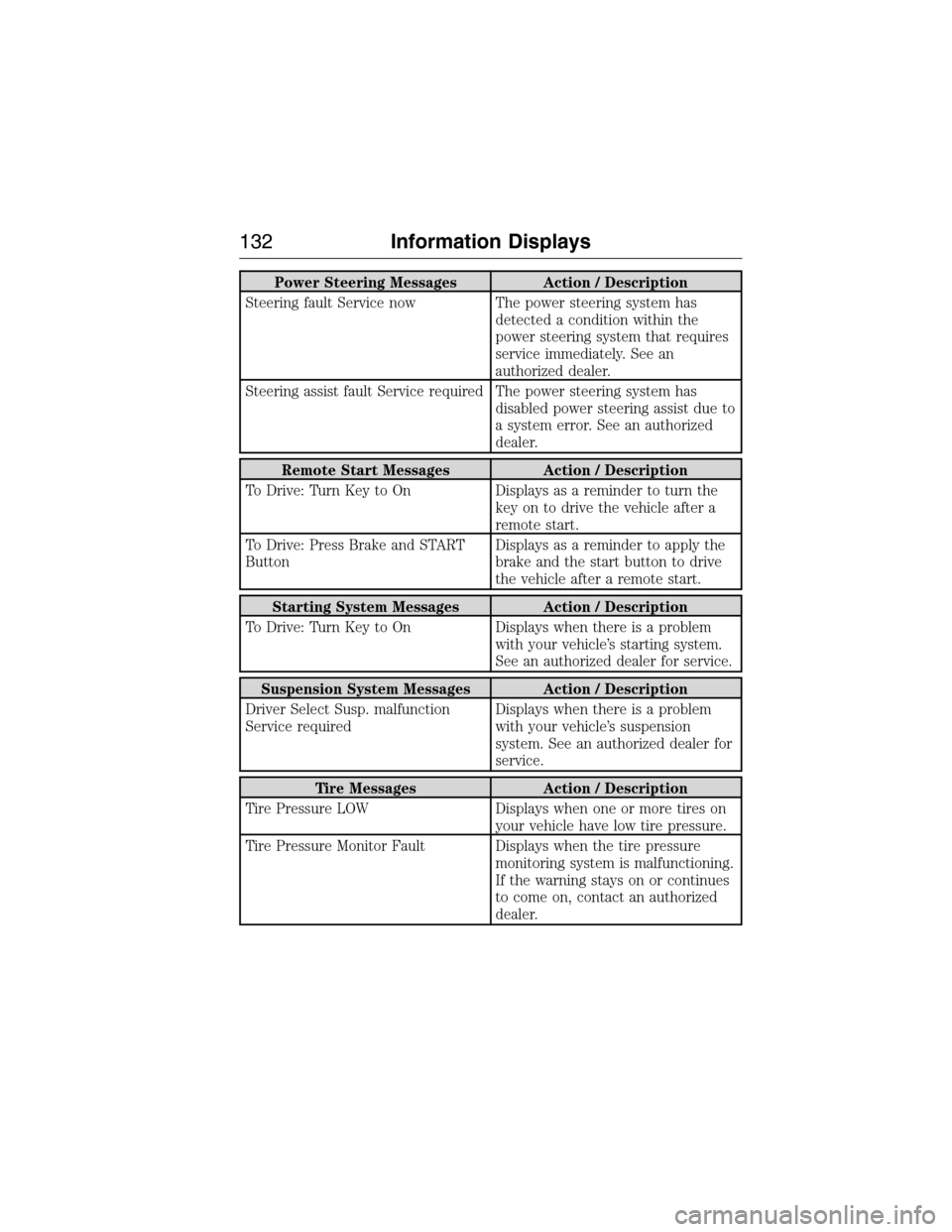
Power Steering Messages Action / Description
Steering fault Service now The power steering system has
detected a condition within the
power steering system that requires
service immediately. See an
authorized dealer.
Steering assist fault Service required The power steering system has
disabled power steering assist due to
a system error. See an authorized
dealer.
Remote Start Messages Action / Description
To Drive: Turn Key to On Displays as a reminder to turn the
key on to drive the vehicle after a
remote start.
To Drive: Press Brake and START
ButtonDisplays as a reminder to apply the
brake and the start button to drive
the vehicle after a remote start.
Starting System Messages Action / Description
To Drive: Turn Key to On Displays when there is a problem
with your vehicle’s starting system.
See an authorized dealer for service.
Suspension System Messages Action / Description
Driver Select Susp. malfunction
Service requiredDisplays when there is a problem
with your vehicle’s suspension
system. See an authorized dealer for
service.
Tire Messages Action / Description
Tire Pressure LOW Displays when one or more tires on
your vehicle have low tire pressure.
Tire Pressure Monitor Fault Displays when the tire pressure
monitoring system is malfunctioning.
If the warning stays on or continues
to come on, contact an authorized
dealer.
132Information Displays
2015 Expedition(exd)
Owners Guide gf, 1st Printing, July 2014
USA(fus)