Page 442 of 726
selecting the digit, push the remote control’s Right
cursor button to select the next digit. Repeat this digit
selection sequence for all four digits.
•When the entire four-digit code is entered, push the
remote control’s ENTER/OK button. If the language
code is not valid, the numbers all change back to#&#.
If the digits are visible after this step, then the lan-
guage code is valid.
Here is an abbreviated list of language codes. For more
language codes, please contact the dealer where the
vehicle was purchased.
Language Code Language Code
Dutch 2311 French 1517
German 1304 Italian 1819
Portuguese 2519 Spanish 1418
Rating And Password Setup
The Rating and Password settings work together to
control the types of DVDs that your family watches. Most
DVD-Video discs have a rating (from 1 to 8) assigned to
them where lower numbers are designated for all audi-
ences and higher numbers are designated for more adult
audiences.
When a DVD-Video disc is loaded, its rating is compared
to the setting in the DVD player. If the rating of the disc
is higher than the setting in the player, a Password screen
is displayed. In order to watch the disc, the rear passen-
ger must enter the correct password using the password
entry method described below.
To play all discs without requiring a password, set the
DVD player ’s rating to Level 8. Setting the rating to Level
1 always requires the password to play any DVD disc.
Not all DVD discs encode a Rating, so it is still possible
that discs designed for adult audiences can still play
without requiring a password.
440 UNDERSTANDING YOUR INSTRUMENT PANEL
Page 443 of 726
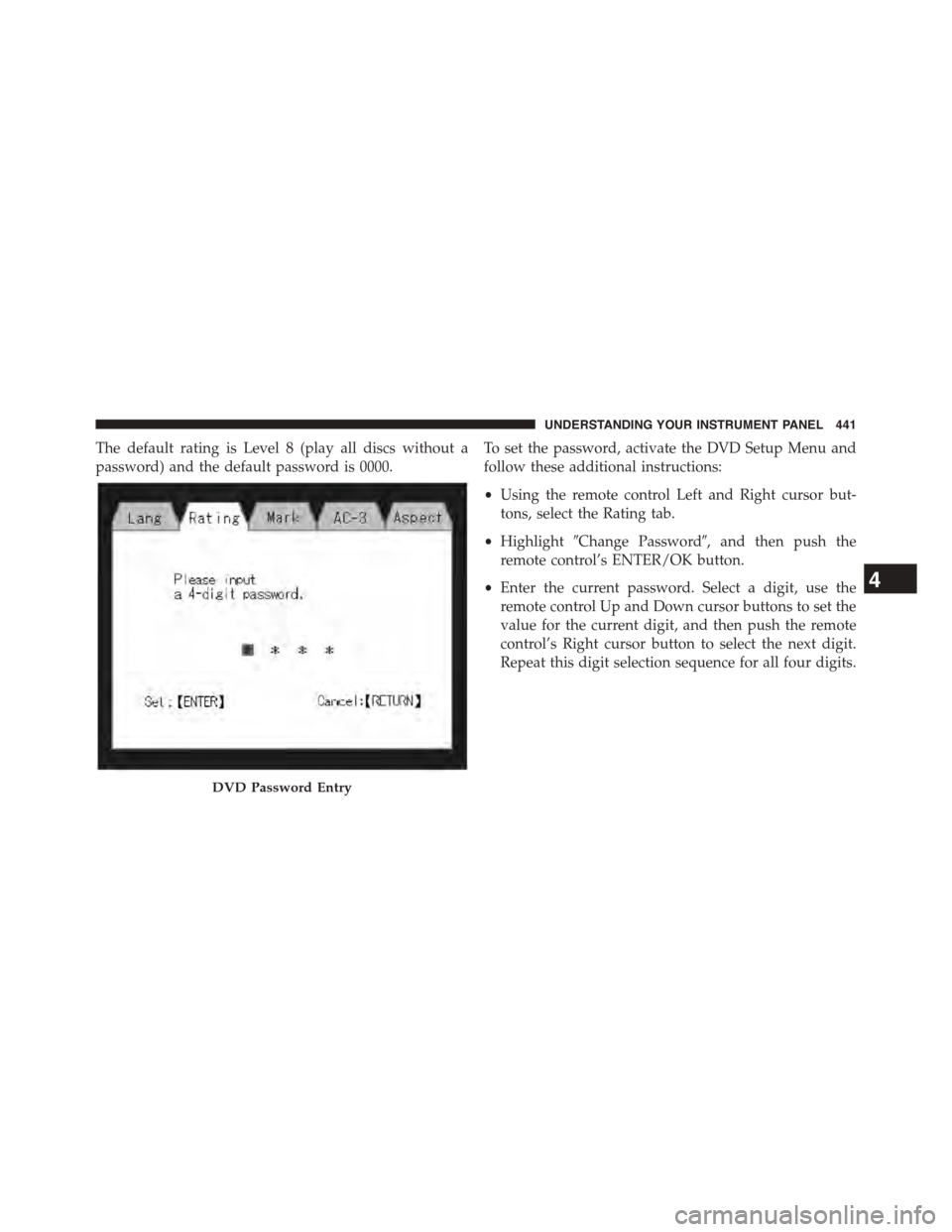
The default rating is Level 8 (play all discs without a
password) and the default password is 0000.
To set the password, activate the DVD Setup Menu and
follow these additional instructions:
•Using the remote control Left and Right cursor but-
tons, select the Rating tab.
•Highlight#Change Password#, and then push the
remote control’s ENTER/OK button.
•Enter the current password. Select a digit, use the
remote control Up and Down cursor buttons to set the
value for the current digit, and then push the remote
control’s Right cursor button to select the next digit.
Repeat this digit selection sequence for all four digits.
DVD Password Entry
4
UNDERSTANDING YOUR INSTRUMENT PANEL 441
Page 445 of 726
To set the rating, activate the DVD Setup Menu and
follow these additional instructions:
•Using the remote control’s Left and Right cursor
buttons, select the Rating tab.
•Highlight#Change Rating#, and then push the remote
control’s ENTER/OK button.
•Enter the current password. Select a digit, use the
remote control’s Up and Down cursor buttons to set
the value for the current digit, and then push the
remote control’s Right cursor button to select the next
digit. Repeat this digit selection sequence for all four
digits.
•After the four-digit password is entered, push the
remote control’s ENTER/OK button. If the password
is correct, the Rating Level menu is displayed.
•Using the remote control’s Up and Down cursor
buttons, select the new rating level, and then push the
remote control’s ENTER/OK button to accept the
change.
Product Agreement
Software
This product contains software licensed under GNU
General Public License (GPL) or GNU Lesser General
Public License (LGPL), etc. You have the right of acqui-
sition, modification, and distribution of the source code
of the GPL/LGPL software. You may download Source
Code from the following website at no charge.
http://www.embedded-carmultimedia.jp/linux/
oss/download/MP_632_34W821
The website provides the Source Code#As Is#and
without warranty of any kind. By downloading Source
4
UNDERSTANDING YOUR INSTRUMENT PANEL 443