Page 152 of 698
WARNING!
The head restraints for all occupants must be prop-
erly adjusted prior to operating the vehicle or occu-
pying a seat. Head restraints should never be ad-
justed while the vehicle is in motion. Driving a
vehicle with the head restraints improperly adjusted
or removed could cause serious injury or death in the
event of a collision.
Reactive Head Restraints — Front Seats
The front driver and passenger seats are equipped with
Reactive Head Restraints (RHR). In the event of a rear
impact the RHRs will automatically extend forward
minimizing the gap between the back of the occupants
head and the RHR.
The RHRs will automatically return to their normal position
following a rear impact. If the RHRs do not return to their
normal position see your authorized dealer immediately.
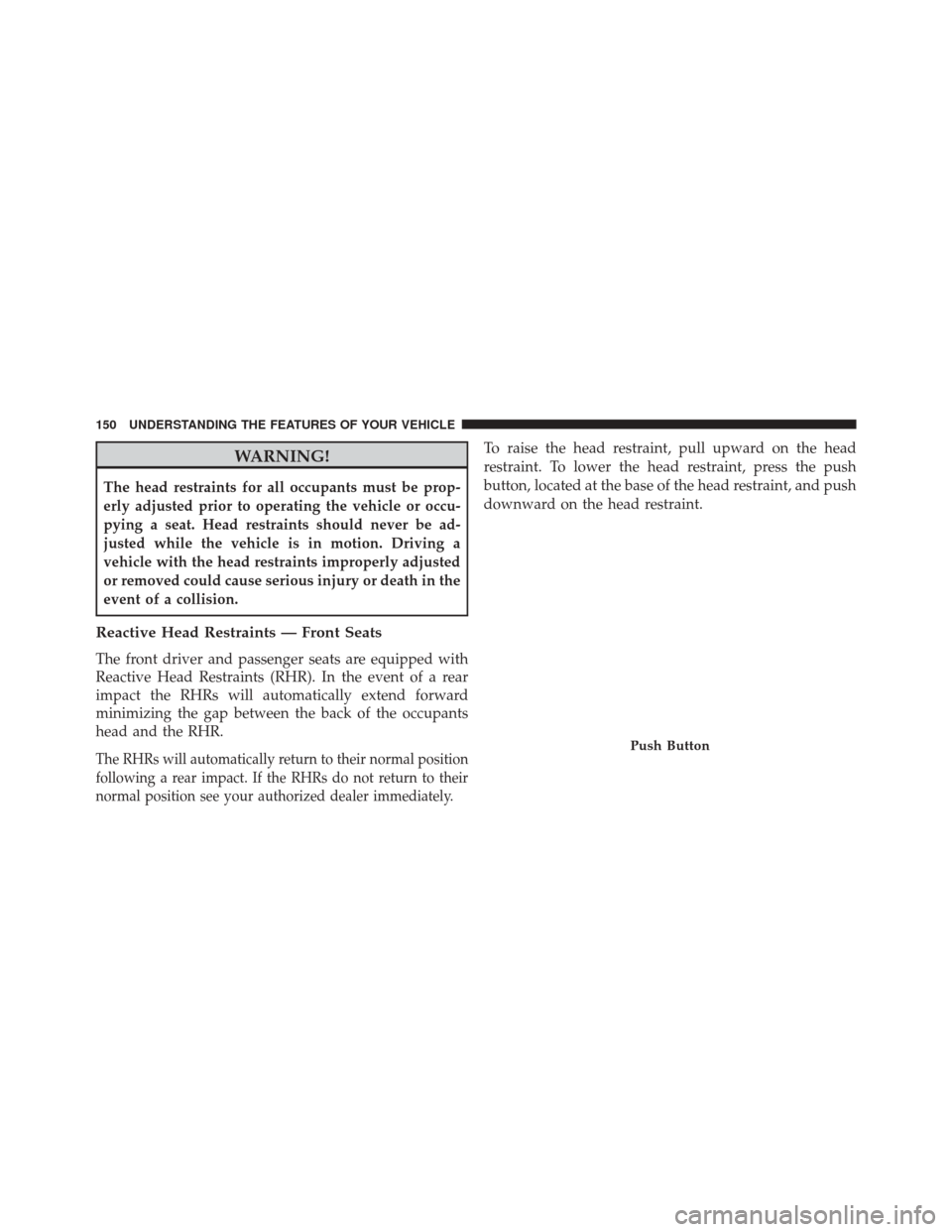
To raise the head restraint, pull upward on the head
restraint. To lower the head restraint, press the push
button, located at the base of the head restraint, and push
downward on the head restraint.
Push Button
150 UNDERSTANDING THE FEATURES OF YOUR VEHICLE
Page 155 of 698

When returning the rear seatback to the upright position,
be sure the seatback is latched.
WARNING!
•Be certain that the seatback is securely locked into
position. If the seatback is not securely locked into
position the seat will not provide the proper stabil-
ity for child seats and/or passengers. An improp-
erly latched seat could cause serious injury.
• The rear cargo area of the vehicle (with the rear
seatbacks in the locked-up or folded down posi-
tion) should not be used as a play area by children.
They could be seriously injured in a collision.
Children should be seated and using the proper
restraint system.
DRIVER MEMORY SEAT — IF EQUIPPED
This feature allows the driver to store up to two different
memory profiles, for easy recall through a memory
switch. Each memory profile contains desired position
settings for the driver seat and side mirrors and a set of
desired radio station presets.
The memory switch is located on the driver’s side door
panel. The switch contains 3 buttons, a S (SET) button to
activate the memory save function, the number (1)
memory button and the number (2) memory button. The
memory switch allows the driver to recall either of the
two pre-programmed memory profiles by pressing the
appropriate number button on the switch.
3
UNDERSTANDING THE FEATURES OF YOUR VEHICLE 153
Page 305 of 698
WARNING!
To avoid serious injury or death:
•Do not insert any objects into the receptacles.
• Do not touch with wet hands.
• Close the lid when not in use.
• If this outlet is mishandled, it may cause an electric
shock and failure.
CUPHOLDERS
Front Seat Cupholders
The cupholders are located in the center console forward
of the armrest between the front seats.
Front Seat Cupholders
3
UNDERSTANDING THE FEATURES OF YOUR VEHICLE 303
Page 306 of 698
Rear Seat Cupholders
The rear seat cupholders are located in the center armrest
between the rear seats. The cupholders are positioned
forward in the armrest and side-by-side to provide
convenient access to beverage cans or bottles while
maintaining a resting place for the rear occupant’s el-
bows.
Rear Seat Cupholders
304 UNDERSTANDING THE FEATURES OF YOUR VEHICLE
Page 312 of 698
Rear Seat Armrest Storage — If Equipped
For rear passengers there is a storage bin located in the
armrest. Lift upward on the latch to open the storage
compartment.
CARGO AREA FEATURES
Cargo Area — 60/40 Split-Folding Rear Seat — If
Equipped
The 60/40 split-folding rear seat provides cargo-carrying
versatility. The seatbacks fold down easily by pulling the
seatback loops between the seatbacks and the bolsters.
When the seats are folded down, they provide a continu-
ous, nearly-flat extension of the load floor.
NOTE:The rear seatback loops can be tucked away
when not in use.
Rear Armrest Storage
310 UNDERSTANDING THE FEATURES OF YOUR VEHICLE
Page 314 of 698
WARNING!
•Be certain that the seatback is securely locked into
position. If the seatback is not securely locked into
position, the seat will not provide the proper sta-
bility for child seats and/or passengers. An improp-
erly latched seat could cause serious injury.
• The cargo area in the rear of the vehicle (with the
rear seatbacks in the locked-up or folded down
position) should not be used as a play area by
children when the vehicle is in motion. They could
be seriously injured in a collision. Children should
be seated and using the proper restraint system.
• To help protect against personal injury, passengers
should not be seated in the rear cargo area. The rear
cargo space is intended for load carrying purposes
only, not for passengers, who should sit in seats
and use seat belts.
WARNING!
The weight and position of cargo and passengers can
change the vehicle center of gravity and vehicle
handling. To avoid loss of control resulting in per-
sonal injury, follow these guidelines for loading your
vehicle:
• Always place cargo evenly on the cargo floor. Put
heavier objects as low and as far forward as pos-
sible.
• Place as much cargo as possible in front of the rear
axle. Too much weight or improperly placed weight
over or behind the rear axle can cause the rear of
the vehicle to sway.
• Do not pile luggage or cargo higher than the top of
the seatback. This could impair visibility or be-
come a dangerous projectile in a sudden stop or
collision.
312 UNDERSTANDING THE FEATURES OF YOUR VEHICLE
Page 395 of 698

when temperatures are below 40° F (4.4° C). When tem-
peratures are above 80° F (26.7° C) the driver vented seat
will turn on. To make your selection, press “Off,” “Remote
Start Only,” OR “All Starts” checkbox until a check-mark
appears next to the setting option. Select “Off,” “Remote
Start Only” OR “All Starts” to determine when the feature
is activated. Press the back arrow button on the touch-
screen to return to the previous menu.
Engine Off Options
After pressing the “Engine Off Options” button on the
touchscreen the following settings will be available:
•Easy Exit Seat
This feature provides automatic driver seat positioning to
enhance driver mobility when entering and exiting the
vehicle. To make your selection, press the “Easy Exit
Seats” button on the touchscreen, until a check-mark appears next to setting, showing that setting has been
selected. Press the back arrow button on the touchscreen
to return to the previous menu.
•
Engine Off Power Delay
When this feature is selected, the power window
switches, radio, Uconnect® Phone system (if equipped),
DVD video system (if equipped), power sunroof (if
equipped), and power outlets will remain active for up to
10 minutes after the ignition is cycled to OFF. Opening
either front door will cancel this feature. To change the
Engine Off Power Delay status, press the “0 seconds,”
“45 seconds,” “5 minutes” or “10 minutes” button on the
touchscreen. Then press the back arrow button on the
touchscreen.
• Headlight Off Delay
When this feature is selected, it allows the adjustment of
the amount of time the headlights remain on after the
engine is shut off. To change the Headlights Off Delay
4
UNDERSTANDING YOUR INSTRUMENT PANEL 393
Page 435 of 698
Push the VR button. After the beep, say one of the
following commands:
• Set temperature to 70degrees
• Set driver temperature to 70degrees
• Set passenger temperature to 70degrees
TIP: Voice Command for Climate may only be used to
adjust the interior temperature of your vehicle. Voice
Command will not work to adjust the heated seats or
steering wheel if equipped.
Uconnect 8.4A/8.4AN Climate
4
UNDERSTANDING YOUR INSTRUMENT PANEL 433