2015 CADILLAC ELR instrument cluster
[x] Cancel search: instrument clusterPage 176 of 407

Black plate (5,1)Cadillac ELR Owner Manual (GMNA-Localizing-U.S./Canada-7695154) -
2015 - CRC - 4/25/14
Lighting 6-5
Lights On with Wipers
If the windshield wipers are
activated in daylight with the vehicle
on, and the exterior lamp control is
in AUTO, the headlamps, parking
lamps, and other exterior lamps
come on. The transition time for the
lamps coming on varies based on
wiper speed. When the wipers are
not operating, these lamps turn off.
Move the exterior lamp control to
O
or;to disable this feature.
Hazard Warning Flashers
|(Hazard Warning Flashers):
Press this button to make the front
and rear turn signal lamps flash on
and off. Press again to turn the
flashers off.
The hazard warning flashers turn on
automatically if the airbags deploy.
Turn and Lane-Change
Signals
Move the lever all the way up or
down to signal a turn.
An arrow on the instrument cluster
flashes in the direction of the turn or
lane change.
Raise or lower the lever until the
arrow starts to flash to signal a lane
change. Hold it there until the lane
change is completed. If the lever is
briefly pressed and released, the
turn signal flashes three times.
ProCarManuals.com
Page 185 of 407

Black plate (4,1)Cadillac ELR Owner Manual (GMNA-Localizing-U.S./Canada-7695154) -
2015 - CRC - 4/25/14
8-4 Climate Controls
When the indicator light is on or
AUTO is displayed on the touch
screen, the system is in full
automatic operation. If the air
delivery mode or fan setting is
manually adjusted, the auto
indicator turns off and the display
will show the selected settings. Auto
operation can be turned off
individually for climate settings.
For automatic operation:
1. Press AUTO.
2. Set the temperature. Allow thesystem time to stabilize. Then
adjust the temperature as
needed for best comfort.
To improve fuel efficiency and to
cool the vehicle faster, recirculation
may be automatically selected in
warm weather. The recirculation
light will not come on. Press
@to
select recirculation; press it again to
select outside air. English units can be changed to
metric units through the instrument
cluster. See
“Settings”under
Instrument Cluster on page 5-8.
OFF (Fan): Press to turn the fan on
or off. The temperature control and
air delivery mode can still be
adjusted.
worx(Driver and Passenger
Temperature Controls): The
temperature can be adjusted
separately for the driver and the
passenger. Press to increase or
decrease the temperature. Press
and hold to rapidly increase or
decrease the temperature.
The driver and passenger
temperatures can also be adjusted
by pressing the controls on the
touch screen.
SYNC (Synchronized
Temperature): Press SYNC on the
touch screen to link all climate zone
settings to the driver settings. Adjust
the driver side temperature control
to change the linked temperature.
When the passenger settings are adjusted, the SYNC button is
displayed when the temperatures
are unlinked.
Manual Operation
z 9or9 y(Fan Control):
Press the fan control buttons or the
touch screen fan control to increase
or decrease the fan speed. Press
and hold the buttons or the touch
screen control to adjust speed more
quickly. The fan speed setting
displays. Pressing either button
cancels automatic fan control and
the fan can be controlled manually.
Press AUTO to return to automatic
operation. To turn off the fan and
climate control system, press and
hold the fan down button or touch
screen fan control until it is off.
If the fan is manually turned off
while in ECO or MAX mode, the
display will automatically change to
MIN mode. When the fan is turned
back on either by manually
increasing fan speed or pressing the
AUTO button, the climate mode will
revert back to ECO or MAX mode.
ProCarManuals.com
Page 191 of 407
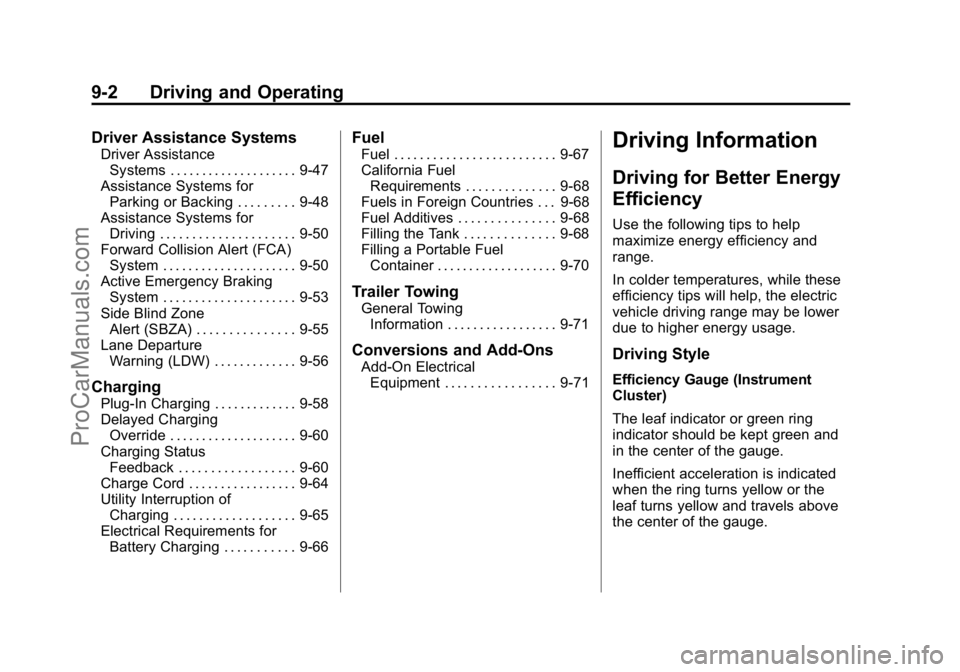
Black plate (2,1)Cadillac ELR Owner Manual (GMNA-Localizing-U.S./Canada-7695154) -
2015 - CRC - 4/25/14
9-2 Driving and Operating
Driver Assistance Systems
Driver AssistanceSystems . . . . . . . . . . . . . . . . . . . . 9-47
Assistance Systems for Parking or Backing . . . . . . . . . 9-48
Assistance Systems for
Driving . . . . . . . . . . . . . . . . . . . . . 9-50
Forward Collision Alert (FCA) System . . . . . . . . . . . . . . . . . . . . . 9-50
Active Emergency Braking System . . . . . . . . . . . . . . . . . . . . . 9-53
Side Blind Zone Alert (SBZA) . . . . . . . . . . . . . . . 9-55
Lane Departure Warning (LDW) . . . . . . . . . . . . . 9-56
Charging
Plug-In Charging . . . . . . . . . . . . . 9-58
Delayed ChargingOverride . . . . . . . . . . . . . . . . . . . . 9-60
Charging Status Feedback . . . . . . . . . . . . . . . . . . 9-60
Charge Cord . . . . . . . . . . . . . . . . . 9-64
Utility Interruption of Charging . . . . . . . . . . . . . . . . . . . 9-65
Electrical Requirements for Battery Charging . . . . . . . . . . . 9-66
Fuel
Fuel . . . . . . . . . . . . . . . . . . . . . . . . . 9-67
California FuelRequirements . . . . . . . . . . . . . . 9-68
Fuels in Foreign Countries . . . 9-68
Fuel Additives . . . . . . . . . . . . . . . 9-68
Filling the Tank . . . . . . . . . . . . . . 9-68
Filling a Portable Fuel Container . . . . . . . . . . . . . . . . . . . 9-70
Trailer Towing
General TowingInformation . . . . . . . . . . . . . . . . . 9-71
Conversions and Add-Ons
Add-On ElectricalEquipment . . . . . . . . . . . . . . . . . 9-71
Driving Information
Driving for Better Energy
Efficiency
Use the following tips to help
maximize energy efficiency and
range.
In colder temperatures, while these
efficiency tips will help, the electric
vehicle driving range may be lower
due to higher energy usage.
Driving Style
Efficiency Gauge (Instrument
Cluster)
The leaf indicator or green ring
indicator should be kept green and
in the center of the gauge.
Inefficient acceleration is indicated
when the ring turns yellow or the
leaf turns yellow and travels above
the center of the gauge.
ProCarManuals.com
Page 206 of 407

Black plate (17,1)Cadillac ELR Owner Manual (GMNA-Localizing-U.S./Canada-7695154) -
2015 - CRC - 4/25/14
Driving and Operating 9-17
ON/RUN power mode. When the
vehicle is turned off, the POWER
O
button light will turn off.
The Remote Keyless Entry (RKE)
transmitter must be in the vehicle for
the system to operate. If the vehicle
will not start, place the RKE
transmitter in the transmitter slot.
SeeRemote Keyless Entry (RKE)
System Operation on page 2-2.
ON/RUN: This position is for
starting and driving. With the vehicle
off, and the brake pedal applied,
pressing the POWER
Obutton once
will place the vehicle in ON/RUN.
When the READY light is on in the
instrument cluster, the vehicle is
ready to be driven. This could take
up to 15 seconds at extremely cold
temperatures. See Vehicle Ready
Light on page 5-26. The engine will
only start if needed. If the vehicle
did not start, the instrument cluster
will display a screen with inactive
fuel and battery gauges. See
Starting and Stopping the Vehicle
on page 9-18. Service Only Mode
This power mode is available for
service and diagnostics, and to
verify the proper operation of the
malfunction indicator lamp as may
be required for emission inspection
purposes. With the vehicle off, and
the brake pedal not applied,
pressing and holding the POWER
O
button for more than five seconds
will place the vehicle in Service
Only Mode. The instruments and
audio systems will operate as they
do in ON/RUN, but the vehicle will
not be able to be driven. The
propulsion system will not start in
Service Only Mode. Press the
button again to turn the vehicle off.
{Caution
Service Only Mode will discharge
the 12-volt battery. Do not use
Service Only Mode for an
extended period, or the vehicle
may not start.
STOPPING THE VEHICLE/OFF:
To turn the vehicle off, press the
POWER
Obutton with the vehicle
in P (Park). Retained Accessory
Power (RAP) will remain active until
the driver door is opened. See
Retained Accessory Power (RAP)
on page 9-19. When turning off the
vehicle, if the vehicle is not in
P (Park), the vehicle will go to ACC/
ACCESSORY and display the
message SHIFT TO PARK in the
Driver Information Center (DIC).
See Electric Drive Unit Messages
on page 5-44.
If the vehicle must be shut off in an
emergency:
1. Brake using a firm and steady pressure. Do not pump the
brakes repeatedly. This may
deplete power assist, requiring
increased brake pedal force.
2. Shift the vehicle to N (Neutral). This can be done while the
vehicle is moving. After shifting
ProCarManuals.com
Page 208 of 407

Black plate (19,1)Cadillac ELR Owner Manual (GMNA-Localizing-U.S./Canada-7695154) -
2015 - CRC - 4/25/14
Driving and Operating 9-19
Welcome, powering up, and
powering down audio messages are
heard as well as displayed on the
instrument cluster. This happens
when opening the driver door upon
entry, and when pressing the
POWER
Obutton.
The instrument cluster displays an
active fuel or battery gauge, along
with an audio startup cue, when the
vehicle is ready to be driven. This
could take up to 15 seconds at
extremely cold temperatures. The
engine will only start if needed.
If the vehicle did not start, the
instrument cluster will display a
screen with inactive fuel and battery
gauges. See Starting and Stopping
the Vehicle on page 9-18.
Restarting Procedure
If the vehicle must be restarted
while it is still moving, move the shift
lever to N (Neutral) and press the
POWER
Obutton twice without
pressing the brake pedal. The
propulsion system will not restart in
any other position. Computers determine when the
engine needs to run. The engine
may start, if required, when the
propulsion system is on. Some
vehicle conditions that force the
engine to run:
.There are cold ambient
temperatures.
.The hood is open or not
completely latched.
.The high voltage battery has a
low charge.
.The engine needs to run for
maintenance.
See Maintenance Modes on
page 9-25.
A chime will sound if the driver door
is opened while the vehicle is in ON/
RUN. Always press the POWER
O
button to turn the vehicle off before
exiting.
Stopping Procedure
For information on how to turn the
vehicle off, see Power Button on
page 9-16.
Retained Accessory
Power (RAP)
The following features will operate
for up to 10 minutes or until the
driver door is opened:
.Audio System
.Accessory Power Outlets
Power windows will operate for up
to 10 minutes or until any door is
opened.
Shifting Into Park
1. Hold the brake pedal down and set the parking brake. See
Electric Parking Brake on
page 9-30.
2. Move the shift lever into P (Park) by pushing the lever all the way
toward the front of the vehicle.
3. Turn the vehicle off.
ProCarManuals.com
Page 222 of 407

Black plate (33,1)Cadillac ELR Owner Manual (GMNA-Localizing-U.S./Canada-7695154) -
2015 - CRC - 4/25/14
Driving and Operating 9-33
Ride Control Systems
Traction Control/
Electronic Stability
Control
The vehicle has a Traction Control
System (TCS) and StabiliTrak®, an
electronic stability control system.
These systems help limit wheel slip
and assist the driver in maintaining
control, especially on slippery road
conditions.
TCS activates if it senses that any
of the drive wheels are spinning or
beginning to lose traction. When this
happens, the system brakes the
spinning wheel(s) and/or reduces
engine power to limit wheel spin.
StabiliTrak activates when the
computer senses a difference
between the intended path and the
direction the vehicle is actually
traveling. StabiliTrak selectively
applies braking pressure at any one
of the vehicle's brakes to help steer
the vehicle in the intended direction. If cruise control is being used and
traction control or StabiliTrak begins
to limit wheel spin, cruise control will
disengage. Cruise control may be
turned back on when road
conditions allow.
Both systems come on
automatically when the vehicle is
started and begins to move. The
systems may be heard or felt while
they are operating or while
performing diagnostic checks. This
is normal and does not mean there
is a problem with the vehicle.
It is recommended to leave both
systems on for normal driving
conditions, but It may be necessary
to turn TCS off if the vehicle gets
stuck in sand, mud, ice, or snow.
See
If the Vehicle Is Stuck on
page 9-12 and“Turning the
Systems Off and On” later in this
section.
The indicator light for both systems
is in the instrument cluster. This
light will:
.Flash when TCS is limiting
wheel spin.
.Flash when StabiliTrak is
activated.
.Turn on and stay on when either
system is not working.
If either system fails to turn on or to
activate, a message displays in the
Driver Information Center (DIC), and
dcomes on and stays on to
indicate that the system is inactive
and is not assisting the driver in
maintaining control. The vehicle is
safe to drive, but driving should be
adjusted accordingly.
ProCarManuals.com
Page 223 of 407

Black plate (34,1)Cadillac ELR Owner Manual (GMNA-Localizing-U.S./Canada-7695154) -
2015 - CRC - 4/25/14
9-34 Driving and Operating
Ifdcomes on and stays on:
1. Stop the vehicle.
2. Turn the engine off and wait 15 seconds.
3. Start the engine.
Drive the vehicle. if
dcomes on
and stays on, the vehicle may need
more time to diagnose the problem.
If the condition persists, see your
dealer.
Turning the Systems Off
and On
The button for TCS and StabiliTrak
is on the center console, behind the
shift lever.
{Caution
Do not repeatedly brake or
accelerate heavily when TCS is
off. The vehicle driveline could be
damaged. To turn off only TCS, press and
release the
Ybutton. The traction
off light
idisplays in the instrument
cluster. The appropriate DIC
message is displayed. See Ride
Control System Messages on
page 5-49.
To turn TCS on again, press and
release the
Ybutton. The traction
off light
idisplayed in the
instrument cluster will turn off.
If TCS is limiting wheel spin when
the
Ybutton is pressed, the
system will not turn off until the
wheels stop spinning.
To turn off both TCS and StabiliTrak,
press and hold the
Ybutton until
the traction off light
iand
StabiliTrak OFF light
gcome on
and stay on in the instrument
cluster. The appropriate DIC
message is displayed. See Ride
Control System Messages on
page 5-49.
ProCarManuals.com
Page 224 of 407

Black plate (35,1)Cadillac ELR Owner Manual (GMNA-Localizing-U.S./Canada-7695154) -
2015 - CRC - 4/25/14
Driving and Operating 9-35
To turn TCS and StabiliTrak on
again, press and release the
Y
button. The traction off lightiand
StabiliTrak OFF light
gin the
instrument cluster turn off.
Adding accessories can affect the
vehicle's performance. See
Accessories and Modifications on
page 10-2.
Driver Mode Control
Driver Mode Control attempts to add
a sportier feel, provide a more
comfortable ride, or assist in very
hilly or mountainous terrain. This
system simultaneously changes the
software calibration of various
sub-systems. Depending on the
option package, available features,
and mode selected, the suspension,
steering, and powertrain will change
calibrations to achieve the desired
mode characteristics. The vehicle is
equipped with Continuous Damping
Control (CDC). Selecting the various
Driver Modes adjusts the ride of the vehicle to enhance the ride
performance for the road conditions
and the selected mode.
Driver Mode Control Switch
The Driver Mode Control has four
modes: Tour, Sport, Mountain, and
Hold. Press
zon the MODE switch
on the center console to make a
mode selection. The first press of
the switch will always show the Tour
Mode. Subsequent presses will
scroll though the available modes.
The Tour and Sport Modes will feel
similar on a smooth road. Select a
new setting whenever driving conditions change. For additional
information on these Modes, see
Driver Selected Operating Modes on
page 9-22.
Tour Mode
Use for normal city and highway
driving to provide a smooth, soft
ride. Each time the vehicle is
started, it will return to Tour Mode.
Sport Mode
Use where road conditions or
personal preference demand a more
controlled response.
When selected, the Sport Mode
indicator will display in the DIC.
When in Sport Mode, the vehicle will
still shift automatically. The electric
drive unit may remain in gear longer
than it would in the normal driving
mode based on braking, throttle
input, and vehicle lateral
acceleration. The steering will
change to provide more precise
control. The suspension will change
to provide better body control and
handling performance.
ProCarManuals.com