2015 BMW I8 climate settings
[x] Cancel search: climate settingsPage 172 of 224
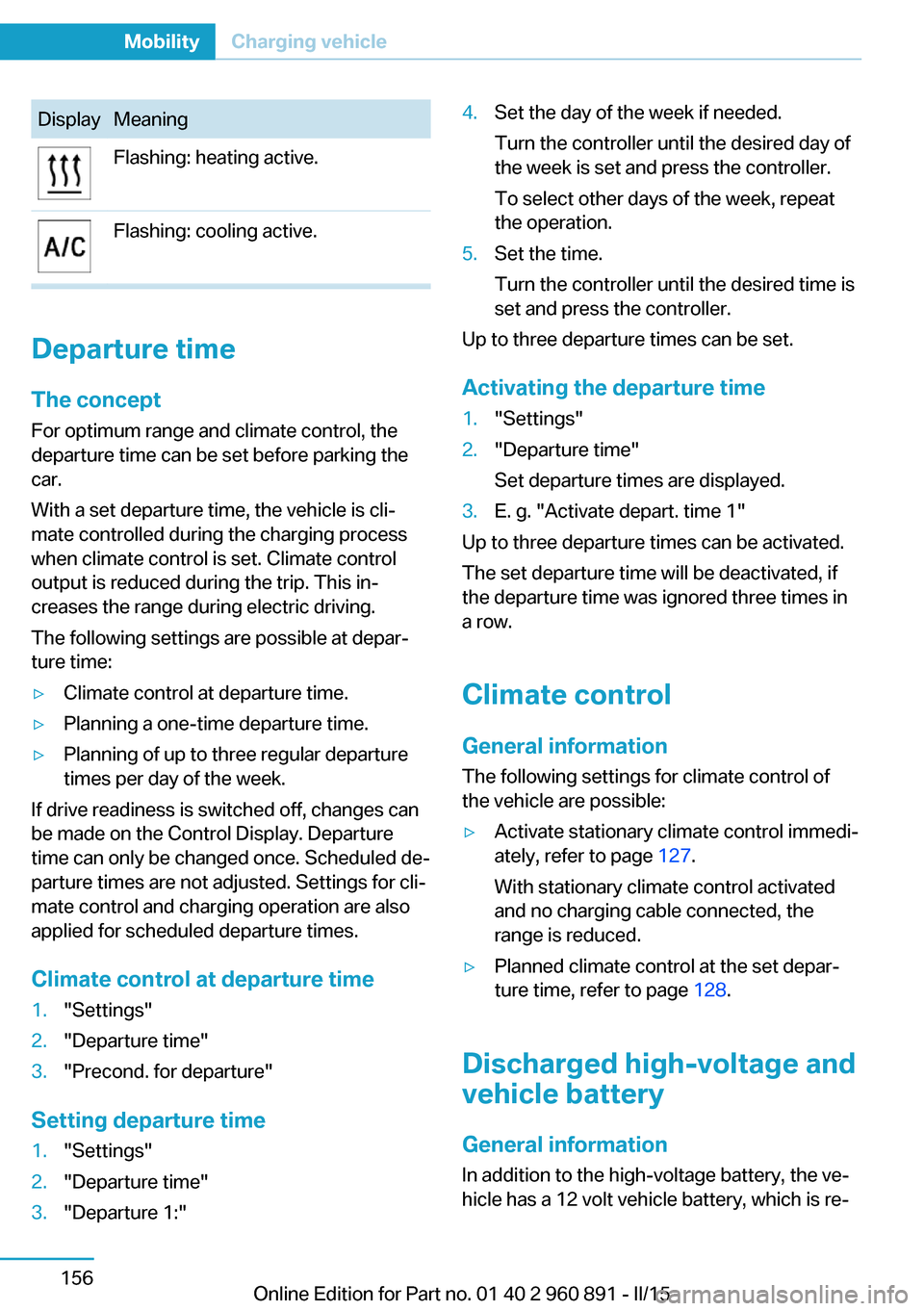
DisplayMeaningFlashing: heating active.Flashing: cooling active.
Departure time
The concept For optimum range and climate control, the
departure time can be set before parking the
car.
With a set departure time, the vehicle is cli‐
mate controlled during the charging process
when climate control is set. Climate control
output is reduced during the trip. This in‐
creases the range during electric driving.
The following settings are possible at depar‐
ture time:
▷Climate control at departure time.▷Planning a one-time departure time.▷Planning of up to three regular departure
times per day of the week.
If drive readiness is switched off, changes can
be made on the Control Display. Departure
time can only be changed once. Scheduled de‐
parture times are not adjusted. Settings for cli‐
mate control and charging operation are also
applied for scheduled departure times.
Climate control at departure time
1."Settings"2."Departure time"3."Precond. for departure"
Setting departure time
1."Settings"2."Departure time"3."Departure 1:"4.Set the day of the week if needed.
Turn the controller until the desired day of
the week is set and press the controller.
To select other days of the week, repeat
the operation.5.Set the time.
Turn the controller until the desired time is
set and press the controller.
Up to three departure times can be set.
Activating the departure time
1."Settings"2."Departure time"
Set departure times are displayed.3.E. g. "Activate depart. time 1"
Up to three departure times can be activated.
The set departure time will be deactivated, if
the departure time was ignored three times in
a row.
Climate control General information
The following settings for climate control of
the vehicle are possible:
▷Activate stationary climate control immedi‐
ately, refer to page 127.
With stationary climate control activated
and no charging cable connected, the
range is reduced.▷Planned climate control at the set depar‐
ture time, refer to page 128.
Discharged high-voltage and
vehicle battery
General information
In addition to the high-voltage battery, the ve‐
hicle has a 12 volt vehicle battery, which is re‐
Seite 156MobilityCharging vehicle156
Online Edition for Part no. 01 40 2 960 891 - II/15
Page 215 of 224

Braking, hints 140
Breakdown assistance 183
Break-in 138
Brightness of Control Dis‐ play 90
Bulb replacement 180
Bulbs and lamps 180
Button, Start/Stop 61
Bypassing, refer to Jump- starting 184
C
California Proposition 65 Warning 8
Camera lenses, care 190
Camera, rearview cam‐ era 118
Camera, Side View 122
Camera, Top View 121
Car battery 181
Car care products 188
Care, displays 190
Care, vehicle 188
Cargo 142
Cargo area 132
Cargo cover 132
Car key, refer to Remote con‐ trol 38
Carpet, care 189
Car wash 187
Catalytic converter, refer to Hot exhaust system 140
CBS Condition Based Serv‐ ice 178
Center armrest 134
Center console 16
Central locking system 44
Central screen, refer to Con‐ trol Display 18
Changes, technical, refer to Safety 7
Changing wheels 181
Changing wheels/tires 167
CHARGE, energy recov‐ ery 66 Charging battery, see Vehicle
charging 150
Charging, refer to Charging vehicle 150
Charging, refer to Vehicle charging 150
Charging screen 76
Charging state indicator, high-voltage battery 77
Charging status, see display of the charging status 154
Charging vehicle 150
Charging vehicle, refer to Ve‐ hicle charging 150
Chassis number, see vehicle identification number 10
Check Control 79
Checking the engine oil level electronically 173
Checking the oil level elec‐ tronically 173
Children, seating position 57
Children, transporting safely 57
Child restraint fixing sys‐ tem 57
Child restraint fixing system LATCH 58
Child restraint fixing systems, mounting 57
Child seat, mounting 57
Child seats 57
Chrome parts, care 189
Cleaning displays 190
Climate control 124
Clock 83
Closing/opening via door lock 43
Closing/opening with remote control 41
Combination reel, refer to Turn signals 67
Combination switch, refer to Wiper system 68
Combustion engine, start‐ ing 63 Comfort Access 45
COMFORT program, Dy‐ namic Driving Control 111
Compressor 168
Computer, refer to On-board computer 87
Condensation on win‐ dows 127
Condensation under the vehi‐ cle 141
Condition Based Service CBS 178
Confirmation signal 47
ConnectedDrive 6
ConnectedDrive Services 6
Connecting electrical devi‐ ces 131
Contact with water, high-volt‐ age system 34
Control Display 18
Control Display, settings 89
Controller 18
Control systems, driving sta‐ bility 109
Convenient opening with the remote control 42
Coolant 177
Coolant temperature 83
Cooling function 125
Cooling, maximum 125
Cooling system 177
Corrosion on brake discs 141
Cosmetic mirror 131
Courtesy lamps during un‐ locking 41
Courtesy lamps with the vehi‐ cle locked 42
Cruise control 113
Cruising range 83
Current fuel consumption 87
D
Damage, tires 166
Data, technical 194
Date 83 Seite 199Everything from A to ZReference199
Online Edition for Part no. 01 40 2 960 891 - II/15
Page 221 of 224

Start function during malfunc‐tion 39
Starting the combustion en‐ gine 63
Stationary climate con‐ trol 127
Status control display, tires 100
Status information, iDrive 22
Status of Owner's Manual 7
Steering wheel, adjusting 56
Steptronic Sport transmis‐ sion 70
Storage compartments 134
Storage compartments, loca‐ tions 134
Storage, tires 168
Storing the vehicle 190
Suitable engine oils 175
Summer tires, tread 166
Sun visor 131
Supplementary text mes‐ sage 82
Surround View 117
Switch for Dynamic Driv‐ ing 111
Switch, refer to Cockpit 14
Symbols 6
Symbols in the status field 22
SYNC program, automatic cli‐ mate control 125
T Tachometer 82
Tailgate closing 45
Tailgate, emergency unlock‐ ing 45
Tailgate opening 44
Tailgate via remote con‐ trol 42
Tail lamps, see Bulb replace‐ ment 180
Tank unlocking, refer to Tank vent 158
Tank vent 158 Technical changes, refer to
Safety 7
Technical data 194
Telephone 6
Temperature, automatic cli‐ mate control 125
Temperature display for ex‐ ternal temperature 83
Temperature, engine oil 83
Text message, supplemen‐ tary 82
Theft alarm system, refer to Alarm system 47
Tilt alarm sensor 48
Time of arrival 88
Tire damage 166
Tire identification marks 164
Tire inflation pressure 163
Tire Pressure Monitor TPM 99
Tires, changing 167
Tire sealant 168
Tires, everything on wheels and tires 163
Tire tread 166
Tone 6
Top View 120
Total range 83
Total vehicle weight 195
Touchpad 21
Tow fitting 185
Towing 185
Tow lug, see Tow fitting 185
Tow-starting 185
TPM Tire Pressure Moni‐ tor 99
Traction control 110
TRACTION, driving dynam‐ ics 110
Transmission lock, electronic unlocking 73
Transmission, see Steptronic Sport transmission 70
Transporting children safely 57
Tread, tires 166 Trip computer 88
Triple turn signal activa‐ tion 68
Trip odometer 83
Turning circle lines, rearview camera 119
Turning radius 194
Turn signals, operation 67
U Unintentional alarm 48
Units of measure 90
Universal remote control 129
Unlock button, Steptronic Sport transmission 71
Unlocking/locking via door lock 43
Unlocking/locking with re‐ mote control 41
Unlocking, settings 46
Updates made after the edito‐ rial deadline 7
Upholstery care 189
USB interface 132
V Vanity mirror 131
Variable light distribution 93
Vehicle battery 181
Vehicle battery, replac‐ ing 181
Vehicle, break-in 138
Vehicle care 188
Vehicle features and op‐ tions 6
Vehicle identification num‐ ber 10
Vehicle jack 181
Vehicle paint 188
Vehicle position, GPS loca‐ tion 90
Vehicle wash 187
Ventilation 127 Seite 205Everything from A to ZReference205
Online Edition for Part no. 01 40 2 960 891 - II/15