2015 AUDI TT ROADSTER display
[x] Cancel search: displayPage 79 of 244
Speed warning 2: setting a speed limit
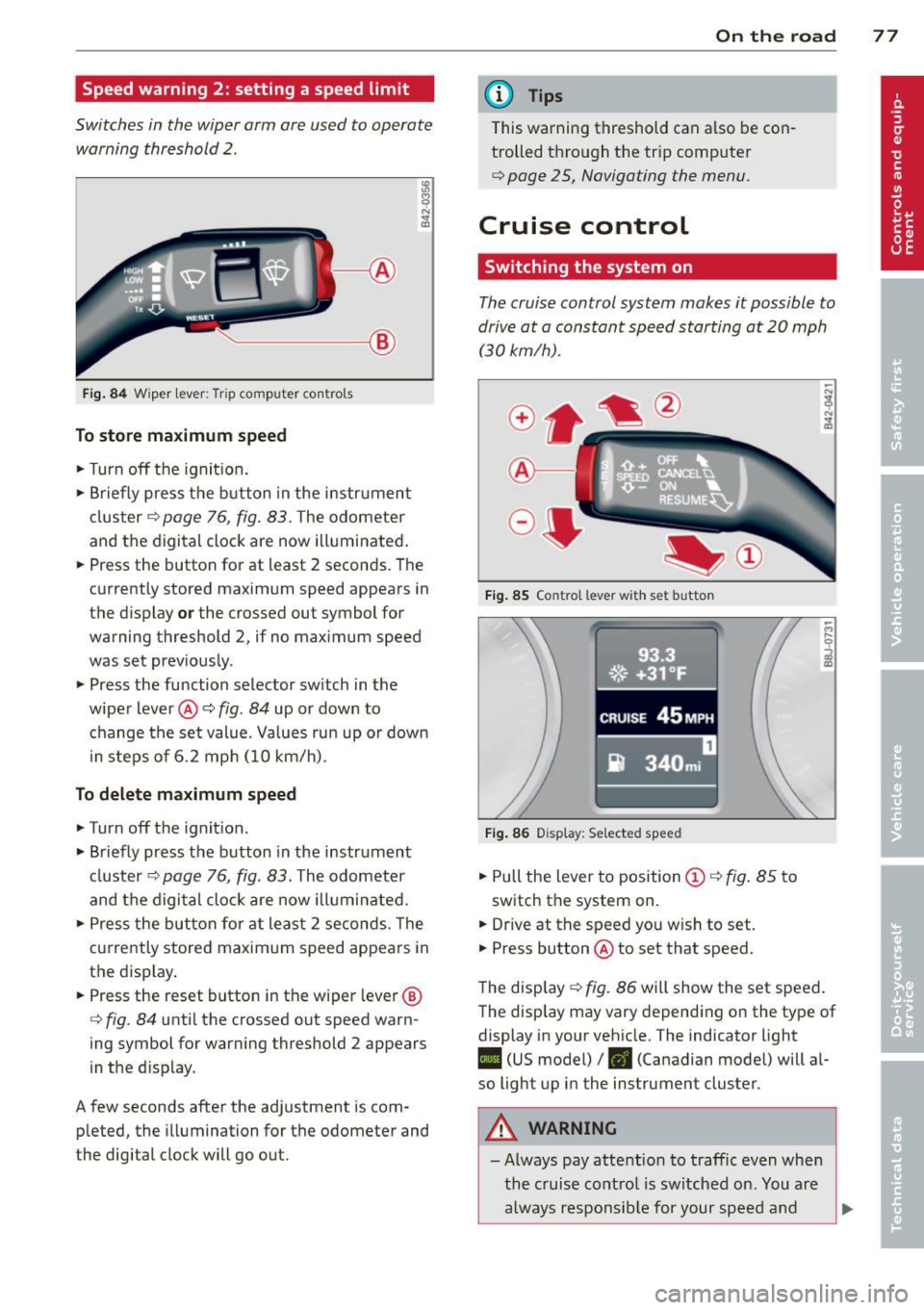
Switches in the wiper arm are used to operate warning threshold
2 .
'----I ®
Fig. 84 W iper lever: Trip computer controls
To store maximum speed
.. Turn off the ignit ion .
.. Briefly press the button in the instrument
cluster¢
page 76, fig. 83. The odometer
and the digital clock are now illuminated .
.. Press the button for at least 2 seconds. The
currently stored maximum speed appears in
the display
or the crossed out symbol for
warning threshold 2, if no maximum speed
was set previously .
.. Press the function selector switch in the
wiper lever@¢
fig. 84 up or down to
change the set value. Values run up or down
i n steps of 6.2 mph (10 km/h).
To delete maximum speed
.. Turn off the ignition.
.. Briefly press the button in the instrument
cluster ¢
page 76, fig. 83. The odometer
and the digital clock are now illuminated.
.. Press the button for at least 2 seconds. The
currently stored maximum speed appears in
the display.
.. Press the reset button in the wiper lever®
¢
fig . 84 until the crossed out speed warn
ing symbol for warning threshold 2 appears
in the d isplay.
A few seconds after the adjustment is com pleted, the illumination for the odometer and
the digital clock will go out.
On the road 77
@ Tips
This warning threshold can a lso be con
trolled through the trip computer
¢ page 25, Navigating the menu.
Cruise control
Switching the system on
The cruise control system makes it possible to
drive at a constant speed starting at
20 mph
(30kmlh).
®-
Fig. 85 Co ntro l leve r w ith set b utto n
Fig. 86 Display : Se lected speed
.. Pull the lever to position @¢ fig. 85 to
switch the system on .
.. Dr ive at the speed you w ish to set .
.. Press button @ to set that speed.
The display ¢
fig. 86 will show the set speed .
The display may vary depending on the type of
display in your vehicle. The indicator light
II (US model) /. (Canadian model) will al
so light up in the instrument cluster .
A WARNING
-Always pay attention to traffic even when
the cruise control is switched on. You are
always responsible for your speed and
Page 83 of 244
Transmission S tronic transmission
Introduction
Your vehicle is equipped with a S tronic trans miss ion, also called a double-clutch system/
transmission.
Power is transferred between the engine and
the transmission by means of two i ndepend
ent clutches. They replace the to rque convert
e r of conventional automat ic transm iss ions
and a llow the vehicle to acce lerate without a
noticeable break in the power flow .
W ith the aid
of tiptr oni c, the gea rs can op
tionally be sh ifted
manually¢ page 84.
Selector lever positions
All the selector lever positions are explained
in this section.
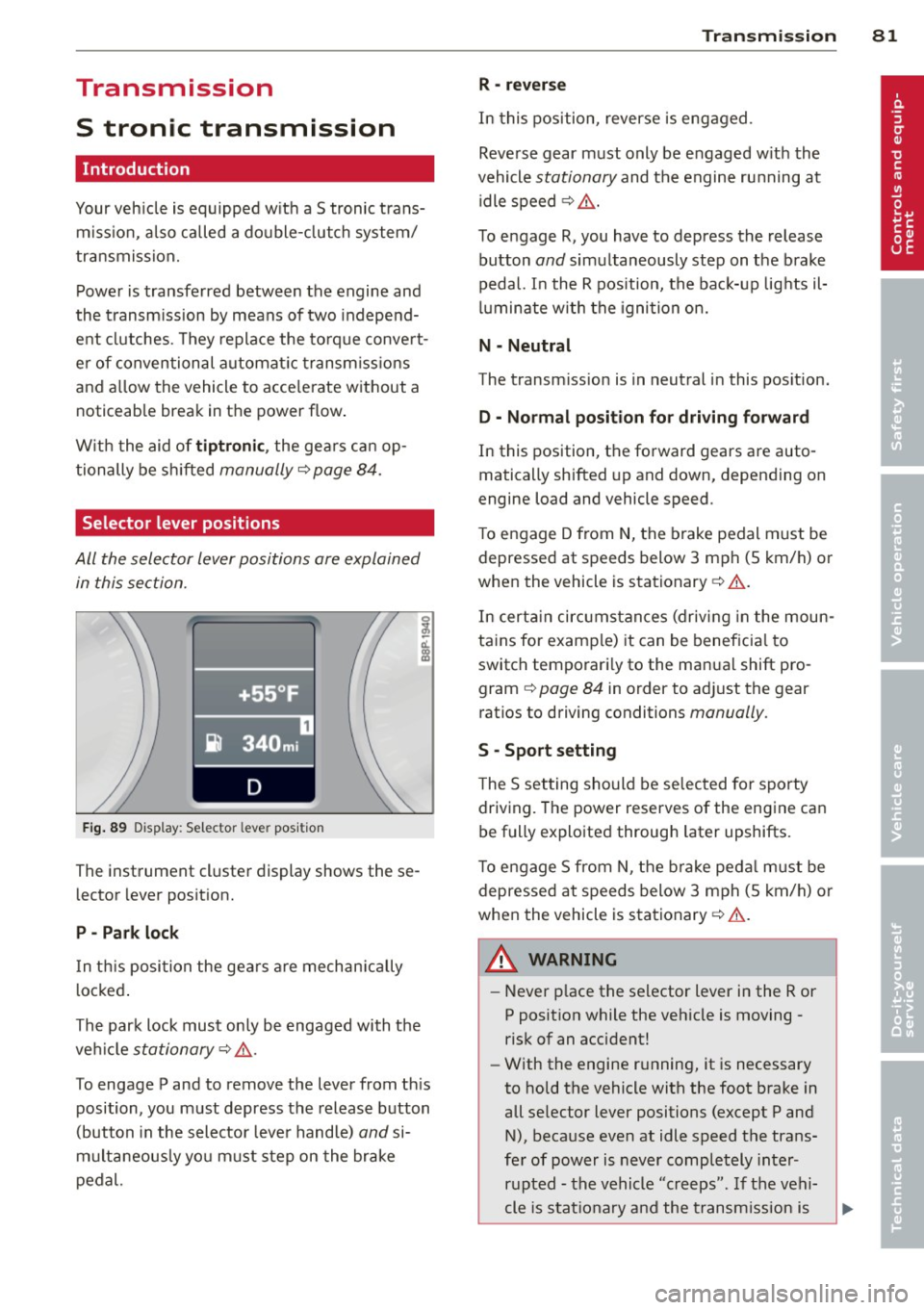
F ig . 89 Display: Selector lever position
The instrument cluster display shows these
l ector lever position.
P -Park loc k
In th is position the gea rs are mechan ically
l ocked .
The park lock must on ly be engaged with the
ve hicle
stationary¢ /1. .
To engage P and to remove the lever from th is
position, you must depress the release button
(button in the selector lever handle)
and si
multaneously you must step on the brake
pedal.
Tran sm iss ion 8 1
R -re ver se
In this position, reverse is engaged.
Reverse gear must only be engaged w ith the
vehicle
stationary and the engine ru nning at
idle speed ¢
/1..
To engage R, you have to depress the release
button
and simultaneously step on the brake
pedal. I n the R pos ition, the bac k-up lights il
luminate w ith the ignition on.
N -Neutral
The transm iss ion is in neutral in this pos ition.
D -Normal po sition fo r dri ving fo rward
In this position, the forward gears are auto
matically shifted up and down, depending on
engine load and vehicle speed.
T o engage D from
N, the brake pedal must be
depressed at speeds below 3 mph (5 km/h) or
when the vehicle is stationary¢&. .
In certa in circ umstances (driving in the moun
tains for examp le) it can be beneficia l to
switch temporari ly to the man ual shift pro
gram ¢
page 84 in order to adjust the gear
ratios to driving conditions
manually .
S -Sport setting
The S set ting should be se lected for sporty
driving. The power reserves of the engine can
be fully exploited through later upshifts.
T o e ngage 5 from N, the b rake peda l must be
depressed at speeds below 3 mph (5 km/h) or
when the vehicle is stationary¢&. .
A WARNING
-Never p lace the selector lever i n the R or
P posit ion while the veh icle is moving -
risk of an accident!
- With the engine r unning, it is necessary
to hold the vehicle with the foot brake in
all se lector lever positions (except P and
N), because even at idle speed the trans
fe r of power is never completely inter
r u pted -the vehicle "creeps". If t he vehi
cle is stat io nary and the transm ission is
Page 87 of 244
If you have selected a lower gear than the cur
rent one, the transmission will only shift down
when the engine cannot be overspeeded .
If kick-down is actuated, the transmission
shifts into a lower gear independent ly of
speed and engine rpm .
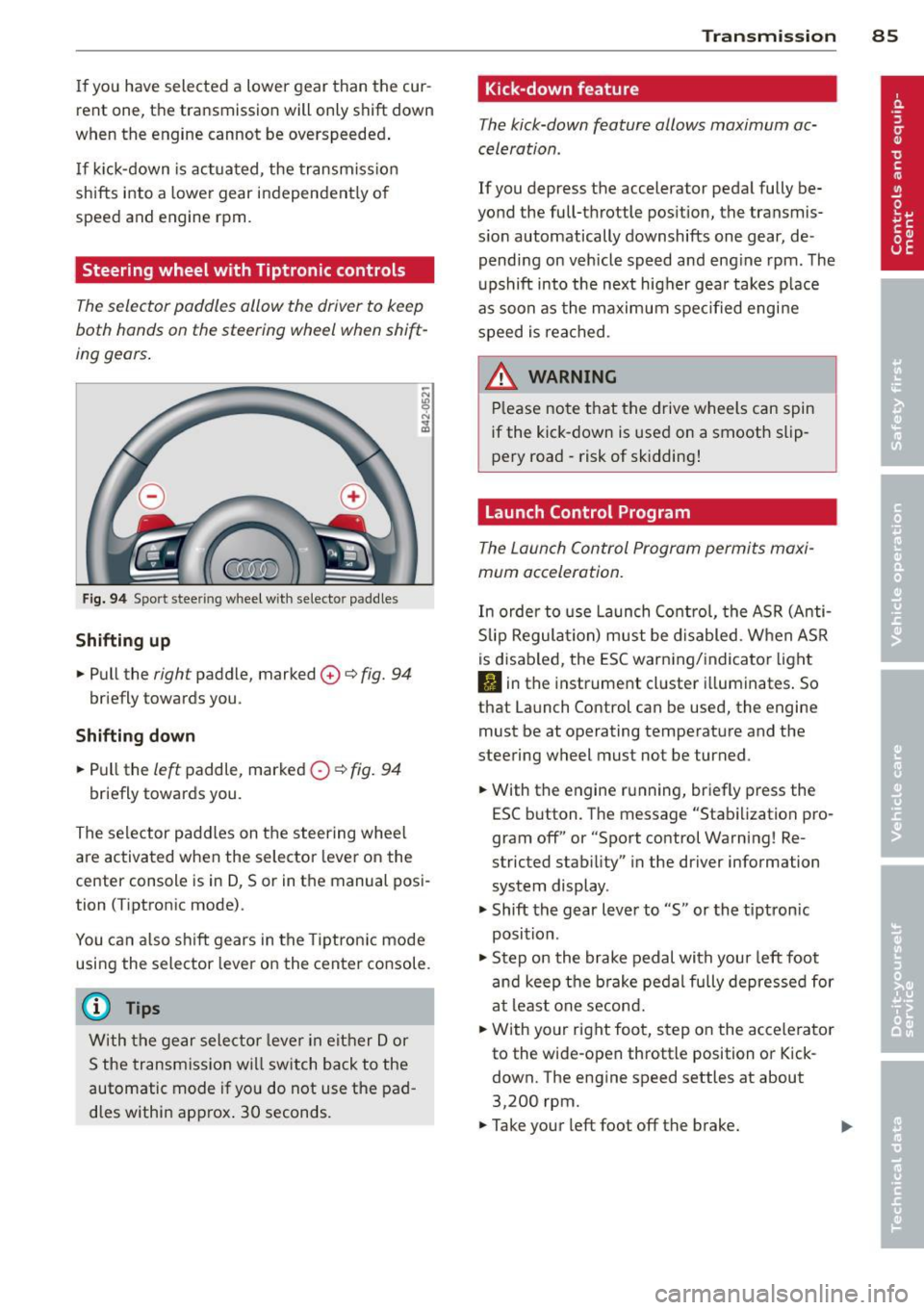
Steering wheel with Tiptronic controls
The selector paddles allow the driver to keep
both hands on the steering wheel when shift
ing gears.
Fig. 94 Sport stee ring wheel with selecto r paddles
Shifting up
.,. Pull the right paddle, marked 0 ¢ fig. 94
briefly towards you .
Shifting down
.. Pull the left paddle, marked 0 ¢ fig. 94
briefly towards you.
The selector paddles on the steering wheel
are activated when the selector lever on the
center console is in D, Sor in the manual posi
tion (Tiptronic mode).
You can also shift gears in the Tiptronic mode
using the selector lever on the center console.
@ Tips
With the gear selector lever in either Dor
S the transmission will switch back to the
automatic mode if you do not use the pad
dles within approx . 30 seconds.
Transmission 85
Kick -down feature
The kick-down feature allows maximum ac
celeration .
If you depress the accelerator pedal fully be
yond the full-throttle position, the transmis
sion automatically downshifts one gear, de
pending on vehicle speed and engine rpm. The
upshift into the next higher gear takes place
as soon as the maximum specified engine
speed is reached.
_&. WARNING
Please note that the drive wheels can spin
if the kick-down is used on a smooth slip
pery road -risk of sk idding!
Launch Control Program
The Launch Control Program permits maxi
mum acceleration.
In order to use Launch Control, the ASR (Anti
Slip Regulation) must be disabled. When ASR
is disabled, the ESC warning/indicator light
I) in the instrument cluster illuminates. So
that Launch Control can be used, the engine must be at operating temperature and the
steering wheel must not be turned .
.. With the engine running, briefly press the
ESC button . The message "Stabilization pro
gram off" or "Sport control Warning! Re
stricted stability" in the driver information
system display.
.. Shift the gear lever to "S" or the tiptron ic
position .
.. Step on the brake pedal with your left foot
and keep the brake pedal fully depressed for
at least one second .
.. With your right foot, step on the accelerator
to the wide-open throttle position or Kick
down. The engine speed settles at about
3,200 rpm.
.. Take your left foot off the brake.
Page 88 of 244
86 Transmis sion
& WARNING ,-
- Always adapt your driving to the traffic
flow.
- Only use Launch Control when road and
traffic conditions allow it and other driv
ers will not be endangered or annoyed by
your driving and the acceleration of the
vehicle .
- Make sure that ESC remains enabled.
With the ESC disabled, the vehicle could
brake away, particularly on a slick and
slippery road - risk of skidding!
- Once acce lerat ion is finished, switch ASR
on again by briefly pushing the ESC but
ton.
(j) Tips
- The transmission temperature may in
crease significantly after using the Launch Control Program. If that hap
pens, the program may not be available
for a few minutes.
It will be available
again after a cool-down period.
- When accelerating using the Launch
Control program, all vehicle parts are
subject to heavy loads . This can result in
increased wear.
Back-up program
In the event of a system malfunction, there is
a back-up program.
In the event of system malfunction, the auto
matic transmission switches to the fail-safe
mode. Al l of the selector lever position dis
plays for the automatic transmission are high
lighted with a light background in the instru
ment cluster display . In some cases you can
not use reverse gear any more.
If the transmission switches to fail-safe mode, you should take the vehicle to an au
thorized Audi dealership as soon as possible
to have the condition corrected .
Clutch is overheating
• Clutch is overheating! Please stop vehi
cle!
If the symbols are illum inated, the clutch is
overheating and could be damaged if you con
t inu e to drive. Stop the vehicle and allow the
transmission to cool with the se lector lever in
the P position while the engine runs at idle. If
the warning does not turn off, do not continue driving. See your authorized Audi dealer or
qualified repair facility for assistance. Other
wise serious transmission damage could re
sult . Once the indicator light has turned off,
drive to your authorized Audi dealer or quali
fied repa ir facility immed iately to have the
malfunction corrected .
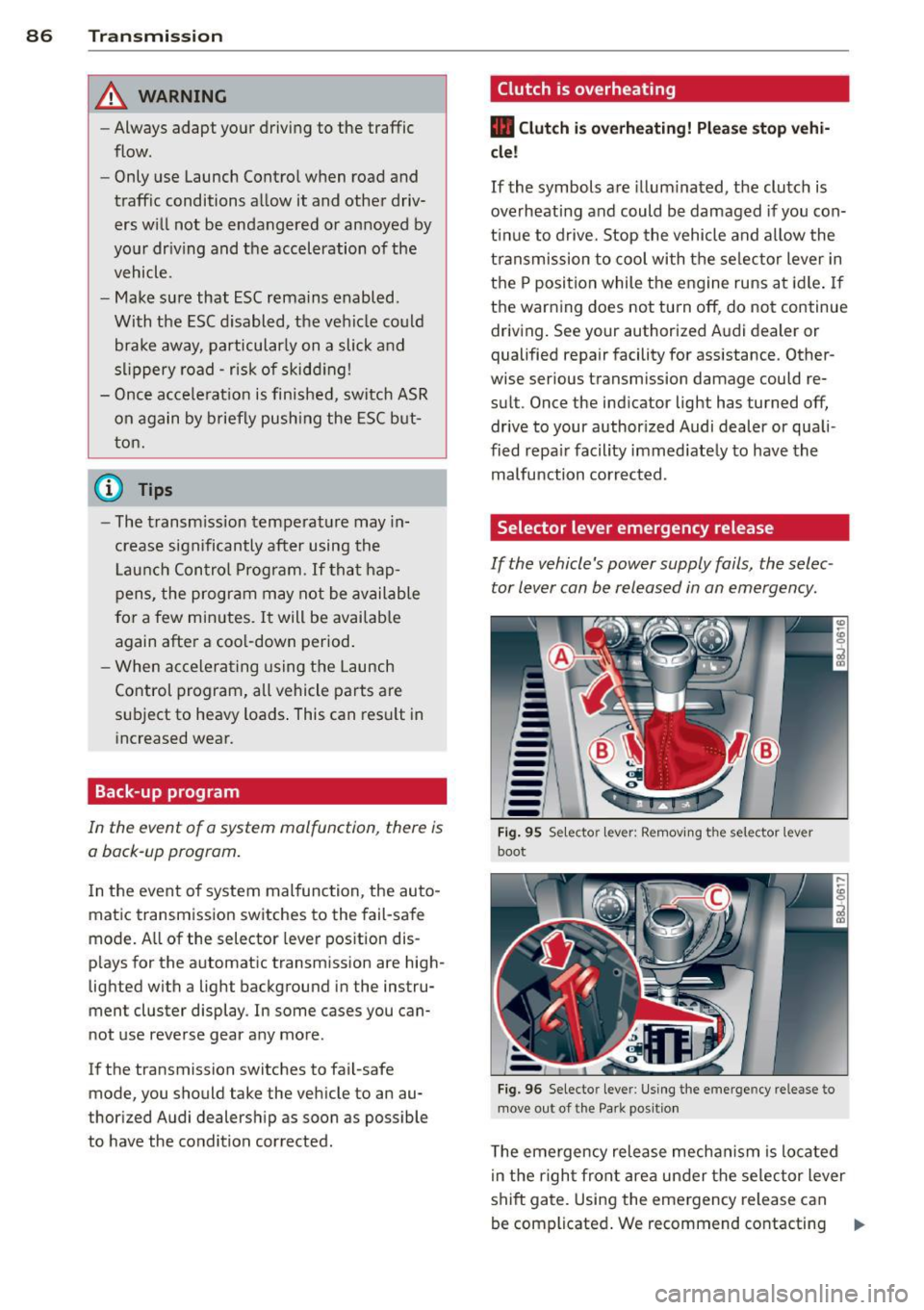
Selector lever emergency release
If the vehicle's power supply fails, the selec
tor lever can be released in an emergency.
--
-
-
-
-
---Fig. 95 Selecto r lev er: Remov ing the selector le ver
boot
Fig. 96 Selecto r lever : Using the emerge ncy release to
move out of the Park positio n
The emergency release mechanism is located
i n the right front area under the selector lever
shift gate. Using the emergency release can
be complicated. We recommend contacting ..,_
Page 145 of 244
Switching ESC off (sport mod e)
I n ce rtain sit uat ions, it m ight make sense to
allow some slip. For example :
- Rocking the vehicle to free it when it is stuck
- Driving in deep snow or on loose ground
- Driving with snow cha ins
Press the[!] button . The ESC ind icator light
II turns on and Stab iliz ation p rogr am off
appears in the display. ASR deactivates com
p letely and the stabilizat ion effects from the
ESC system are lim ited .
Sw itchin g on
Press the[!] button again. The message
Sta b i
liz ation p rog ram on
appears briefly in the dis
p lay.
A WARNING
Only switch ESC sport mode on when your
driving abilities and the traffic s ituation
permit . Please note that the dr iv ing
w heels can spin and the vehicle can break
away in ESC sport mode, especia lly when
t he road is slippery.
(D Tips
If the re a re faults in the rear spo iler sys
tem or in Audi magnet ic r ide, it may not be
possible to act ivate ESC sport mode o r
normal mode may act ivate aga in a utoma t
ically.
Rear spoiler
Appl ies to vehicles: with retractable rear spoiler
The rear spoiler improves vehicle handling
and enhances driver control.
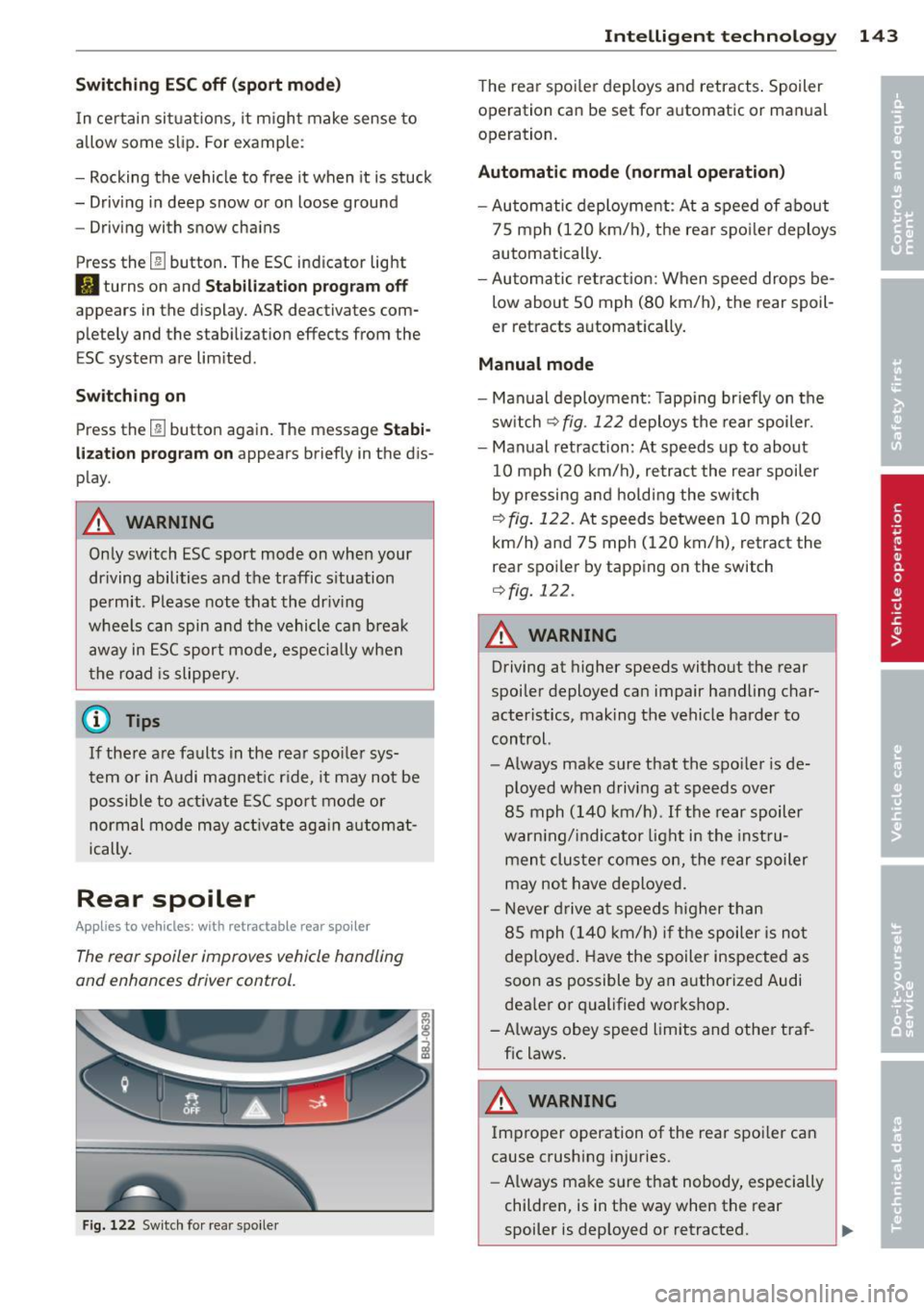
Fig. 122 Switch for rear spo ile r
Intelligen t technolog y 143
The rear spoi ler deploys and retracts . Spoiler
operation can be set for automatic or man ual
operation.
Aut omatic mode (normal ope ration )
- Automatic deployment : At a speed of about
75 mph (120 km/h), the rea r spo ile r deploys
automatically .
- Au tomatic retraction: When speed drops be
low about SO mph (80 km/h), the rear spoil
er retracts a utomatica lly.
Manual mode
- Man ual deployment : T app ing br iefly on the
sw itch
¢ fig . 122 deploys the rear spoiler.
- Manual retraction : At speeds up to about
10 mph (20 km/h), retract the rear spoiler
by pressing and holding the sw itch
¢ fig. 122. At speeds between 10 mph (20
km/h) and 75 mph (120 km/h), retract the
rear spoi ler by tapping on the switch
¢ fig. 122 .
A WARNING
-
Driving at higher speeds without the rear
spoiler deployed can impair handling char
acter istics, making the vehicle harder to
control.
- Always make su re that the spo ile r is de
ployed when driving at speeds over
85 mph (140 km/h) . If th e rear spoil er
warn ing/ indicator light in the inst ru
men t cluster comes on, the rear spoiler
may not have deployed.
- Never d rive a t speeds higher than
85 mph (140 km/h) i f th e spoiler is not
deployed . Have the spoiler inspected as
soon as possible by an authorized Audi
dea ler or qualified workshop.
- A lways obey speed limits and other traf
fic laws .
A WARNING
Improper operation of the rear spoi ler can
cause crushing injuries .
- Always make sure that nobody, especially
children, is in the way when the rear
spoiler is dep loyed or retracted.
Page 149 of 244
Basically, energy management consists of
batter y di agno sis, idling cur rent man age
ment
and d yn ami c en ergy m anagement.
Battery diagnosis
Battery d iagnosis continuously dete rmines
the state of the battery. Senso rs determ ine
battery vo ltage, battery current and battery
temperature. This determines the current
state of charge and the power of the battery.
Idling curre nt management
Idling c urrent management red uces energy
consumption while the vehicle is standing.
With the ignition switched off, it contro ls the
energy supply to the various electrica l compo
nents . Data from battery diagnosis is consid
ered.
Depending on the battery's state of charge,
individua l consumers are grad ually turned off
to prevent excess ive d ischarge of the battery
and thus mainta in start ing capability.
Dynam ic energ y manag em ent
While the vehicle is being driven, dynamic en
ergy management distributes the energy gen
erated according to the needs of the individu
a l components. It regu lates consumption, so
that more electrical energy is not being used
than is being generated and ensures an opti
mal state of charge for the battery .
(D Tips
-But even energy management cannot
negate the limits of physics. Consider
that the power and life of a battery are l imited.
- If starting ab ility is threatened, you are
i nformed by a warn ing
c!;> page 148,
Driver notification in the instrument
cluster display.
Int ellig ent technolog y 147
What you should know
The highest priority is given to maintaining
starting capability.
The battery is severely taxed in short-distance
driv ing, in city traff ic and during the cold time
of year . Abundant electrical energy is re
quired, but only a l ittle is generated .
It is also
c ritical if the engi ne is not running and electri
ca l components are turned on . In this in
stance ene rgy is be ing consumed but none is
being generated.
It i s in precise ly these situations that you will
notice ene rgy management act ive ly regu lat
ing the d istribu tion of ene rgy.
V ehicle stands for an extended period
If you do not drive your vehicle over a period
of several days or weeks , e lectr ica l compo
nents a re g radually cut back or switched off.
T his reduces energy consumption and ma in
ta ins s tart ing capability over a longer pe riod .
Take into considerat ion that when you unlock
you r vehicle, some convenience functions,
s u ch as the remo te key o r power seat adjust
ment, may not be available. The convenience
f unct ions wi ll be available again when you
turn on the ignition and start the engine.
With the engine turned off
If you listen to the radio, for examp le, w ith
the engine tu rned o ff, the battery is being dis
charged .
If starting capabi lity is jeopardized due to en
ergy consumption , a message appears in the
driver in formation d isplay.
You have to start t he engine to charge the
battery.
With the engine running
Although electrical energy is generated when
the vehicle is being driven, the battery can be come discharged . This happens mostly when
little energy is being gene rated and a great
deal consumed and the battery's state of
c h arge is not opt imal.
•
•
Page 150 of 244

148 Intelligent technology
To bring the energy balance back into equilibrium, consumers which require especia lly
l arge amo unts of energy are temporari ly c ut
back or switched off. Heating systems in par
ticular requ ire a great dea l of energy. If you
n otice, for example, that the heated seats * or
the heated rea r window a re not heating, they
have been temporar ily cut back o r switched
off. These sys tems will be ava ilable again as
soon as the energy ba lance has bee n restored.
You will also not ice that engine idle speed has
been inc reased slightly. This is no rma l and not
a cause fo r concern . By increas ing engine idle
spee d the add itiona l ene rgy required is gener
ated and the ba ttery is charged .
Driver notification in the instrument
cluster display
If battery power drops into the range where it
can limit the ability of the engine to start, th is
i s shown in the instrument cluster display
with the following driver message:
(•) Low battery charge : battery will be
cha rged while dri ving
This notification reminds you that the starti ng
capability of the engine may be limited. As
soon as you start driving aga in, the battery
will be recharged and the notification will go
out .
Driv er notificat ion appears and goes out
again
If t his driver notification appears after the ig
ni tion is turned on or while driv ing and it goes
out again after a while, the battery has been
adequately rec harged.
Driver notification appears and does not
go out again
If t his driver notification appears after the ig
n ition is turn ed on or while driv ing and does
n ot go ou t aga in, t he battery's s tate of charge
is not i n the opt imal range. St arting ability is
restricte d. Have the bat tery checked as soon
as possible by a n authorized Audi dealer or
q ua lified workshop.
Page 160 of 244
158 Vehicle care and cleaning
- Never remove snow or ice from win
dows and mirrors using warm or hot
water because this could cause cracks to form .
- To avoid damage to the rear window
defogger, do not apply any stickers on
the heating wires on the inside of the
window.
- Decorative parts/trim
-Never use chrome care or cleaning
products.
- Paint
- To reduce the risk of scratches, the ve-
hicle must be free of dirt and dust be
fore polishing or waxing.
- To prevent paint damage, do not polish or wax the vehicle in direct sunlight.
- To reduce the risk of paint damage, do
not polish away rust film .
-Trim
-To reduce the risk of damage, do not
treat the trim around the panorama
sunroof with paint polish.
- Decorative decals
-To reduce the risk of damage, do not
use any rough powder or abrasive
cleaning products.
- To reduce the risk of damage , do not
polish decorative parts that have a
matte finish.
- Displays
-To avoid scratches, do not use dry
cleaning methods on displays.
- Controls
- Make sure that no fluids enter the con -
trols, because this could cause dam age.
- Safety belts
- Do not remove the safety belts to clean
them.
- Never clean safety belts or their com
ponents chemically or with corrosive
fluids or solvents and never allow sharp objects to come into contact
with the safety belts. This could cause damage to the belt webbing. - If there is damage to the webbing, the
connections, the retractors or the buckles, have them replaced by an author
i z ed Audi dealer or a qualified work
shop.
- Textiles/Vinyl/Alcantara
- Never treat Vinyl/Alcantara with leath-
er care products , solvents, floor polish ,
shoe polish , stain remover or similar
products.
- To avoid damage, have stubborn stains
removed by an authorized Audi dealer
or a qualified workshop.
- Never use steam cleaners, brushes,
hard sponges, etc. when cleaning.
- Do not turn on the seat heating* to dry
the seat.
- Objects with sharp edges such as zip
pers , rivets on clothing or belts can
cause damage to the surface.
- Open hook and loop fasteners, for ex
ample on clothing, can damage seat
covers. Make sure hook and loop fas
teners are closed.
-Natural leather
-Never treat leather with solvents, floor
polish, shoe polish, stain remover or
similar products.
- Objects with sharp edges such as zip
pers, rivets on clothing or belts can
cause damage to the surface .
- Never use steam cleaners, brushes,
hard sponges, etc. when cleaning.
- Do not turn on the seat heating* to dry
the seat.
- To help prevent the leather from fad
ing, do not leave the vehicle in direct
sunlight for long periods of time . If
leaving the vehicle parked for long pe
riods of time, you should cover the
leather to protect it from direct sun
light.
@ Tips
- Insects are easier to remove from paint
that has been freshly waxed.