2015 AUDI S7 belt
[x] Cancel search: beltPage 70 of 316

68 Seats and storage
@ Tips
You can a lso open the pass-through from
the luggage compartment. Push the re
lease button down and p ush the cover for
ward.
Securing the ski sack
App lies to vehicles: with sk i sack
The ski sock must be secured in the luggage
compar tmen t.
Fig. 73 Lu ggage compartme nt: Sec uri ng th e bag
Fig. 7 4 Securin g th e o bjects in t he s ki s ack
Securing the ski sack in the luggage
compartment
.. The ski sack has two be lts with hooks o n the
unders ide
r::;, fig. 73@. Hang the hooks to
t h e rear fastening eye lets in the luggage
compartment .
Securing the objects in the ski sack
.. The re is also a securi ng strap r::;, fig . 74 @ in
the sack . Pu ll the strap taut using the free
end of the s trap.
& WARNING
- Th e ski sac k is intended only fo r the
t ransportation of skis and ot her ligh t ob- jects
. To reduce the risk of serio us per
sonal injury, never transport heavy or
pointed objects in the sk i sack.
- When braking rapid ly or during an acci
dent, the load could be d isplaced and
cause injury to occupa nts .
- Sharp edges on the load must be covered
for protection. A lways fasten the belt
tightly around the sack and its contents
r::;, fig. 74.
(D Tips
- Never stow the ski sack away when it is
st ill wet or damp (for example, snow
me lting from skis) . Allow it to dry com
pletely before stow ing it away .
- Pos ition skis in the sk i sack with the
pointed ends facing the front and ski
poles with the pointed ends facing the
rear.
Page 82 of 316
80 On the road
& WARNING
-When you leave your vehi cle -even if on
ly brief ly -always take the ignition key
with yo u. This applies par ticu larly when
children remain in the veh icle. Otherw ise
the ch ildren could start the engine, re
lease the parking brake or operate elec
trical equipment (e.g. power windows) .
There is the risk of an accident.
- When the vehicle is locked, no one -par
t icularly not children should remain in
the vehicle. Loc ked doors make it more
difficult for emergency wor kers to get in
to the vehicle - putt ing lives at risk.
Starting from rest
The starting assist function ensures that the
parking brake is released automatically upon starting.
Stopping and applying parking brake
" Pull the switch ID to apply the park ing
brake.
St arting and automa tically relea sing the
parking brake
.. When you start to drive as usua l, the park
ing brake is automatically released and you r
vehicle begins to move.
When stopp ing at a traff ic signa l or stopp ing
in city traffic, the parking brake can be ap
plied . The veh icle does not have to be held
with the footbrake. The par king brake elimi
nates the tendency to c reep with a drive range
engaged. As soon as you dr ive
off as usua l,
the park ing brake is released automatically
and the vehicle starts to move.
Starting on slopes
When sta rt ing on in cl ines, the starting ass ist
p revents the veh icle from uninten tionally ro ll
ing bac k. The braking force o f the parking
brake is not released un til sufficient dr iving
force has been b uilt up at the whee ls.
(D Tips
For safety reasons, the parking bra ke is re
l eased automatically only when the driv
er's safety belt is engaged in the buckle.
Starting off with a trailer
To prevent rolling back unintentionally on an
incline, do the following:
.. Keep the sw itch(®) pulled and depress the
accelerator. The pa rking bra ke stays applied
and prevents the vehicle from roll ing back
ward.
" You can release the switch© once you are
sure that you are developing enough for
wa rd momentum at the wheels as you de
press the acce lerator.
Depend ing on the we ight of the rig (vehicle
and trailer) and the severity of the incline, you
may roll backwards as you start. You can p re
vent rolling backwa rds by holdi ng the par king
brake switch (®) pulled o ut and ac celera ting -
j u st as you wou ld w hen s tarti ng on a hill wi th
a conventiona l hand brake.
Emergency braking
In the event that the conven tional brake sys
tem fails or locks.
"I n an emergency, pull the switch(®) and
cont inue to pull it to slow your ve hicl e down
w ith the par king b rake.
" As soon as you re lease the swi tch (®) or ac -
celerate, the braking process stops.
If you p ull the swi tc h (®) a nd hold it above a
speed of about 5 mph (8 km/h), the emergen
cy braking f unction is initiated. The ve hicle is
braked at all four whee ls by activating the hy
draulic brake system. The brake performance
is similar to making an emergency stop¢&..
In order not to activate the emergency brak-
ing by mistake, an audib le warning tone (buz
zer) sounds when the switch(®) is pulled. As ..,.
Page 83 of 316
soon as the switch(®) is released, or the accel
erator pedal is depressed, emergency braking
stops.
.&_ WARNING
Emergency braking should only be used in
an emergency, when the normal foot brake
has failed or the brake pedal is obstructed .
Using the parking brake to perform emer
gency braking will slow your vehicle down
as if you had made a full brake applicat ion.
The laws of physics cannot be suspended
even with ESC and its associated compo
nents (ABS, ASR, EDL). In corners and
when road or weather conditions are bad
'
a full brake application can cause the vehi-
cle to skid or the rear end to break away -
r isking an accident.
Start-Stop-System
Description
Appl ies to vehicles : wit h Start-Stop-System
The Start-Stop-System can help increase fuel
economy and reduce CO
2 emissions.
I n the Start-Stop-mode, the engine shuts off
automatically when the vehicle is stopped,
such as at a traffic light. The ignit io n remains
sw itched on dur ing th is stop phase. The en
gine will be automatically restarted when
needed.
The last Start-Stop-System setting (on/off us
ing the button
l
l --1 but
ton turns on when the Start-Stop-System is
switched off manually.
Basic requirements for the Start-Stop
mode
- The driver's door is closed .
- The driver' seat belt is latched.
- The hood is closed.
- T he veh icle must have been driven faster
~ than 2.5 mph (4 km/h) since the last stop.
<(
~ -A tra iler is not hitched to the veh icle.
rl I.O
"' rl
"' rl
On the road 81
.&_ WARNING
-Never let the vehicle roll with the engine
sw itched off . You could lose control over
the vehicle. This can lead to a collision
and serious injuries.
- The brake booster and the steering sup
port do not work while the eng ine is
sw itched off. More force is required to
stop and to steer the vehicle.
- To reduce the risk of injuries, make sure
that the Start-Stop-System is turned off
when working in the eng ine compart
ment
¢ page 83.
(D Note
Always switch off the Start-Stop-System
when driving through water¢
page 83.
Starting/stopping the engine
Applies to vehicles: w ith Start -Stop-System
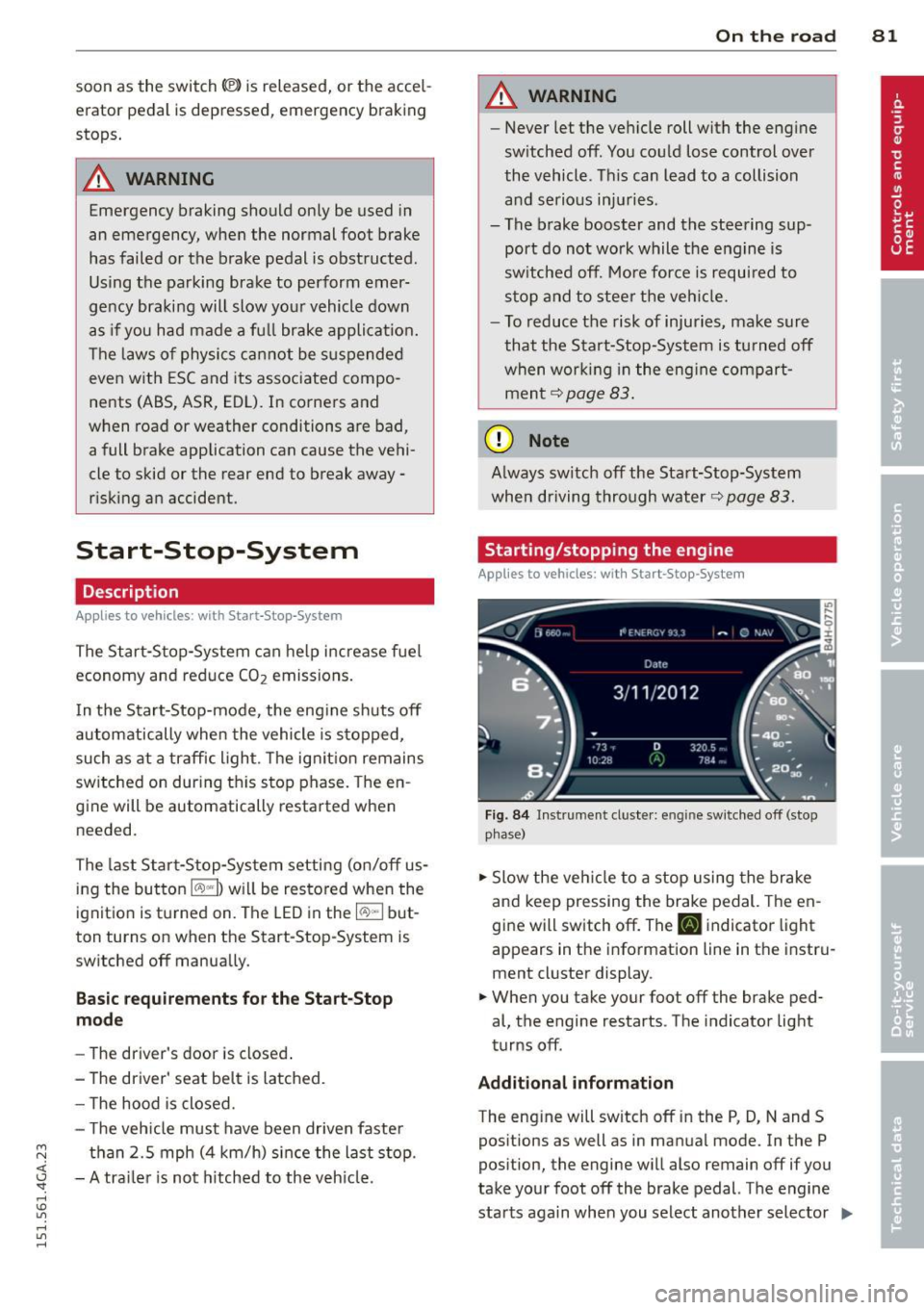
Fig. 84 Instrument cluste r: engine sw itched off (stop
p hase)
.,. Slow the vehicle to a stop using the brake
and keep pressing the brake pedal. The en
gine will switch off. The
tlJ indicator light
appears in the information line in the instru
ment cluster display.
.. When you take your foot off the brake ped
al, the engine restarts. The indicator light
turns off.
Additional information
The eng ine will switch off in the P, D, N and S
positions as well as in manual mode. In the P
position, the engine will also remain off if you
take your foot off the brake pedal. The engine
starts aga in when you select another selector ..,_
Page 84 of 316
82 On the road
lever position and take your foot off the brake
pedal.
If you select the R position during a Stop
phase, the eng ine will start aga in.
Shift from
D to P quickly to prevent the engine
from starting unintentionally when shifting
through
R.
You can determ ine for yourself if the eng ine
will stop or not by reduc ing or increasing the
amount of force you use to press the brake
pedal. For example , if you only lightly press
on the brake pedal in stop-and and-go traff ic
or when turning, the engine will not switch off
when the vehicle is stationary . As soon as you
press the brake down harder, the eng ine will
switch off.
General information
Applies to vehicles: with Start-Stop-System
The standard Start-Stop-mode can be cancel
led for different system-related reasons .
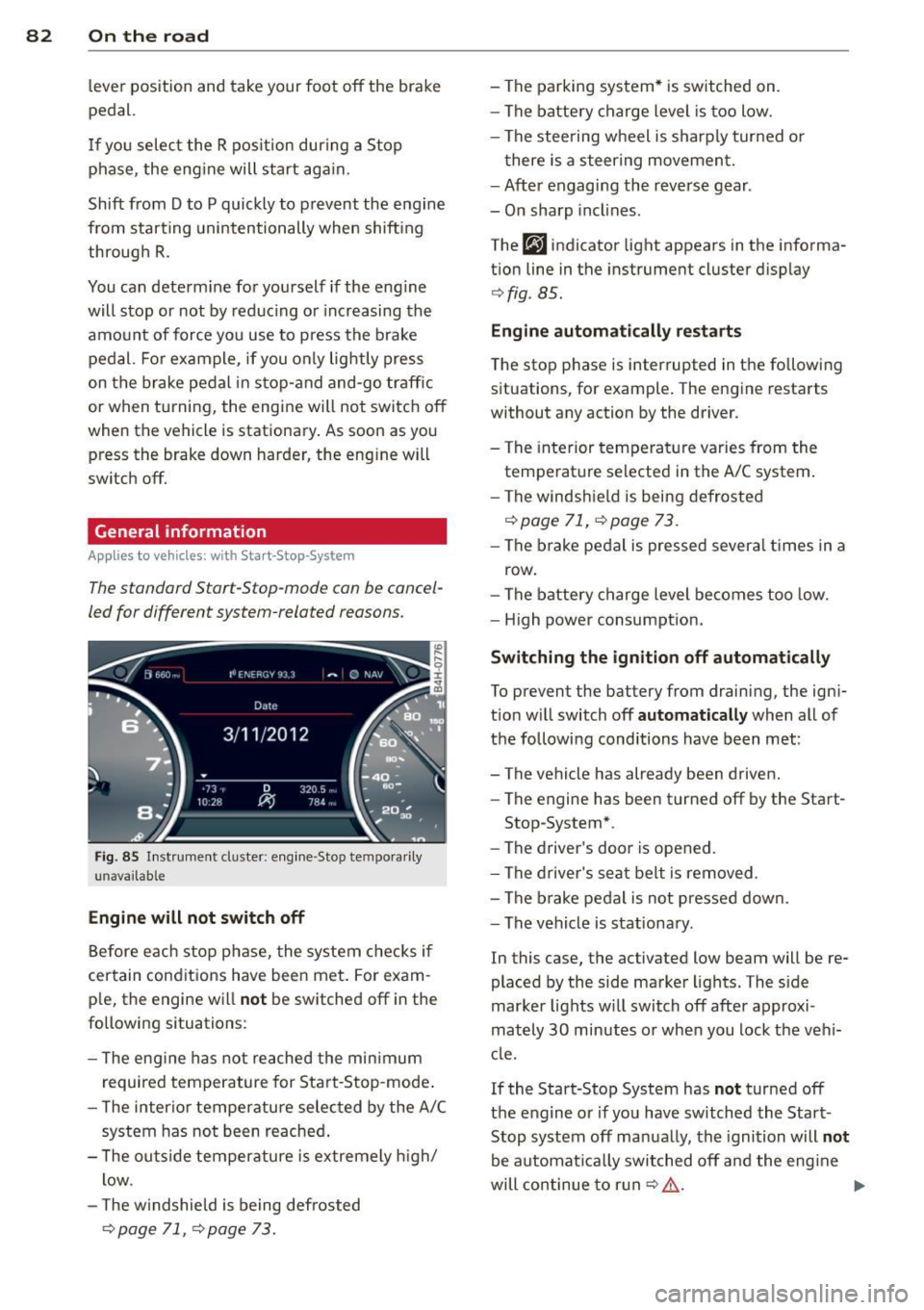
Fig. 85 Instrum ent cluster: engine -Stop tempo ra ril y
u navailab le
Engine will not switch off
Before each stop phase, the system checks i f
certain cond it ions have been met. For exam ·
p le, the engine will
not be switched off in the
following situations:
- T he eng ine has not reached the minimum
required temperature for Start-Stop-mode .
- The inter ior temperature selected by the A/C
system has not been reached .
- T he outside temperature is extremely high/
low .
- T he w indshield is being defrosted
¢page 71, ¢ page 73.
- The parking system* is switched on.
- The battery charge level is too low.
- The steering wheel is sharply turned or
there is a steering movement.
- After engaging the reverse gear .
- On sharp inclines.
The
fjJ indicator light appears in the informa
tion line in the instrument cluster display
¢fig . 85.
Engine automatically restarts
The stop phase is interrupted in the following
situations, for example. The engine restarts
without any action by the driver .
- The interior temperature varies from the
temperature selected in the A/C system .
- The windshie ld is being defrosted
<:!;>page 71, ¢page 73.
-The brake pedal is pressed several times in a
row .
- The battery charge level becomes too low.
- High power consumption.
Switching the ignition off automatically
To prevent the battery from drain ing, the igni
tion w ill switch off
automatically when all of
the following conditions have been met :
- The vehicle has already been driven.
- The engine has been turned off by the Start-
Stop -System*.
- The driver's door is opened.
- The driver's seat belt is removed .
- The brake pedal is not pressed down.
- The vehicle is stationary .
In this case, the activated low beam will be re
placed by the side marker lights. The side
marker lights will switch off afte r approxi
mately
30 minutes o r when you lock the veh i
cle.
If the Start-Stop System has
not turned off
the engine or if you have sw itched the Start
Stop system off manually, the ignition will
not
be automat ically switched off and the eng ine
will continue to ru n
c:!;> ,& . ...,
Page 113 of 316
M N <( I.J "". rl I.O
"' rl
"' rl
A time delay element prevents the selector
lever from locking when it is moved through
the N position (going from R to 0/5). The lock
ing element will lock the selector lever if the
lever is left in N (Neutral) for more than ap
prox imately 2 second, without the brake ped
al being pressed.
Release button
The release button on the selector lever pre
vents the lever from being accidenta lly shifted
into certain positions. Depending on the direc
tion of the shift, the selector lever locks at d if
ferent positions . The positions a re highlighted
in the illustration
c::> fig. 119.
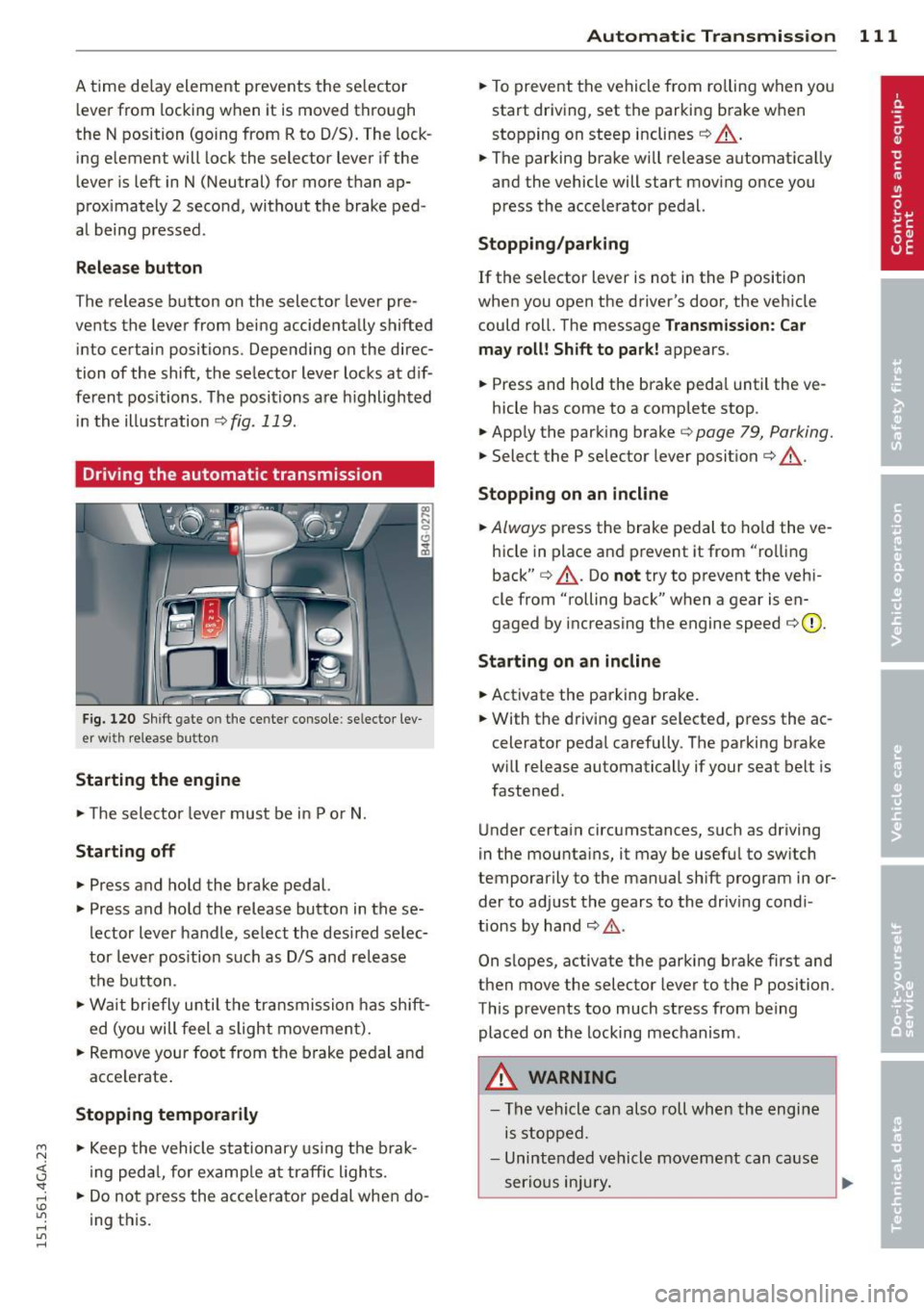
Driving the automatic transmission
Fig. 120 Shift gate on the center console: se lecto r lev
er with release button
Starting the engine
.. The selector lever must be in P or N.
Starting off
.. Press and hold the brake pedal.
.. Press and hold the release button in these
lector lever handle, select the desired selec
tor lever position such as 0/5 and release
the button.
.. Wait briefly until the transmission has shift
ed (you will feel a slight movement).
.. Remove your foot from the brake pedal and
acce lerate .
Stopping temporarily
.. Keep the vehicle stationary using the brak
ing peda l, for examp le at traffic l ights.
.. Do not press the accelerator pedal when do
ing this.
Automatic Transmission 111
.. To prevent the vehicle from rolling when you
start driving, set the parking brake when
stopping on steep inclines
c::> .&, .
.. The parking brake will release automat ically
and the vehicle will start moving once you
press the acce lerator pedal.
Stopping/parking
If the selector lever is not in the P position
when you open the driver's door, the vehicle
could roll. The message
Transmission: Car
may roll! Shift to park!
appears.
.. Press and hold the brake peda l until the ve -
hicle has come to a complete stop .
.. App ly the parking brake
c::> page 79, Parking .
.. Select the P selector lever position i=> .&, .
Stopping on an incline
.. Always press the brake pedal to hold the ve
hicle in place and prevent it from "rolling
back"
i=> .&, . Do not try to prevent the veh i
cle from "rolling back" when a gear is en
gaged by increasing the engine speed
i=> (D .
Starting on an incline
.. Activate the parking brake .
.. With the driving gear selected, press the ac
celerator pedal carefully . The parking brake
w ill release automatically if your seat belt is
fastened .
Under certain circumstances, such as driving
in the mounta ins, it may be useful to sw itch
temporar ily to the manual shift program in or
der to adjust the gears to the driving condi
tions by hand
~ ,&..
On slopes, activate the parking brake first and
then move the selector lever to the P position .
This prevents too much stress from being
placed on the locking mechanism .
A WARNING
-The vehicle can also roll when the engine
is stopped .
- Unintended vehicle movement can cause
. . . serious mJury. Iii>
Page 114 of 316

112 Automatic Tran sm iss ion
-Never leave your vehicle with the engine
running while in gear. If you must leave
your vehicle when the engine is running, act ivate the park ing brake and move the
selector lever to P.
- Power is st ill transmitted to the wheels
when the eng ine is running at idle . To
prevent the vehicle from "creeping", you
must keep your foot on the brake when
the engine is runn ing and the selecto r
lever is in D/S or R or "tiptronic" mode is
selected .
- Do not press the accelera tor pedal when
changing the selector lever pos ition
whi le the vehicle is stationary and the
engine is running.
- Never shift into
R or P whi le driving.
- Before driv ing down a steep slope , re-
duce you r speed and shift into a lower
gear with "tiptronic".
- Do not ride the brakes or press the brake
peda l too often or too long when dr iving
down a hill. Constant braking causes the
brakes to overheat and substant ially re
duces braking per formance, increases
braking distance or causes complete fail
ure of the brake system.
- To prevent the veh icle from rolling back
when stopping on inclines, always hold it in place with the brake peda l or parking
brake .
- Never hold the veh icle on an incline with
a slipping clutch . The clutch opens auto
matically when it becomes too hot from
the overload . An indicator lamp@] illu
minates and a dr iver message appears
9 page 114 when the clutch is overload
ed.
- If the engine must remain running, never
have any driv ing pos ition eng aged when
check ing under the hood. Make sure the
selector lever has secure ly engaged and
is locked in P with the parking brake set
9 page 225. Otherwise, any increase in
engine speed may set the vehicle in mo
t io n, even with the park ing brake ap
plied .
(D Note
-When stopping on an incline, do not try
to hold the vehicle in place by press ing
the acce lerator pedal while a driving gear
is se lected. This can cause the transmis
sion to overheat and can damage it . Acti
vate the parking brake or press the brake
peda l to prevent the vehicle from roll ing .
- Allowing the vehicle to roll when the en
gine is stopped and the selecto r lever is
in N will damage the transmission be
cau se it is not l ubricated unde r th ose cir
c umstances.
(D Tips
Fo r safety reasons, the pa rking brake is re
l eased automatically o nly when t he d riv
er's safety belt is eng aged in the buckle.
Hill descent control
The hill descent control system assists the
driver when driving down declines.
Hill descent cont rol is activated when these
lector lever is in D/S and yo u press the brake
peda l. The transmission automa tical ly selects
a gear tha t is suitable fo r the incline. H ill de
scent cont ro l tries to ma inta in the speed ach
ieved at the time of braking, within physica l
and tec hnical lim itations. If may sti ll be nec
essary to ad just the speed with the brakes.
Hill descent cont ro l sw itches off once the de
cline leve ls o ut or yo u press the acce lerator
pedal.
On vehicles with the cru ise cont ro l system *
9 page 84 , hill descent control is also activa t
ed when the speed is set.
A WARNING ,____ -
Hill descent control cannot overcome
physica l lim itations, so it may not be ab le
to maintain a constant speed under all
conditions . A lways be ready to apply the
brakes .
Page 130 of 316

128 Driving Safely
Driving Safely
General notes
Safe driving habits
Please remember -safety first!
This chapter contains important information,
tips, instructions and warnings that you need
to read and observe for your own safety, the
safety of your passengers and others . We have
summarized here what you need to know
about safety belts, airbags, child restraints as
well as child safety. Your safety is for us
priori
ty number 1.
Always observe the information
and warnings in this section - for your own
safety as well as that of your passengers.
The information in this section applies to all
model versions of your vehicle . Some of the
features described in this sections may be
standard equipment on some models, or may
be optional equipment on others. If you are
not sure, ask your authorized Audi dealer.
A WARNING
- Always make sure that you follow the in
structions and heed the WARNINGS in
this Manual. It is in your interest and in
the interest of your passengers.
- Always keep the complete Owner's Liter
ature in your Audi when you lend or sell
your vehicle so that this important infor
mation will always be available to the
driver and passengers.
- Always keep the Owner's literature handy
so that you can find it easily if you have
questions.
Safety equipment
The safety features are part of the occupant
restraint system and work together to help
reduce the risk of injury in a wide variety of
accident situations.
Your safety and the safety of your passengers
should not be left to chance. Advances in
technology have made a variety of features
available to help reduce the risk of injury in an accident.
The following is a list of just a few of
the safety features in your Audi:
- sophisticated safety belts for driver and all
passenger seating positions,
- safety belt pretensioners ,
- safety belt force limiters for the front seats,
- safety belt height adjustment systems for
the front seats,
- front airbags,
- knee airbags for the front seats*
- side airbags in the front seats and outer rear
seats*,
- side curtain airbags ,
- special LATCH anchorages for child re-
straints,
- head restraints for each seating position,
- adjustable steering column.
These individual safety features, can work to gether as a system to help protect you and
your passengers in a wide range of accidents .
These features cannot work as a system if
they are not always correctly adjusted and cor
rectly used.
Safety is everybody's responsibility!
Important things to do before driving
Safety is everybody 's job! Vehicle and occu
pant safety always depends on the informed and careful driver .
For your safety and the safety of your passen
gers,
before driving always:
.. Make sure that all lights and signals are op
erating correctly.
.. Make sure that the tire pressure is correct .
.. Make sure that all windows are clean and af
ford good visibility to the outside .
.. Secure all luggage and other items carefully
q page 64, q page 61 .
.. Make sure that nothing can interfere with
the pedals.
.. Adjust front seat, head restraint and mirrors
correctly for your height.
.. Instruct passengers to adjust the head re-
straints according to their height . .,..
Page 131 of 316

M N <( I.J "". rl I.O
"' rl
"' rl
.. Make sure to use the right child rest raint
correct ly to protect children
Q page 173,
Child Safety .
.. Sit properly in your seat and make sure that
your passengers do the same¢
page S3,
General recommendations .
.. Fasten your safety belt and wear it properly.
Also instruct your passengers to fasten their
safety belts properly ¢
page 138.
What impairs driving safety?
Safe driving is directly related to the condi
tion of the vehicle, the driver as well as the
driver 's ability to concentrate on the road
without being distracted.
The driver is respons ible for the safety of the
veh icle and all of its occupants.
If your ability
to drive is impai red, safety r isks for everybody
in the vehicle increase and you also become a
hazard to everyone else on the road ¢
A.
Therefore:
.. Do not let yourself be distracted by passen
gers or by using a cellular telephone.
.. NEVER drive when your driving ability is im
paired (by medications, alcohol, drugs, etc .).
.. Observe all traffic laws, rules of the road
and speed limits and plain common sense .
.. ALWAYS adjust your speed to road, traff ic
and weather conditions .
.,. Take frequent breaks on long trips. Do not
drive for more than two hours at a stretch.
.. Do NOT drive when you are t ired, under
pressure or when you are stressed.
A WARNING
Impaired driving safety increases the risk
of serious personal injury and death when
ever a vehicle is being used.
Driving Safely 129
Proper occupant
seating positions
Proper seating position for the driver
The proper driver seating position is impor
tant for safe, relaxed driving .
Fig. 148 Correct seat ing pos it ion
For your own safety and to reduce the risk of
injury in the event of an accident, we recom
mend that you adjust the driver's seat to the
follow ing pos ition:
.. Adjust the driver's seat so that you can easi
ly push the pedals all the way to the floor
wh ile keeping your knee(s) slightly bent
¢.&_ .
.. Adjust the angle of the seatback so that it is
in an upr ight position so that your back
comes in full contact with it when you drive.
.. Adjust the steering wheel so that th ere is a
distance of at least 10 inches (25 cm) be
tween the steering wheel and yo ur breast
bone
Q fig. 148. If not possible, see your au
thorized Audi dealership about adaptive
equipment .
.. Adjust the steering wheel so that the steer
ing wheel and airbag cover points at your
chest and not at your face.
.,. Grasp the top of the steering wheel with
your elbow(s) slightly bent.
.. For adjustable head restra ints: Adjust the
head restraint so the uppe r edge is as even
as possible with the top of your head. If that
is not possible, try to adjust the head re
straint so that it is as close to this position
as poss ible. Move the head restraint so that
it is as close to the back of the head as pos-
sible . .,.