2015 AUDI S6 window
[x] Cancel search: windowPage 63 of 314
M N
0 I.J "". rl I.O
"' rl
"' rl
- Compartments* on the back of the front seat backrests
- Garment hooks on the sides of the pillars in
the rear of the vehicle and in the rear grab handles
- Compartment in the rear center armrest
- Two mounting hooks* unde r the base of the
rear window inside the luggage compart
ment. You can attach light objects to these
hooks. The mounting hooks are spring-load
ed and will return to their normal position
when not in use.
A WARNING
-
- Always remove objects from the instru
ment panel. Any items not stored could
sl ide around inside the vehicle while driv
ing or when accelerating or when apply
ing the brakes or when driving a round a
corner.
- When you are driving make sure that
anything you may have placed in the cen
ter console or other storage locations cannot fa ll out into the footwells. In case
of sudden braking you would not be able
to brake or accelerate.
- Always keep the lid of the compartment
for (sun)glasses* closed while driving to
reduce the risk of injury dur ing a sudden
braking maneuver or in the event of an
accident.
-Any articles of clothing that you have
hung up must not interfere with the driv
er's v iew. The coat hooks are designed
only for lightweight clothing. Never hang
any clothing w ith ha rd, pointed or heavy
objects in the pockets on the coat hooks.
During sudden braking or in an accident -
especially if the airbag is deployed -
these objects cou ld injure any passen
gers inside the vehicle.
- To reduce the risk o f persona l injury in an
accident or sudden stop, always keep the
glove compartment closed while driving.
- Read and fo llow all WARN INGS
¢ page 166, Important safety instruc
tions on the side airbag system.
S ea ts a nd s to rage 61
- Hang clothes in such a way that they do
not impair the driver's vision.
- The coat hooks must only be used for
lightweight clothing. Do not leave any
heavy or sharp edged objects in the pock
ets which may interfere with the side cur
tain airbag deployment and can cause pe rsonal injury in a crash .
- Do not use coat hangers for hanging
cloth ing on the coat hoo ks as th is can in
terfere with prope r deployment of the
side curta in a irbags in an acc ident.
- Do not hang heavy objects on the coat
hooks, as they could cause personal in
jury in a sudden stop.
- For strength-re lated reasons, the mount
ing hooks can only be used to secure ob
jects weigh ing up to 10 lb. (5 kg). Heavi
er objec ts will not be adequately sec ured
- there is a risk of injury.
(D Note
Objects located on the rear shelf that rub
against the rea r window could damage the
hea ting wires for the rear window defog
ger.
Roof rack
Description and mounting locations
Additional cargo can be carried with a roof
luggage rack.
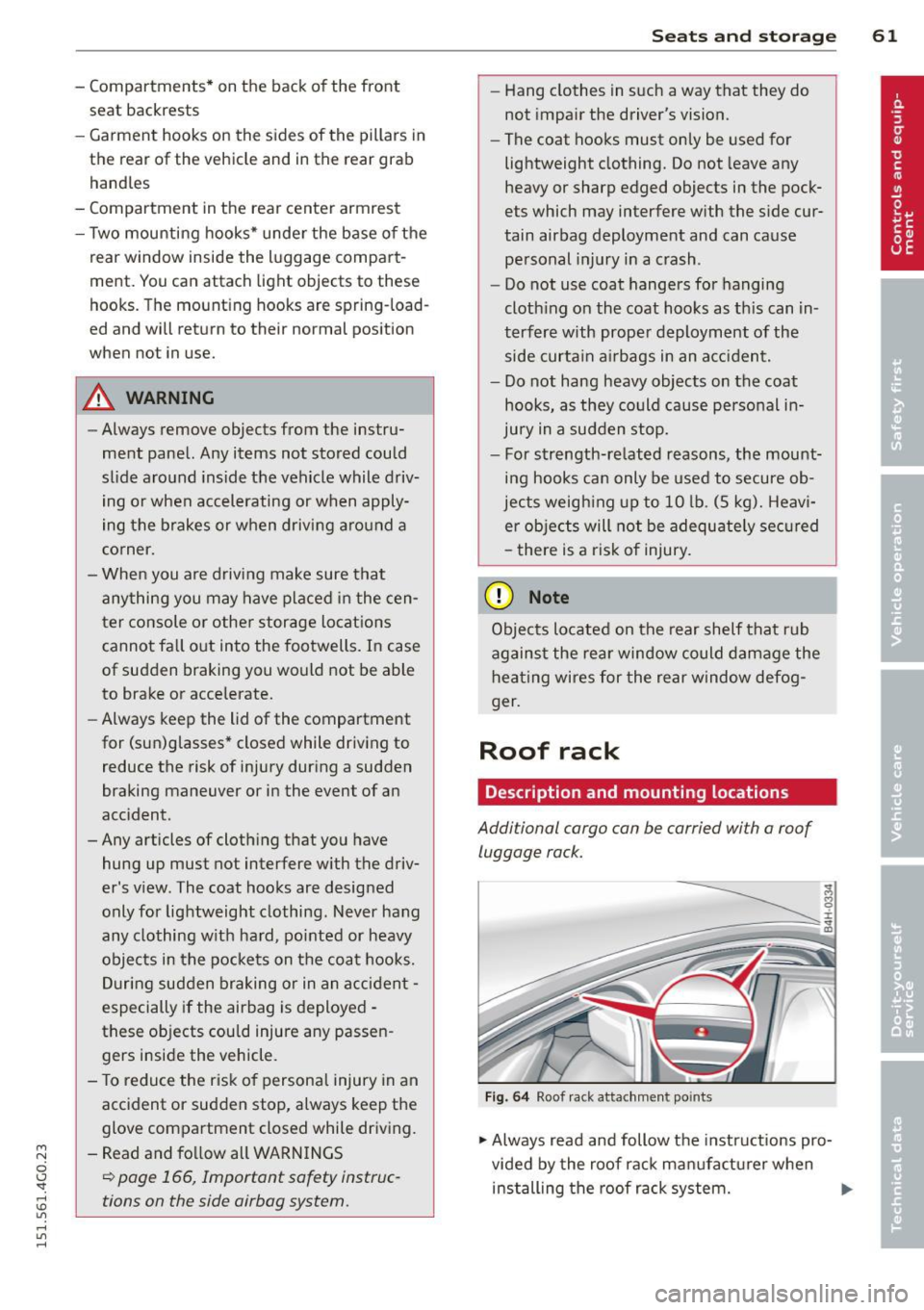
F ig. 6 4 Roof r ack attac hment po ints
.., Always read and follow the instructions pro
vided by the roof rack manufa ctu rer when
installing the roof rack system. .,.
Page 69 of 314

M N
0 <.J 'SI: ,...., \!) 1.1'1 ,...., 1.1'1 ,....,
Warm and cold Climate controls
Description
App lies to vehicles: with three -zone cl imate contro l or
four -zone a uto mat ic climate contro l
The climate control system warms, cools and
adds humidity to the air in the vehicle interior.
It is the most effective when the windows and
sunroof* are closed . If the temperature inside
the parked veh icle becomes very warm, open
i ng the w indow br iefly will speed up the cool
ing process.
In all heating mode functions except
defrost,
the blower on ly switches to a higher speed
once the engine coolant has reached a certain
temperature.
Condensat ion from the cooling system can
drip and form a puddle of wate r under the ve
h icle. This is normal and does not mean there
is a leak .
Pollutant filt er
The pollutant filter removes pollutants such
as dust and po llen from the air.
The air pollutants filter must be changed at
the intervals specified in your Warranty
&
Maintenance booklet, so that the air condi
tioner can properly work .
If you drive your vehicle in an area with high
a ir pollution, the filter may need to be
changed more frequently than specified in
your Aud i Warranty
& Ma intenance booklet. If
i n doubt, ask your authori zed Audi Service Ad
visor for adv ice.
K ey coded settings
Three-zone climate control: T he b lower set
ting and air d istribution are stored automati
cally and ass igned to the remote control key
that is in use .
Four-zone automatic climate control: The cli
mate contro l settings are automatica lly stor
ed and assigned to the remote control key
that is in use .
Warm and c old 67
A WARNING
-
Reduced visibi lity is dangerous and can
cause acc idents .
- For safe driving it is very important that
all windows be free of ice, snow and con
densat ion.
- Comp letely fam il iarize yourse lf with the
proper use and funct ion of the heat ing
a nd ventilation system and especially
how to defog and defrost the w indows.
- Never use the windshield wiper/washer system in freez ing weathe r unt il you
have wa rmed the windshie ld first, using
the heating and ventilation system. The
washer sol ution may freeze on the wind
shie ld and red uce visibi lity.
CJ) Note
- If you s uspect that the air conditioner
has been damaged, switch the system
off to avoid furt her damage and have it
inspected by a qualified dea lership .
- Repairs to the Audi air conditioner re
quire specia l technical know ledge and
special tools. Contact an authorized Audi
dealer fo r ass istance.
@ For the sake of the envi ronment
By reducing the amount of f uel you use,
you also red uce the amount of pollutants
emitted into the air.
(D Tips
- Keep the air intake s lo ts ( in front of the
w indshield) free from ice, snow and de
bris in order to maintain the proper func
tion of the climate control system.
- The energy ma nagement system may
switch the seat heating* or rear window defroster off temporar ily. These systems
are available again as soon as the energy
balance has been restored .
- Air escapes through vents under the rear window. When plac ing items of cloth ing
on the luggage compartment cover, en
sure that the openings are not covered.
Page 71 of 314

M N
0 <.J 'SI: ,...., \!) 1.1'1 ,...., 1.1'1 ,....,
l
ed or cleared of condensation as quickly as
possib le. The maximum amount of air flows
mainly from the vents be low the windshield.
Recirculation mode switches off. The tempera
ture should be set to approximately 72 °F (22
°() .
The IAUTOI button switches the defroster off.
IQil REAR I Switching rear window heater
on/off
The rear window heater only operates when
the engine is running.
It switches off auto
matica lly after a few minutes, depending on
the outside temperature.
To prevent the rear window heater from
switch ing off automatica lly, press and hold
the
!llill REARI button for more than 2 seconds.
This remains stored until the ignition is
sw itched off.
QJ Adjusting seat heating
Pressing the button switches the seat heating
on at the highest setting ( leve l 3) . The LEDs
indicate the temperature level. To reduce the
temperature, press the button again. To
switch the seat heating off, press the button repeatedly until the LE D turns off .
After 10 minutes, the seat heating automati
cally switches from leve l 3 to level 2.
The seat heating for both outer rear seats * is
adj usted using the buttons in the center con
sole.
Warm and cold 69
Air vents
You can open or close the center and outer
vents in the cockpit and the vents in the rear
center console using the ridged thumbwheels.
The levers adjust the direction of the airflow
from the vents.
The air temperature in the rear can be adjust
ed so that it is warmer or co lder by turning
the knob to the red or blue area.
A WARNING
- Do not use the recirc ulation for extended
periods of time. The windows could fog
up since no fresh a ir can enter the vehi
cle. If the windows fog up, press the air
recirc ulat ion button again immed iately
to switch off the air recirculation func
tion or select defrost.
- Individuals with reduced sensitivity to
pa in or temperature could develop burns
when using the seat heating function . To
red uce the risk of injury, these individu
a ls shou ld not use seat heating.
(D Note
To avoid damage to the heating elements
in the seats, do not kneel on the seats or
place heavy loads on a small area of the
seat.
Page 72 of 314

70 Warm and cold
Four-zone automatic climate control
Operation
Applies to vehicles: with four -zone automa tic clima te control
We recommend pressing the IAUTO I button and setting the temperature to 72 °F (22 °C).
00 ~
"' 0
0 ..,.
"'
-- I -·1 1 -! - - -
'i ~ ~-~ AU.O ;
~• J;a:=IIT 11
---:::
___ -=-..-.. /"'-• --
SYNC ~ .jA __,
-----
Fig. 72 Four-zone automat ic climate contro l: controls
Fig . 73 Fou r-zone automatic cl imate cont ro l: rear con
trol s
Press the buttons to turn the functions on or
off. Use the dials to adjust the temperature,
the blower speed and the air distribution. The LED in a button will light up when the func
tion is switched on. The settings are shown in
the climate control display and are also shown in the MMI display for a few seconds . The driv
er and front passenger sett ings can be adjust
ing separately.
The settings can also be adjusted in the rear
<::;> fig. 73.
IOFFj Switching the climate control
system on/off
The I O FFI button switches the climate control
system on or off .
It also switches on when you
turn the dia l or press any button. Airflow from outside is blocked when the
climate control
system is switched off .
You can activate the residual heat function
whe n the ignition is off by pressing and hold
ing the ~ button. The residua l heat from the
coolant is used to heat the vehicle interior .
The residual heat function switches off auto
matically after about 30 minutes.
jA/C j Switching cooling mode on/off
The air is not coo led and humidity is not re
moved when cooling mode is switched off.
T his can cause fog on the windows. Cooling
mode switches off automatically when the
outside temperature is be low zero .
1- 1 Switching recirculation mode on/off
In recircu lation mode, the air inside the vehi
cle is circu lated and filtered. This prevents the
unfiltered air outside the vehicle from enter
ing the vehicle interior . We recommend
switching recirculation mode on when driving
through a tunnel or when sitting in traffic
¢ .&, .
The !AUTO I button or l
Page 73 of 314

M N
0 <.J 'SI: ,...., \!) 1.1'1 ,...., 1.1'1 ,....,
IAUTO I Switching automatic mode on
Automatic mode maintains a constant tem
perature inside the vehicl e. Air temperature,
airflow and air distribution are controlled au
tomatically.
Adjusting the temperature
Temperatures between 60 °F (+16 °C) and
84 °F ( +28 °C) can be set. Outsid e of this
range,
lo or hi wi ll appear in the climate con
trol system disp lay. At both of these settings,
the climate control system runs continuously
at maximum cooling or heating power. There
is no temperature regu lation.
~ Adjusting the airflow
You can adjust the airf low manually to suit
your needs . To have the airf low regulated au
tomatically, press the
IAUTO j button.
li!J Adjusting the air distribution
You can manually select the vents where the
air will flow. To have the air distribution regu
lated automatically, press the
IAUTOI button .
~I~* Adjusting seat heating/
ventilation*
Pressing the button switches the seat heat
ing/ventilation on at the highest setting ( level
3). The LEDs indicate the heating/ventilation
level. To reduce the heating/venti lation, press
the button again. To switch the seat heating/
ventilation off, press the button repeatedly
until the LED turns off.
After 10 minutes, the seat heating automati
cally switches from level 3 to level 2.
l
ed or cleared of condensation as quickly as
possible. The maximum amount of air flows
mainly from the vents below the windshield.
Recirculation mode switches off. The tempera
ture should be set to approximately 72 °F (22
°() .
The IAUTO I button switches the defroster off.
Warm and cold 71
liiii REAR! Switching rear window heater
on/off
The rear window heater only operates when
the engine is running. It switches off auto matically after 10 to 20 minutes, depending
o n th e outside temperature.
To prevent the rear window heater from
switching off automatically, press and ho ld
the
l liiil REARI button for more than 2 seconds.
This remains stored until the ign ition is
switched off .
I SYNC I Synchronization*
When synchronization is switched on, the
same settings are applied to both the driver
and front passenger, except for the seat heat
ing/ventilation*. The rear zone is also
synchronized. Synchronization switches off
when the settings for the front passenger s ide
or rear are adjusted.
You can also switch synchronization on by pressing and holding a dial. For example, if
you press and hold the dial on the front pas
senger side, the settings for that side are
transferred to the driver side. The same ap
plies to the rear.
Air vents
You can open or close the center and outer
vents in the cockpit and the vents in the rear
cente r console and door pillars using the
ridged thumbwheels. The levers adjust the di
rection of the airflow from the vents.
&_ WARNING
-=
-Do not use the recirc ulation for extended
periods of time . The windows could fog
up since no fresh air can enter the vehi
cle. If the windows fog up, press the air recirculation butto n aga in immediately
to switch off the air recirculation func
tion or se lect defrost.
- Individuals w ith reduced sensitivity to
pa in or temperature could deve lop burns
when using the seat heating function . To
red uce the risk of injur y, these individu-
als should not use seat heating. ..,.
Page 80 of 314

78 On the road
& WARNING
-When you leave your vehi cle -even if on
ly brief ly -always take the ignition key
with yo u. This applies par ticu larly when
children remain in the veh icle. Otherw ise
the ch ildren could start the engine, re
lease the parking brake or operate elec
trical equipment (e.g. power windows) .
There is the risk of an accident.
- When the vehicle is locked, no one -par
t icularly not children should remain in
the vehicle. Loc ked doors make it more
difficult for emergency wor kers to get in
to the vehicle - putt ing lives at risk.
Starting from rest
The starting assist function ensures that the
parking brake is released automatically upon starting.
Stopping and applying parking brake
" Pull the switch ID to apply the park ing
brake.
St arting and automa tically relea sing the
parking brake
.. When you start to drive as usua l, the park
ing brake is automatically released and you r
vehicle begins to move.
When stopp ing at a traff ic signa l or stopp ing
in city traffic, the parking brake can be ap
plied . The veh icle does not have to be held
with the footbrake. The par king brake elimi
nates the tendency to c reep with a drive range
engaged. As soon as you dr ive
off as usua l,
the park ing brake is released automatically
and the vehicle starts to move.
Starting on slopes
When sta rt ing on in cl ines, the starting ass ist
p revents the veh icle from uninten tionally ro ll
ing bac k. The braking force o f the parking
brake is not released un til sufficient dr iving
force has been b uilt up at the whee ls.
(D Tips
For safety reasons, the parking bra ke is re
l eased automatically only when the driv
er's safety belt is engaged in the buckle.
Starting off with a trailer
To prevent rolling back unintentionally on an
incline, do the following:
.. Keep the sw itch(®) pulled and depress the
accelerator. The pa rking bra ke stays applied
and prevents the vehicle from roll ing back
ward.
" You can release the switch© once you are
sure that you are developing enough for
wa rd momentum at the wheels as you de
press the acce lerator.
Depend ing on the we ight of the rig (vehicle
and trailer) and the severity of the incline, you
may roll backwards as you start. You can p re
vent rolling backwa rds by holdi ng the par king
brake switch (®) pulled o ut and ac celera ting -
j u st as you wou ld w hen s tarti ng on a hill wi th
a conventiona l hand brake.
Emergency braking
In the event that the conven tional brake sys
tem fails or locks.
"I n an emergency, pull the switch(®) and
cont inue to pull it to slow your ve hicl e down
w ith the par king b rake.
" As soon as you re lease the swi tch (®) or ac -
celerate, the braking process stops.
If you p ull the swi tc h (®) a nd hold it above a
speed of about 5 mph (8 km/h), the emergen
cy braking f unction is initiated. The ve hicle is
braked at all four whee ls by activating the hy
draulic brake system. The brake performance
is similar to making an emergency stop¢&..
In order not to activate the emergency brak-
ing by mistake, an audib le warning tone (buz
zer) sounds when the switch(®) is pulled. As ..,.
Page 100 of 314

98 Audi side assist
-Improper reliance on the side assist sys
tem can cause collisions and serious
personal injury:
- Never rely only on side assist when
changing lanes.
- Always check rear view mirrors to make
sure that it is safe to change lanes.
- Side assist cannot detect all vehicles un
der all conditions- danger of accident!
- Please note that side assist indicates
there are approaching vehicles, or
vehicles in your blind spot, only after
your vehicle has reached a driving speed
of at least 19 mph (30 km/h).
- In certain situations, the system may not
function or its function may be limited.
For example:
- if vehicles are approaching or being left
behind very quickly . The display may
not turn on in time.
- in poor weather conditions such as
heavy rain, snow or heavy mist .
- on very wide lanes, in tight curves or if
there is a rise in the road surface.
Vehicles in the adjacent lane may not be detected because they are outside
of the sensor range.
(D Note
The sensors can be displaced by impacts or
damage to the bumper, wheel housing and
underbody. This can affect the system.
Have your authorized Audi dealer or au
thorized Audi Service Facility check their
function.
@ Tips
- If the window glass in the driver's door
or front passenger's door has been tint ed, the display in the exterior mirror may
be misinterpreted.
- For Declaration of Compliance to United
States FCC and Industry Canada regula
tions¢
page 295.
Activating and deactivating
Applies to vehicles: rnit s ide ass ist
Fig. 104 Driver's doo r: Side ass ist butto n
.. Press the button c> A in General informa
tion on page 9
7 to switch the system on/off .
The LED in the button turns on when side
assist is switched on .
Adjusting the display brightness
Applies to vehicles: wit h side assist
The brightness setting can be adjusted via the
MMI.
.. Select: !CAR I function button> (Car)* sys
tems control button > Driver assist > Audi
side assist .
The display brightness adjusts automatically
to the brightness of the surroundings, both in
the information and in the warning stage. In
very dark or very bright surroundings, the dis
play is already set to the minimum or maxi
mum level by the automatic adjustment . In
such cases, you may notice no change when
adjusting the brightness, or the change may
only be noticeable once the surroundings
change.
Adjust the brightness to a level where the dis
play in the information stage will not disrupt
your view forward. If you change the bright
ness, the display in the exterior mirror will
briefly show the brightness level in the infor
mation stage. The brightness of the warning
stage is linked to the brightness in the infor mation stage and is adjusted along with the
information stage adjustment .
Page 128 of 314

126 Driving Saf ely
Driving Safely
General notes
Safe driving habits
Please remember -safety first!
This chapter contains important information,
tips, instructions and warnings that you need
to read and observe for your own safety, the
safety of your passengers and others . We have
summarized here what you need to know
about safety belts, a irbags, ch ild restra ints as
well as child safety. Your safety is for us
priori
ty number 1.
Always observe the info rmat ion
and warn ings in th is sect ion -fo r yo ur own
safety as well as that of your passengers .
The information in this se ction app lies to all
model ve rsions of your veh icle . Some of the
feat ures described in this sec tions may be
standard equipment on some models, or may
be optional equipment on others . If you are
not sure, ask your authorized Audi dealer.
A WARNING
- Always make sure that you follow the in
struct ions and heed the WARNINGS in
this Manual. It is in your interest and in
the inte rest of you r passengers.
- Always keep the complete Owner's Liter
ature in your Audi when you lend or sell
your vehicle so that this important info r
mation will always be ava ilable to the
dr iver and passengers.
- Always keep the Owner's literature handy
so that you can find i t eas ily if you have
ques tions.
Safety equipment
The safety features are part of the occupant
restraint system and work together to help
redu ce the risk of injury in a wide variety of
accident situations.
Your safety and the safety of your passenge rs
should not be left to chance. Advances in
technology have made a varie ty o f fea tures
avai la bl e to he lp re duce the risk of injury in an accident
. The following is a list of just a few of
the safety features in your Audi:
- sophis tic ated s afety be lts fo r drive r and a ll
passenger sea ting pos it ions,
- safety belt prete nsioners ,
- safety belt force lim iters fo r the front seats,
- safety belt he ight adjustment systems for
the front seats ,
- front airbags,
- knee airbags for the front seats *
- side airbags in the front seats a nd outer rear
seats*,
- side curtain airbags with ejection mitigation
features,
- specia l LATCH anchorages for child re -
straints,
- head restra ints for each sea ting posit ion,
- a djustab le s teer ing colum n.
These ind iv idual safety features, can work to
ge ther as a system to he lp protect you and
you r passengers in a w ide range of accidents .
T hese fe atures canno t work as a system if
they are not always corre ct ly adjusted and co r
rect ly used.
Safety i s everyb ody' s res ponsibility!
Important things to do before driving
Safety is everybody 's job! Vehicle and occu
pant safety always depends on the informed
and careful driver.
For yo ur safety and the safety of your passen
gers,
b efore driv ing always:
"' Make sure that all lig hts and signals are op
erating correctly .
... Make s ure t hat the tire p ressu re is co rrect .
"' Make s ure that all windows are clean and af
ford good visibili ty to the outs ide.
"' Sec ure all luggage and other items caref ully
r=:>page 63, r=:>page 60 .
... Ma ke s ure that nothing can interfere with
the peda ls .
... Ad just front seat, head restraint and mirrors
correctly for your height .
"' Instruct passe ngers to adjust the head re-
straints accord ing to the ir height . ..,_