2015 AUDI Q5 instrument cluster
[x] Cancel search: instrument clusterPage 106 of 302

Hybrid Energy flow display
App lies to vehicles: with hybrid drive
Fig. 112 Instrument cluster: ene rgy flow display
The energy flow of the hybrid system is shown in
the instrument cluster display and in the MMI
d isplay. The image is animated in the MMI dis·
play.
Image in the instrument cluster di splay
.. Press the !RESET I button in the windshield wip
er lever repeatedly until the energy flow display
r::>fig. 112 appears.
Component Color
@Combustion engine orange
gray
@ Propshaft green
orange
green-orange
gray
@ H
igh voltage battery green
green (animated in
MMI)
gray
@ Movement arrow green
o
range
green-orange
@ Movement arrow green
104
Fig. 113 MMI disp lay: energy flow display
Image in the MMI display
.,. Select: I MEN u I function button > Hybrid control
button
r::!) fig. 113 .
Meaning
The combustion engine is running
The combustion engine is off
Electric driving/recuperating
Driving with t he combustion engine
Driving w ith the combust ion engine and electric
motor (boost)
Vehicle stationary/rolling in the N selector lever
position
H igh voltage batt ery charge level
High voltage battery is charging
Vehicle is not in d rive ready mode
Electric driving
Driving with the comb ustion engine
Driving with the combustion engine and electric
motor (boost)
Recuperating
Page 111 of 302

M N
co ~ co
rl I.O
"' N
"' rl
Audi adaptive cruise control and braking guard
Audi adaptive cruise
control
Description
Applies to vehicles: with Audi adaptive cruise control
Fig. 119 Detect ion range
What can adaptive cruise control do?
The adaptive cruise control works in conjunction
with a radar sensor installed in the front of the
vehi cle
¢ page 107, fig. 116, which is subject to
designated system limits¢
page 109 . Stationary
objects are disregarded.
On open roads w ith no traff ic, adaptive cruise
control wo rks like a reg ular cruise control system.
The stored speed is maintained . When approach
ing a moving vehicle detected up ahead, the
adapt ive cruise control system automatically
slows down to match that vehicle's speed and
then maintains the distance that the driver previ
ously stored. As soon as the system does not de
tect a vehicle up ahead, adaptive cruise control
accelerates back up to the stored speed .
Which functions can be controlled?
When you switch adaptive cruise contro l on, you
can set the current speed as the "contro l speed"
¢ page 109, Switching on and off.
When driving , you can stop cruise control
¢
page 111 or change the speed ¢ page 110 at
any time.
You can also set the distance to the object ahead
and set the adaptive cruise control driving pro
gram
¢ page 111. Switching on and off
Applies
to vehicles: with A udi adapt ive cru ise contro l
Fig. 120 Selector lever: switc hing on/off
Fig . 121 Instrume nt cluste r: adapt ive c ruise co ntro l
You can set any speed between 20 mph and
95 mph (30 and 150 km/h) .
Indicator lamps and messages in the instrument
cluster display inform you about the current sys
tem status and settings .
Switching adaptive cruise control on
.,. Pull the lever toward you into position(!)
¢
fig. 120. ACC: Standby appears in the instru
ment cluster display .
Setting the speed and activating regulation
.,. To set the current speed, press the ISETI button
¢
fig. 120. Th e set speed is shown in the tach
ometer @and is also shown briefly in the dis
play @¢
fig. 121.
Switching adaptive cruise control off
.,. Push the lever away from you into posit ion @
until it clicks into place. The message
ACC: Off
appears. .,..
109
Page 114 of 302

Audi adapt ive cru ise control and brak ing gu ard
c::::, ___ c::::,_ Distan ce 3: This setting corresponds
to a distance of 164 feet/SO meters when travel
ing at 62 mph (100 km/h), or a t ime interval of
1.8 seconds.
c::::, ___ _ c::::, Di stan ce 4: This setting corresponds
to a distance of 210 feet/64 meters when travel
ing at 62 mph (100 km/h), or a t ime interval of
2 .3 seconds.
_&. WARNING
Following other vehicles too closely increases
the risk of collisions and ser ious personal in
jury .
- Setting short distances to the traffic ahead
reduces the time and d istance available to
br ing your vehicle to a safe stop and makes
it eve n mo re necessa ry to pay close atten
t ion to traffic.
- Always obey applicable traffic laws, use
good judgment, and select a safe followi ng
distance for the traffic, ro ad an d wea ther
cond itio ns.
¢j) Tips
- Distance 3
is set automatically each time
you sw itch the ignit ion on.
- Your standard settings are automatically
stored and assigned to the remote contro l
k ey being used
~ page 36.
Setting the driving program
A ppl ies to veh icles: w ith Audi adaptive cruise co ntrol
Depending on the se lected dr iv ing program and
distance, driving behavior when acce le rat ing will
vary from dynamic to comfortab le .
Setting the driving program for vehicles
w ithout Audi dr ive s elect*
~ In the radio/MM! *, select: I CAR ! function but
ton
> adaptive cruise control > Dri ving pro
gram
> C omfort , Stan dard or Dynamic . Or
~ Select : ICARI funct ion button > Car s ystems *
control button > Driver ass ist > Adap tive crui se
contro l> Driving program > Comfort , Stand
ard or Dynamic .
112
Setting the driving mode for vehicles with
Audi drive se lect*
Refer to r:!> page 121.
(D Tips
Your settings are automat ica lly stored and as
signed to the remote control key being used
r:!> page 36 .
Request for driver intervention
App lies to vehicles: wit h Aud i adapt ive c ru ise contro l
Fig. 125 Instr um ent cl uster: reque st for driver interven
t io n
In certa in situations, the system will prompt you
to take act ion . This could happen, for example , if
braking by the adaptive c ruise control system is
not enough to maintain enough distance to the
vehicle ahead .
The instrument cluster w ill warn you about the
dange r
r:!> fig. 125:
-A red vehicle is pictured in the display.
- The text
DISTANCE! appears in the status bar.
- The red indicator light . blinks.
- In addition, a wa rn ing tone so unds.
Page 123 of 302

M N
co ~ co
rl I.O
"' N
"' rl
Selecting the driving mode
Applies to vehicles: with Audi drive select
You con choose between Comfort, Auto, Dynam
ic
and Individual* modes .
«>
~ 9
c:=====::::;: ~ a,
drive I I r.,. select _ - ~
Fig. 132 Center console: Contro l for drive select
Fig. 133 MMI": Audi drive select
.. To set the mode, press the r:i.r., button
c>fig. 132 multiple times until the desired
mode is displayed in the instrument cluster. Or
Adjusting the Individual mode
Applies to vehicles: with Audi drive select and M MI
Audi drive select
.. In the MMI*, select: ICARI function button>
Comfort , Auto, Dynamic or Individual* .
In veh ides without M MI*, the r~~, button is found
und ernea th the selector lever .
You can change the driving mode when the vehi cle is stationary or while driving . If traffic per
mits, after changing modes, briefly take your
foot off the accelerator pedal so that the recently
selected mode is also activated for th e engine
and transmission.
Comfort -provides a comfort-oriented vehicle
setup and is suited for long drives on highways.
Auto -provides an overall comfortable yet dy
namic driving feel and is suited for every day use.
Dynamic -gives the driver a sporty driving feel
and is suited to a spo rty driving style .
Individual* -c> page 121.
A WARNING
-Pay attention to traffic when operating drive
select to prevent potential risk of an accident.
You can personally specify the vehicle setup in the MMI" .
.. Select: I CARI function button > Set individual
control button. Once you select the menu, you
will automatically drive in the
individual mode.
The equipment in your vehicle will determine
which settings you can adjust . The following ta-
Systems Comfort
Engine/transmission
balanced
Steering comfortable
Dynamic steering * comfortable/indirect
Adaptive dampers* comfortable ble
provides an overview of the characteristics of
each driving mode.
Auto Dynamic
balanced sporty
balanced sporty
balanced/direct sporty/direct
balanced sporty
121
Page 125 of 302

M N
co
a:
co
,...., \!) ..,.,
N ..,., ,....,
Automatic transmission
tiptronic
Introduction
Th e automat ic transm iss ion is controlled elec
tronically. The transmiss ion ups hifts o r down
shifts aut om atic ally depe nding on which drive
p rogram is se lected. The power is t ransferred by
a to rque conve rter .
W hen a
moderate driving style is used, the
tr an smi ssion se lec ts the mos t econom ica l dr iving
mode.
It will then change up early an d de lay the
downshifts to give better fue l economy.
The t ran smis sion swi tches to a sporty mode a fter
a kick-down o r w he n the dr iver uses a
sporty driv
ing style
cha racte rized by quick acce lerator pedal
movements, heavy acceleration, frequent
changes in speed and traveling at the max imum
speed.
If desired, the drive r can a lso se lect t he gears
manually (tiptronic mode ) ¢page 127.
Selector lever positions
0
~ 9 a: CX) ID
Fig. 1 34 Disp lay in t he instru ment cluste r: selecto r leve r in
pos it io n P
The selector lever position engaged appears next
to the selector leve r as well as in the instrument
cluste r display .
P - Park
In this selector leve r pos ition the t ransmission is
mechanically locked. Engage P only when the ve
hi cle is
completely stopped¢ A in Driving the
automatic transmission on page 125 .
Automatic transmission
T o shift in or ou t of pos it ion P, you must first
press and ho ld the brake pedal and then press
t h e re lease button in the selector leve r hand le
whi le mov ing the selector lever to or from P. Yo u
can sh ift out of this pos it io n only with t he igni
t io n on .
R - Rever se
Se lect R only when the vehicle is at a full stop
and the engine is runn ing at idle speed¢ A in
Driving the automatic transmission on
page 125.
Befo re you move the se lector lever to R, press
both the button in the hand le of the se lecto r lev
er
and the brake pedal at the same t ime.
When the igni tion is on, the backup lights illumi
nate when the se lector lever is moved into R .
N - Neutral
The trans mission is in neu tral in t his pos ition.
Shi ft to t his posi tion for stand ing w ith th e br akes
applied
¢ A in Driving the automa tic transmis
sion on page 125 .
The vehicle can a lso ro ll when
t h e engine is stopped .
W hen the vehicle is stat ionary or a t speeds below
1 m ph ( 2 km/h), yo u m ust always app ly t he foot
brake bef ore and whi le moving the lever out of N.
D/S - Normal position for driving forward
In the D/S pos it ion, the tra nsmission ca n be ope r
ated e it h e r in the normal m ode Dor i n the sport
m ode S . To selec t th e spor t mo de S, pull these
l ector lever bac k br ie fly. Pullin g t he lever back
again w ill select t he no rma l mode D. The inst ru
ment cluster d isp lay shows t he se lected dr iving
mode.
In the
normal mode D , the t ransmission au to
matically se lects the s uita ble gear ratio.
It de
pends on engine load, vehi cle spee d and drivi ng
style.
S e lect t he
sport mode S for sporty dr iv ing. The
vehicle makes full use of the engine's power .
S hi fting may become noticeable when accelerat
i ng. Hybrid dr ive *: electric d riving is not possible .
When the vehicle is s tat iona ry or a t speeds below
1 m ph ( 2 km/ h), yo u m ust always app ly t he foot
IJ>-
123
Page 126 of 302

Automatic transmission
brake before and while moving the lever to D/S
out of N.
A WARNING
Read and follow all WARNINGS c:> &_in Driv
ing the automatic transmission on
page 125.
(D Note
Coasting downhill with the transmission in N
and the engine not running will result in dam
age to the automatic transmission and possi
bly the catalytic converter .
{!) Tips
-On vehicles with Audi drive select*, you can
adjust the sporty shift characteristics in the
Dynamic driving mode.Swill appear in the
instrument cluster display instead of D .
- If you accidentally select N while driving,
take your foot off the accelerator pedal im·
mediately and wa it for the engine to slow
down to idle before select ing D/S .
- Hybrid drive* : if the
1~1 button c:> page 101
is pressed while in sport mode S, the trans
mission switches automatically to the nor·
mal mode D.
- If there is a power failure, the selector lever
will not
move out of the P pos ition. The
emergency release can be used if this hap
pens
c:> page 128.
124
.
Automatic Shift Lock (ASL)
T he Automatic Shift Lock safeguards you against
occidentally shifting into a forward or the re· verse gear and causing the vehicle to move unin
tentionally.
' Fig. 135 S hi ft gate: selector lever lock posit ions and re
lease b utton highlighted
The selector lever lock is released as fol lows:
.,. Turn the ignition on.
.,. Step on the brake pedal.
At the some time
press and hold the release button on the side of
the gear selector knob
c:> fig. 135 with your
thumb until you have moved the selector lever
to the desired position.
Automatic selector lever lock
The selector lever is locked in the P and N pos i
tions when the ignit ion is turned on. You must
press the brake peda l and the release button to
select another position. As a reminder to the
driver, the following warni ng appears in the in
str ument cluster display when the selector is in P
and
N:
When stationary apply brake pedal while select
ing gear
The Automatic Shift Lock only funct ions when the
vehicle is stat ionary or at speeds below 1 mph
(2 km/h).
At speeds
above about 1 mph (2 km/h) the Auto
matic Shift Lock is automat ica lly deactivated in
the N pos ition.
A time delay element prevents the selector lever
from locking when it is
moved through the N po
s ition (going from R to D/S) . The locking e lement
will lock the selector lever if the lever is left in N .,..
Page 129 of 302

M N
co ~ co
rl I.O
"' N
"' rl
Manual shift program
Using the manual shift program you can man
ually select gears.
Fig. 137 Center console: shift ing t he g ears manually
Fig. 138 Stee ring whee l: Shi ft paddles•
Gear selection with selector lever
The tiptronic mode can be selected either with
the vehicle stationary or on the move.
• Push the selector lever to the right from D/S.
"' N N N :,:,
18
An M appears in the instrument cluster display
as soon as the transm ission has shifted.
• To upshift, push the selector lever forward to
the plus position
0 ~fig. 137.
• To downshift, push the lever to the minus posi-
tion
0 .
Gear selection with shift paddles*
The shift paddles are activated when the selector
lever is in D/S or the tiptronic manual shift pro
gram.
• To upshift , touch the button on the right
0
~fig. 138.
• To downshift, touch the button on the left 0-
• If you do not press a shift paddle within a short
t ime whi le in the D/S position, the transmission
will return to automatic mode. To keep shifting
Automatic transmission
using the shift padd les, move the selector lever
to the right out of the D/S position.
T he transmission automatically shifts up or dow n
before critical engine speed is reached.
T he transmission only allows manual shifting
when the engine speed is withi n the permitted
range.
@ Tips
- When you shift into the next lower gear, the
transmission will downshift only when there
is no possibility of over-revving the engine.
- When the kick-down comes on, the trans
mission will shift down to a lower gear, de
pending on vehicle and engine speeds.
- Tiptronic is ino perative when the transmis
sion is in the fail-safe mode .
- Hybrid drive*: electric d riving is not possible
in tiptronic mode.
Kick-down
Kick-down enables maximum acceleration .
When you depress the accelerator pedal beyond
the resistance point, the automatic transmission
downsh ifts into a lower gear, depending on vehi
cle speed and engine speed . The upshift into the
next higher gear takes pla ce once the maximum
specified eng ine speed is reached .
A WARNING
-Please note that the drive wheels can spin if
kick-down is used on a smooth slippery road -
there is a risk of skidding.
Transmission malfunction
rm Transmission: Press brake pedal and select
gear again.
Press the brake pedal and select the desired se
lector lever position again. You can then cont inue
driving .
rm Transmission overheating: Please drive con-
servatively. ..,.
127
Page 146 of 302
Safety belt s
Safety belts
General information
Always wear safety belts!
Wearing safety belts correctly saves lives!
This chapter explain s why safety be lts are neces
sary, how they work and how to adjust and wear
them correctly.
.. Read all the information that fo llows and heed
all of the instructions and WARNINGS.
&_ WARNING
Not wearing safety belts or wearing them im
properly increases the risk of serious personal
injury and death.
- Safety belts are the single most effective
means available to reduce the risk of serious
injury and death in automobile accidents.
For your protection and that of your passen
gers, always correct ly wear safety belts
when the vehicle is moving.
- Pregnant women, injured, or physically im
paired persons must also use safety belts.
L ik e all veh icle occupants, they are more
likely to be seriously injured if they do not
wear safety be lts . The best way to protect a
fetus is to protect the mother - throughout
the ent ire pregnancy.
Number of seats
Your Audi has a total of five seating positions:
two in the front and three in the rear. Each seat
ing position has a safety belt .
&_ WARNING
Not wearing safety belts or wearing them im
properly increases the risk of serious personal
injury and death.
- Never strap more than one person, includ
ing small ch ildren, into any belt. It is espe
cially dangerous to place a safety belt over a
child sitting on your lap.
- Never let more people ride in the vehicle
than there are safety belts available.
144
-Be sure everyone riding in the vehicle is
properly restrained with a separate safety
belt or child restraint.
Safety belt warning light
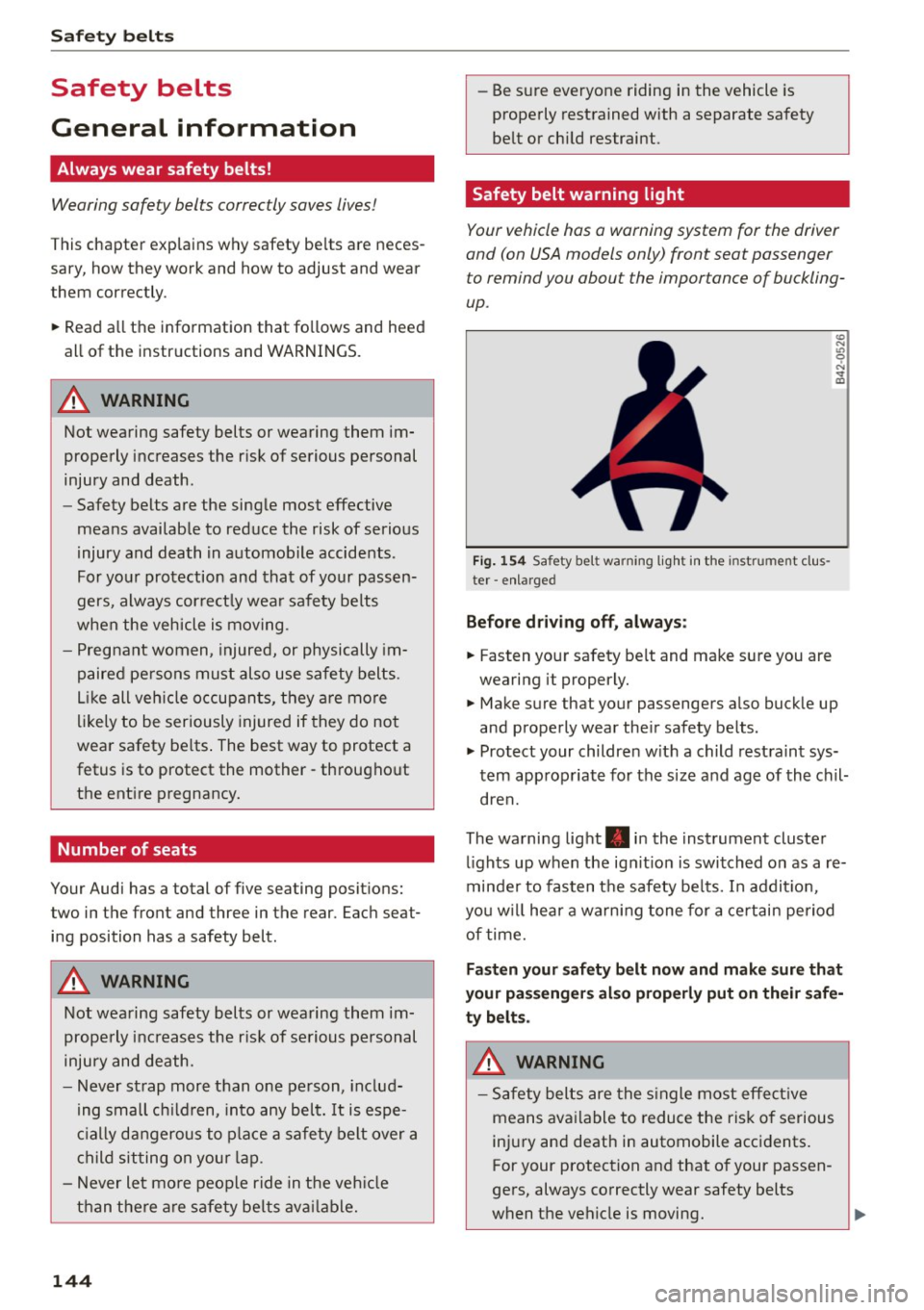
Your vehicle has a warning system for the driver
and (on USA models only) front seat passenger
to remind you about the importance of buckling
up .
Fig. 154 Safety belt warning light in the instrument cl us
ter -enlarged
Before driving off, always:
.. Fas ten your safety belt and make sure you are
wearing it properly .
(0
"'
"' 0 N
and properly wear the ir safety belts .
.. Protect your children w ith a child restraint sys
tem appropriate for the siz e and age of the chil
dren.
The warning light . in the instrument cluster
lights up when the ign it ion is switched on as a re
minder to fasten the safety be lts. In addit io n,
you w ill hear a warning tone for a certain period
of time.
Fasten your safety belt now and make sure that
your passengers also properly put on their safe
ty belts.
&_ WARNING
-Safety belts are the single most effective
means ava ilable to reduce the risk of serious
injury and death in automobile accidents.
For your protection and that of your passen
gers, always correctly wear safety belts
when the vehicle is moving.
-